5 Best Real Estate Software in 2026! (Tested all of them)
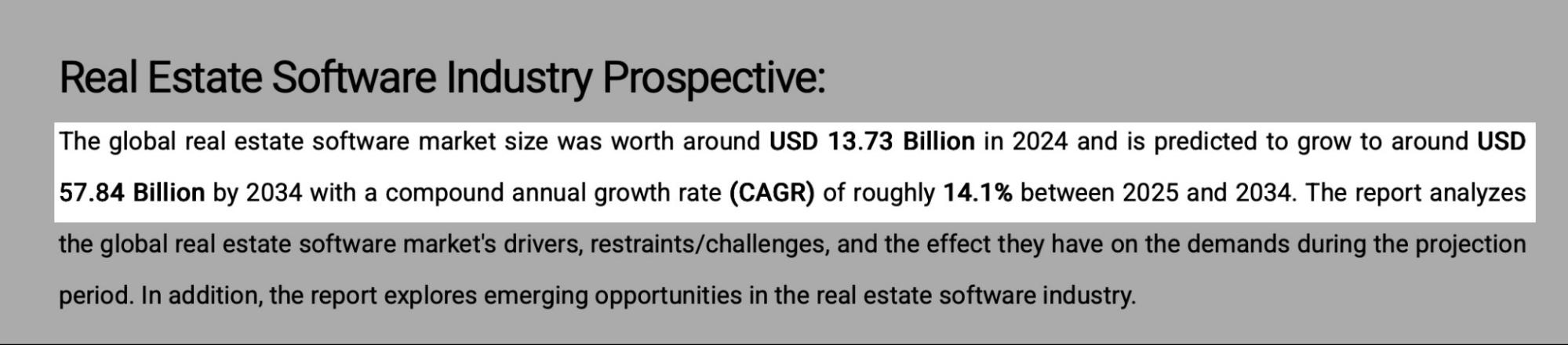 This means that real estate software is in high demand because it provides value to its target end-users. It also means industry players may have a hard time choosing the software that’s best suited for their needs.
That’s why I have written this guide about the five best real estate software in 2026 and key factors to consider before making a choice.
Let’s dive into it.
This means that real estate software is in high demand because it provides value to its target end-users. It also means industry players may have a hard time choosing the software that’s best suited for their needs.
That’s why I have written this guide about the five best real estate software in 2026 and key factors to consider before making a choice.
Let’s dive into it.Top Real Estate Software Compared
| Software | Features | Customization Level | Integration with Other Tools | Ease of Use | Starting Price | Best For |
| Zencal | Zencal: Appointment scheduling, Group calendars, Online payments, Recurring meetings, Built-in webhooks, Task automation, Open API support | Very high | Integrates with Google Calendar, Outlook, iCloud Calendar, Zoom, Stripe, HubSpot, Salesforce, Make, Zapier, Mailchimp | Very easy | From $4/month | Real estate agents, brokers, teams, and property managers who need an advanced, automated scheduling software to streamline client meetings and property-related appointments. |
| RealOffice360 | RealOffice360: CRM, Lead capture, Pipeline management, Task automation, Website builder with IDX/MLS integration | Moderate | Integrates with Google Calendar, Google Contacts, and Mailchimp | Easy | From $12/month | Real estate professionals like agents, teams, and brokers who want to manage leads, clients, and transactions all in one place. |
| Placester | Placester: Website builder with IDX/MLS integration, Built-in SEO, Lead capture forms, Customizable templates | High | Integrates with Google Analytics, Mailchimp | Easy | From $59/month | Real estate professionals who want to quickly build a website and use it for marketing, lead tracking, and conversion. |
| Buildium | Buildium: Property management, Tenant screening, Lease tracking, Rent collection, Maintenance requests, Accounting tools | Moderate | Integrates with QuickBooks, Stripe, and more | Moderate | From $58/month | Property managers, landlords, and real estate professionals who want to manage rental houses and collect payments online. |
| Dotloop | Dotloop: Transaction management, Document editing and e-signatures, Compliance tracking, Task management | Low | Integrates with Google Drive, Dropbox | Easy | From $31.99/month | Real estate agents, brokers, and property managers who want all-in-one software to manage transactions, documents, and e-signatures in a single platform. |
Start your 14-day free trial and automate your scheduling today.
5 Best Real Estate Software
1. Zencal
Zencal is number one on my list of the five best real estate software. With features that let you book, get reminders, collect payments, and schedule as a team, it’s no surprise it takes the top spot.
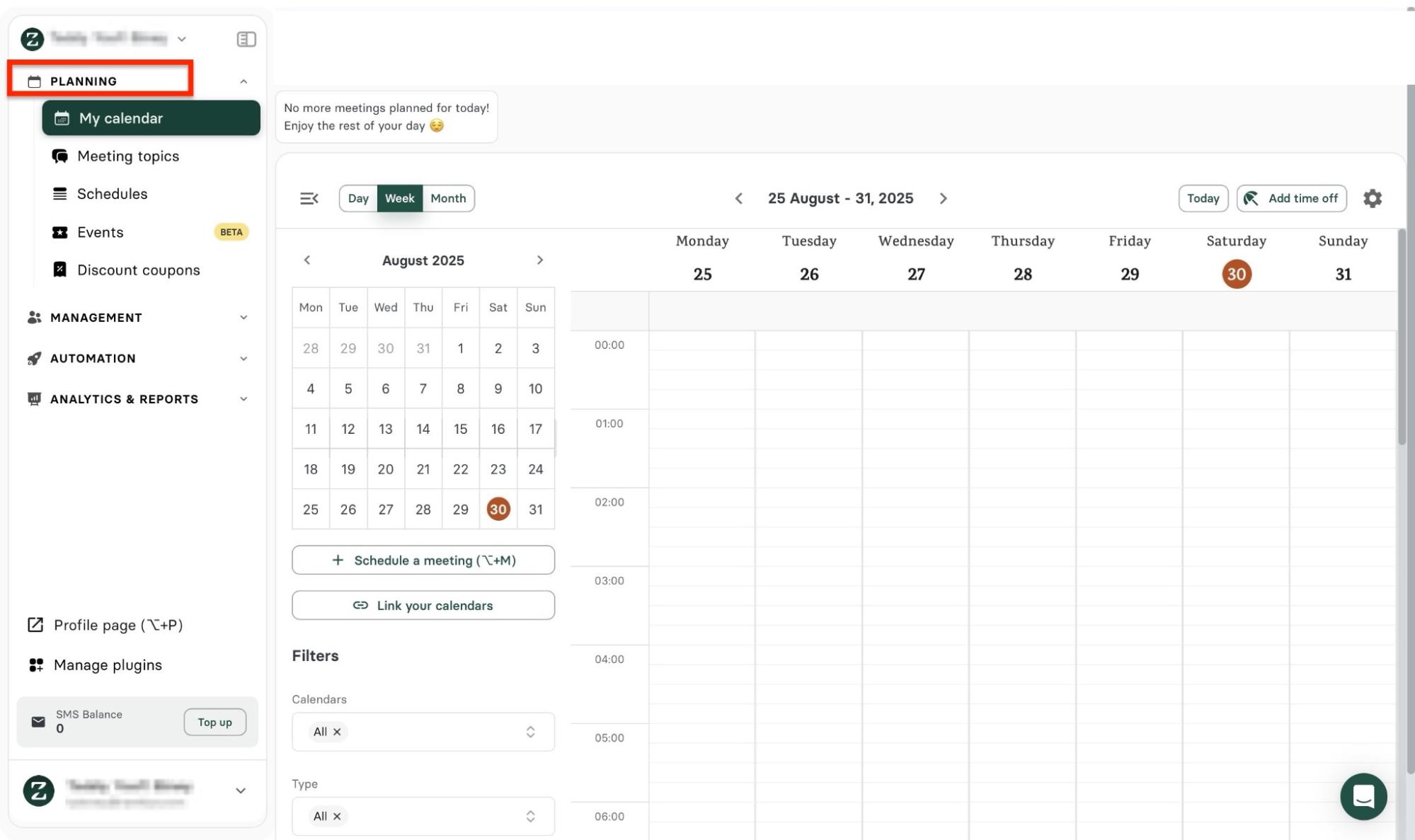
Zencal’s Planning feature lets you schedule a meeting and link it to your calendar. You also have the option to create and add meeting topics.
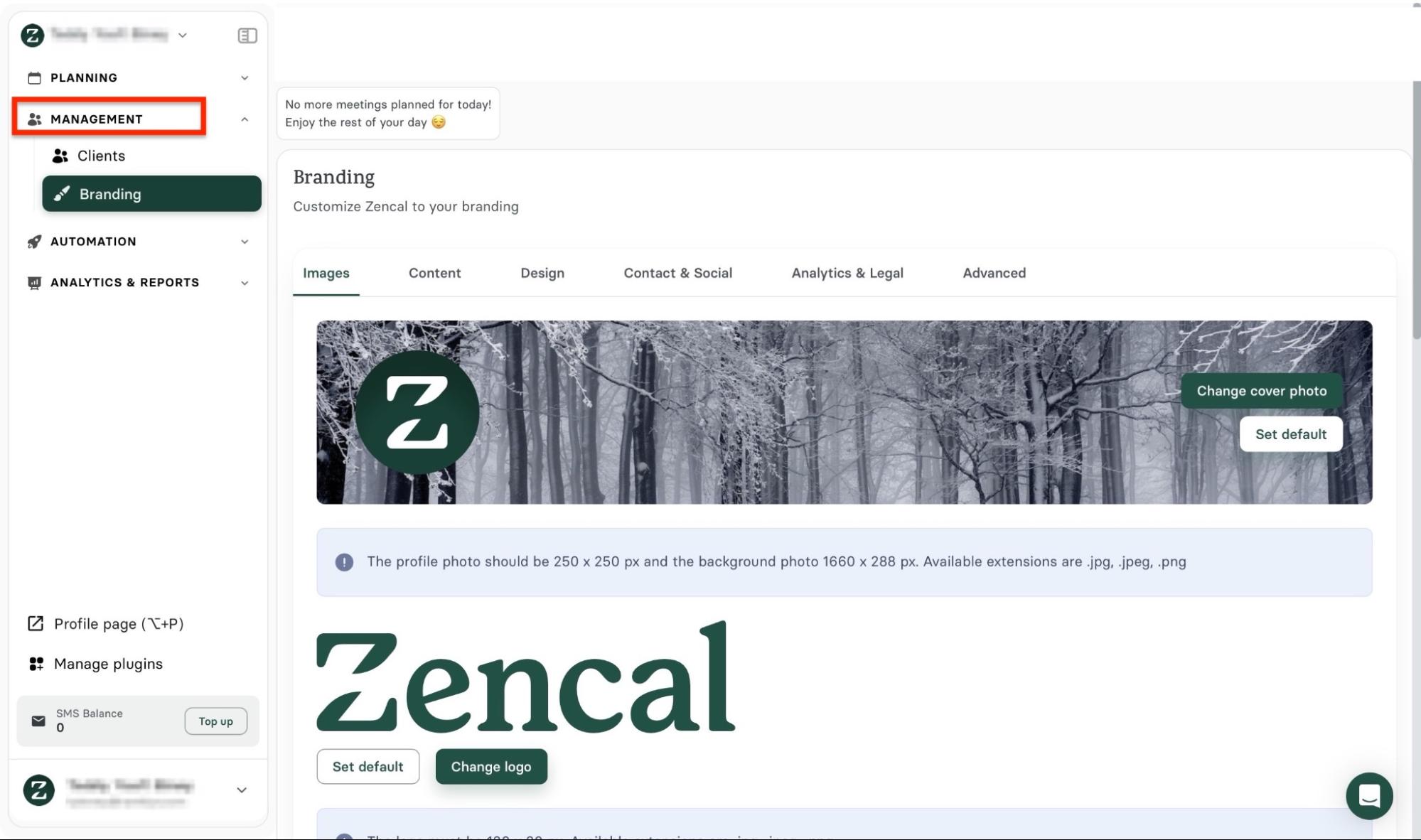
With its Management feature, you can add new clients to your account and manage the existing ones. Aside from that, under this feature, you can customize Zencal to your brand.
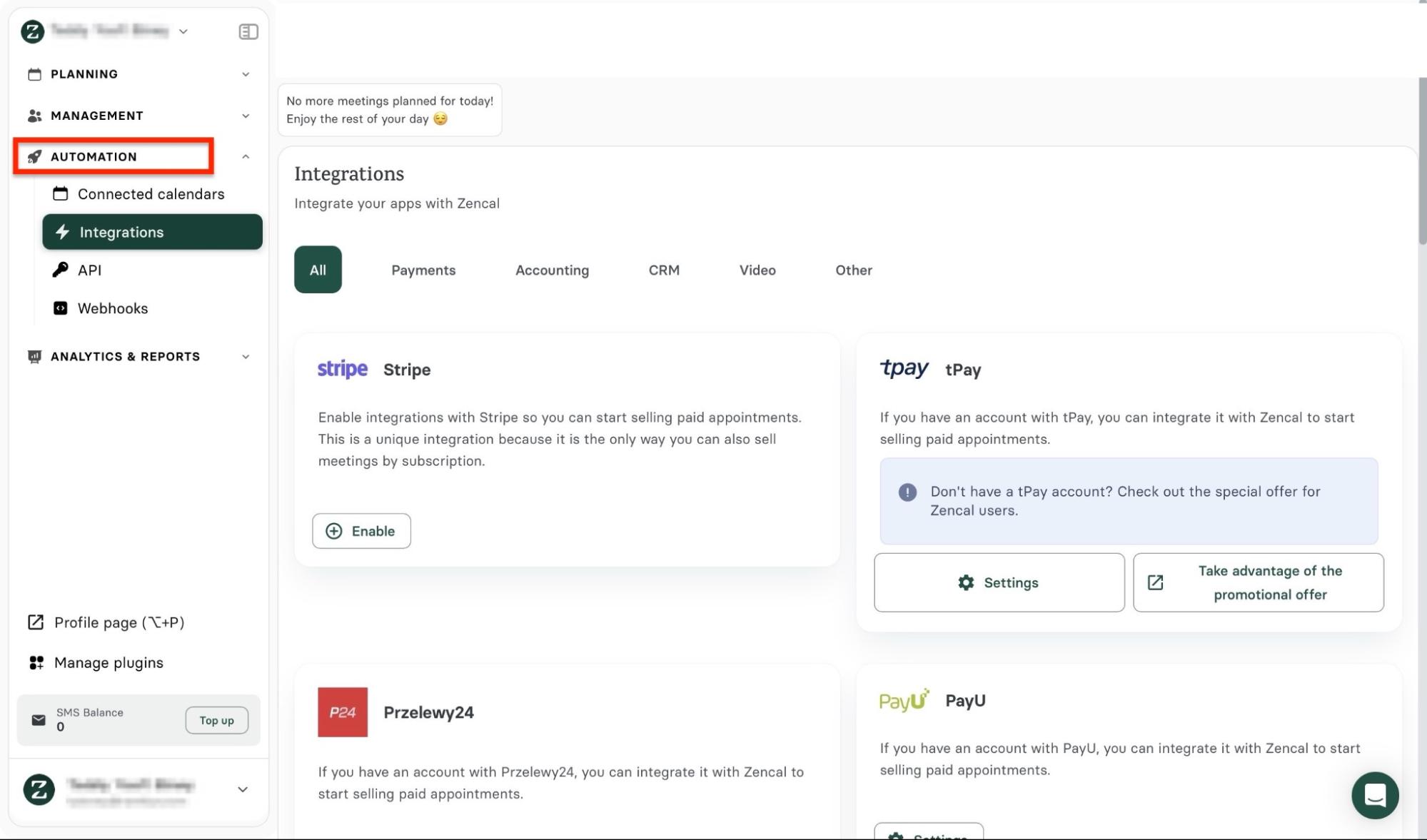
There is more. Zencal’s Automation feature allows you to connect calendars such as Google Calendar, Outlook Calendar, and iCloud Calendar. It also enables integration with HubSpot, Stripe, Google Meet, Zapier, Microsoft Teams, and more.
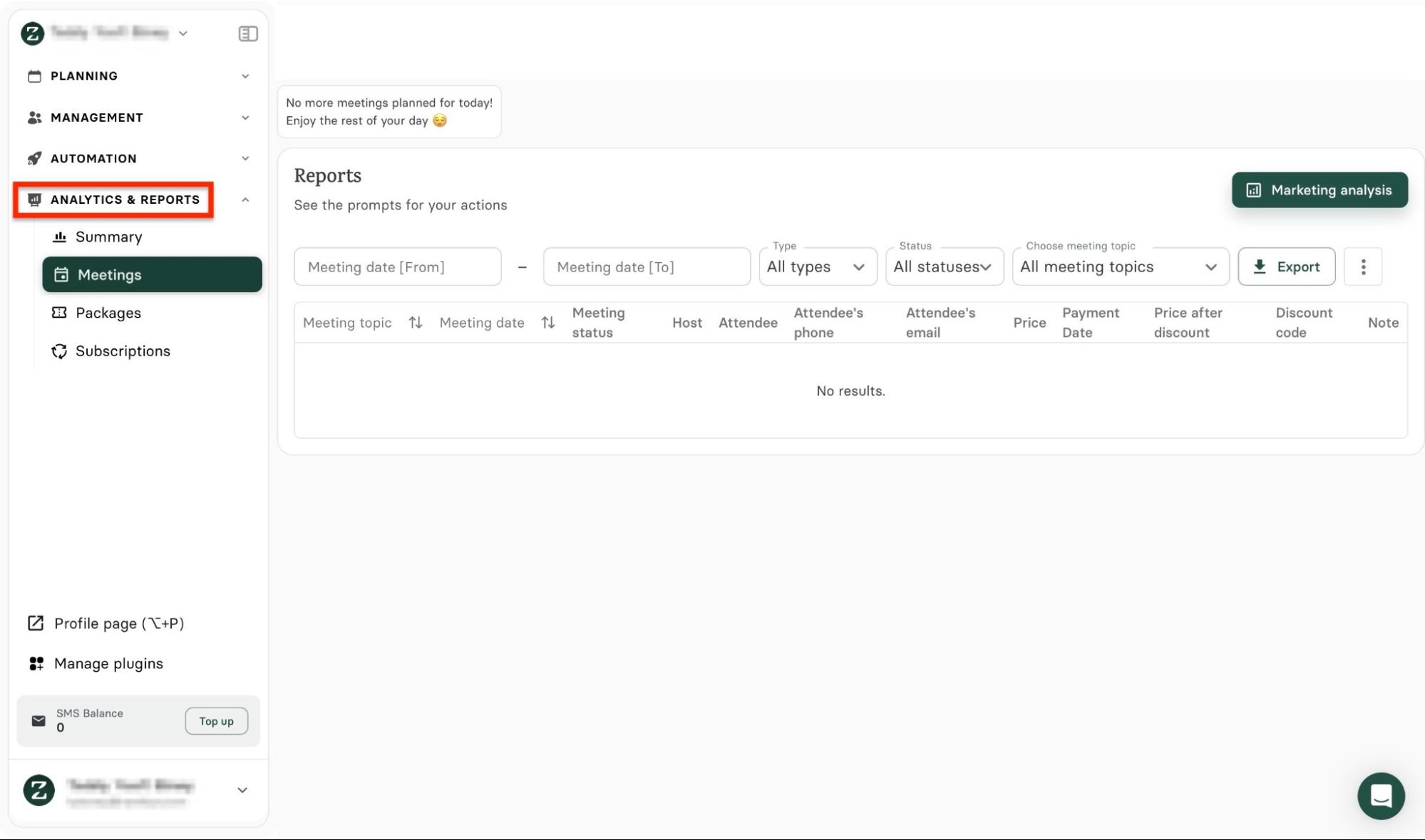
The Analytics & Reports feature on Zencal shows meeting summaries and reports. You can track meetings and subscriptions. There’s also the option to export analytics data in CSV file format.
As a real estate agent or broker, you want complete control of your appointments with property owners, vendors, and tenants.
Zencal helps you do that. Let me show you how in a few steps.
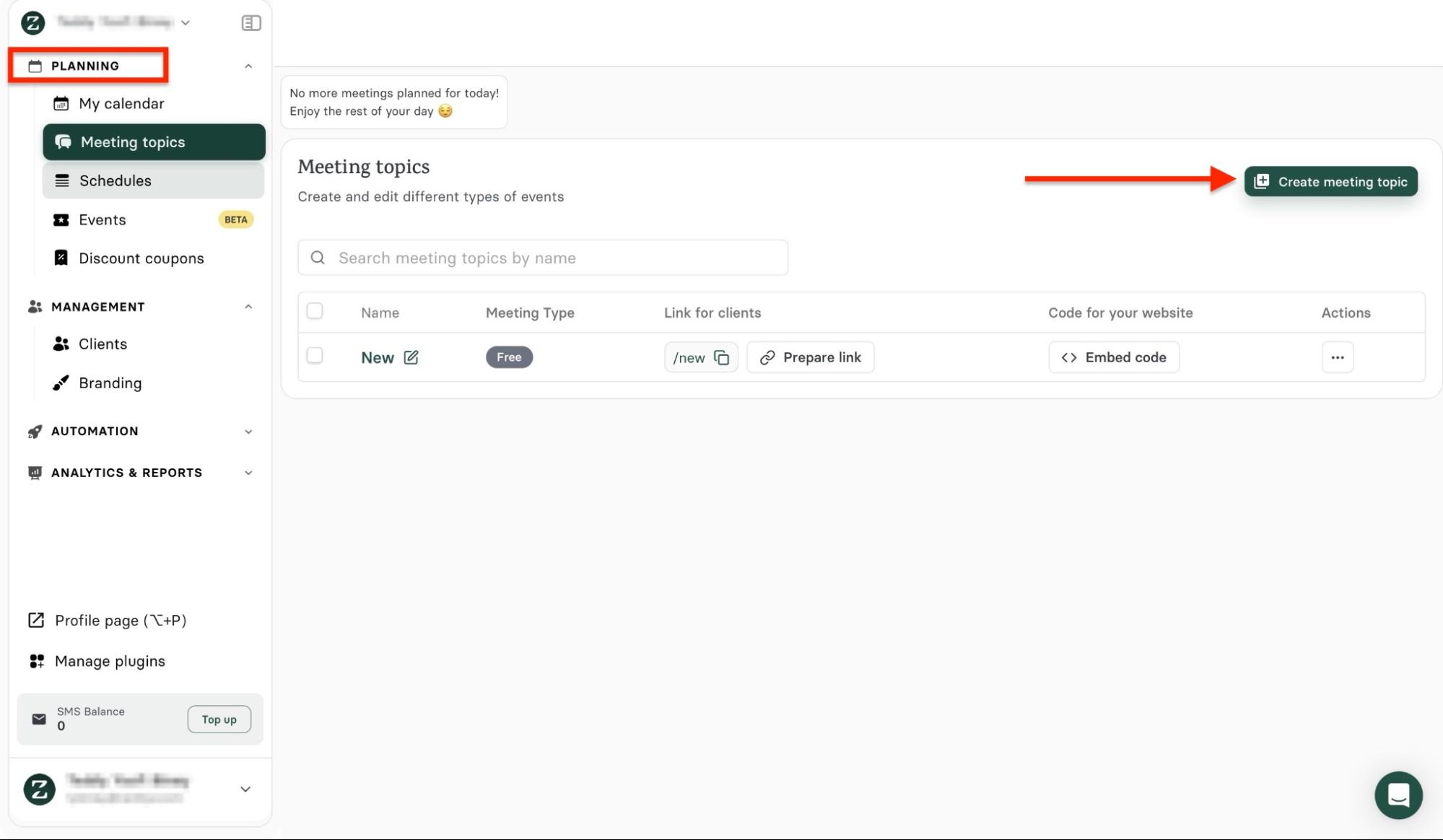
First, click “Planning” in the sidebar, then select “Meeting topic.” Next, click “Create meeting topic.”
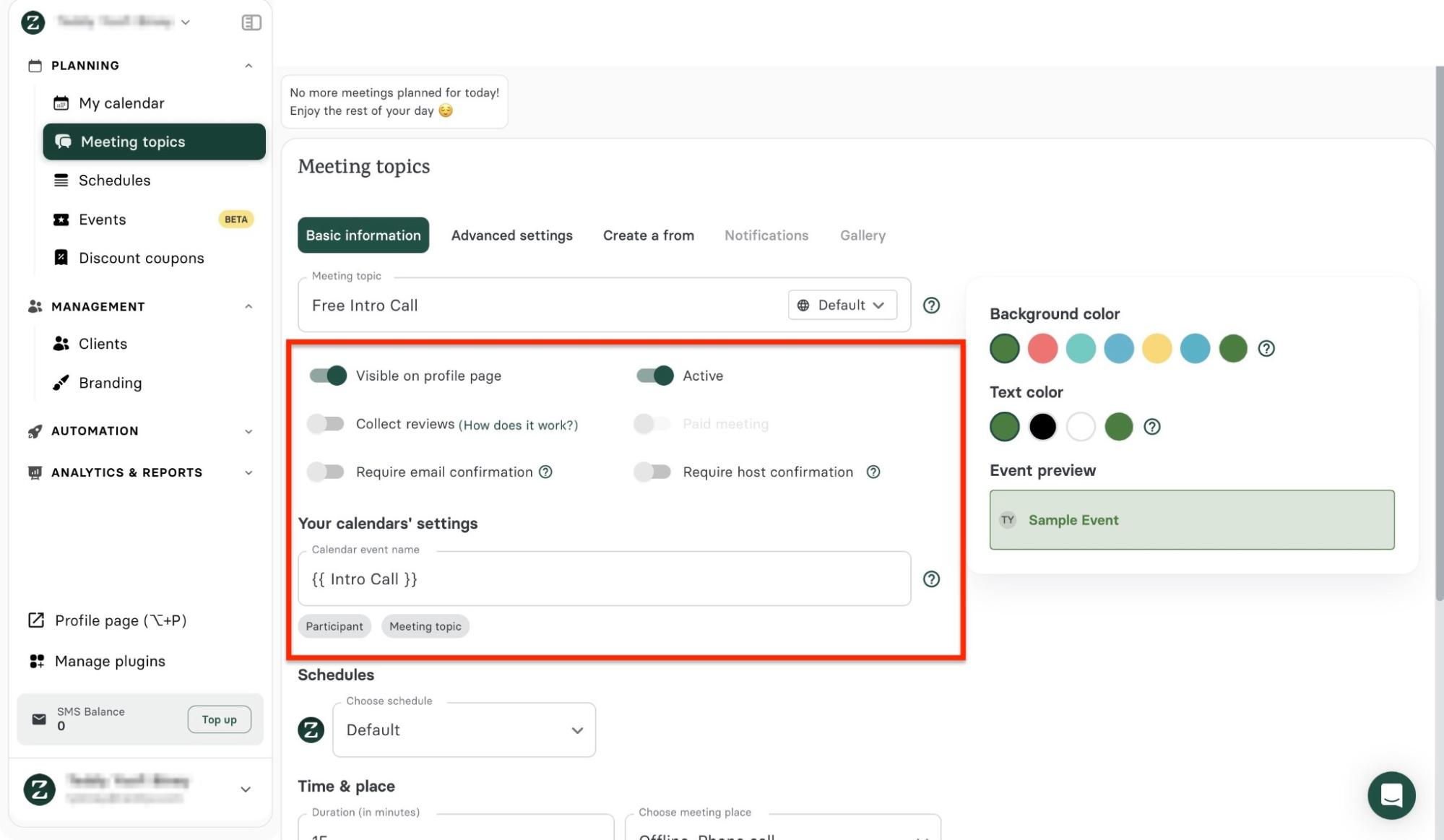
Now, add the meeting topic and toggle any of the switches to select your preferred option.
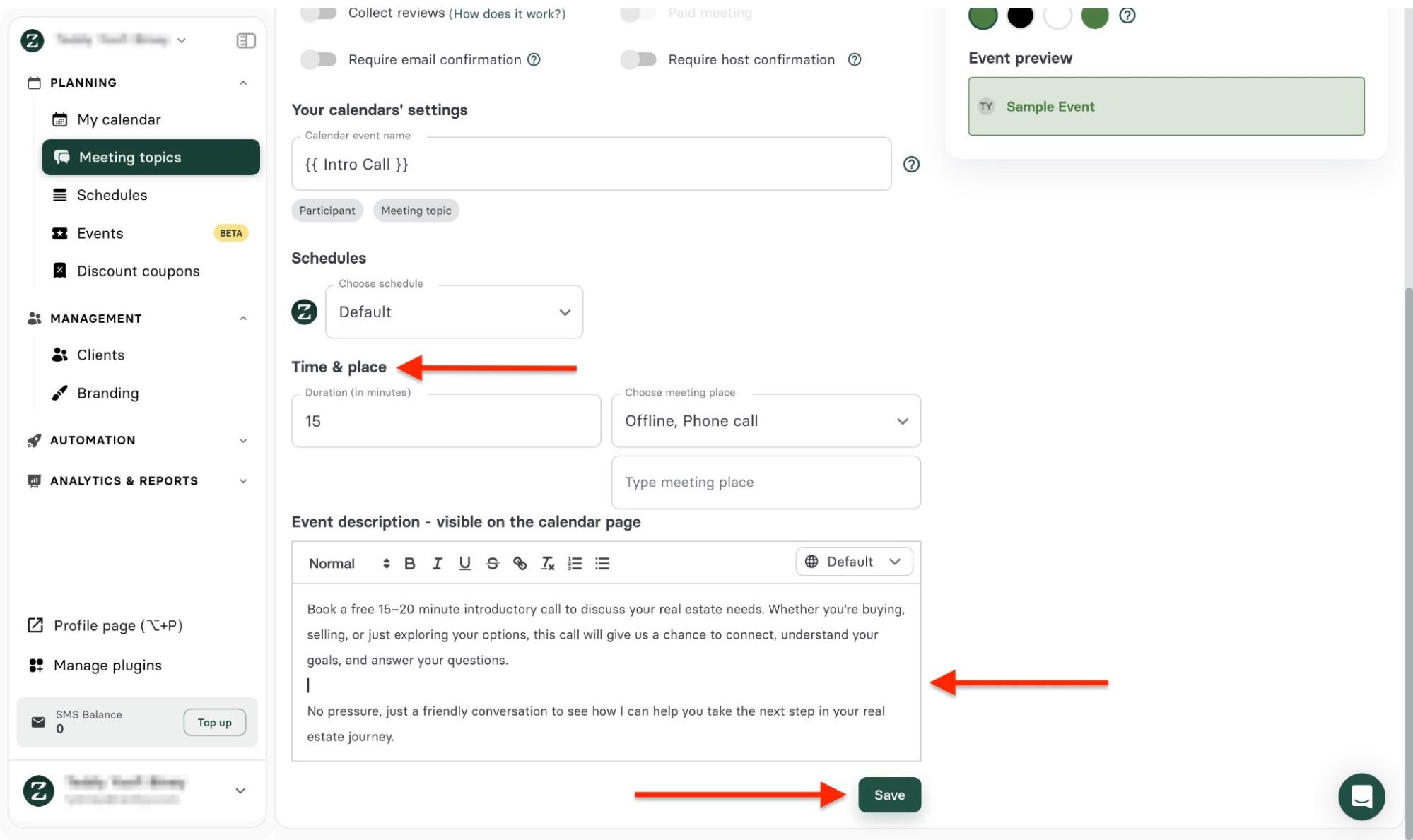
Next, add an event description, time, and place of meeting, and click “Save.”
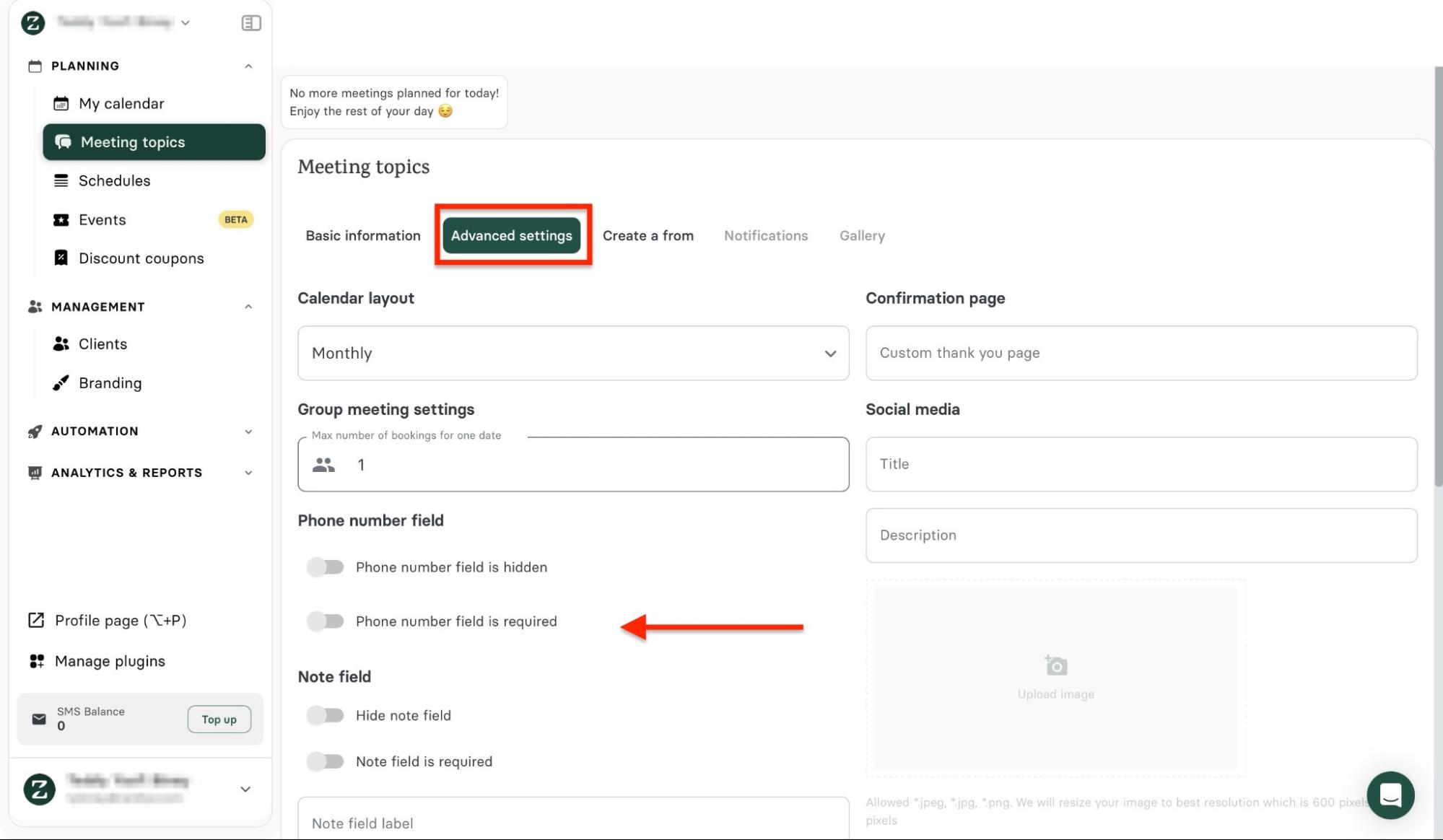
Then, go to the Advanced settings tab. Fill out the form and select your preferred options.
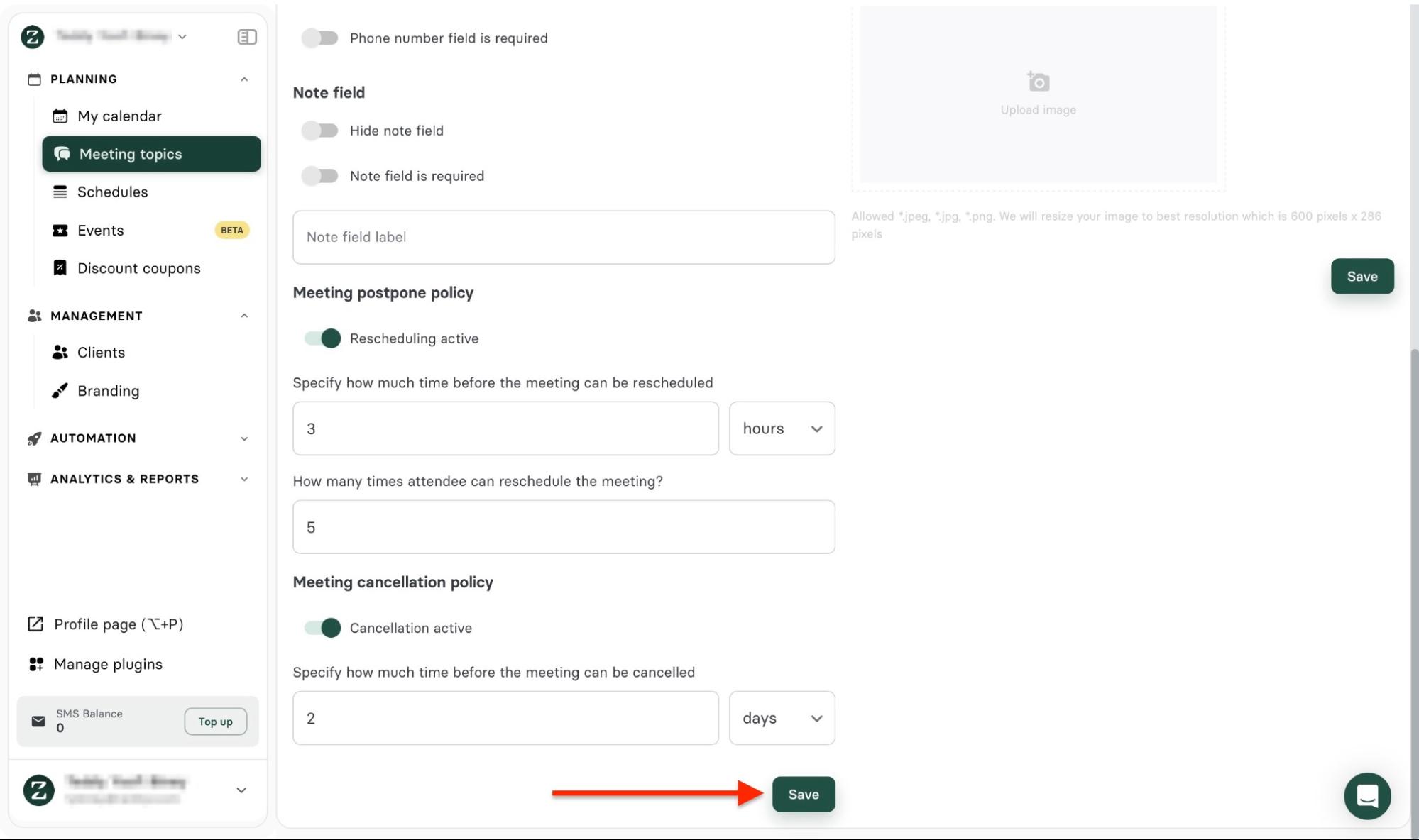
Scroll down to add more details and click “Save.”
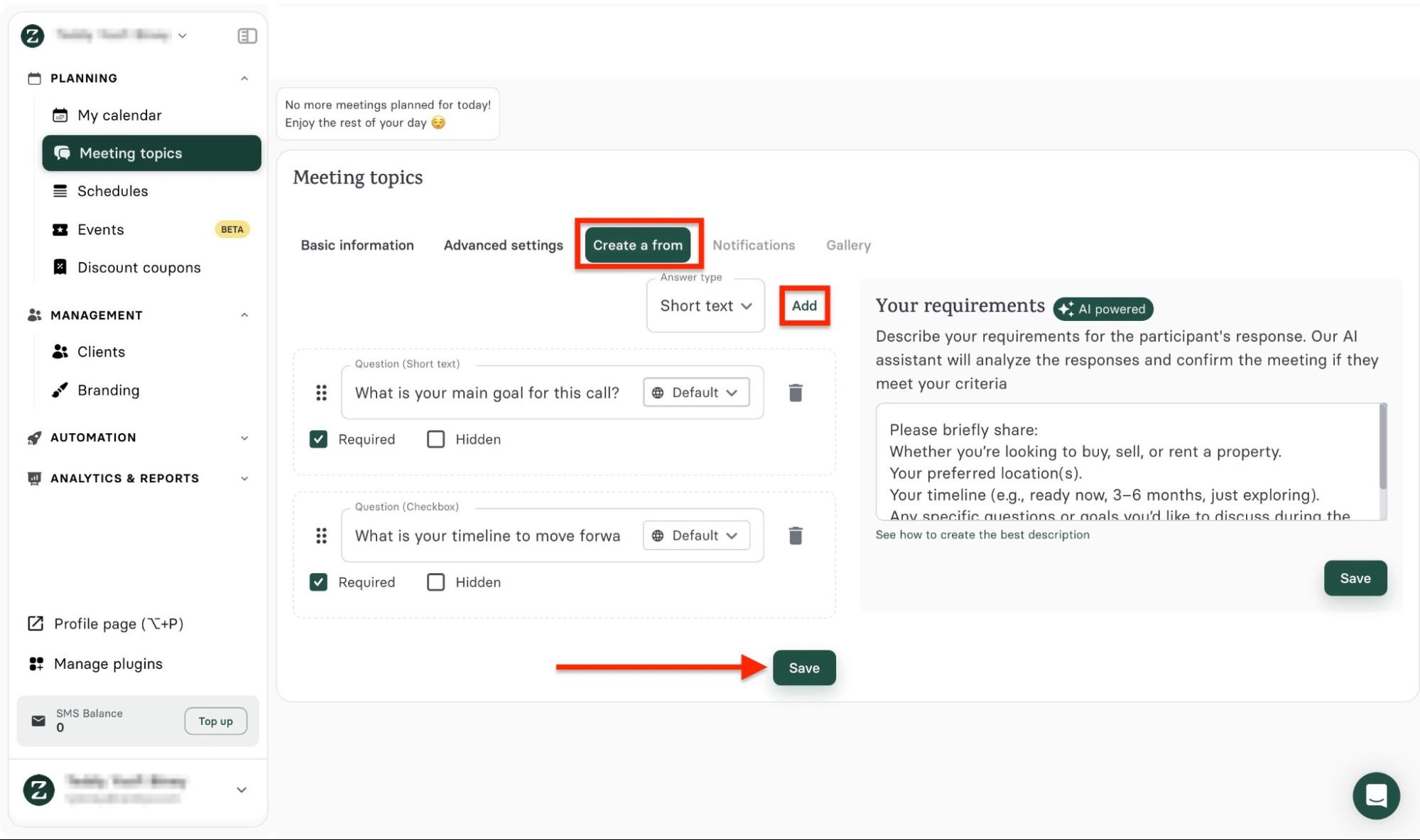
Once you've done that, select the next tab: Create a form. Click “Add” to include more questions. Then, add the items on the form and describe the kind of response you want from participants. Next, click “Save.”
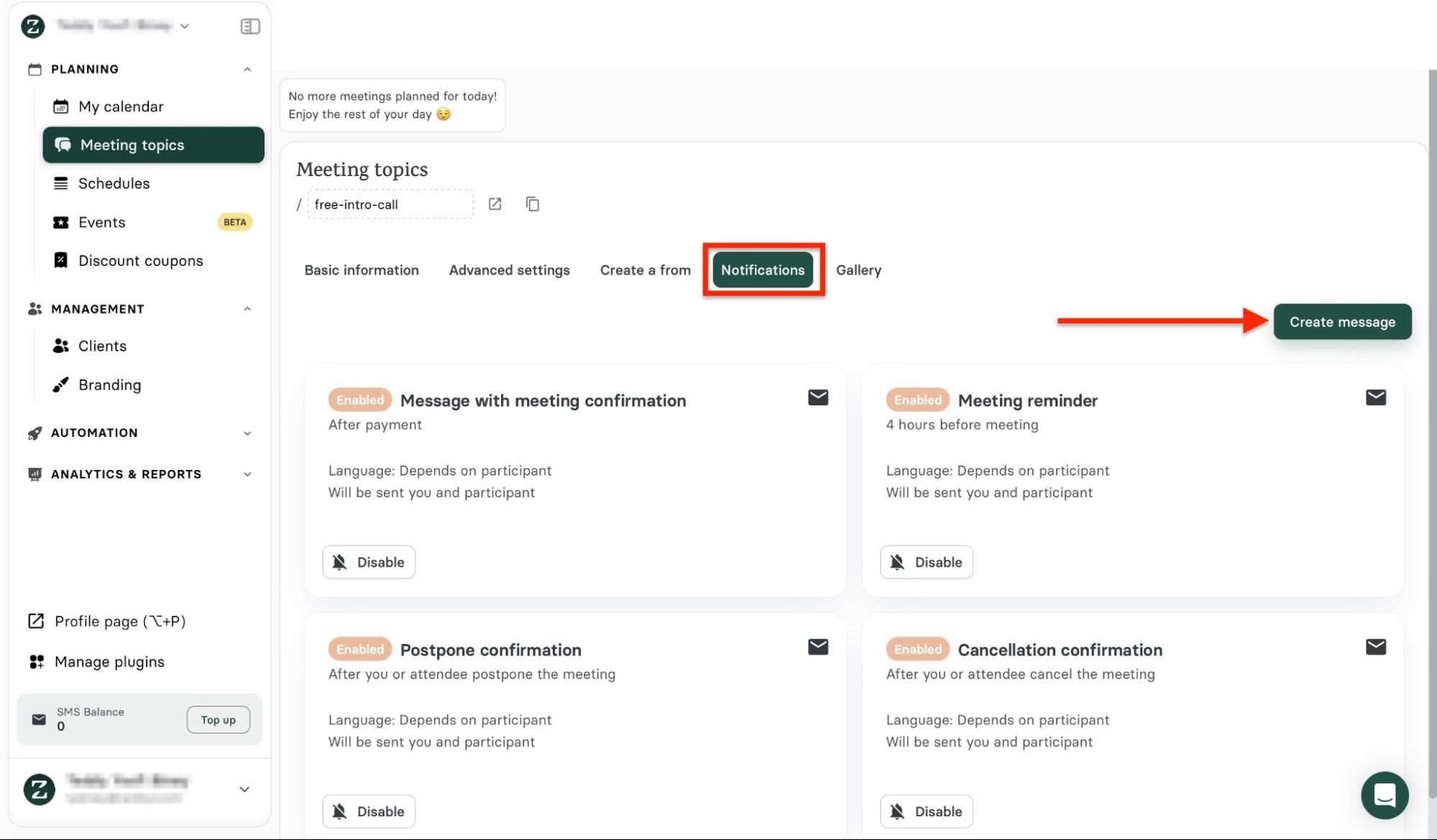
You may return to the Basic information tab to review and save your changes. After that, you can set up reminders, confirmations, or follow-ups for your participants. Click “Create message” to do that.
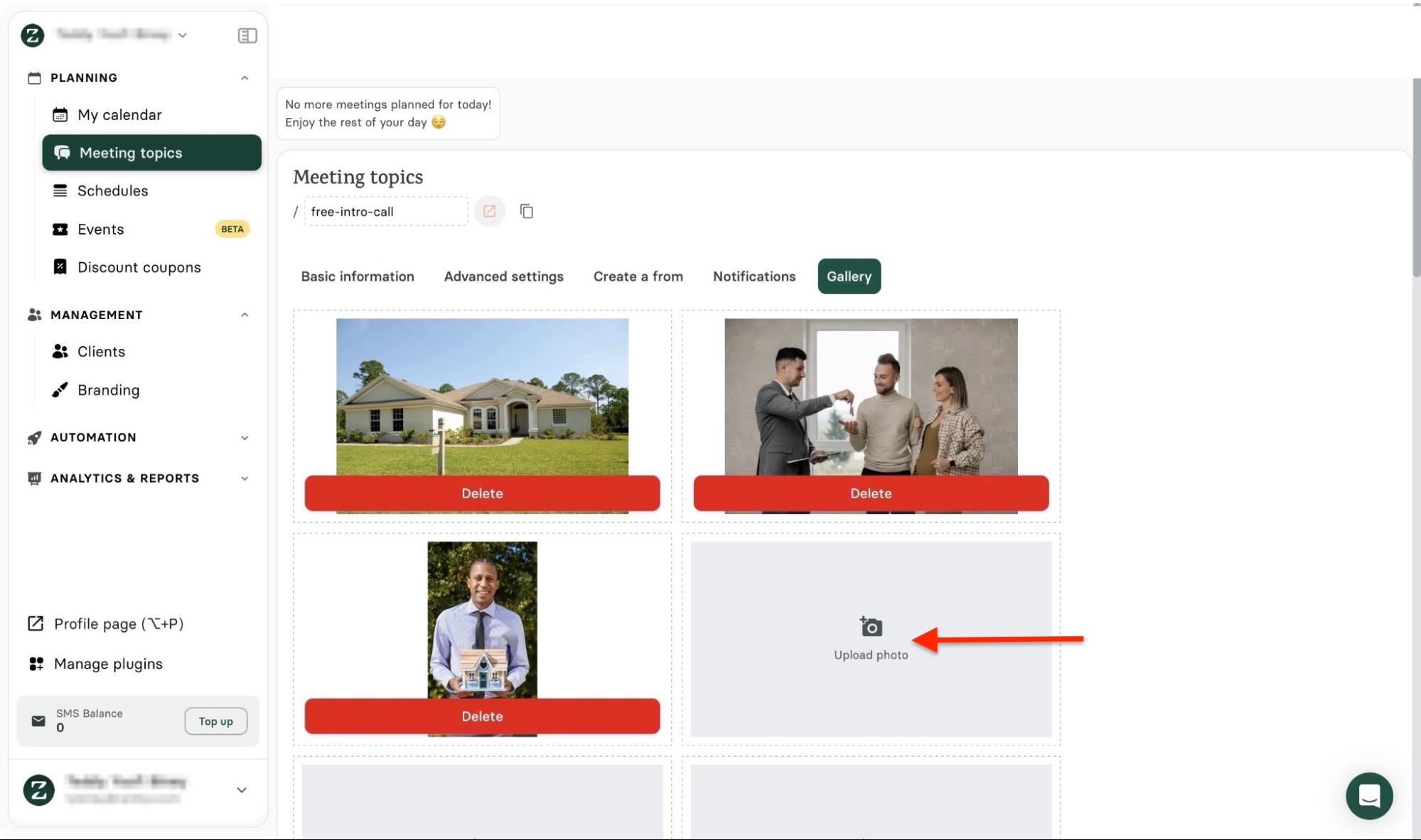
Select the Gallery tab and click the “Upload photo” area to add images.
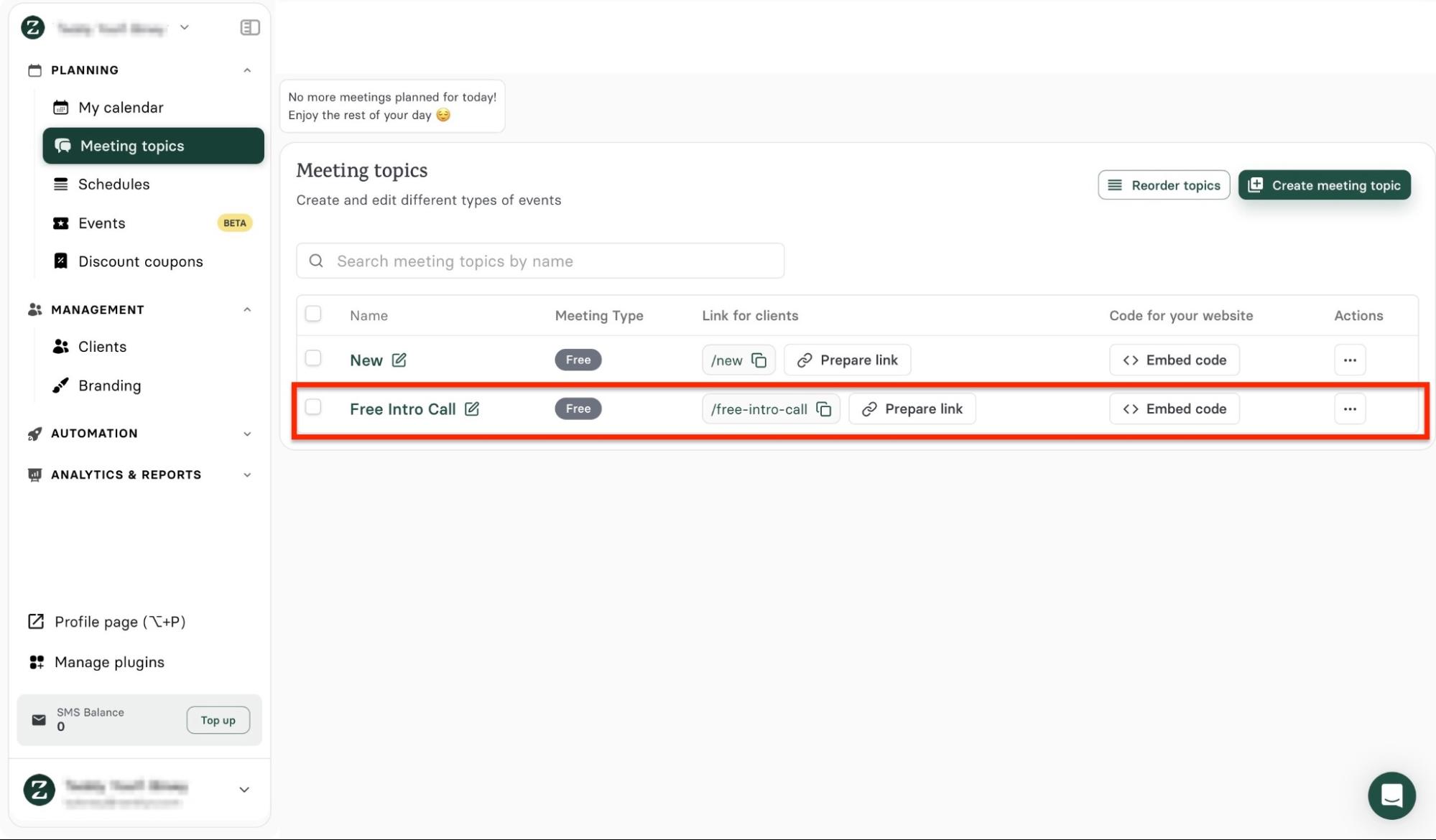
The new meeting topic will be listed in the Meeting topic window.
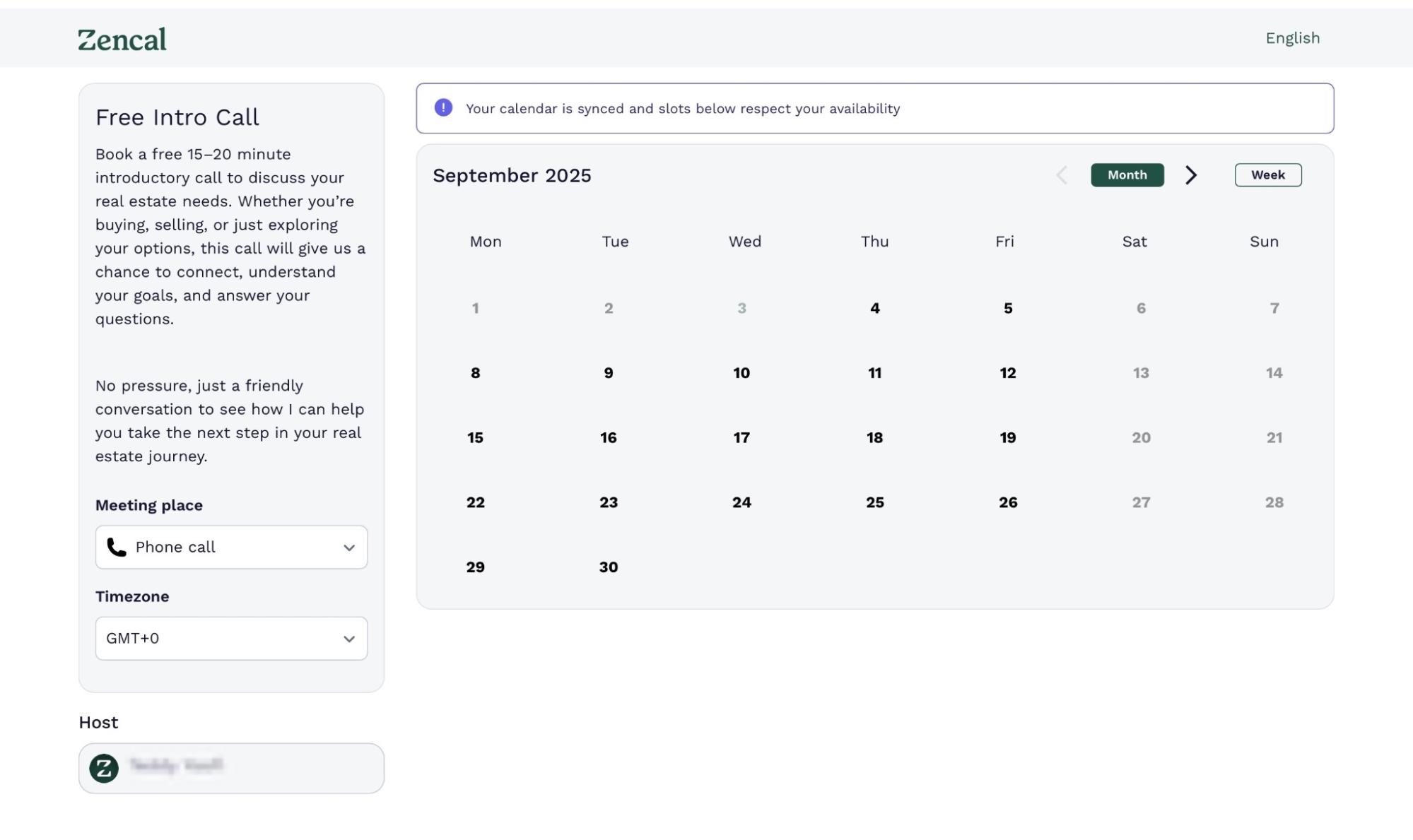
Click the URL link to preview your new meeting topic.
Key features
1. Clients
Zencal lets you export, import, and add new client information using the clients tool.
Here’s how to add a new client:
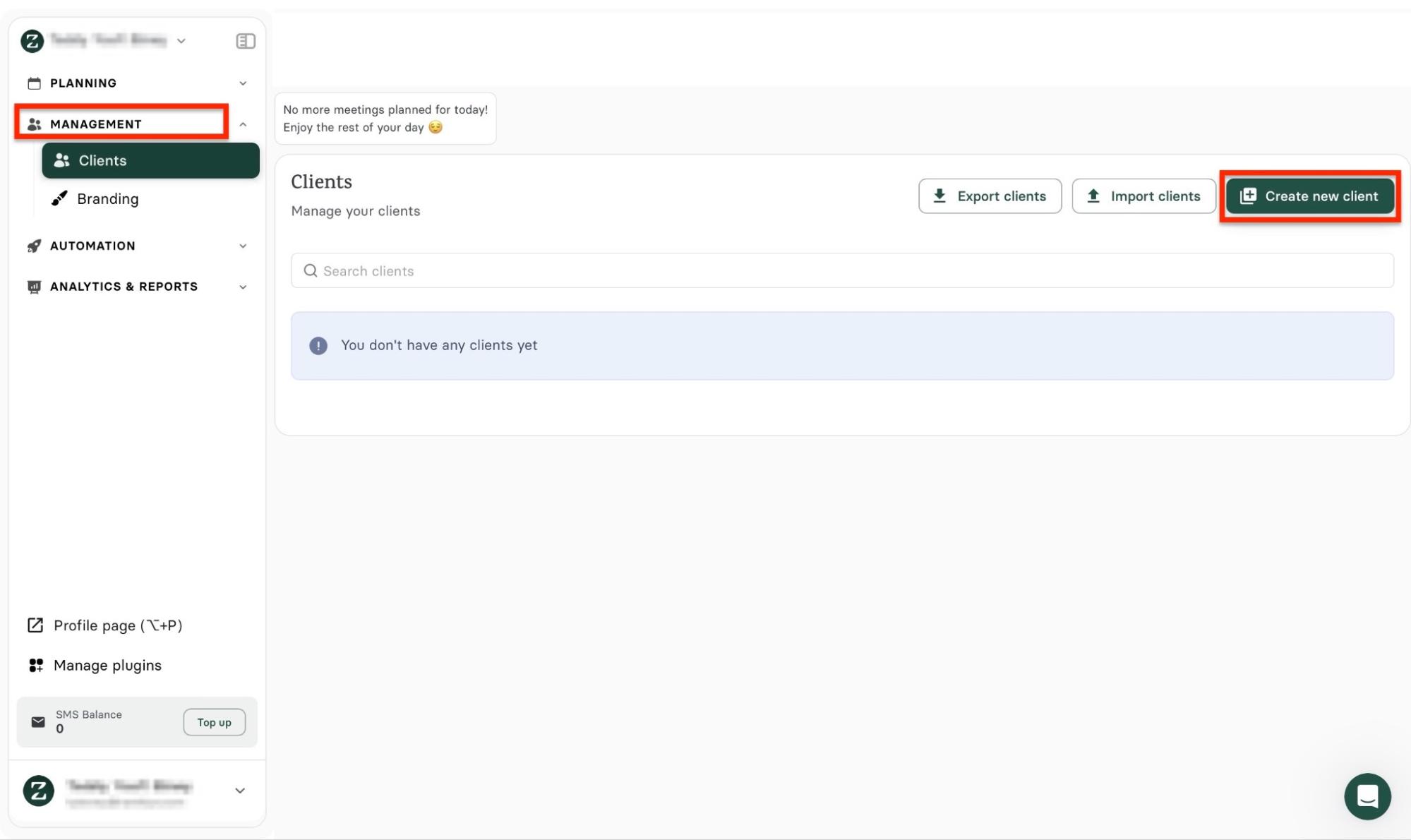
In the sidebar, select “Management,” then select “Clients.” Next, click "Create new client.”
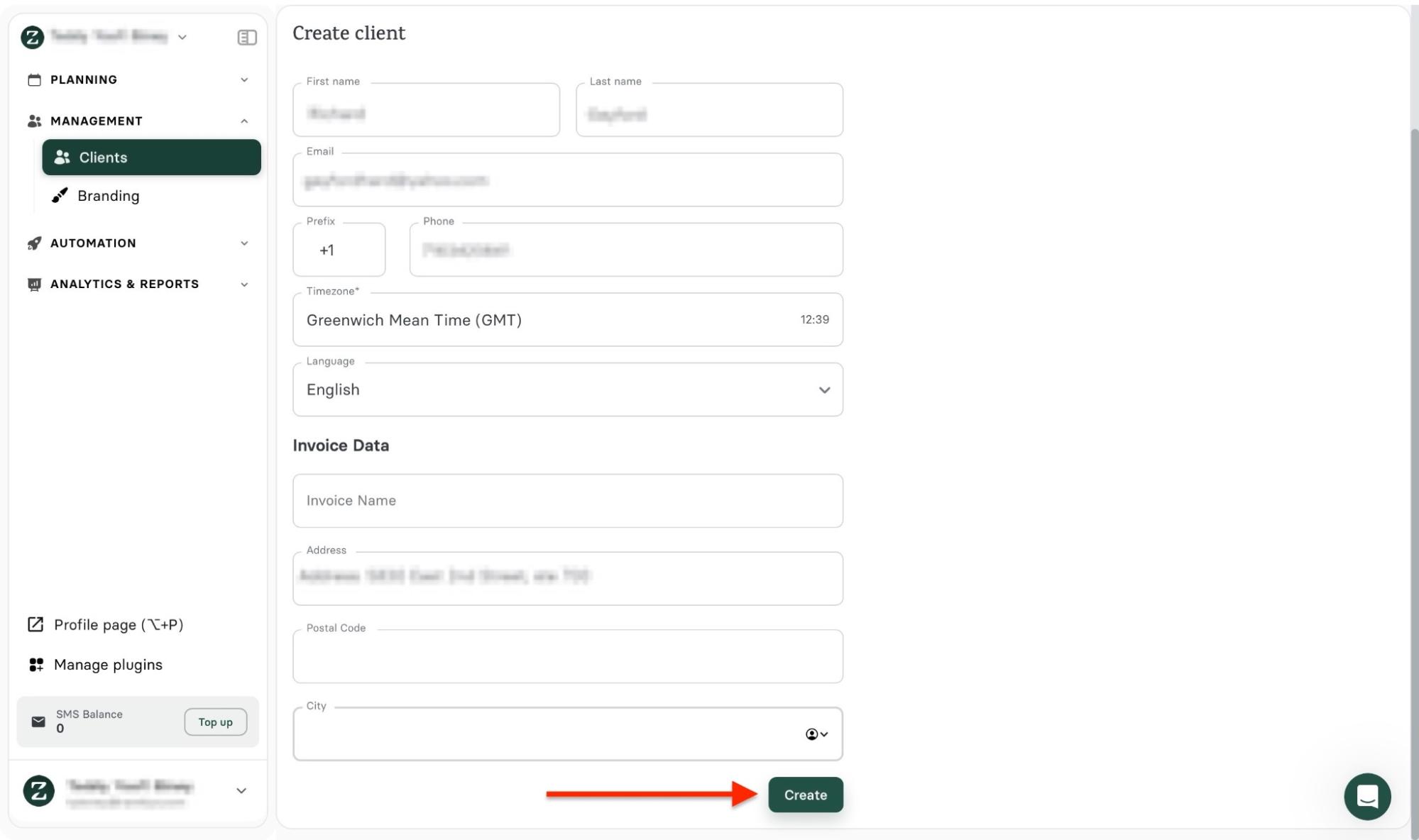
Enter the client’s name, their time zone, and contact information. Then, scroll down and add invoice data. Once you’re done, click “Create.”
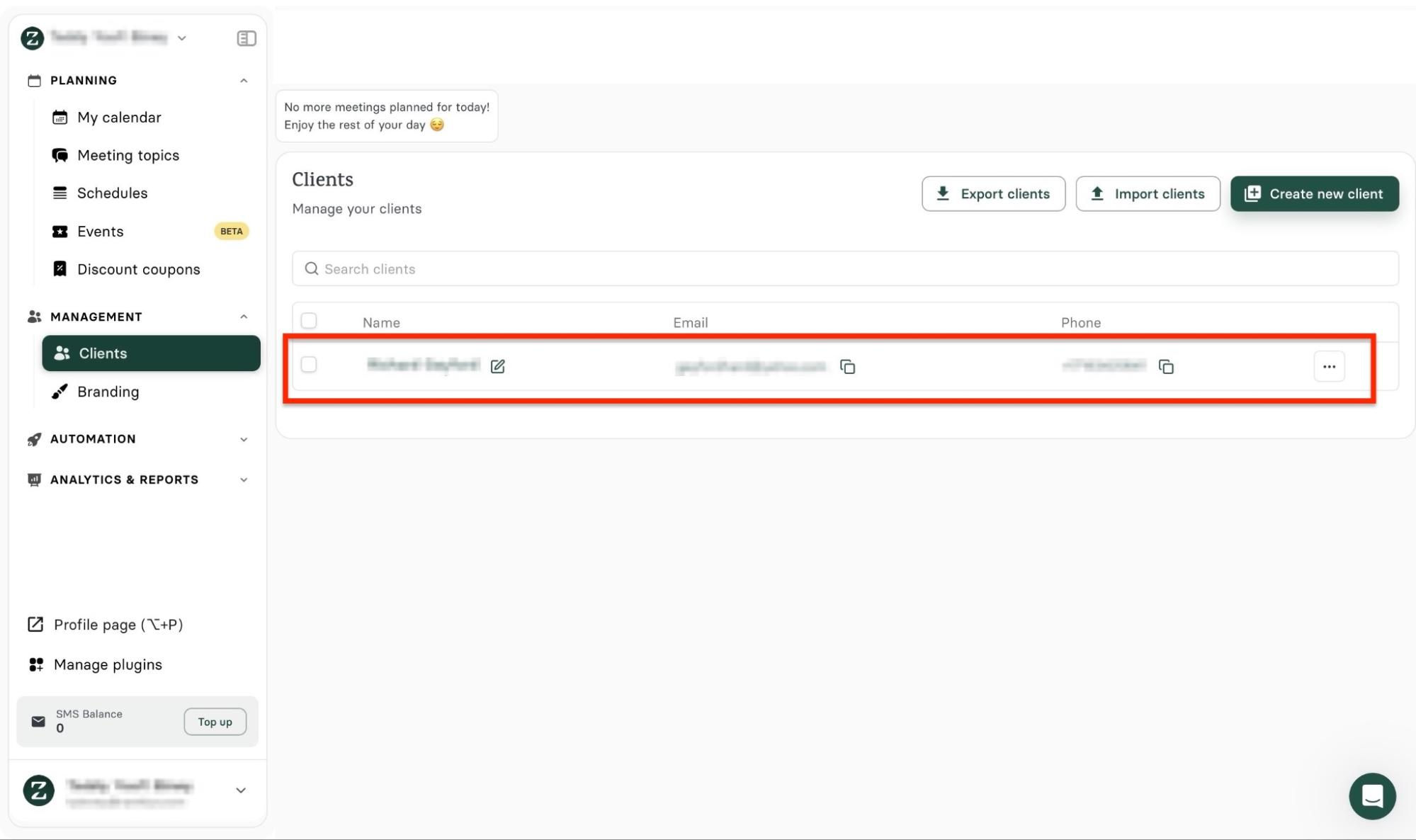
You will find the new client you created in the “Clients” window.
2. Automation
The Automation feature on Zencal keeps appointment scheduling, payments, and tasks running smoothly without manual input.
You only have to set it up once. Here’s a quick way to connect your native calendar to Zencal so your appointments can be automatically recorded.
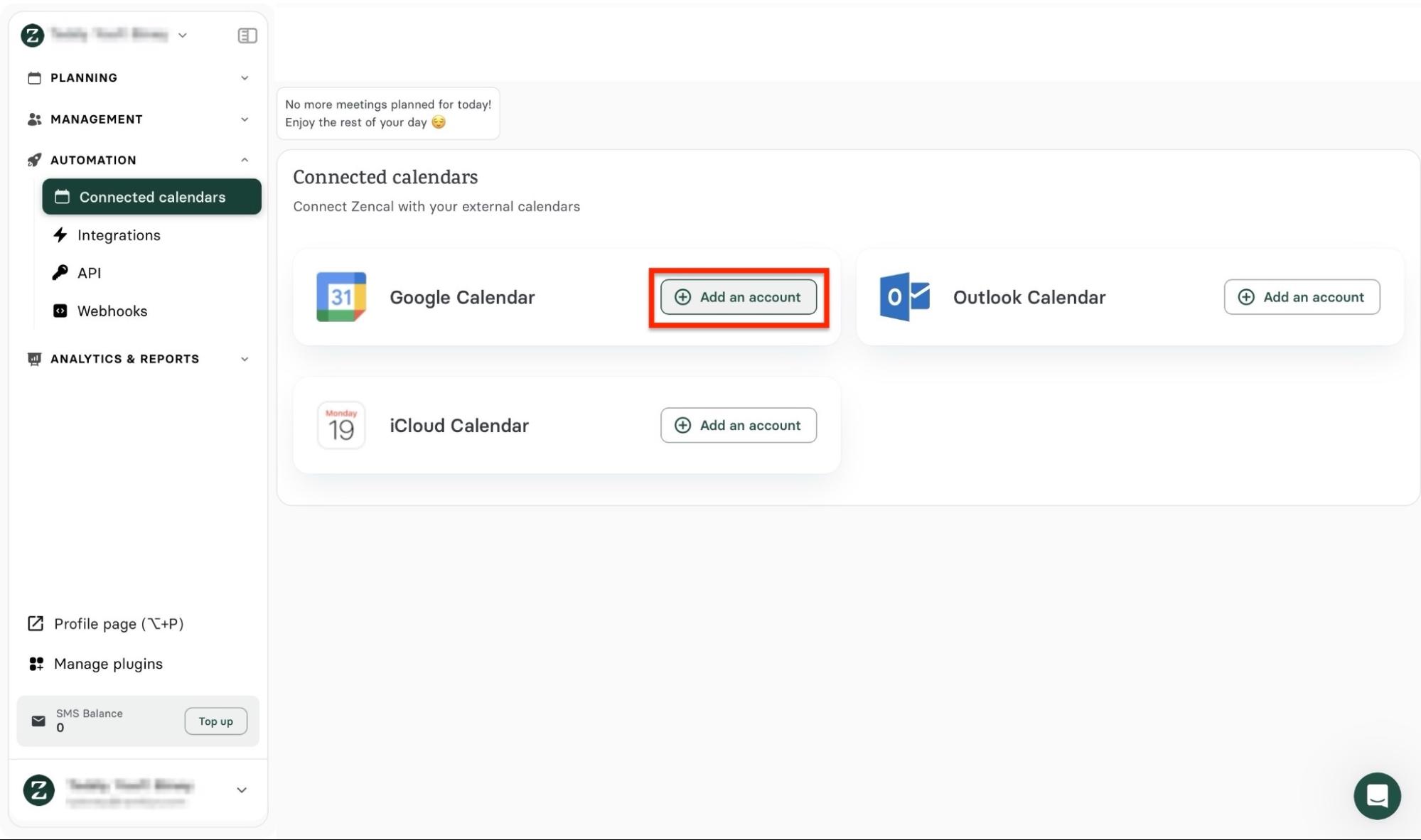
To start, select “Automation” in the sidebar. Then, click “Connected calendars.”
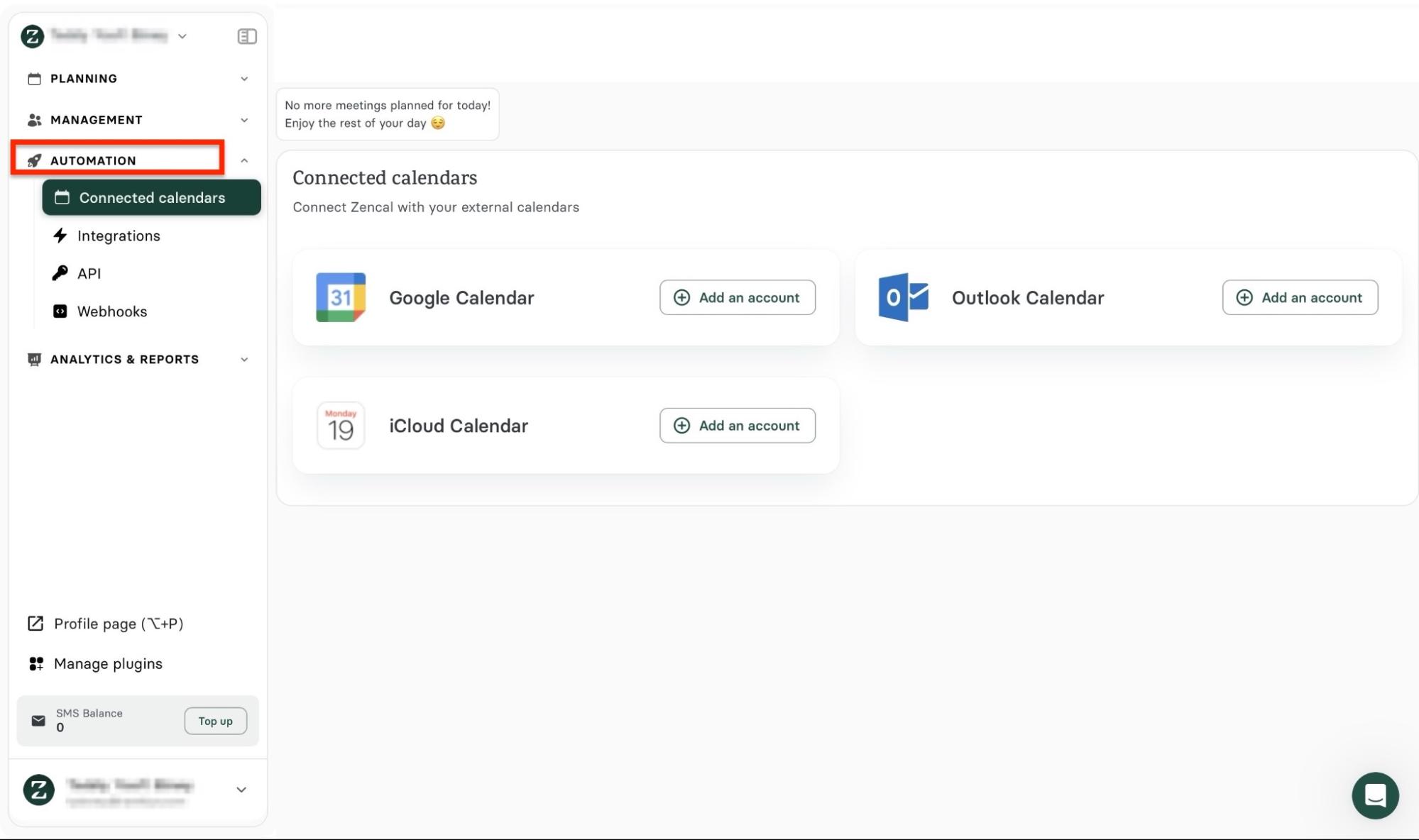
From there, choose the calendar you want to connect and click “Add an account.”
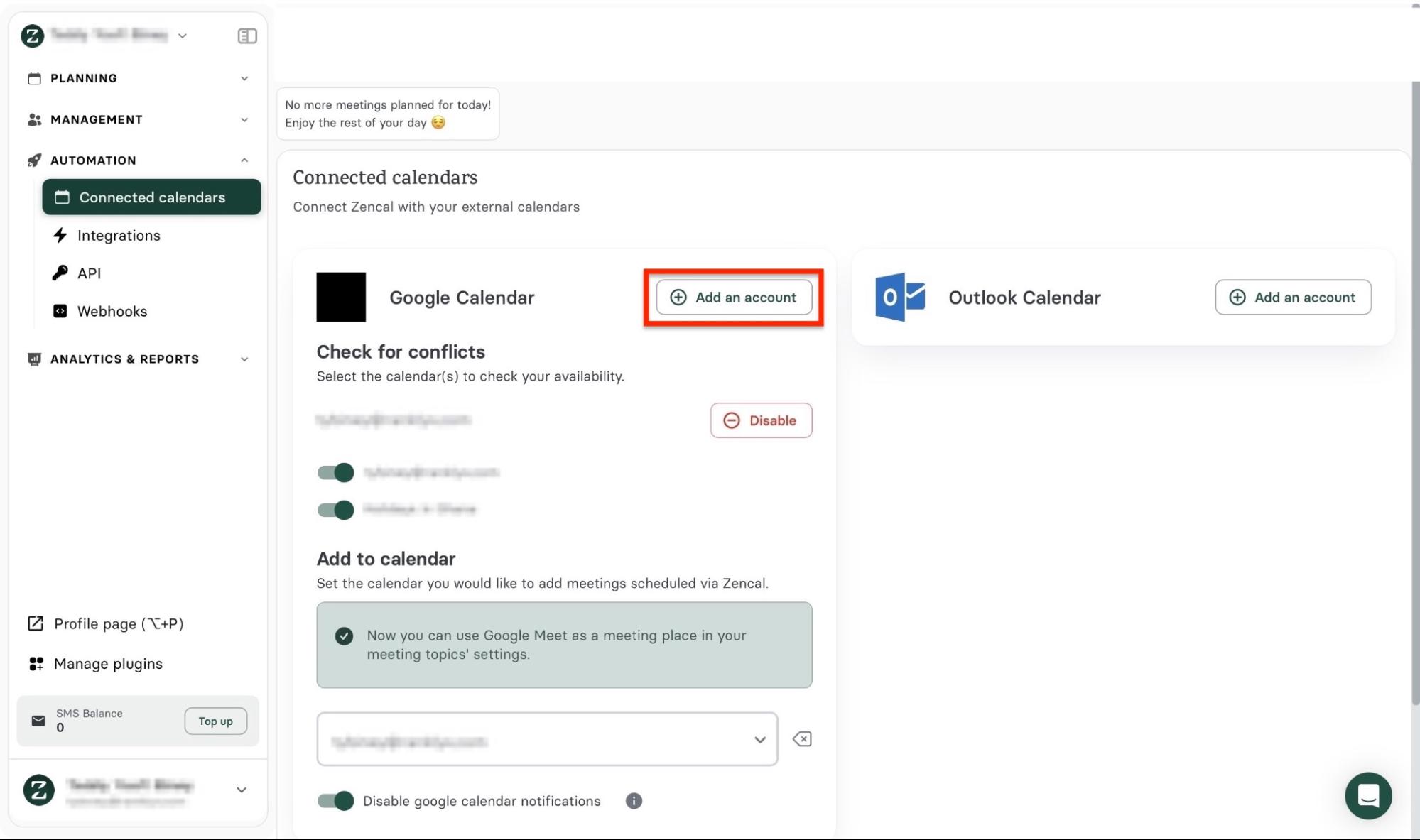
Your calendar will now appear in the Connected calendars window. You can always click “Add an account” to connect more calendars.
Pros:
- Cost-effective pricing
- Comprehensive scheduling tools
- User-friendly and easy to navigate
- Fully accessible free trial
- Advanced customization
- API and webhooks for custom integrations
- Wide integration support
- Powerful automation feature
Cons:
- Slight learning curve for advanced setups
- Short trial window
- Limited offline functionality
Best For
- Real estate agents, brokers, teams, and property managers who need an advanced, automated scheduling software to set up client meetings and property-related appointments.
Pricing
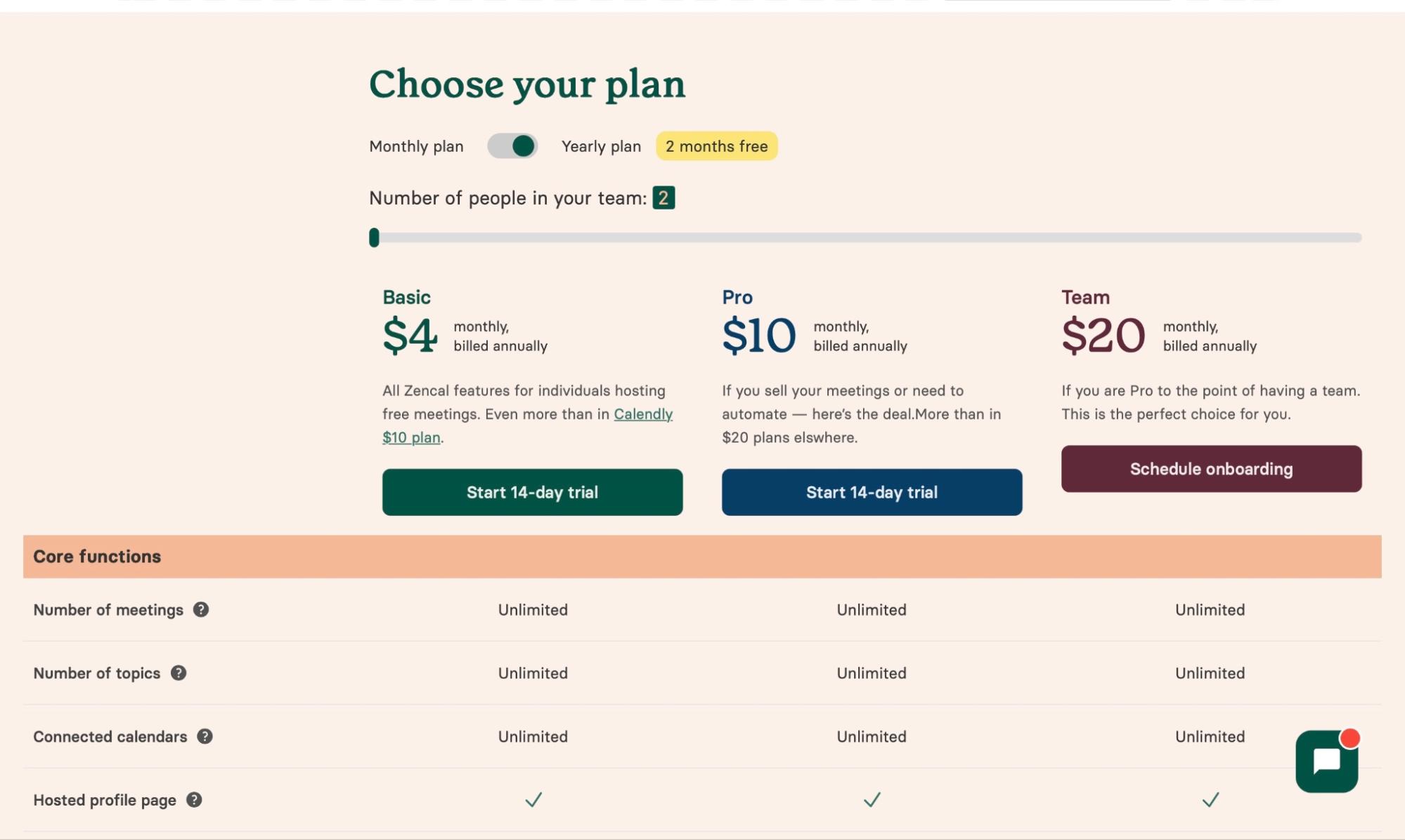
- Basic: $4/month
- Pro: $10/month
- Team: $20/month
2. RealOffice360
In second place on my list of the five best real estate software is RealOffice360. It’s a Customer Relationship Management (CRM) software built specifically for real estate professionals.
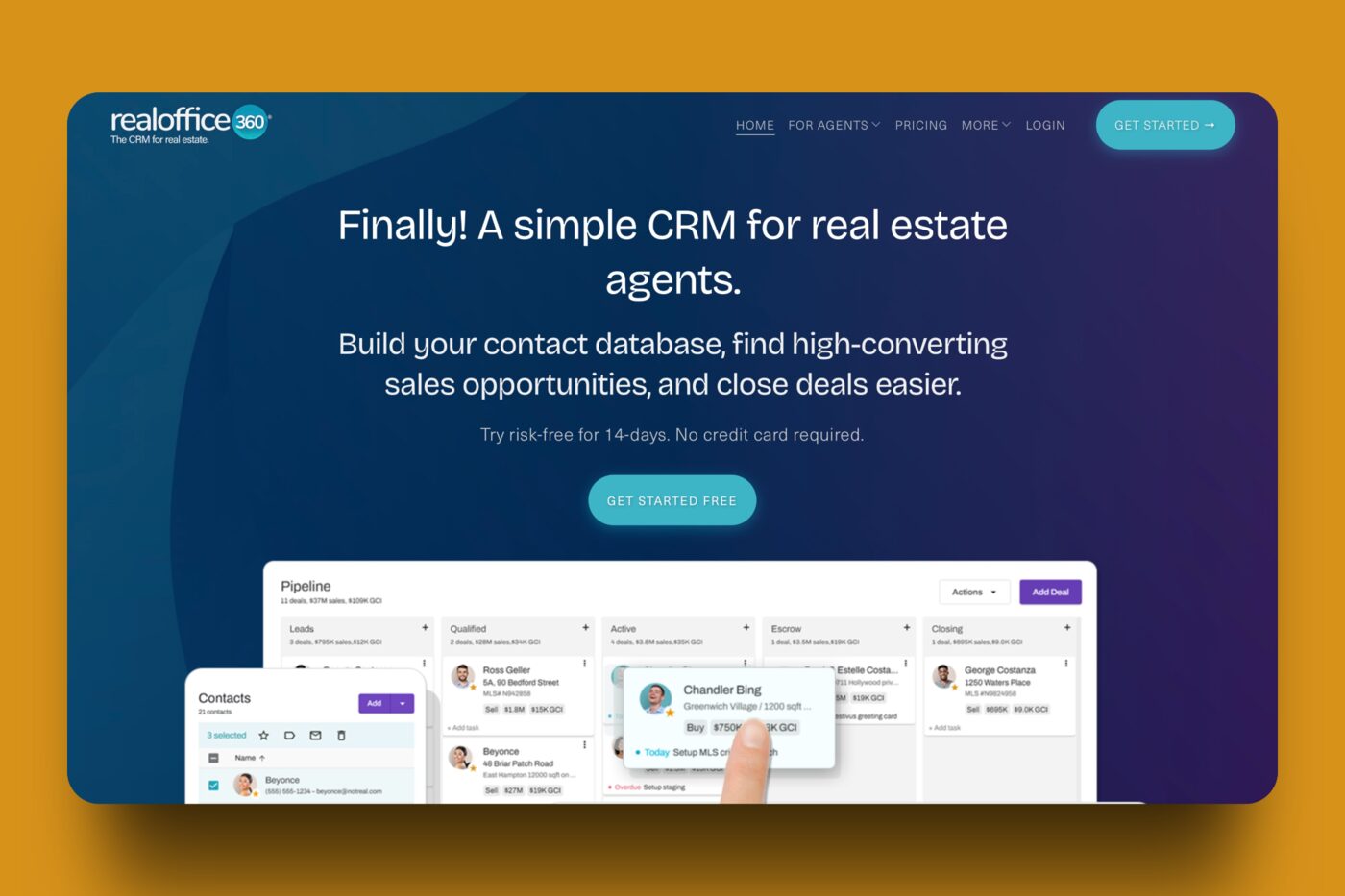
With RealOffice360’s Contact feature, you can add, import, or sync contacts of tenants, buyers, leads, or other real estate professionals. There’s also the option to export these contacts in a CSV file.
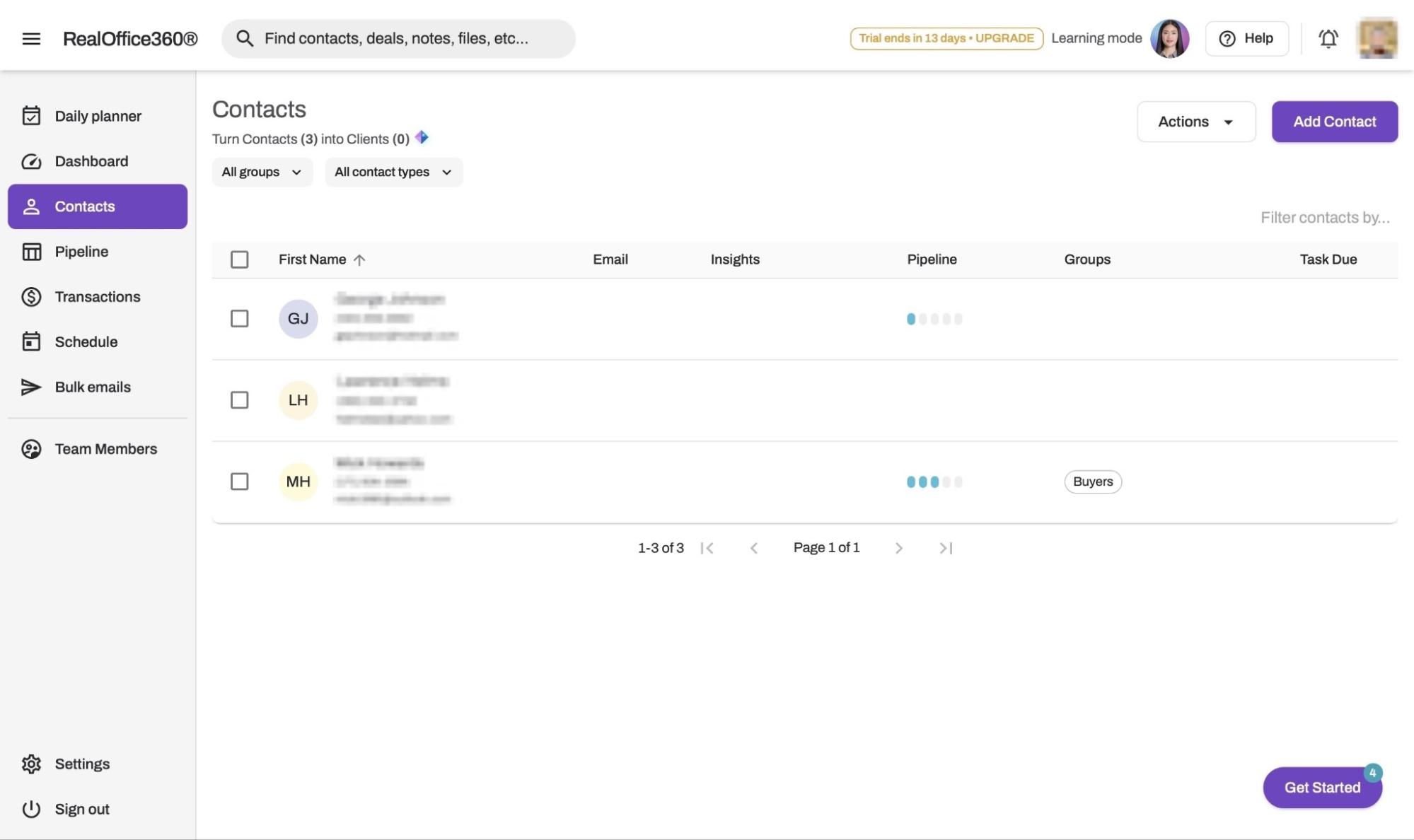
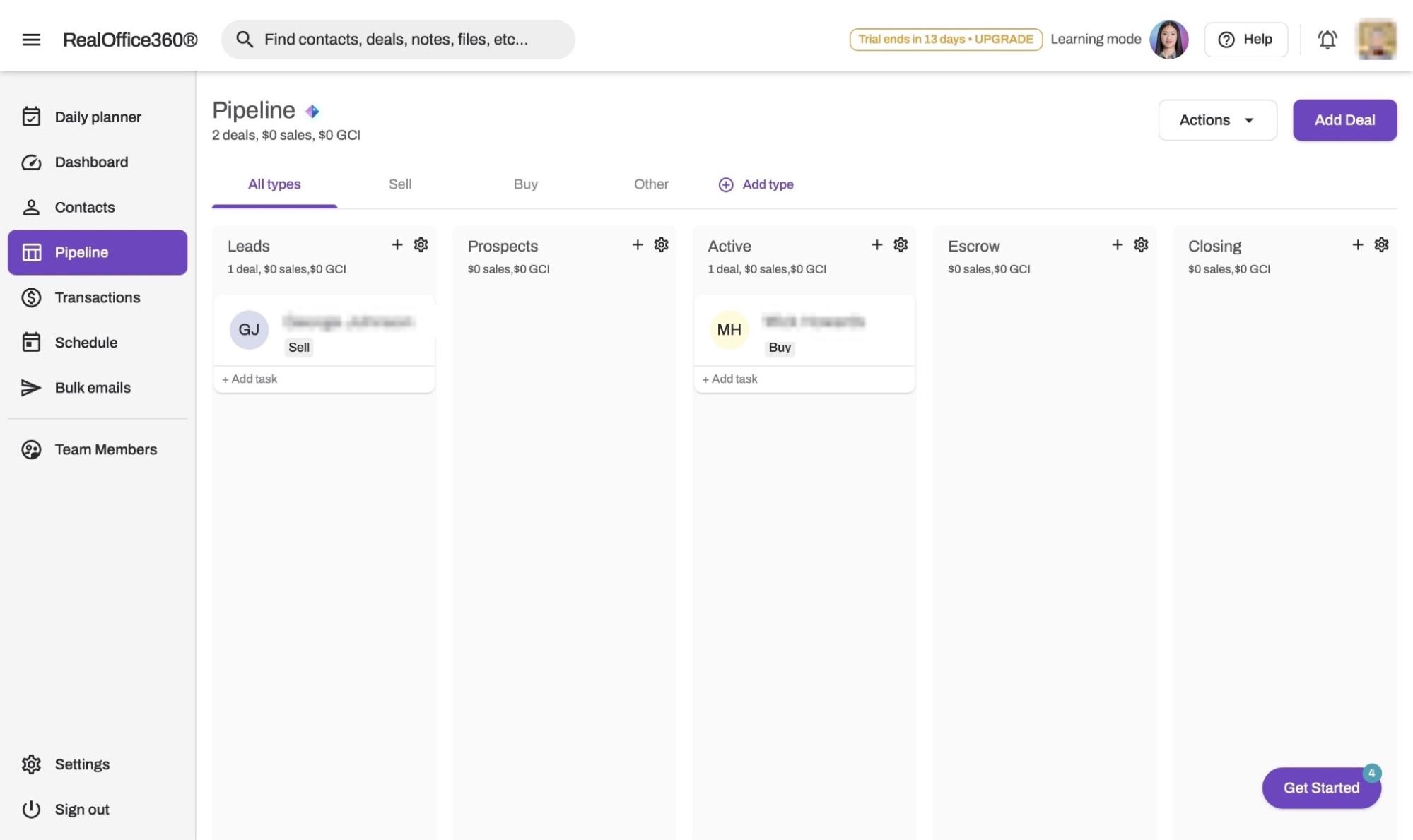
Additionally, the Pipeline feature lets you add and manage your leads or prospects. Using this feature, you can set up a lead capture structure and rename pipeline stages.
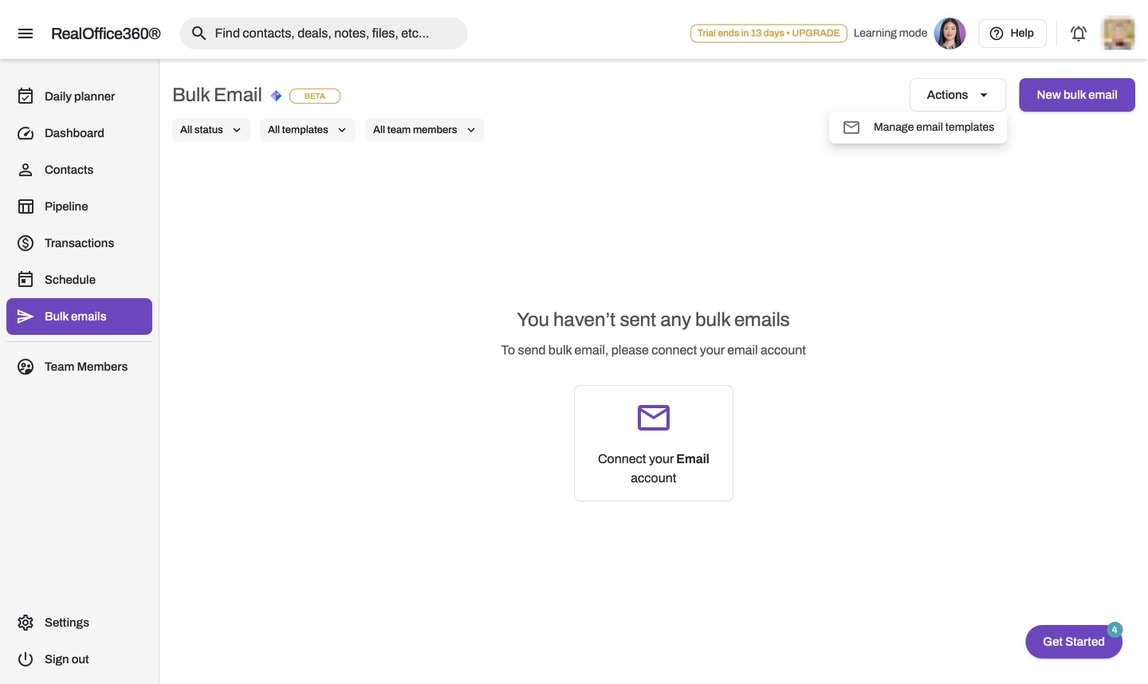
RealOffice360 also has a Bulk emails feature that lets you connect your email account, manage email templates, and send bulk emails to multiple recipients.
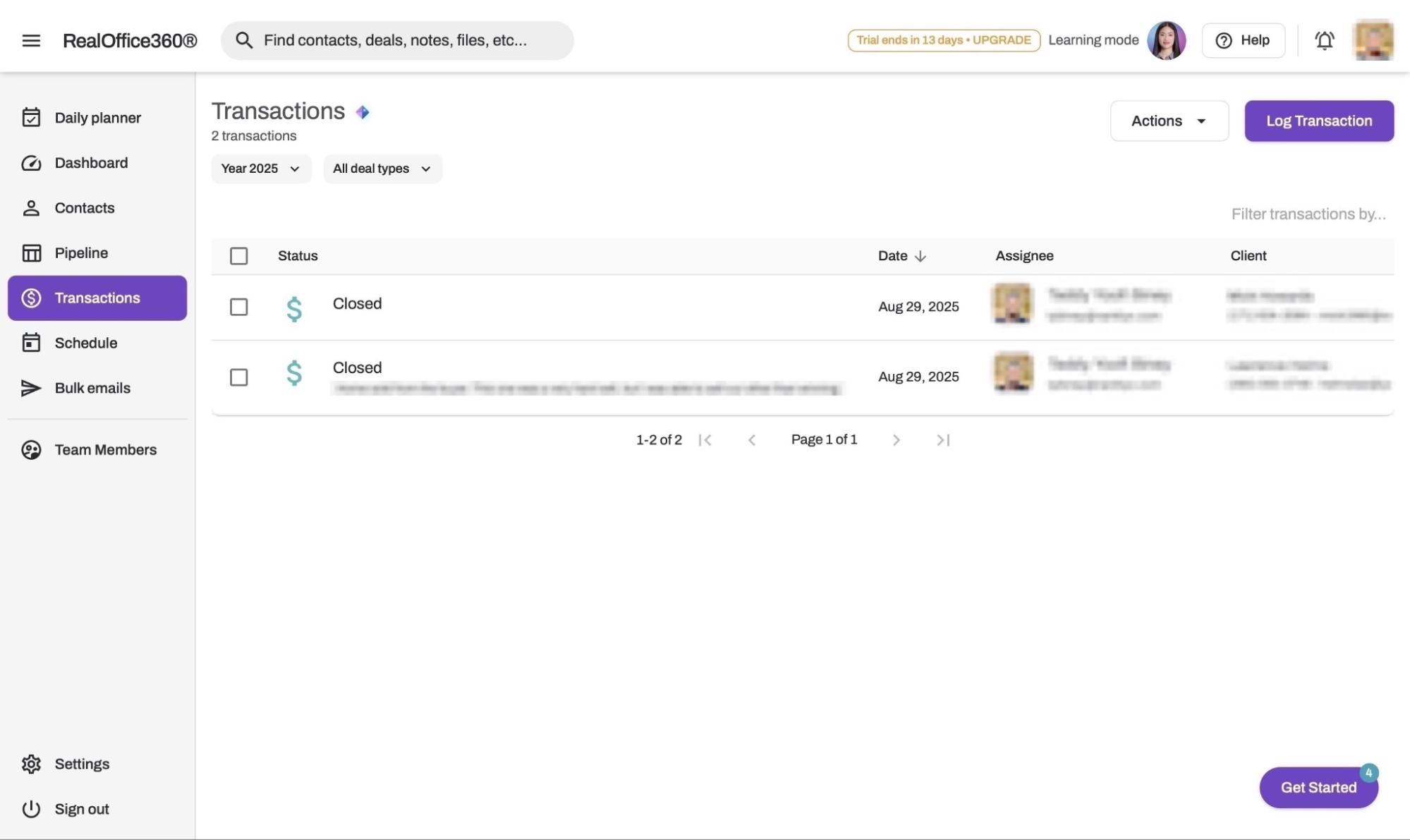
There’s also a Transactions feature, where you can log deals and search through them by type or year. You can also view the status of the deal, the date of the last action, the assignee, and the client.
Here’s how you can get started adding contacts for CRM on RealOffice360.
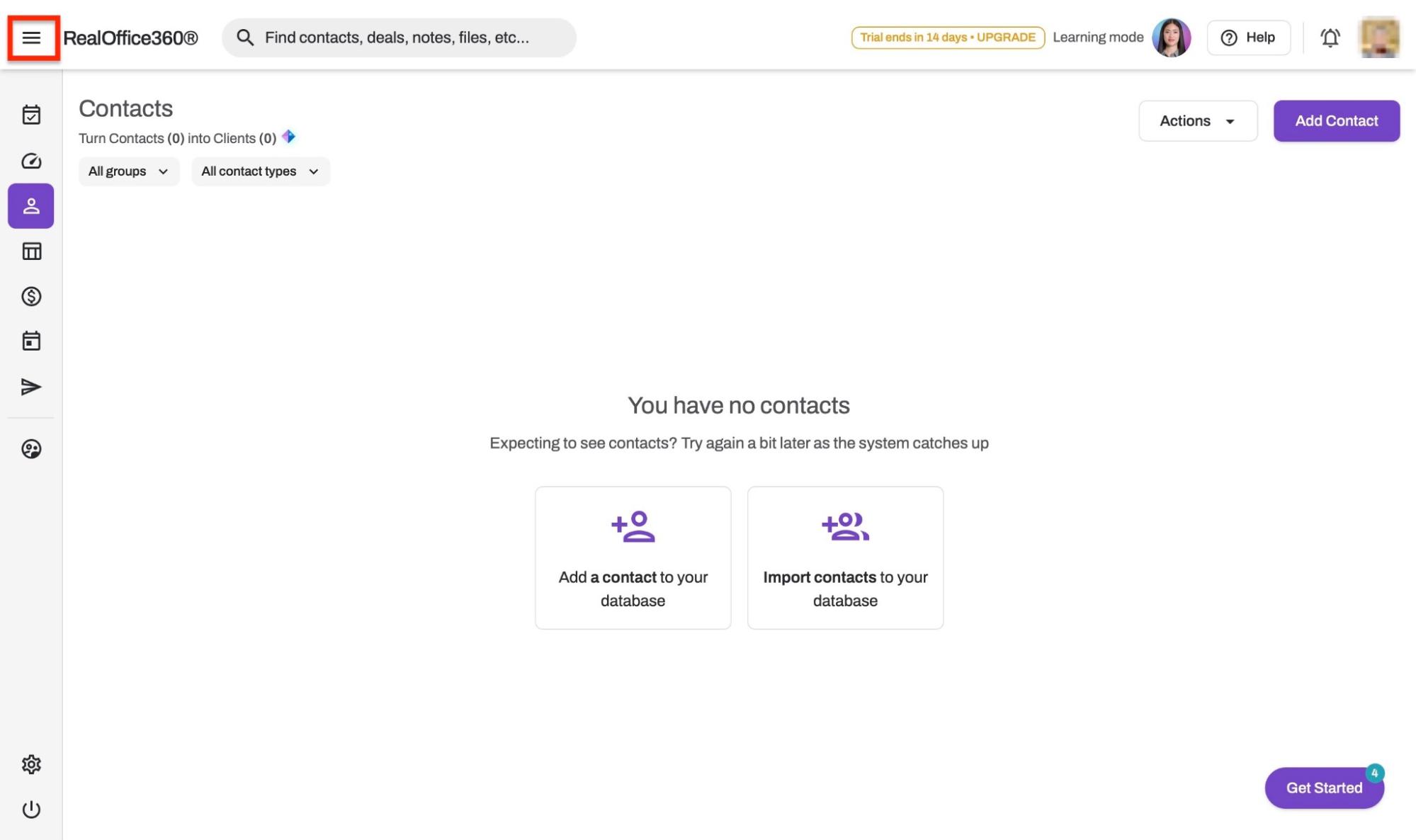
First, click on the hamburger icon at the top left corner to expand the menu.
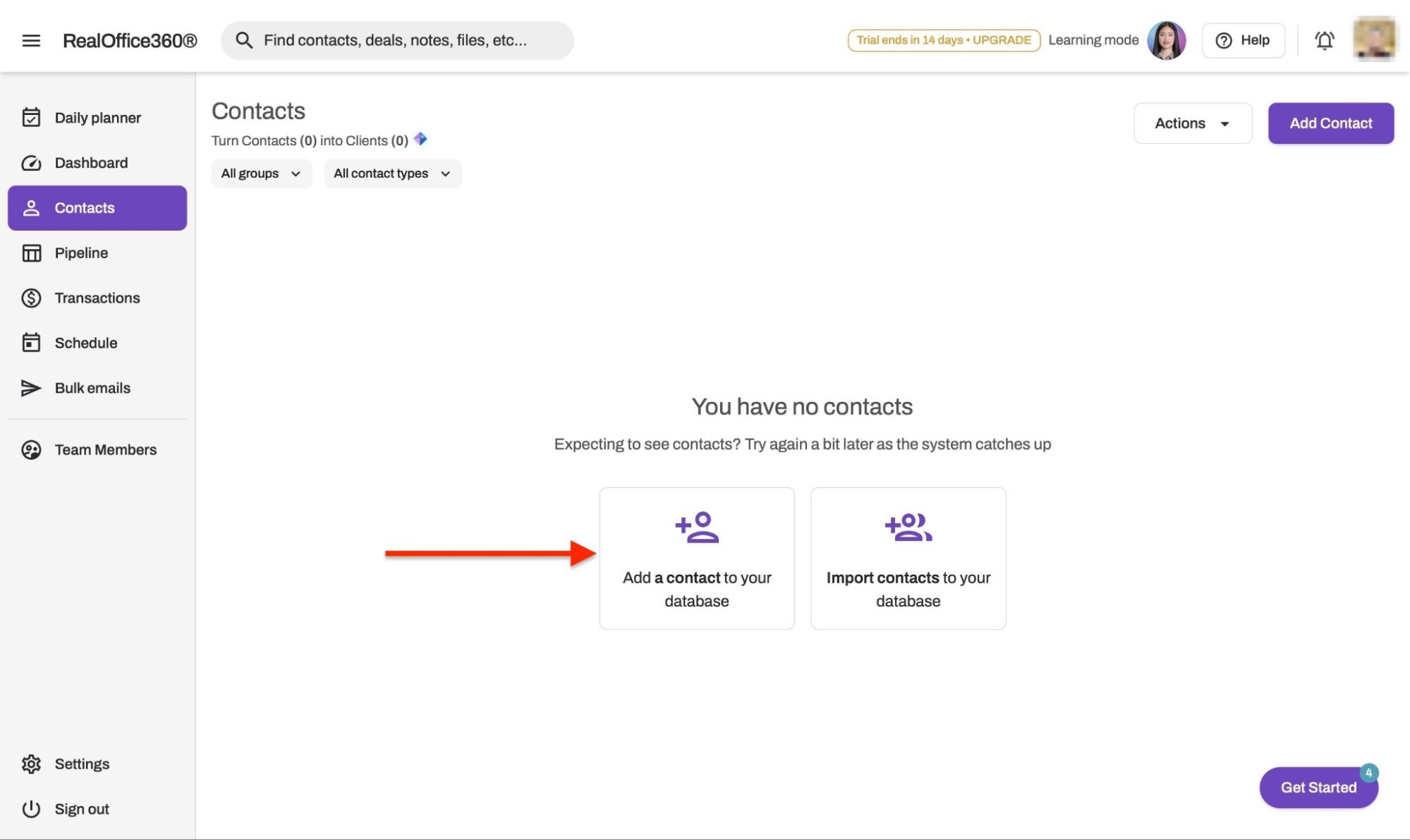
Now, select “Contacts” in the sidebar. Next, you can choose whether you want to add or import contacts. Let's add a contact.
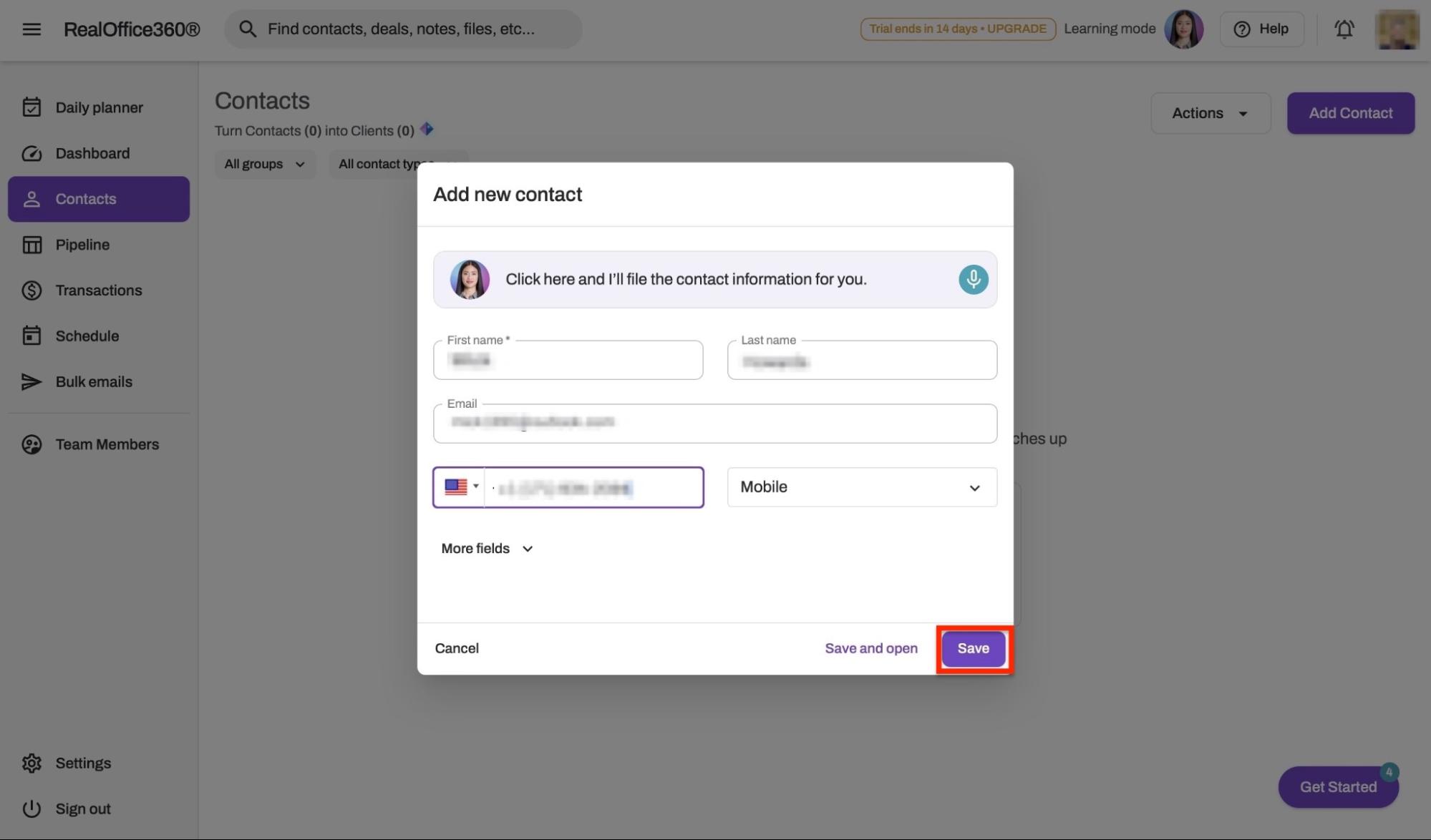
In the pop-up window, add the name, email address, and phone number of your contact. Then, click “Save.”
Your new contact will appear in the Contacts window.
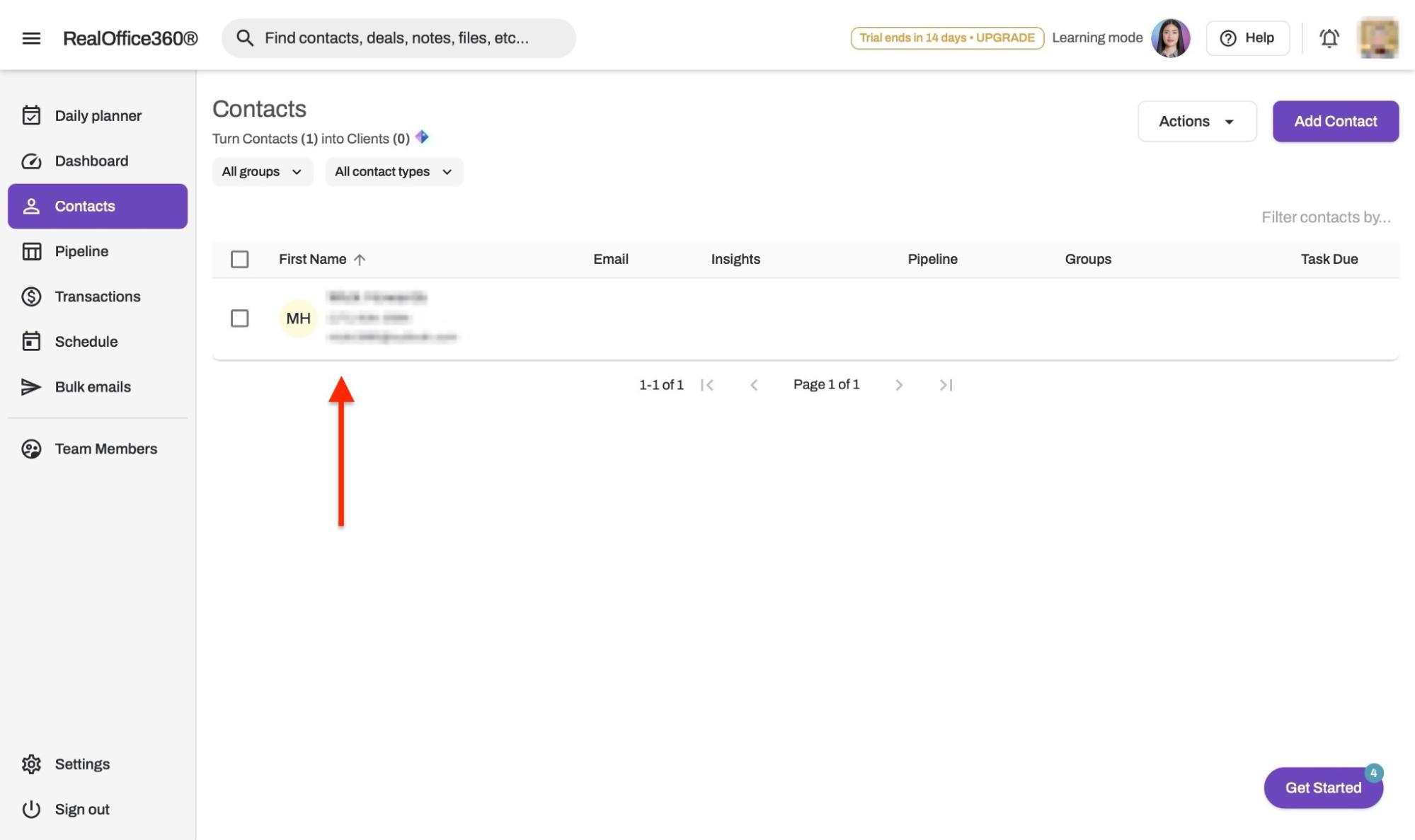
Now, tick the checkbox by the contact to add it to a group, pipeline, etc.
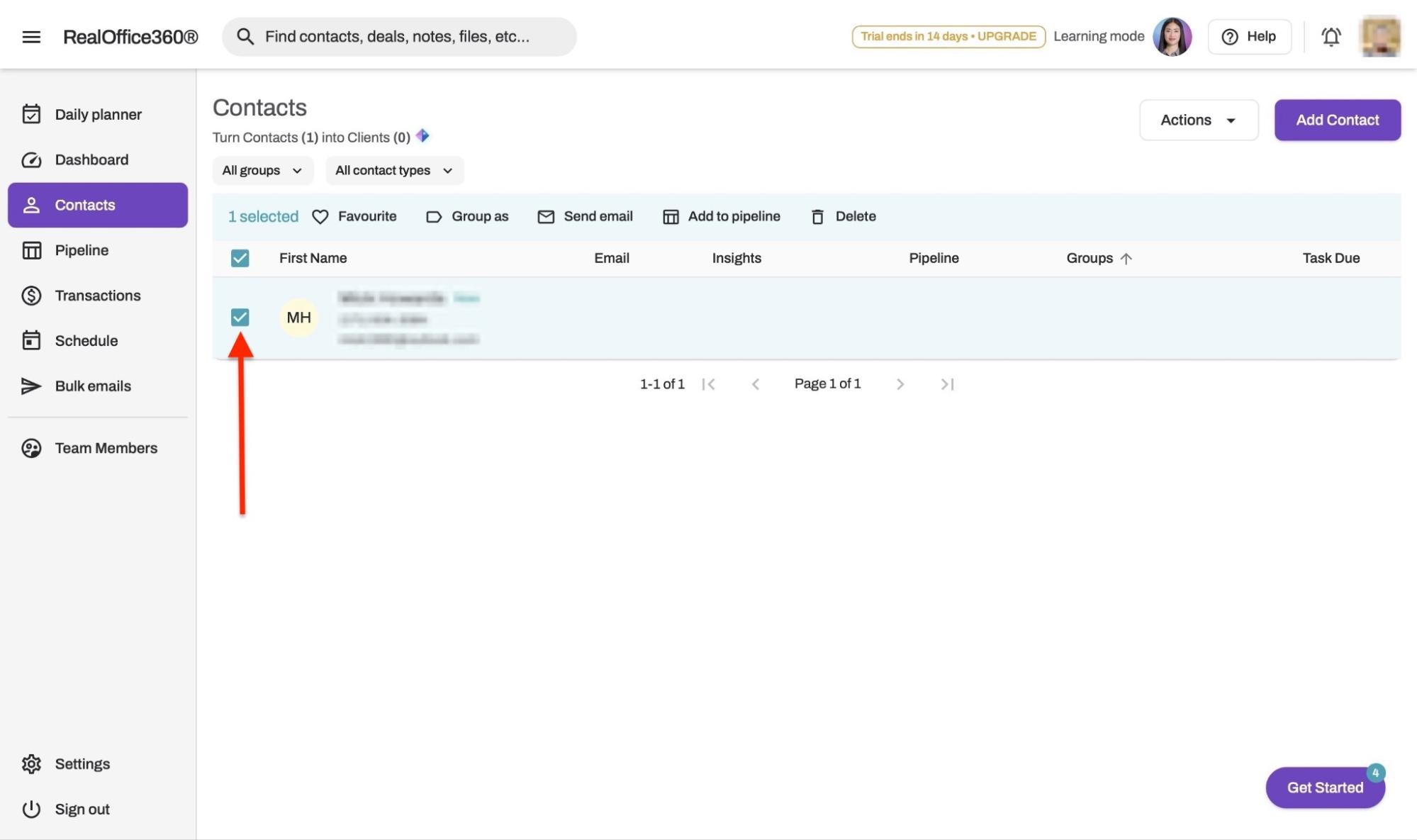
To add a contact to a pipeline, click “Add to pipeline.”
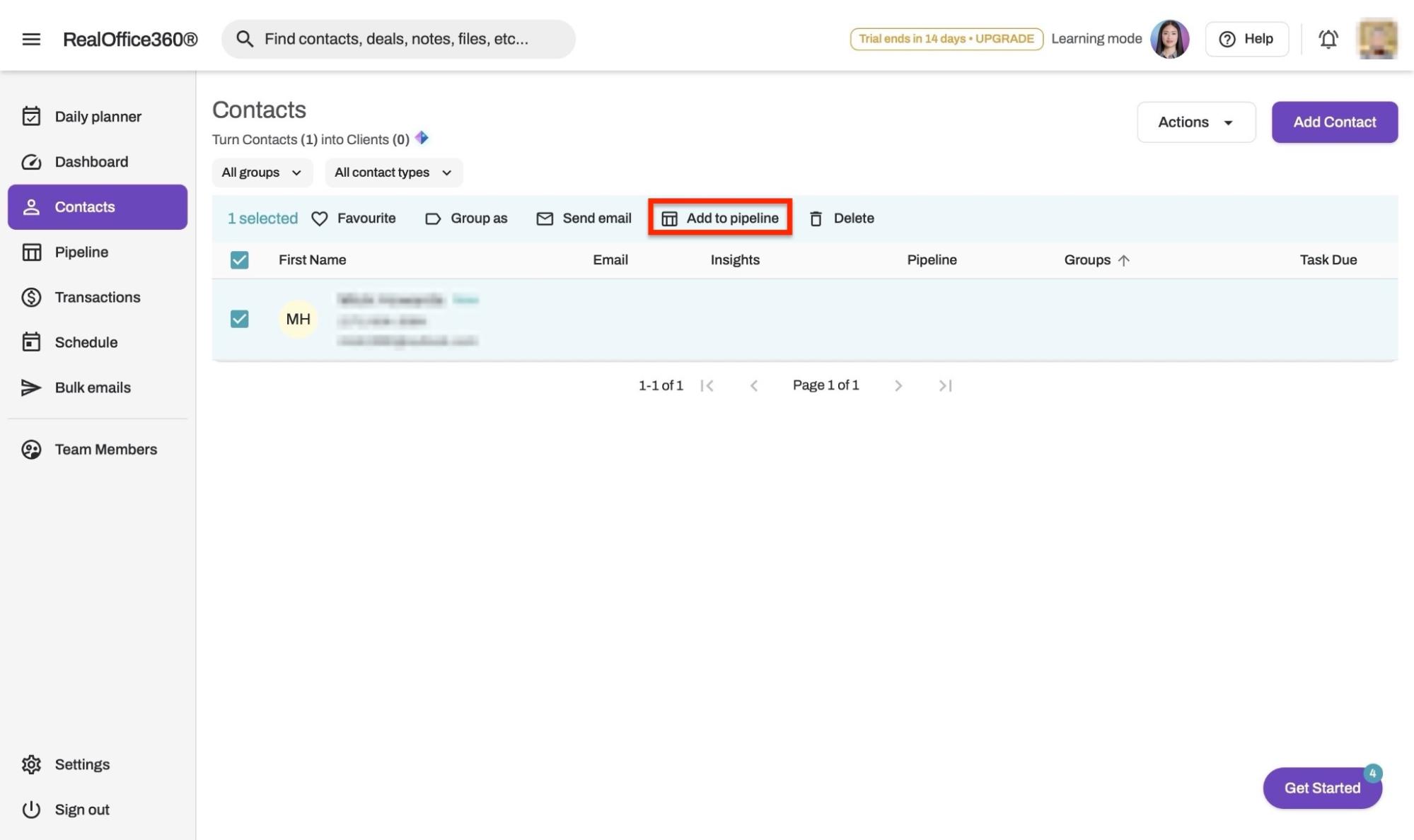
Select the deal type and the pipeline stage. Then click “Add.”
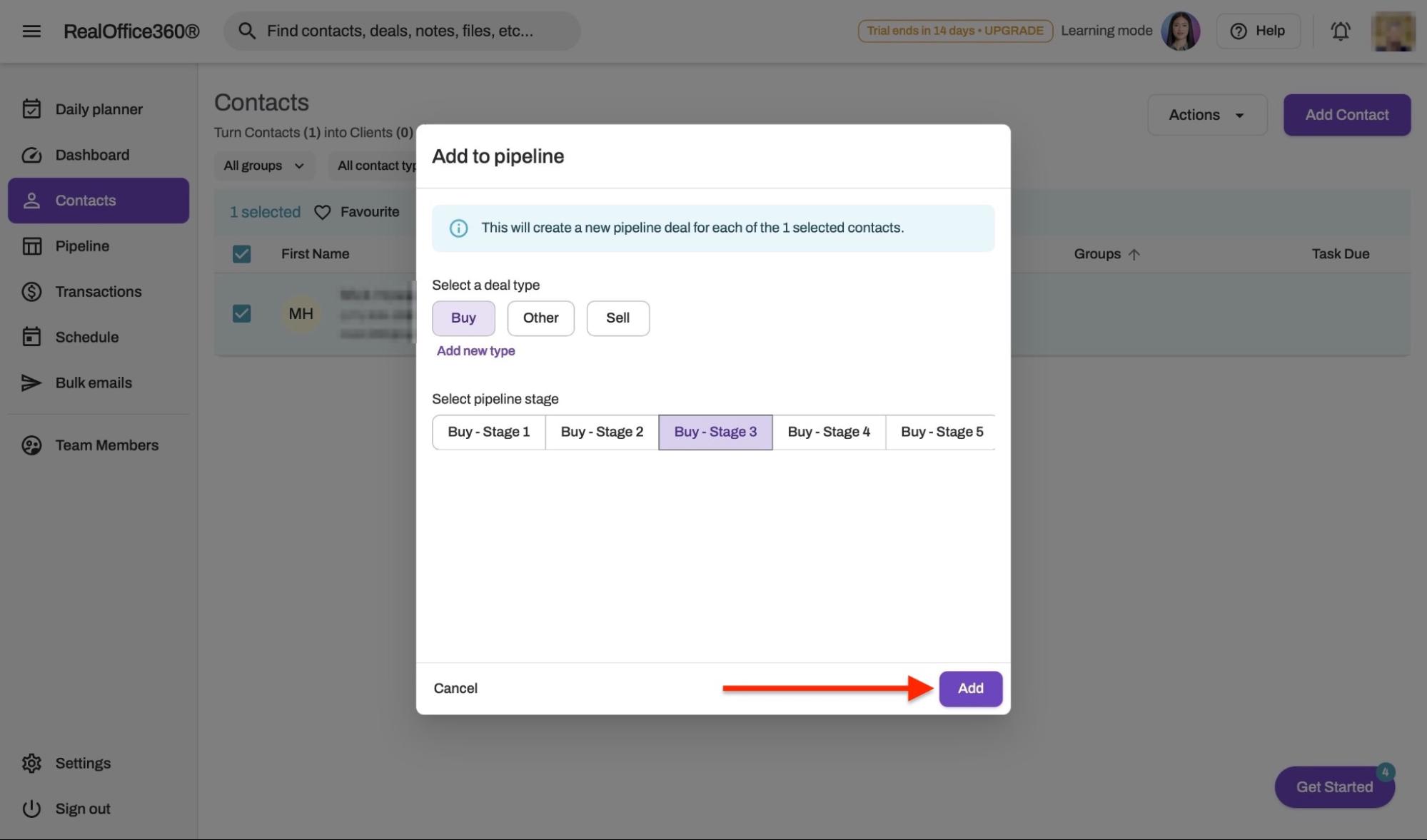
Similarly, if you want to add a contact to a group, click “Group as.”
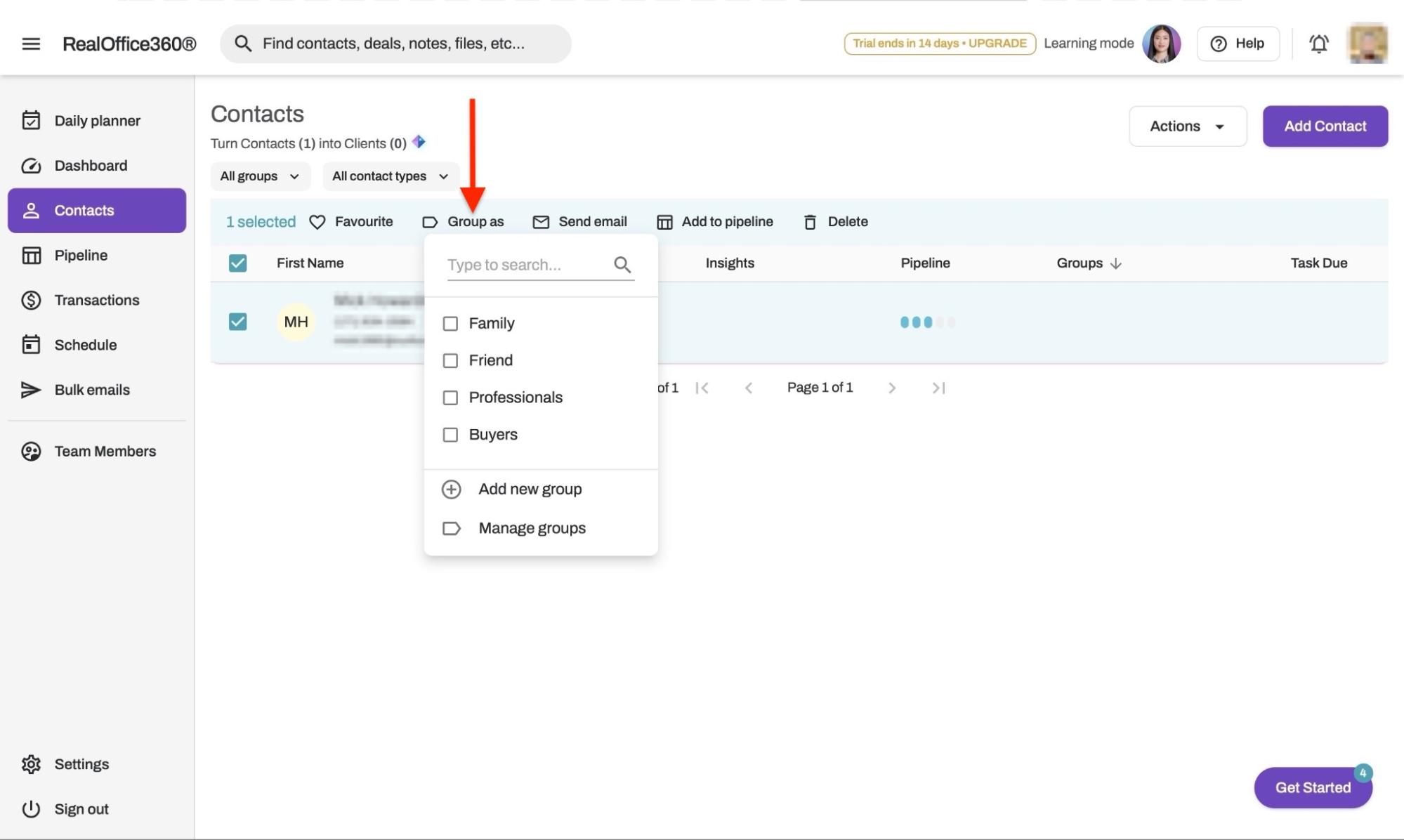
Tick your preferred checkbox and click “Apply changes.”
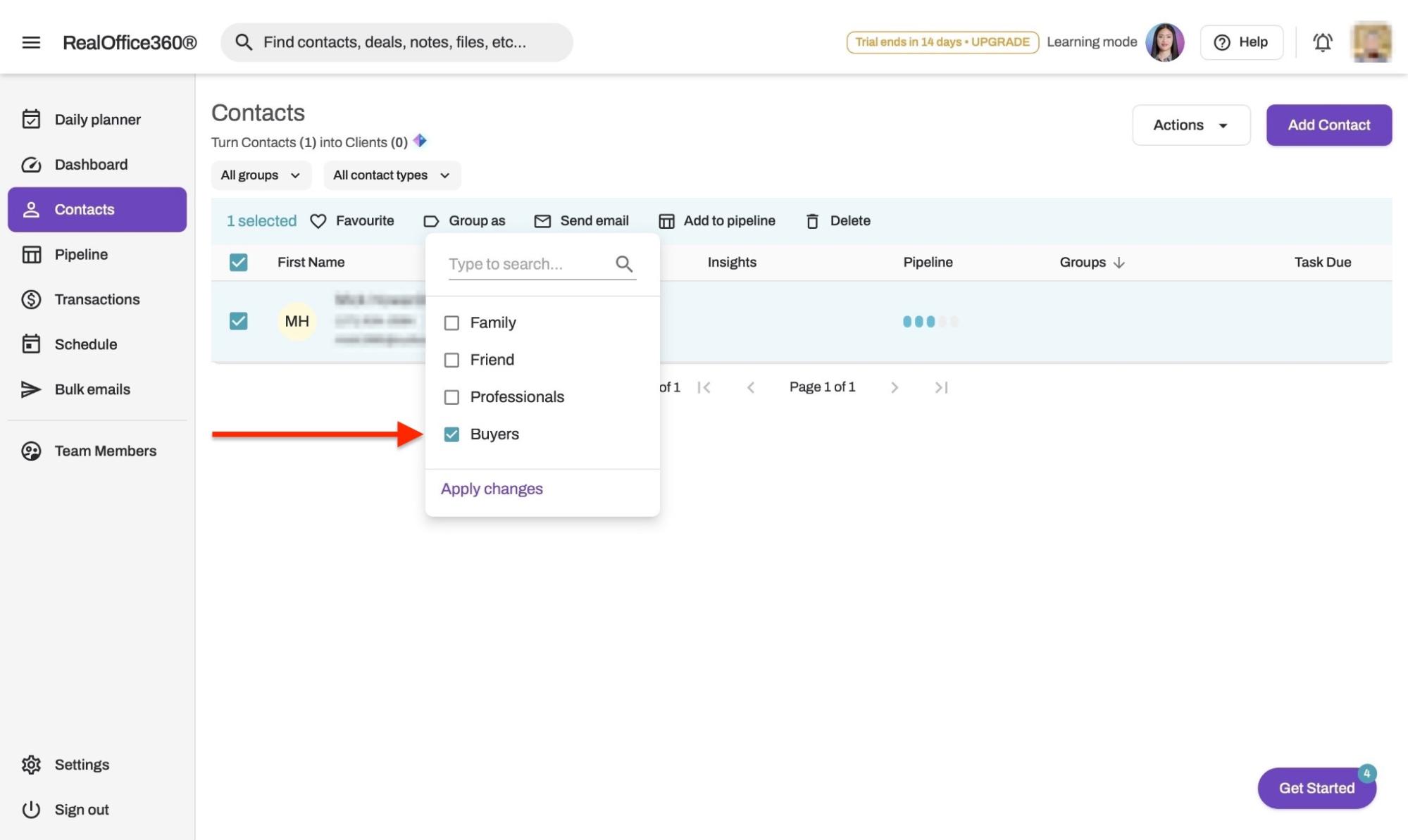
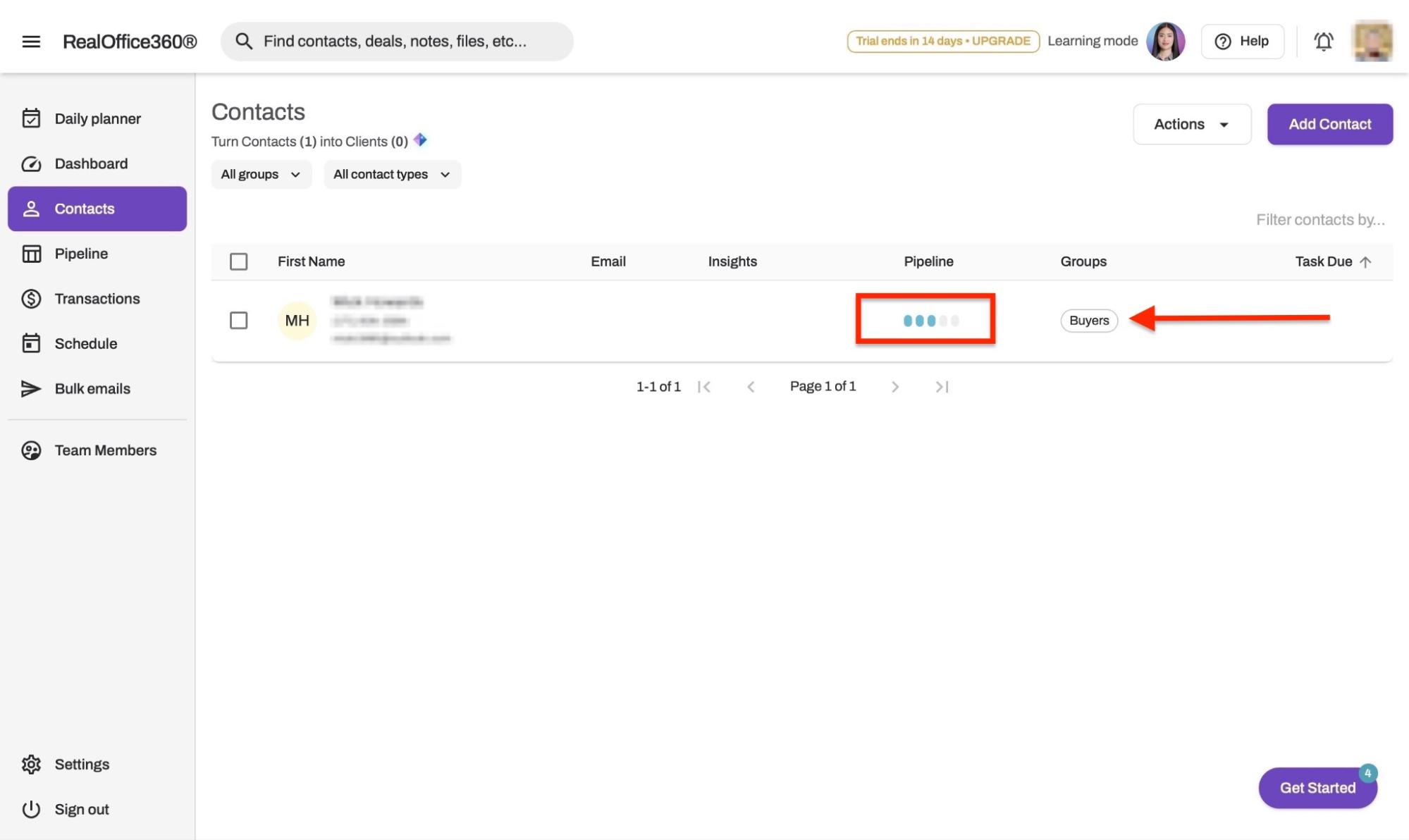
Now your contact is fully customized. You can repeat these final steps to send emails, assign tasks, and manage other CRM activities.
Key features
1. Pipeline
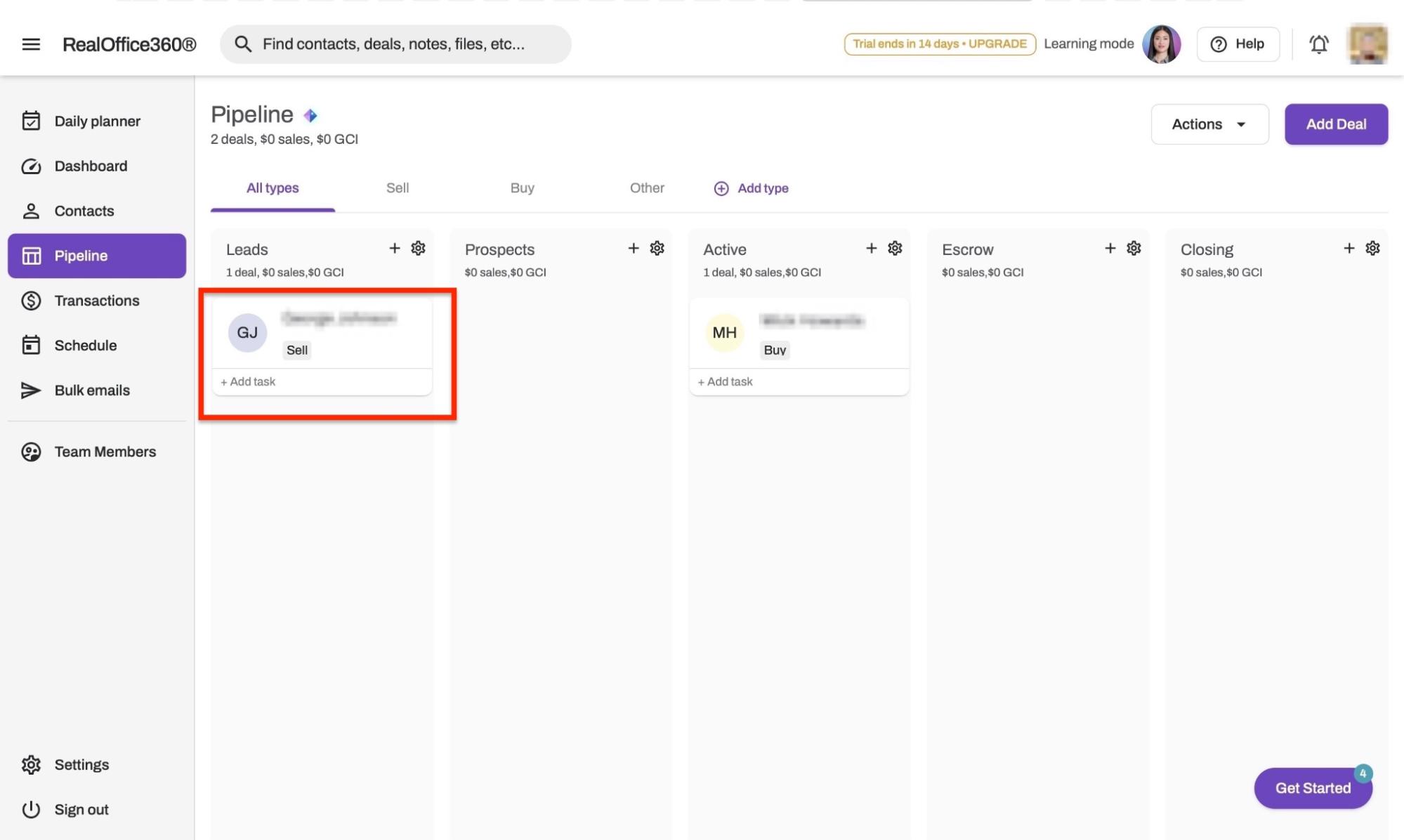
To track deals and sales opportunities, RealOffice360 lets you add contacts to your pipeline. You can assign them to stages as leads, prospects, active, escrow, and closing. Let me show you how.
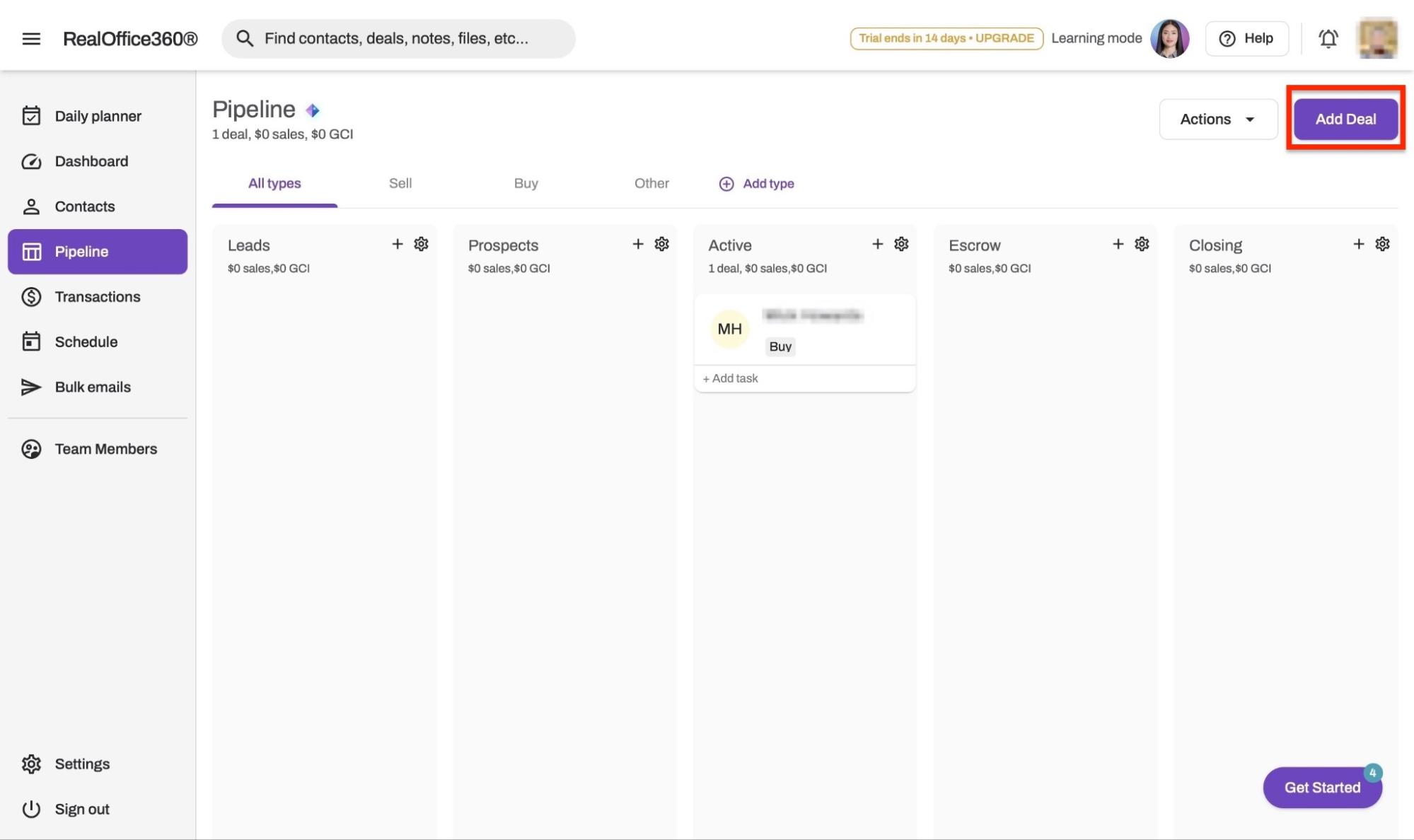
Start by selecting “Pipeline” in the sidebar. Then, click the “Add Deal” button.
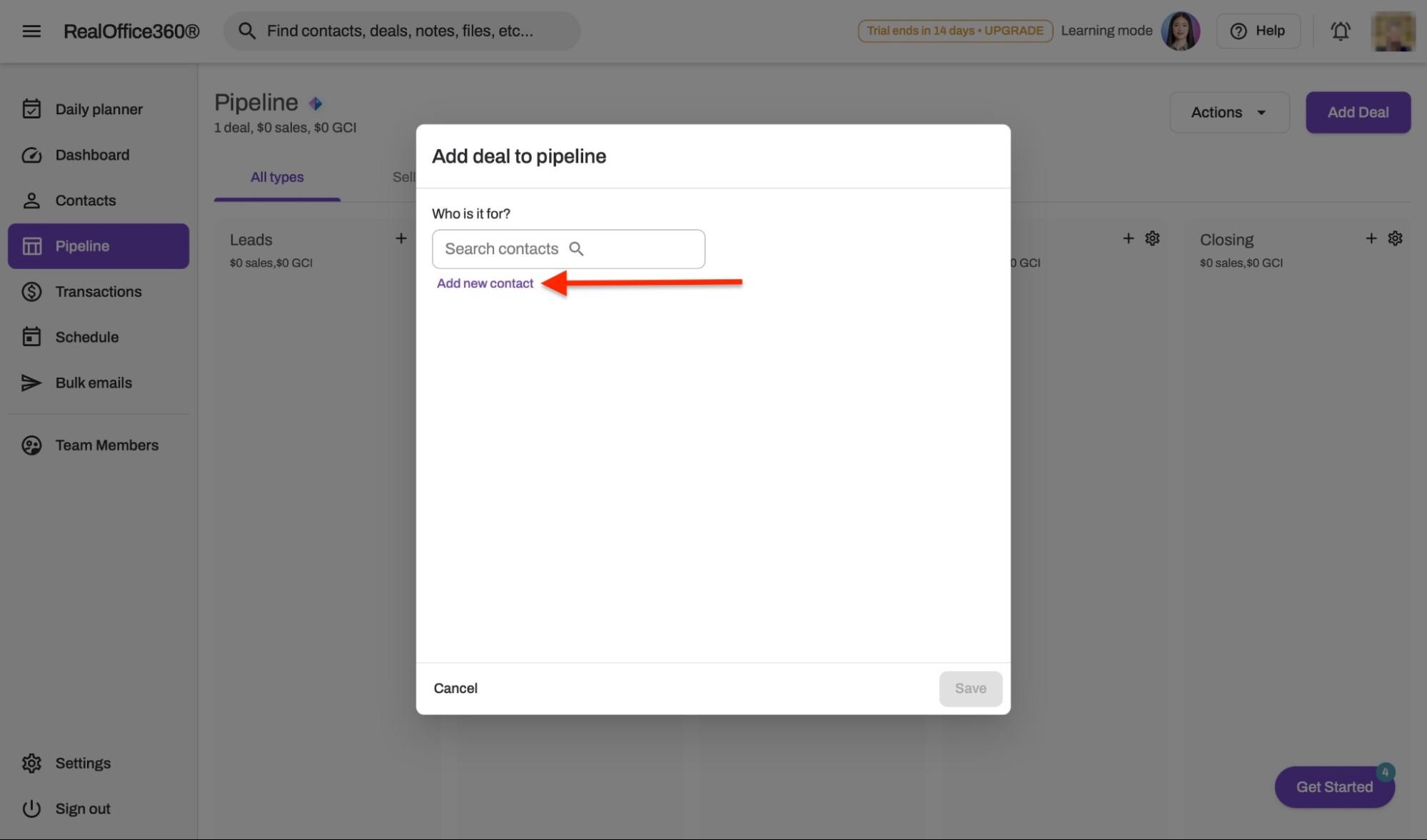
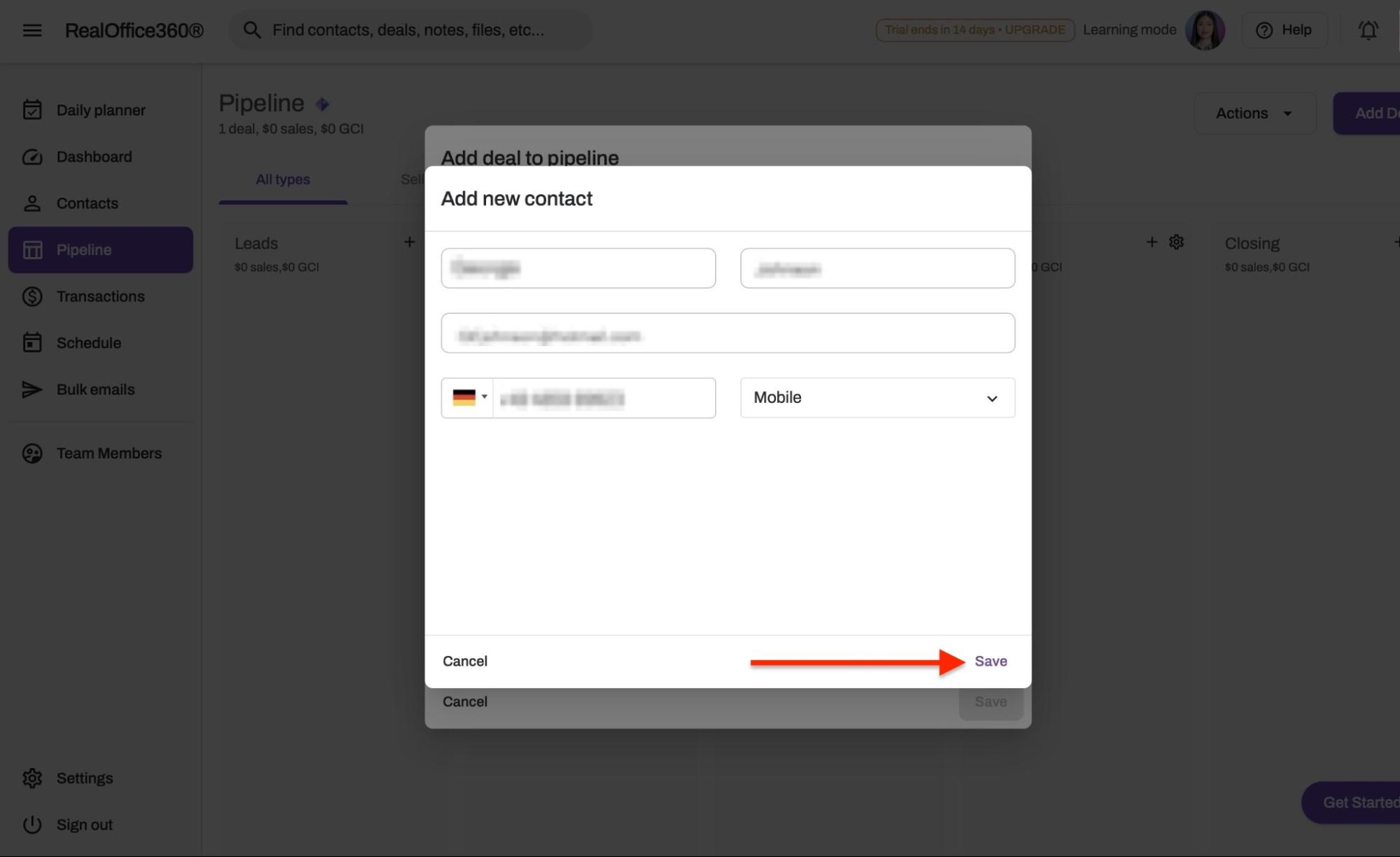
In the pop-up window, you can either search for and select an existing contact or click “Add new contact.”
Add the contact's name, email address, and phone number. Then click “Save.”
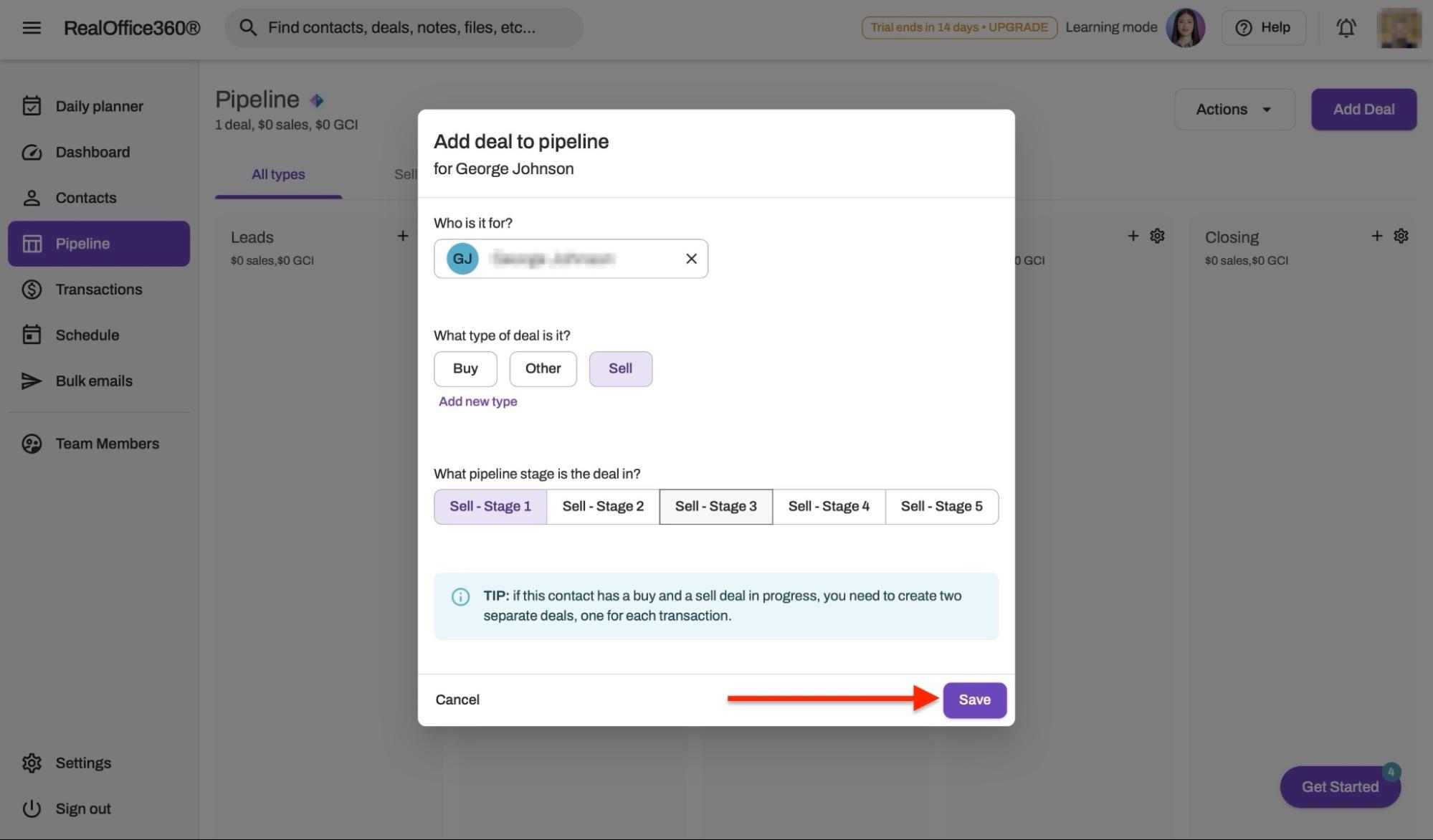
After that, select the type of deal and the pipeline stage. Then, click “Save.”
The new deal will now appear in the Pipeline feature window.
2. Transactions
The Transactions feature helps you log and track all closed deals and transactions between you and your clients on RealOffice360.
To log your first transaction, select “Transactions” in the sidebar. Then click “Log Transaction.”
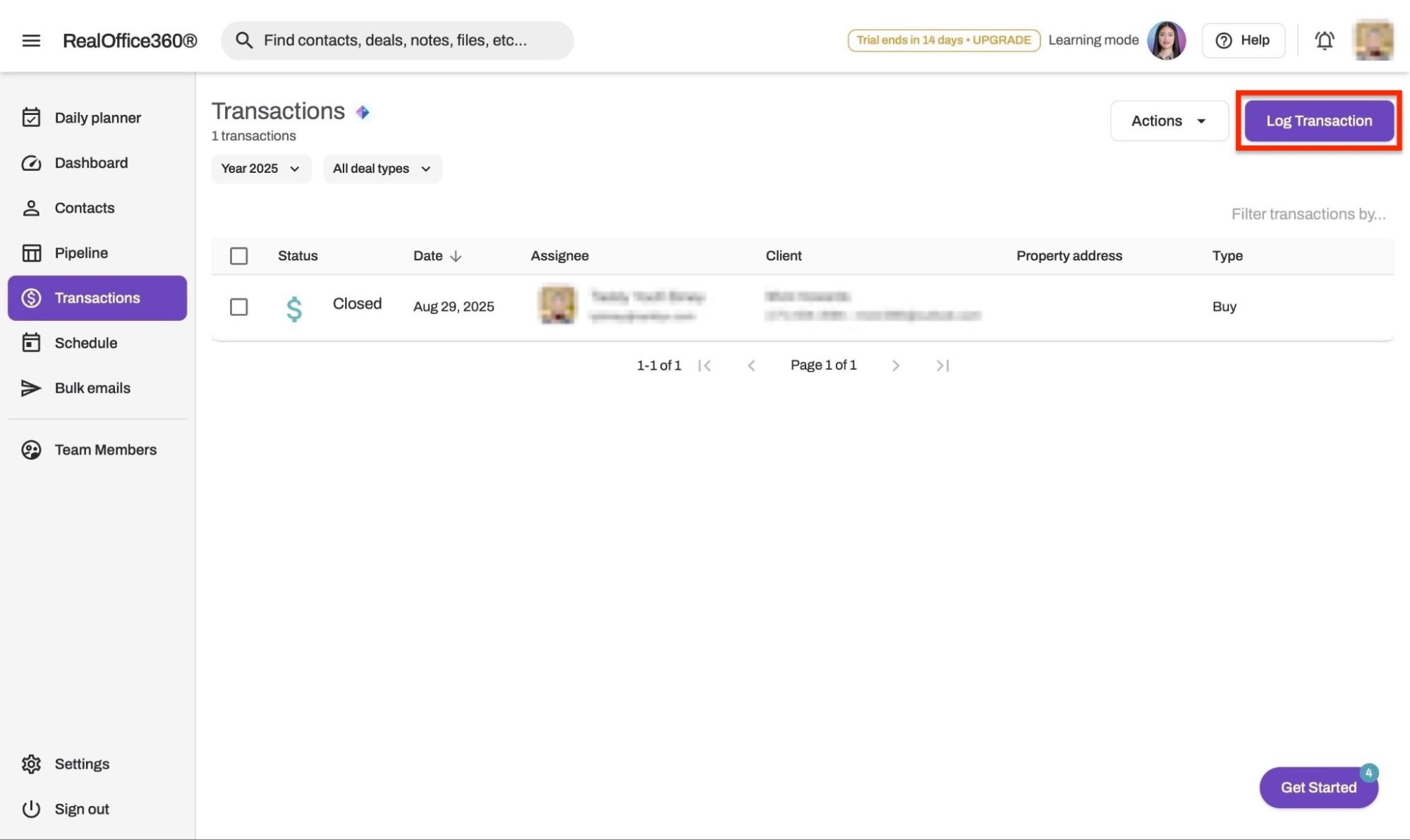
Next, search for and select an existing contact, or click “Add new contact” to create one.
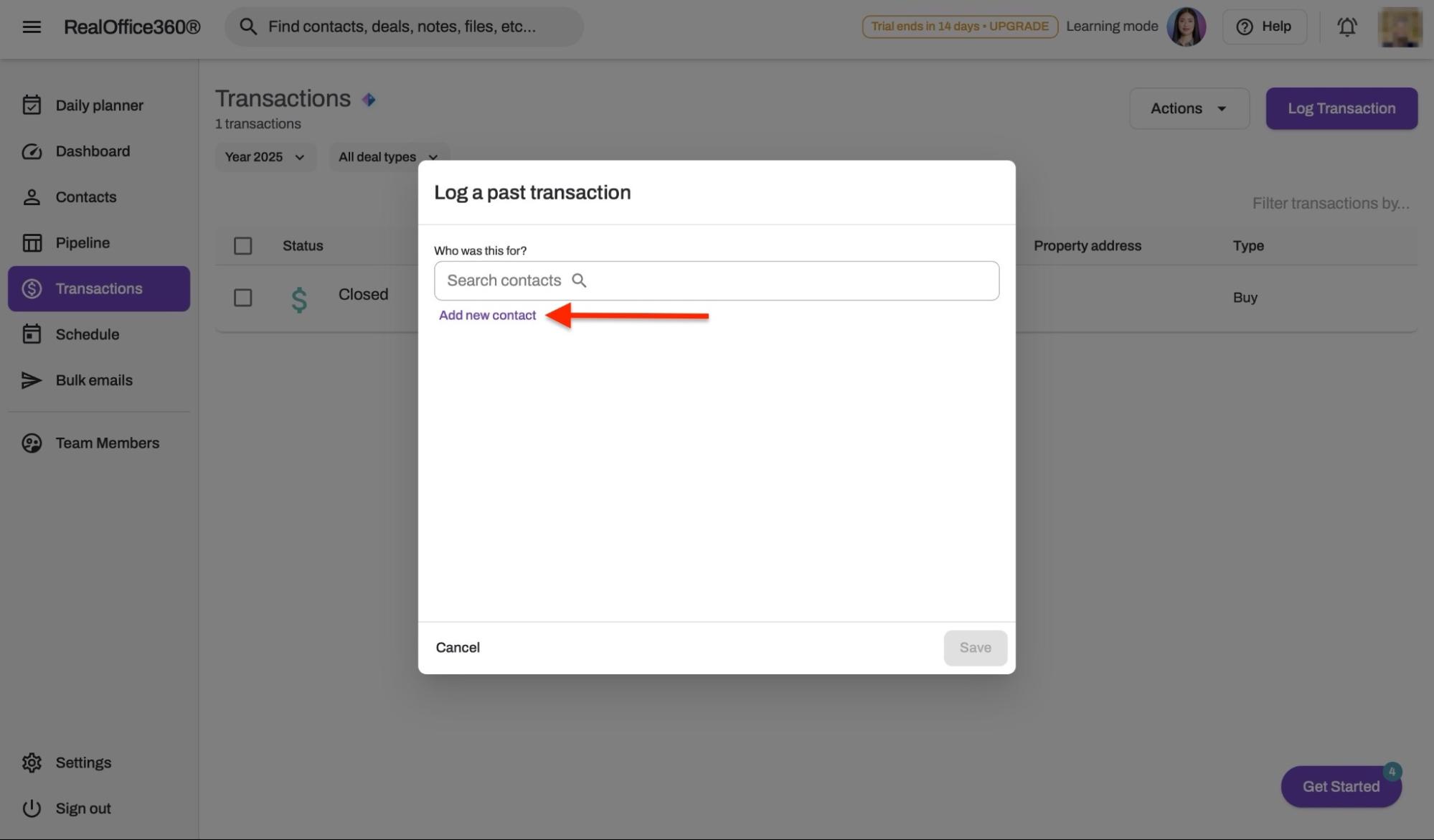
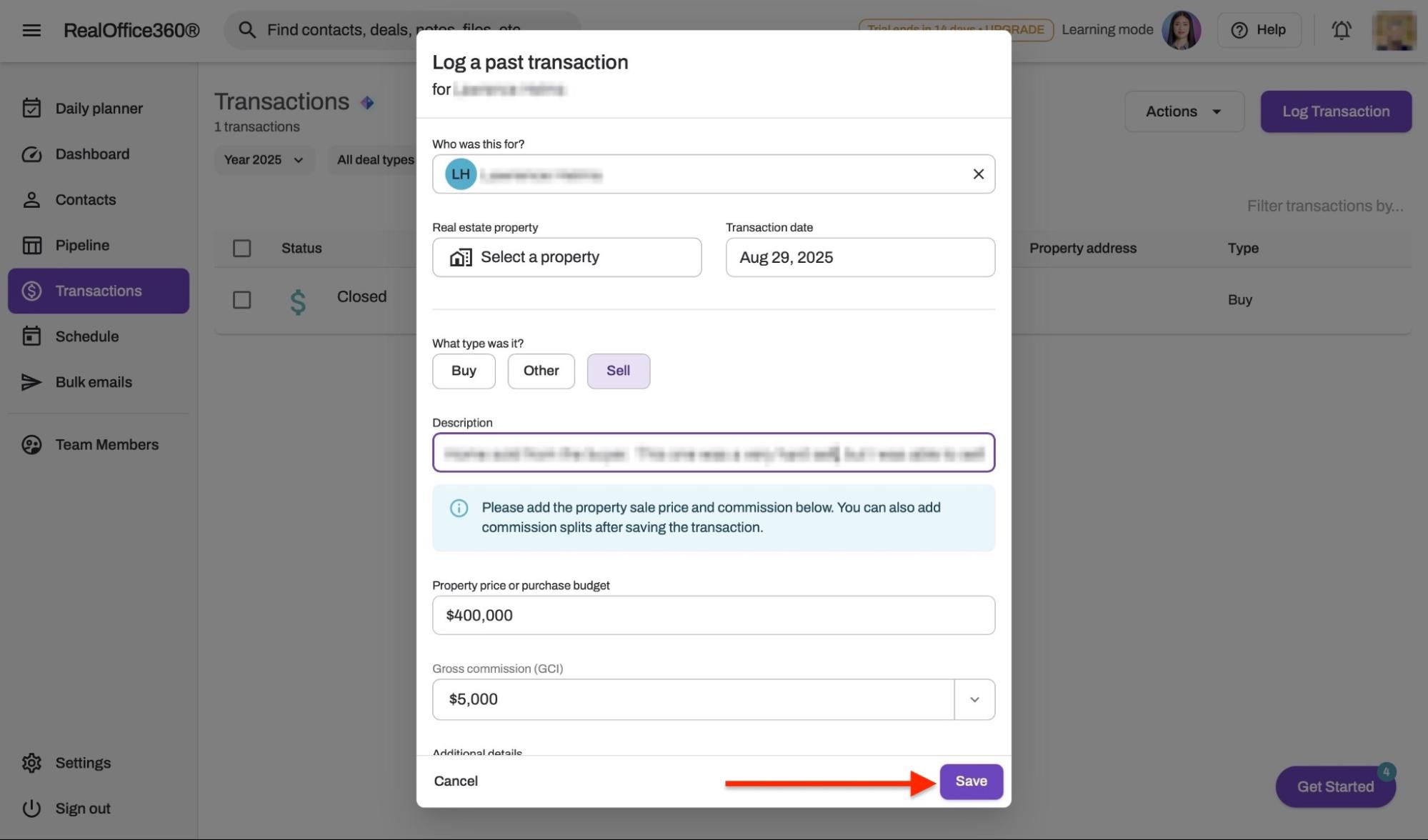
In the pop-up window, fill in transaction details such as deal type, closing date, sale price, and commission. Then, click “Save.”
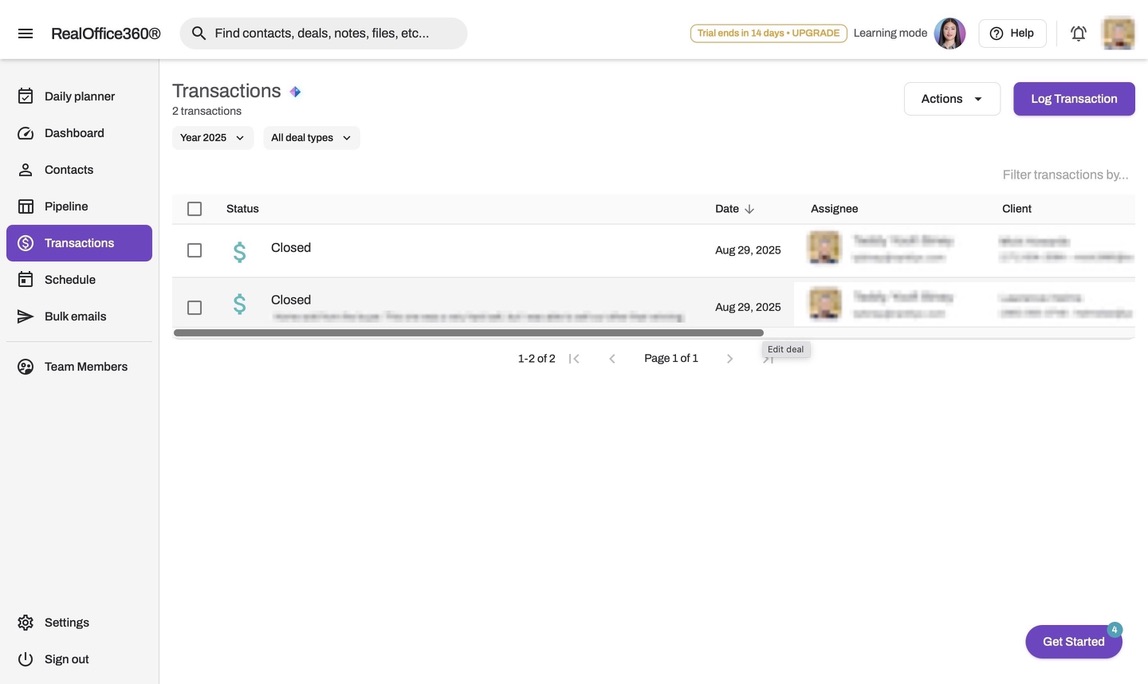
The new transaction will now appear in the Transactions feature window.
Pros:
- Comprehensive real estate CRM tailored for agents
- User-friendly interface with quick setup
- Organized pipelines and contact management in one place
- Affordable pricing
Cons:
- Relatively short 14-day trial period
- Limited integrations with third-party apps
- Reporting and analytics could be more robust
Best For
- Real estate professionals like agents, teams, and brokers who want to manage leads, clients, and transactions all in one place.
Pricing
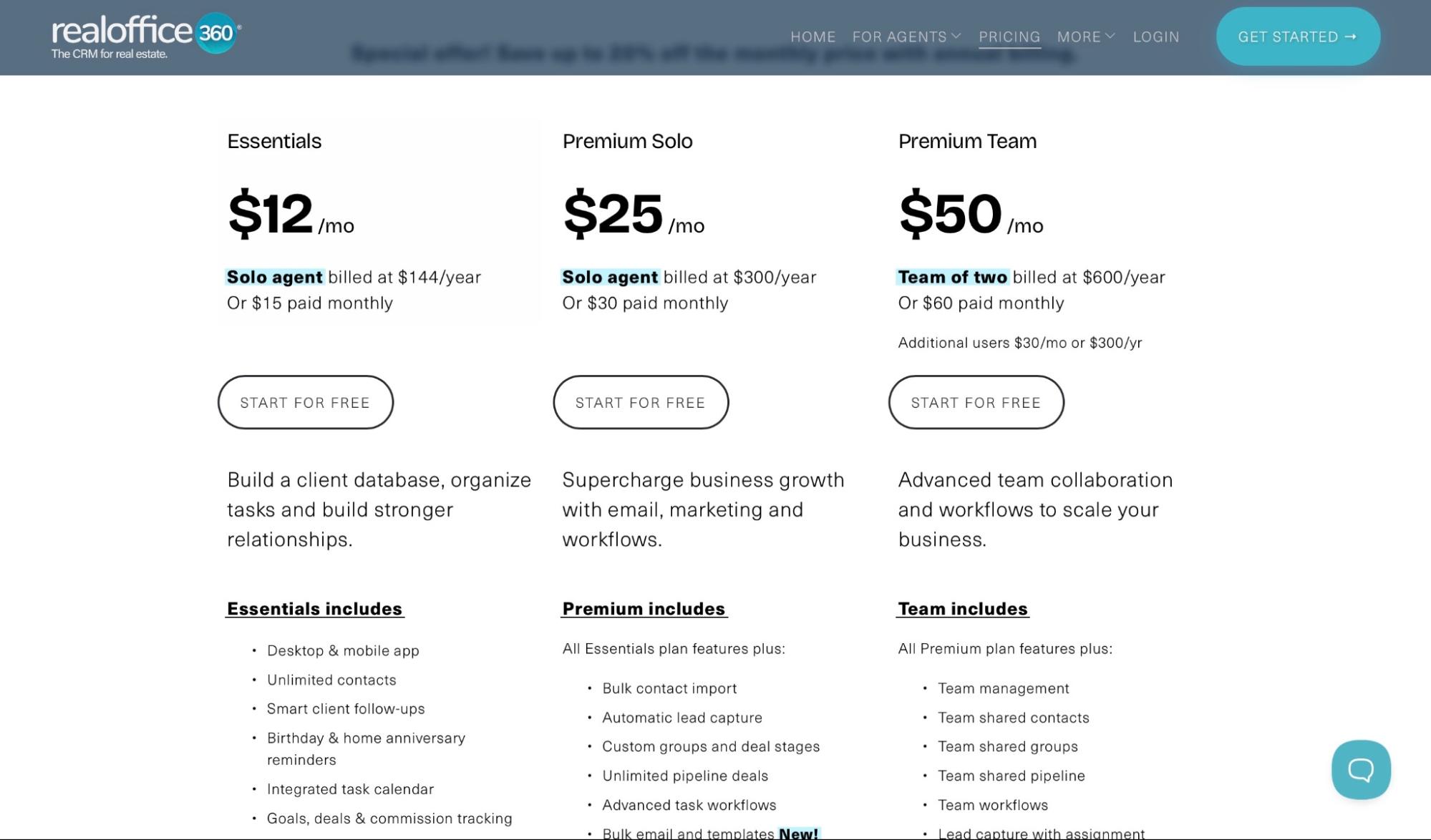
- Essentials: $12/month
- Premium Solo: $25/month
- Premium Team: $50/month
3. Placester
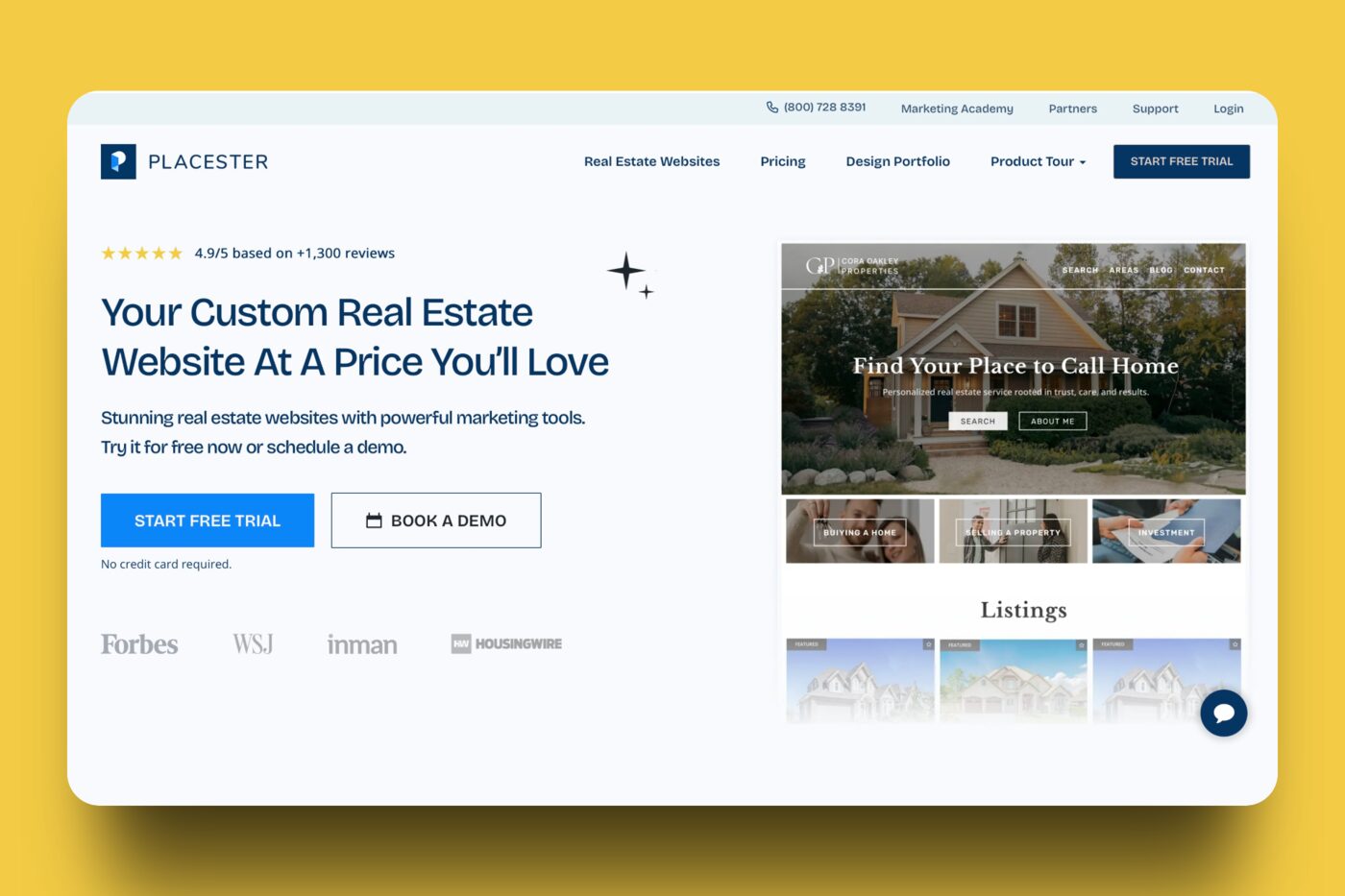
Placester is third on my list of the five best real estate software. It is an all-in-one website builder designed for real estate professionals, including agents, brokers, and teams.
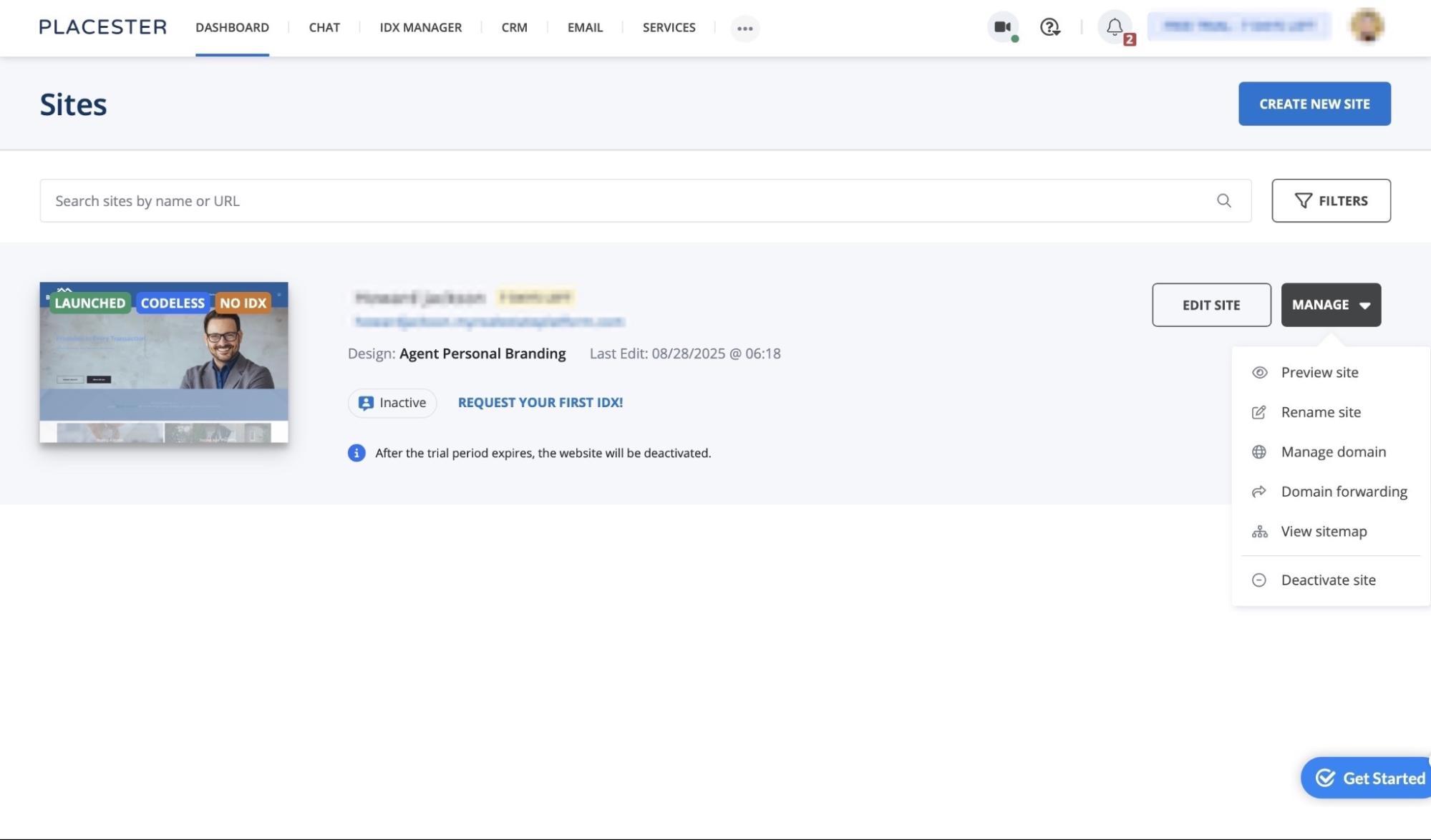
With Plaster’s Dashboard feature, you can build, launch, manage, and edit new websites. It’s also possible to search for your sites by name or URL link.
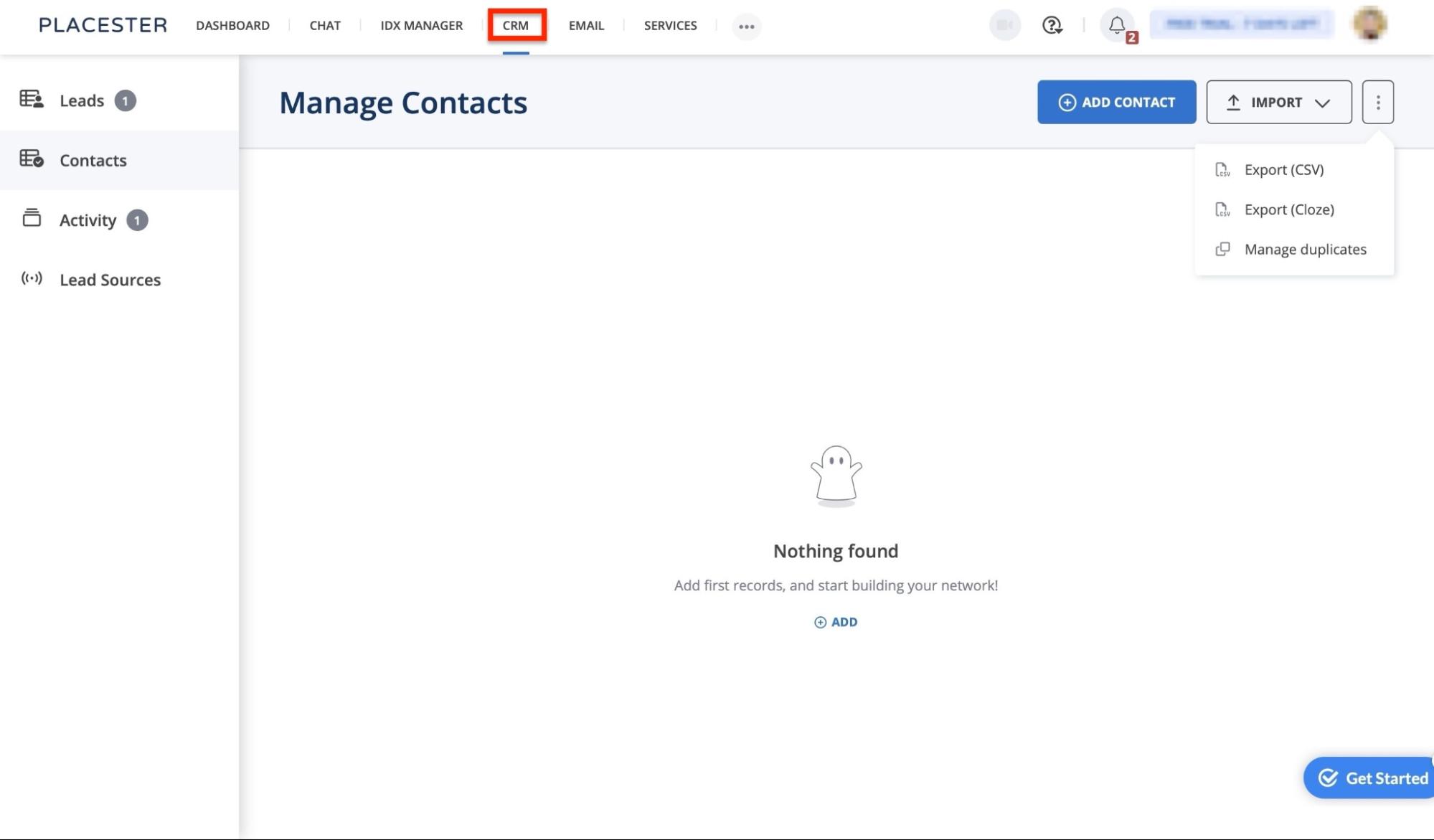
Its CRM feature allows you to add, import, and export, as well as manage leads and contacts. It also lets you monitor lead activity and add lead sources.
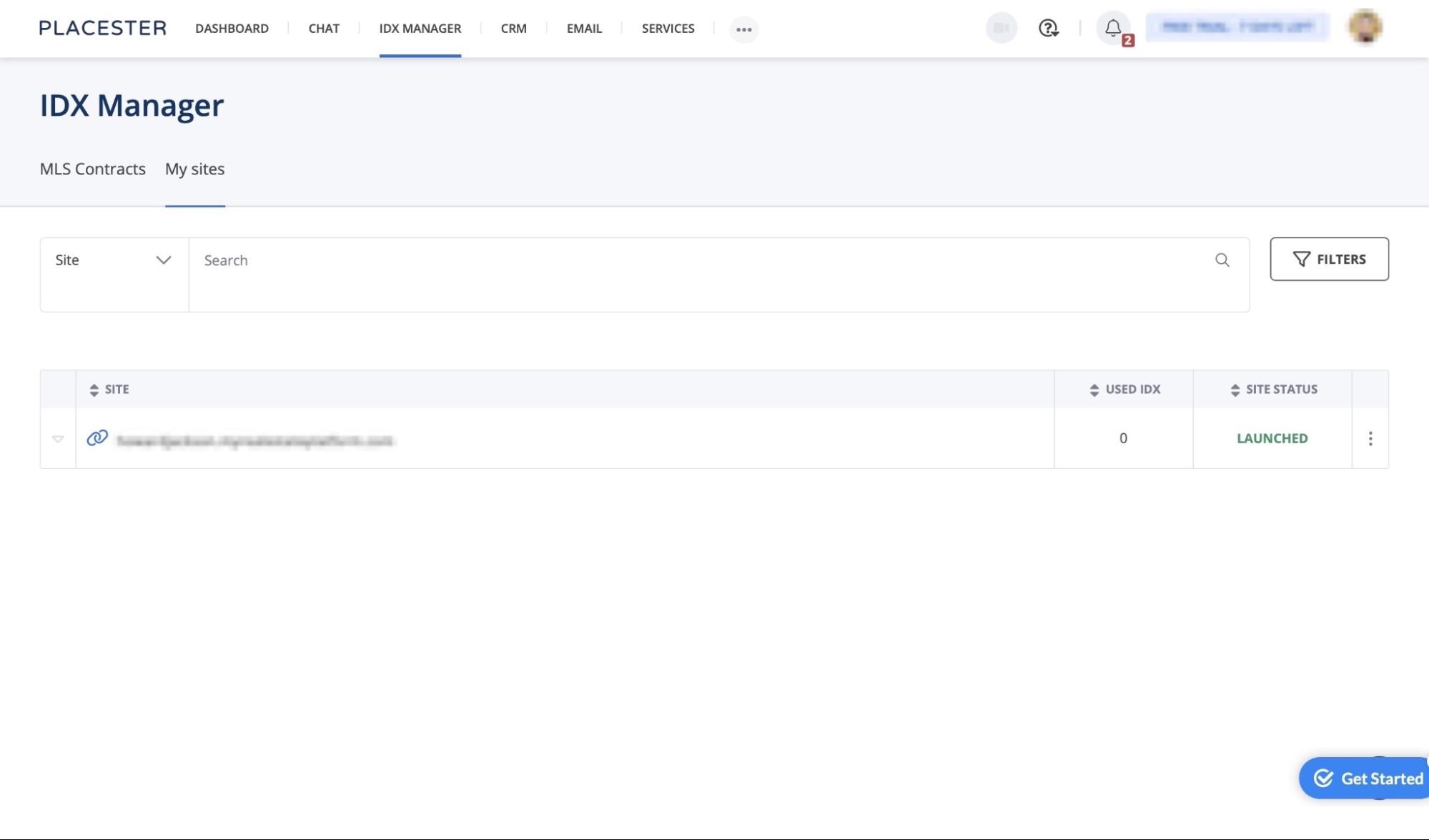
Using the Internet Data Exchange (IDX) feature, you can display your property listing from the Multiple Listing Service (MLS) on your site. You’re equipped to preview, deactivate, or edit IDX integrations.
You have the option to use the Email feature to auto-respond to filled-out forms and launch drip campaigns. Placester lets you send one-time emails to either a single client or multiple clients simultaneously.
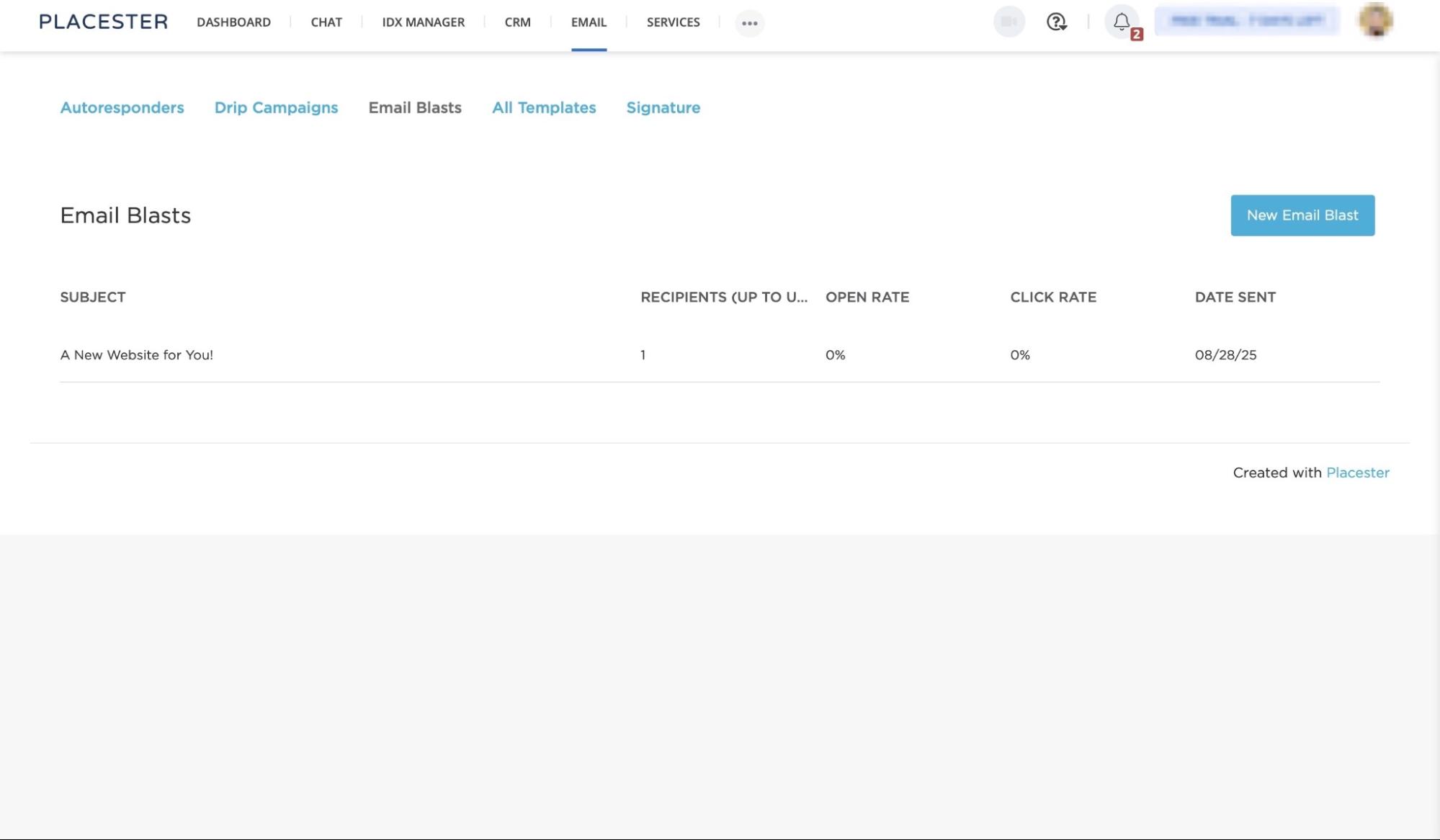
Let me guide you through the process of getting started with building a website on Placester.
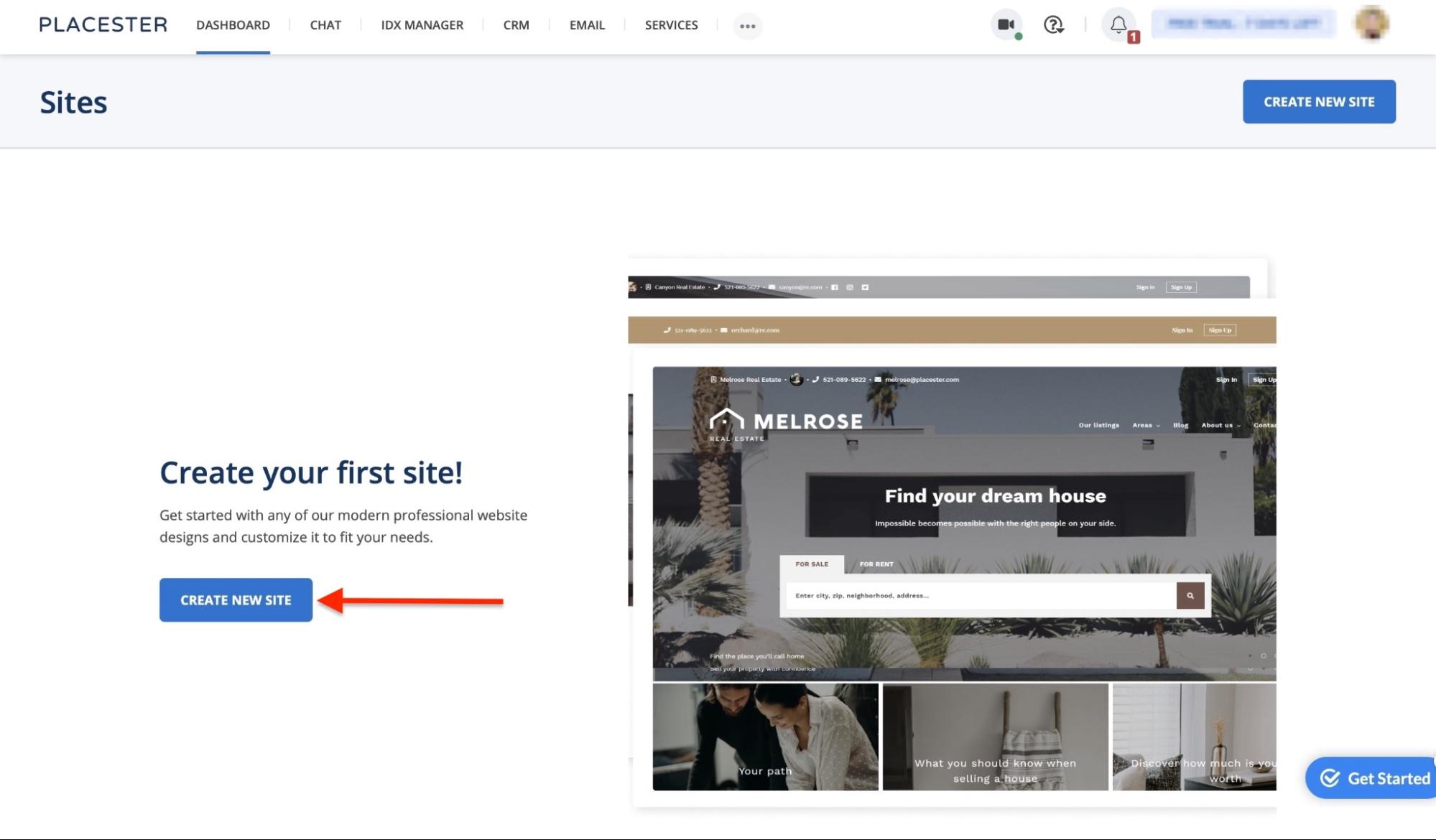
After signing up, select “Dashboard” and click “Create New Site.”
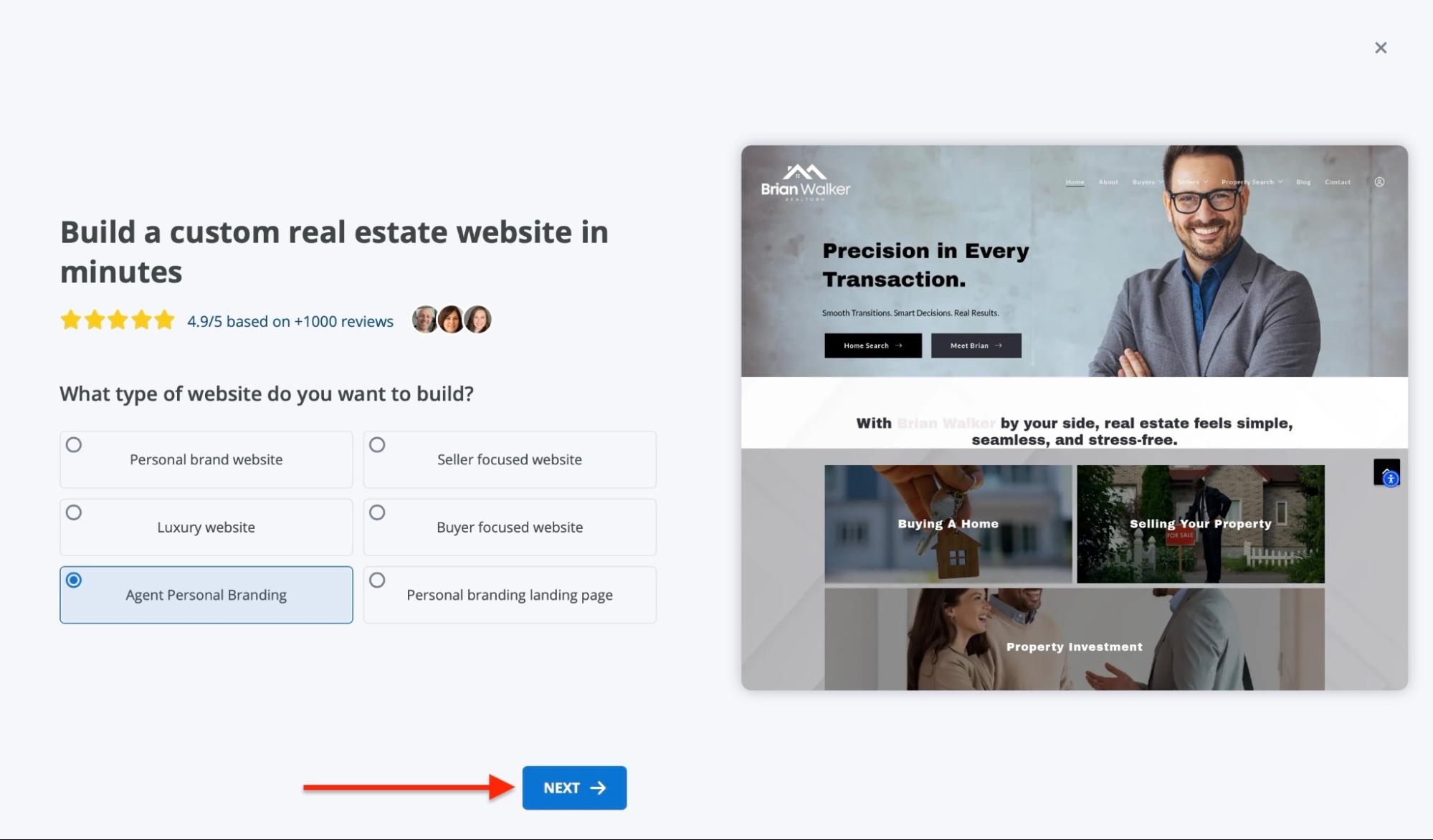
Then select the type of website you'd like to build from the six templates provided and click “Next.”
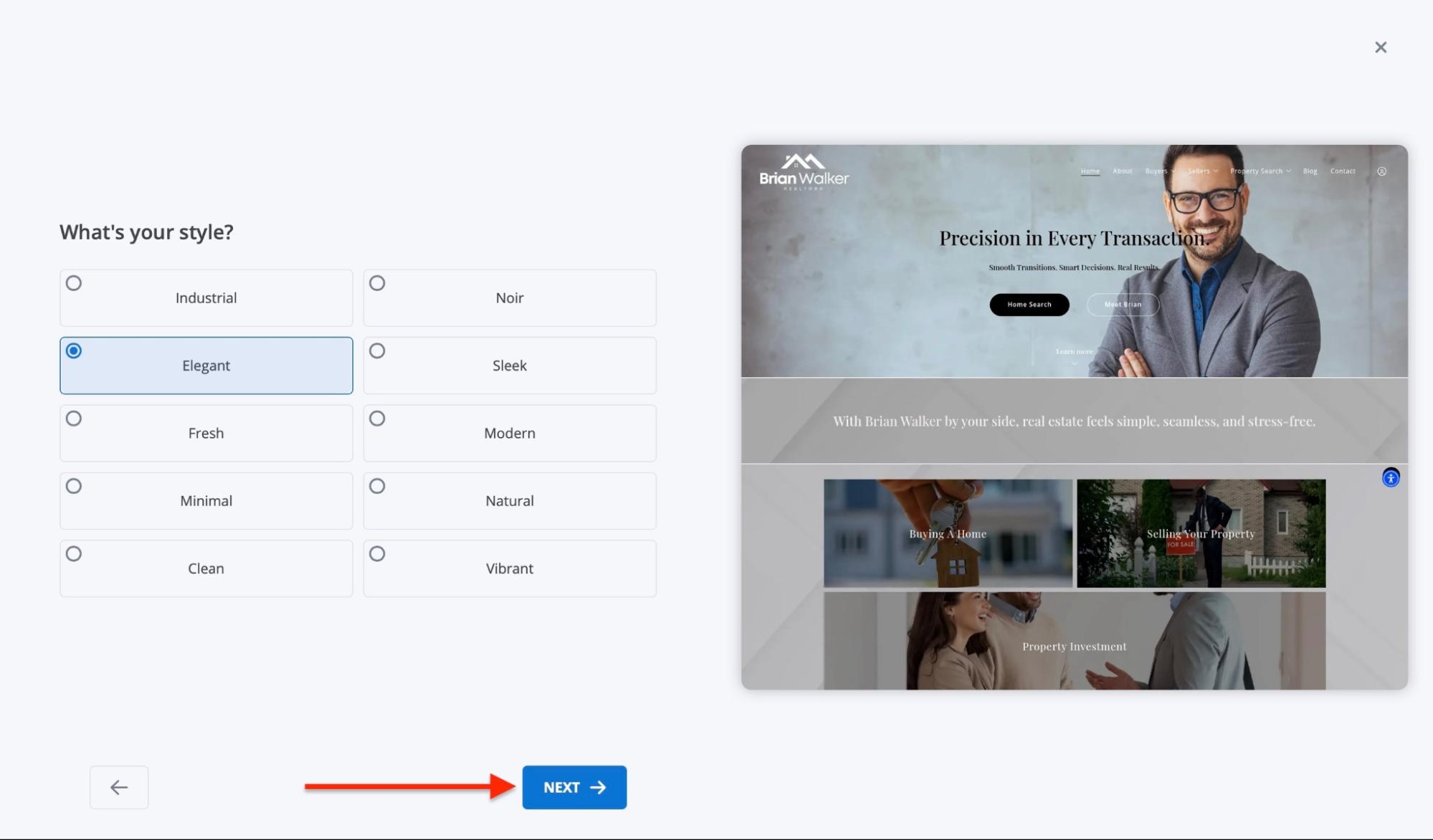
Now, pick a style. Select any of the options provided and click “Next.”
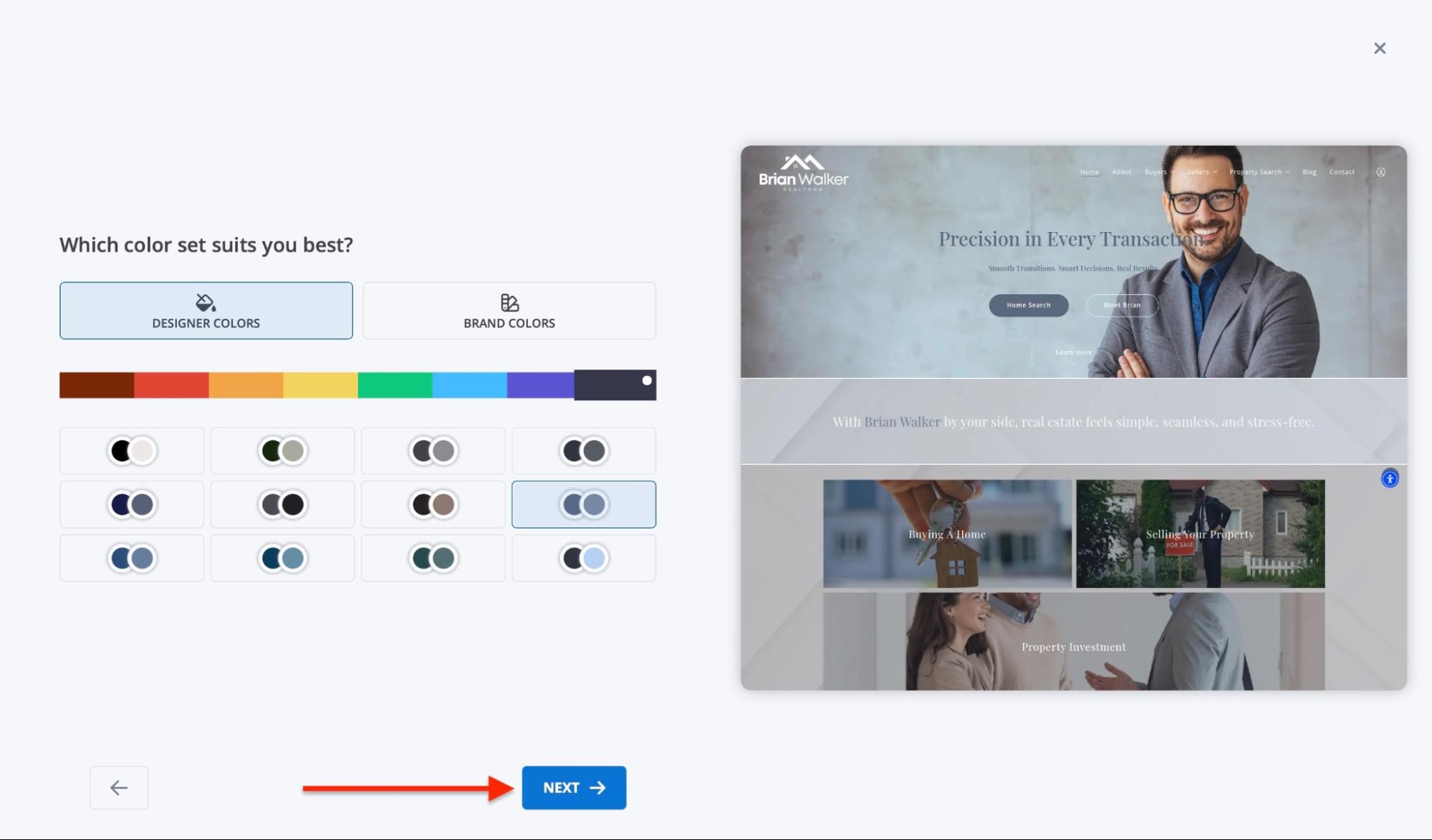
Then choose the colour set for your website. You can even select your brand colours. After that, click “Next.”
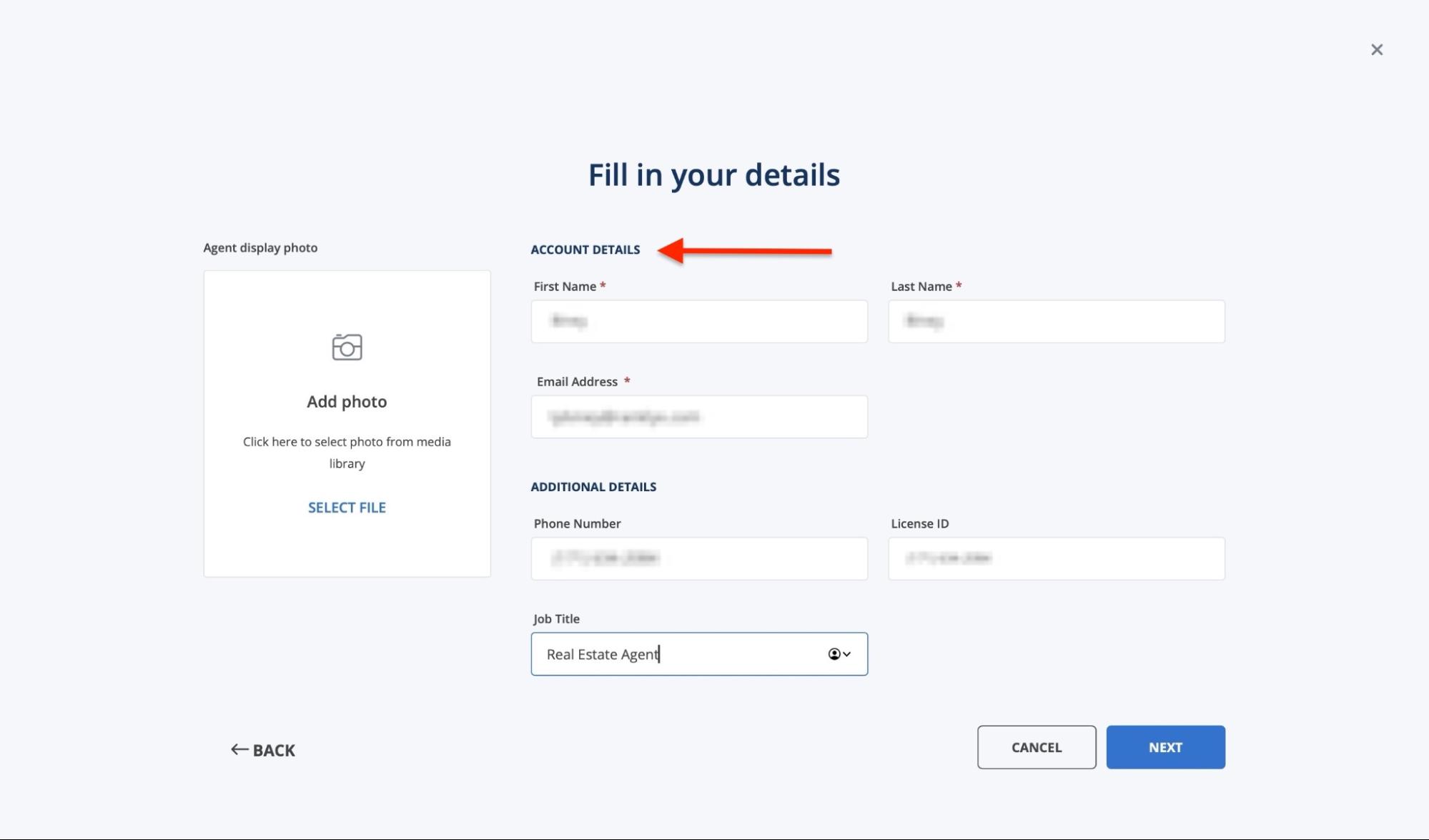
In the new window, add or edit your account details. You may add additional information, such as your license number and job title.
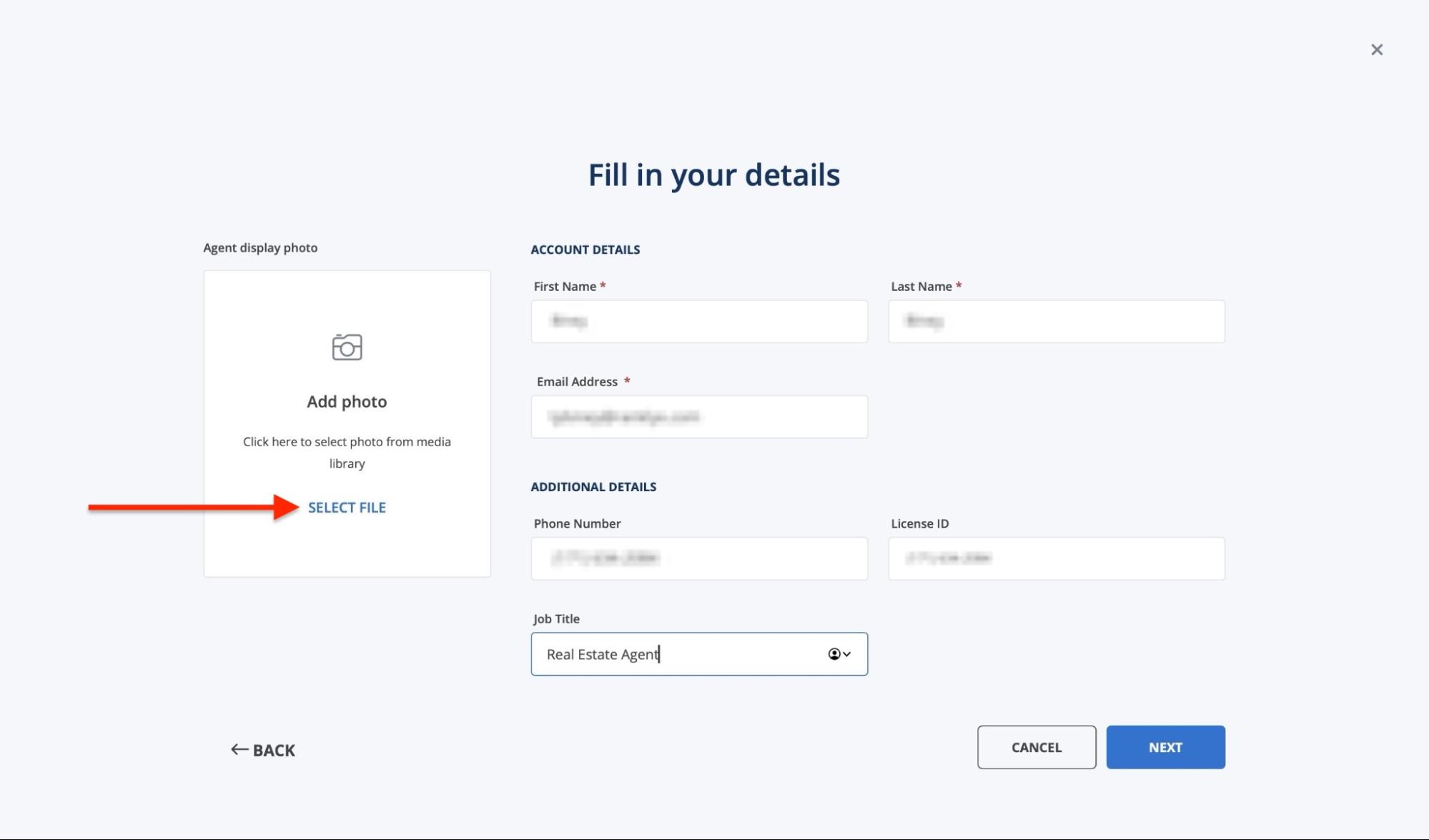
Add a display picture by clicking “Select File.” You can upload media from your device or download a stock image from Unsplash.
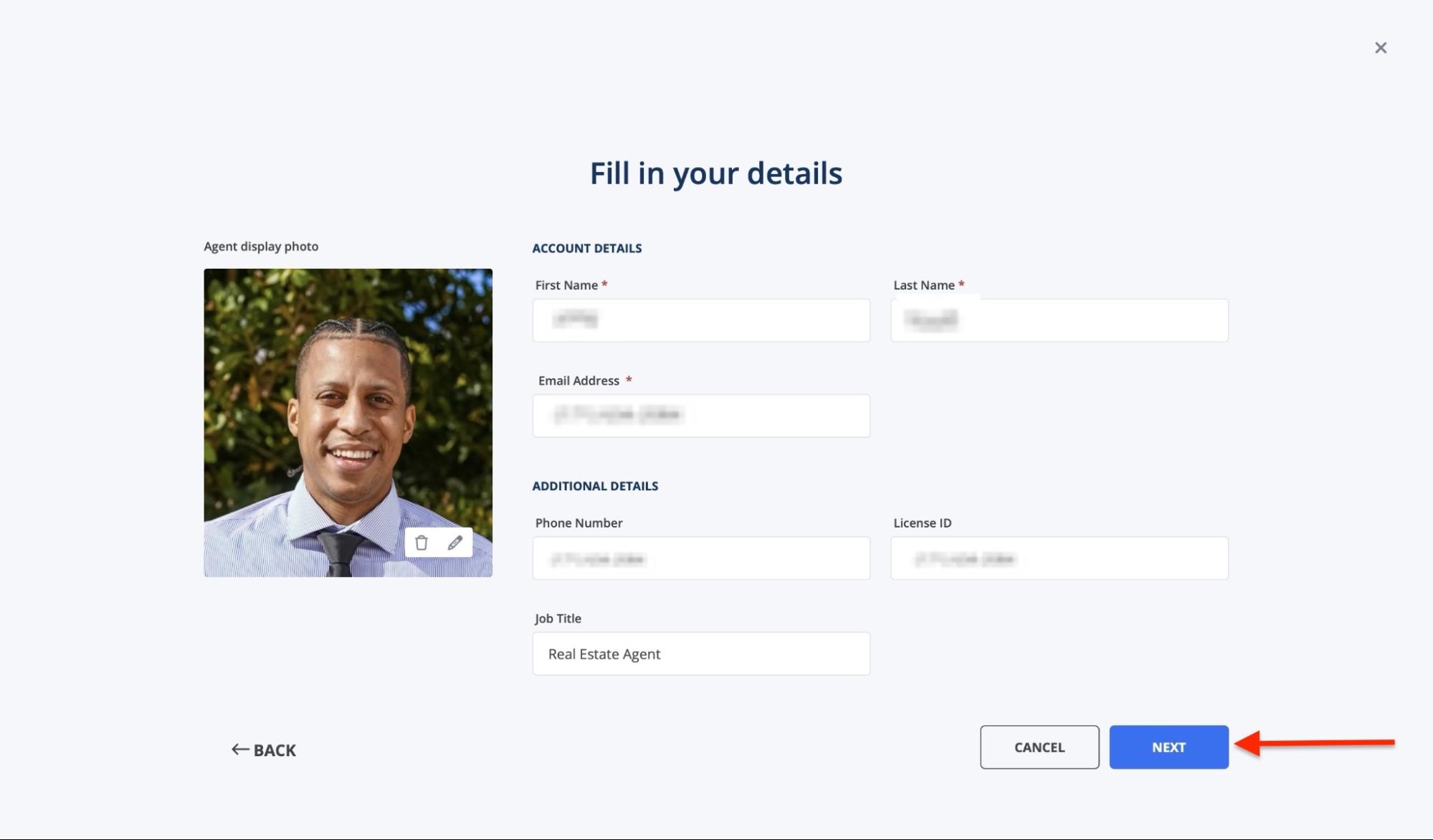
After adding your picture, click “Next” to continue.
Choose a website title and the domain name. Then, click “Next.”
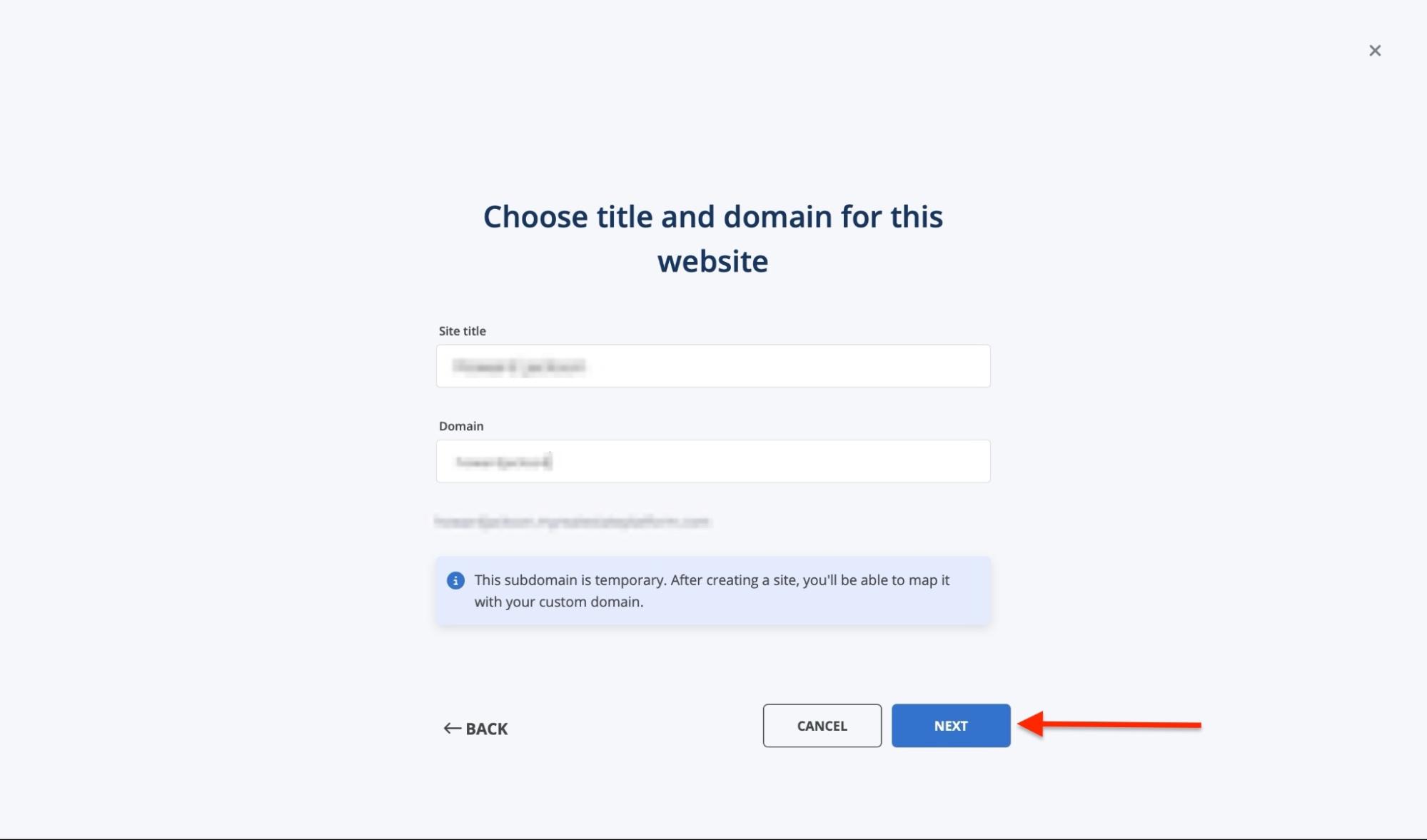
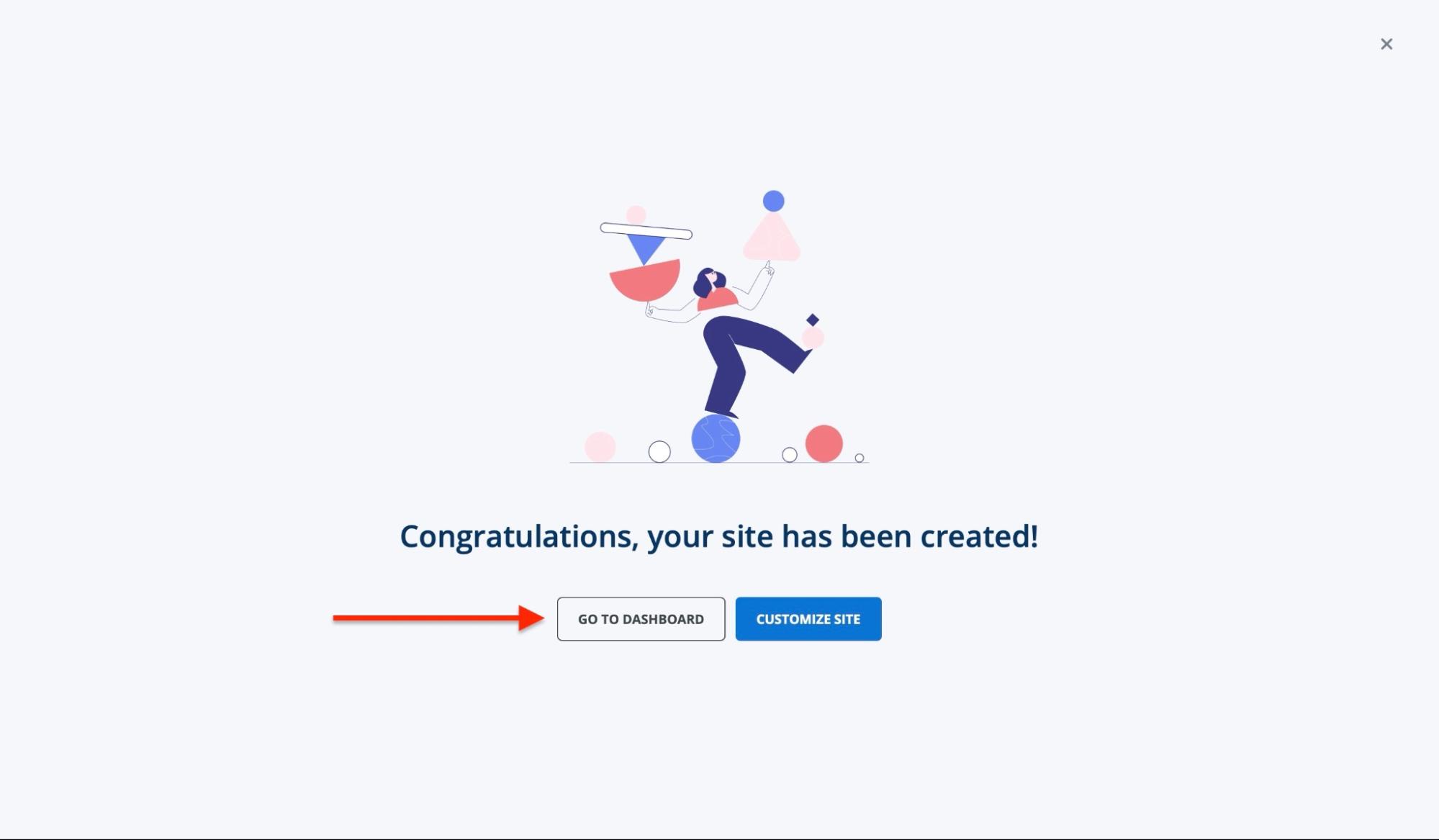
At this point, you have created your website, and you can add more customizations. Click “Go to Dashboard” to return to the dashboard.
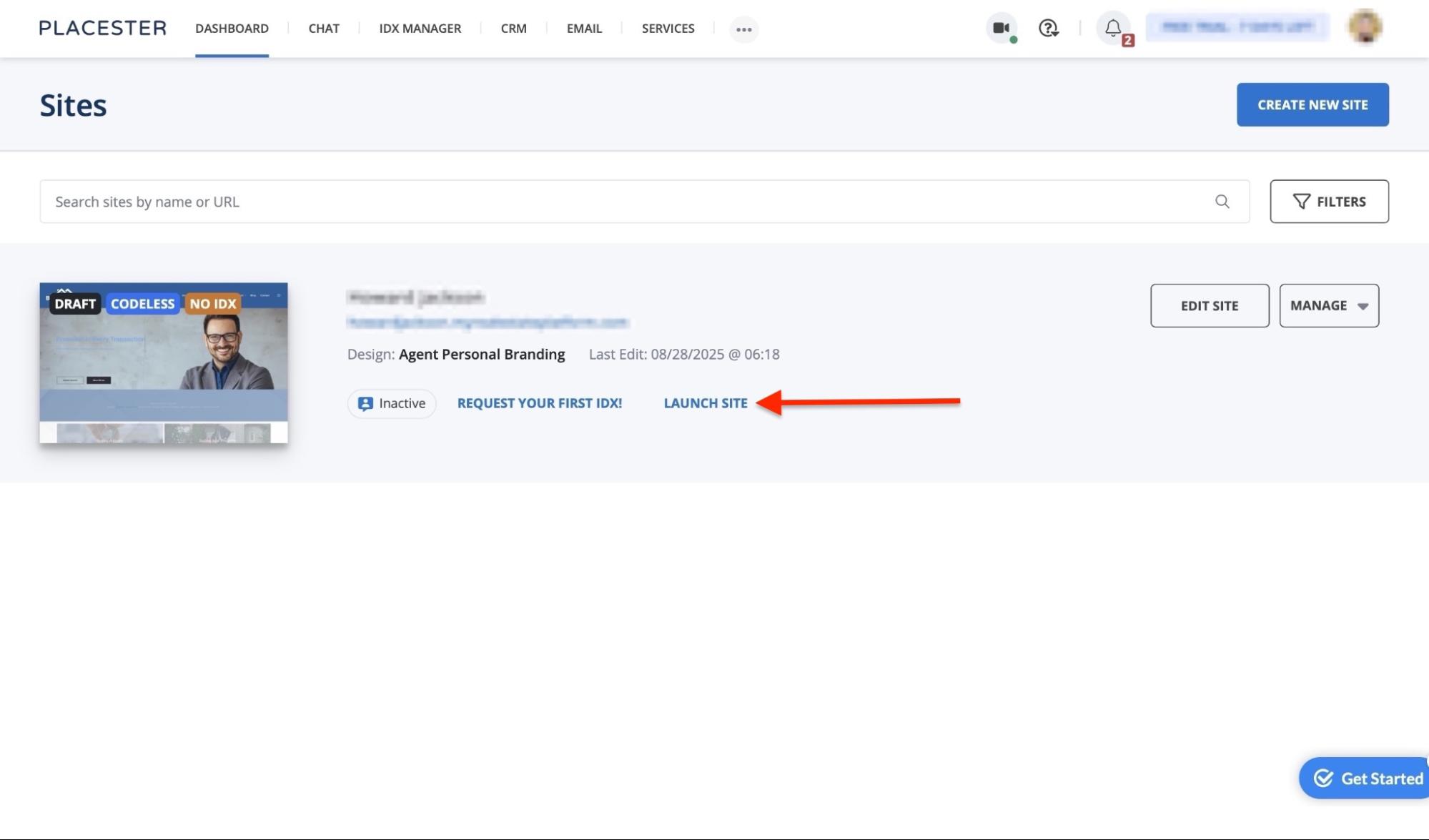
Your newly created website will be displayed there. Click “Launch” to publish your website.
Key features
1. CRM
The CRM feature on Placester lets you manage client information and track lead activity.
This is how you can get started using the CRM feature.
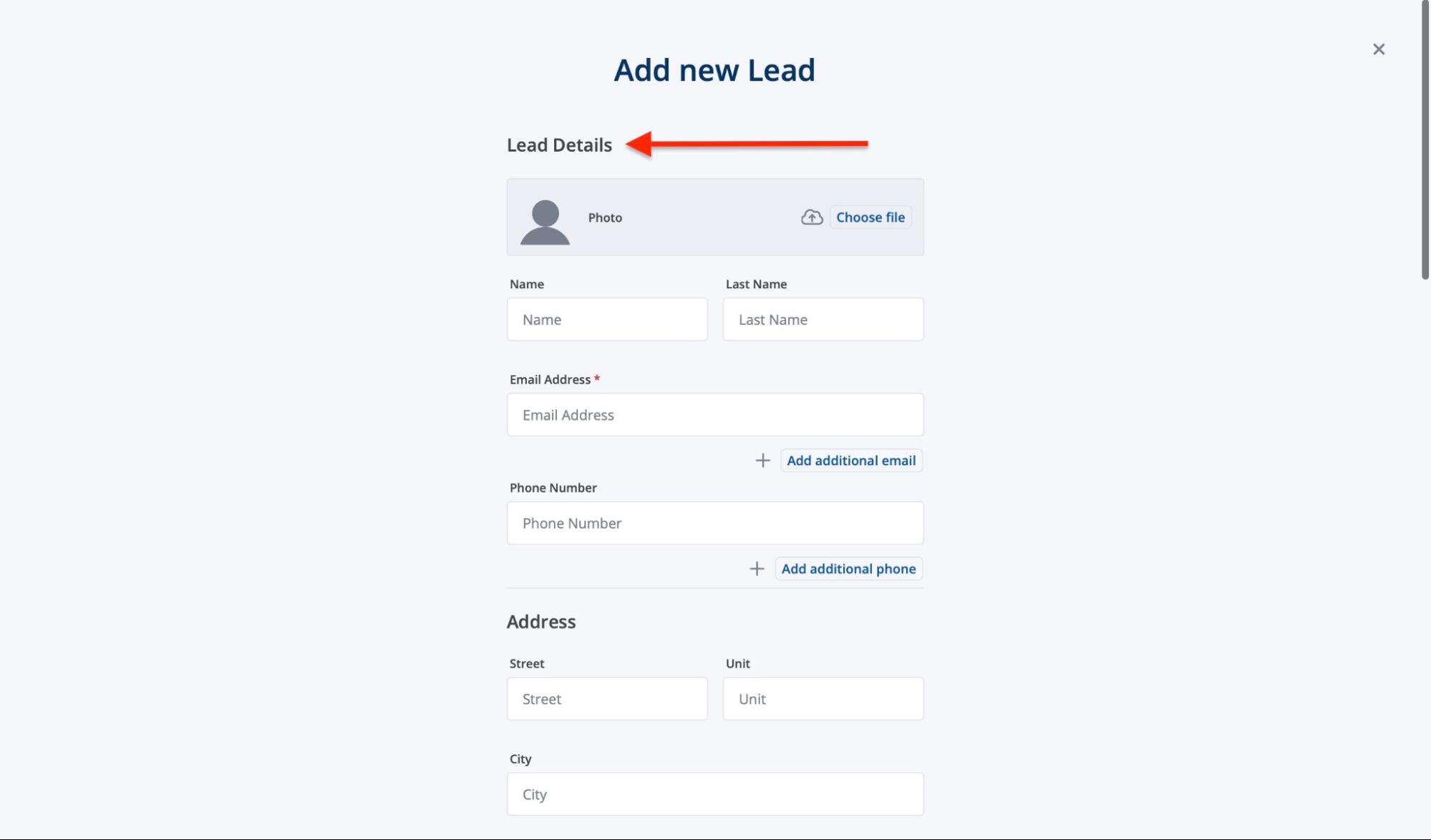
First, select “CRM” in the navigation bar. Next, click “Add.”
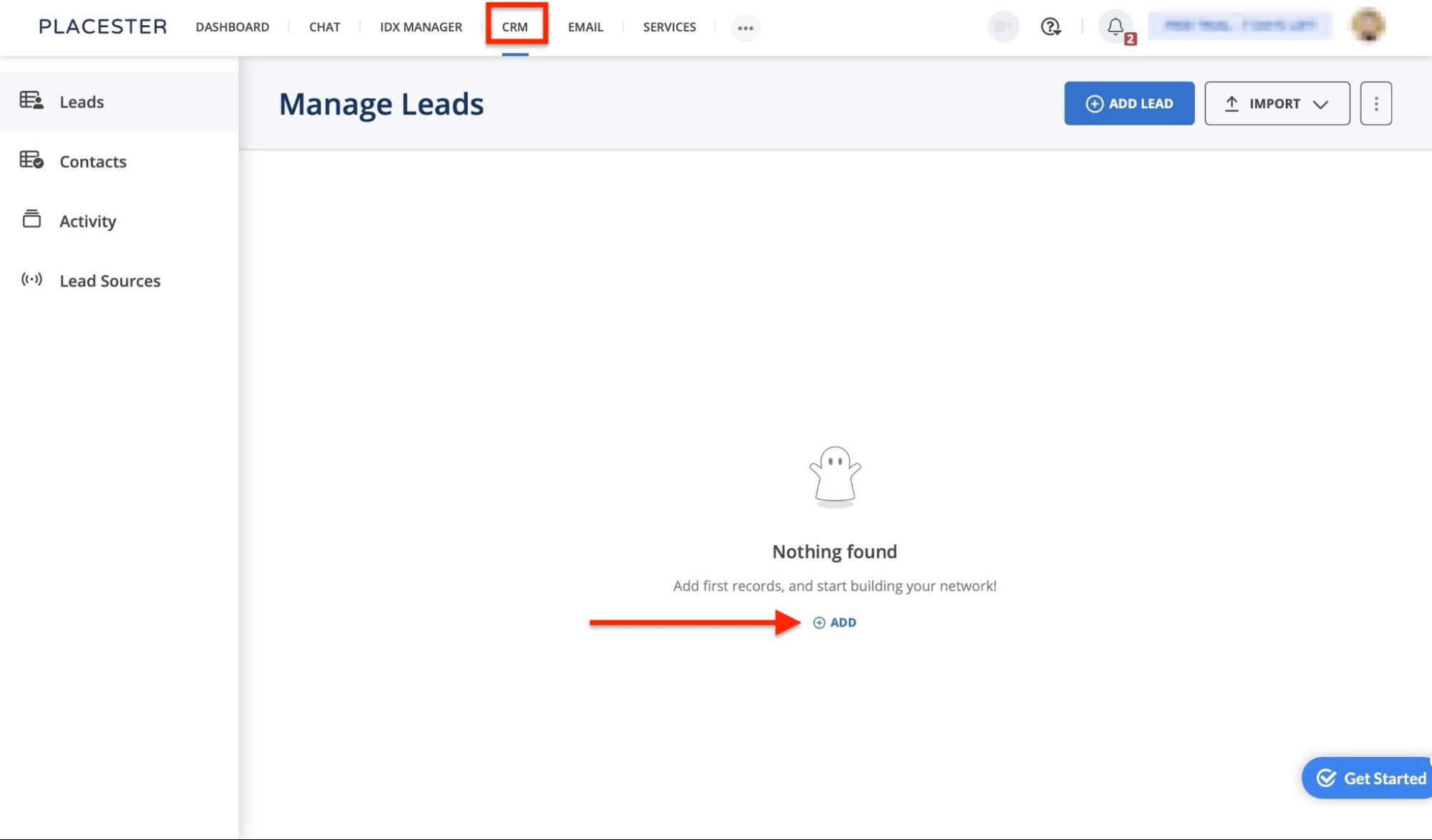
Now, fill out lead details such as contact and address. You can also add information about their property by scrolling further down.
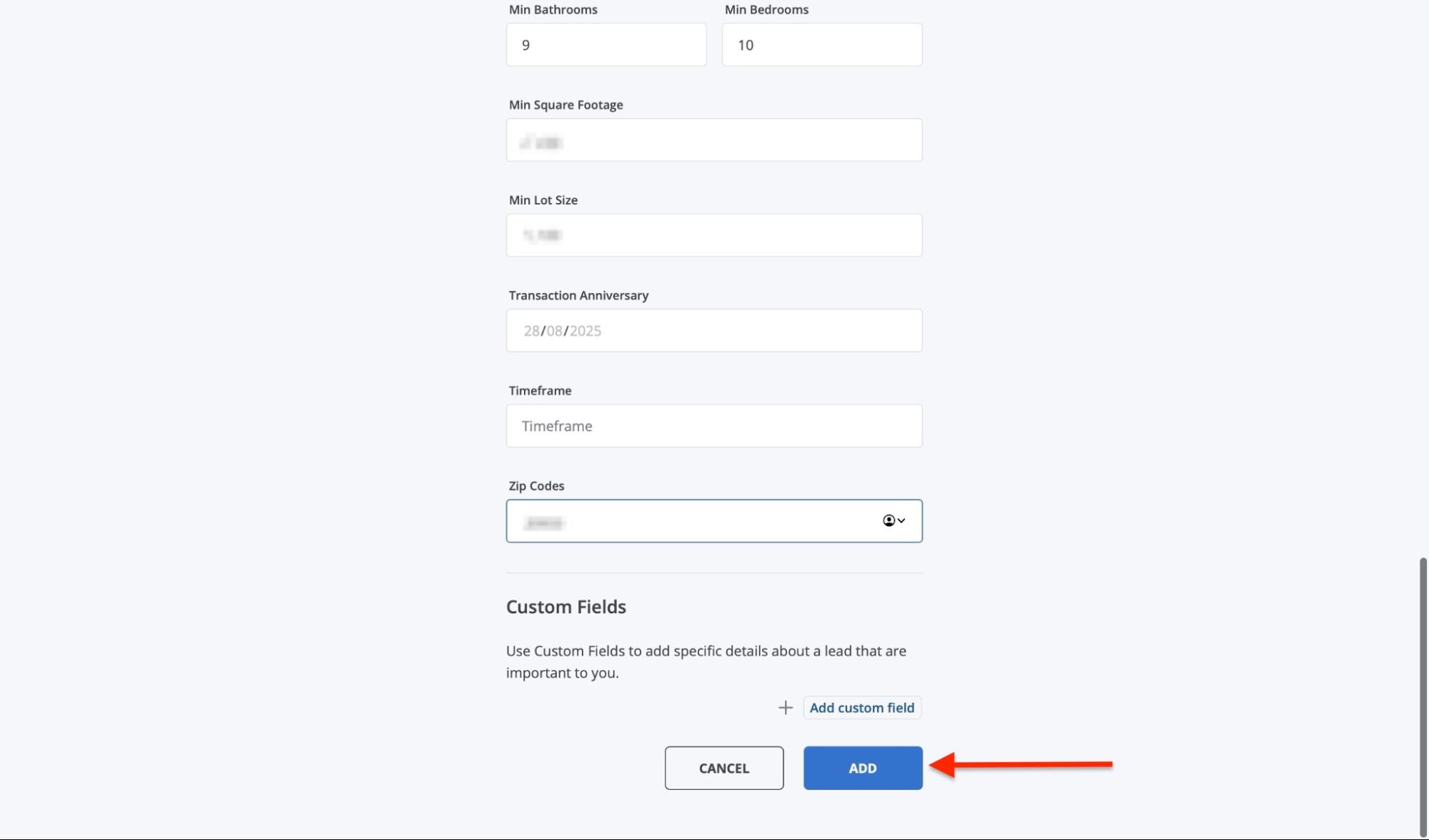
After that, click “Add.”
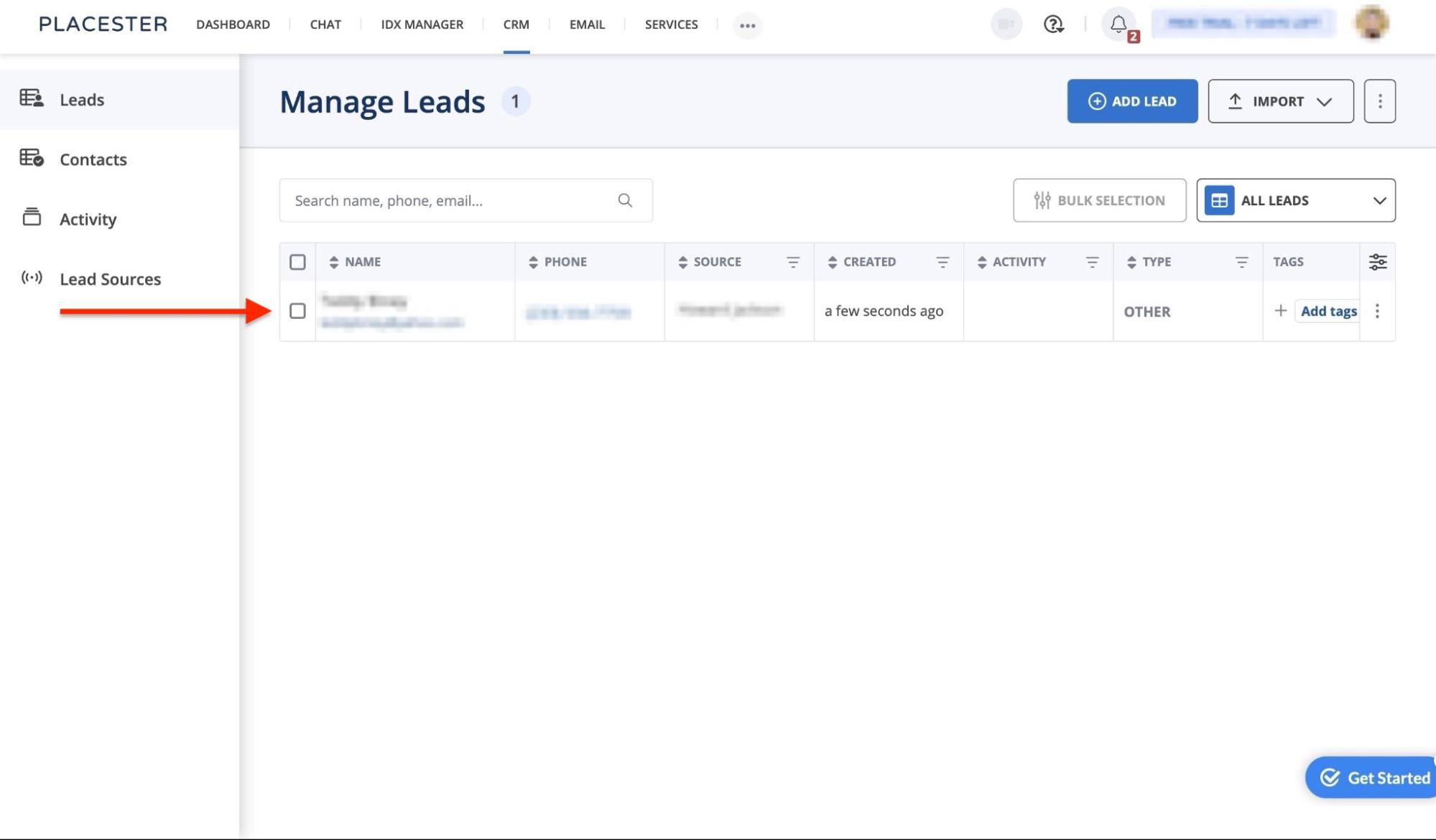
The new lead you added will be listed in the CRM window.
2. Email
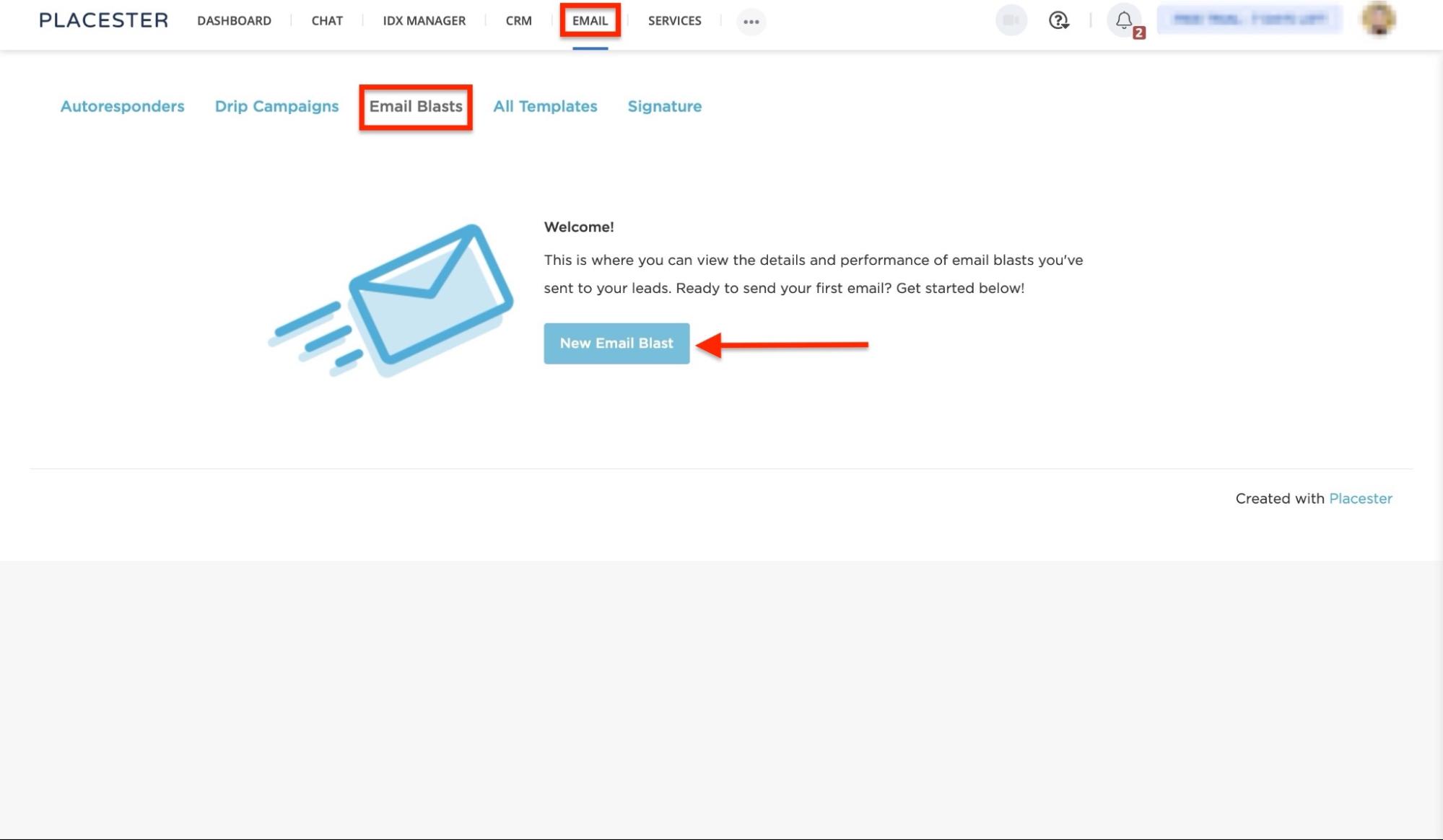
The Email feature on Placester helps you nurture your leads into clients. Let me show you how you can send one-time emails to a specific client or all your leads.
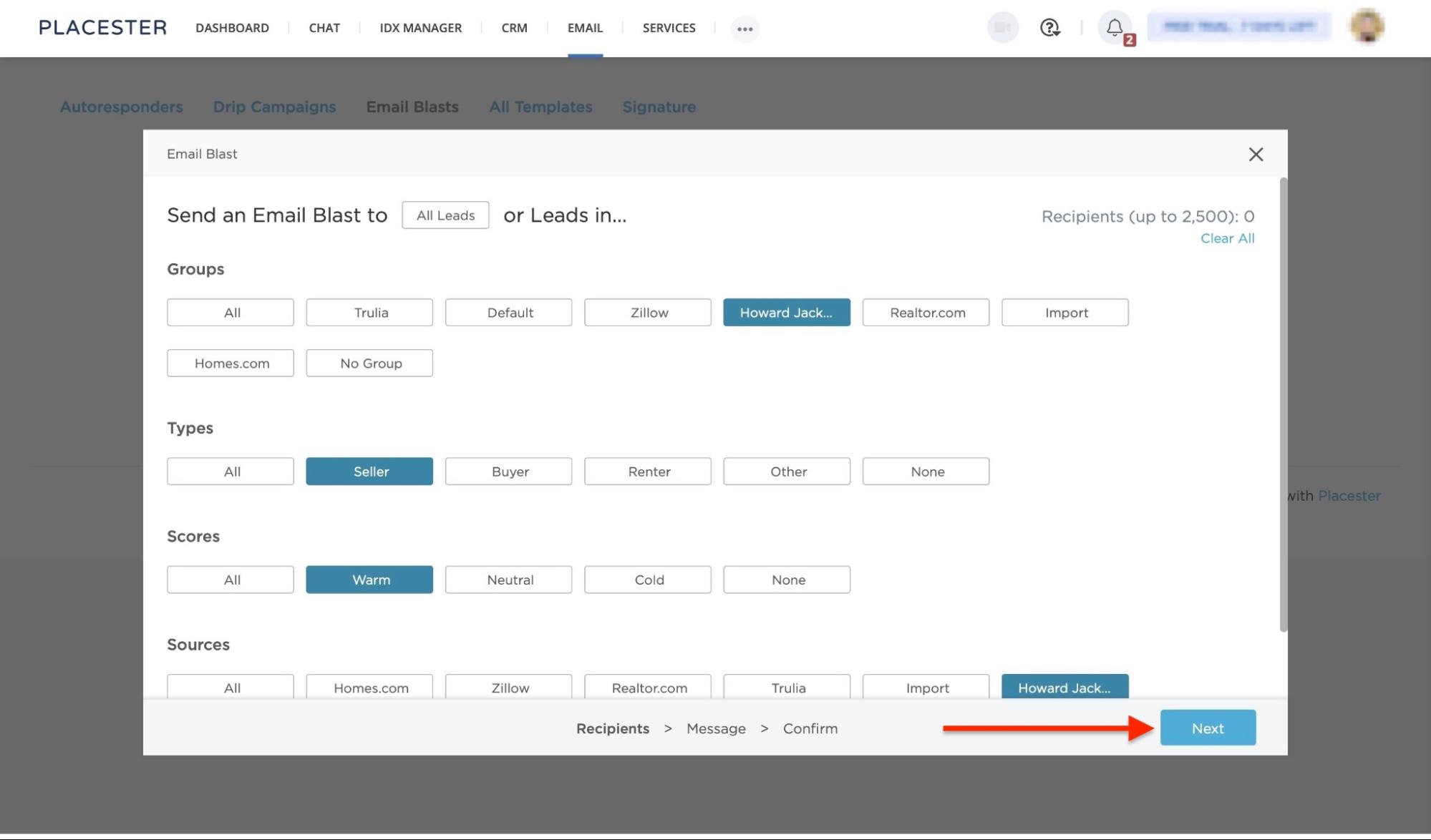
Begin by selecting “Email” in the navigation bar. Now, choose “Email Blast” and proceed to click “New Email Blast.”
Then, select the right categories in the pop-up window and click “Next.”
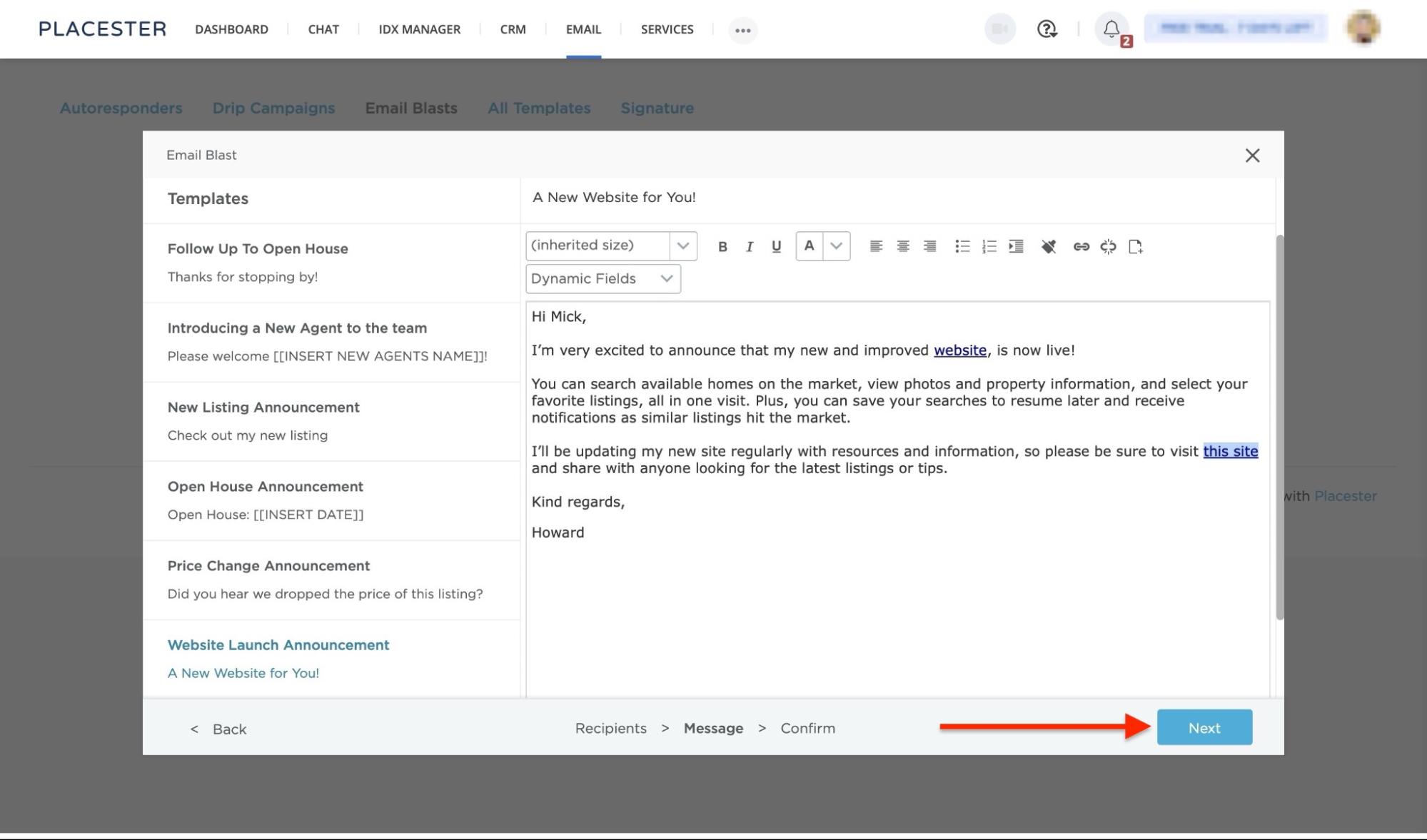
Now, select a template from the sidebar, edit it, and click “Next.”
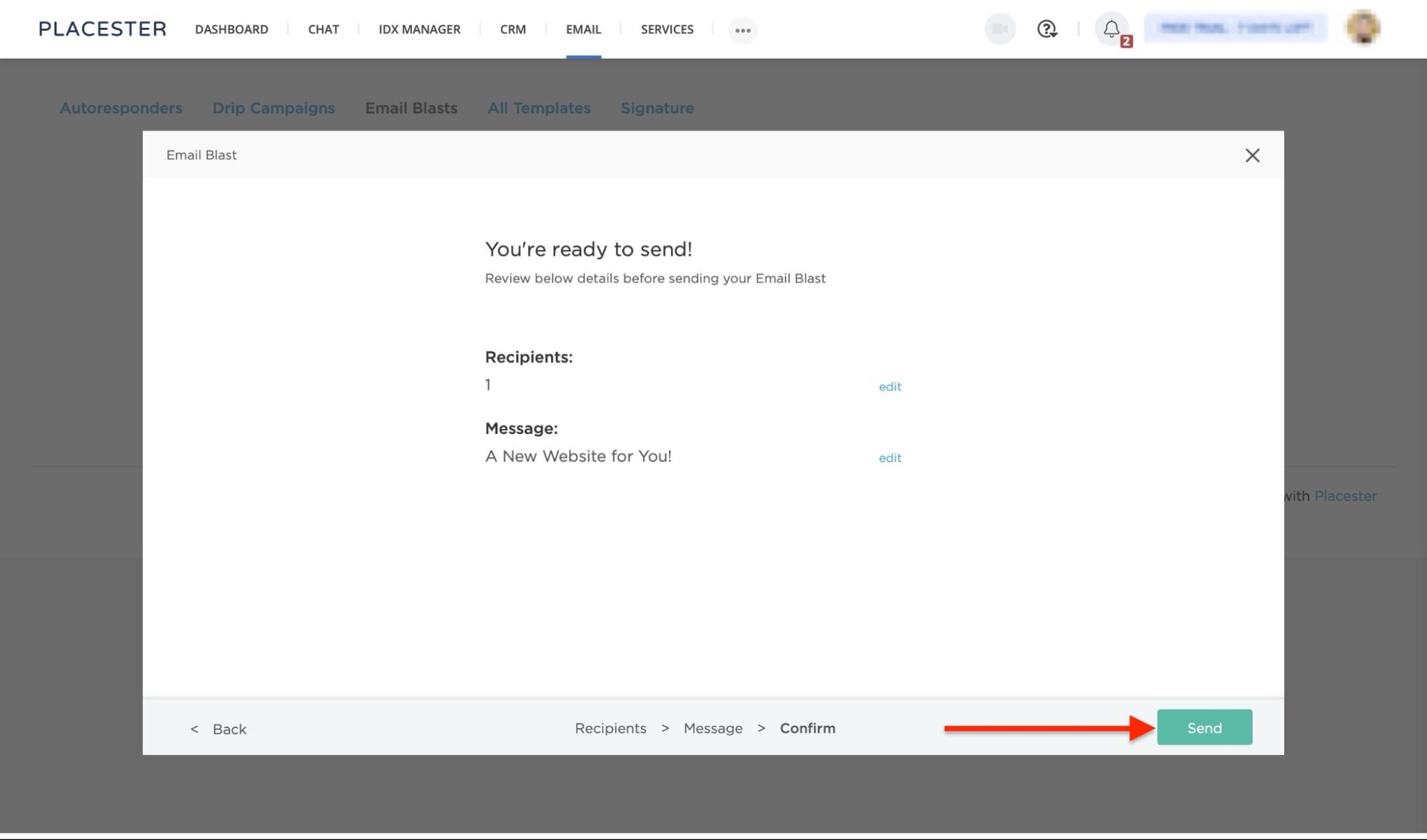
You may add more recipients. You can also edit the title of the message. After that, click “Send.”
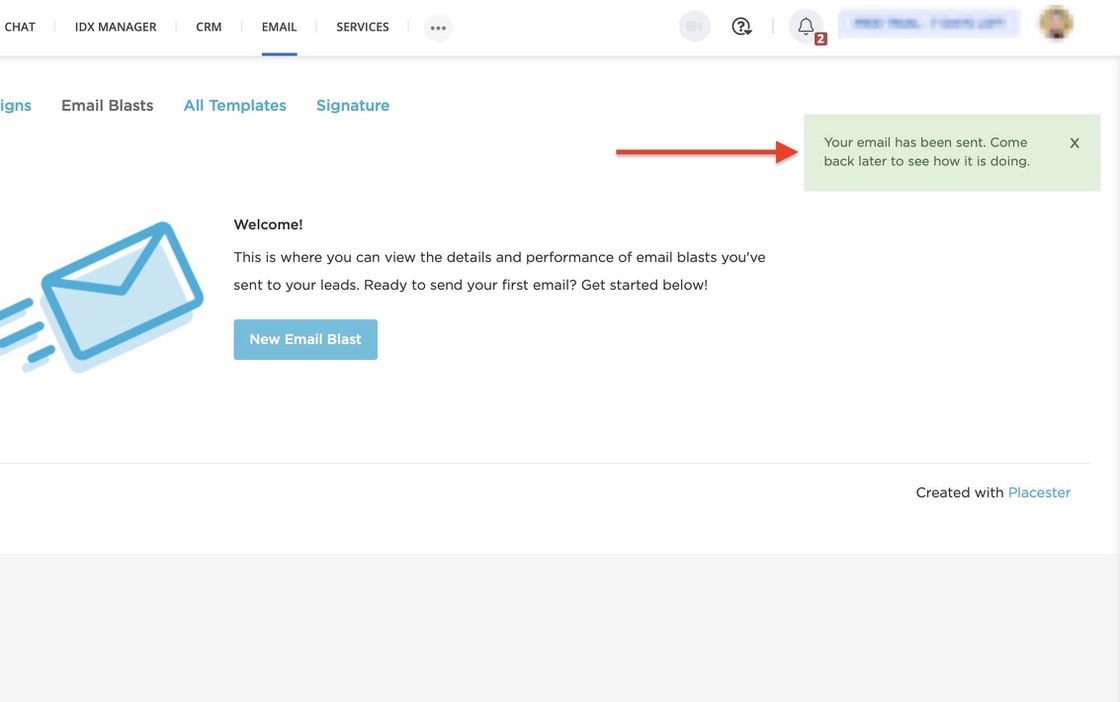
At the top right corner of the Email Blast feature window, you’ll get a notification that your message has been sent.
Pros:
- Ease of use
- IDX integration
- MLS access
- Built-in CRM
Cons:
- High pricing plans
- Relatively short trial period
- Limited customization
- Limited ownership
Best For
- Real estate professionals who want to quickly build a website and use it for marketing, lead tracking, and conversion.
Pricing
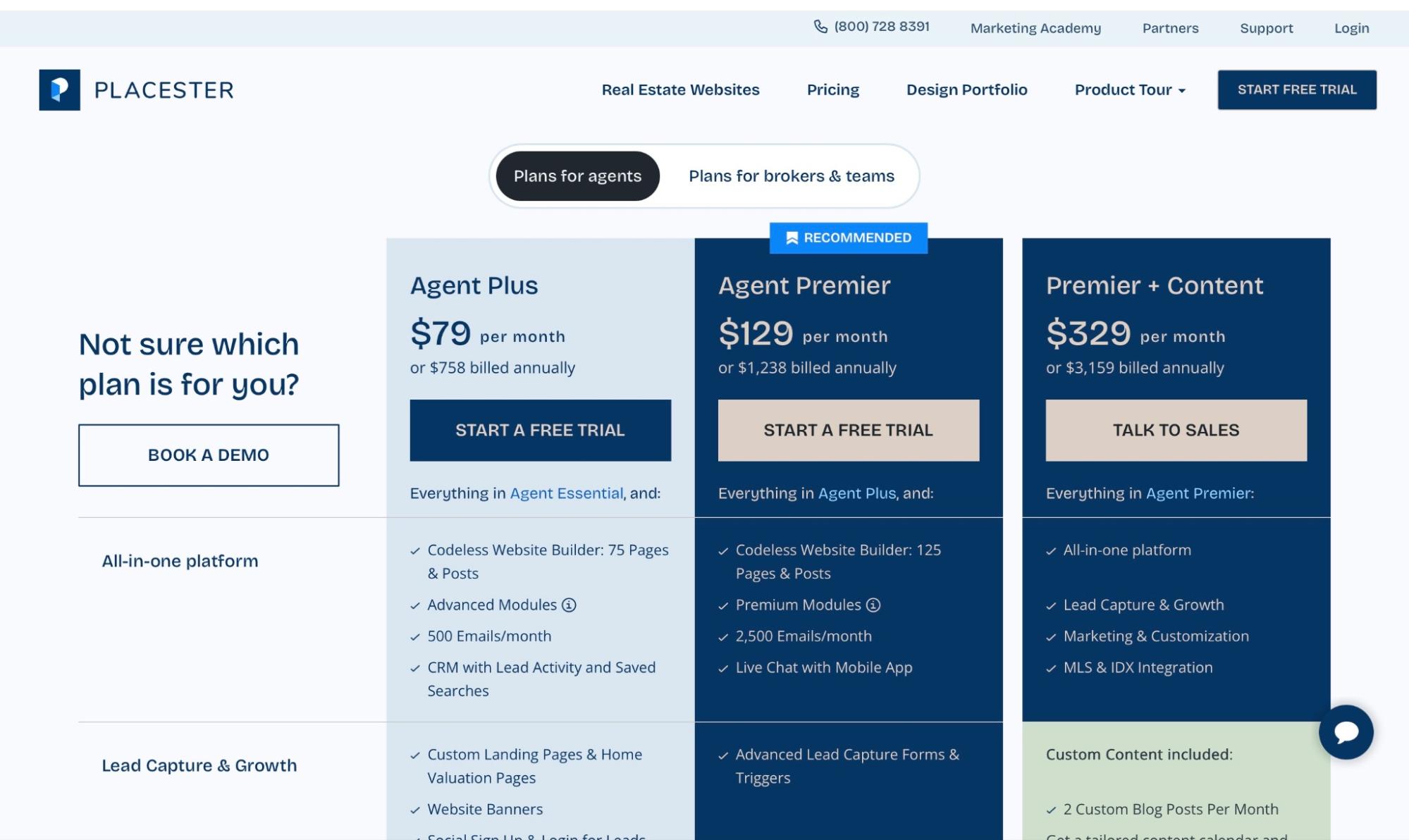
For Agents
- Agents Essential: $59/month, or $566 billed annually
- Agent Plus: $79/month, or $758 billed annually
- Agent Premier: $129/month, or $1,238 billed annually
- Premier + Content: $329/month, or $3,159 billed annually
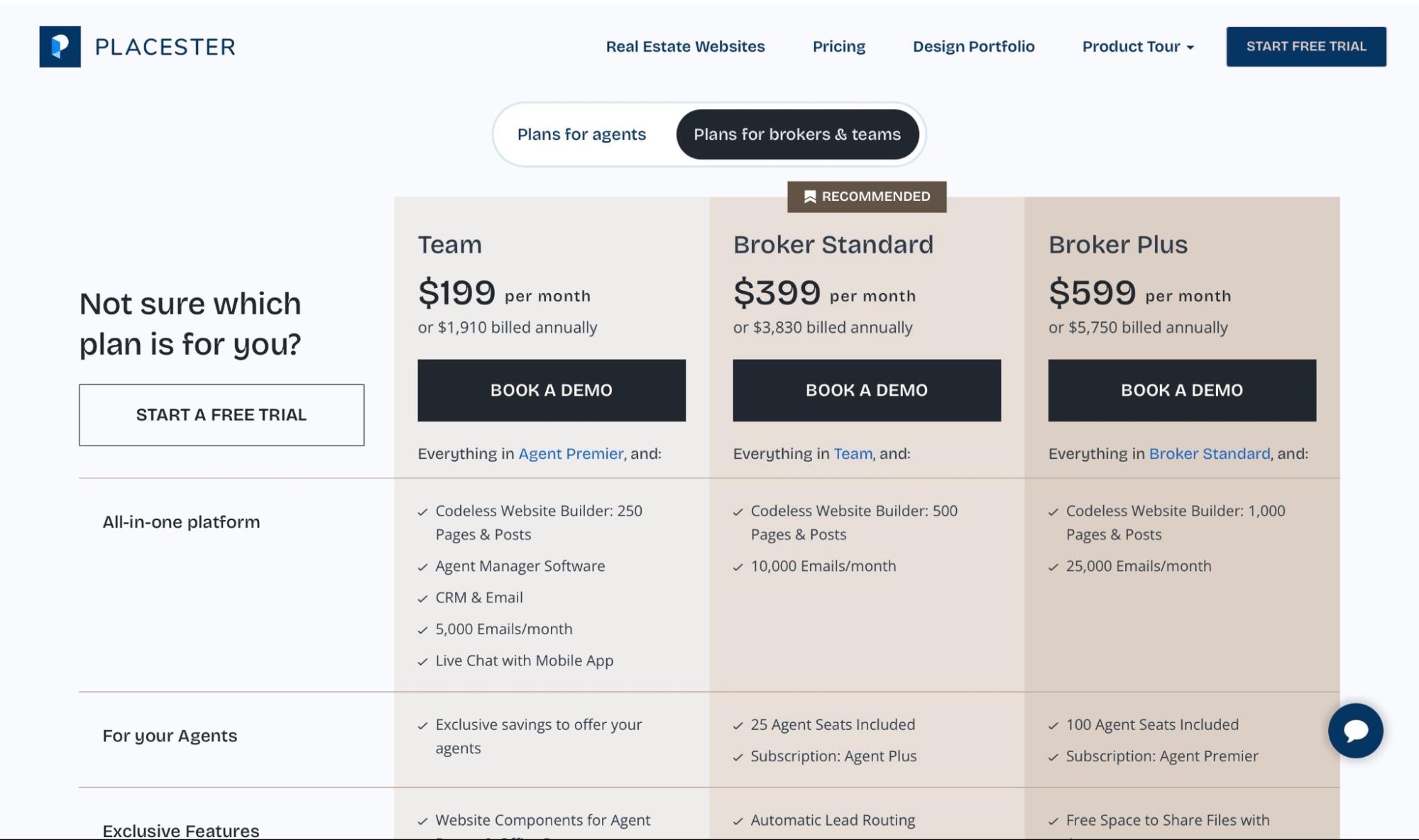
For Brokers & Teams
- Team: $199/month, or $1,910 billed annually
- Broker Standard: $399/month, or $3,830 billed annually
- Broker Plus: $599/month, or $5,750 billed annually
- Enterprise: Contact for pricing
4. Buildium
Fourth on my list of the five best real estate software is Buildium. It’s a property management software for handling rentals, tenant communications, leasing, and accounting.
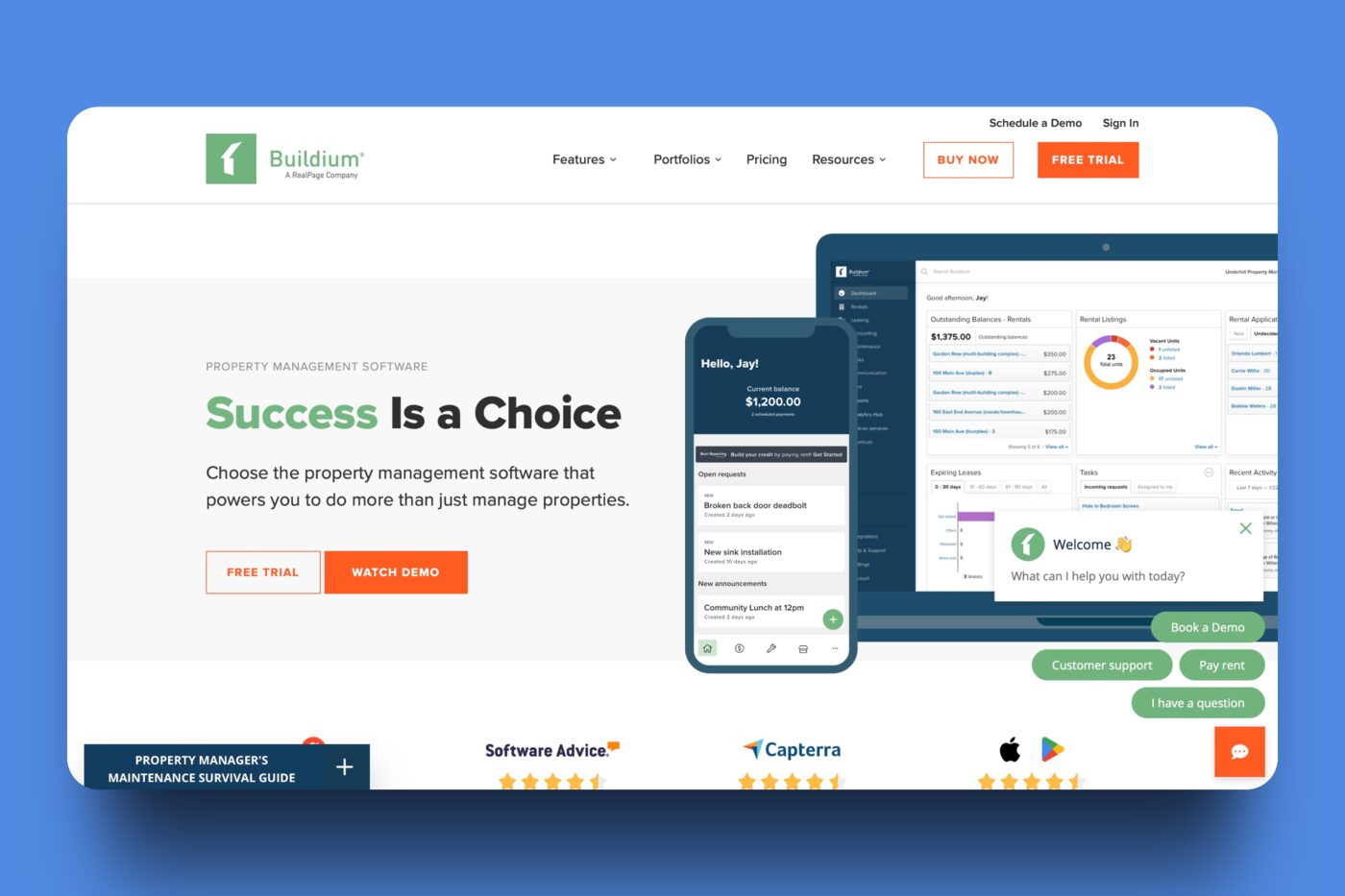
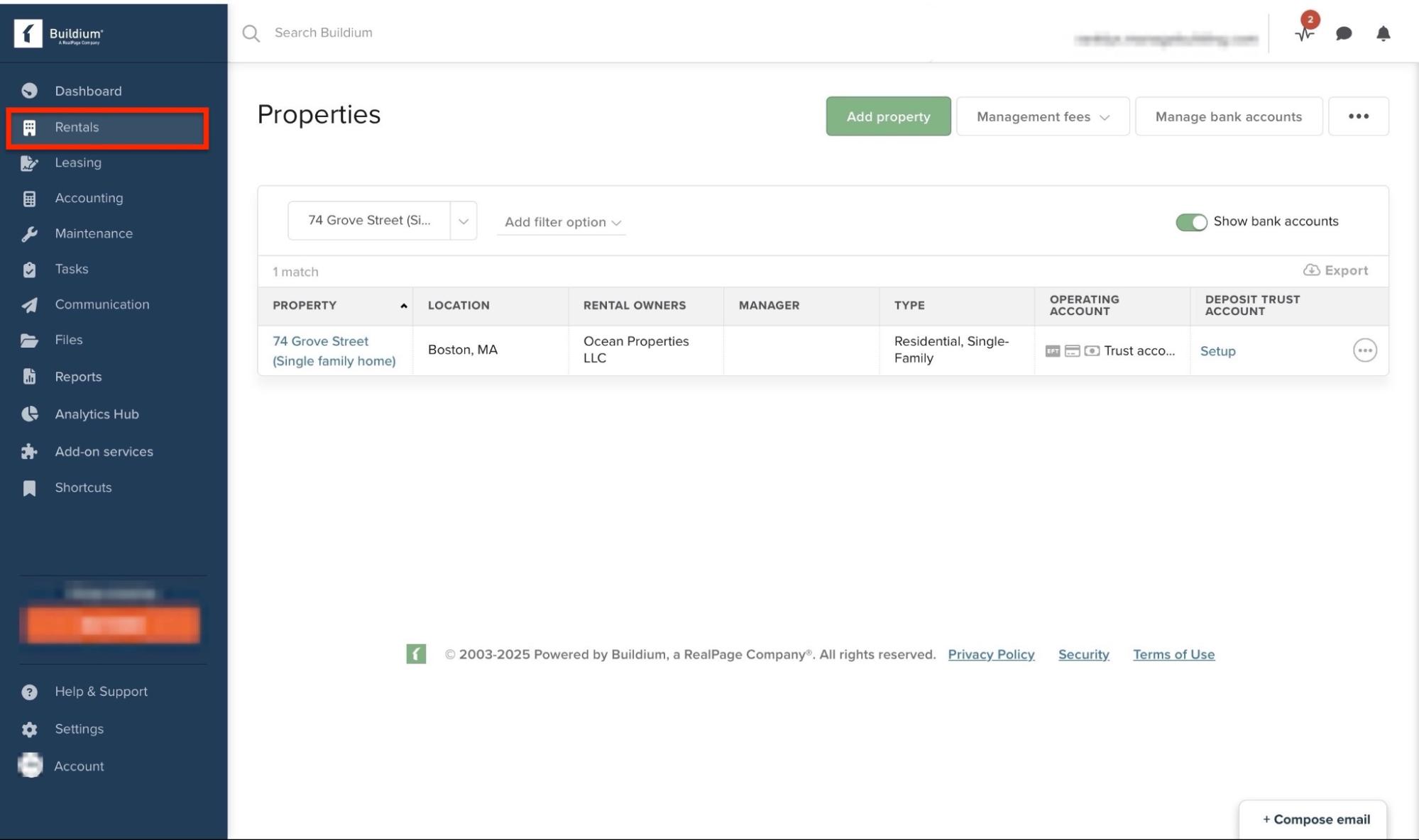
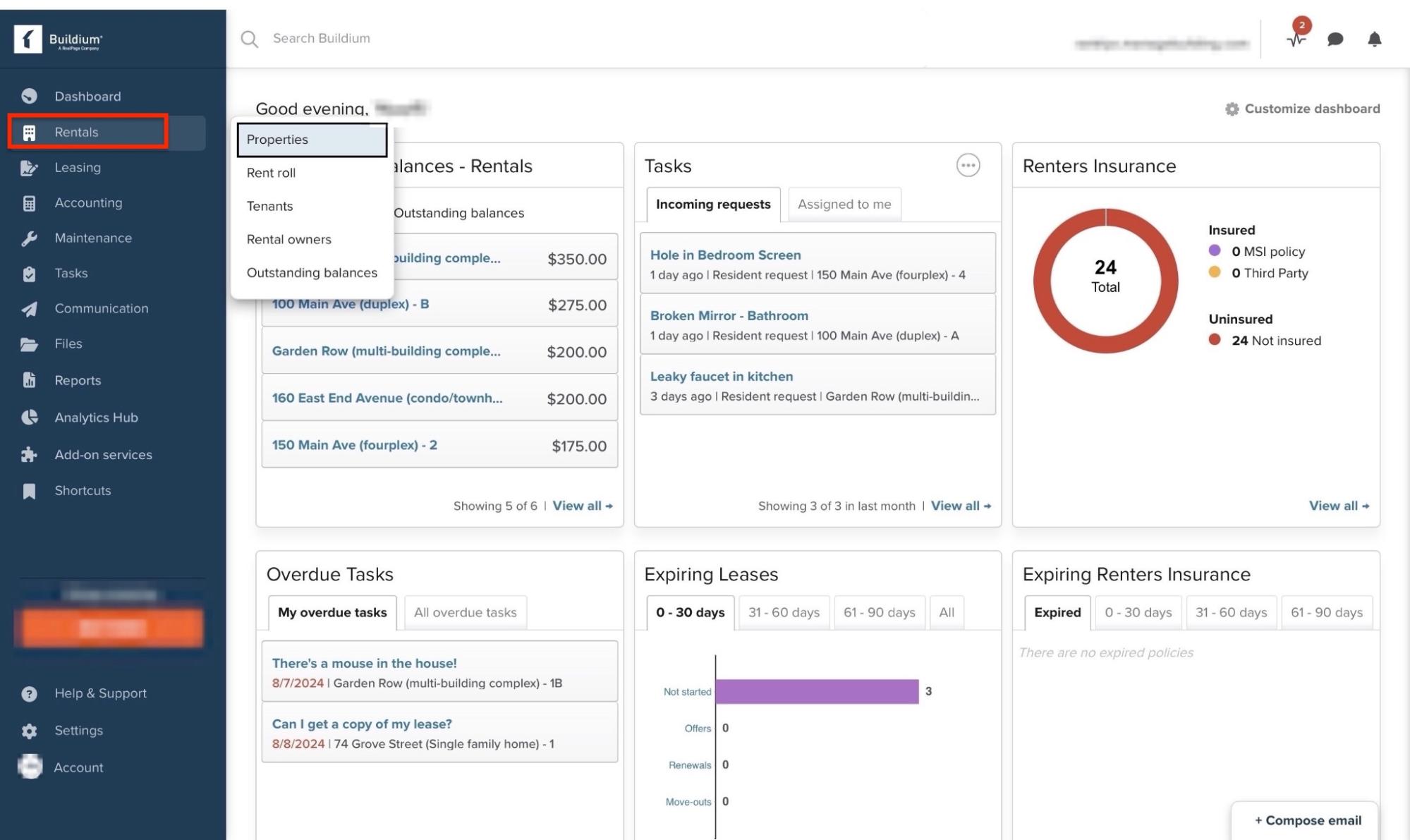
Buildium’s Rentals feature enables you to add properties, leasing, and rental owners. There’s also an option to track outstanding balances.
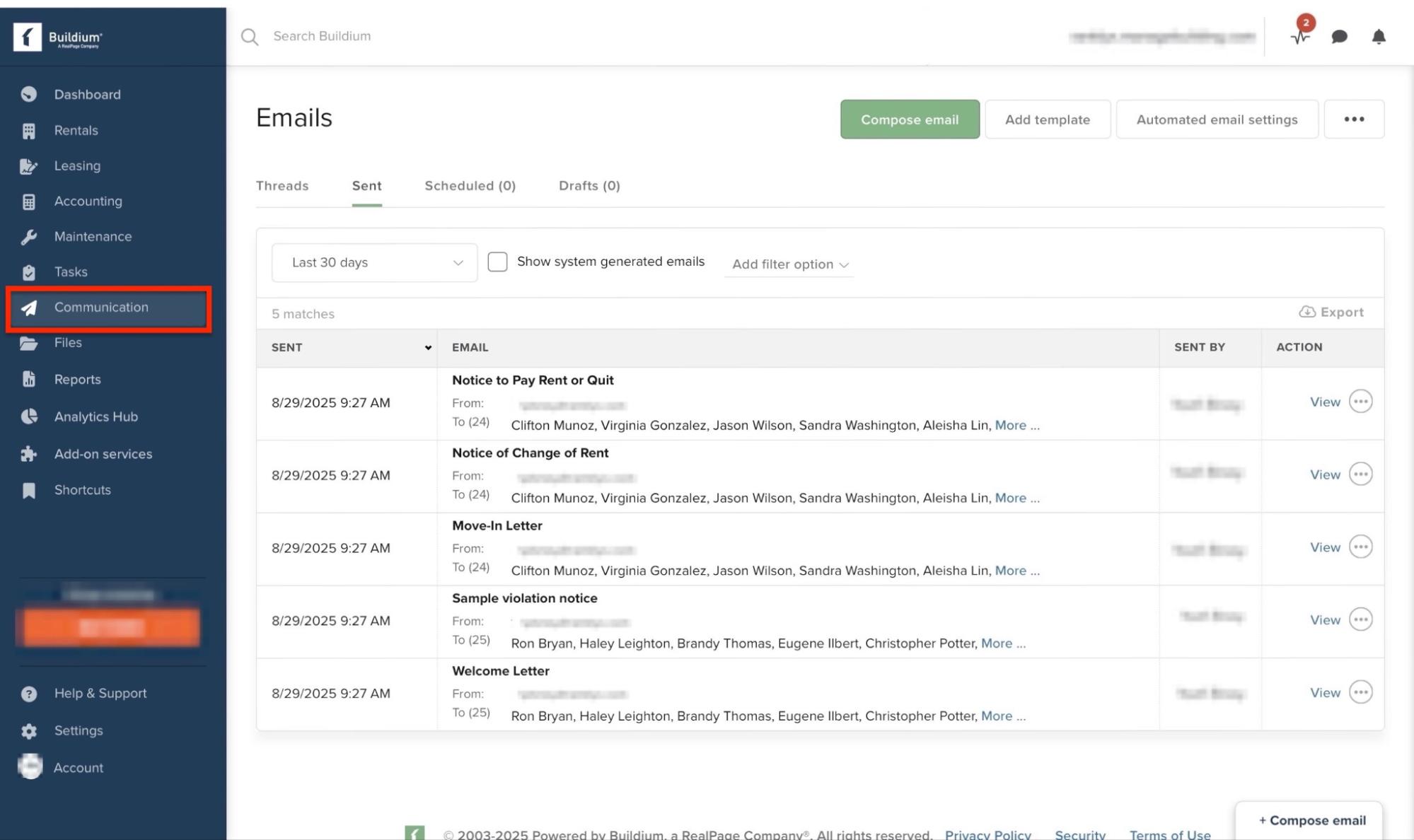
With its Communication feature, you can send emails, text messages, postal mails, and make announcements. There are also postal mail and email templates to select from.
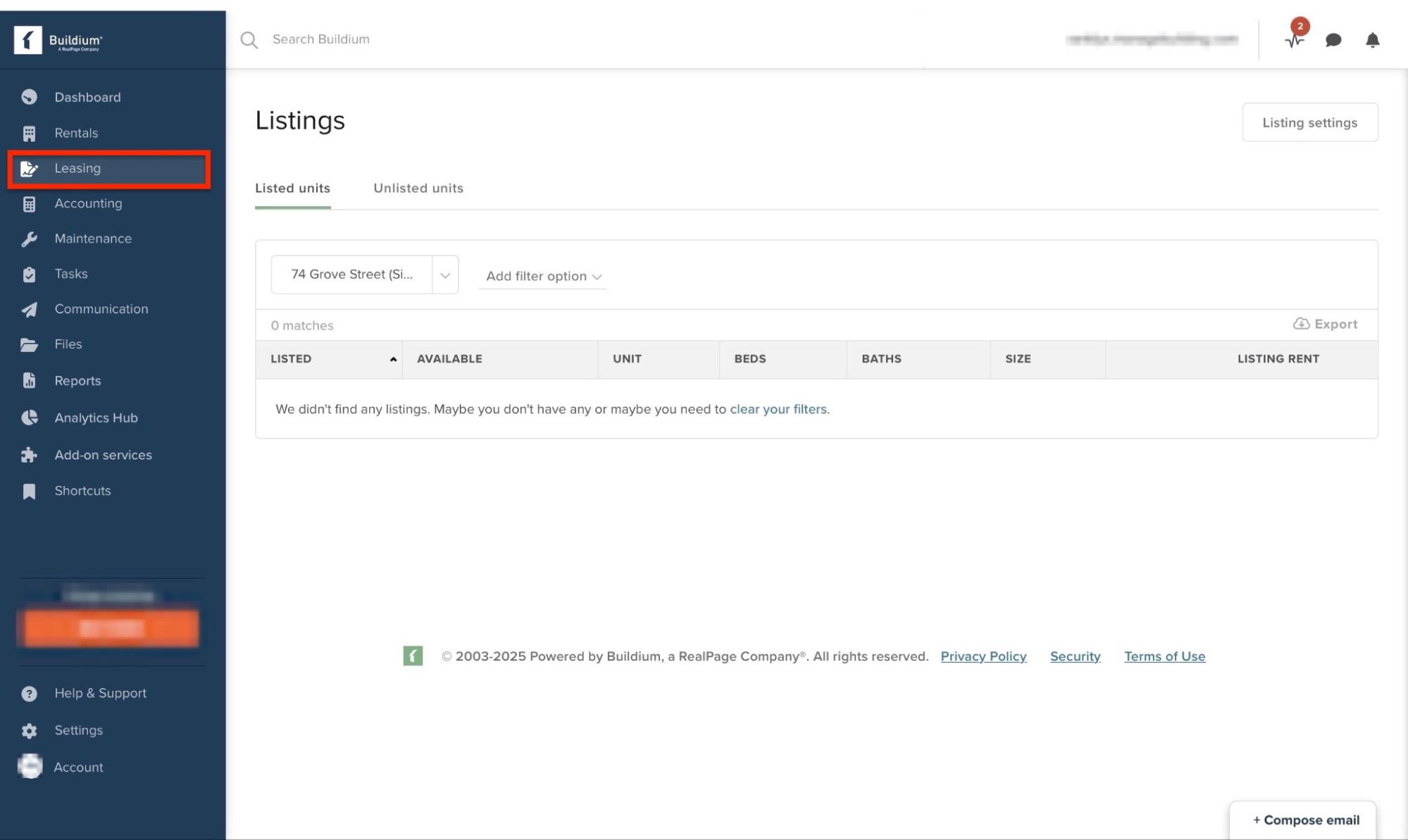
Moreover, you can use its Leasing feature to check listings, add properties, and create applicants. The feature also enables the drafting and renewal of leases.
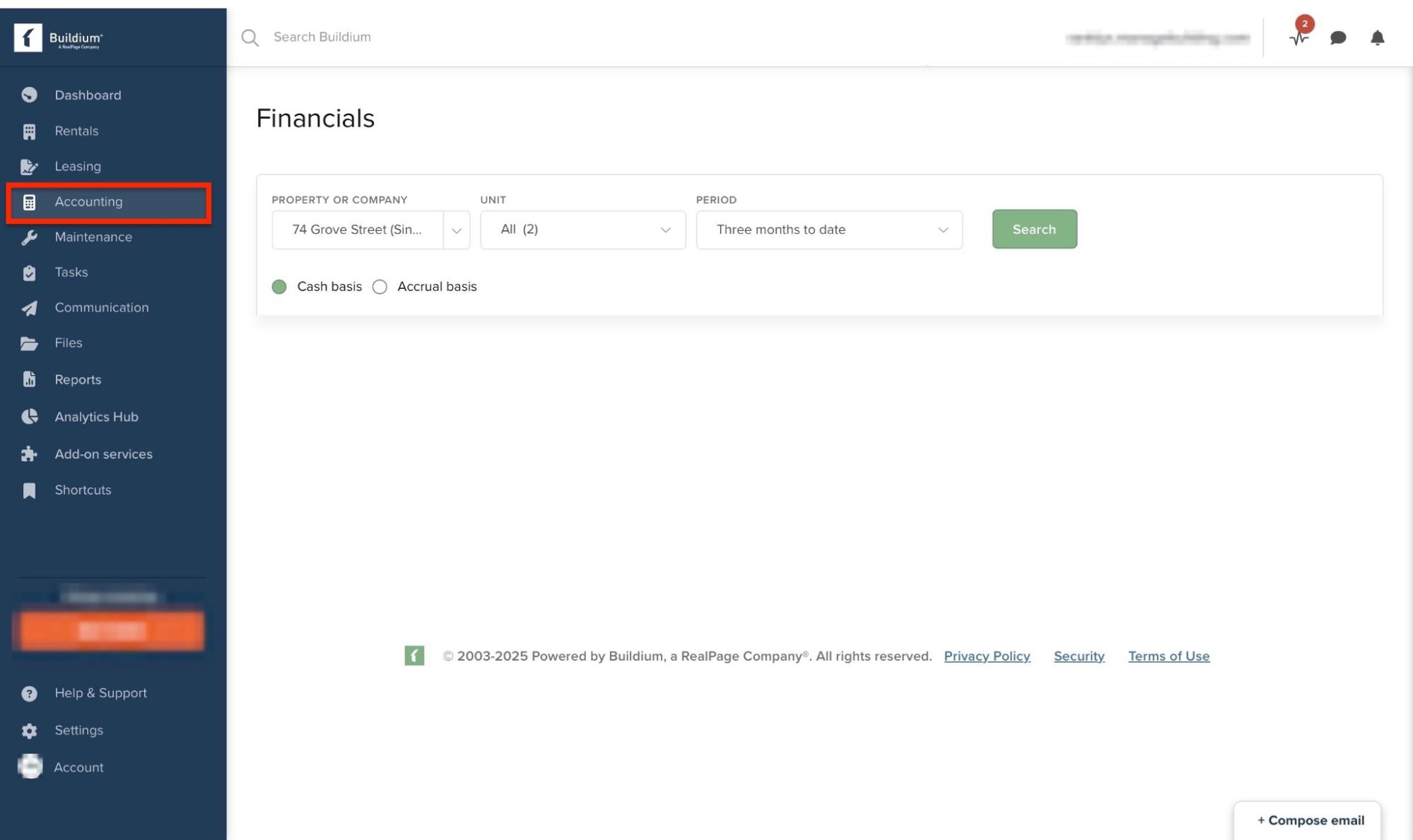
Last but not least is the Accounting feature, which shows financials, general ledger, banking information, and more. You can add bank accounts, review tax filings, and set up recurring transactions.
Let me show you how you can list your first rental property on Buildium.
First, select “Rentals” in the sidebar. Then, click “Properties” in the drop-down menu.
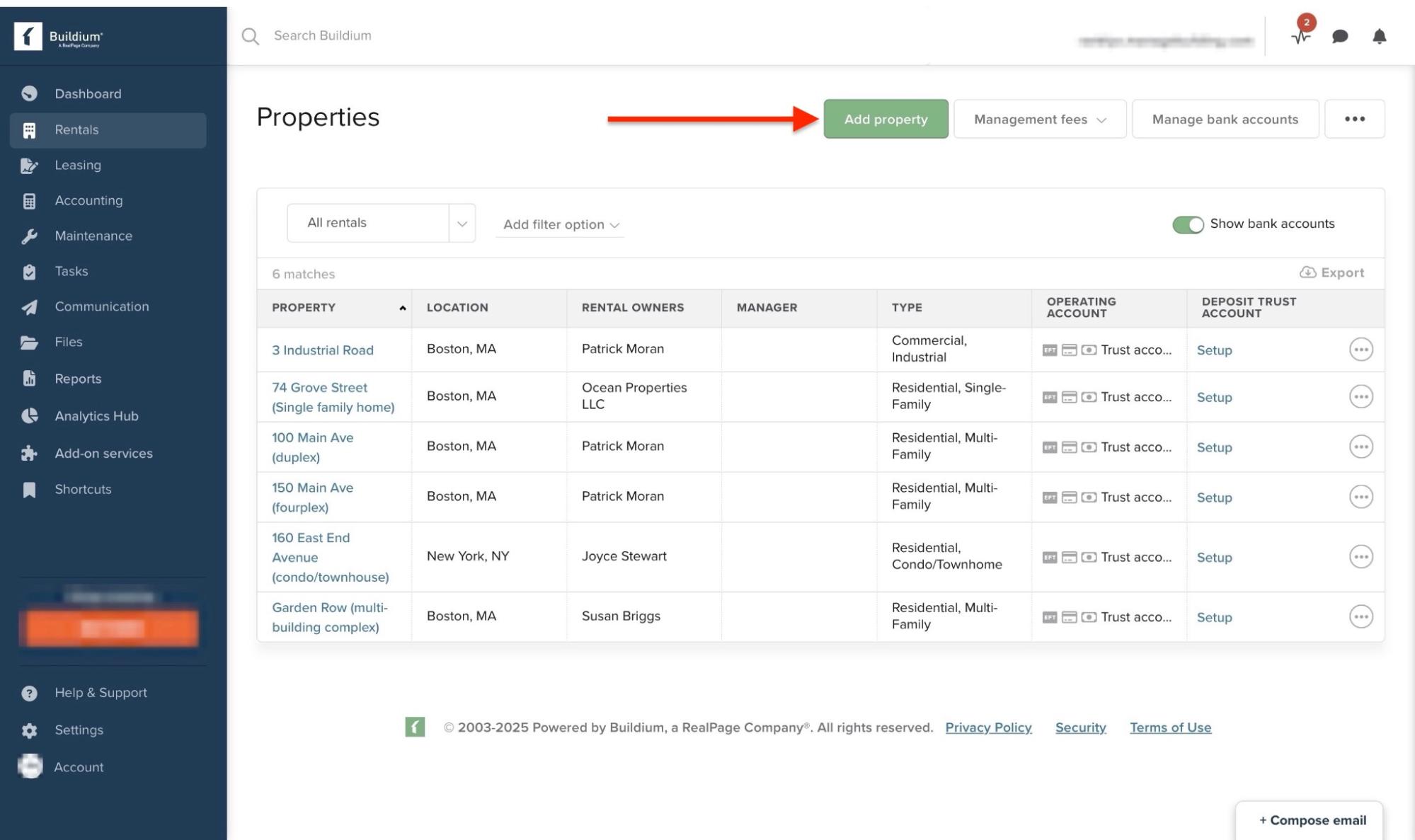
Now, click the green “Add property” button at the top.
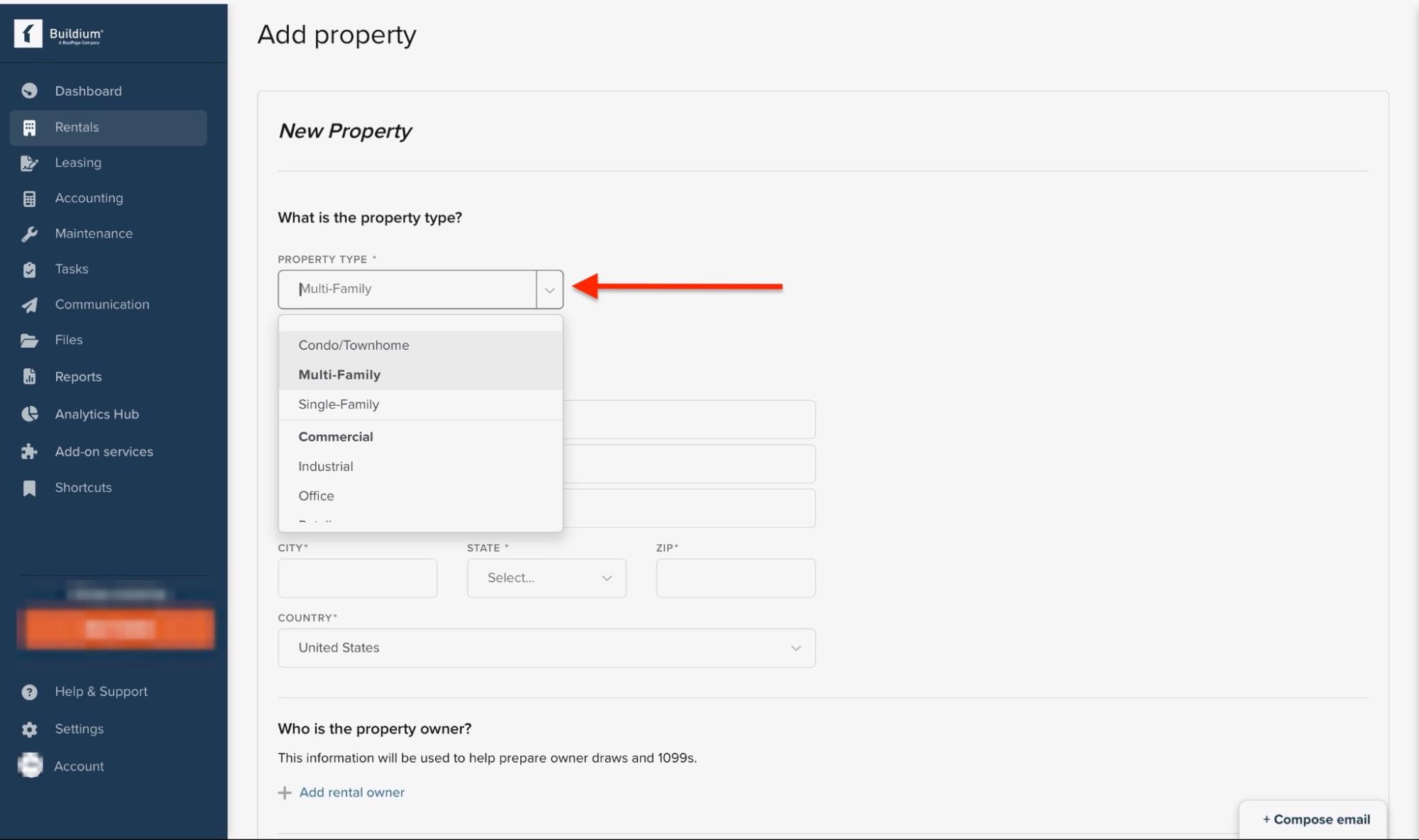
Then, enter the property type or select it from the drop-down menu.
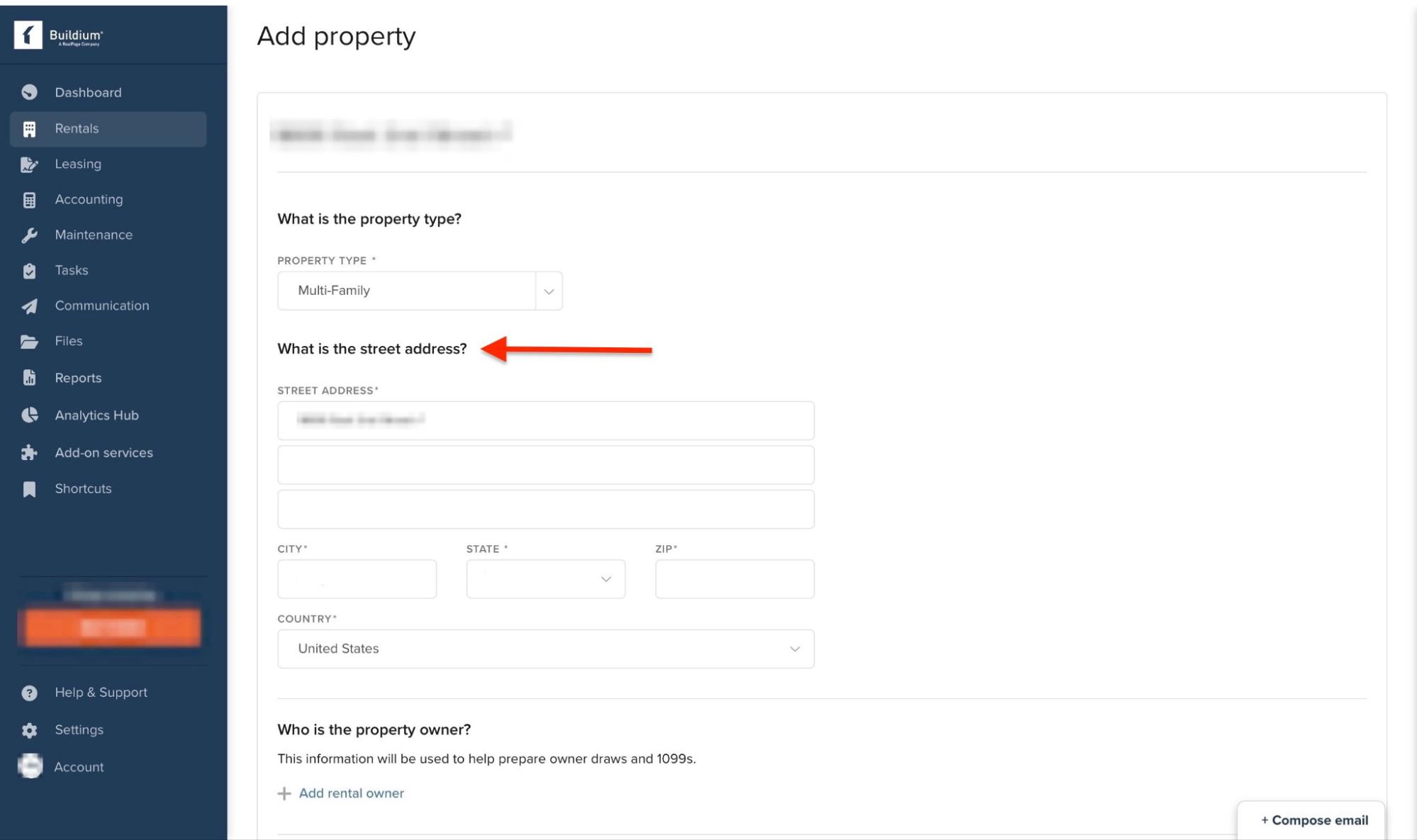
After that, enter the property’s street address.
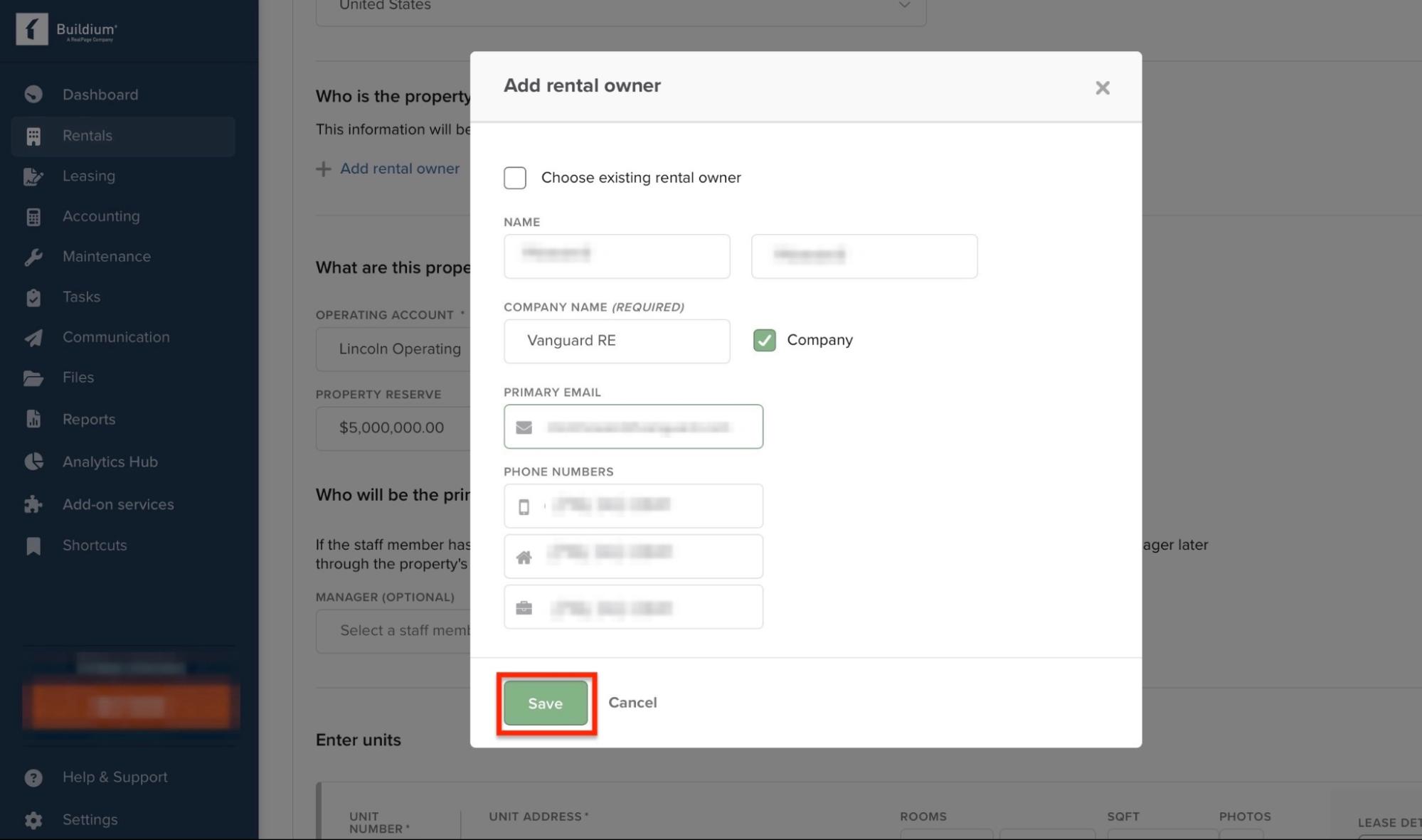
Now, either add an existing rental owner or create a new owner by entering their name and contact information. Next, click “Save.”
Click “Add another rental owner” if the property has two or more owners. Then, add banking details.
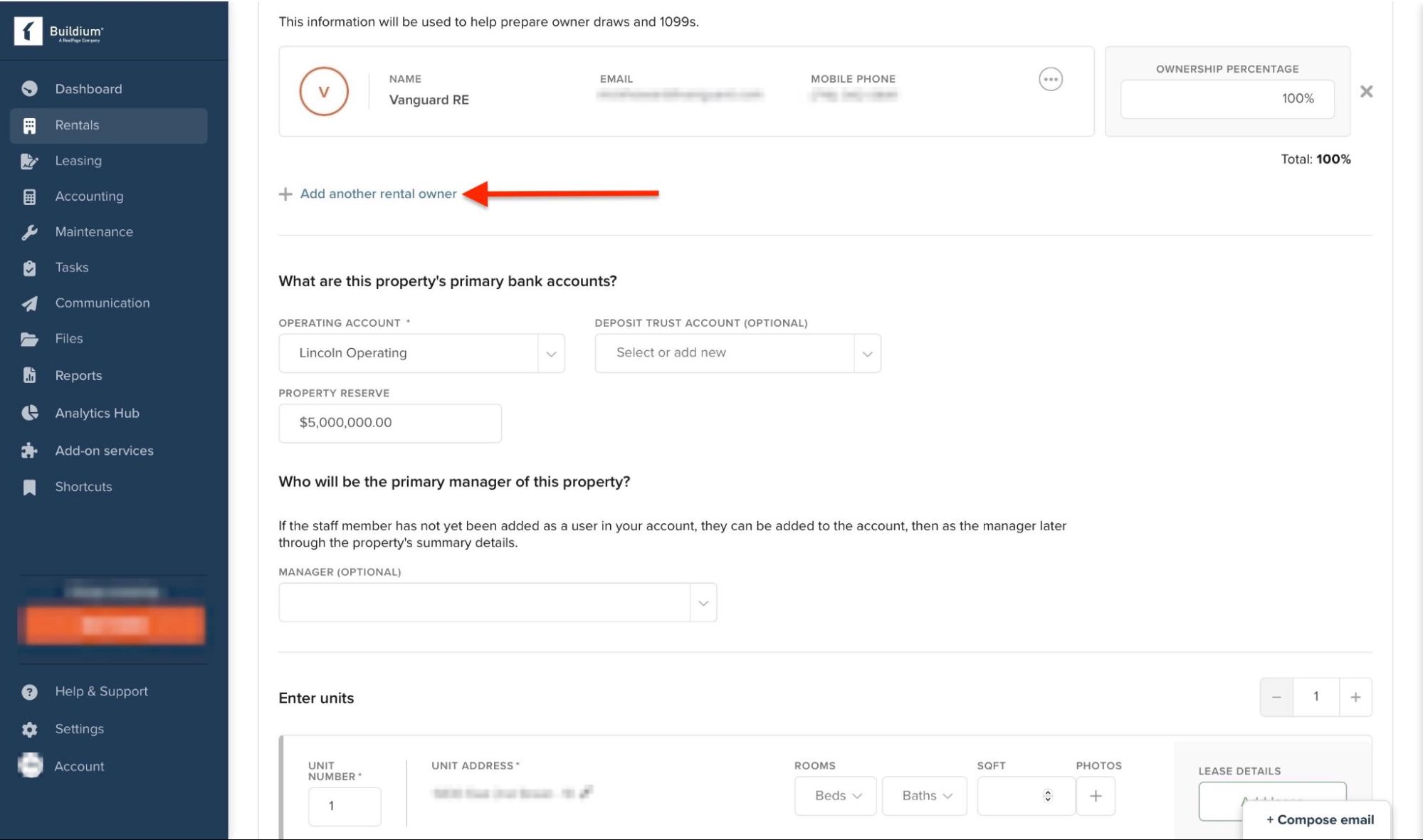
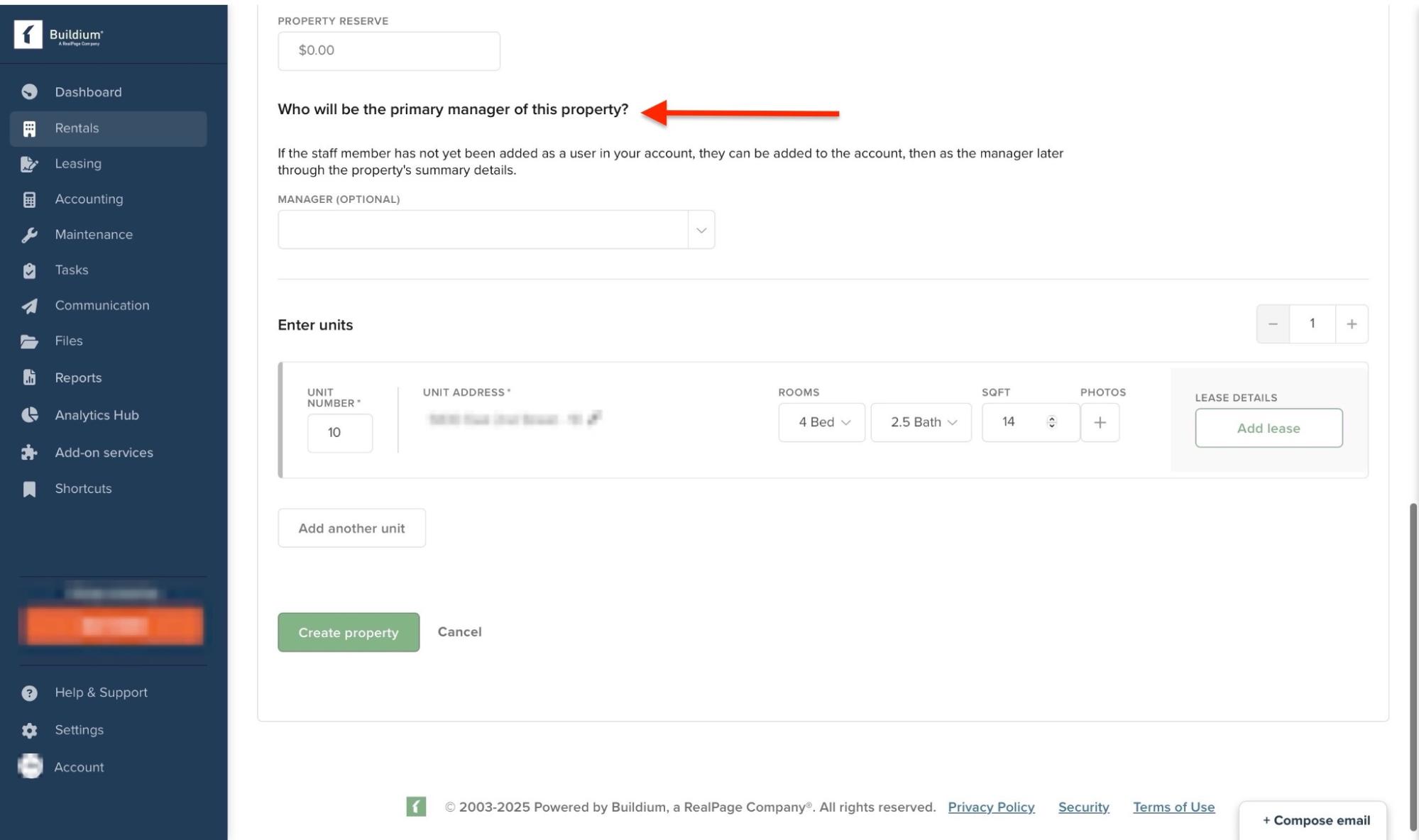
Scroll further down to add the name of the primary manager of the property.
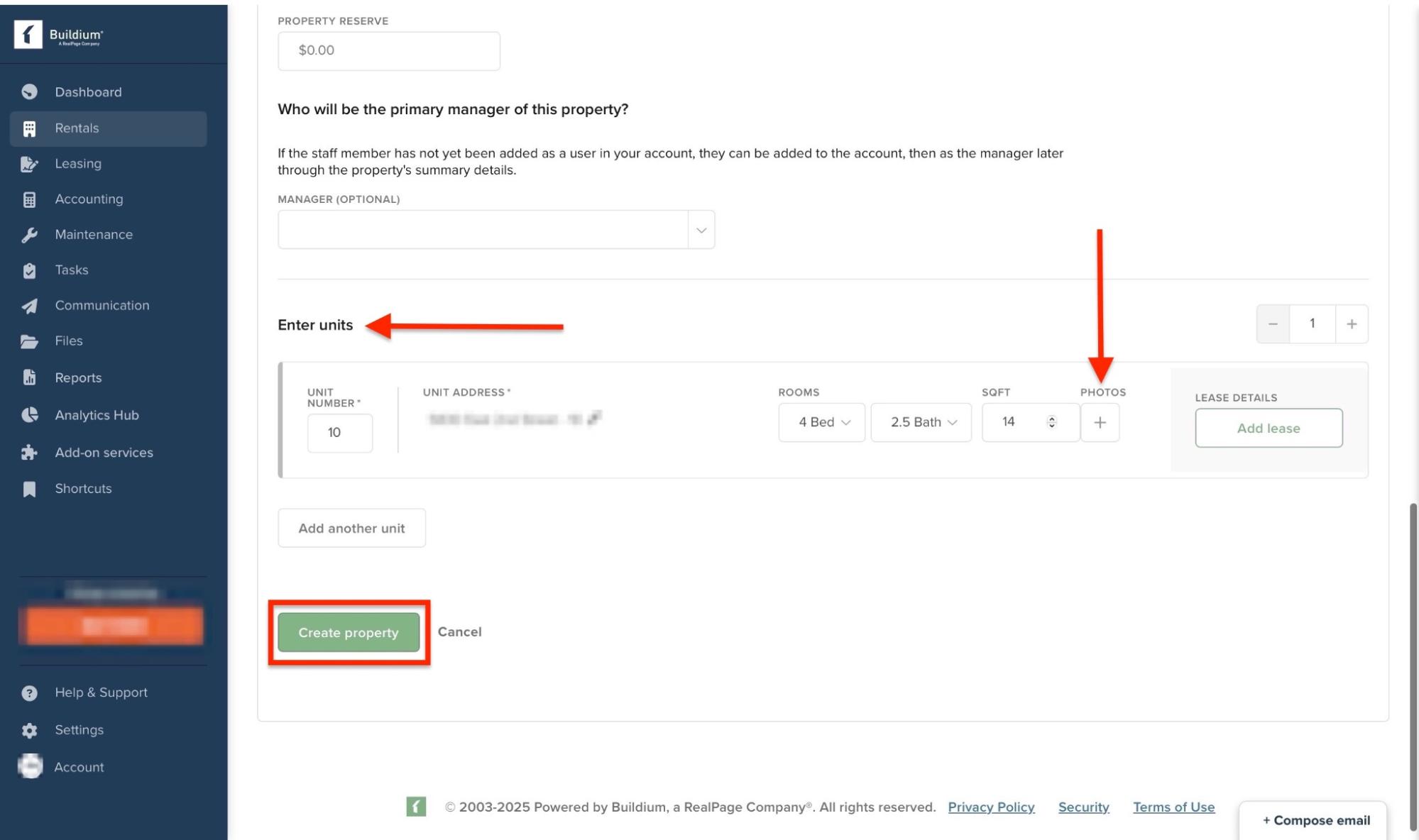
Then, add unit and lease details. You can also add property photos. After that, click “Create property” to finish.
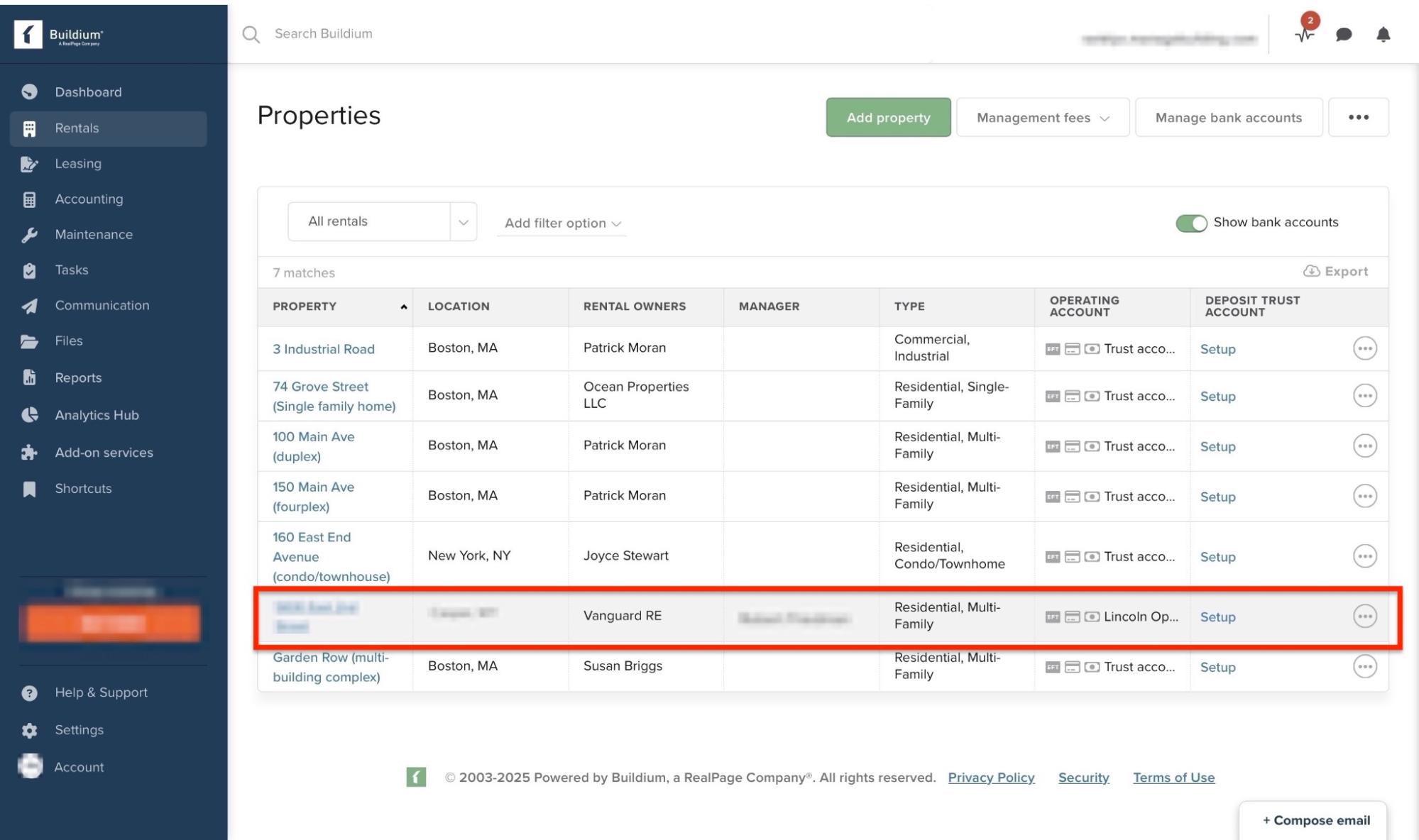
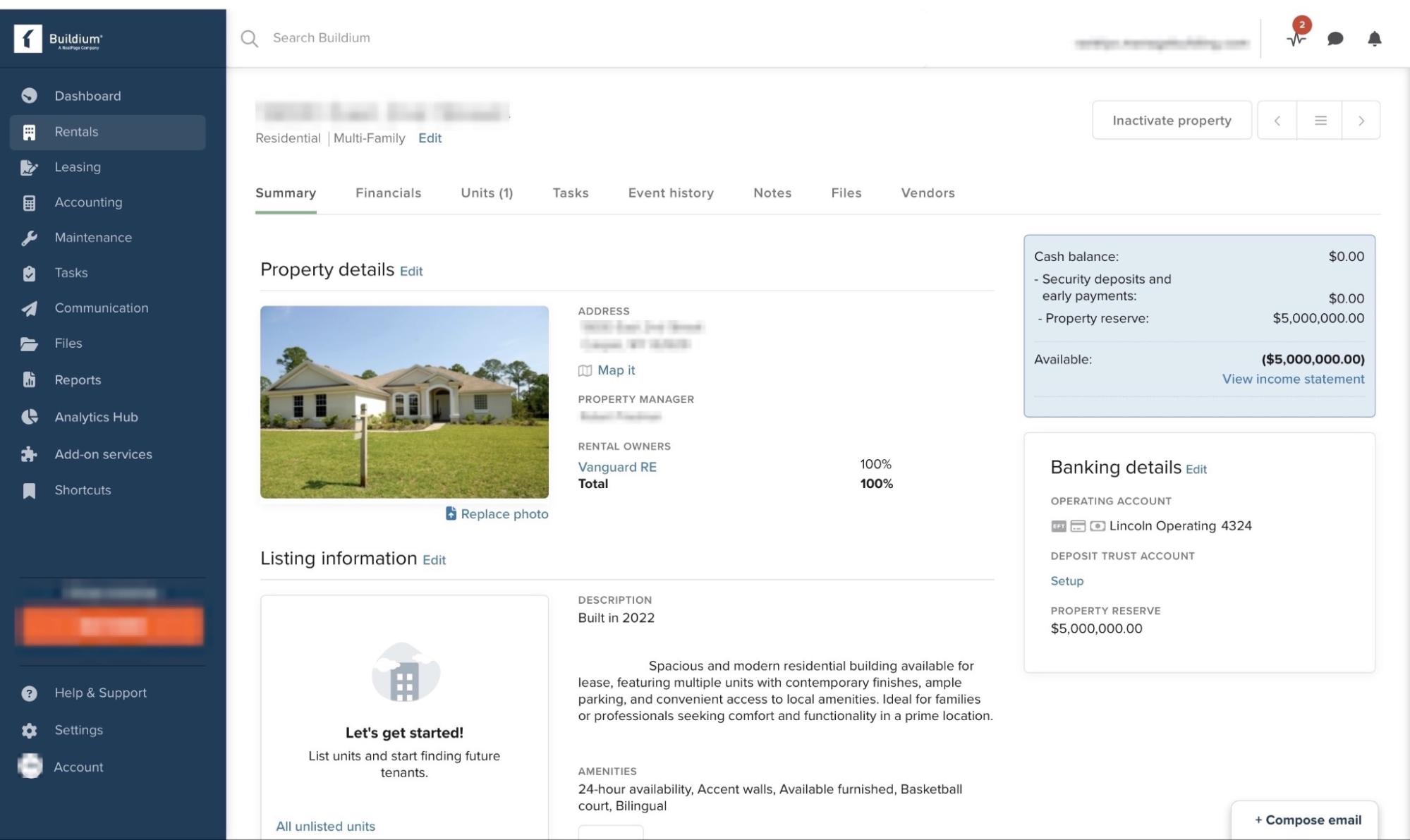
The property will be listed in the properties window. Click on it to view.
You can add more edits in the view window.
Key features
1. Leasing
Now that you’ve listed your first real estate property, it’s time to add prospects. Buildium’s Leasing feature can help you with that. This is how:
Click “Leasing” in the sidebar. Next, select “Prospects.”
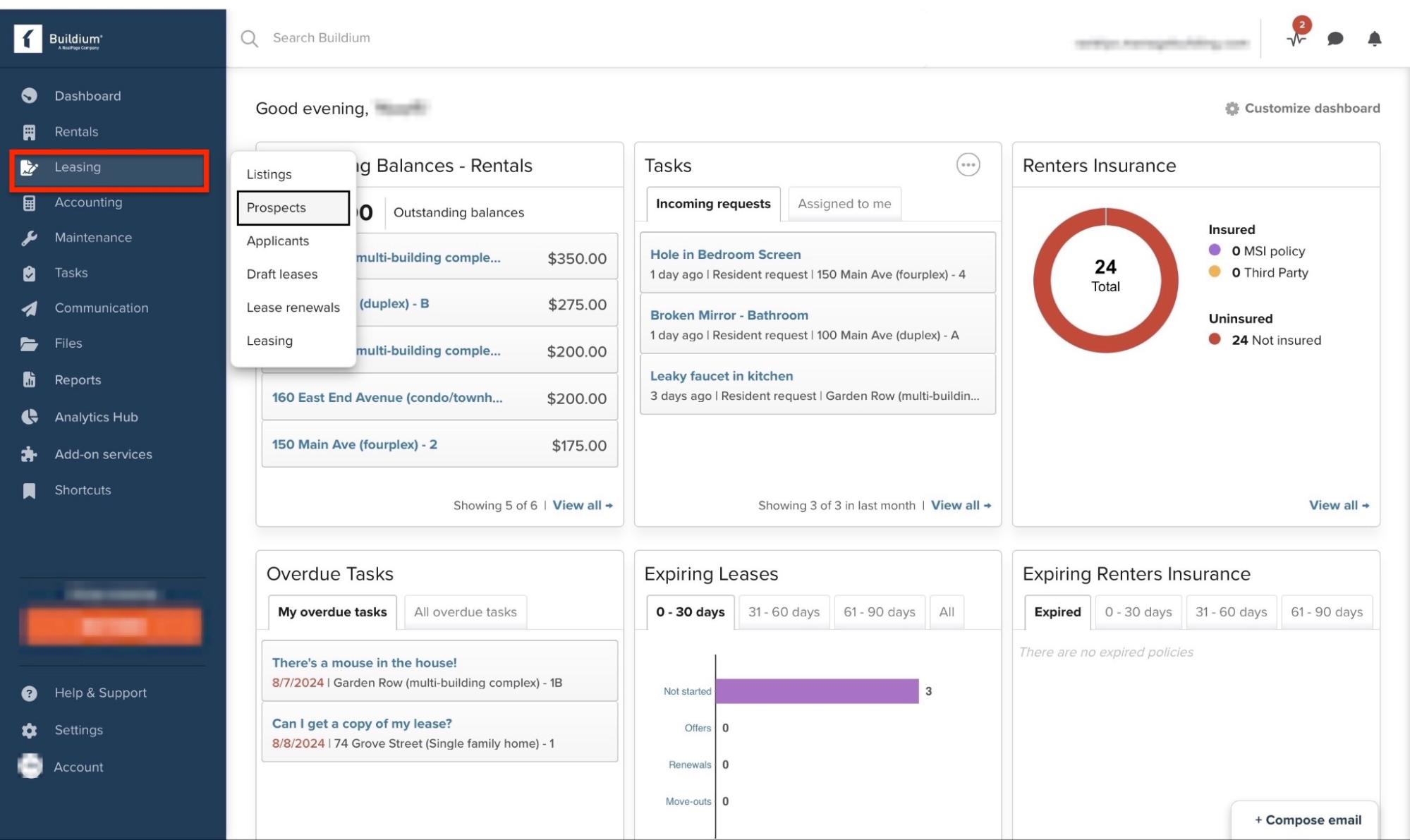
Then click “Add prospect.”
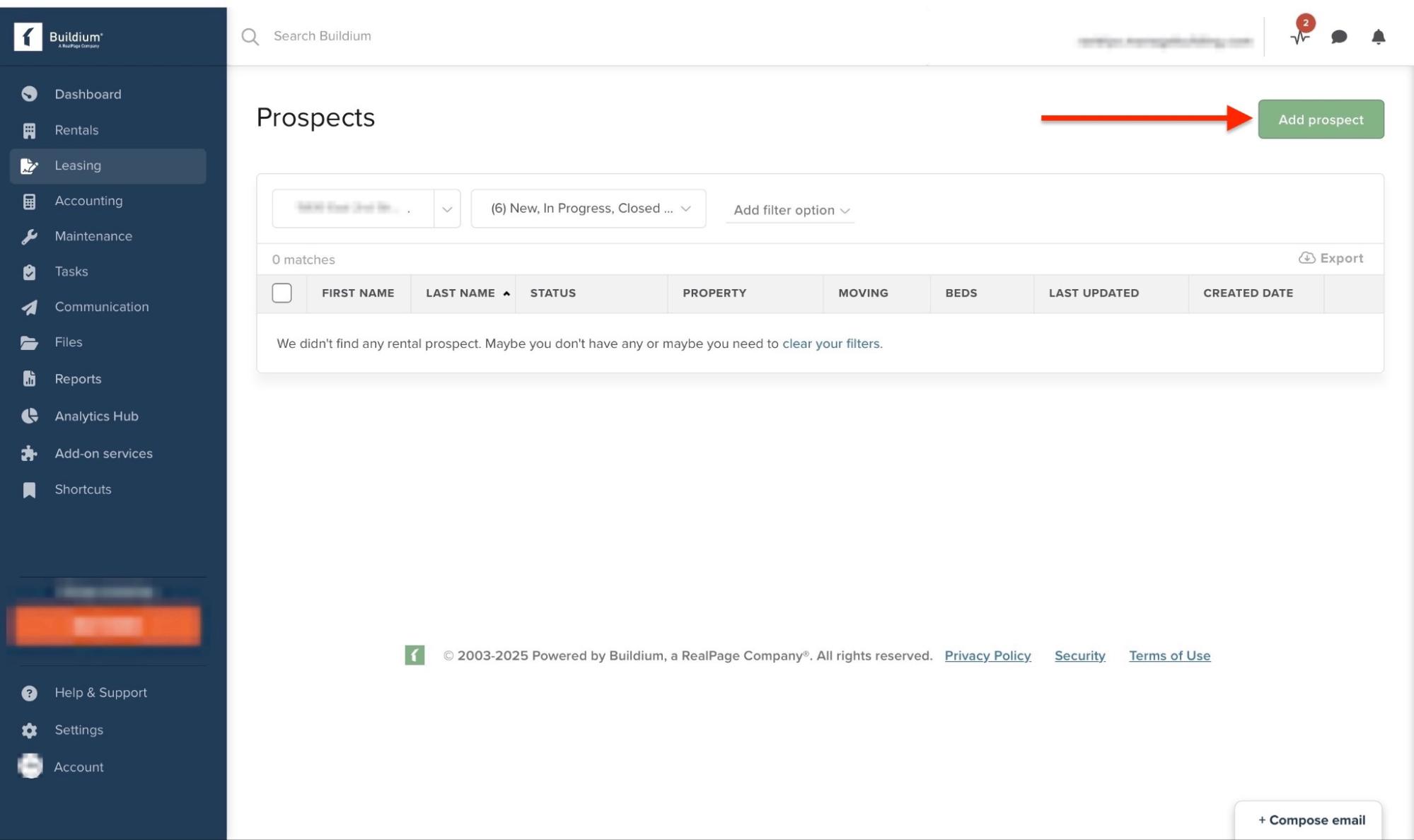
Now enter the prospect’s information and click “Save”.
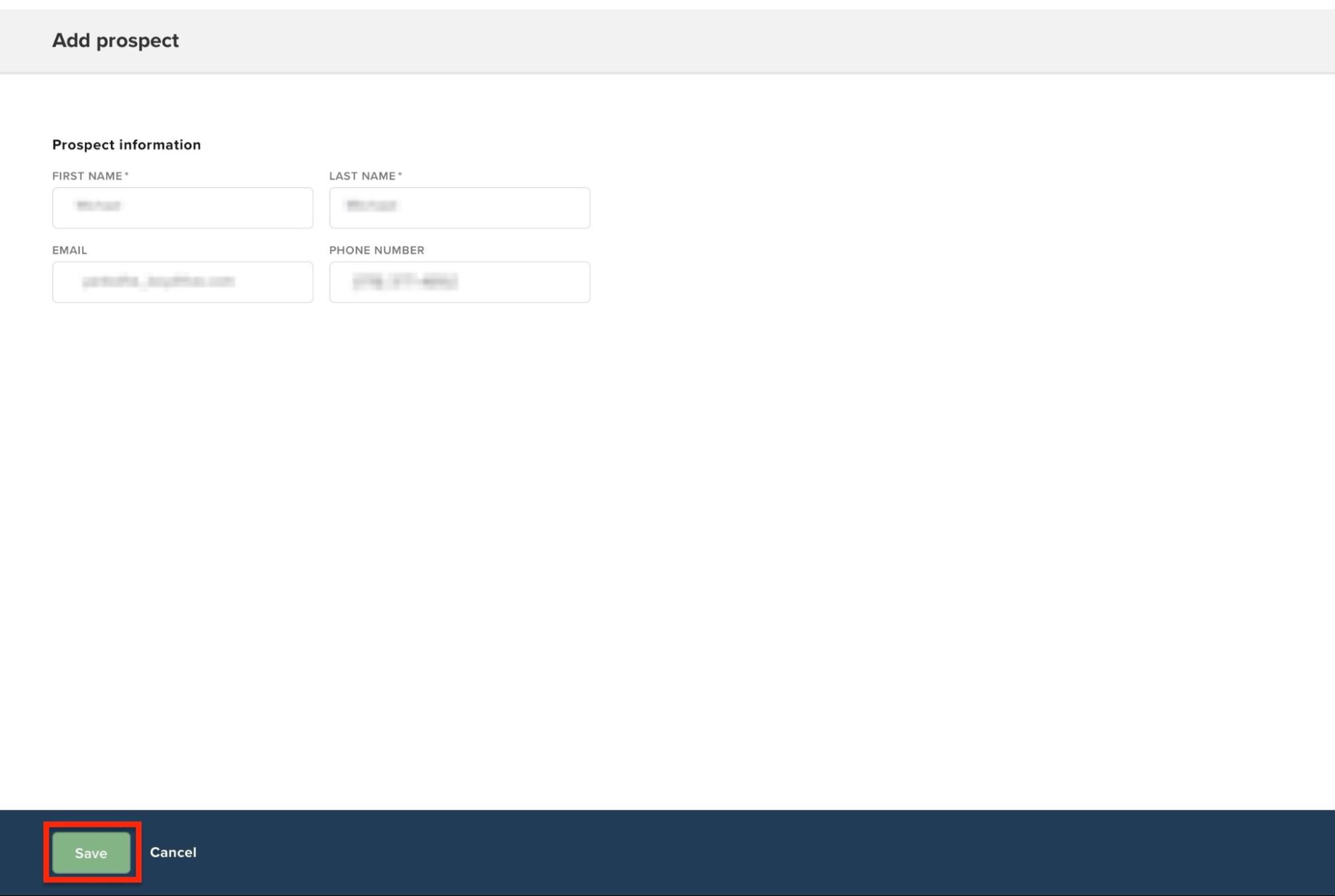
The new prospect will be listed in the “Leasing” window. You can edit and add further details to the prospect’s profile.
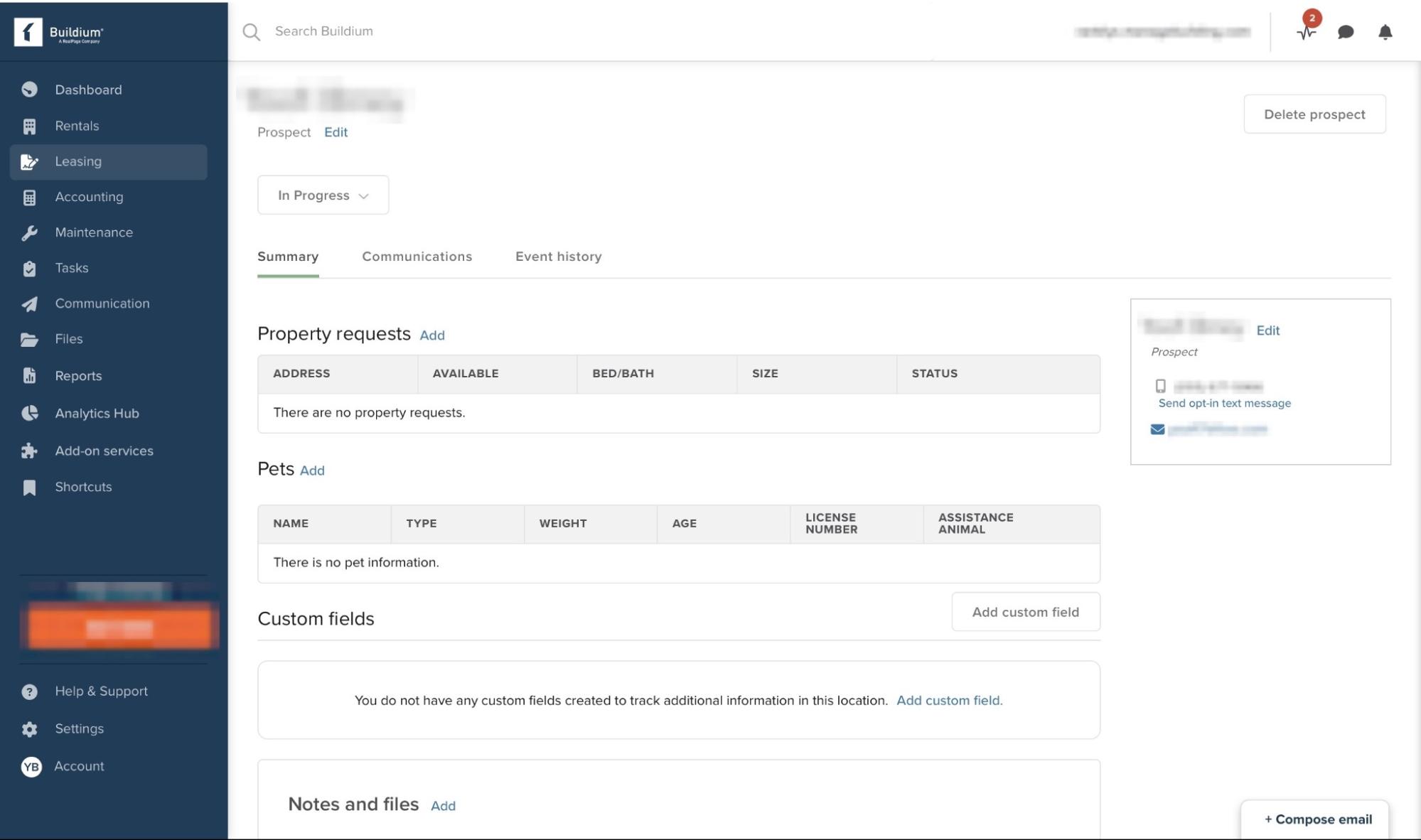
2. Maintenance
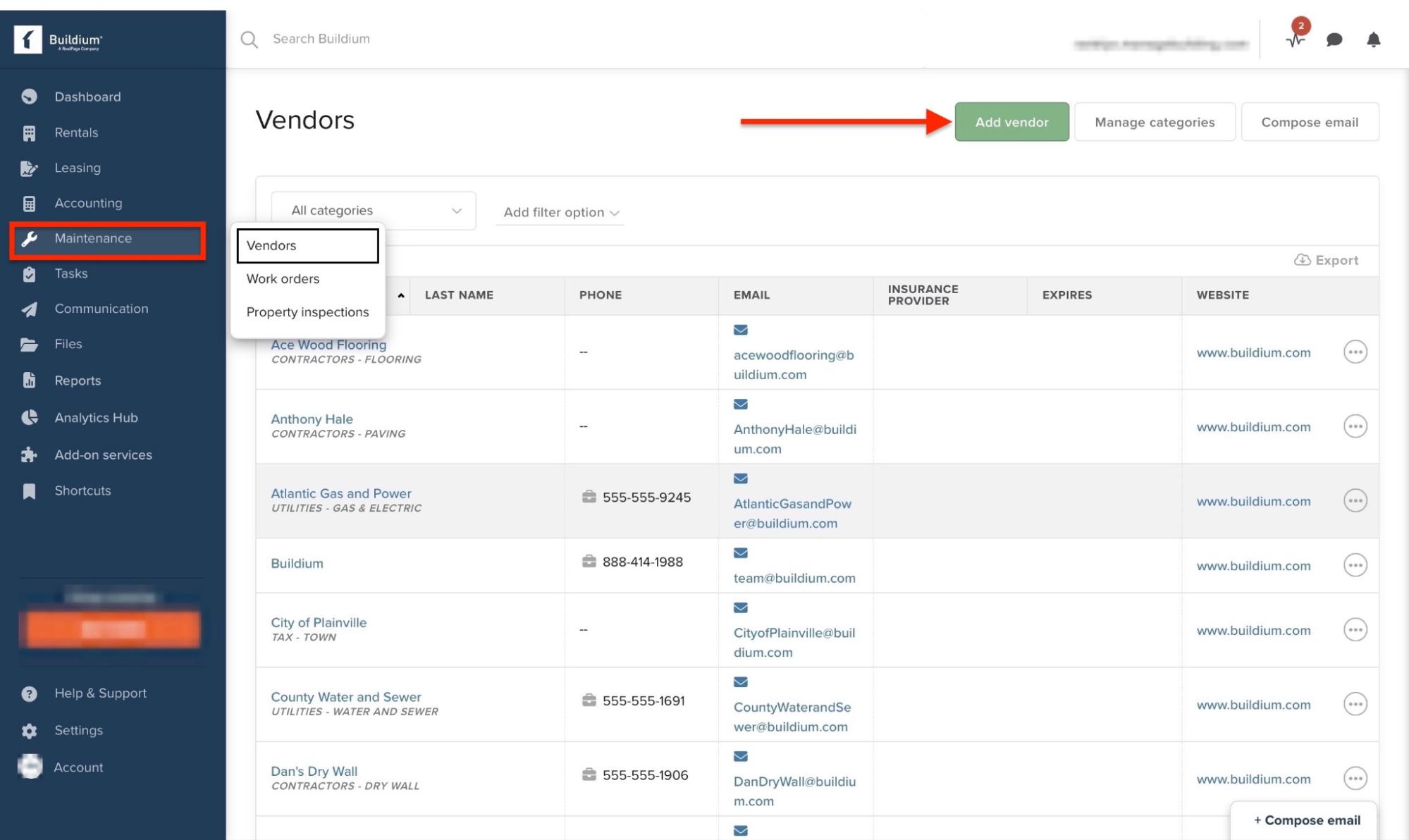
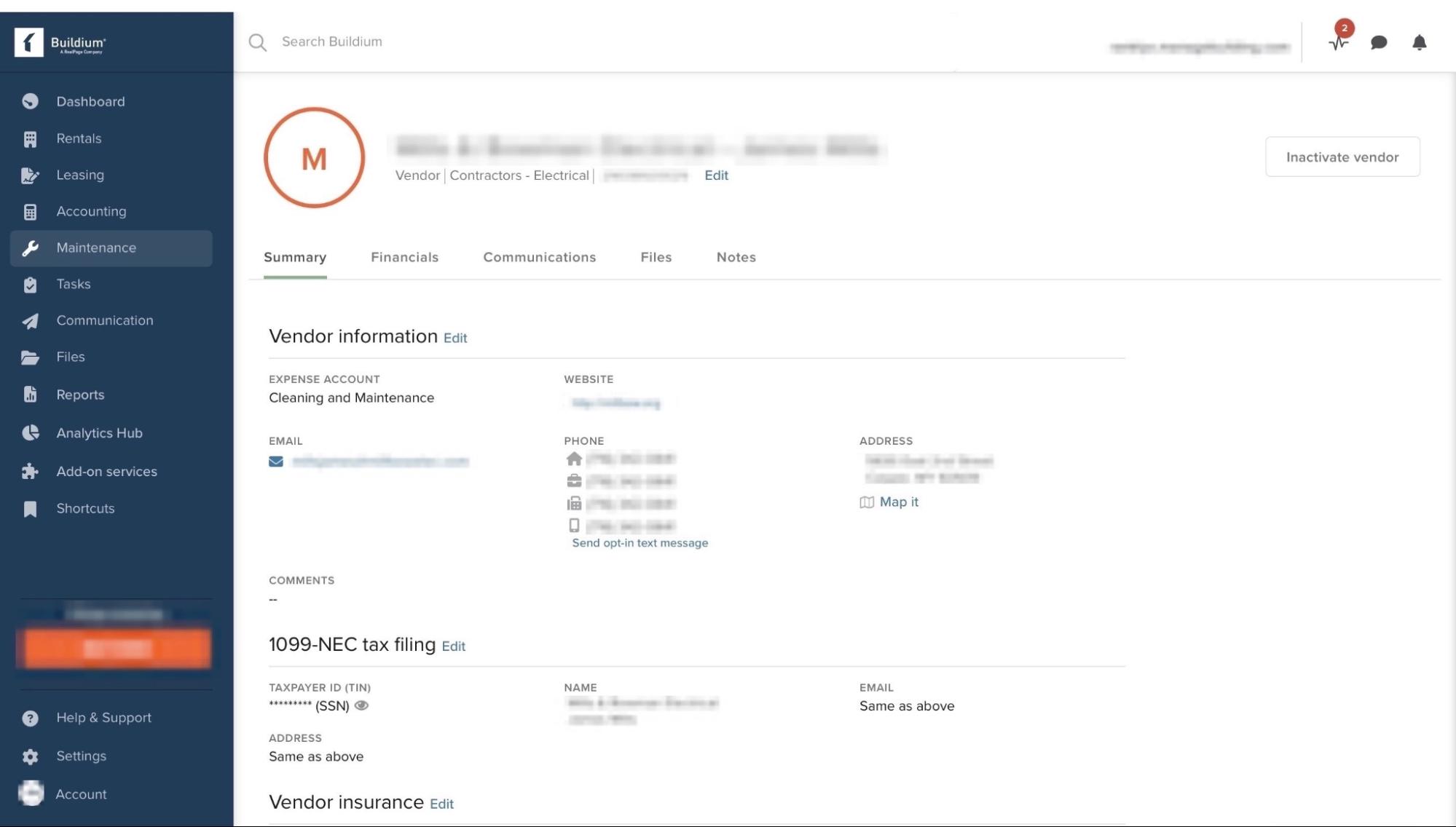
In the sidebar, select “Maintenance” then choose “Vendors” from the dropdown menu. Next, click the “Add vendor” button in the upper-right corner.
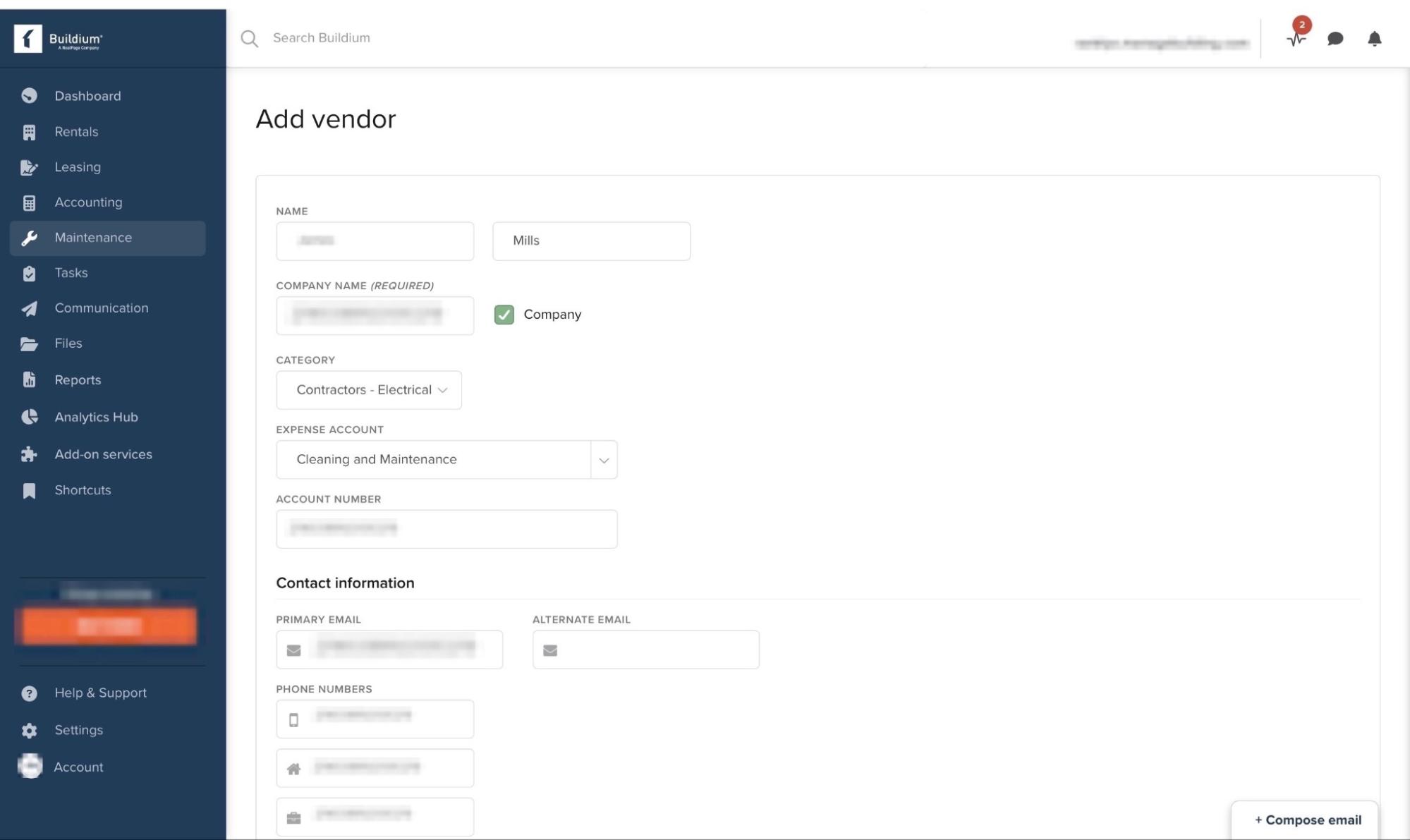
Enter the vendor’s name and contact information.
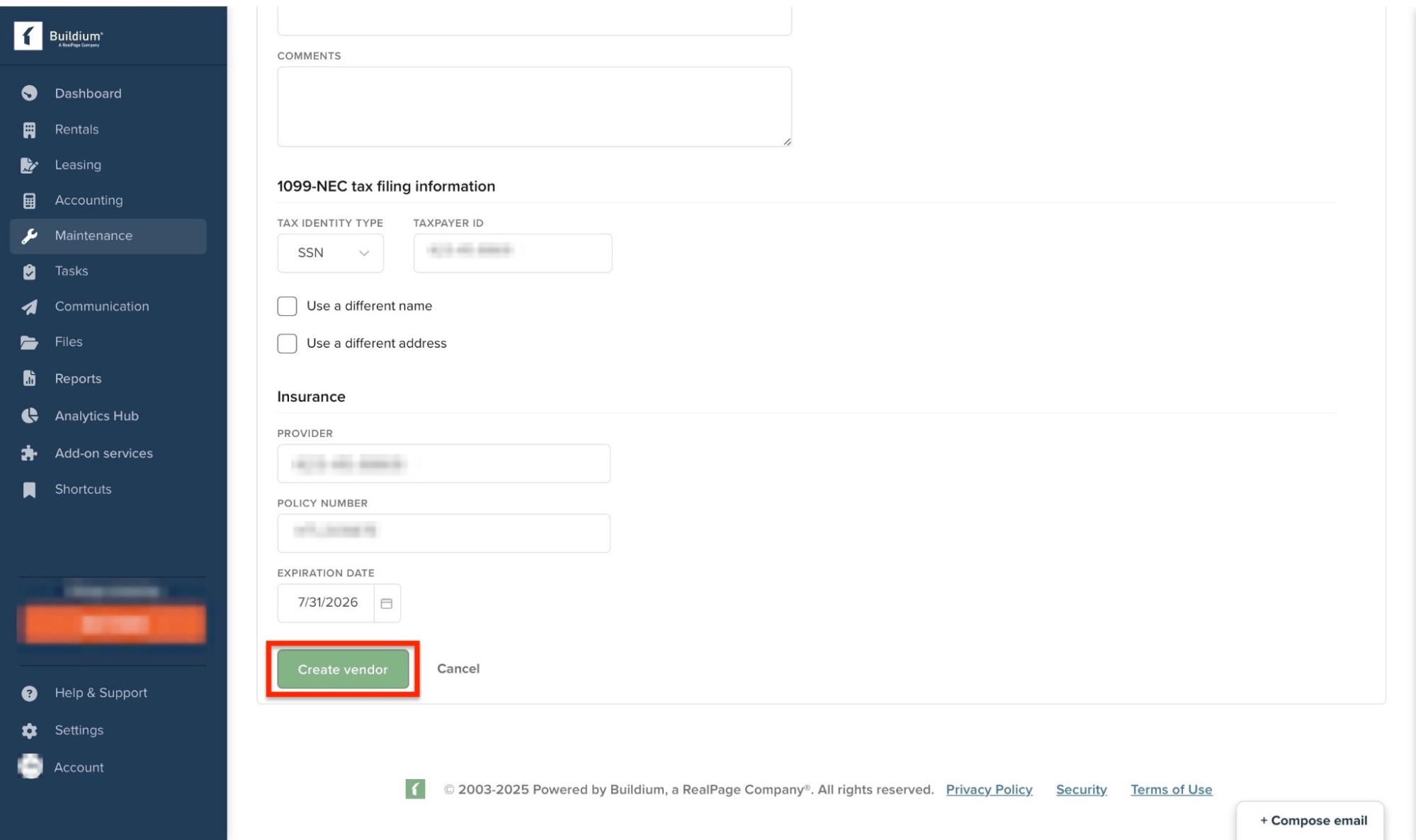
Scroll further down to input the vendor’s address and tax information. Then click “Create vendor” to save the information.
Your newly added vendor will be displayed in the Vendor feature window. You can always view and add more edits.
Pros:
- Bank-grade security and encryption
- Comprehensive feature set
- Covers all angles of property management
- Free trial available
Cons:
- Relatively short 15-day trial period
- Interface is crowded with too many templates and options
- Text-heavy in some areas, which may overwhelm new users
- Too many steps required to complete some tasks
Best For
- Property managers, landlords, and real estate professionals who want to manage rental houses and collect payments online.
Pricing
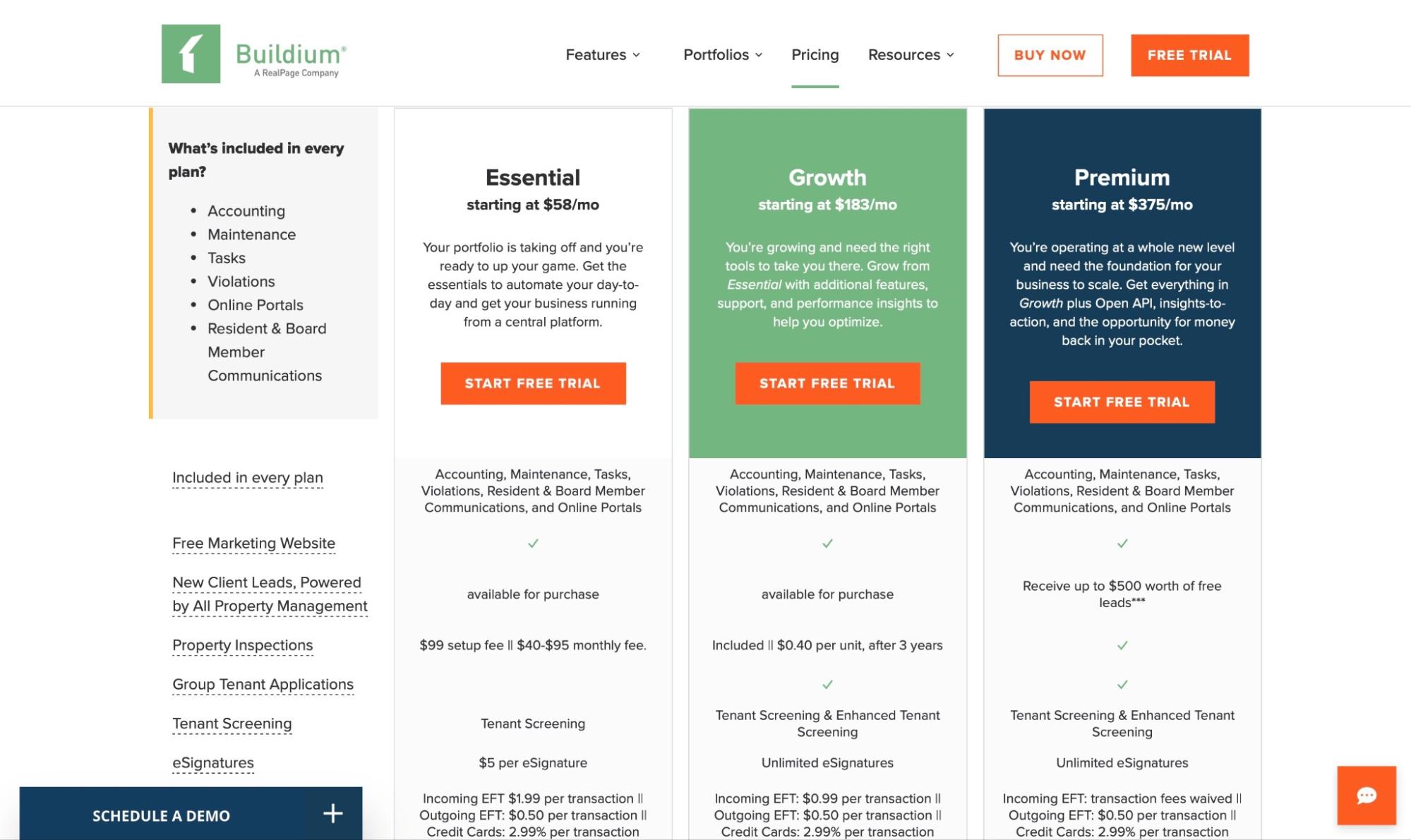
- Essential: $58/month
- Growth: $183/month
- Premium: $375/month
5. Dotloop
Dotloop is fifth on my list of the five best real estate software.
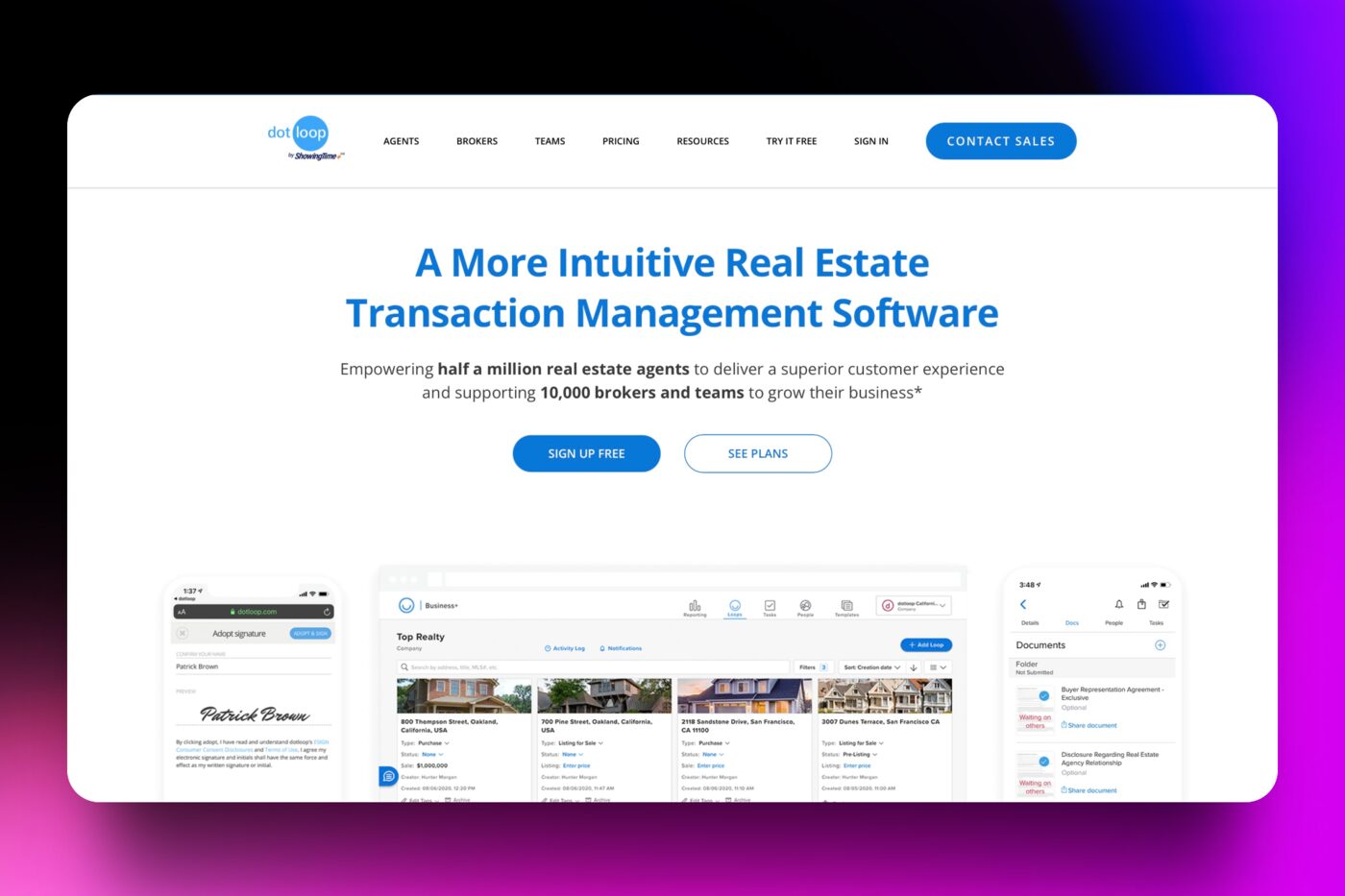
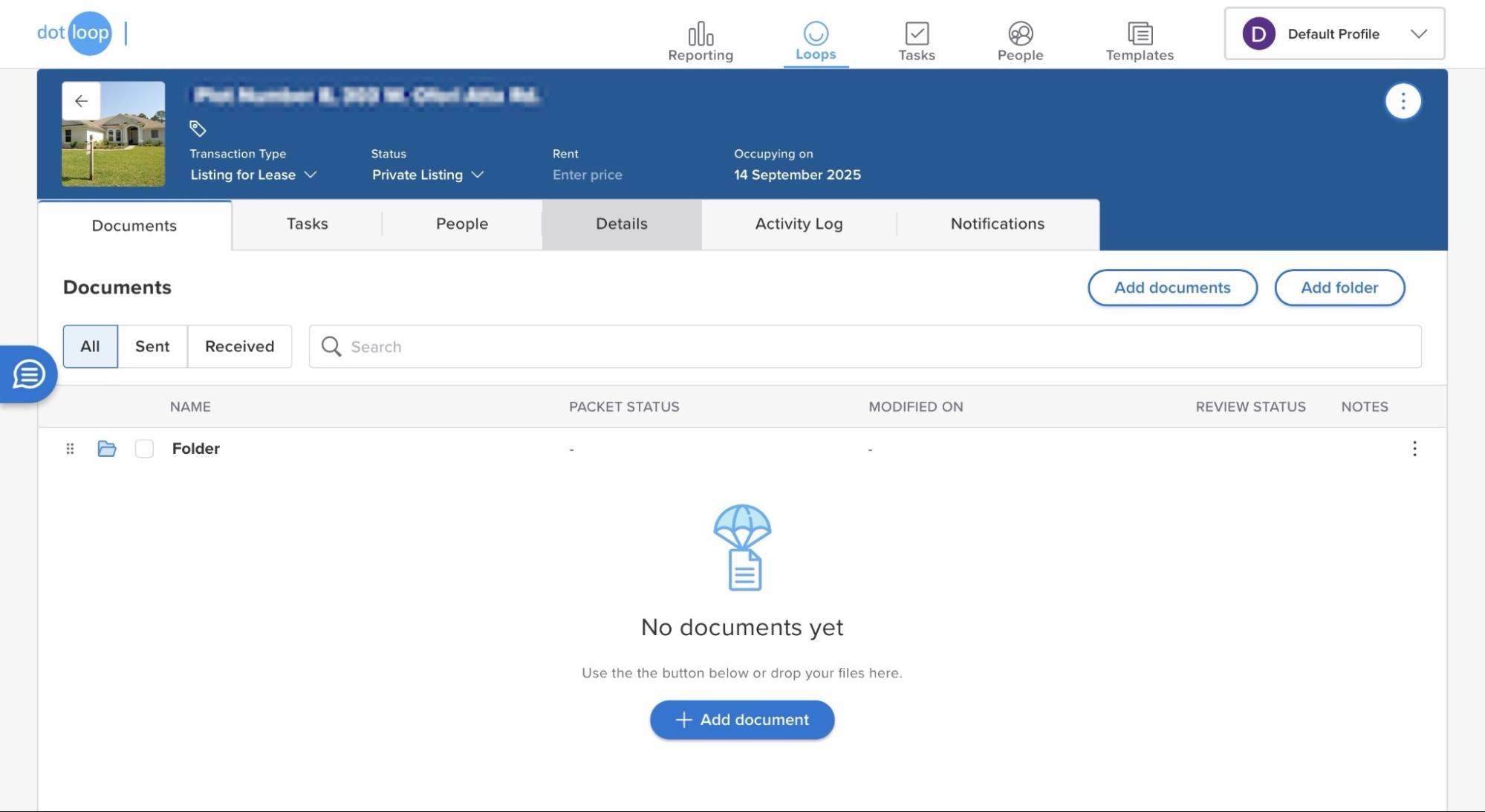
It helps agents, brokers, and clients manage transactions with tools for e-signatures, document storage, and compliance. In simpler terms, Dotloop is used to manage real estate transactions online.
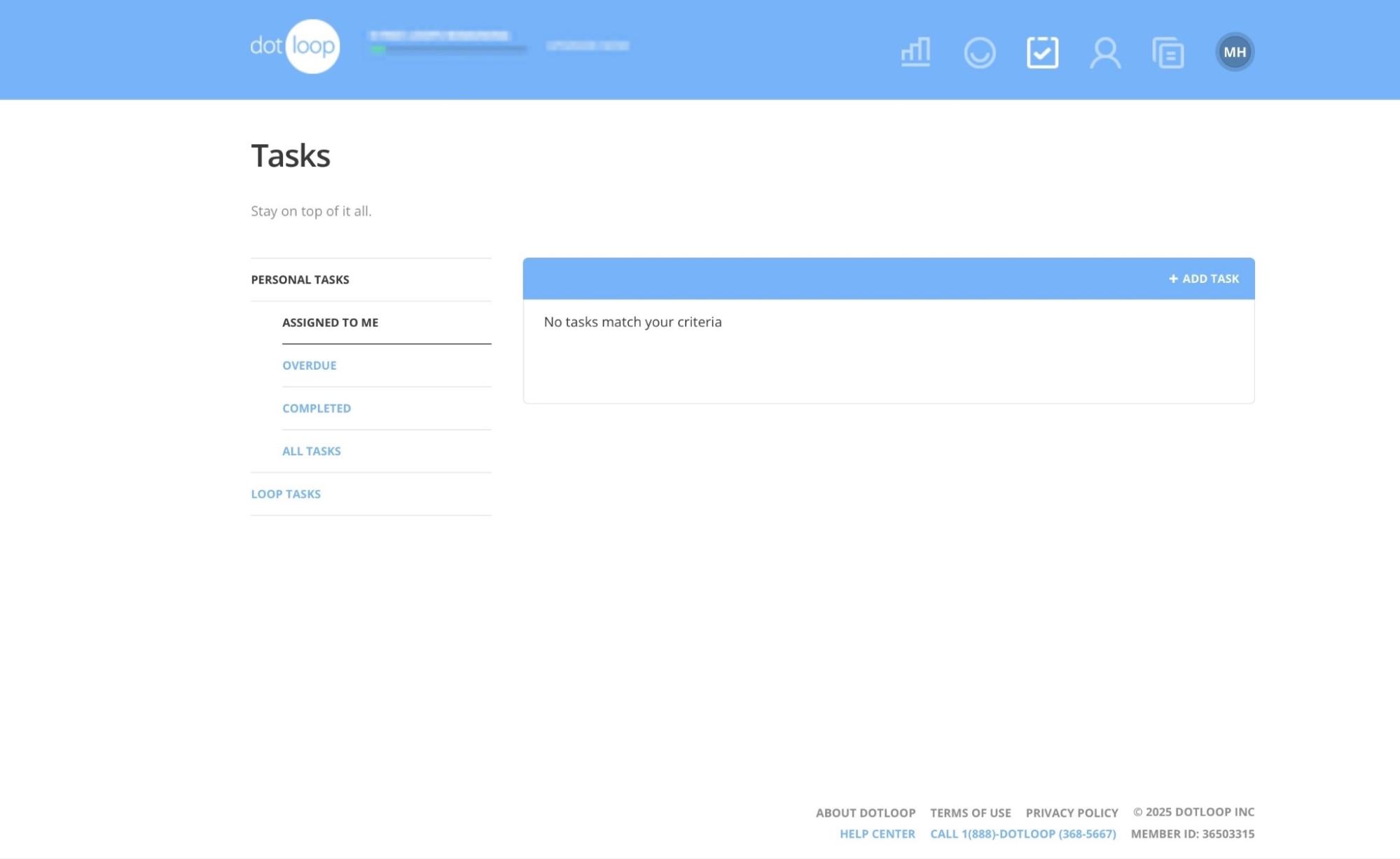
Using Dotloop’s Tasks feature, you can create checklists, set due dates, and assign responsibilities to team members or clients.
The Loops feature lets you create, view, and edit loops. You can add documents, prices, and tasks.
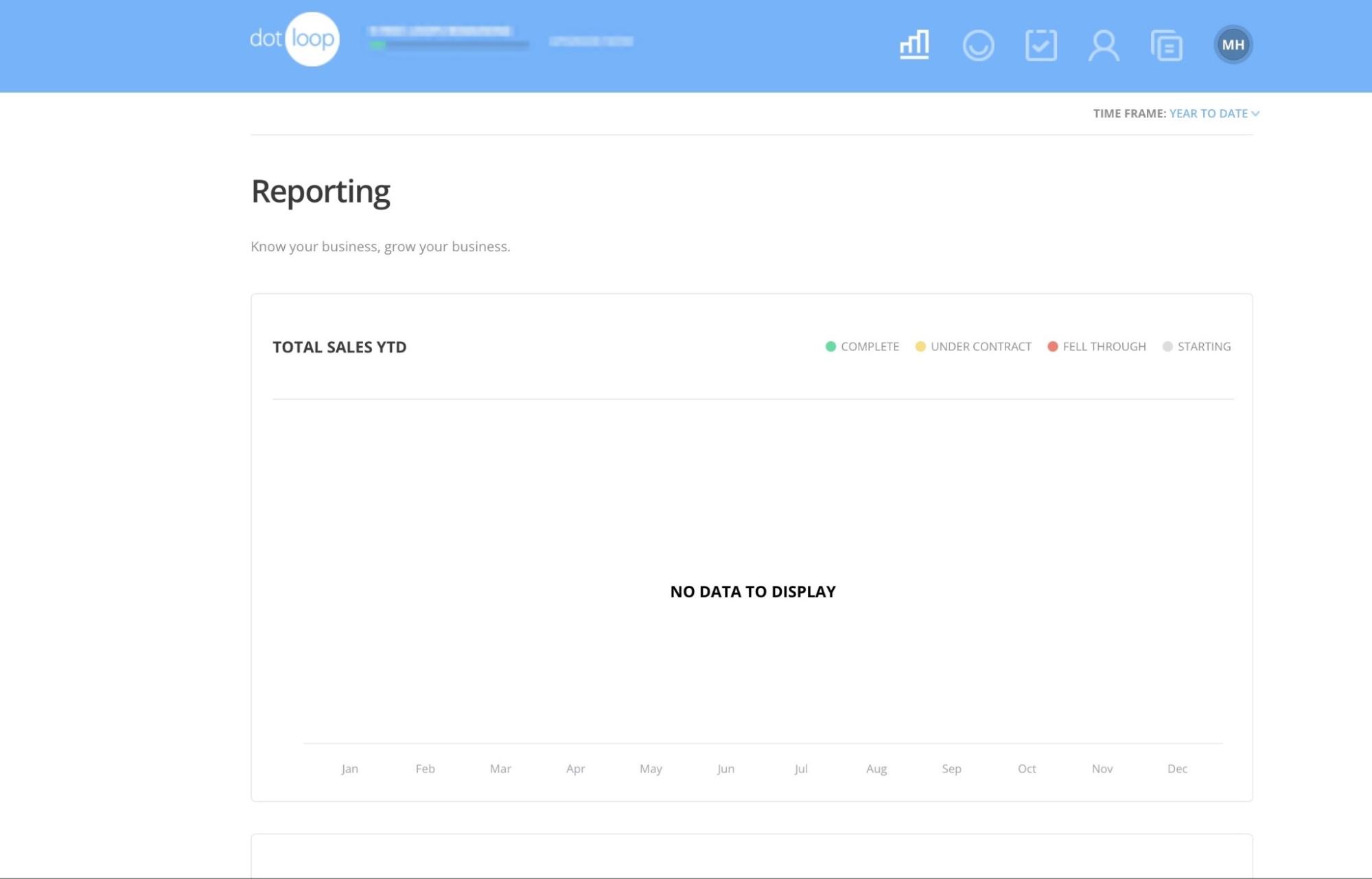
With the Reporting feature, you can track analytics on your loops. Report categories include in-progress, under contract, completed, or failed deals.
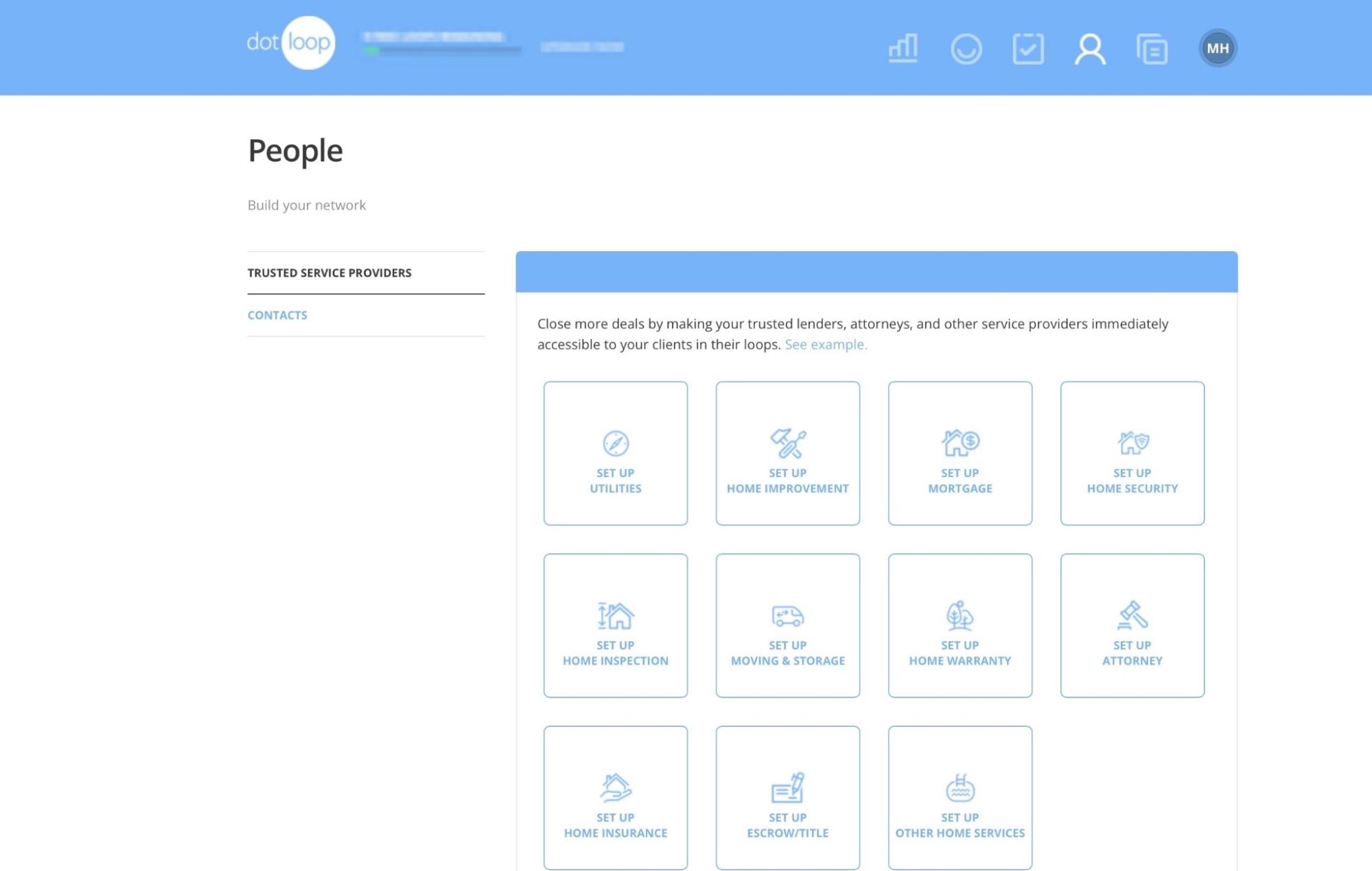
Its People feature allows you to add services such as trusted lenders, attorneys, artisans, and more. There’s also an option to add the contact information of clients, team members, and other real estate professionals.
Dotloop’s core feature is its loop system. It’s like a digital workspace for each real estate transaction. Agents, brokers, and clients can share documents and collect e-signatures. They can also track compliance and approval.
Instead of juggling different tools, you can do all of this in one place (the loop). To add a loop, first, select “Loops” in the navigation bar. Then, click “+ Add a Loop.”
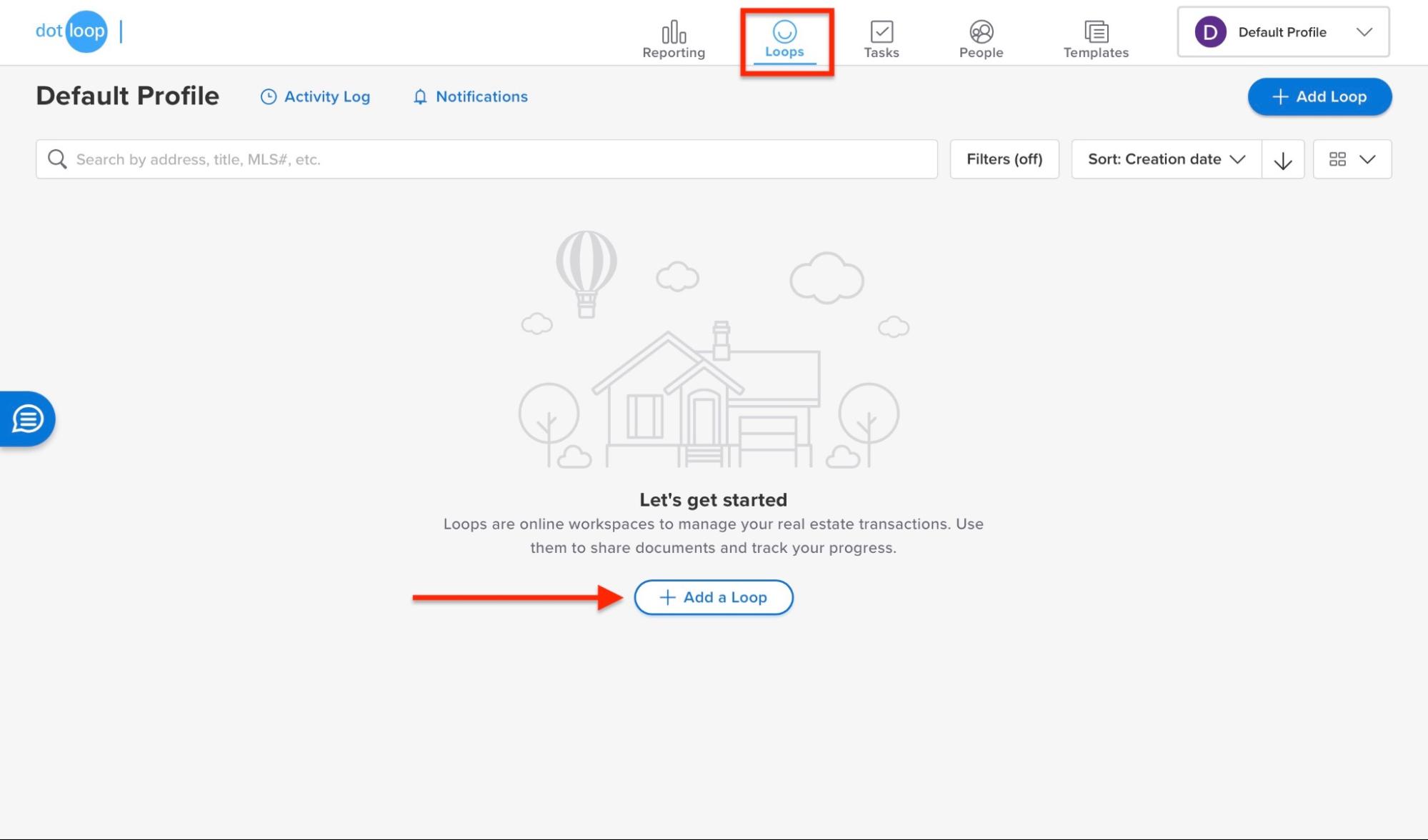
Next, add the property address or MLS number. You can add your client’s name if you’re unsure about the property address. After that, click “Continue.”
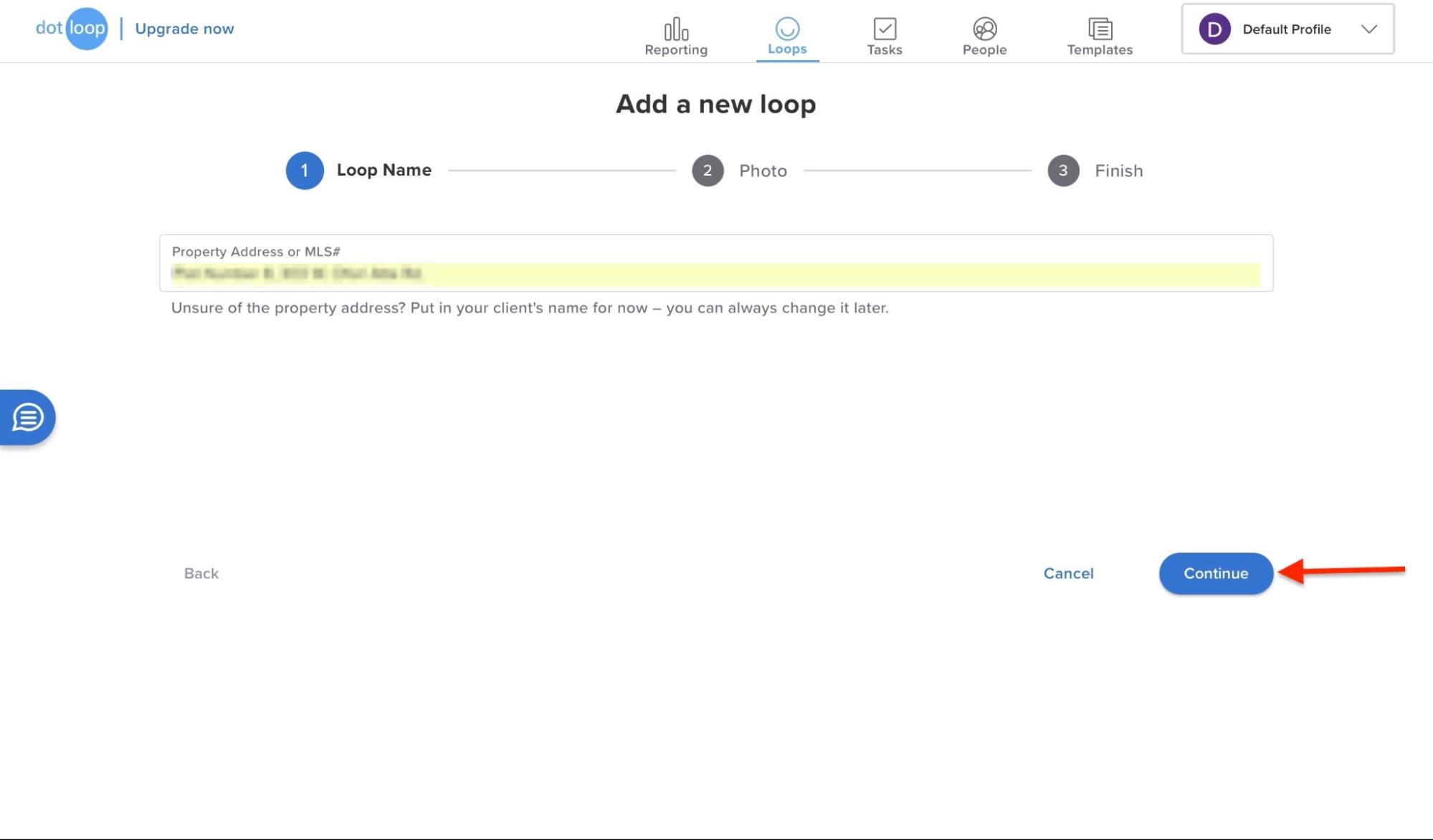
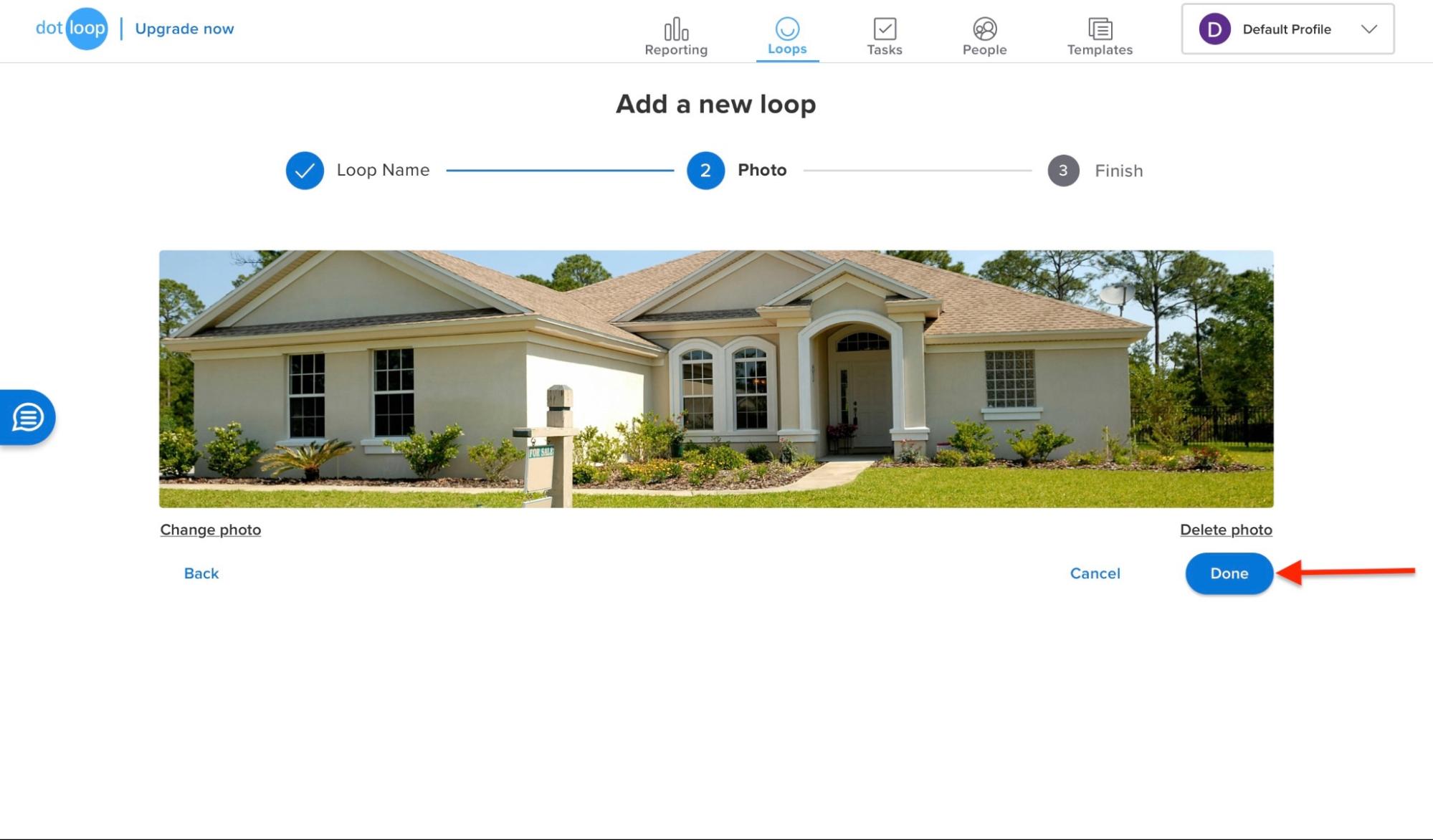
In the new window, upload a photo of the property. To continue, click “Done.”
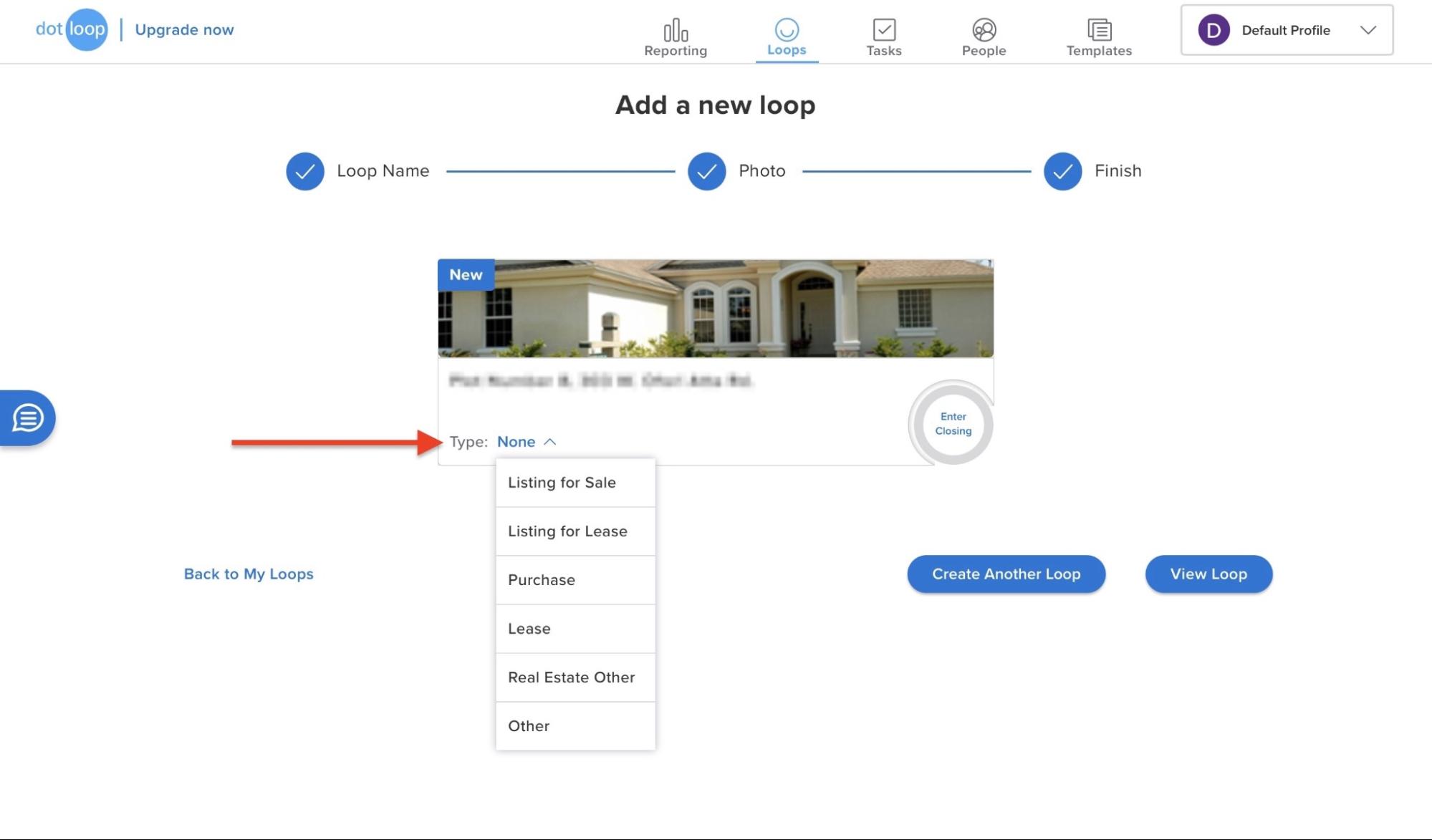
After the loop is created, click “None” beside “Type”. It’ll expand downwards to show more options. Select your preferred option.
For every option you select apart from “Other” on the “Type” drop-down menu, you must add the status and price of your offering.
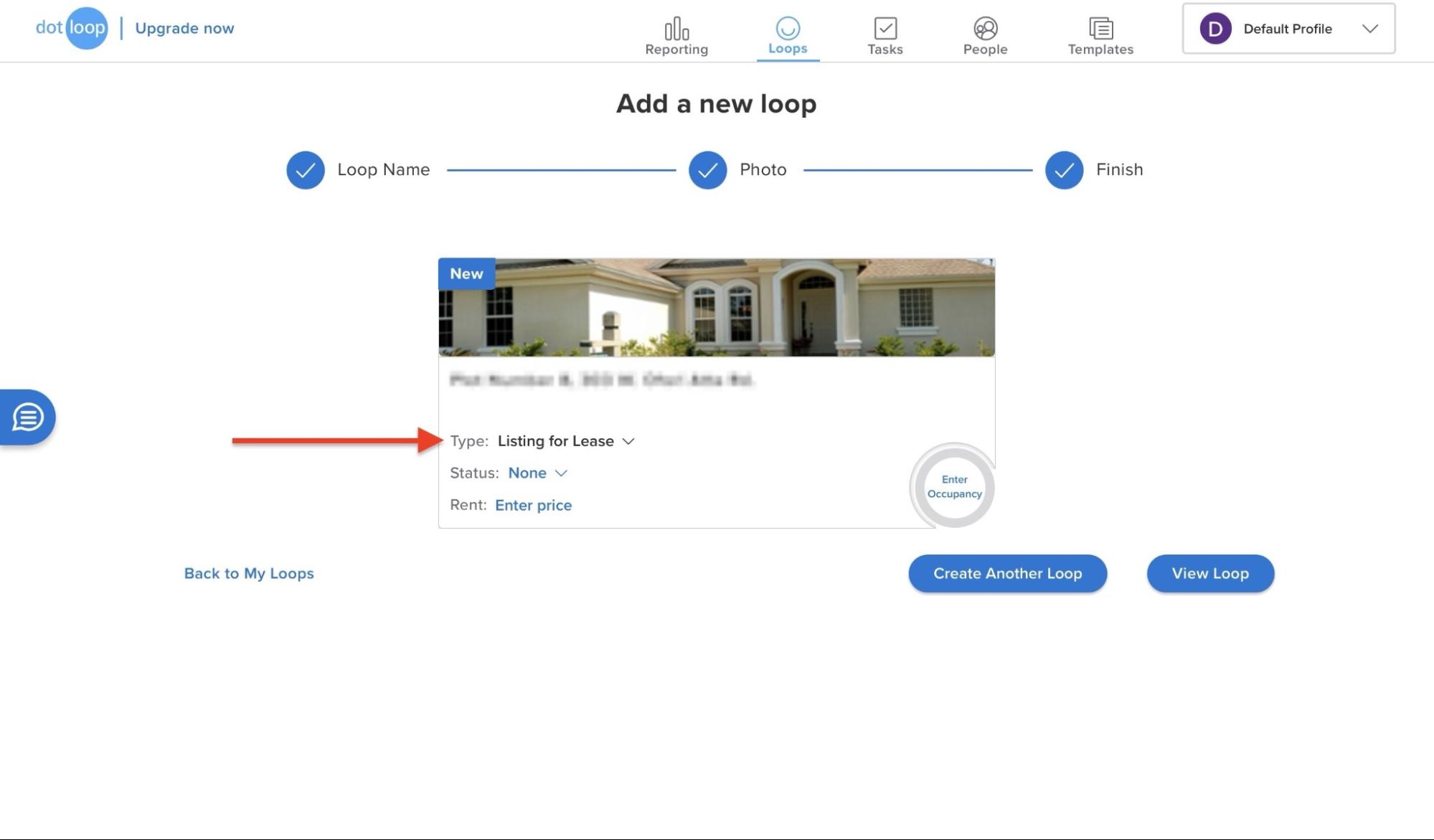
Then, select the status and enter the price.
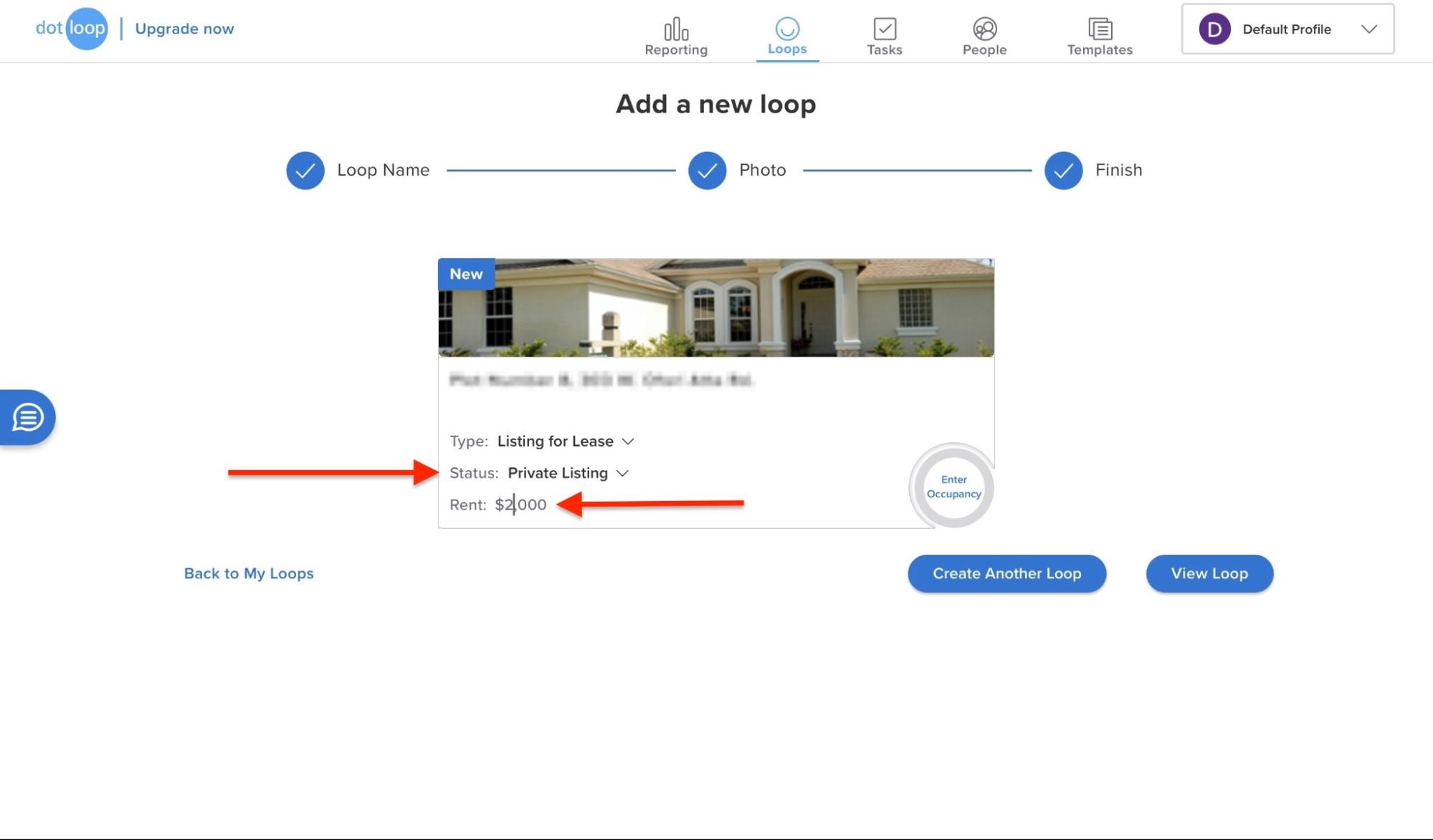
Next, click the “Enter Occupancy” button to add a specific move-in date.
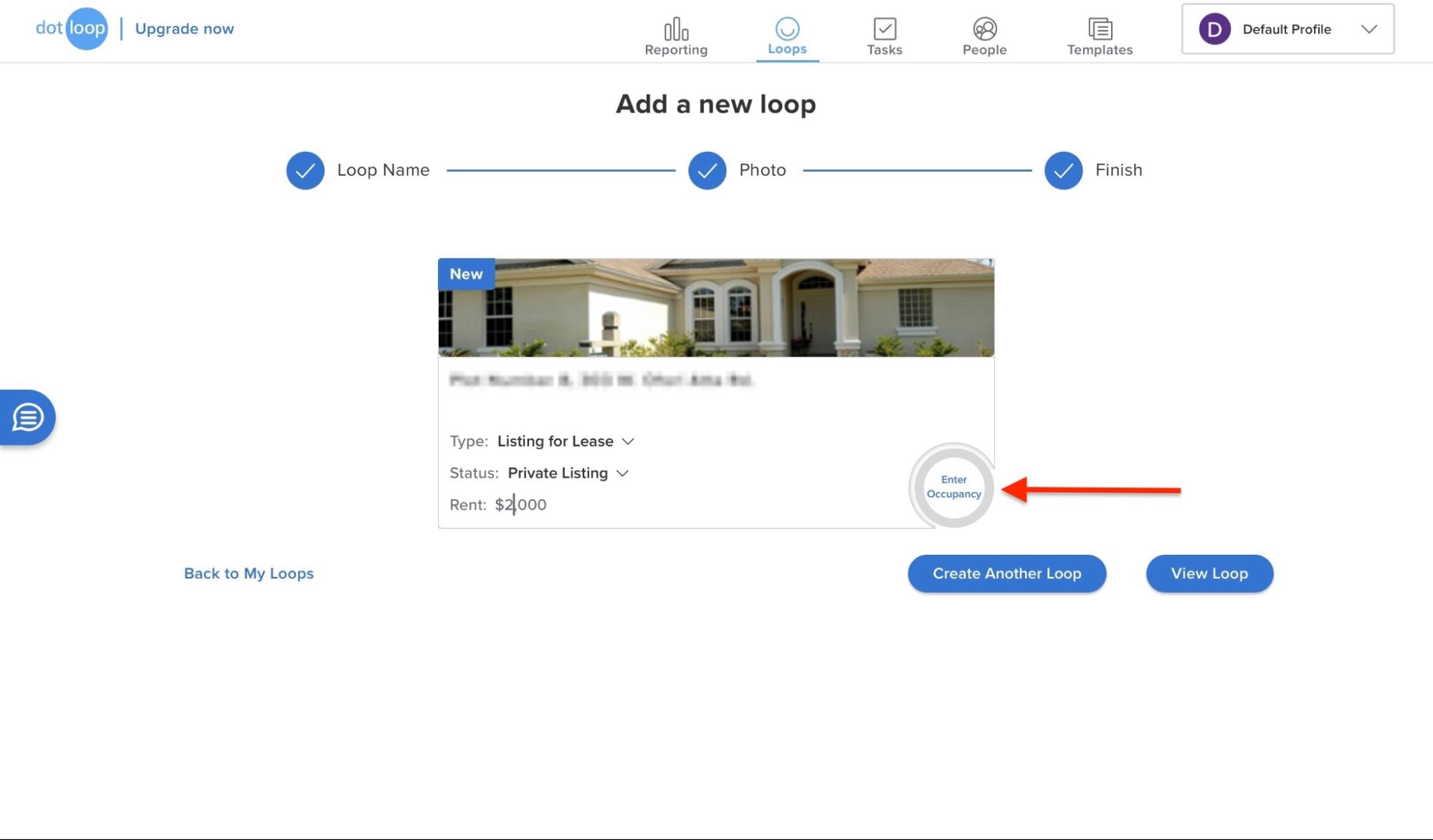
Finally, click “View Loop.”
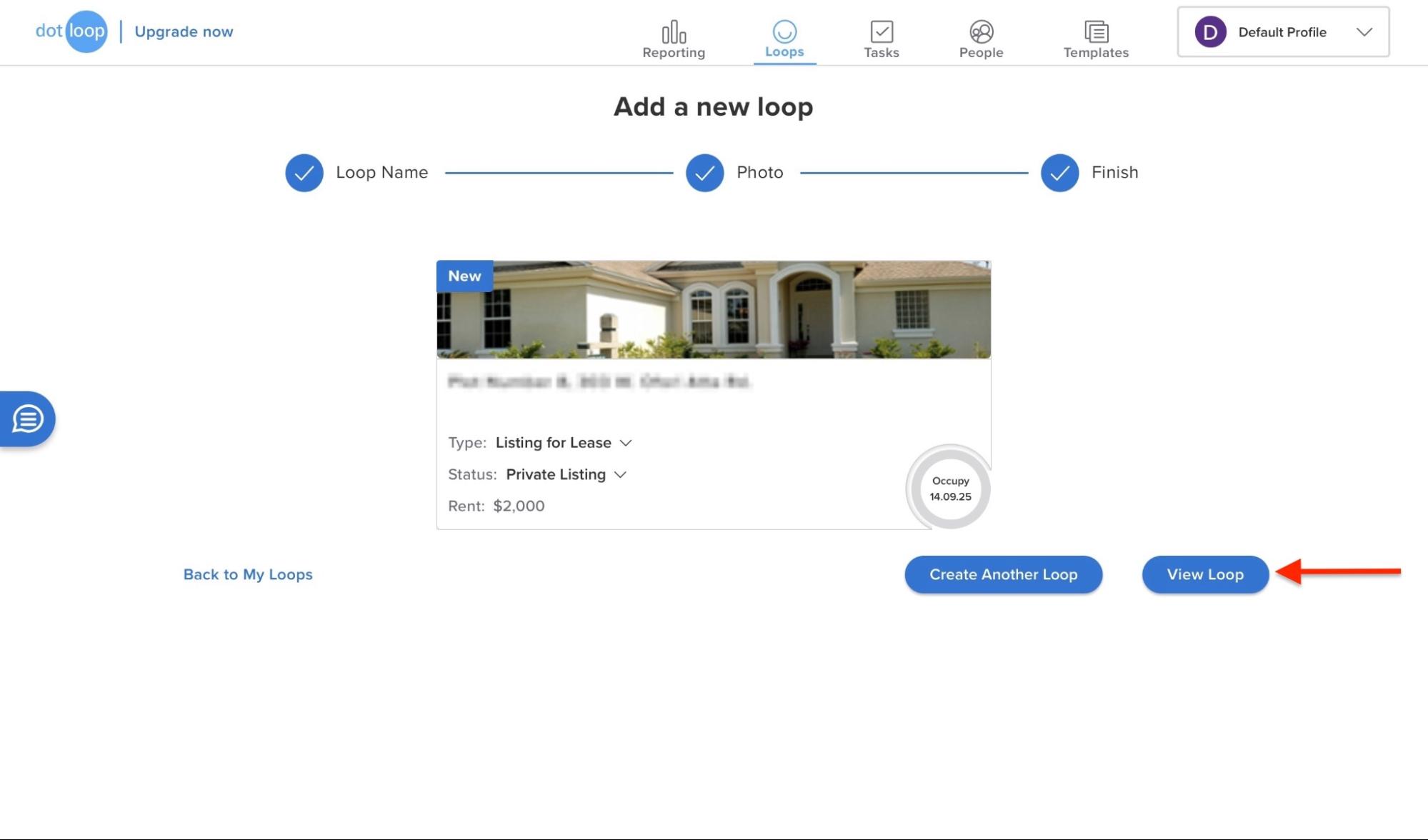
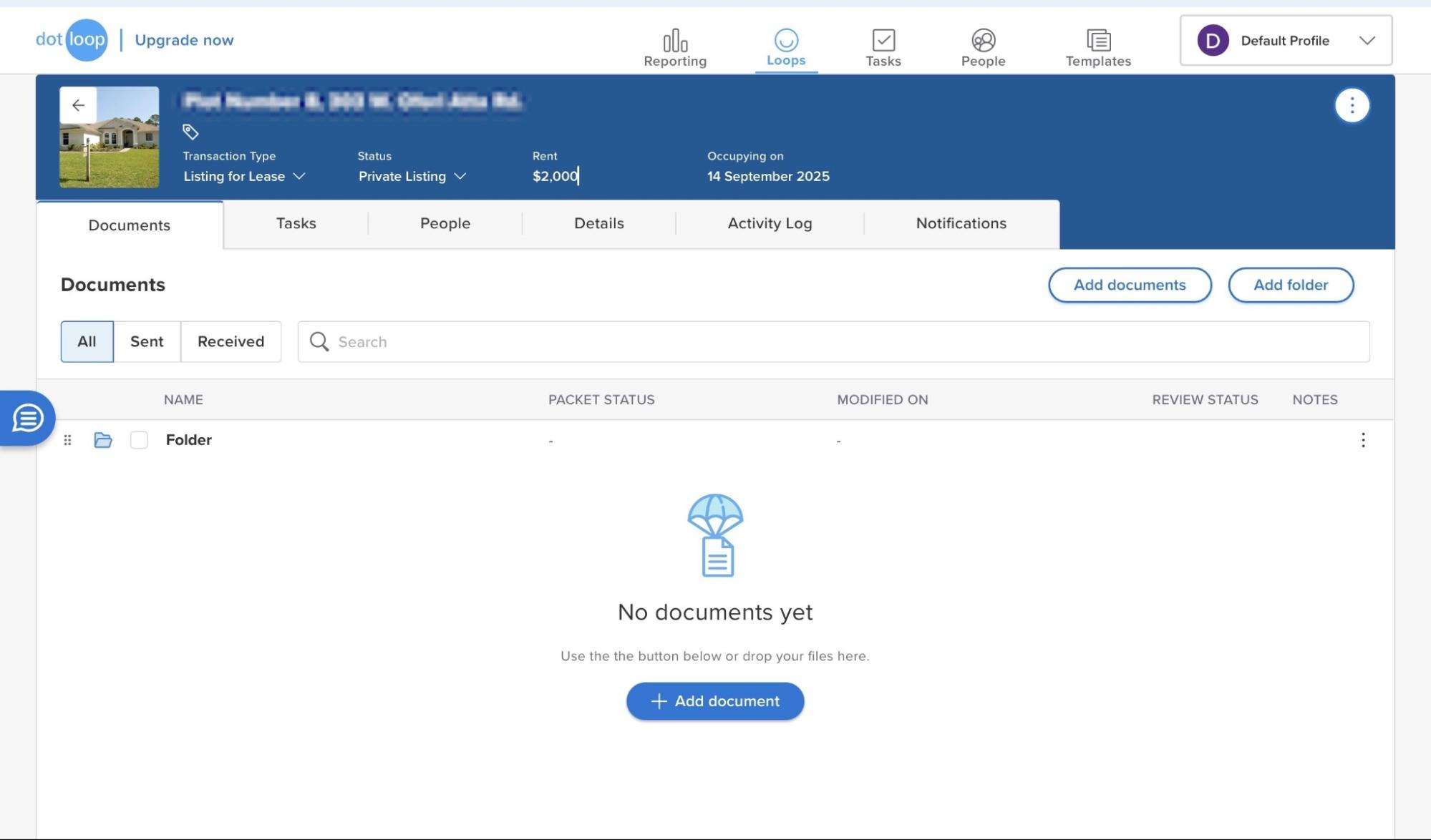
The newly created loop will be listed in the Loops window. You can add documents and other information.
Key features
1. Tasks
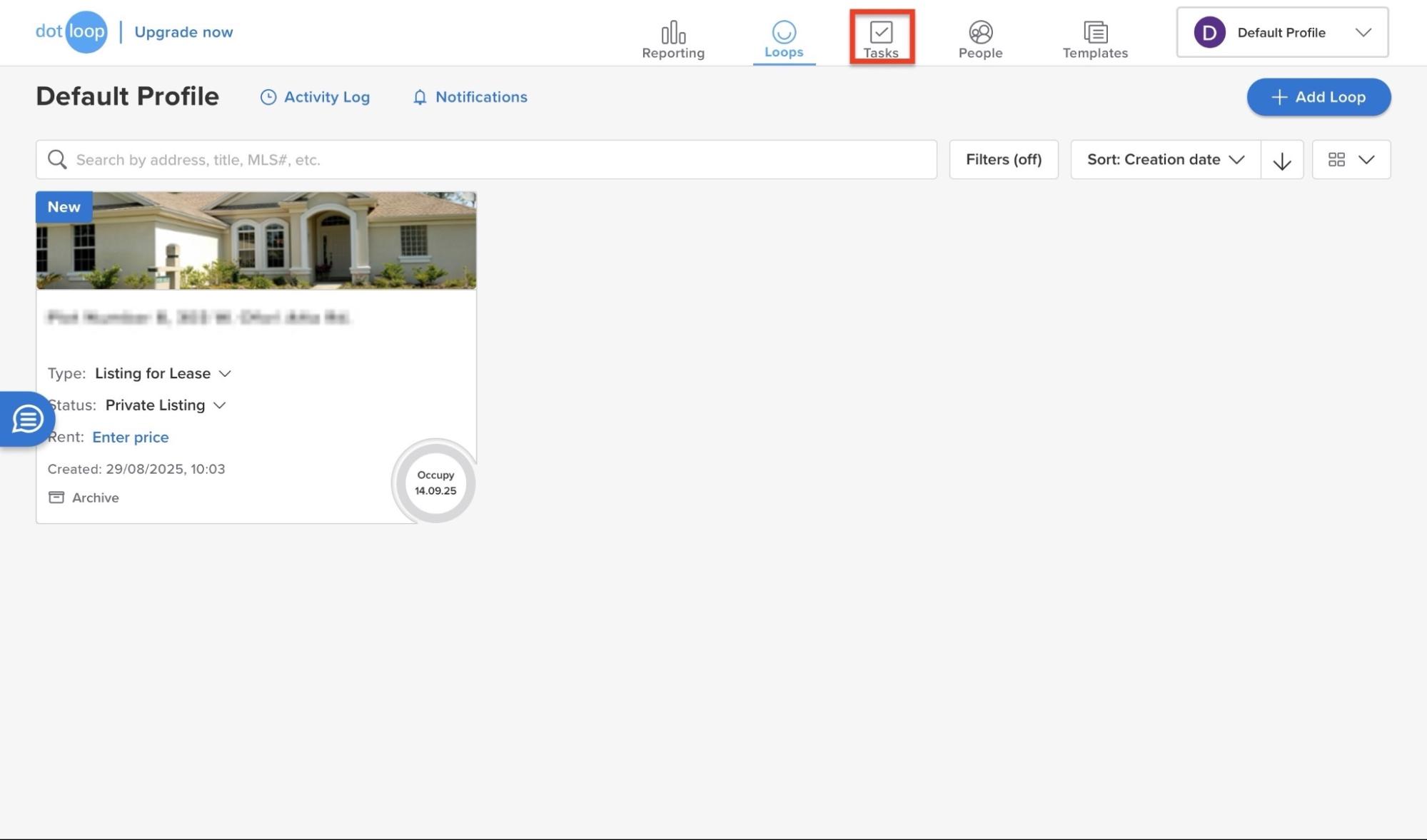
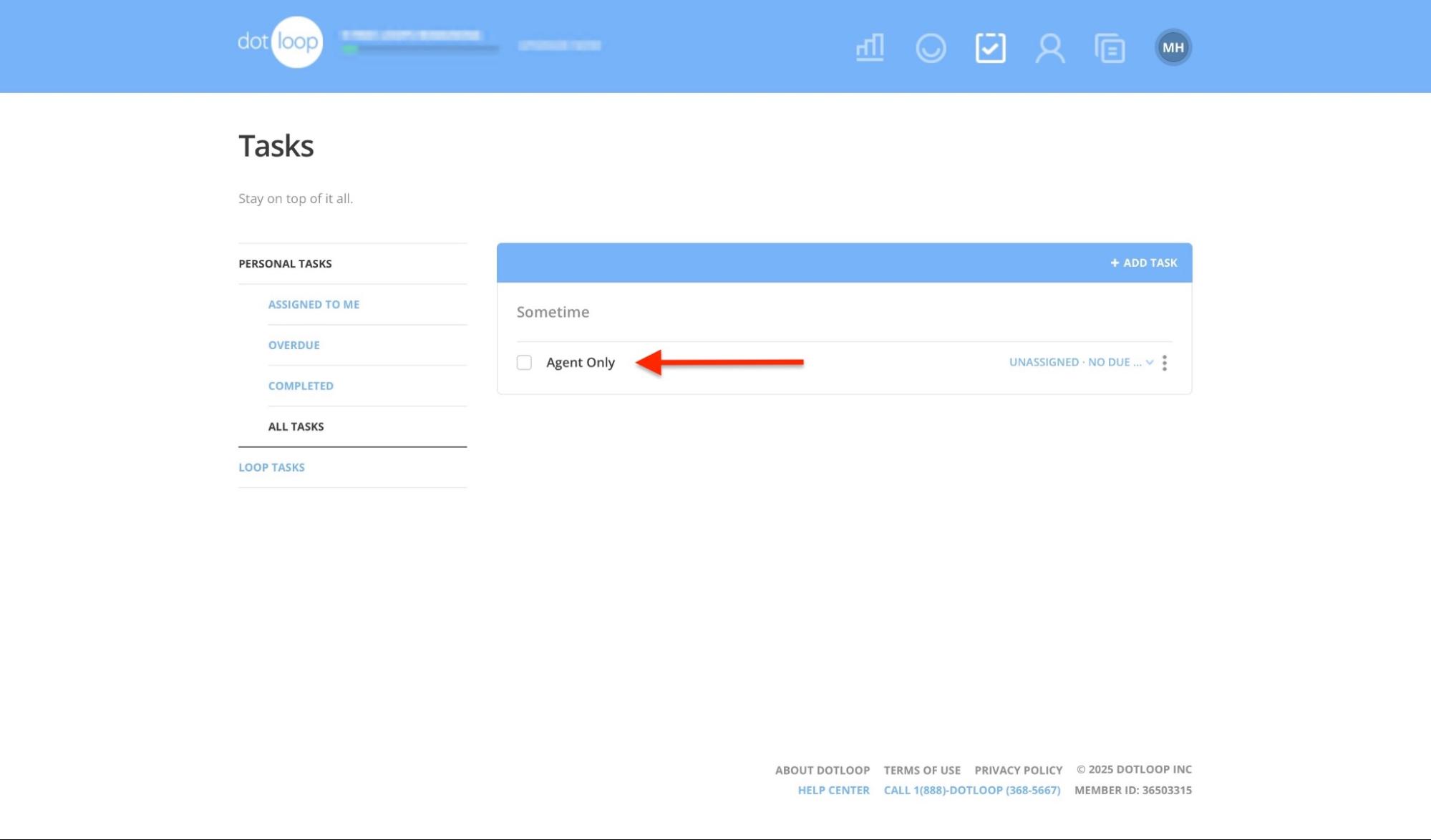
Now that you’ve created a loop, you can start organizing your work with the Tasks feature. To add a task, open “Loops” and click “Tasks” in the navigation bar.
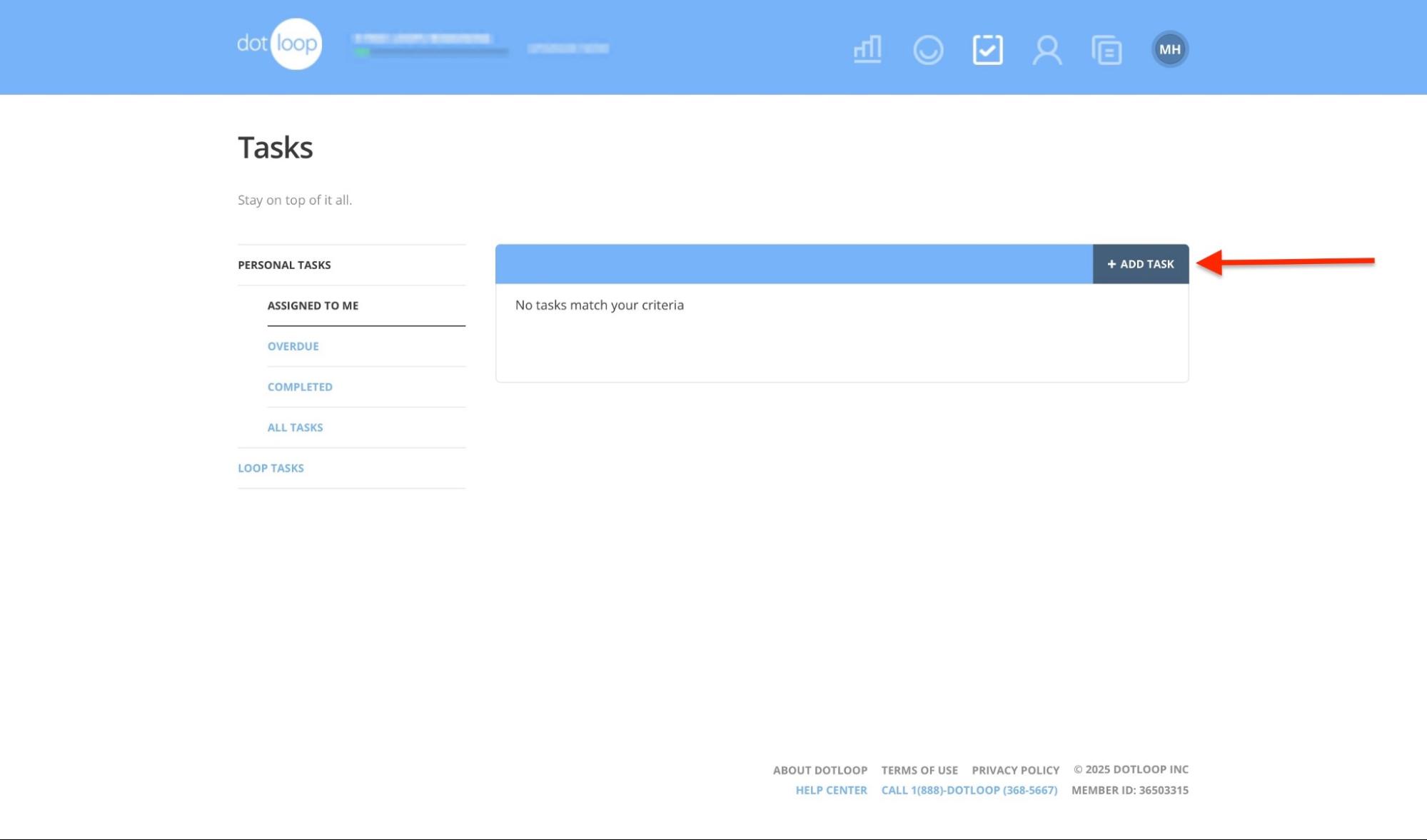
Next, select “+ Add Task.”
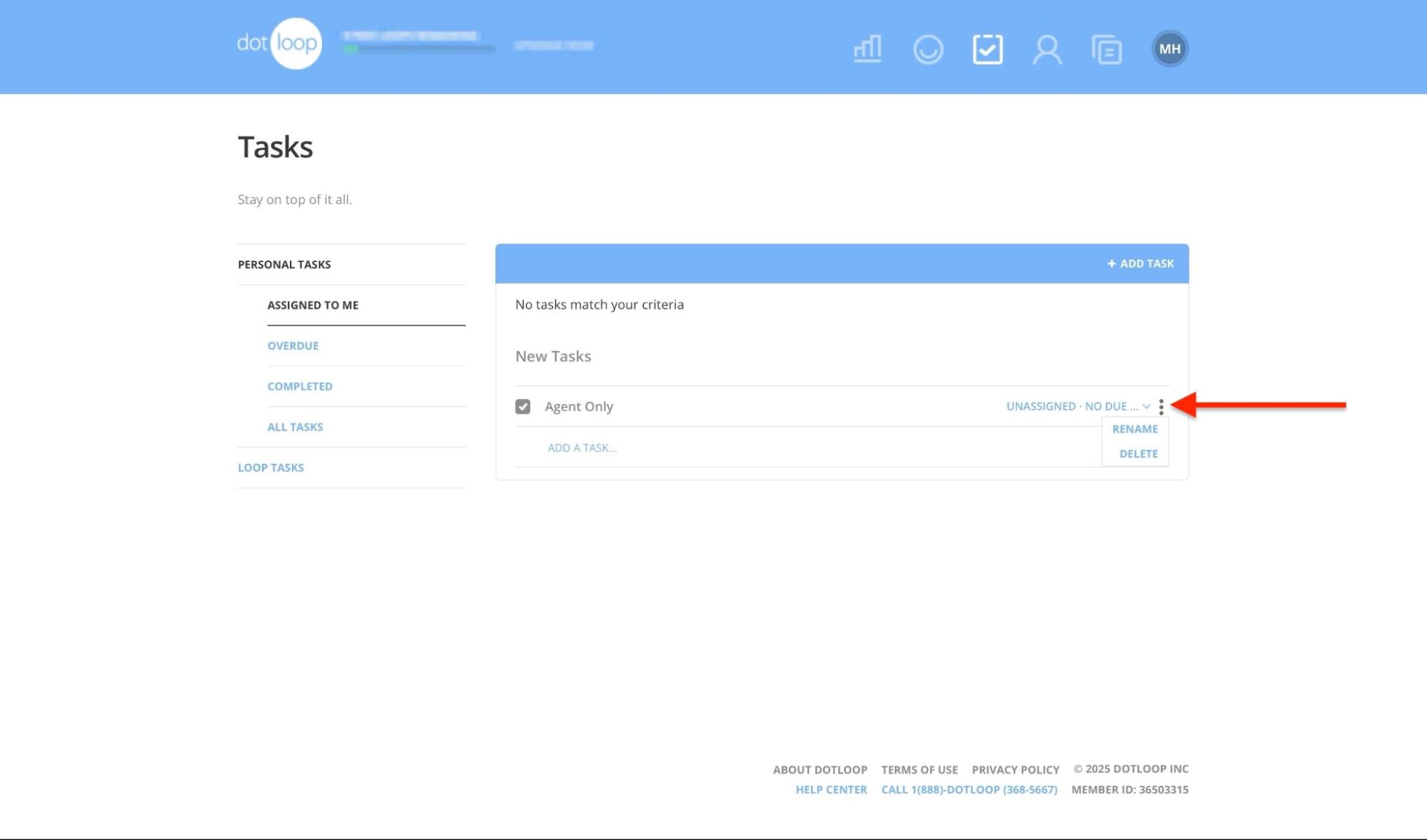
Enter the name of the task. You may use the kebab menu (three vertical dots) to rename or delete a task.
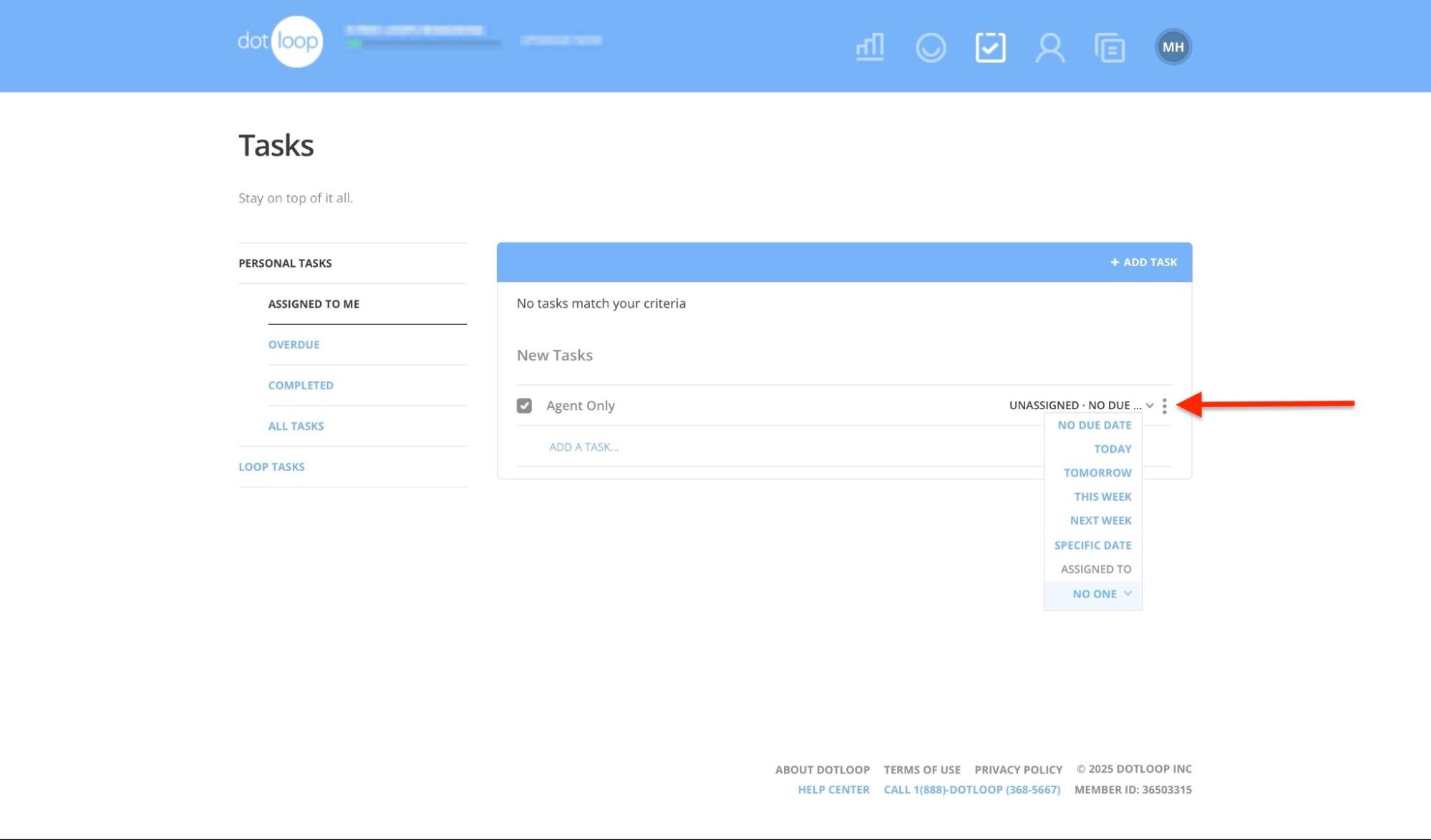
Click on the drop-down menu next to the kebab menu to select the task’s timeframe. You can also assign it to yourself or other people in the loop.
The task will appear in the list according to its status (overdue or completed) and assignee. If it's unassigned, it will appear in the “All tasks” section.
2. People
Dotloop also lets you add people. These can be clients, your team members, other real estate agents, or service providers. You can manage this through the People feature.
Here’s how to add a contact in just a few easy steps.
First, from the Loops window, click “People” in the navigation bar.
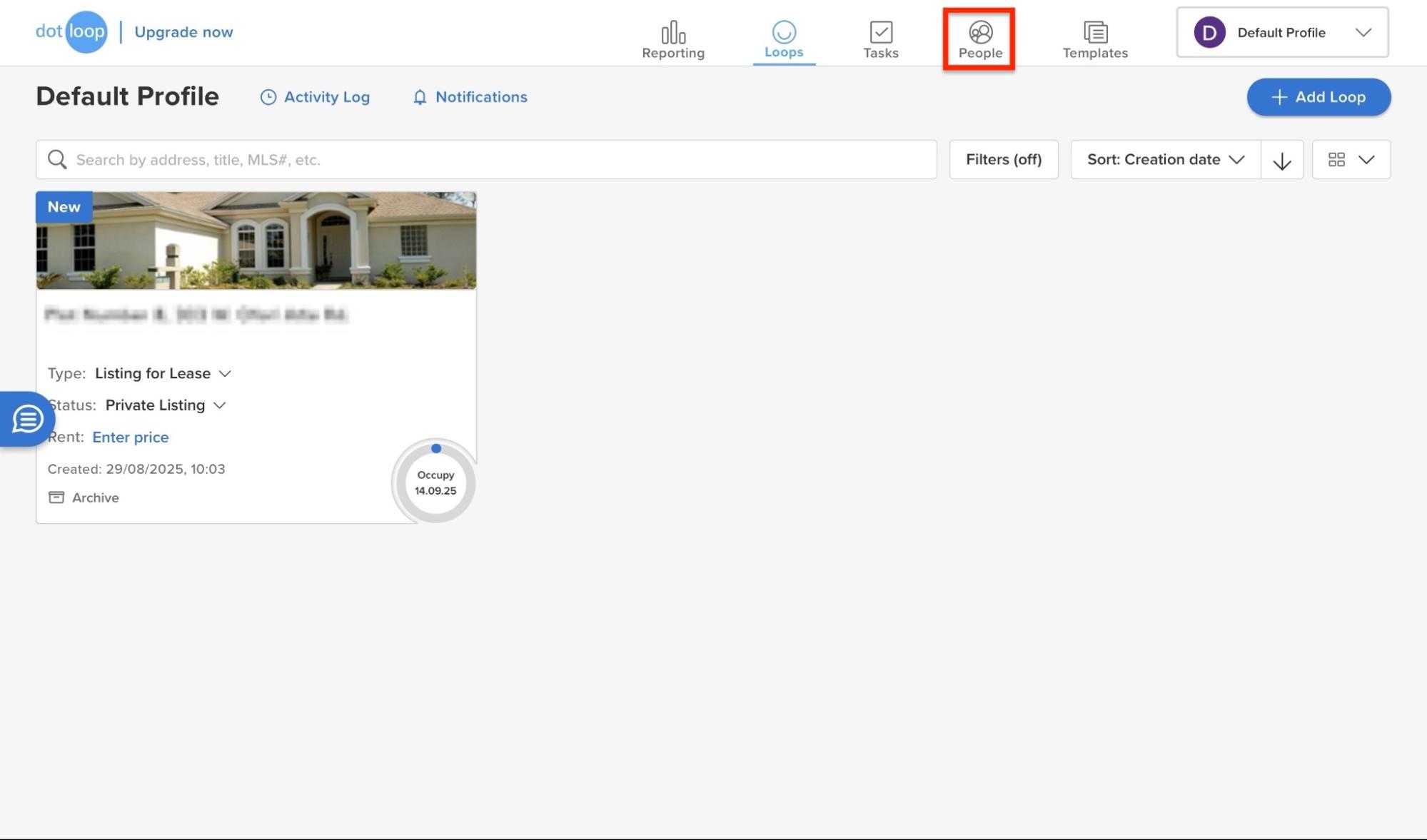
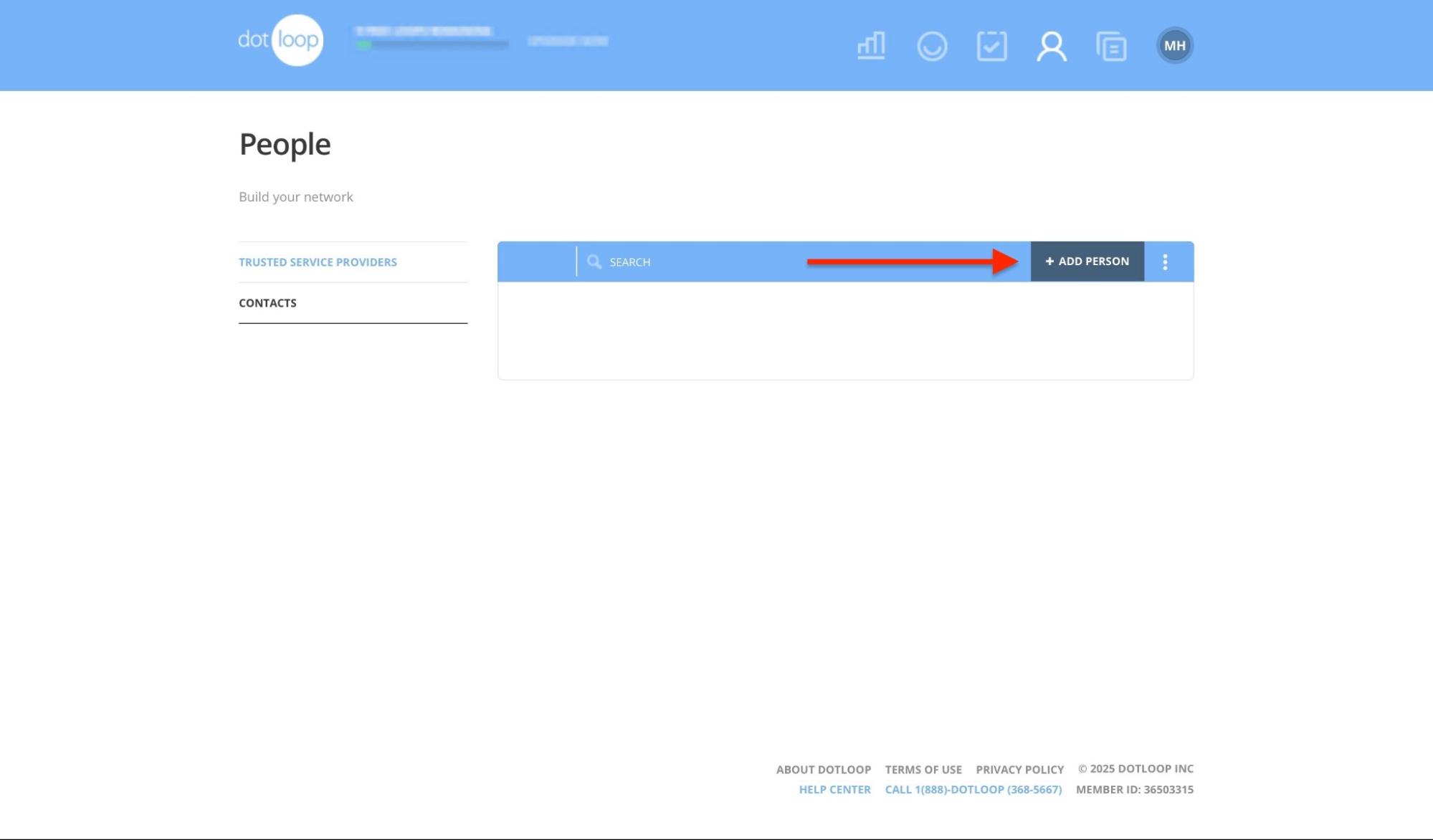
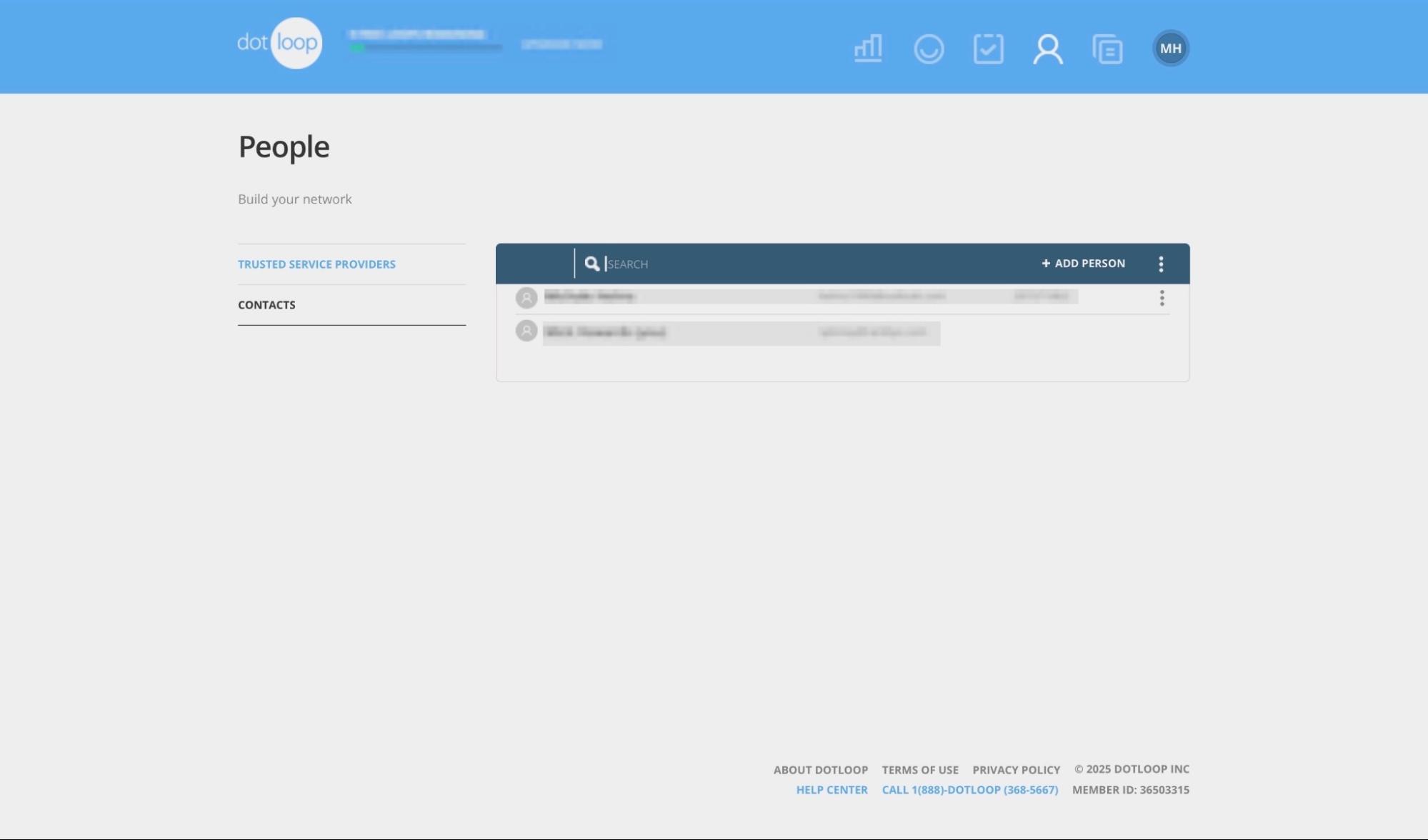
Now, select contacts in the sidebar and click “+ Add Person.”
Fill out the required details and add your person.
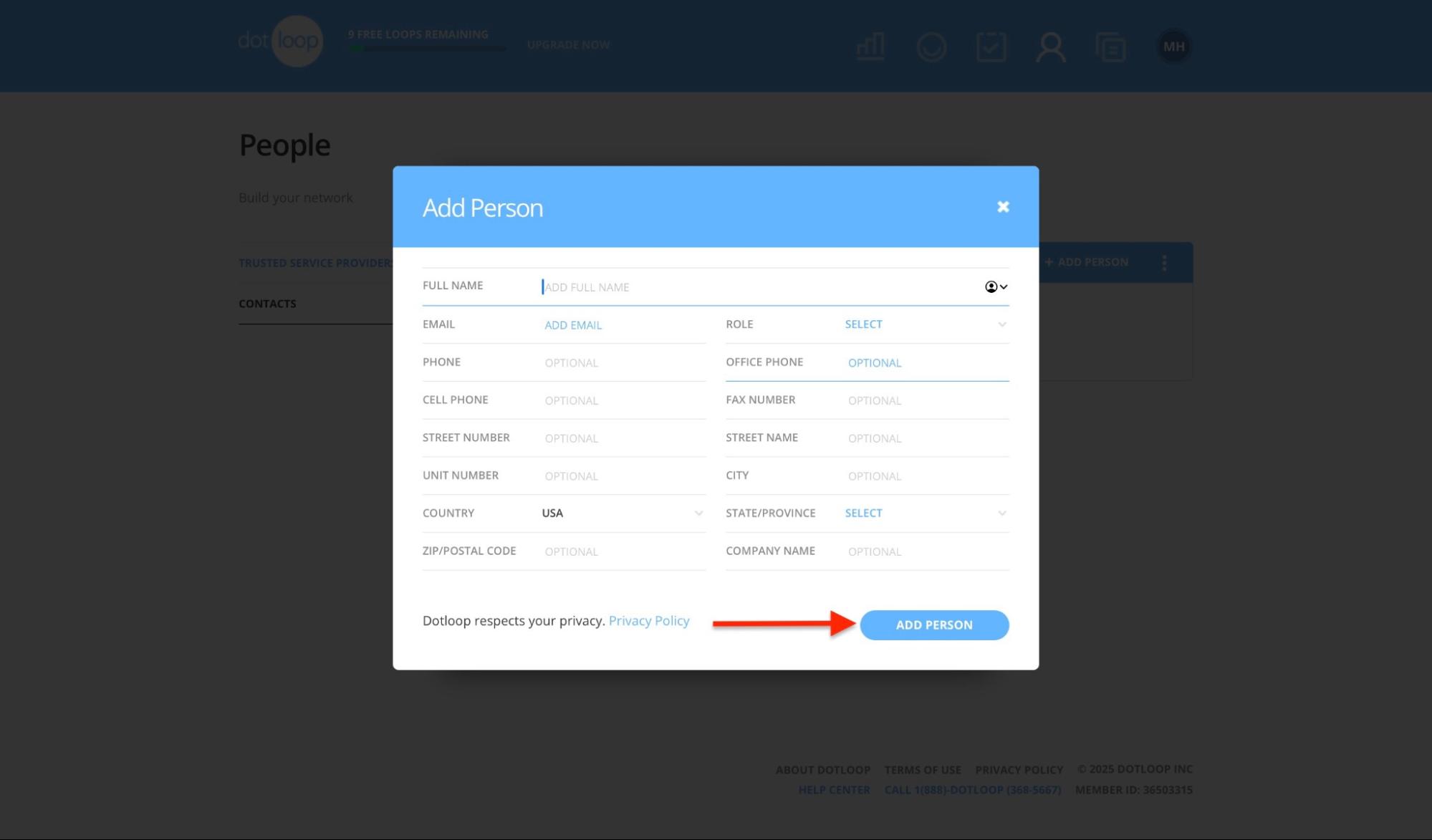
In the new window, complete the required fields. Then, click “Save.”
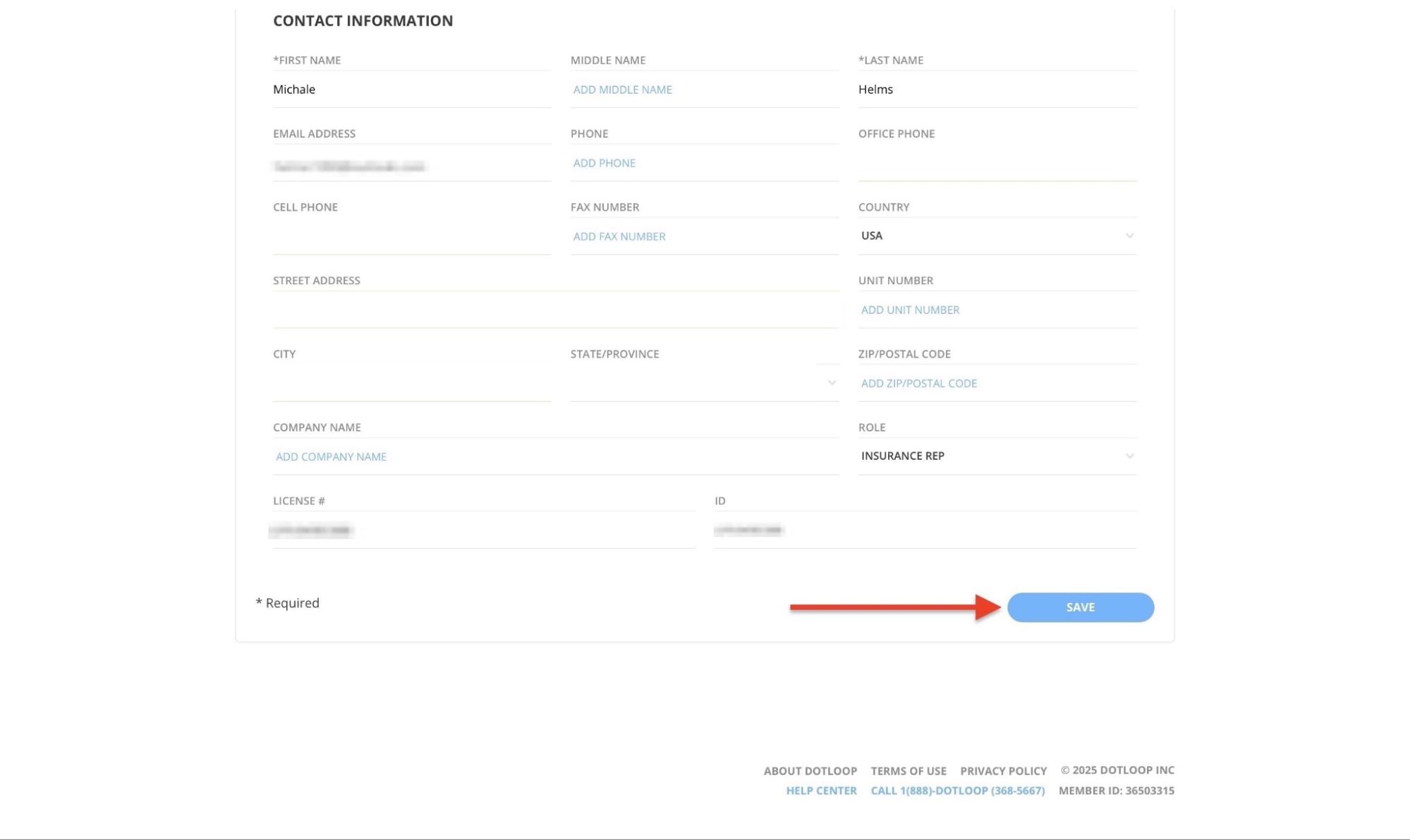
The new contact will now appear in the Contacts window.
Pros:
- Easy to navigate and user-friendly
- Flexible pricing plans to fit individuals, teams, and businesses
- Combines essential transaction tools all in one place
Cons:
- Advanced features are inaccessible during trial
- Pricing for custom/advanced plans can be unclear
- Steep learning curve for some features
Best For
- Real estate agents, brokers, and property managers who want all-in-one software to manage transactions, documents, and e-signatures in a single platform.
Pricing
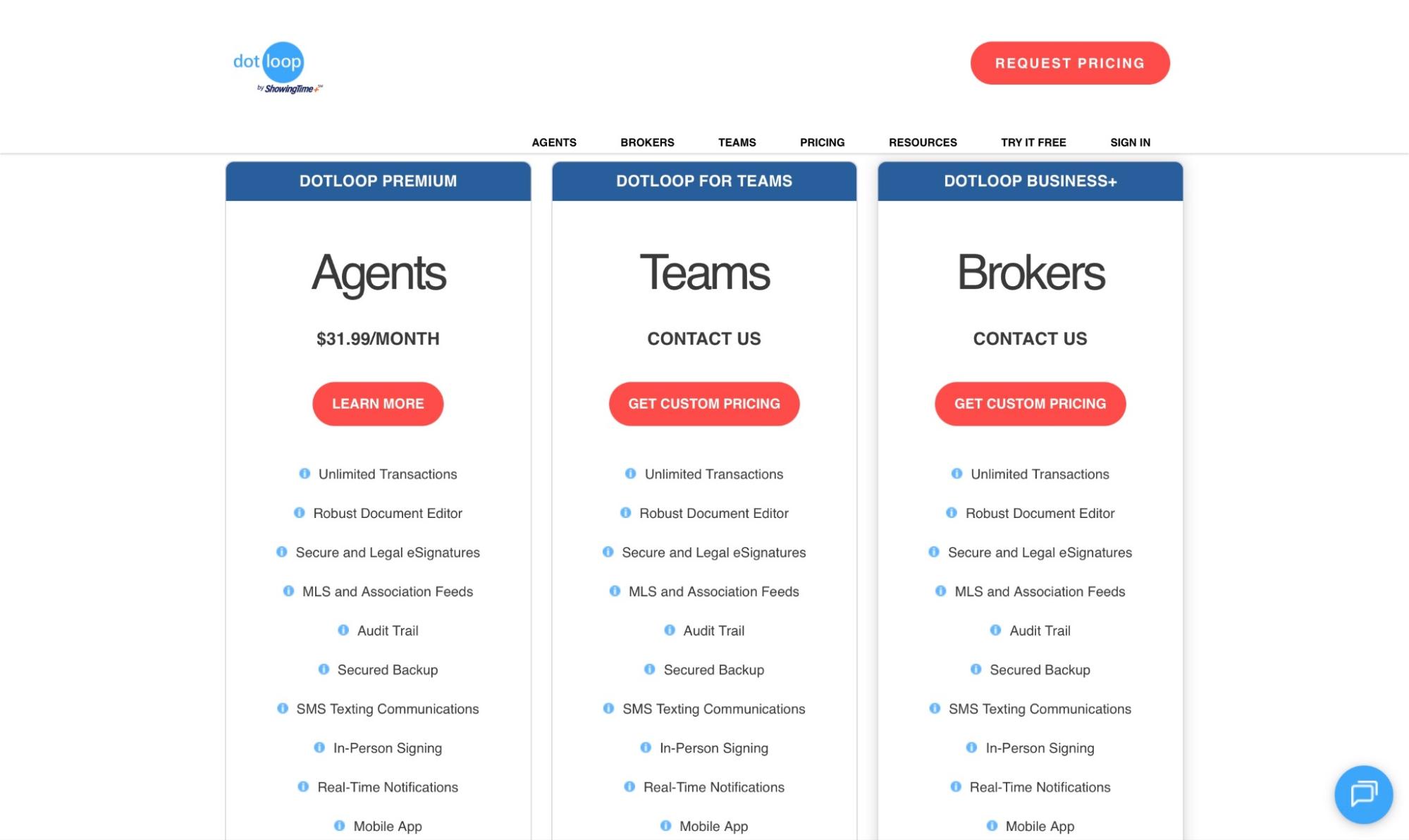
- Dotloop Premium: $31,99/month
- Dotloop For Teams: Contact for pricing
- Dotloop Business+: Contact for pricing
Start your 14-day free trial and automate your scheduling today.
How to Choose the Right Real Estate Software
Choosing the right real estate software is essential for the survival of your business. Choosing the best real estate software can be challenging due to the numerous options available.
For instance, a study by Market Growth Report found that in 2024, over 320 new real estate software products were launched. That represented a 15% increase from 2023.

With such rapid growth, the market is crowded and often confusing. That’s why I have compiled five key factors to help you choose the right one. Here’s the gist:
- Consider the software’s ease of use
- Check if it has features you actually need
- Evaluate pricing and scalability
- Assess its integration with other tools
- Factor in marketing tools
Now, let’s take a closer look at each one.
1. Ease of Use
When choosing the right real estate software, ease of use should be a top priority. Is the interface user-friendly? Does your team find it time-consuming to operate?
Even the best real estate platform won’t deliver value if you or your team find it confusing. Software that’s easy to use translates to fewer onboarding challenges and a faster return on investment (ROI).
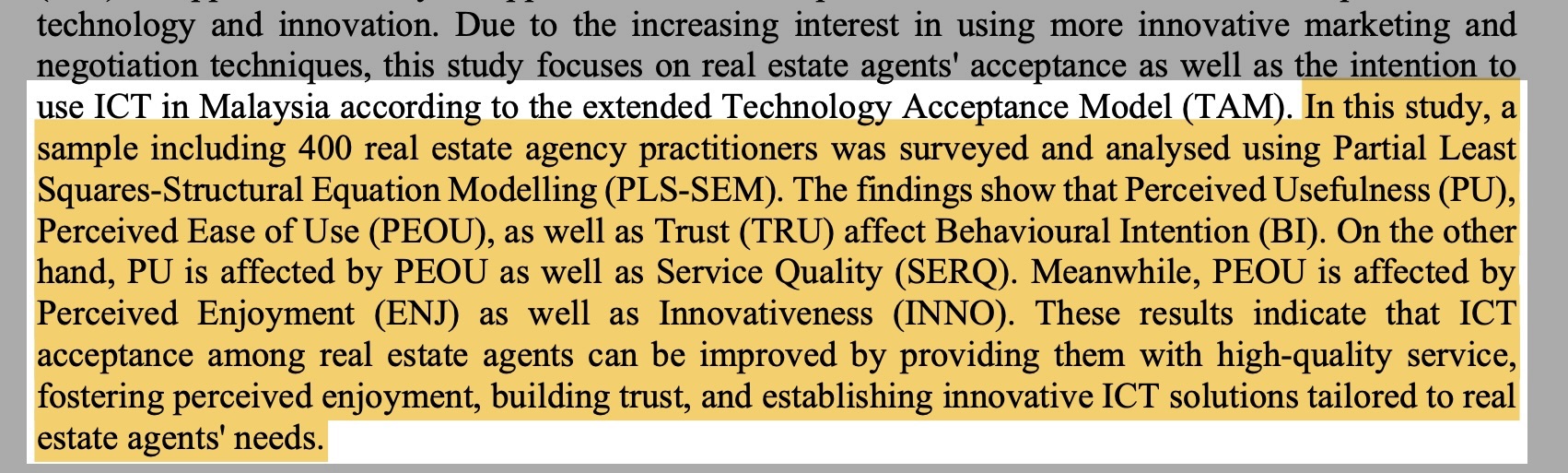
This survey of 400 Malaysian real estate professionals, published in the International Journal of Property Science, supports this. It found that the perceived ease of use directly influences the perceived usefulness and trustworthiness of real estate software.
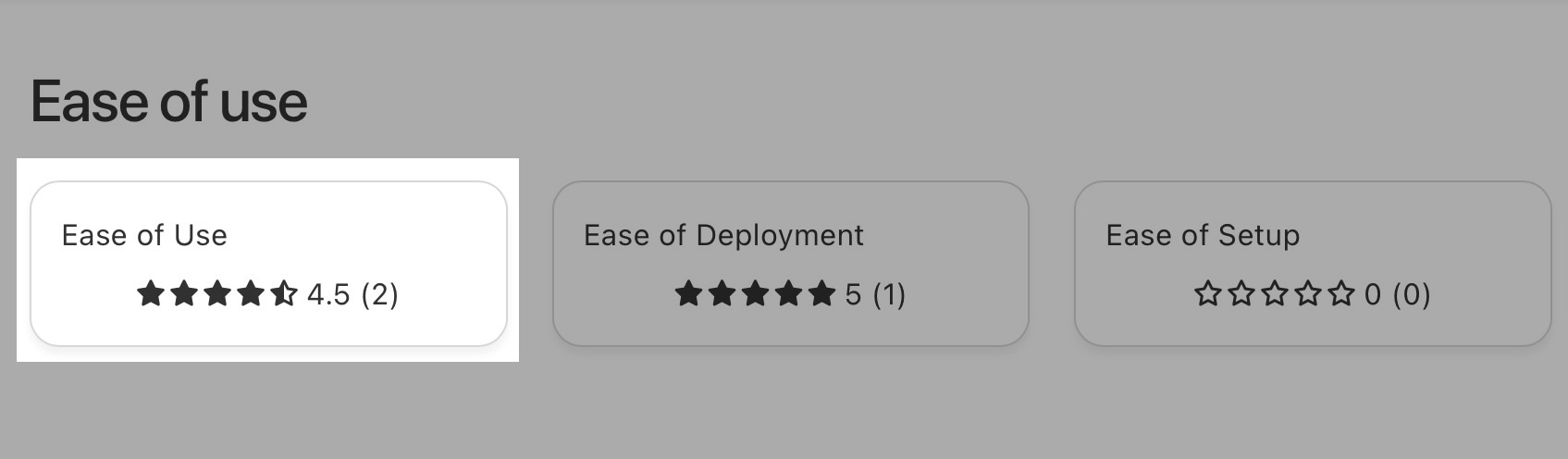
That explains why many real estate professionals trust Zencal, which scores very high in ease of use on both Product Hunt and Capterra .
2. Features You Actually Need
To choose the right real estate software, you must check if it has the features you need.
Market Growth Reports found that 62% of real estate software now offers open API support, indicating the importance of integration for professionals.

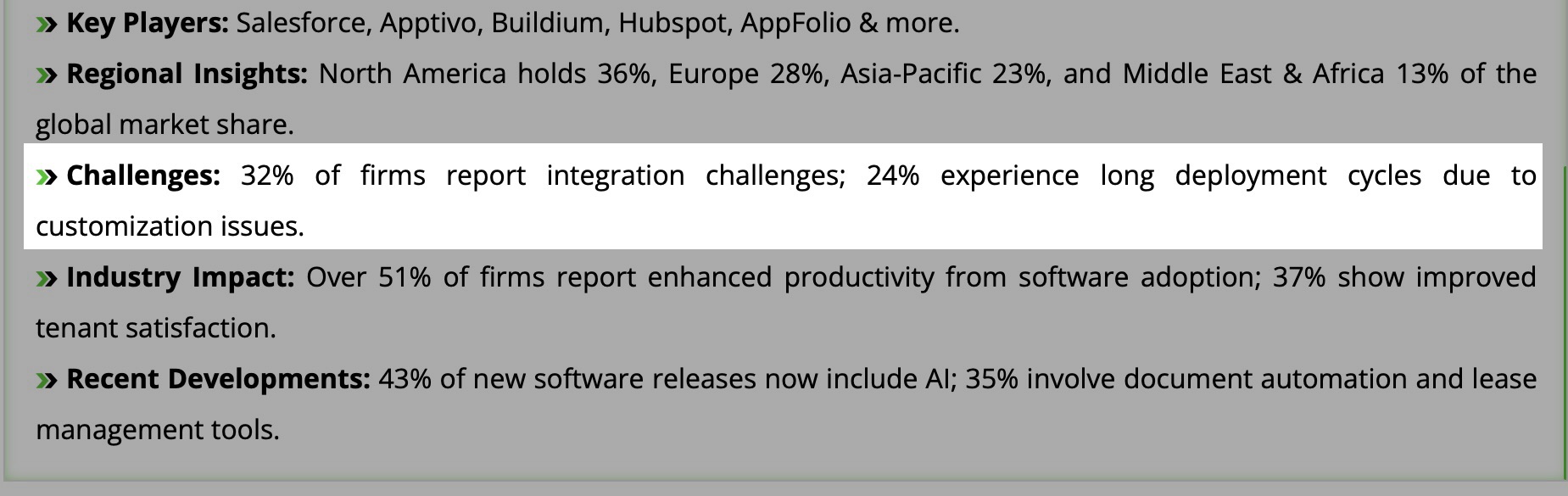
This also indicates that challenges such as automation, integration, lead generation, and conversion are common pain points. For instance, Global Growth Insight found that 32% of real estate professionals face issues with integration.
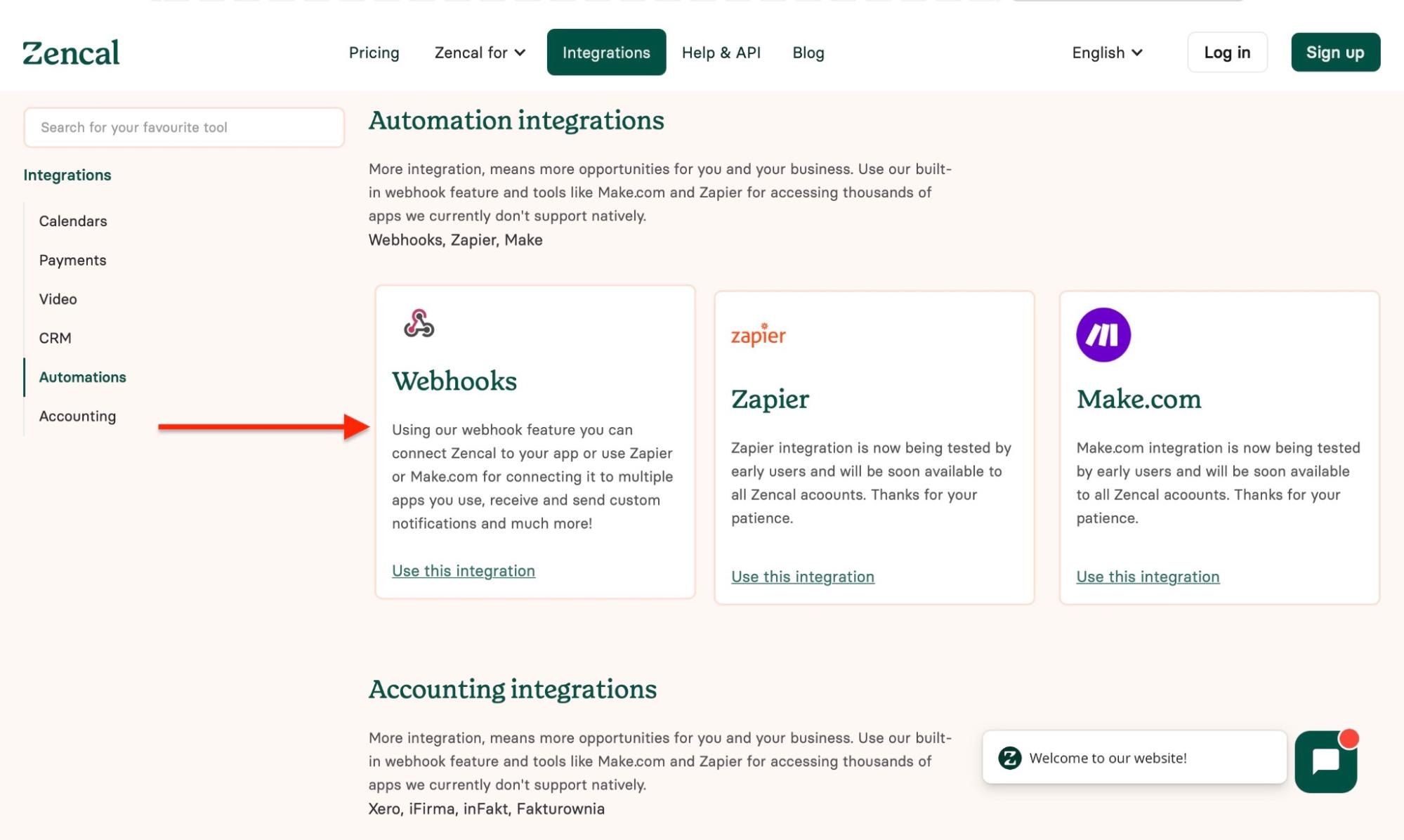
You should consider whether or not the real estate software solves these issues before making a choice. Among the five best real estate software I discussed, only Zencal and Buildium offer native webhooks for automation.
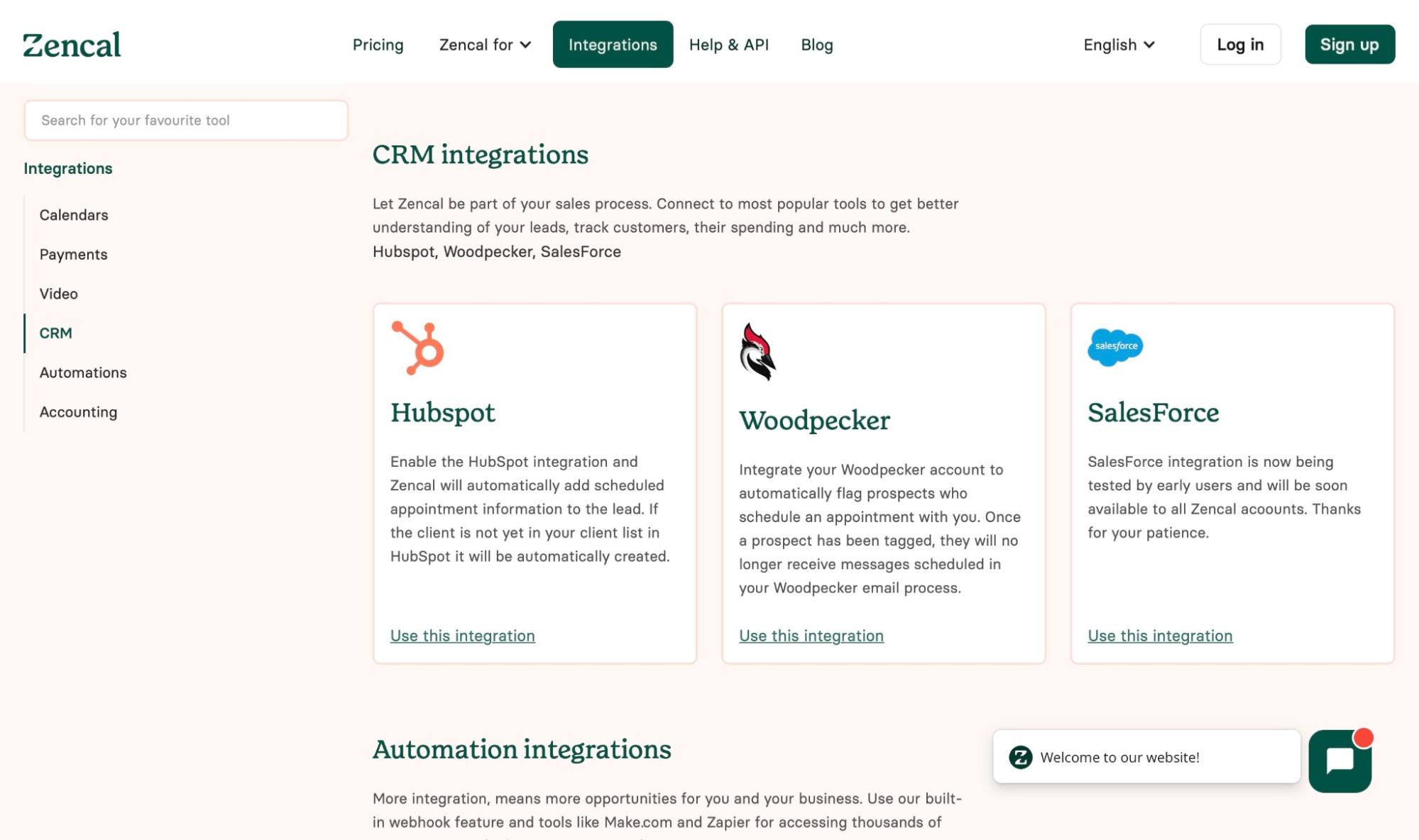
Moreover, Zencal integrates with industry-leading CRM tools like HubSpot, Salesforce, and Woodpecker.
3. Pricing and Scalability
Pricing and scalability are key factors to consider when choosing the right real estate software. The cost mainly depends on three basic factors:
- The features offered
- How the software is delivered or accessed
- The number of users or units using the software
The more of any of these factors a software offers, the higher the price.
Take Zencal, for instance. By industry standards, it’s very affordable, but its Team and Pro plans cost more than its Basic plans because those plans offer additional features and support more users (30+).
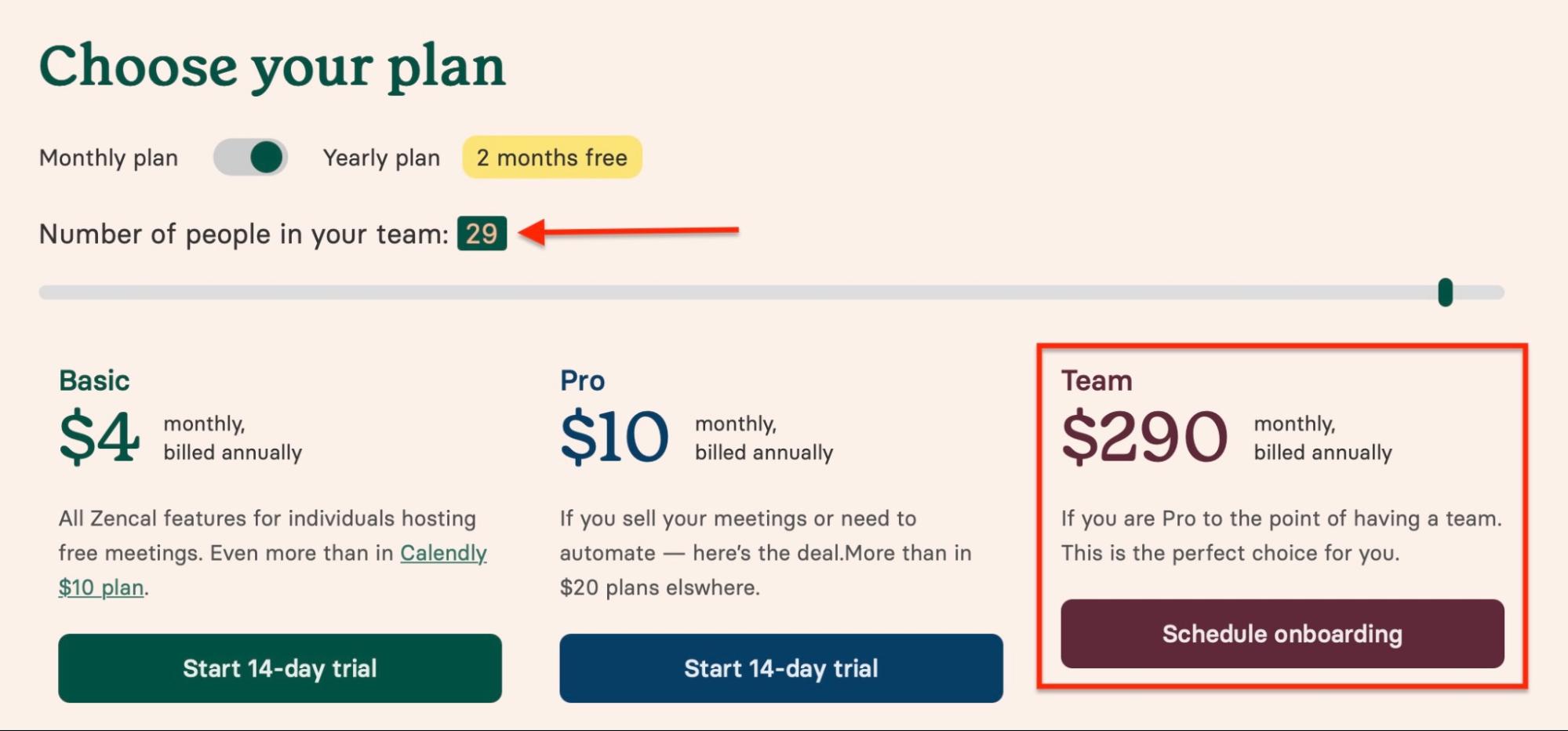
However, just because the software is pricey doesn’t automatically mean it offers more. Compared to other real estate software, Zencal offers so much more value despite its affordability. This shows that some real estate software pricing is driven more by brand than functionality.
Furthermore, the scalability of your business depends on how well the software can impact your ROI. Paying just for a brand doesn’t guarantee results. You need software that lets you start with a modest budget and scale up as your business grows.
So don’t just pay because it’s the asking price. Find out why Zencal, for instance, clearly shows the reasons behind all of its pricing plans .
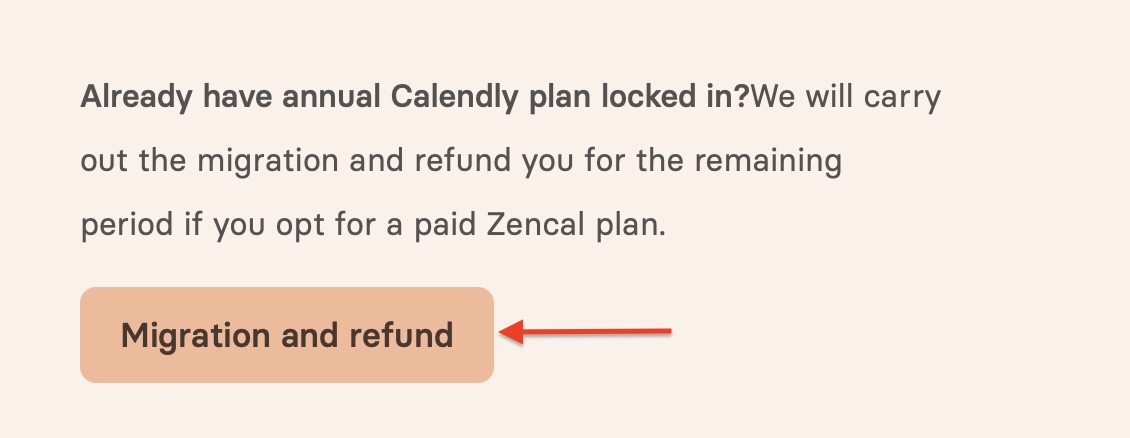
Did you know : Zencal offers migration and a refund. It ensures a smooth migration from other scheduling software, like Calendly, and will also refund the remainder of your subscription period when you switch to our platform.
4. Integrations With Other Tools
When choosing the right real estate software, assess its integration with other tools. This is because the success of your real estate business depends on it. Why? Three reasons: Integration saves you time, enhances your workflow, and automates key tasks.
For a proper assessment, consider the tools that are important to you. Most real estate professionals prioritize payments, accounting, CRM, and communication tools. For instance, according to Capterra , real estate companies have the highest average CRM budget at $117 per user per month.
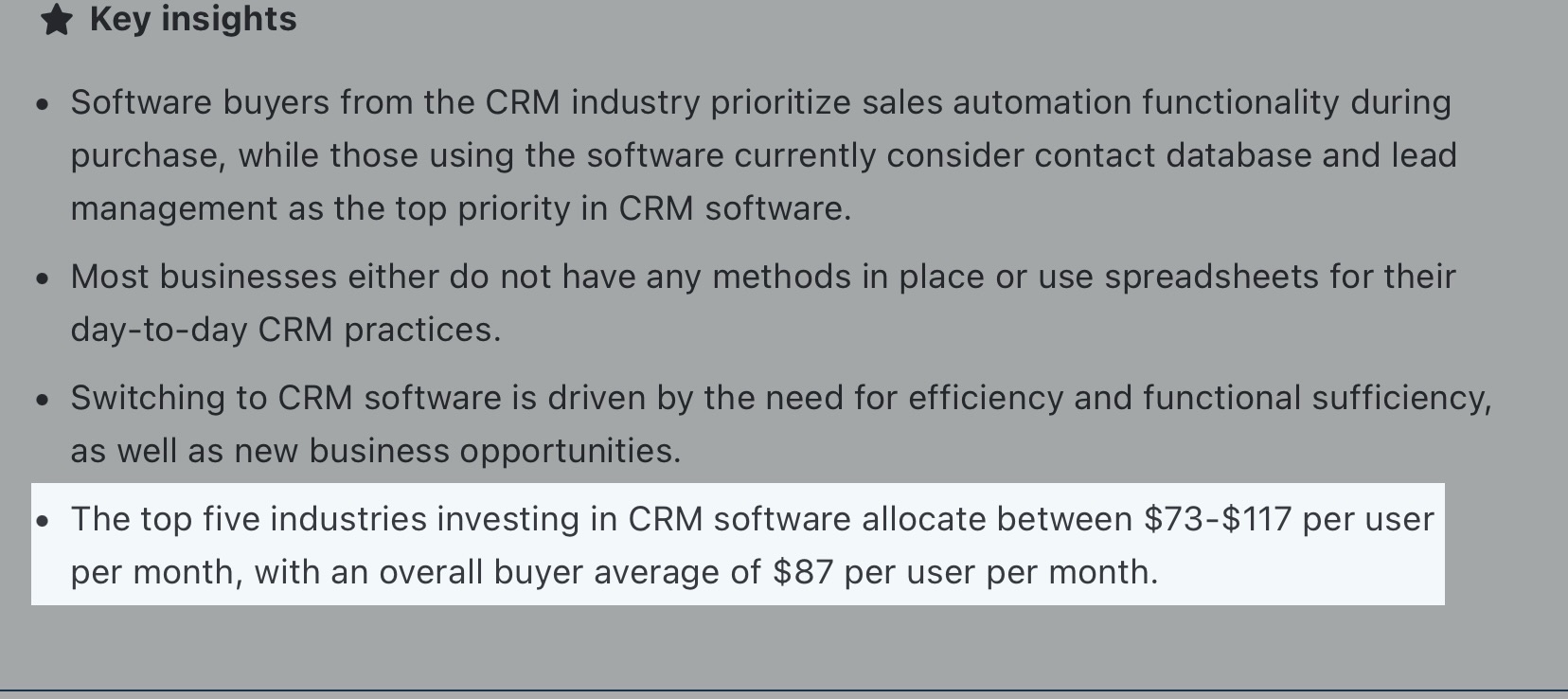
This illustrates the significance of CRMs to real estate companies, agents, brokers, and their teams.
Therefore, the right real estate software will offer integration with these tools, as they are no longer optional.
Another thing you must consider is how quickly you can access the tools. Are they accessible with just a few clicks or obscured in features you’ll hardly ever click on?
For instance, on RealOffice360, you have to click the Settings button at the bottom left of the sidebar to access the software’s integrated tools. Most users may not locate that easily because, naturally, they won’t expect it to be there.
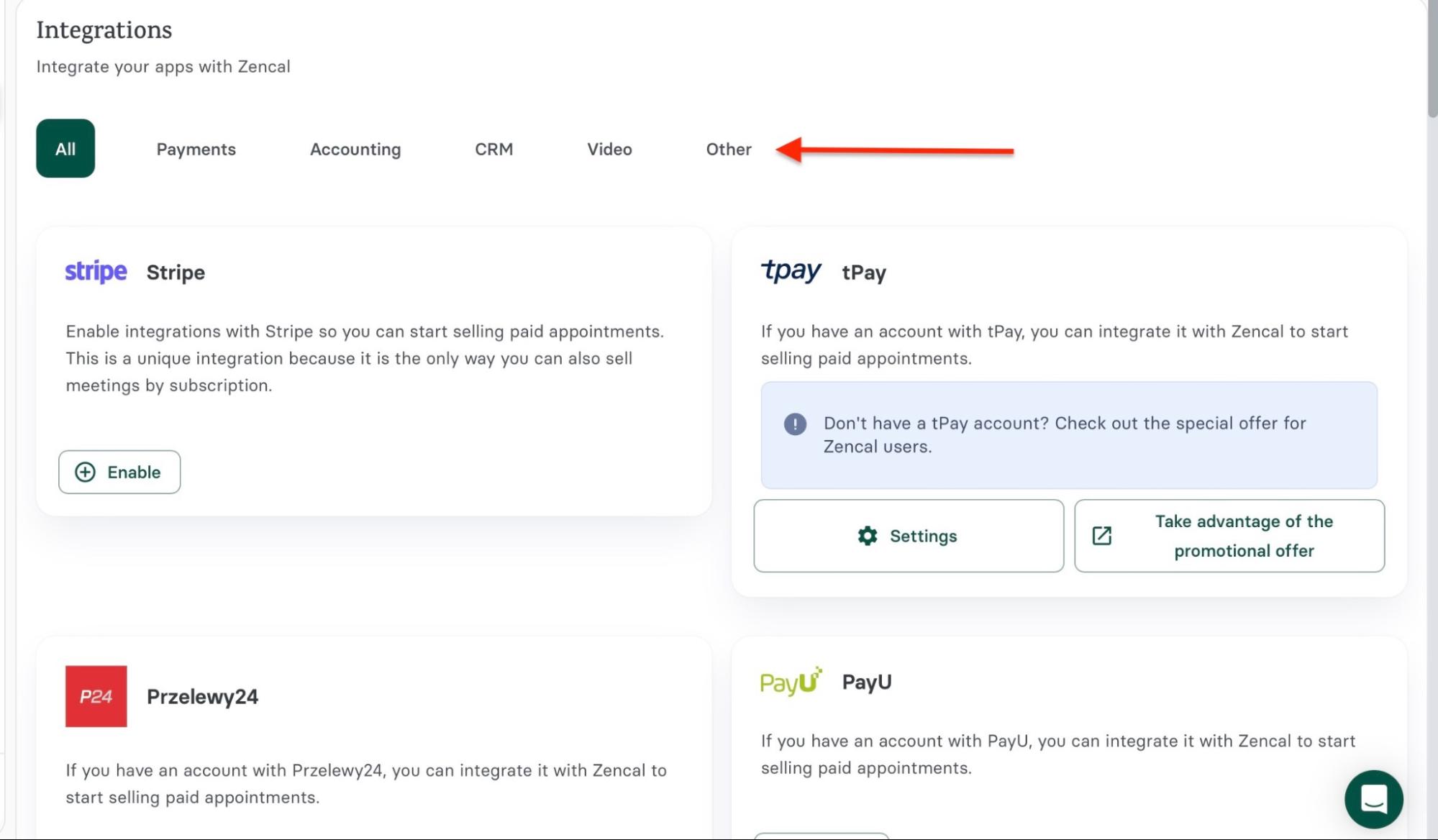
On the other hand, you can access tool integration from Zencal’s Automation feature in just two clicks from the homepage. It also groups these tools under clear, clickable tabs to increase accessibility.
5. Marketing Tools
To choose the right real estate software, evaluate its marketing tools.
These are tools for email marketing, lead capture, social media marketing, SMS marketing, and landing pages. You will also want features that show you analytics.
The right real estate software will offer those to help you streamline your marketing campaigns, capture more leads, and improve ROI.
Take social media marketing, for instance. Its widespread use among real estate professionals suggests its effectiveness.
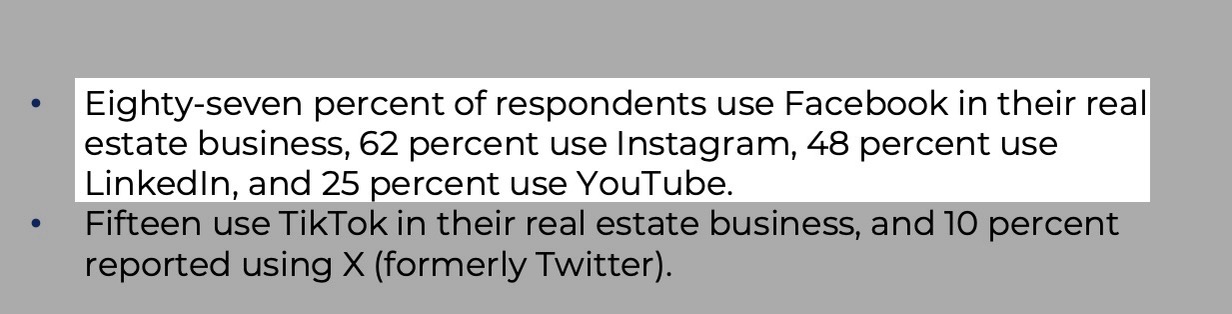
A 2024 survey by the National Association of REALTORS® found that for lead generation, 87% of respondents (primarily real estate professionals) use Facebook, while 62% use Instagram and 48% use LinkedIn.
So, how will the right real estate software help with social media marketing campaigns? It will automate your posts, manage multiple accounts from a single dashboard, and track performance.
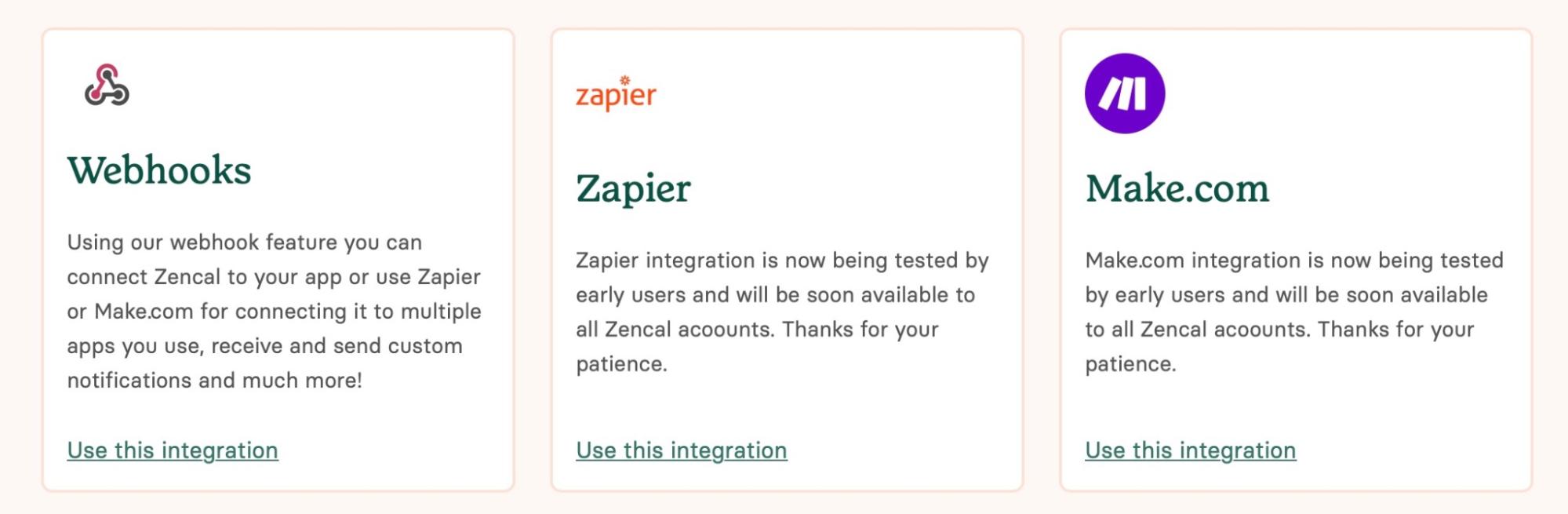
Zencal, for instance, utilizes its built-in webhook feature and integrates with tools like Zapier and Make to accomplish this. Moreover, it can help you with email marketing, landing pages for lead capture, and SMS marketing.
This factor is important because marketing has a strong impact on the growth, sustainability, and scalability of your real estate business.
Start your 14-day free trial and automate your scheduling today.
Choose the Best Real Estate Software
In this guide, I reviewed five of the best real estate software.
I also recommended some factors to consider when choosing the right real estate software. You should check ease of use, the features you need, pricing (and scalability), integration, and marketing tools.
All the tools I listed have specialized functions. However, Zencal tops the list for its affordability and practicality.
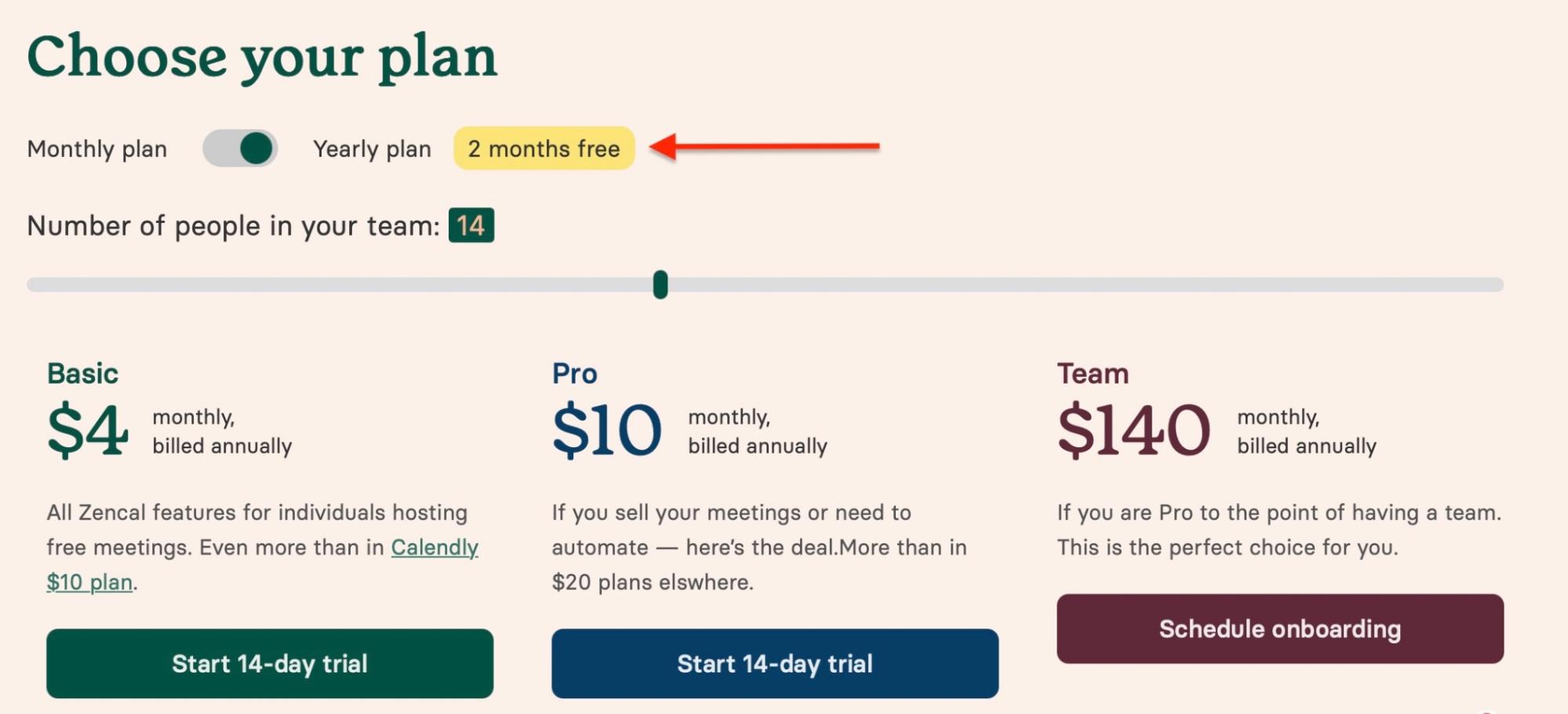
Zencal is the go-to software for all the appointment scheduling and lead management needs of real estate professionals like you. Moreover, if you choose an annual plan, you receive two months free.
FAQ
Q: What is real estate agent software?
Real estate agent software is a digital tool or platform that helps real estate professionals manage their business operations. A few examples include Zencal, RealOffice360, Placester, Buildium, and Dotloop.
Q: What are the best software for real estate agents?
The best real estate software for real estate agents are Zencal, RealOffice360, Placester, Buildium, and Dotloop. Zencal especially makes the list because of its premium features, scalability, and affordability.
Q: What is the best real estate CRM software?
The best real estate CRM software is RealOffice360. It’s built specifically for real estate and does not follow generic CRM designs.
Q: What is the best real estate booking software for individuals?
The best real estate booking software for individuals is Zencal. It offers unlimited meetings, customizable booking pages, payment integration, and team scheduling, all starting at $4/month.