6 Best Beauty Salon Software in 2026
The beauty salon software you use can significantly impact your business.
Take the example of online booking systems alone. According to Nimble AppGenie, 72% of salons have already adopted it.
The result? 24% increase in appointment bookings via digital platforms.
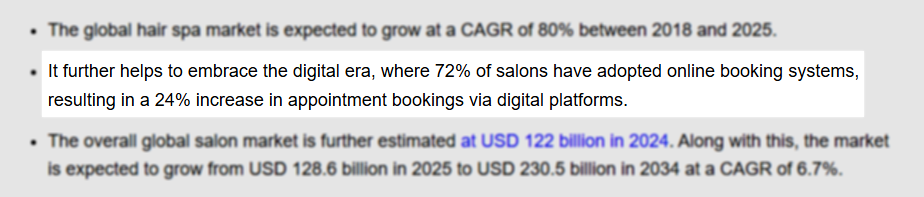
This shows that many beauty entrepreneurs and professionals understand the impact of beauty salon software. That's why they're actually using it to their advantage.
You're probably reading this article because you're looking for one that'll be a perfect fit for your business, especially when there are many beauty salon software.
No worries! This article is for you.
I spent 10 days testing different beauty salon software, and six of them got my attention.
I will review their most exciting features and share the experience I had when testing each tool.
Let's go!
Best Beauty Salon Software Compared
| Beauty salon software | Features | Ease of use | Personal rating | Starting price | Best for |
|---|---|---|---|---|---|
| Zencal |
|
Very easy | 4.5/5 stars | $4/monthly, billed annually | Small salon owners and beauty professionals looking for an easy solution to manage appointments and clients. |
| StyleSeat |
|
Easy | 4/5 stars | $35/month | Independent stylists seeking to grow their clientele with marketing, client management, and appointment scheduling. |
| Booksy |
|
Very easy | 4/5 stars | $29.99/month | Small and mid-sized salons seeking software to manage their staff and track their performance. |
| Fresha |
|
Moderate | 4/5 stars | $350/month | Large salons seeking software to sell in high volume, manage, and track product inventory. |
| GlossGenius |
|
Moderate | 4/5 stars | $24/month | Entrepreneurs seeking to customize their online booking website and manage payments. |
| DaySmart Salon |
|
Moderate | 3.5/5 stars | $29/month | Nail techs and stylists who want to build a website for online booking and manage their online reputation. |
Start your 14-day free trial and automate your scheduling today.
1. Zencal
Personal rating: 4.5/5 stars | Zencal makes it so easy to set up booking pages. It's also simple to set payment and availability options so you never double-book or miss a client.
We will start this list with Zencal, our first best beauty salon software.
I highly recommend it to small businesses and beauty professionals who want a simple, easy, and affordable booking system to manage their appointments.
This is what to expect when you use Zencal.
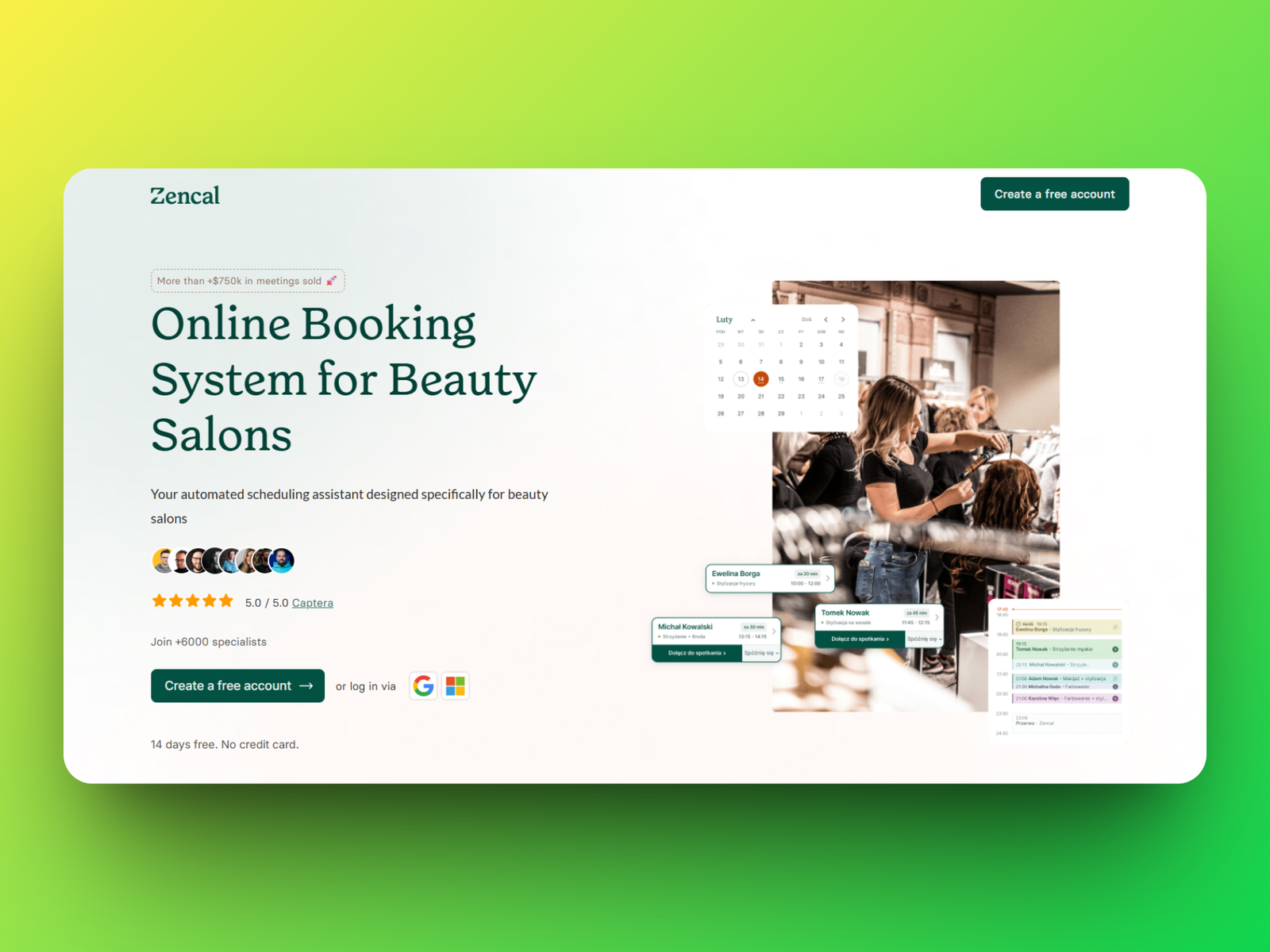
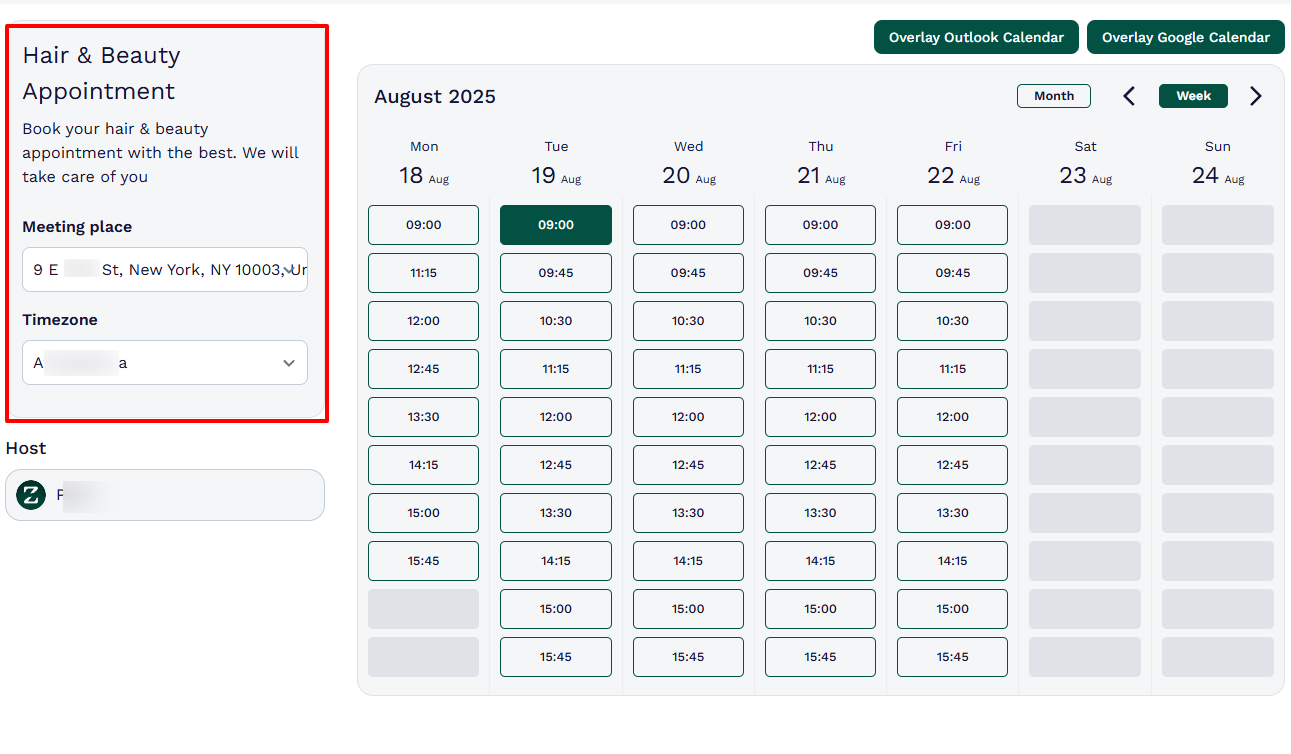
Beauty professionals will fall in love with booking pages. It saves so much time and prevents back-and-forth communication just to find the perfect day & time of an appointment.
Clients will simply choose their preferred date and time based on your availability.
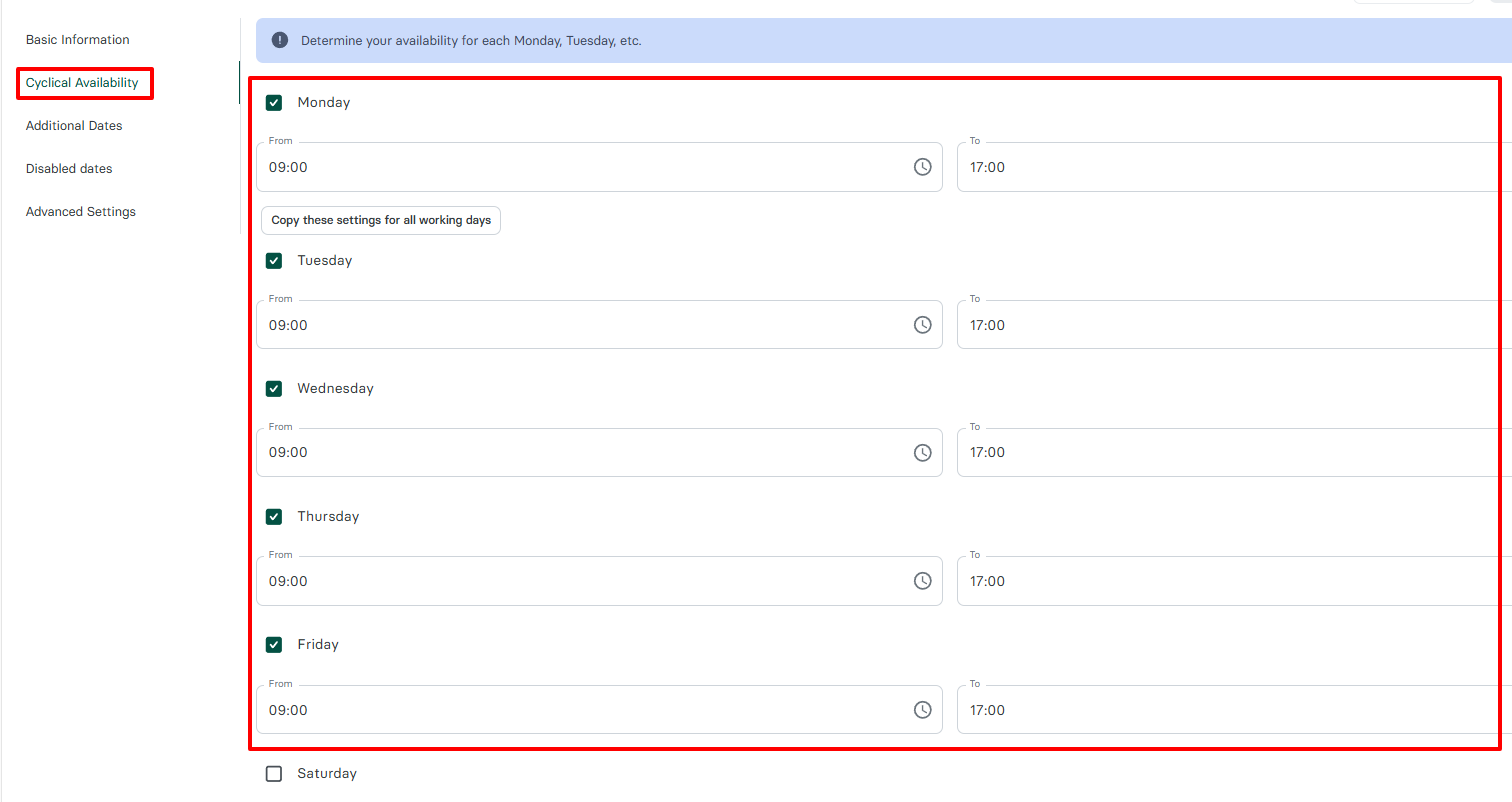
Speaking of availability, you can adjust it to your liking.
For example, say you only want to work from Monday to Thursdays for a certain period of time, but not on Friday, Saturday, and Sunday. You simply specify it.
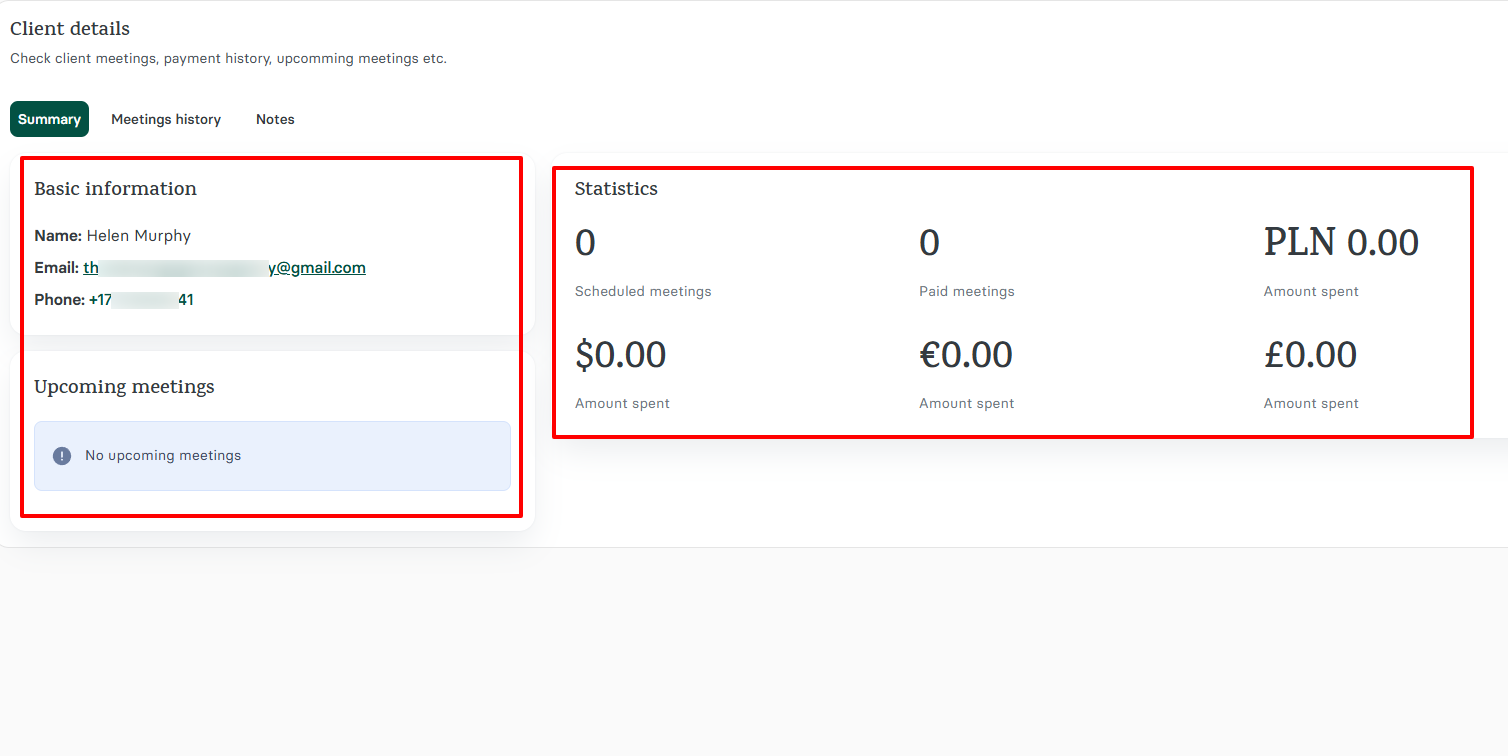
We also made it possible for you to access your clients' meeting history and upcoming meetings.
And sometimes, you may want to know how much your clients spend, especially when you offer paid meetings.
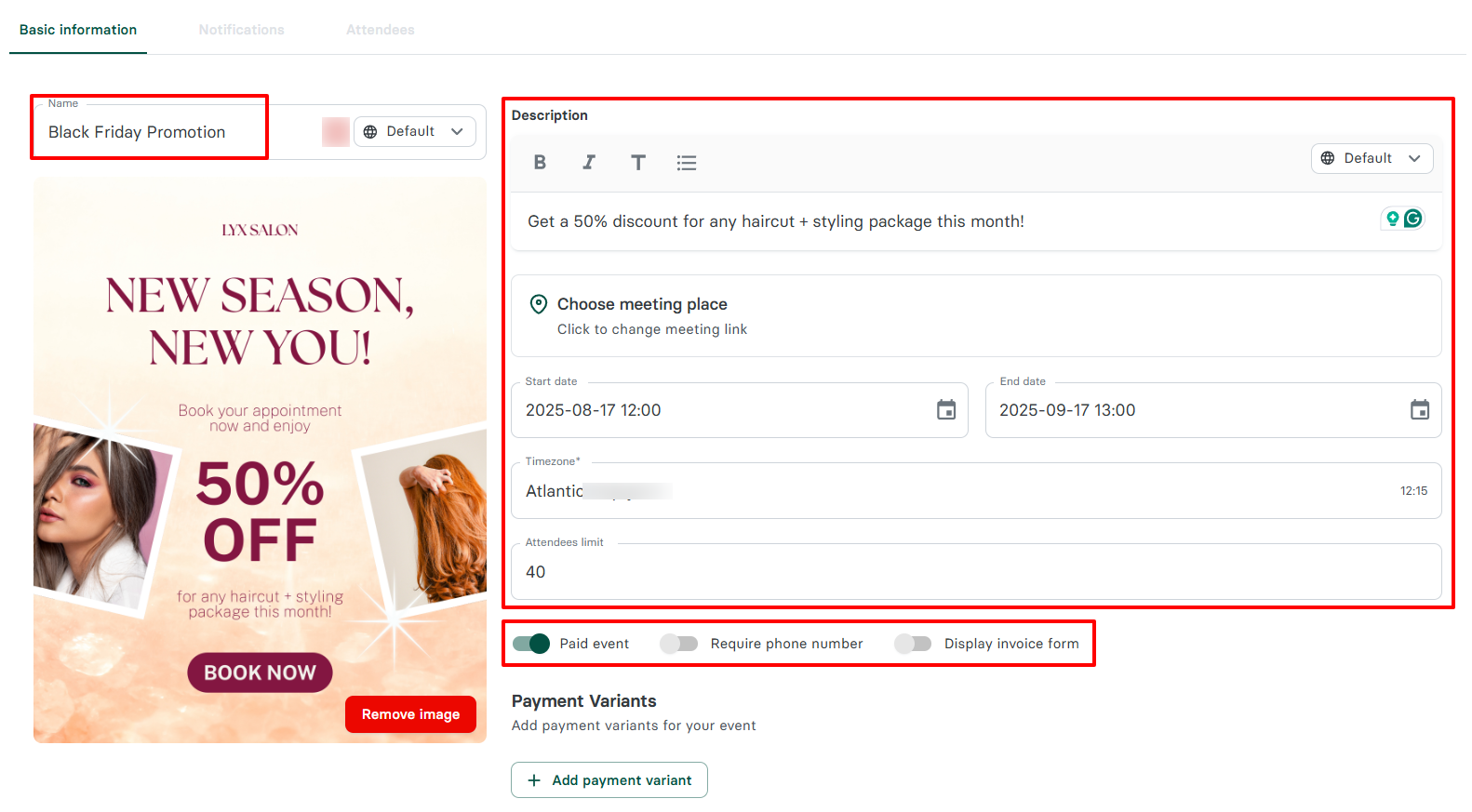
But we couldn't forget small salons that always try ways to retain their clients and attract more. They can create events and share them on various platforms.
What I loved about Zencal
1. Booking page
Just imagine two clients booking a facial care session with your salon on the same date and time. You're likely going to cancel one and confirm the other.
The client you cancelled can end up frustrated and move to a different salon. I am sure you don't want that.
To avoid such an uncomfortable situation, you need to create booking pages that display your availability and let each client book, choosing their preferred time slots.
Let's create one.
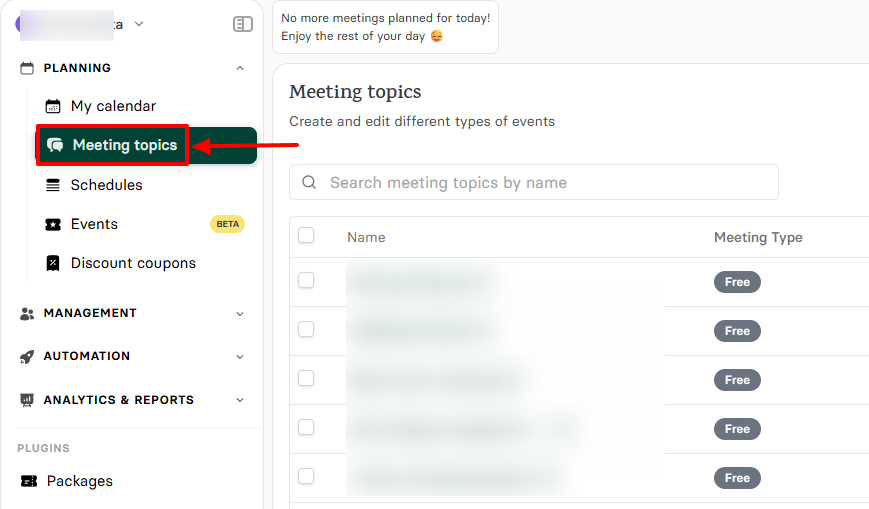
You will quickly go to "Meeting topics" after you sign in.
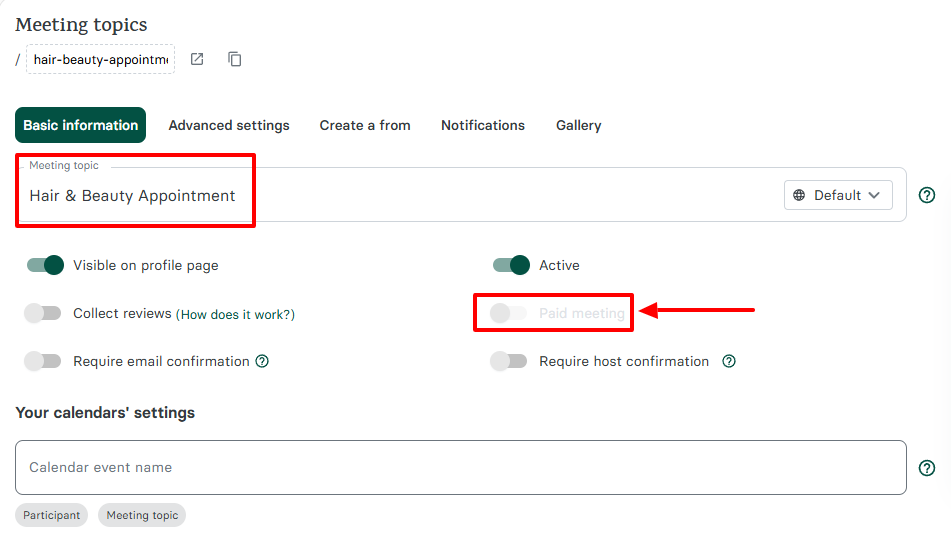
Give your booking page a clear name, and if it's a paid meeting, turn on the "Paid meeting option".
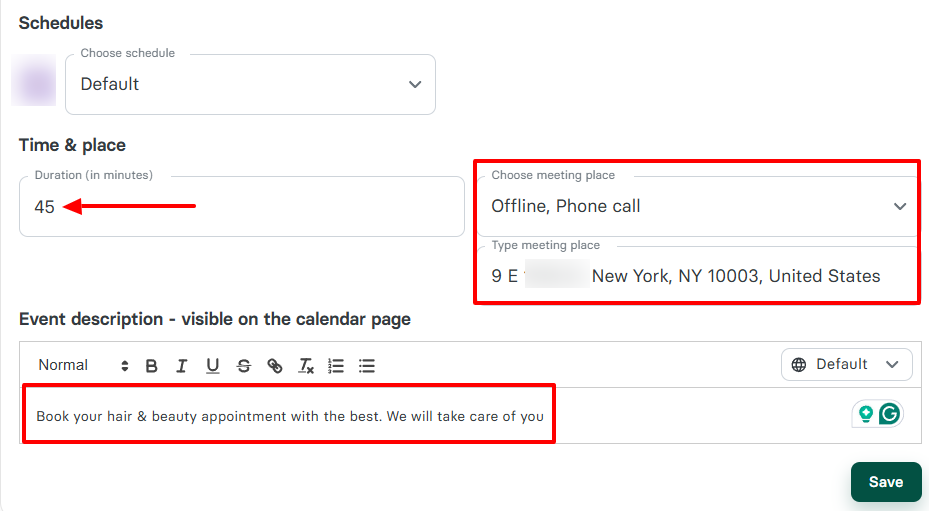
You will now specify the session's duration for the appointment, add the location, and provide a clear description of the appointment.
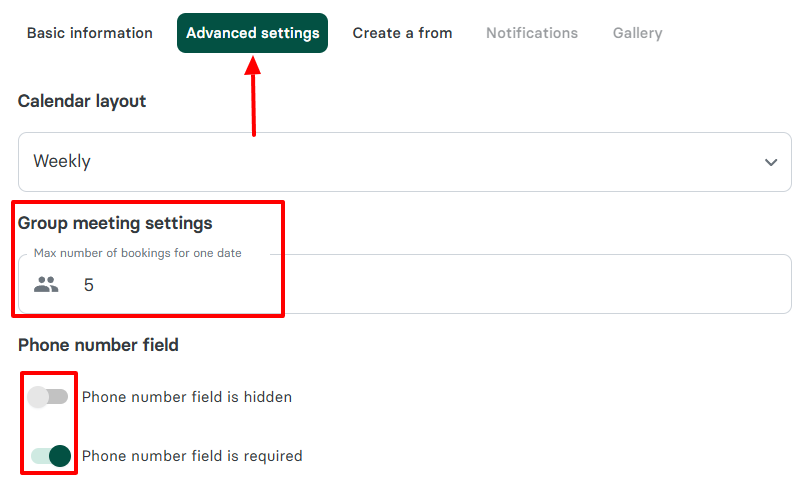
Next, you can choose the maximum number of bookings for one date. And if you want clients to add their number when booking, you can turn on the phone number field.
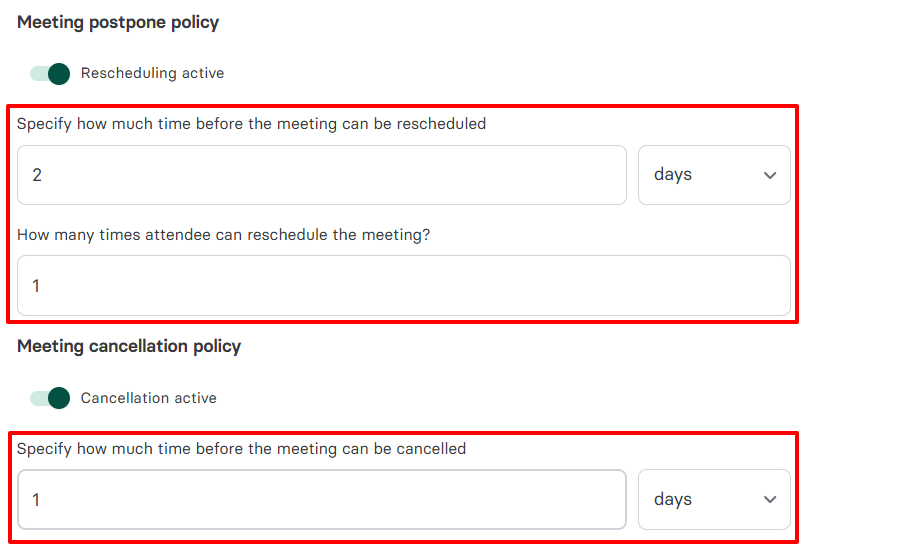
One more thing. A good beauty salon software must help you reduce no-shows.
At Zencal, one of the ways to go about it is through the meeting postponement & cancellation policy.
Let me explain!
You have the option to specify how much time before a session can be rescheduled or cancelled.
And the number of times clients can reschedule a session. This literally means you can allow clients to reschedule a session 3, 4, or 5 times, for example.
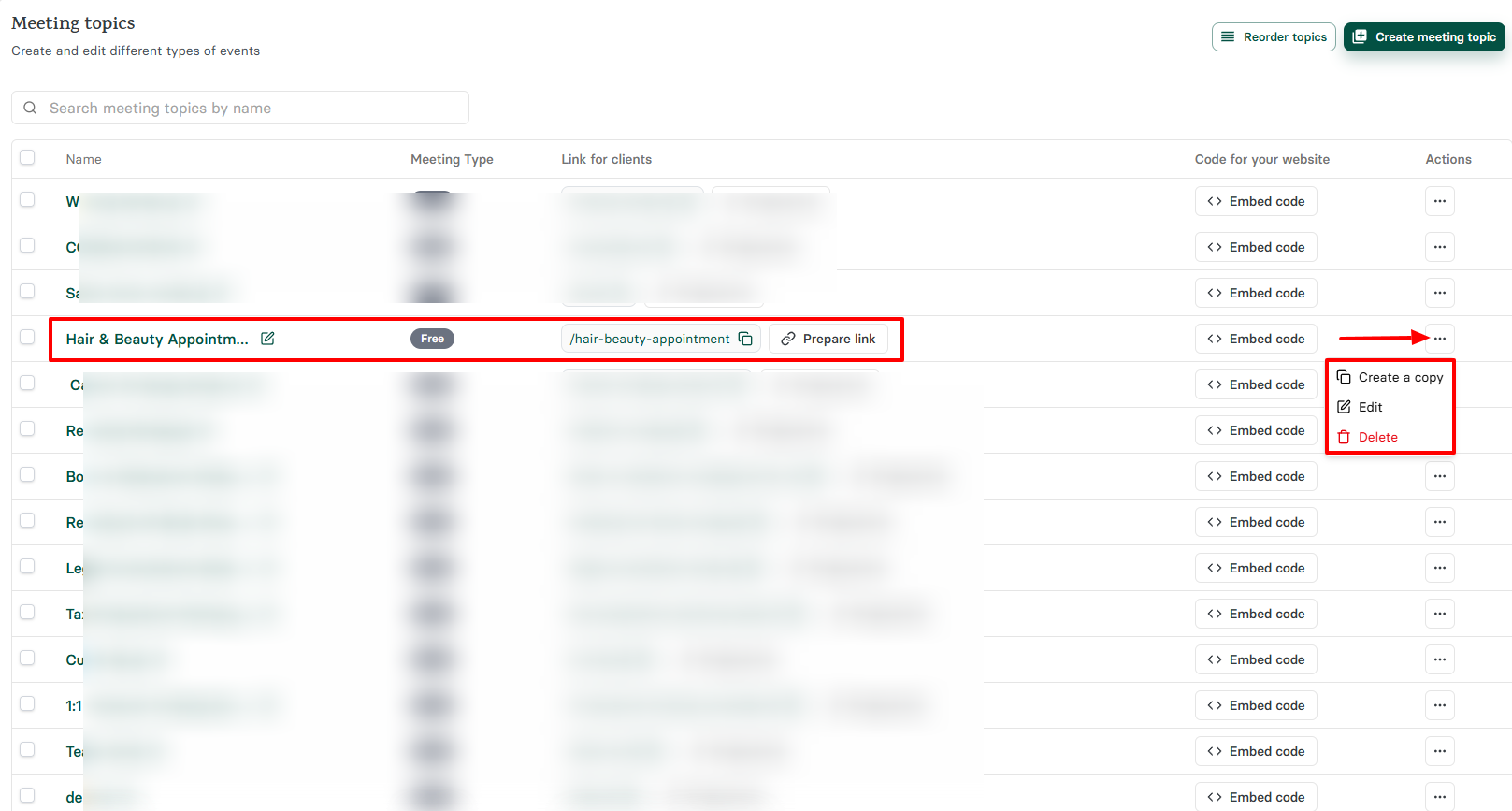
Since our booking link is ready, we can copy, share, or even embed it. And if you click the three-dot menu, you can create a copy, edit, or delete it.
The process was so simple! If you followed it through, you may end up with a beautiful booking page like this.
2. Client management
What is a beauty salon without clients? I think you have your answer.
Since they are so valuable to your business, you must have a way of managing them.
Our client management feature doesn't just let you add them. You have access to their meeting history and see their expenses.
To have a clear idea, go to Clients under Management.
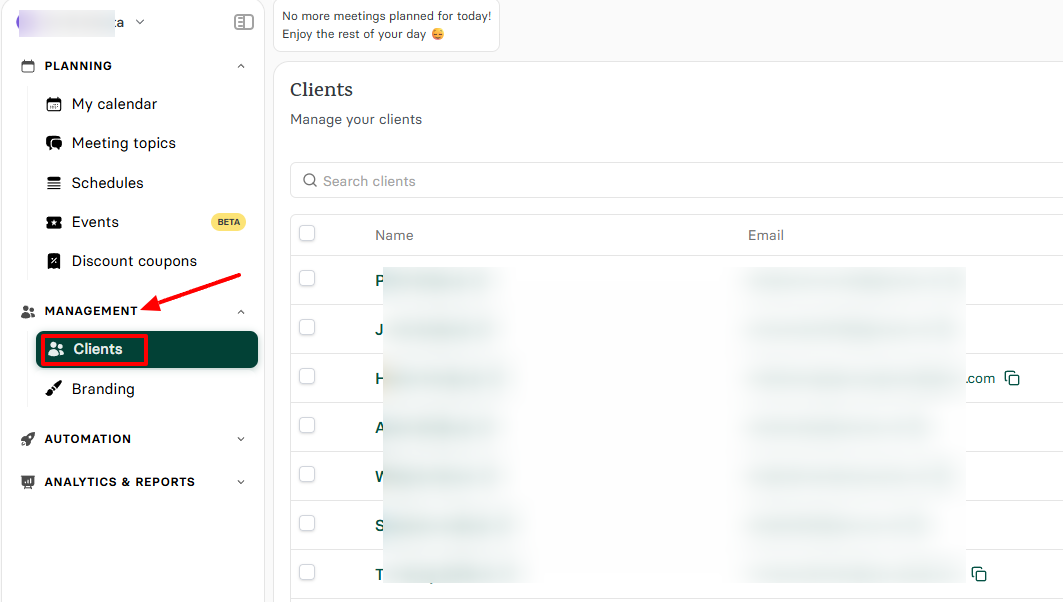
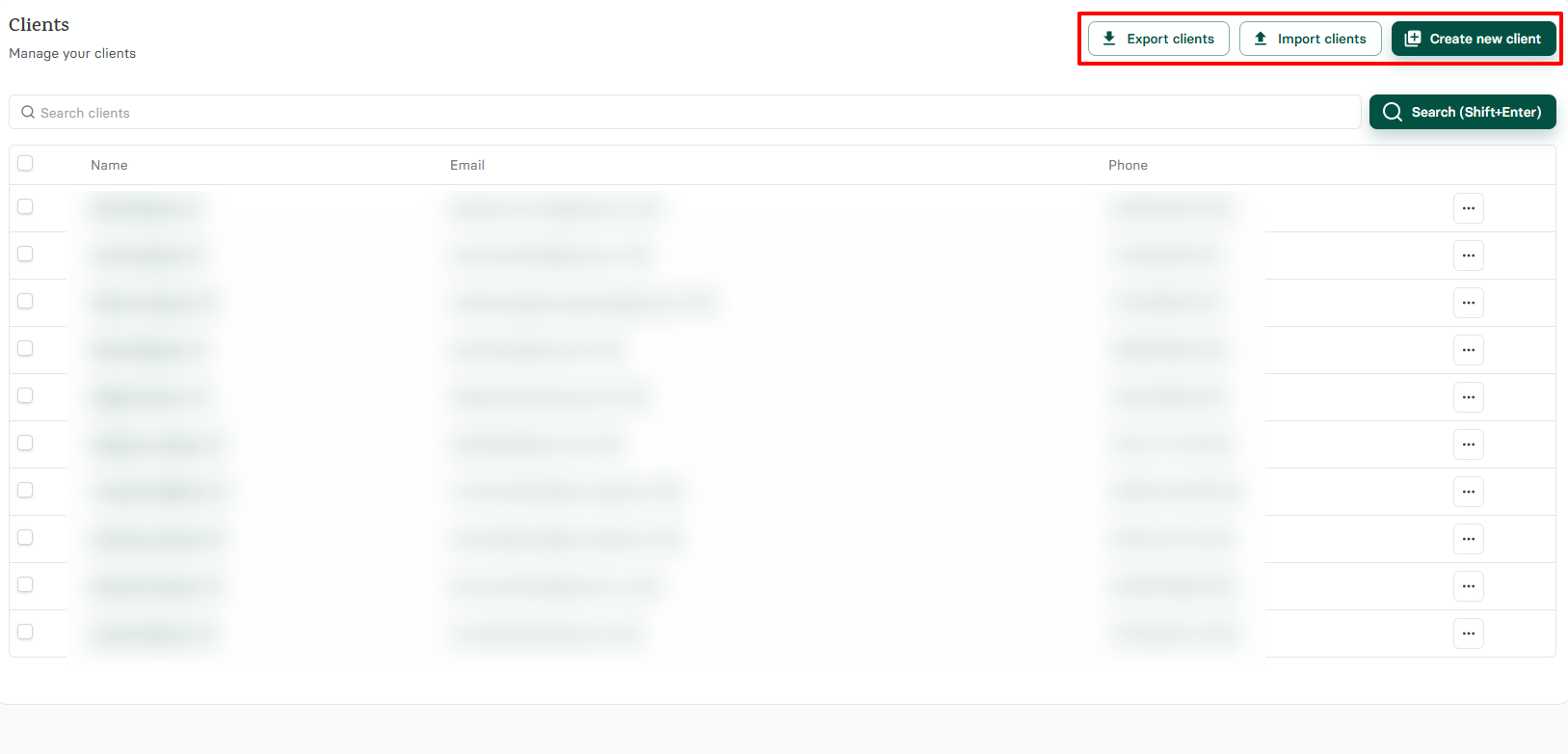
As I mentioned earlier, you can manually add your clients. But you can also import or export.
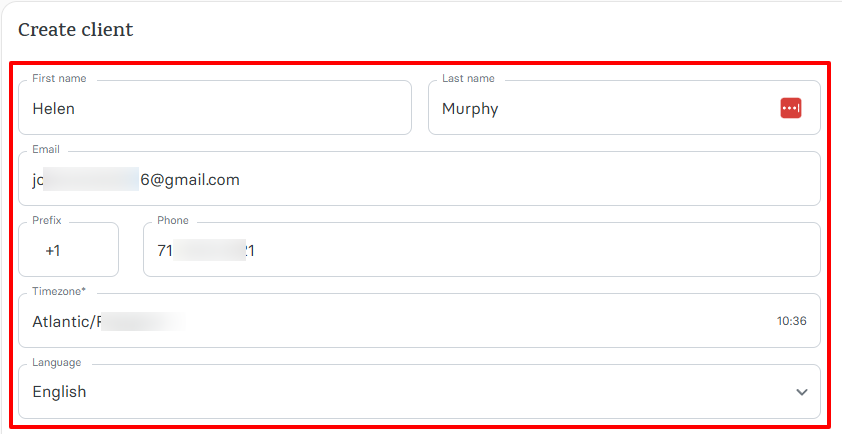
To add a client, you simply enter their first & last name, email, and phone number. You can also choose a timezone and a language.
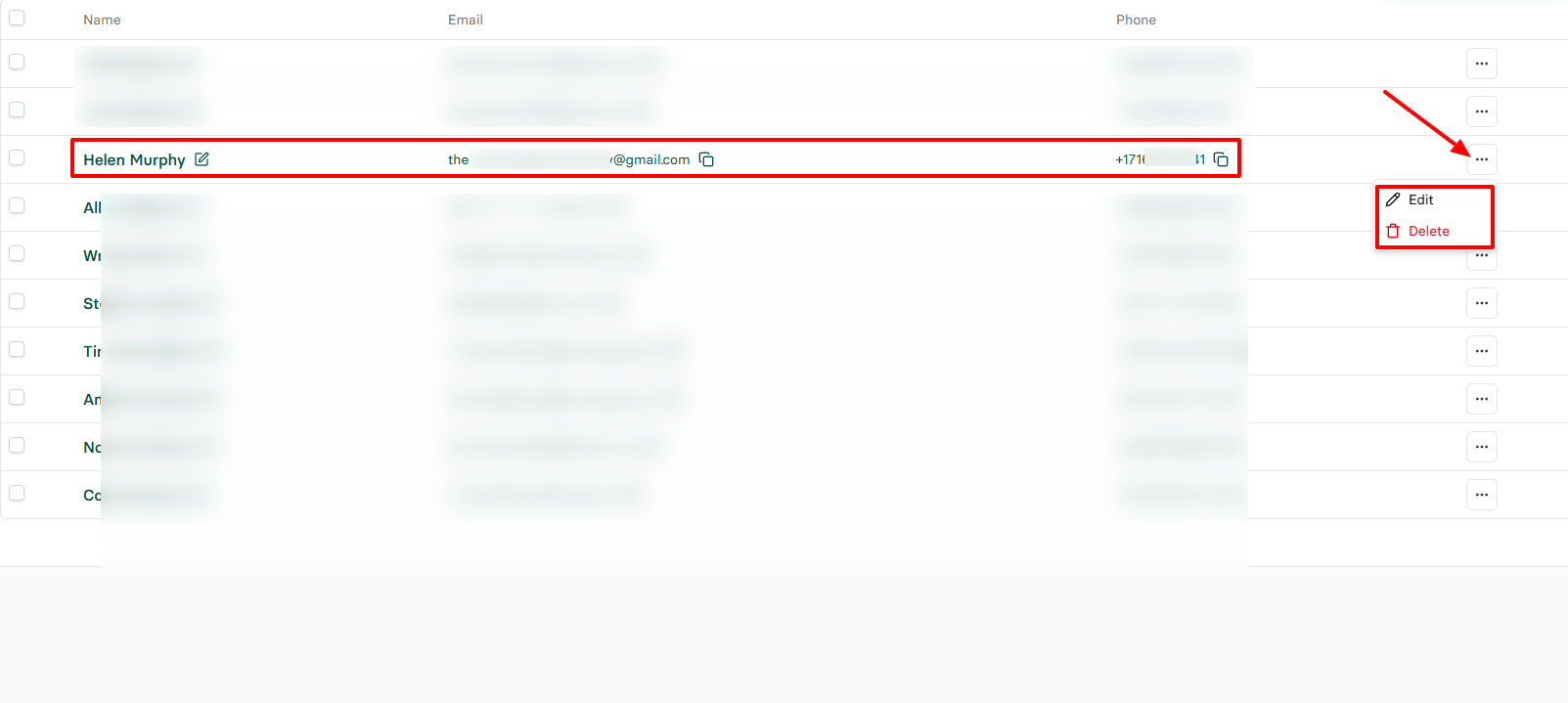
When clients are on your platform, you can still edit their information or delete them.
But click on a client's name if you want more insights.
If you do so, you will see their meeting history and upcoming sessions. And the left side displays a dashboard with the amount they spend.
3. Schedules
If you are a beauty professional, you may want to work at your own pace. My guess is you want the flexibility to set your own working hours and days.
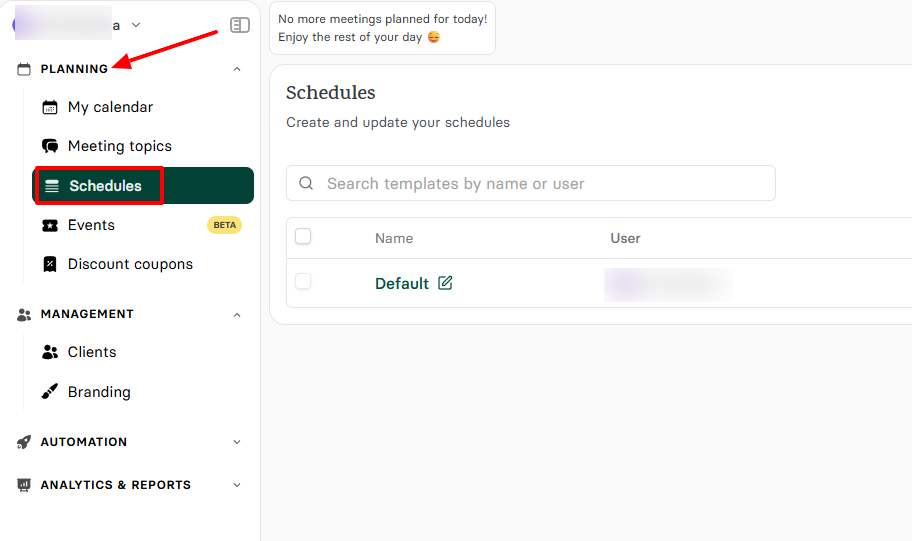
Use our Schedule feature to do so.
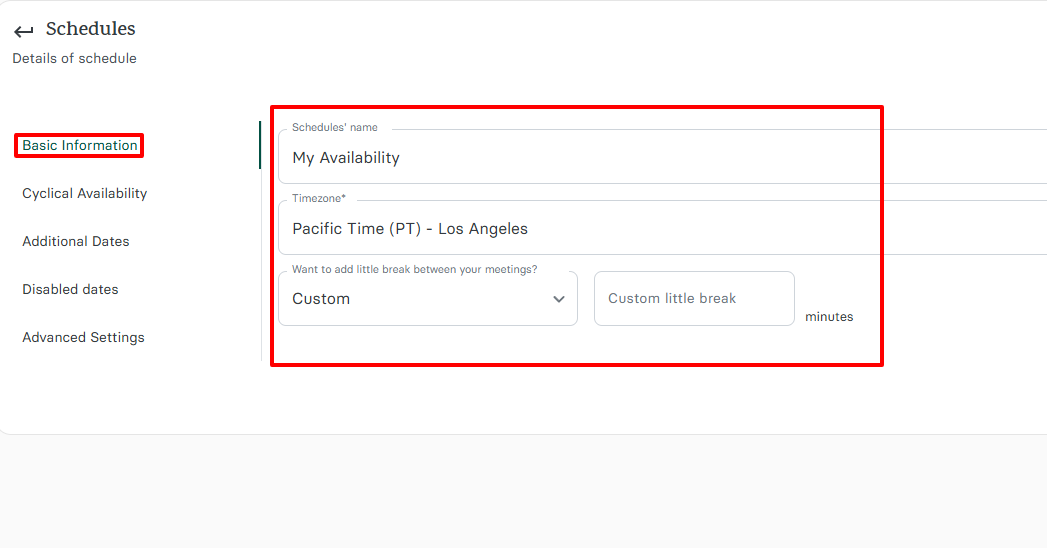
Choose a name for your schedule, and choose your preferred timezone. Aside from that, you can add time breaks between your sessions.
You can adjust it the way you want.
Select the different days you want to offer your services and set your working hours.
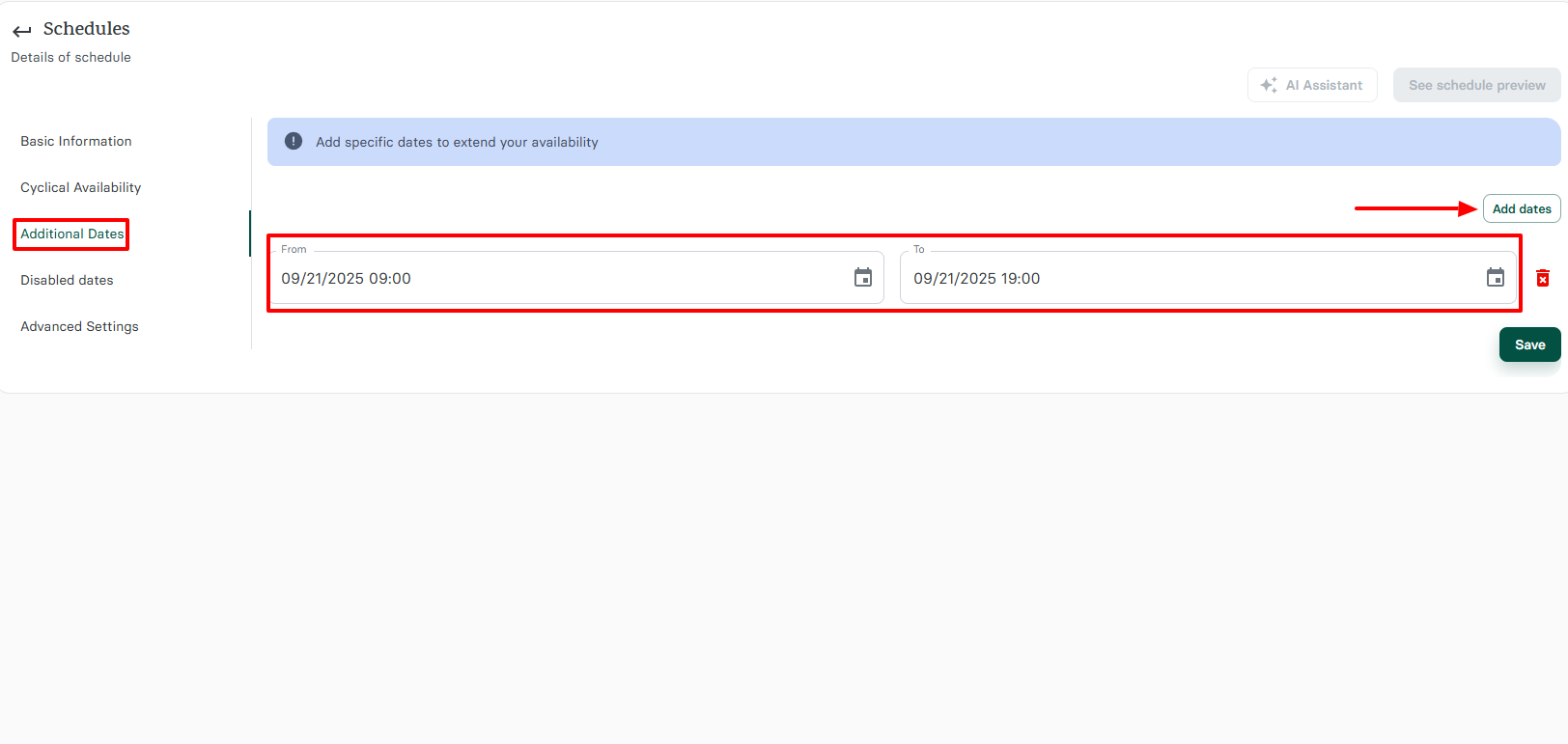
There might be a special date you may want to extend your availability.
Let's say in your normal routine, you work every day from 9:00 am to 4:00 pm. But there is a particular day or date you want to add 3 hours to your working hours and close at 7:00 pm.
You can just specify that.
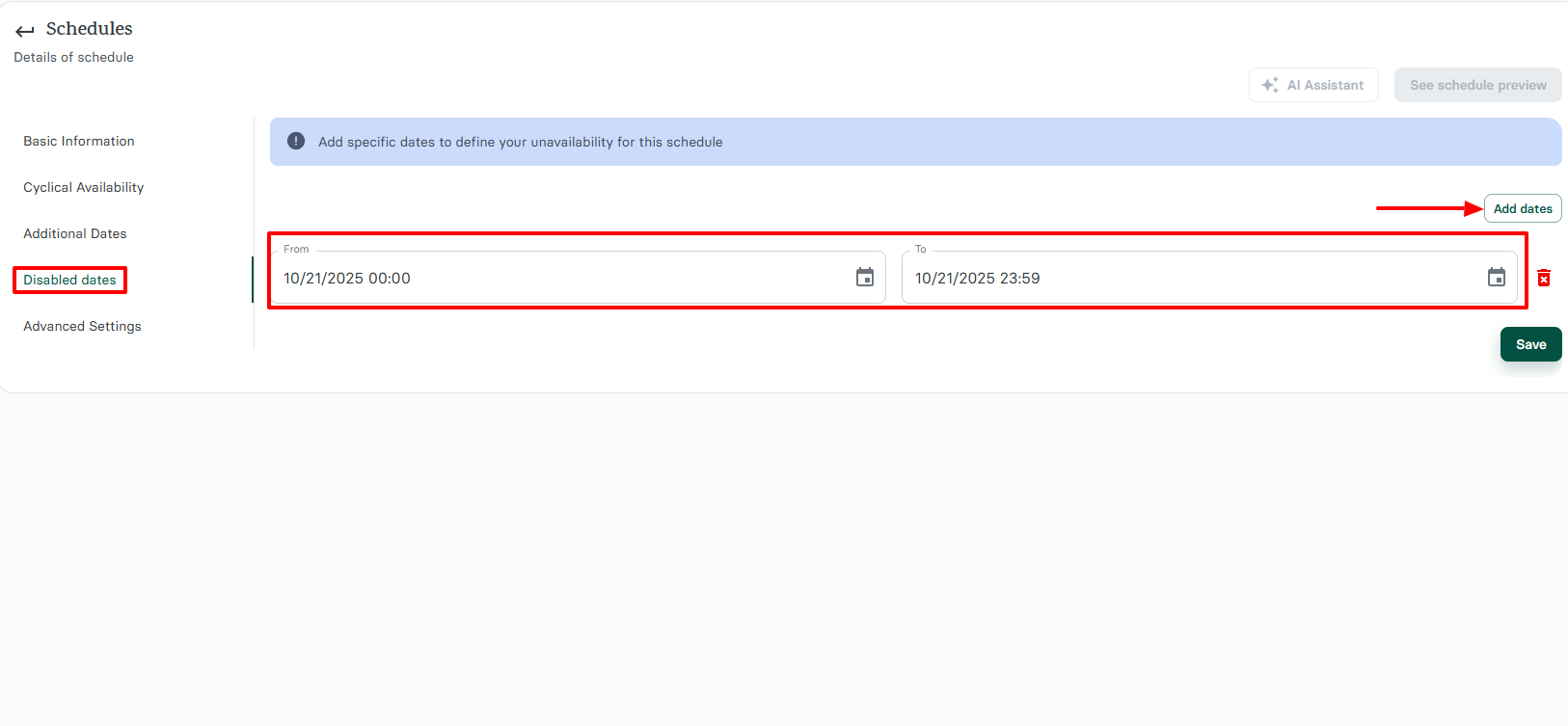
But it also works the other way around. You can specify dates and times you may be unavailable.
What I Loved and What I Struggled With
| What I Loved | What I Struggled With |
|---|---|
|
|
Best for
Zencal is best for small businesses and beauty professionals who want to schedule, manage appointments easily, and receive payments.
Pricing
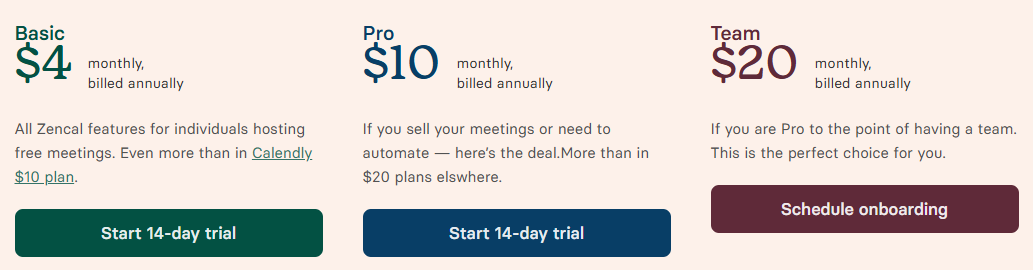
- Basic: $4/monthly, billed annually
- Pro: $10/monthly, billed annually
- Team: $20/monthly, billed annually
Start your 14-day free trial and automate your scheduling today.
2. StyleSeat
Personal rating: 4/5 stars | I love how simple it is to create personal appointments and client profiles. You can also create and send great email campaigns to your clients.
Next on this list is StyleSeat.
I recommend it to independent stylists who are still growing their clientele, want to create appointments, and send emails to clients.
There are many ways you can use StyleSeat.
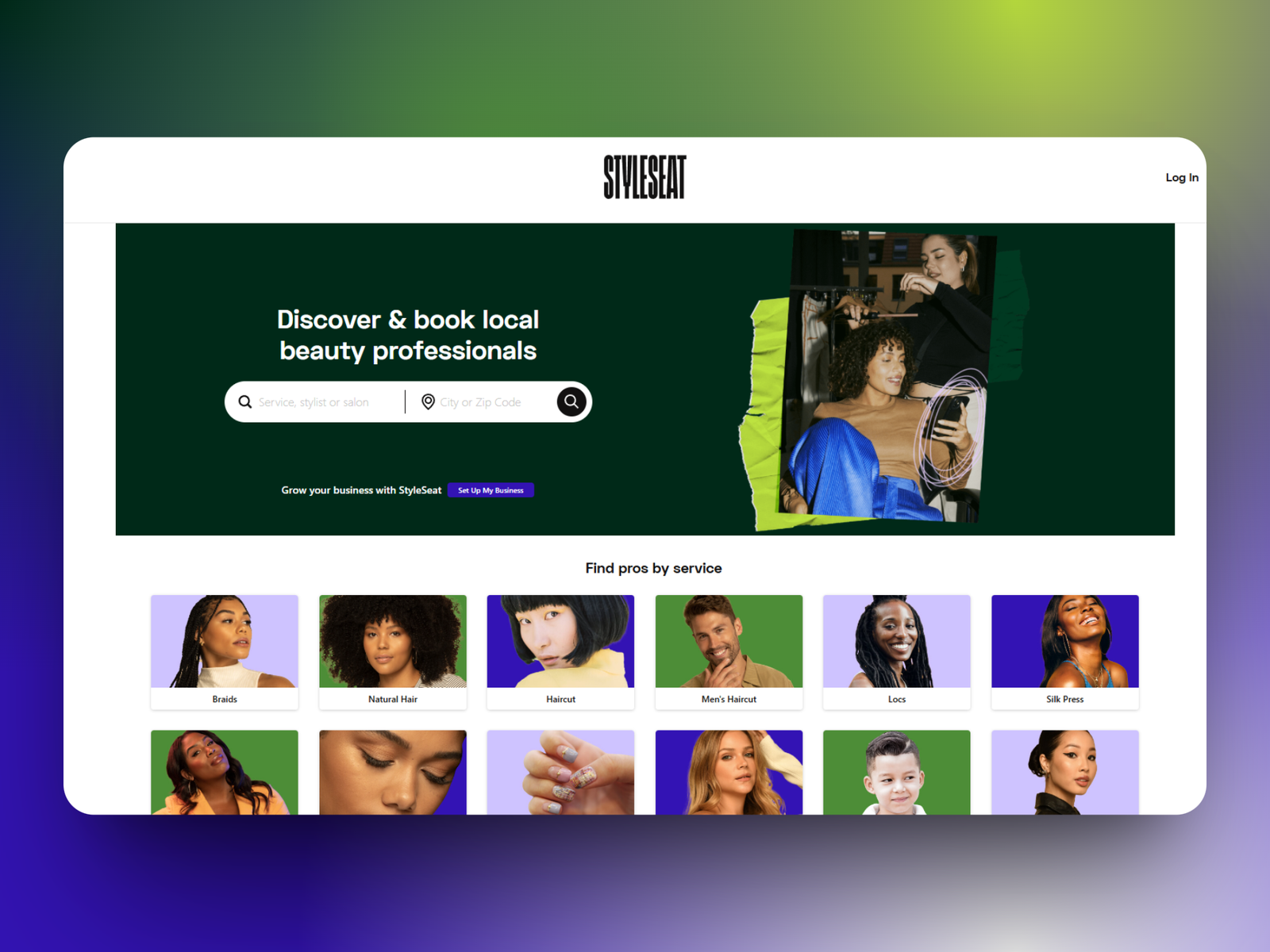
When you are an independent stylist, your needs are different from those of a large salon. You don't need to manage +10 staff members, for example.
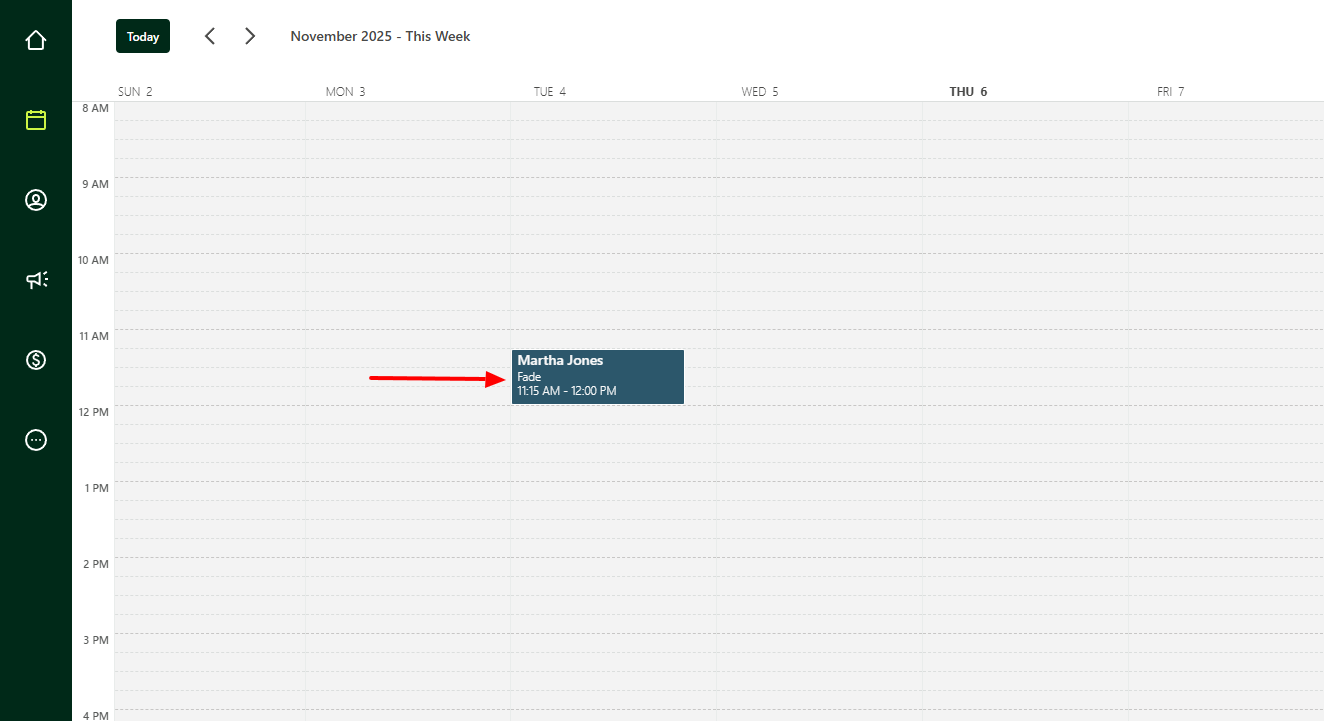
You simply need to create simple appointments in your calendar with your clients.
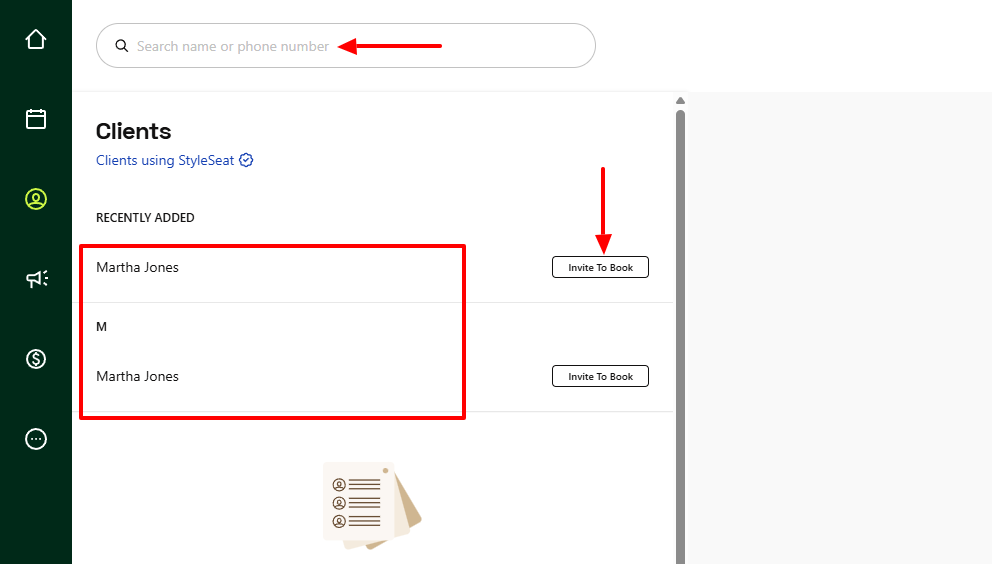
Another need is to add your clients to your platform and invite them to book.
Now, you may also need to send them email marketing from time to time. I realized that you simply can't retain a client if you stop reaching out to them.
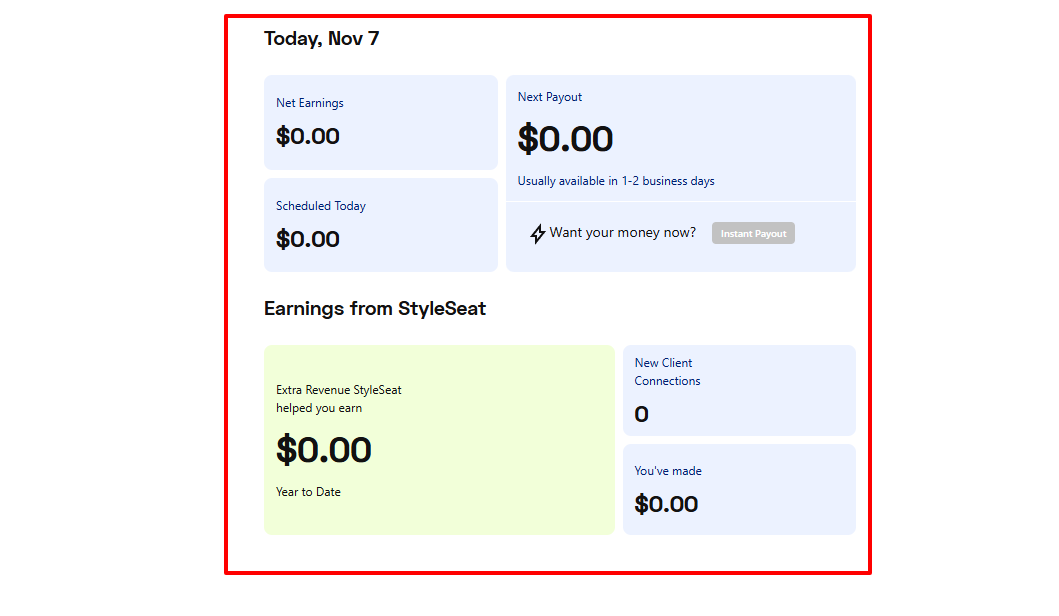
You probably guessed I couldn't end this list without mentioning money. Tracking how much you make and knowing your next payout is one thing I like about StyleSeat.
What I loved about StyleSeat
1. Calendar
When you work as an independent stylist or barber, you need to create appointments as quickly as possible.
To do so on StyleSeat, I will go to Calendar.
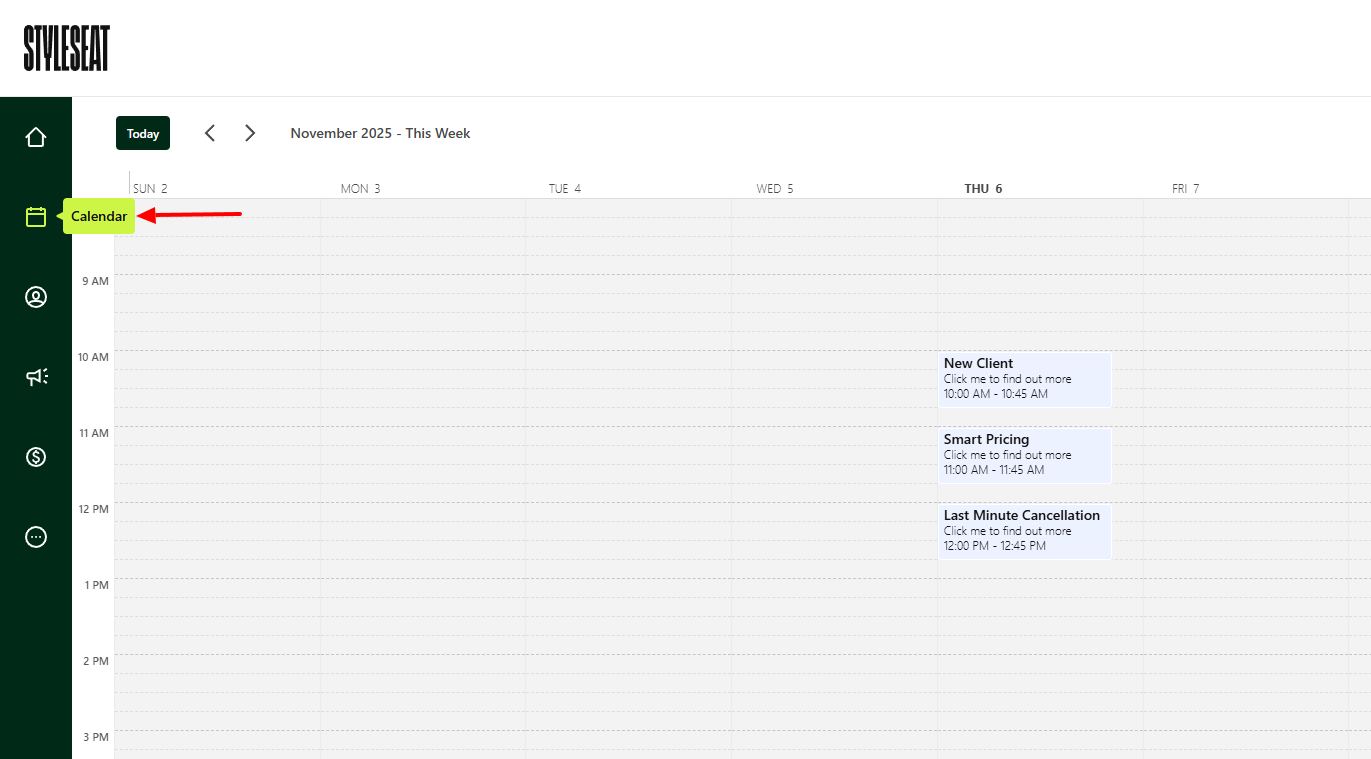
What's interesting is that I could create two types of appointments: client or personal.
Say I create my appointment with a client. I will select a date and time, enter the client's name and phone number. Then I add the services I'll provide and my price.
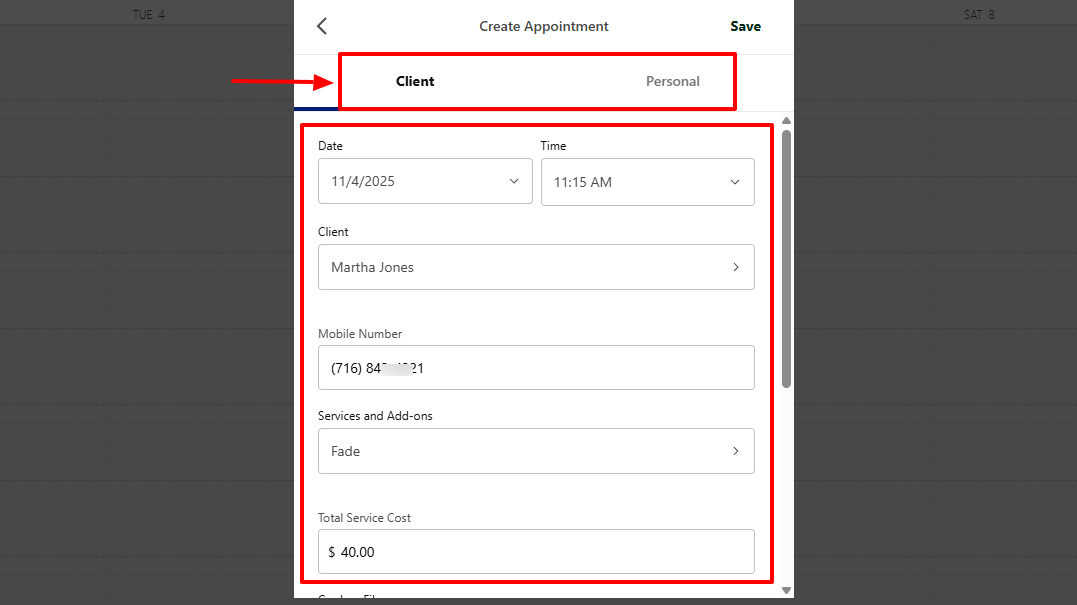
I can still add my card, a note, and specify the appointment duration.
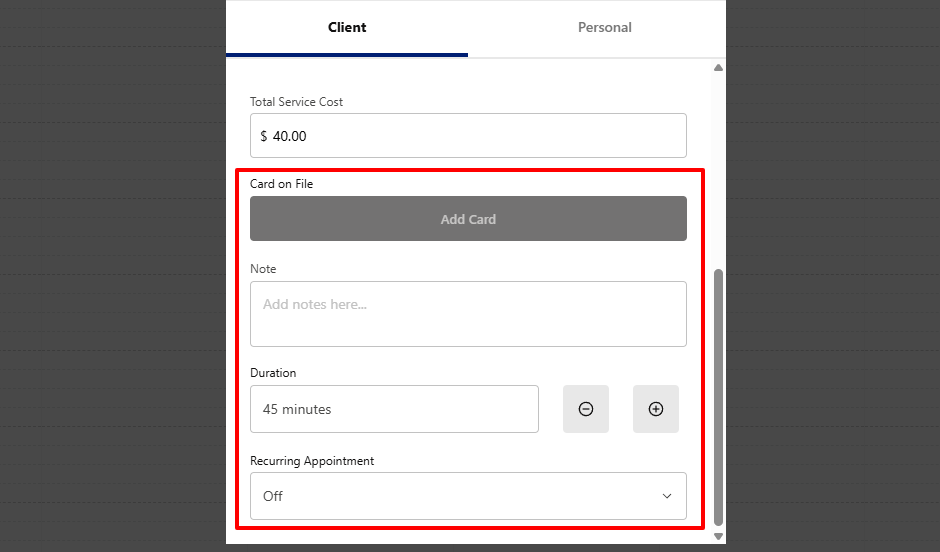
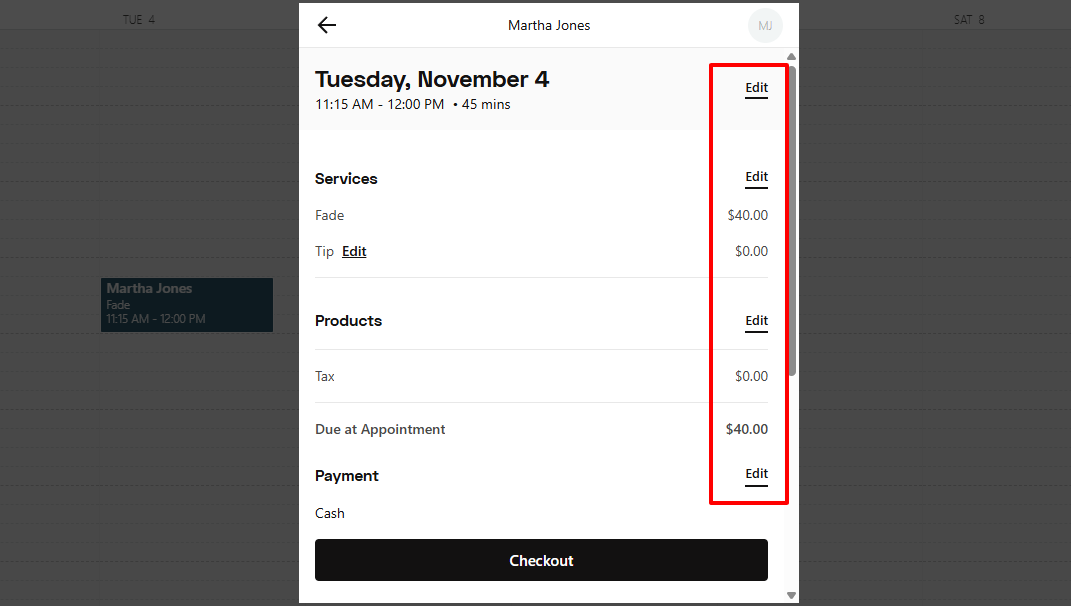
Once you're done, the appointment will appear right inside the calendar.
By clicking it, you can verify all the details of the appointment. And you can edit any of them.
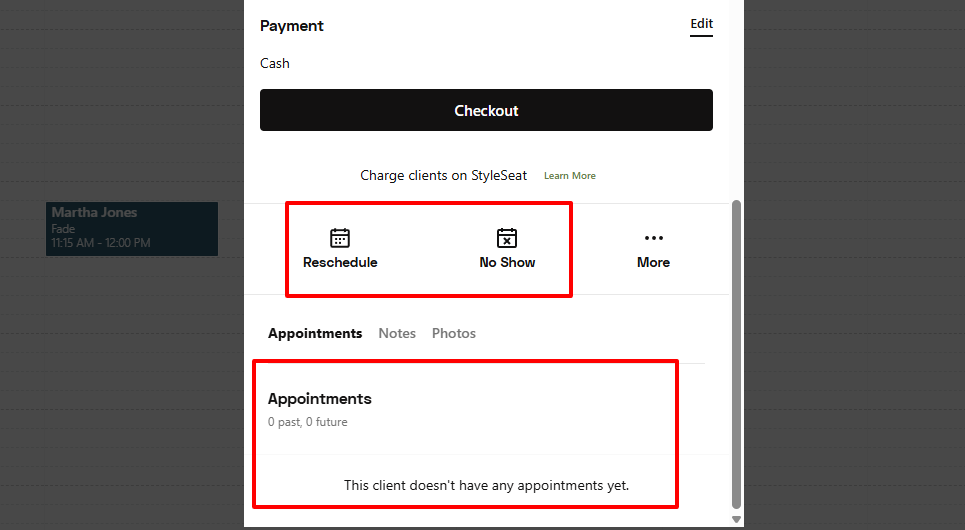
Below you can reschedule or mark it as a no-show. You will also view the client's appointment history.
2. Clients
Remember, your business is still a business because of clients. I am saying this so that you understand you must manage them very well.
Using StyleSeat, you can add or import clients.
Let me show you how.
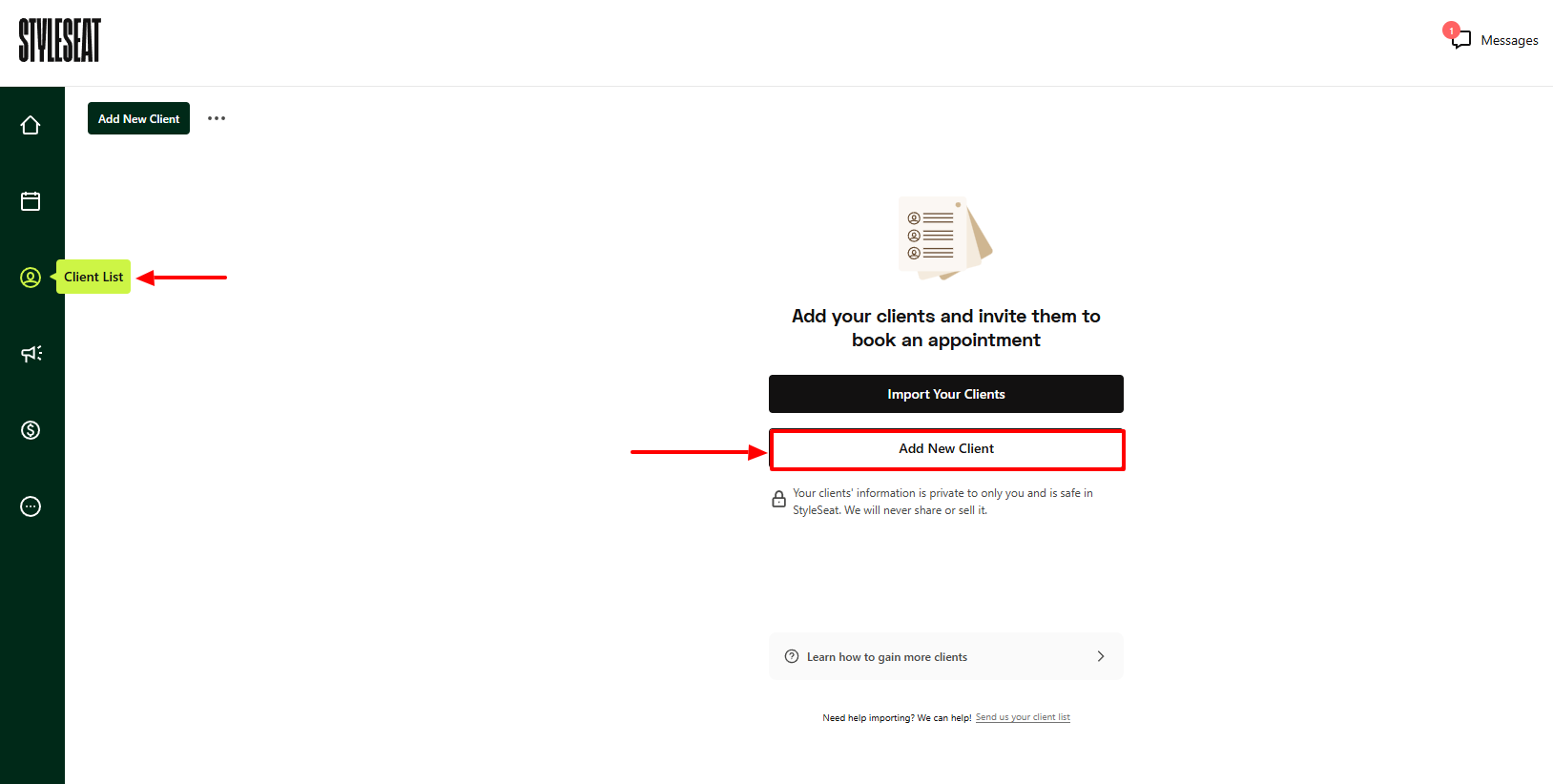
Start by entering the client's full name, email, phone number, and selecting their pronoun.
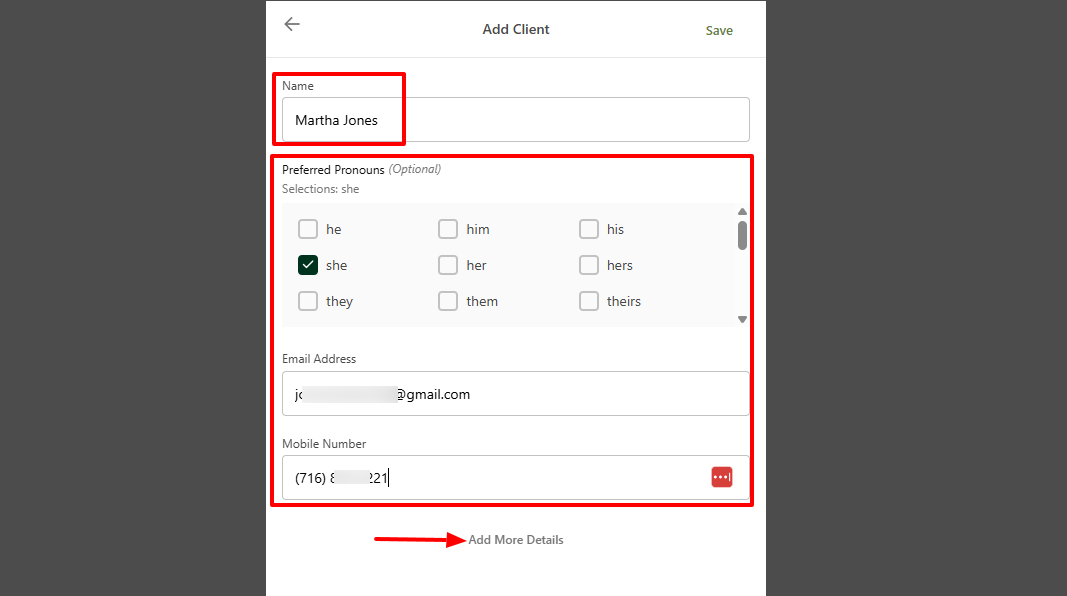
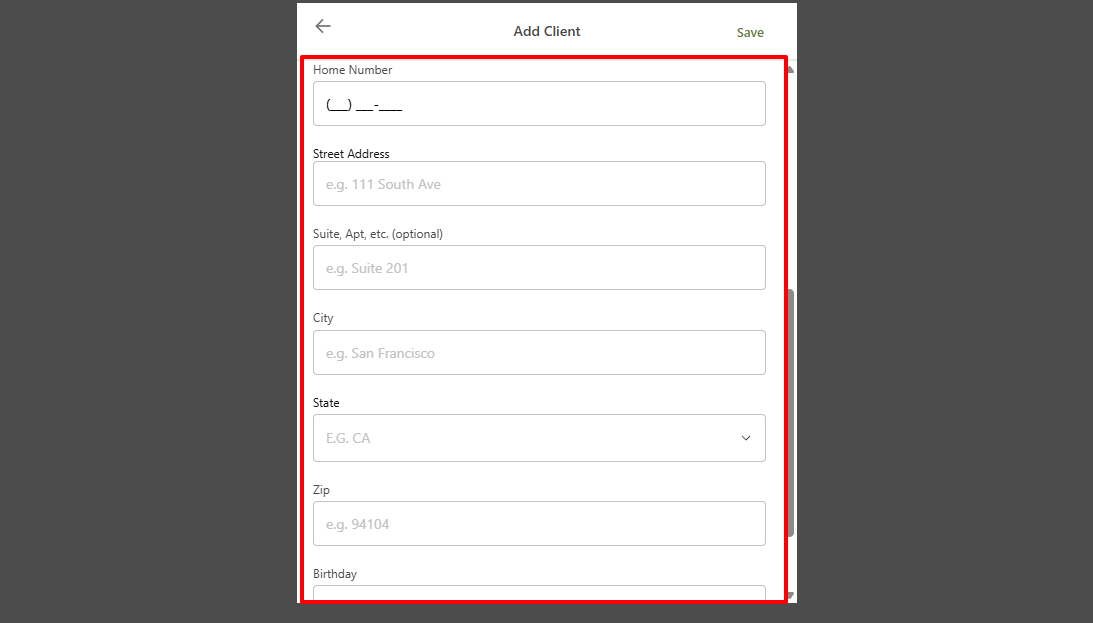
But these aren't the only details you could add!
You could enter their home number, city, state, and even birthday, among others.
Now, if you have a lot of clients on the platform, and you're struggling to locate one. You can use the search bar to enter their name or phone number.
Once you add your clients, you can take the next action, which is inviting them to book.
3. Marketing
With the Marketing feature, you can create promotions, loyalty programs, or email marketing. This is great because it can help attract and retain clients.
Let's try the Email Marketing feature, for example.
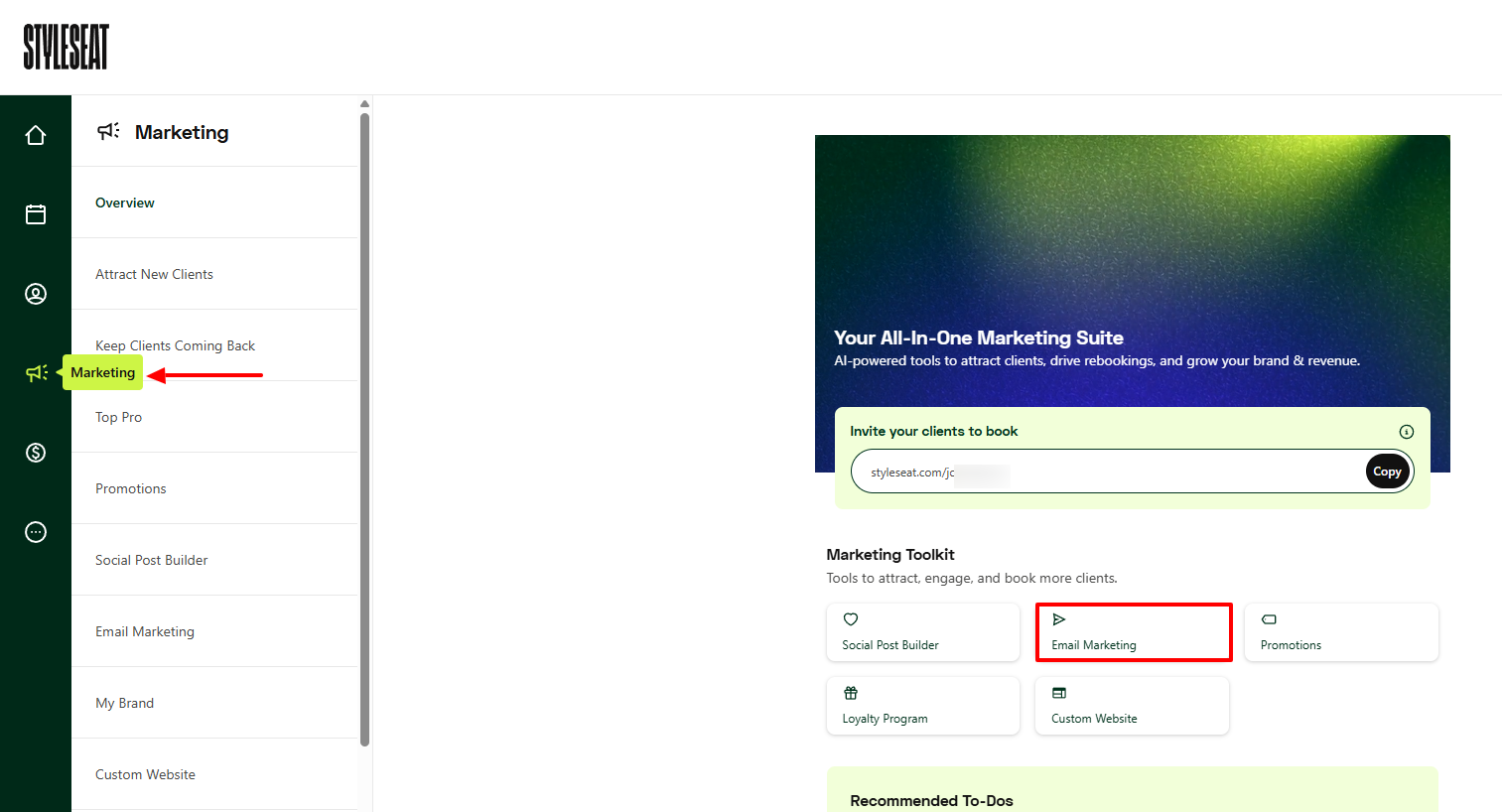
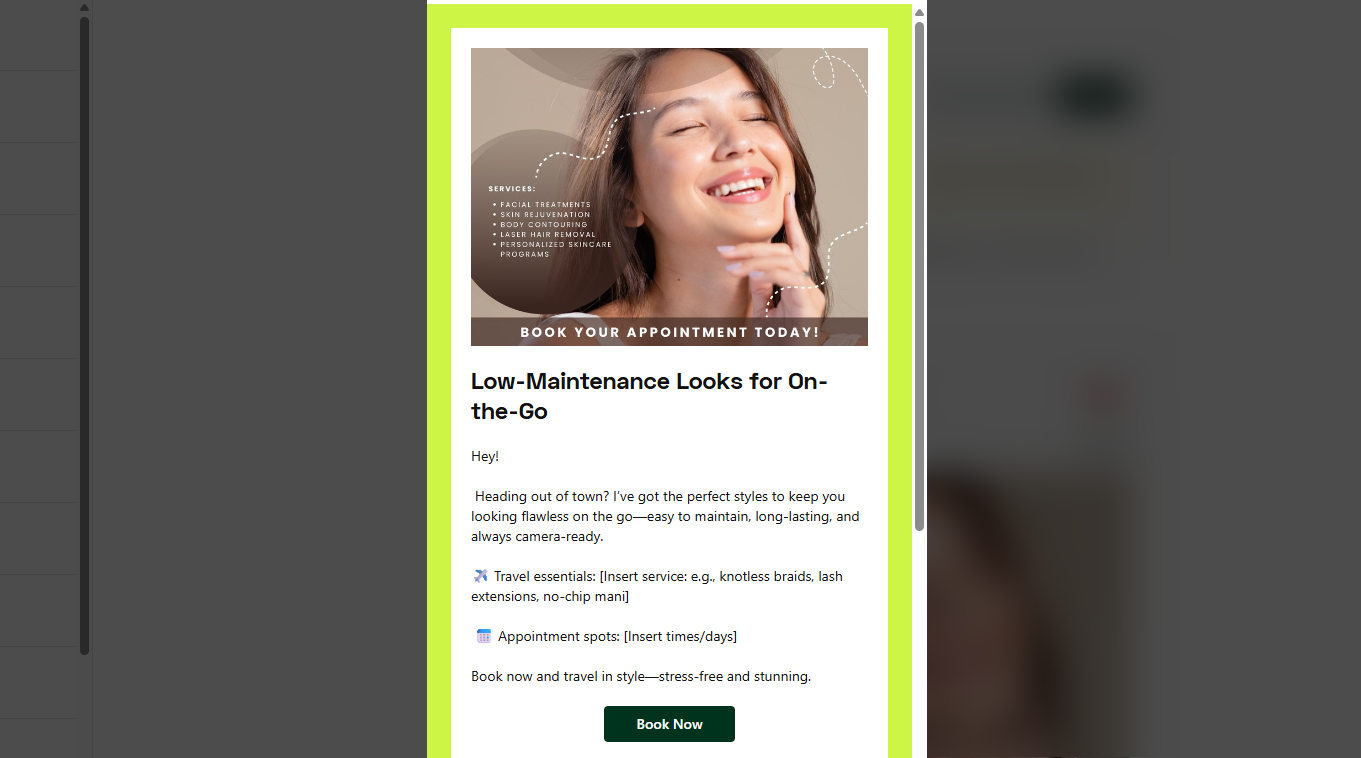
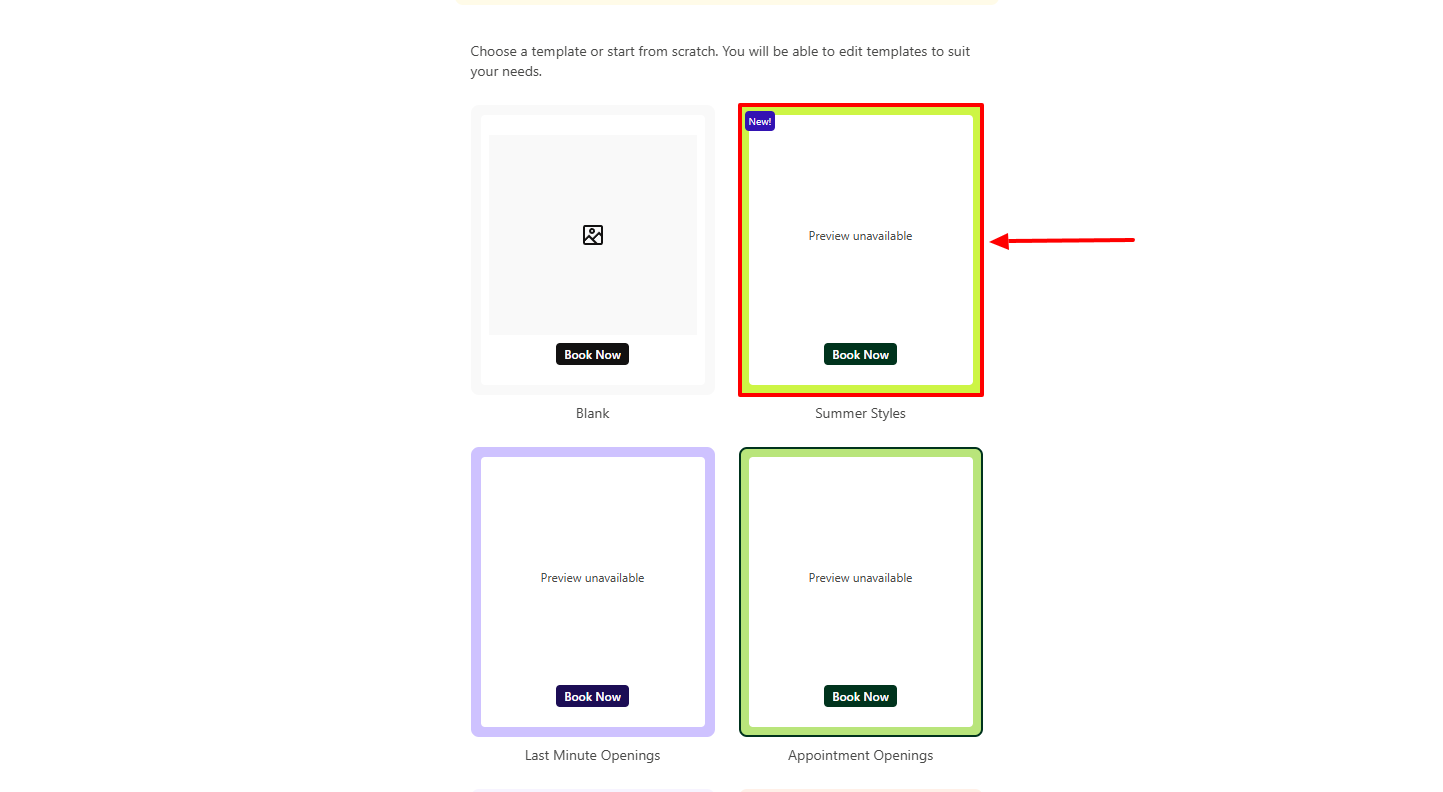
StyleSeat offers many templates you can choose from. Let's go with the Summer Styles.
I will add the email subject line, upload an image, then enter a title, and my message.
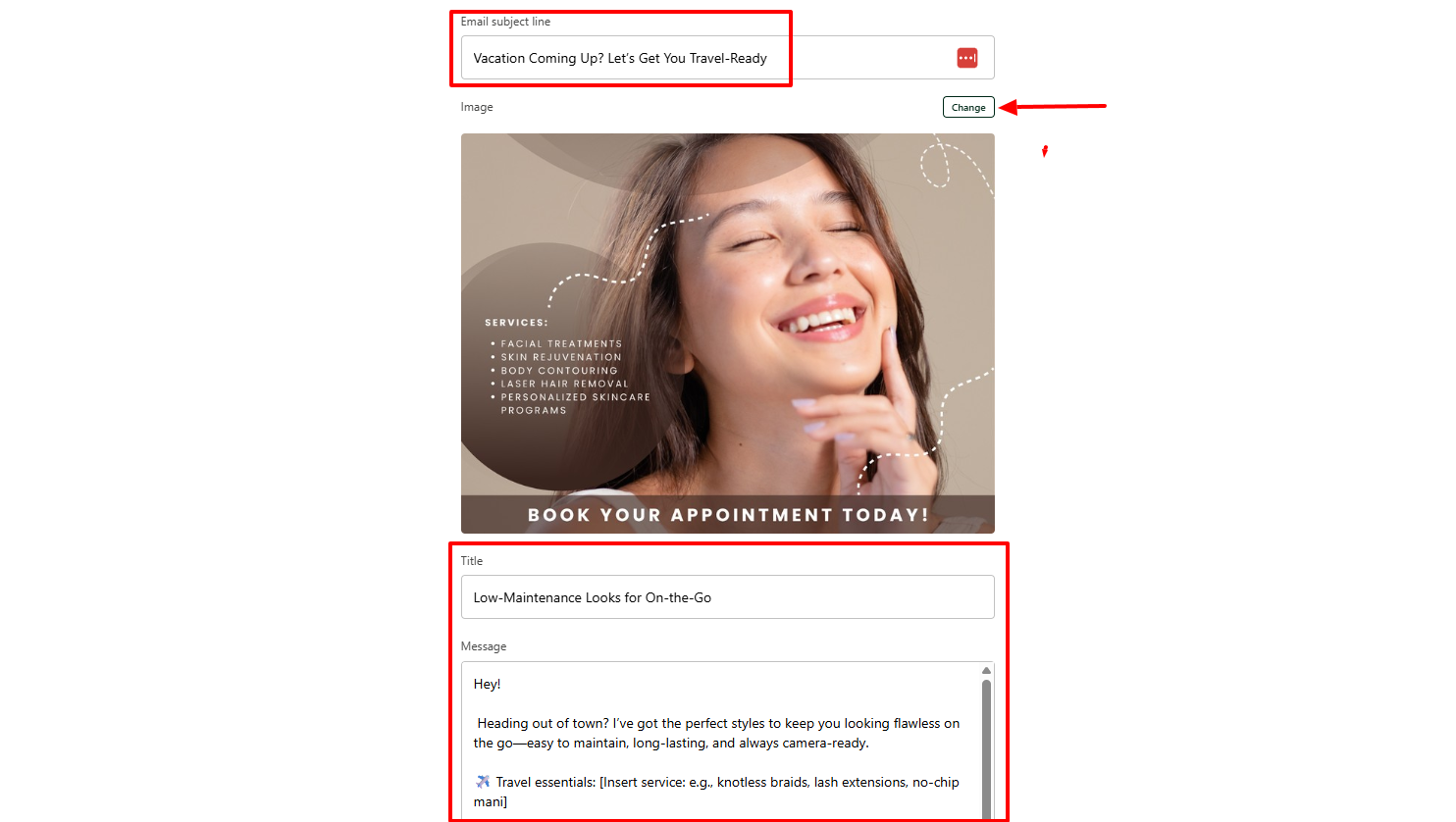
That's it! This is an example of what the client might receive.
What I Loved and What I Struggled With
| What I Loved | What I Struggled With |
|---|---|
|
|
Best for
StyleSeat is best for independent stylists seeking to grow their clientele with marketing, client management, and appointment scheduling.
Pricing
- Everything: $35/month

Start your 14-day free trial and automate your scheduling today.
3. Booksy
Personal rating: 4/5 stars | With Booksy, I can easily add staff members, assign them services, and set their working hours.
We continue this list of the best beauty salon software with Booksy.
I highly recommend it to small and mid-sized salons seeking software to manage their staff and track their performance.
Now let's see more of it!
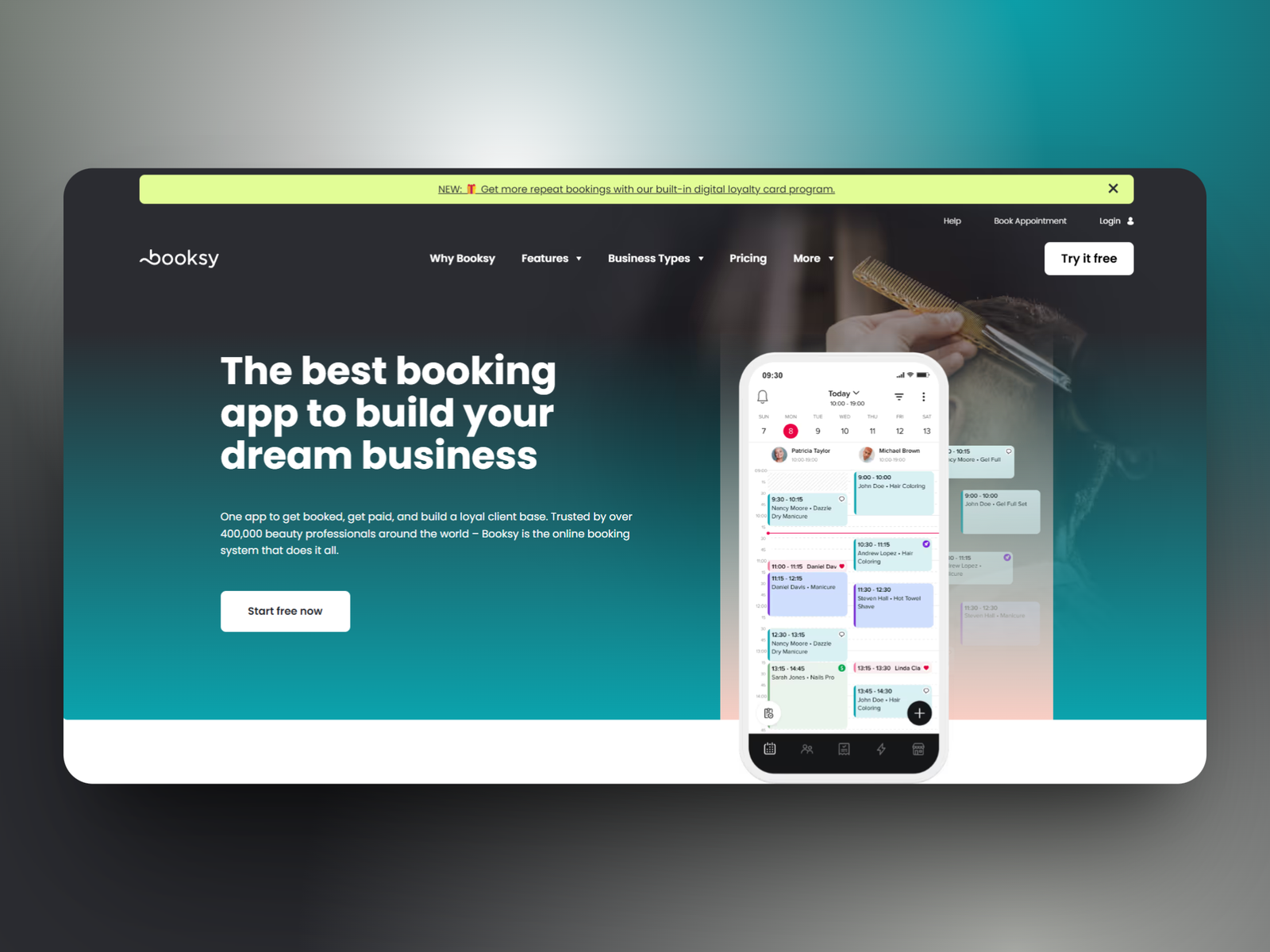
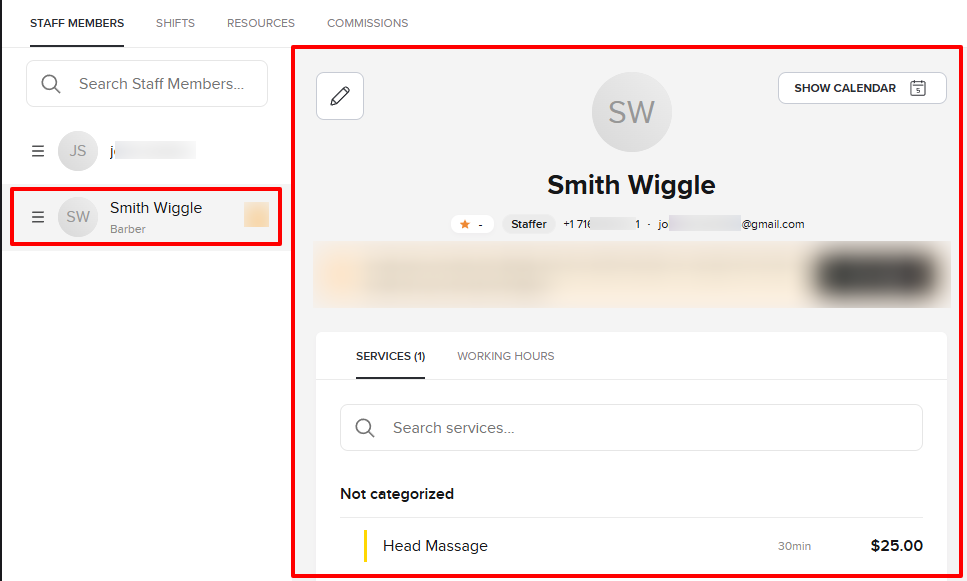
Running a salon means you manage other staff members. One can be a barber, another a nail tech, and another a hairstylist.
Booksy allows me to add each one of them with their clear roles, description, and assign them services.
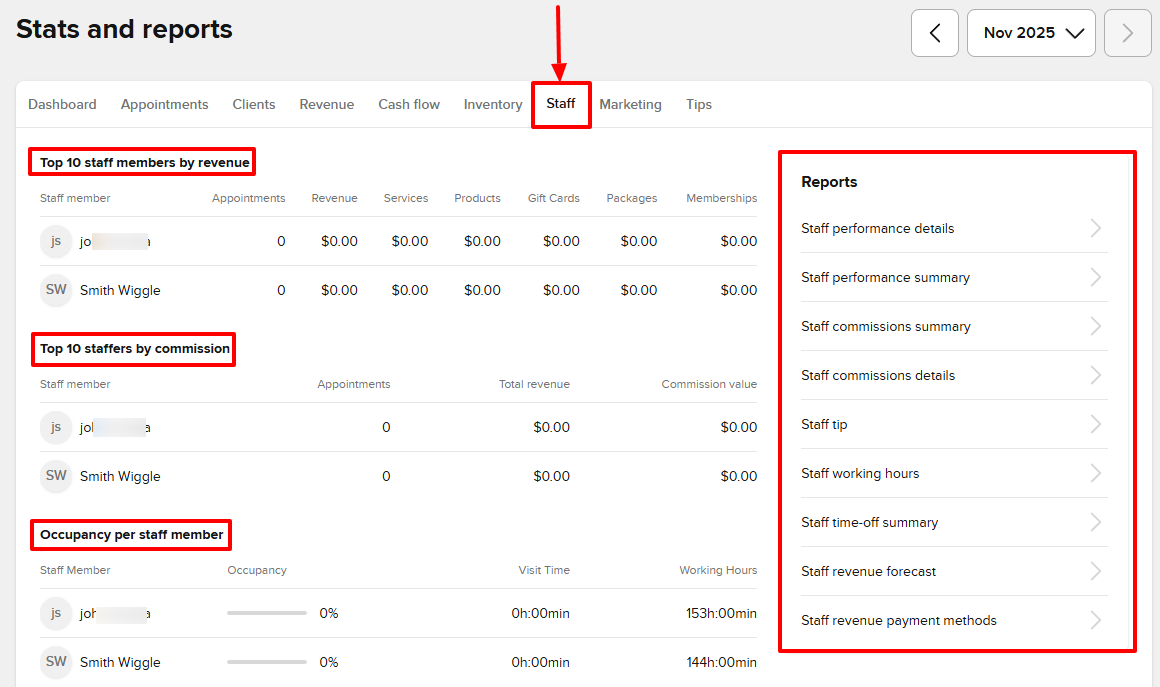
If you have a lot of staff members, you may be curious to see what the Reports feature has in store for you.
You'll be amazed to discover your top 10 staff members by revenue and commission. And there are many more reports, like staff performance, staff working hours, and staff revenue, among others.
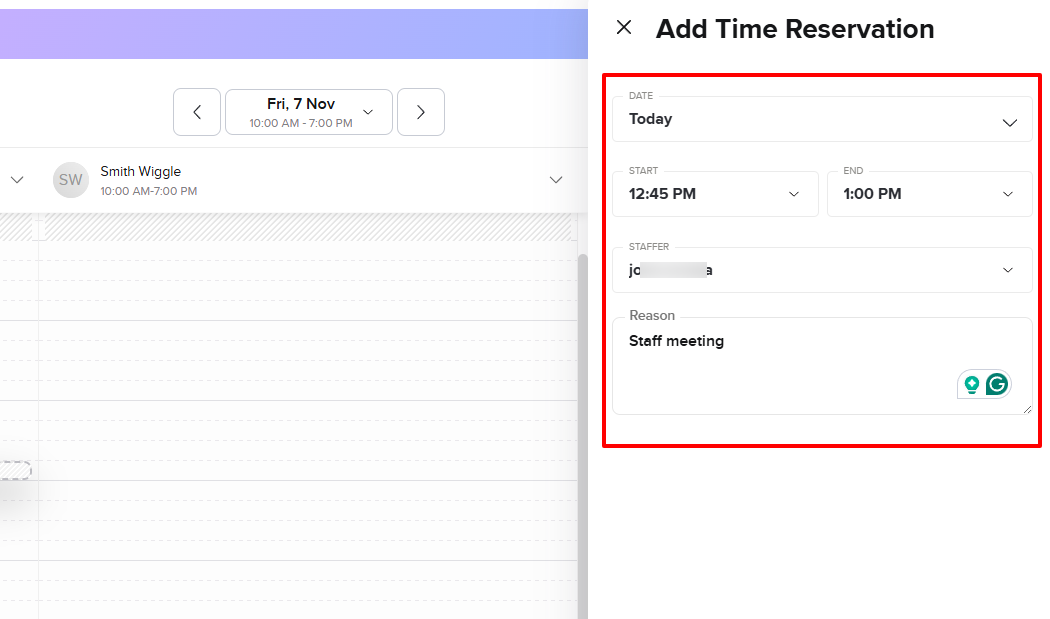
Now, let's say you want to have a 15-minute meeting with a staff member, and you want to avoid a situation where a client books him at the same time.
You can add a time reservation for that staff member and specify the reason. This way, they will be unavailable for the time you choose.
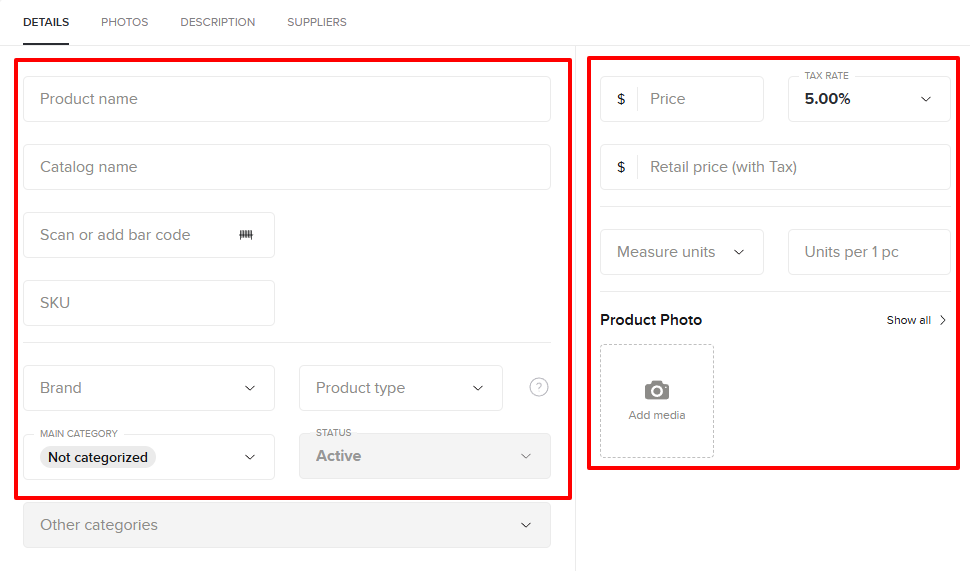
Nowadays, it's difficult to go to salons and not spot a product they sell. It's great that Booksy lets you add yours as well. I can add my product name, price, and upload a photo.
What I loved about Booksy
1. Staff management
Running a salon probably means you are not alone. You have staff members, and each one does something.
Using salon software, you can add and manage them all. You will know who does what and when.
Here's how to get started.
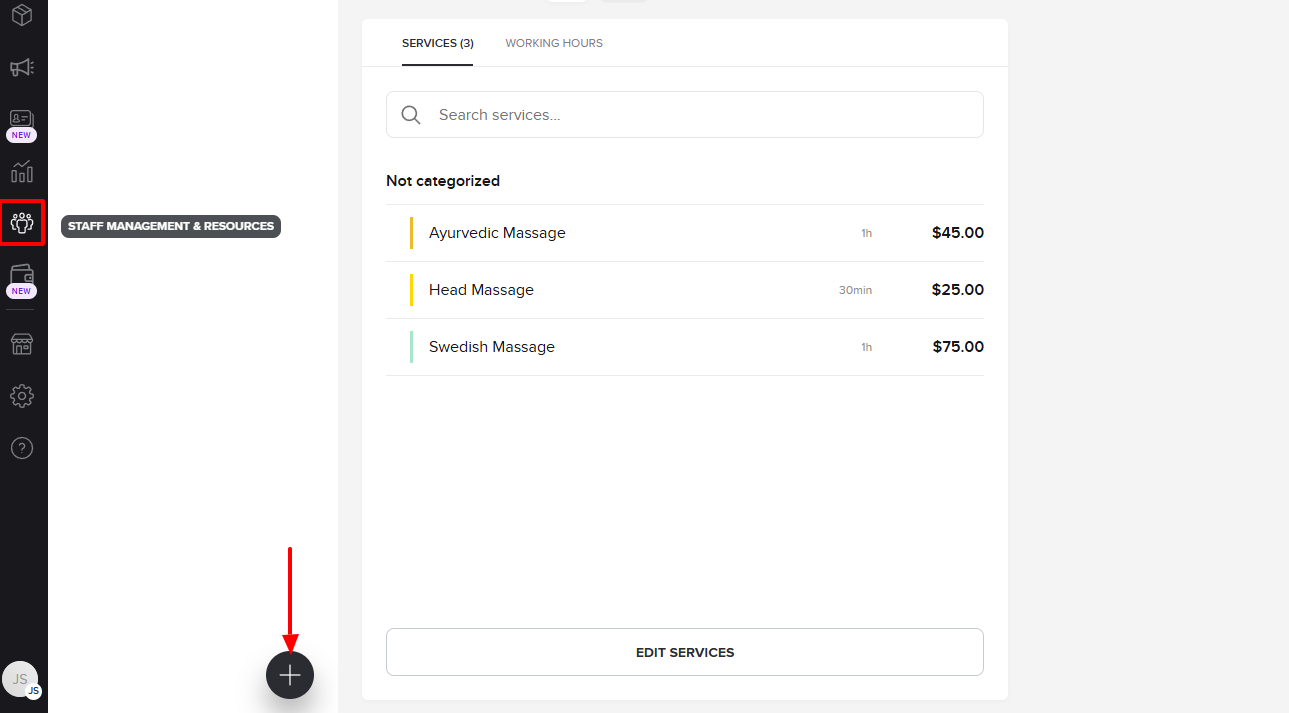
On the sidebar of Booksy, go to Staff management & Resources, then click the "+" button.
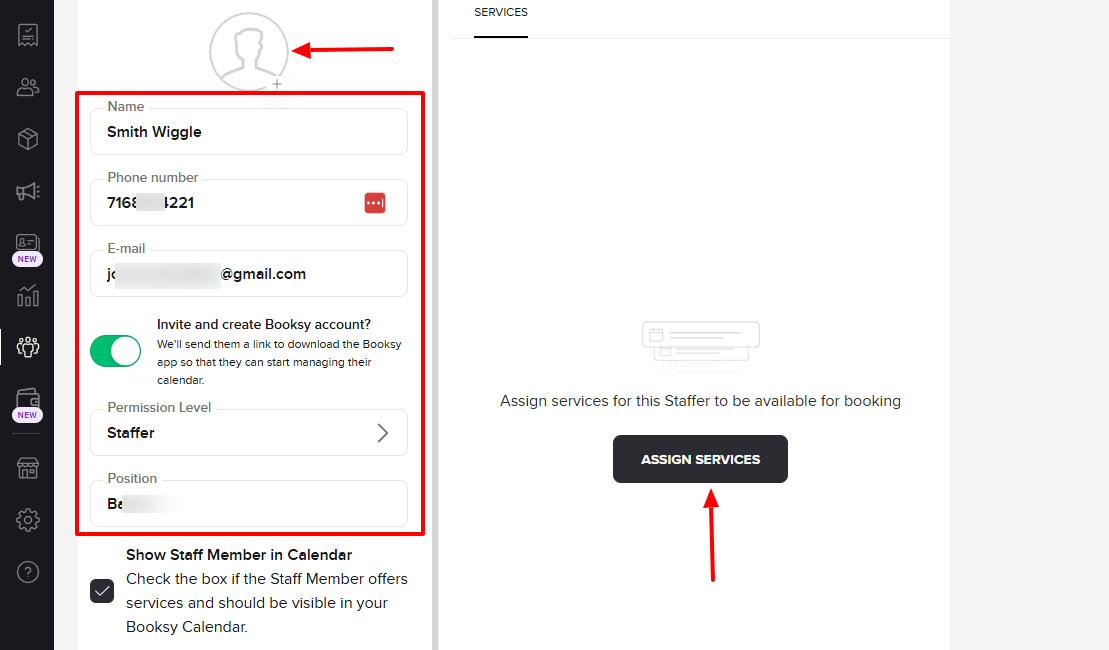
To add a staff member, I can upload their picture, add their name, phone number, email, and position. I can also adjust their permission level.
On the right side of the interface, I can assign them services.
Before I assign services, there are still other settings to consider.
I can turn on/off the option that shows staff members in the calendar, and I can also decide their availability for online booking.
Below, there is the possibility to add my staff description.
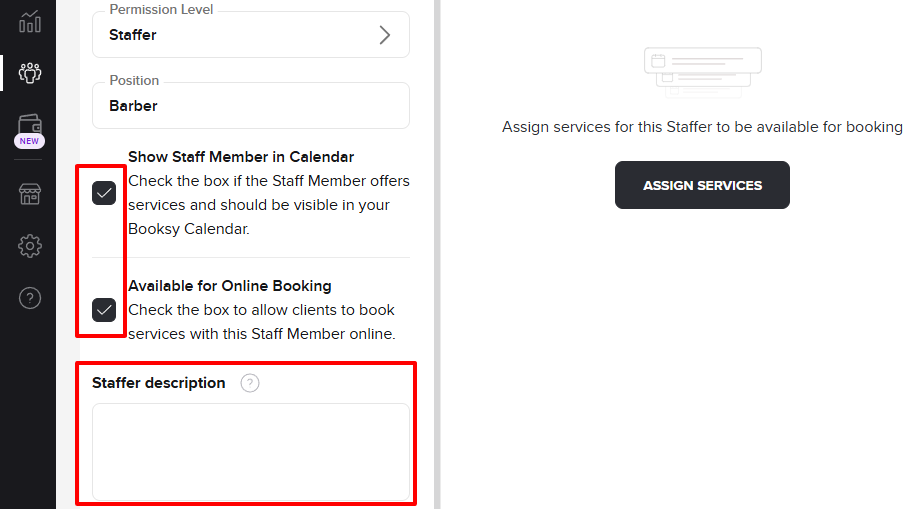
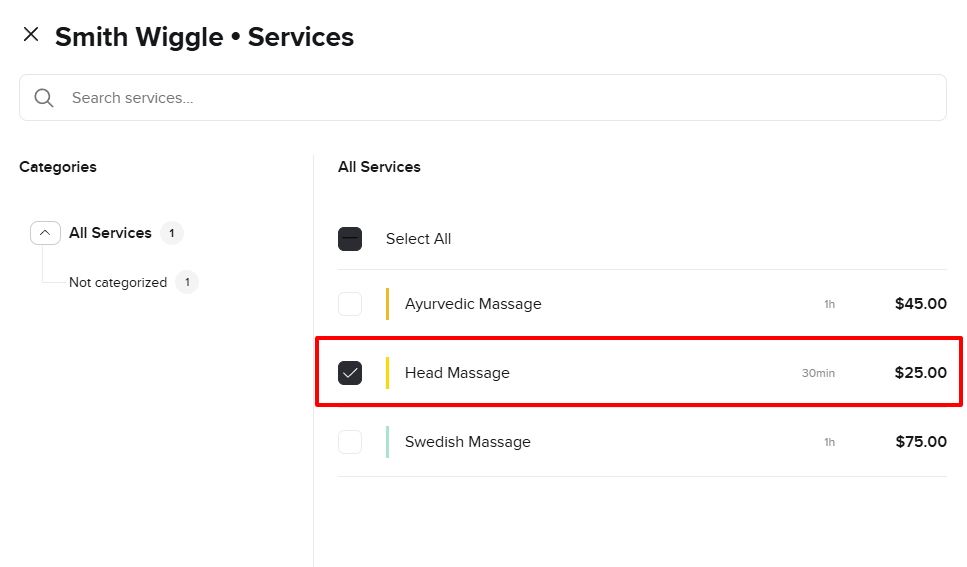
I mentioned services earlier. To assign a client a service, simply select that particular service.
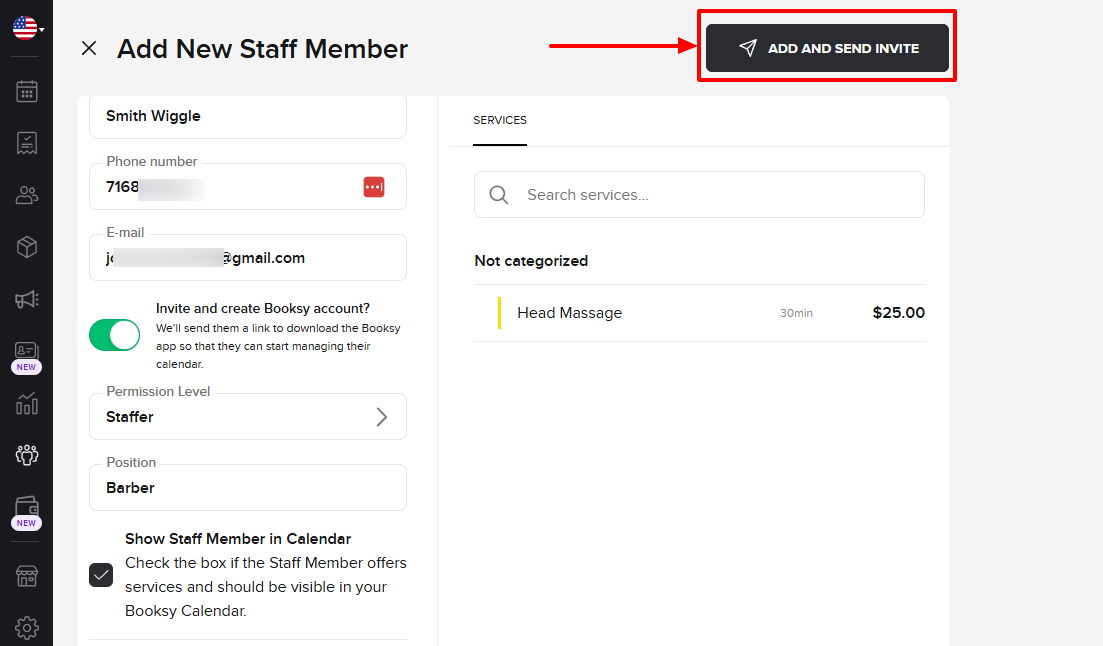
To finalize everything, I go to "Add and send invite".
We've just added our new staff member.
2. Appointments
Using the Appointments feature on Booksy, you will access a calendar that displays all your staff members. You can see their availability and their various appointments.
But I don't want to say more, so let's look at it closely.
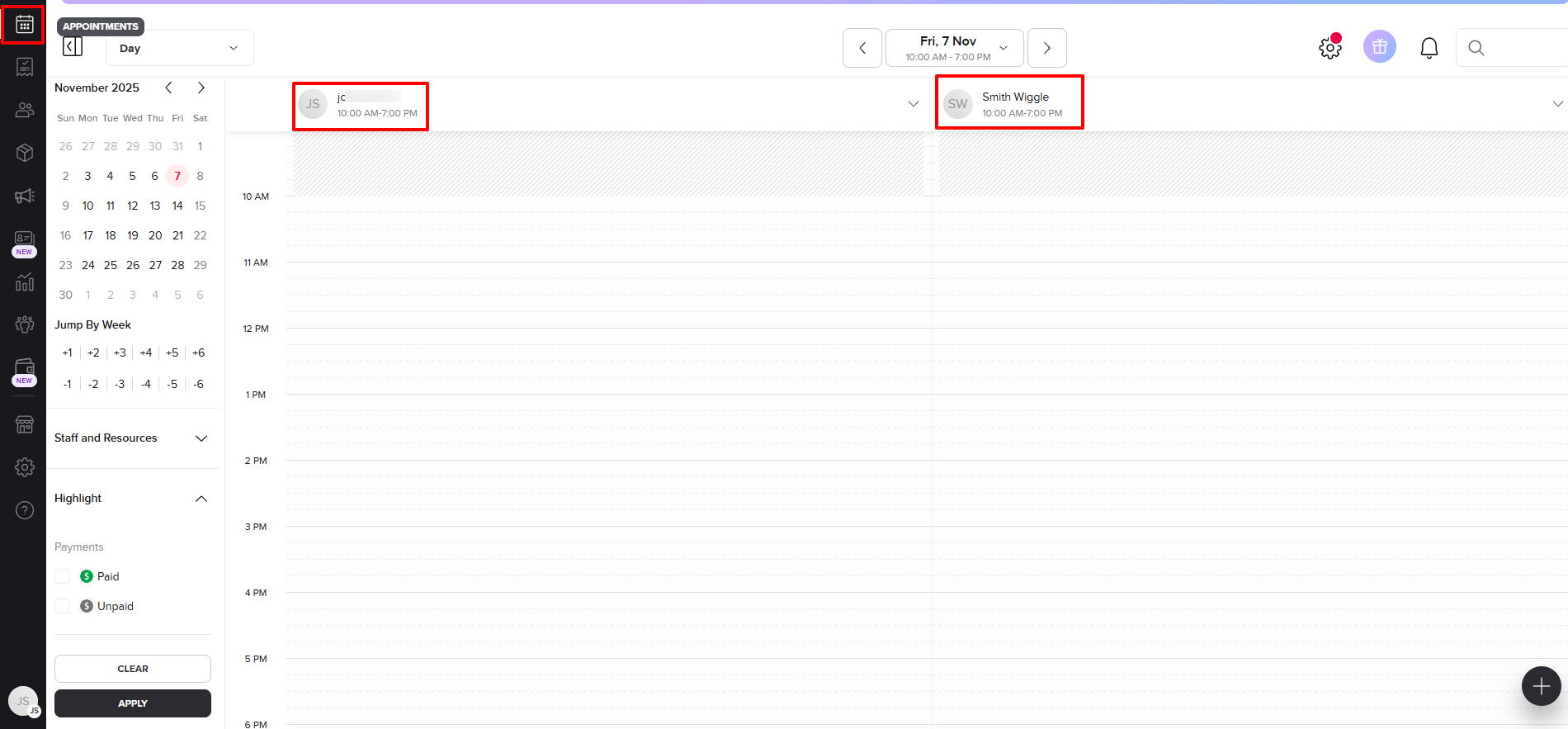
If you select a time slot in the calendar, you will see three options: create a new appointment, add a time reservation, and add time off.
You will agree with me that we've made many appointments in this article so far. This time, let's add a time reservation under a staff member instead.
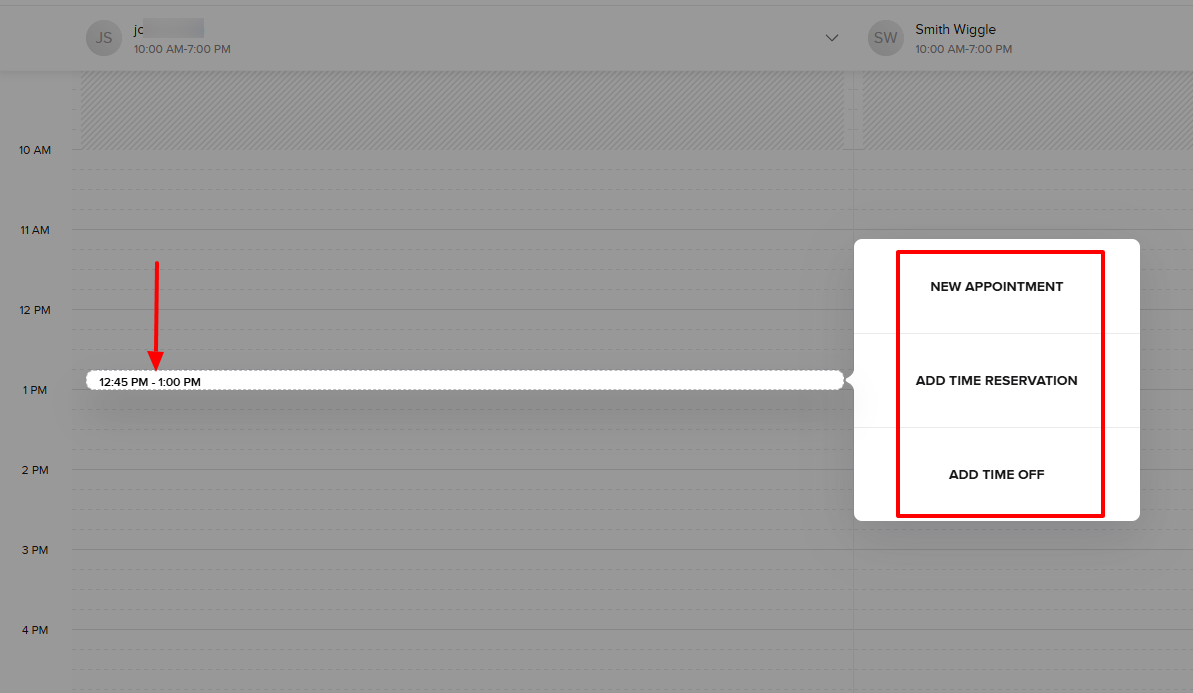
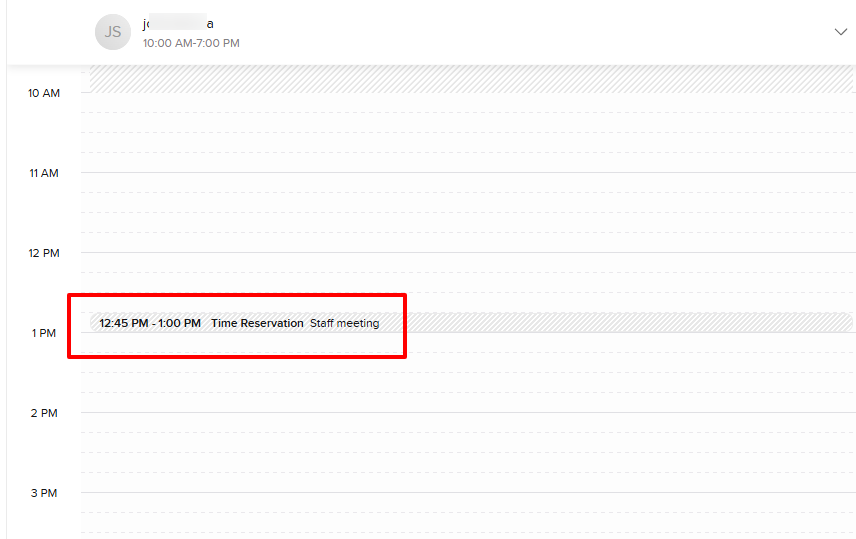
Again, choose a date, specify a start and end time, confirm the staff, and specify the reason for the time reservation.
Once done, it will appear in the calendar with all the details.
3. Reports
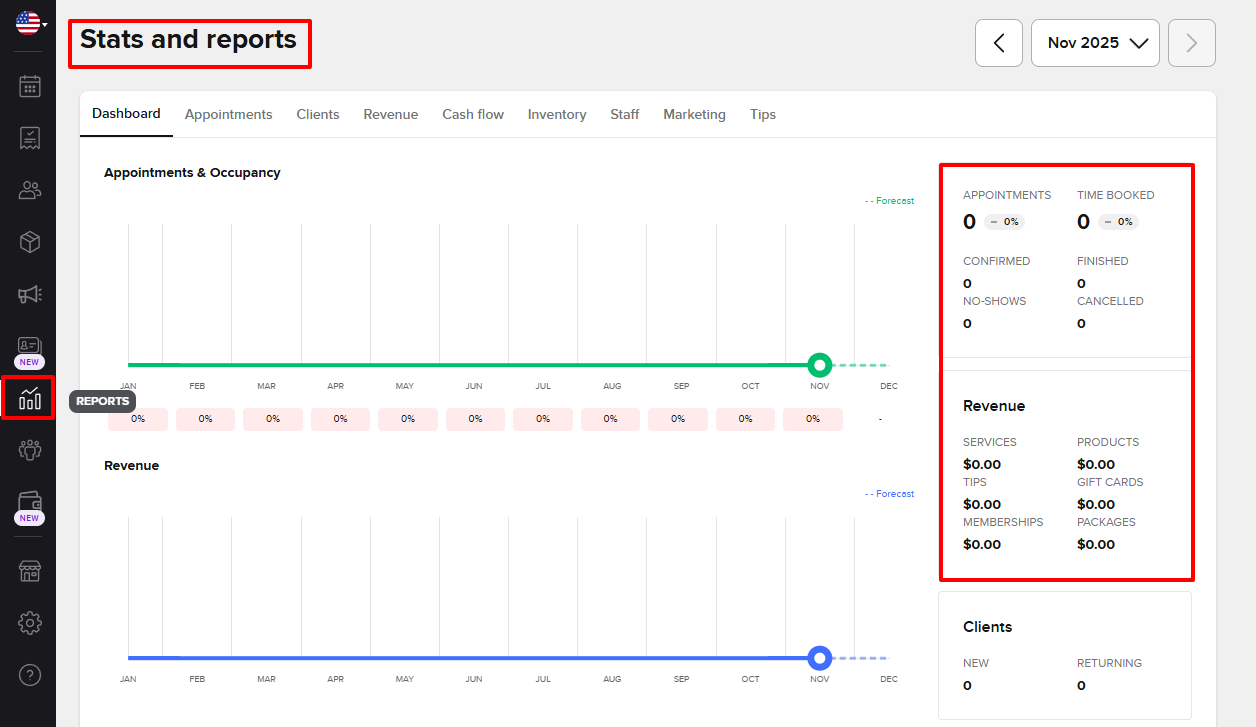
Now, let's move our attention to the Reports feature on Booksy. It shows all your appointments, whether confirmed, finished, no-shows, or cancelled.
You also see all your revenue for services, products, tips, memberships, and packages, just to name a few.
I decided to check the staff report.
What impressed me is that it displayed your top 10 staff members by revenue, commission, and occupancy per staff member.
The right side of the interface can still provide a lot of staff reports, such as staff performance details, summary, staff commissions, staff working hours, and many more.
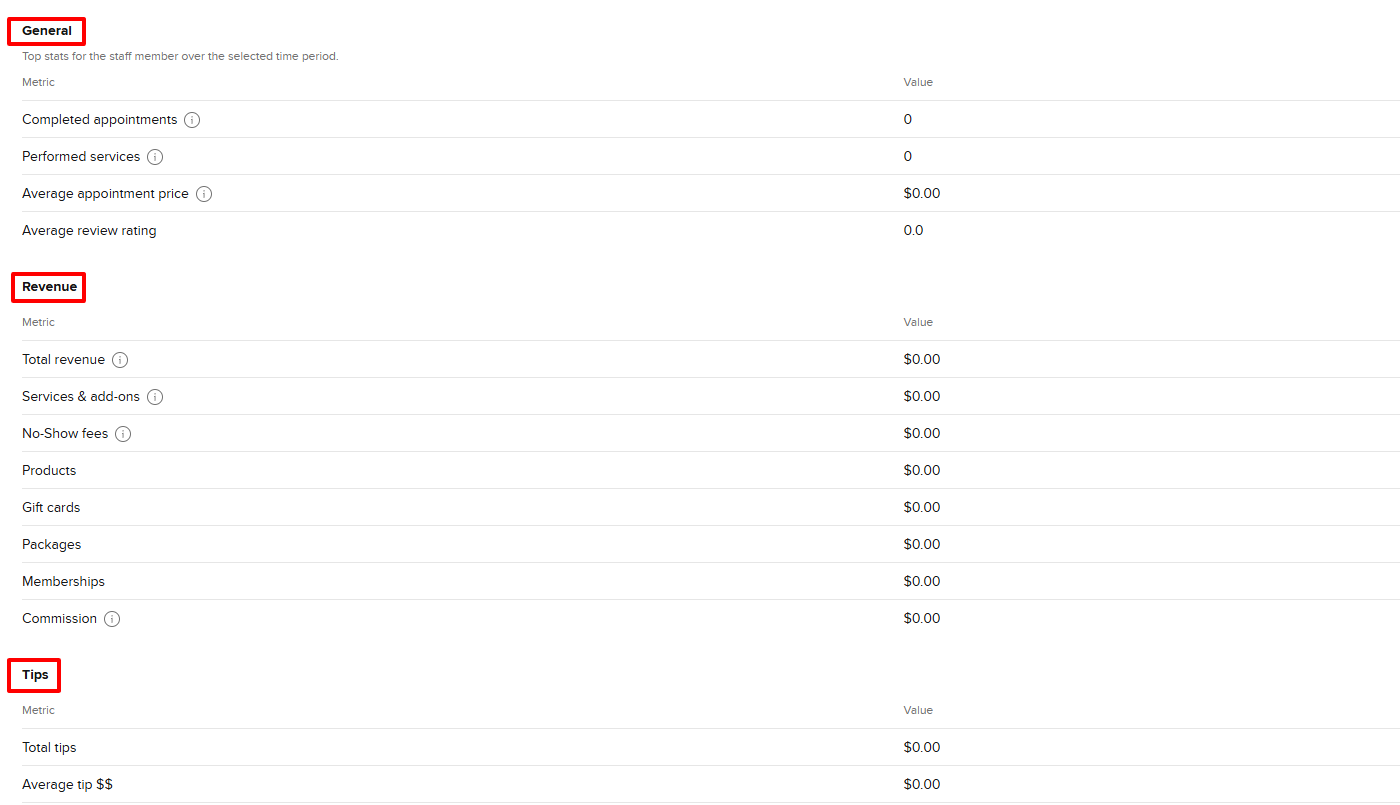
There is more! You can select a particular staff member to see their report.
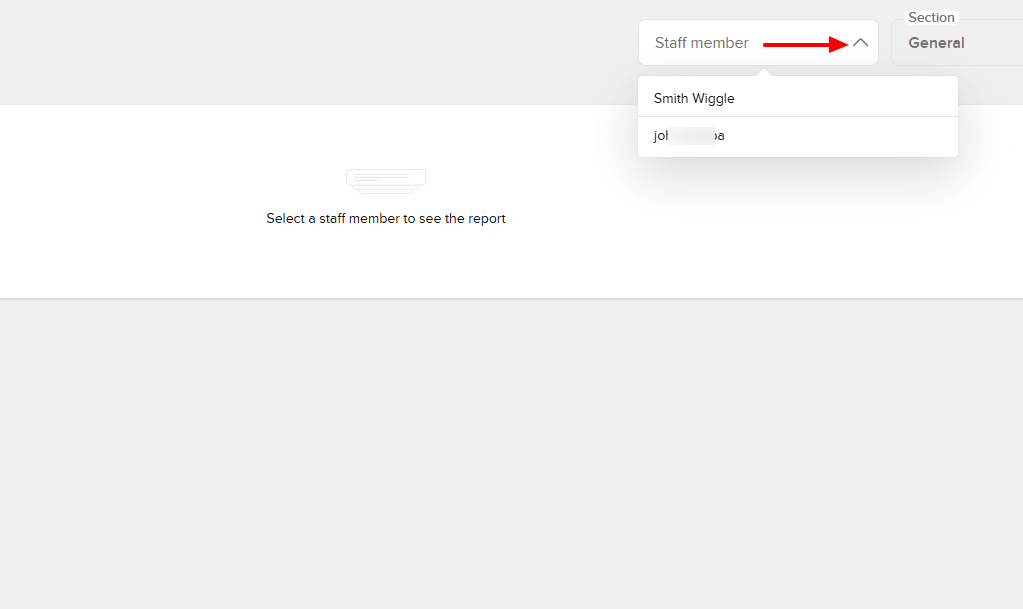
You will see their general report, revenue, and tips.
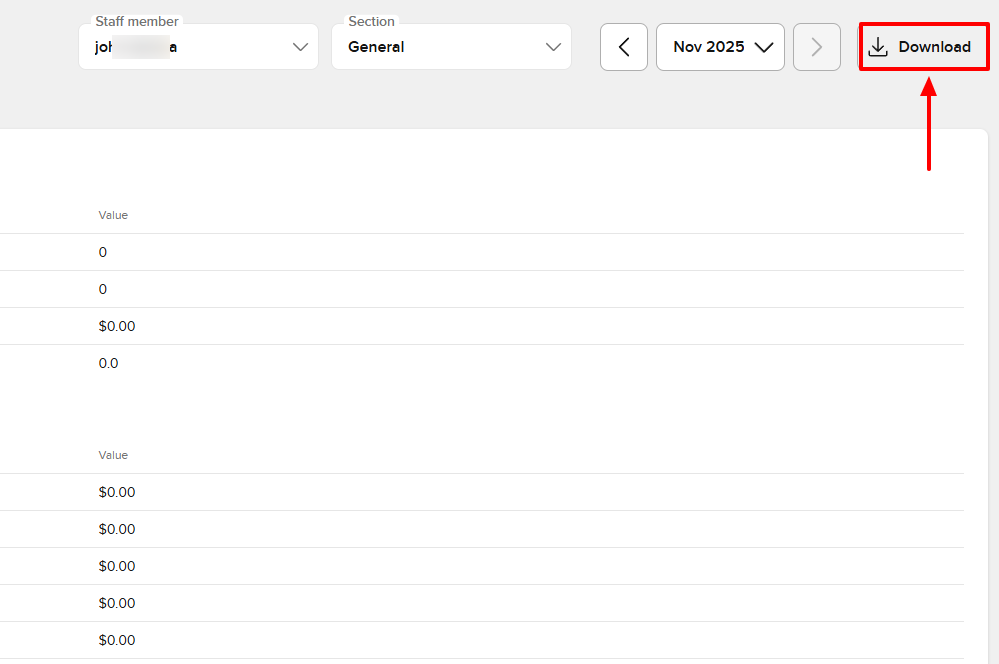
Interestingly, you can download any of the reports.
What I Loved and What I Struggled With
| What I Loved | What I Struggled With |
|---|---|
|
|
Best for
Small and mid-sized salons seeking software to manage their staff and track their performance.
Pricing
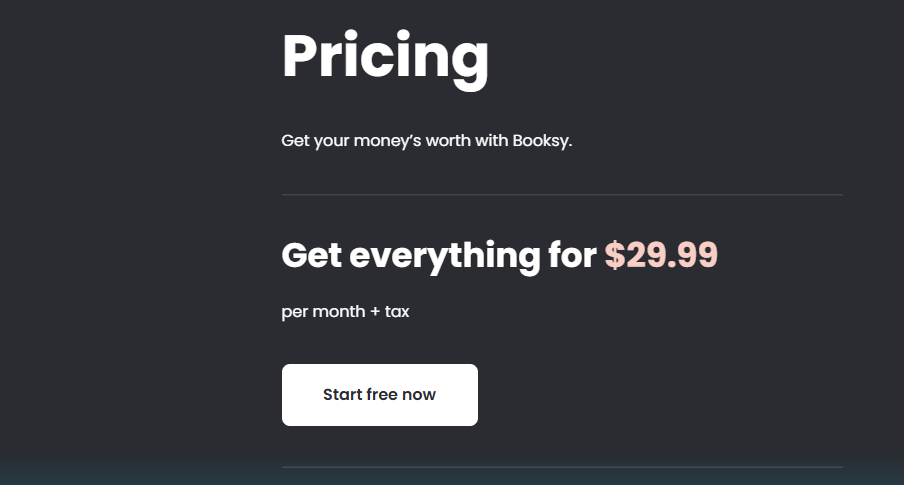
- Everything: $29.99/month + tax
Start your 14-day free trial and automate your scheduling today.
4. Fresha
Personal rating: 4/5 stars | I like that Fresha lets you add your products and do inventory anytime you want. You can pause, close, or review your stocktakes.
Fresha is the next beauty salon software we will review.
I recommend it to large salons seeking software to sell in high volume, manage, and track product inventory.
I will show you how I use it.
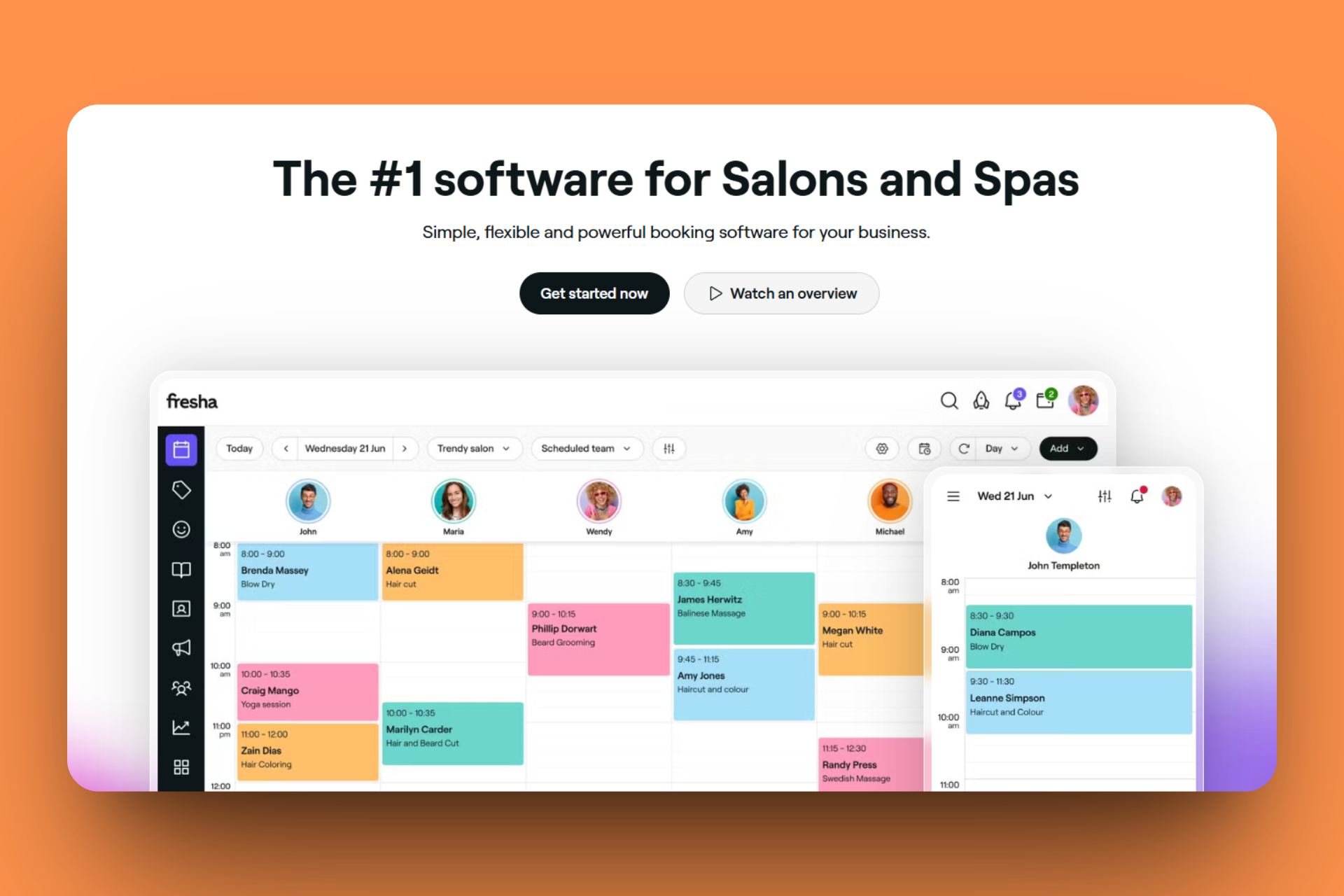
Just imagine a client comes to your salon for a hair coloring service and pays for the product the service provider will use. After they sit comfortably, you go and fetch the product and realize you are out of stock.
This is an uncomfortable situation!
That's why Fresha lets you do a full inventory of your salon products. You can count them and see if the stock levels match the system records.
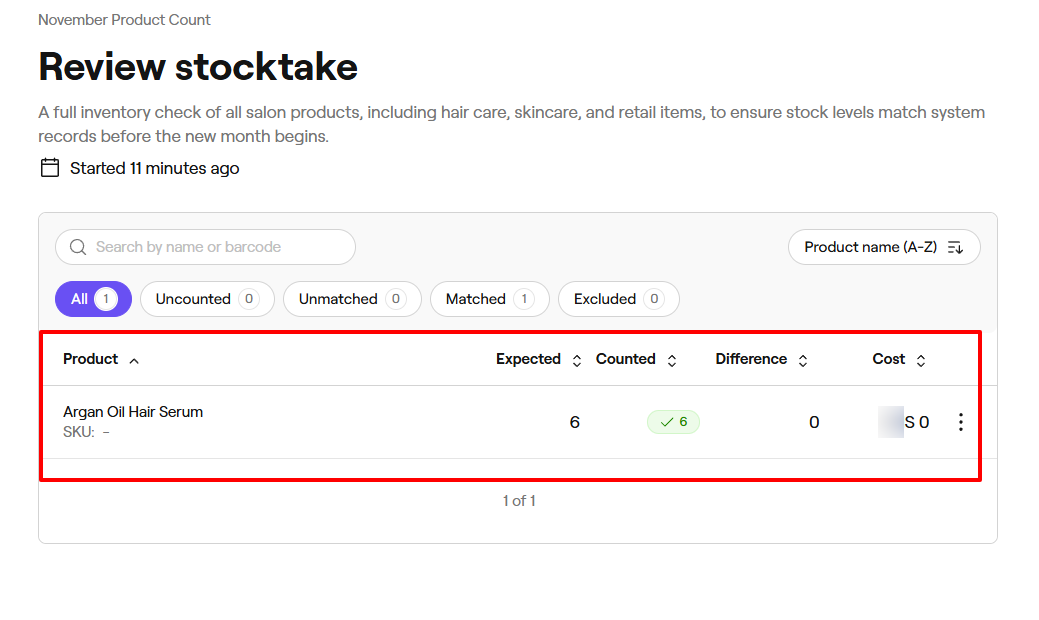
And it's only when you do it that you know what product and quantity to add.
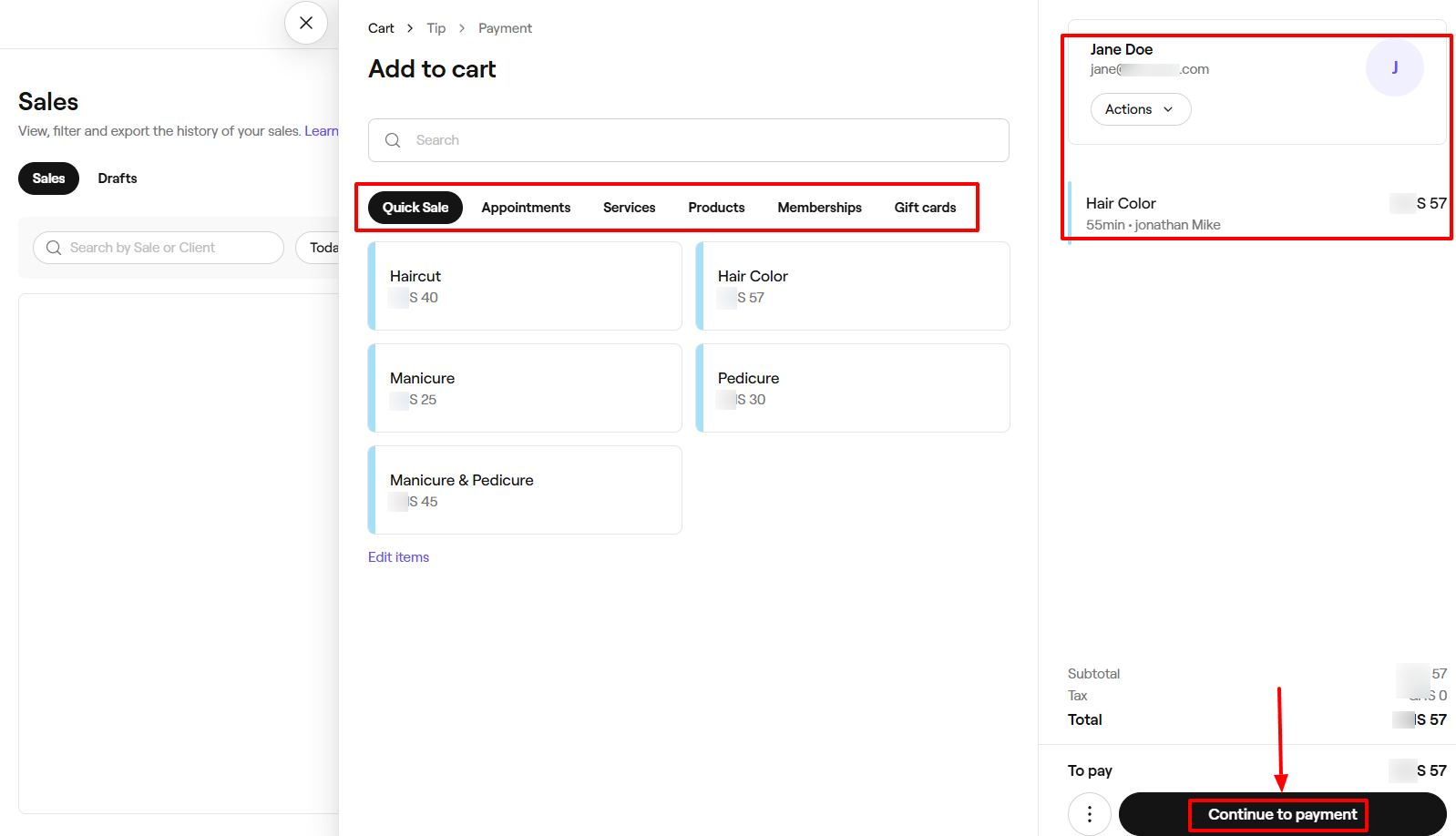
Now the platform doesn't just let you sell products. You can also sell appointments, services, memberships, and Gift cards.
What I loved about Fresha
1. Products
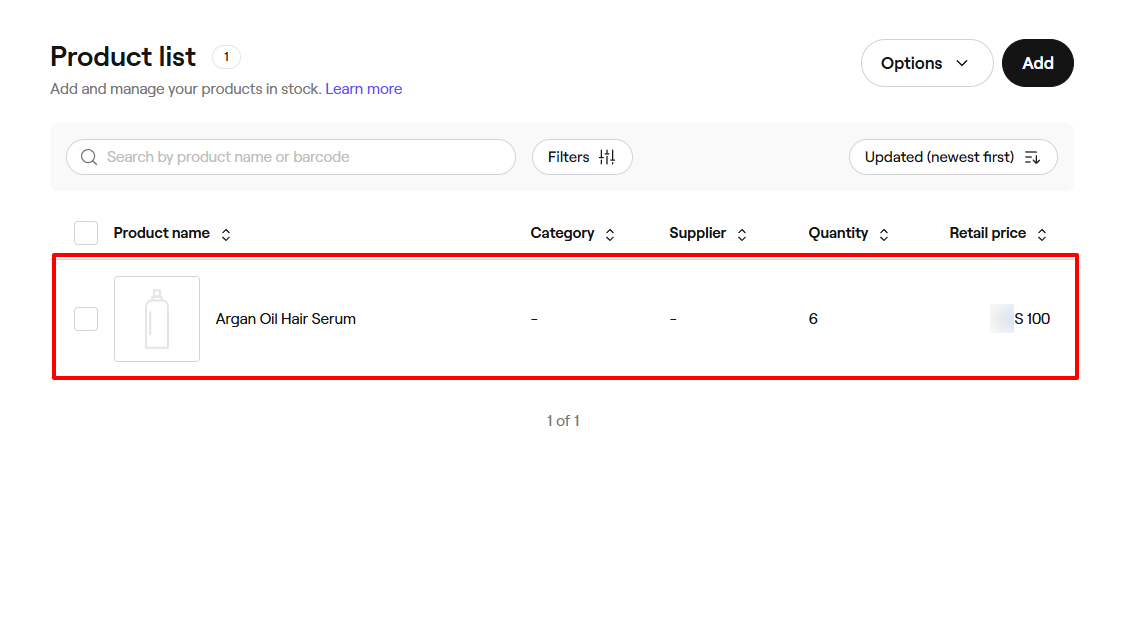
Before you perform an inventory, you need to have products. We will use Fresha to first create a product.
First, find the Catalog feature on the sidebar, then go to Products.
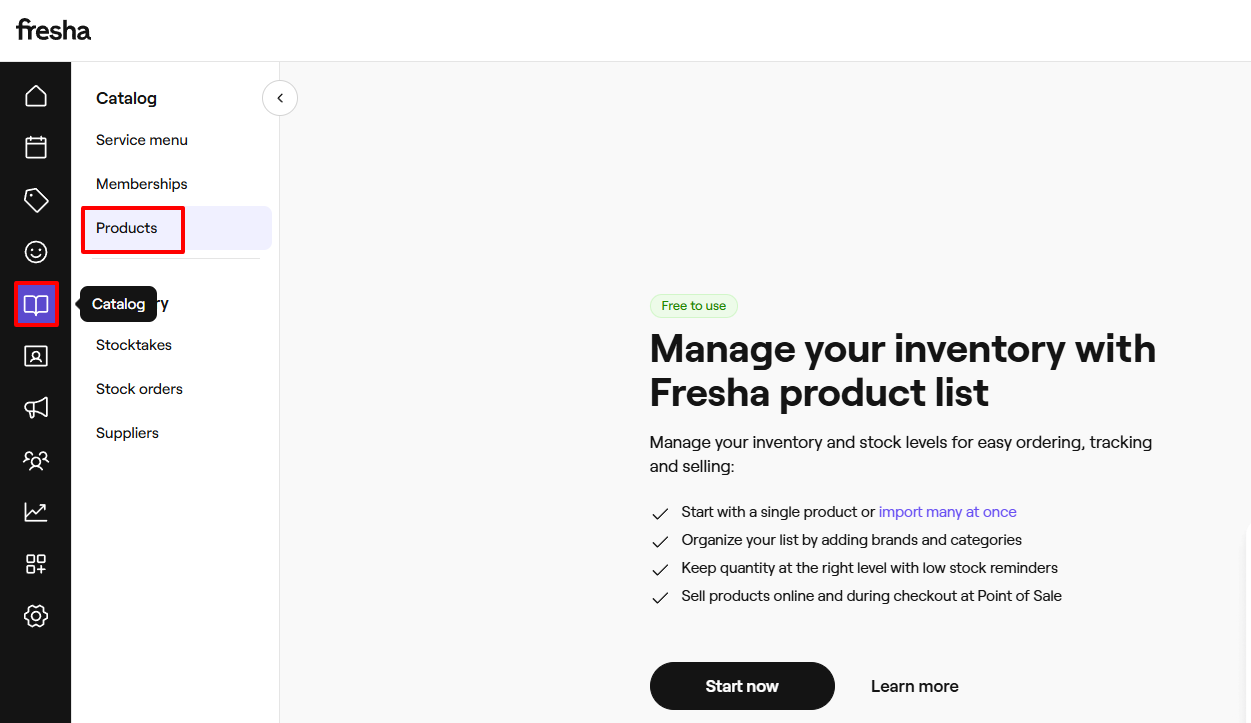
Now, let's create a product. Enter the product name, photos, brand, short description, and product description. Also, add a measure and an amount in milliliters (ml).
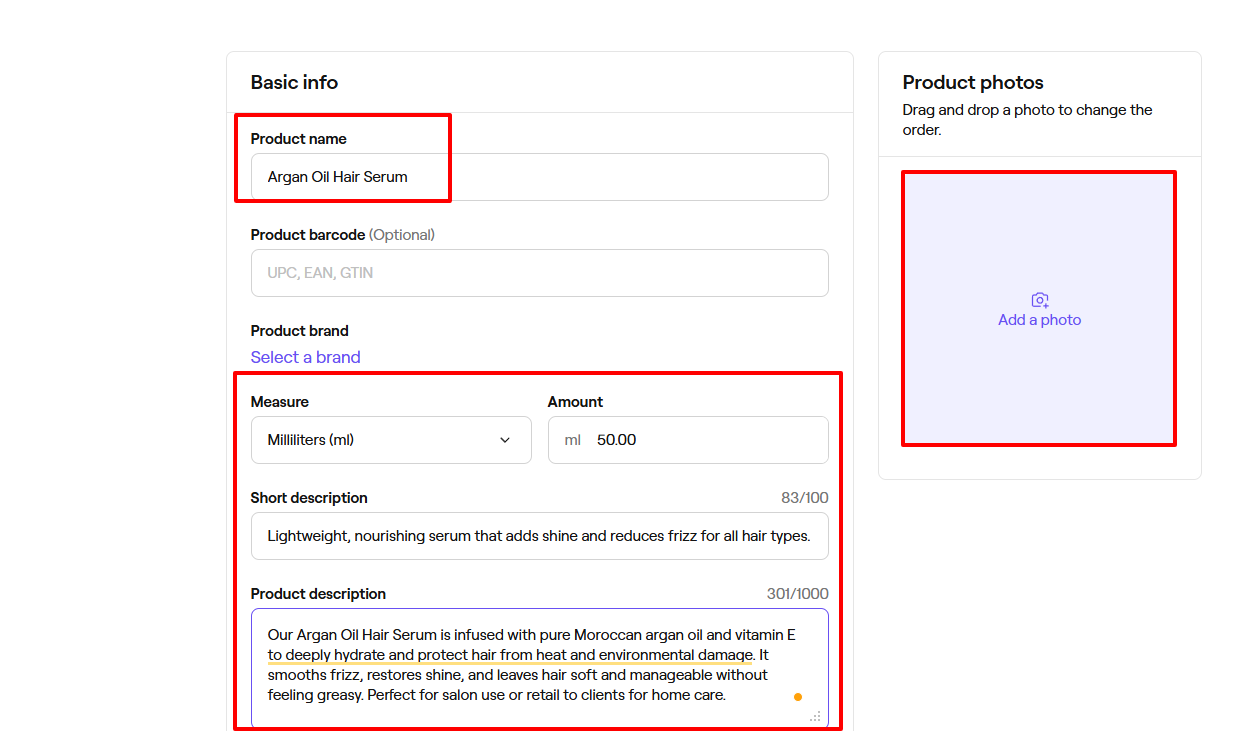
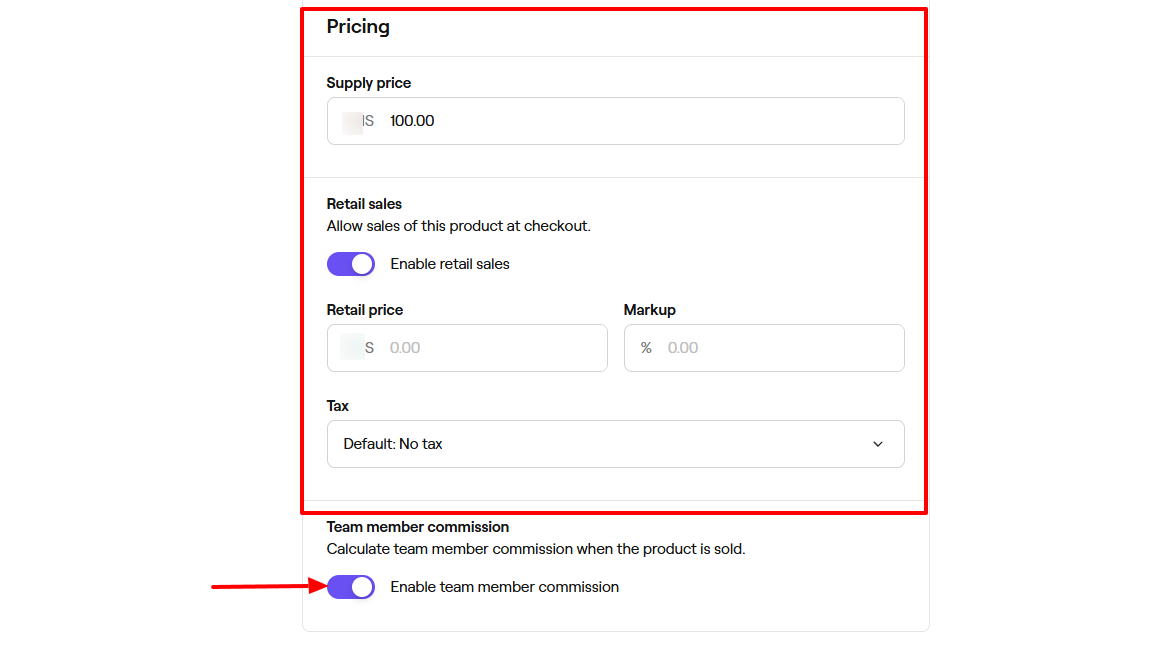
Next, add the supply price, retail price, and markup. You can adjust the tax, allow retail sales of this product, and also enable team member commission.
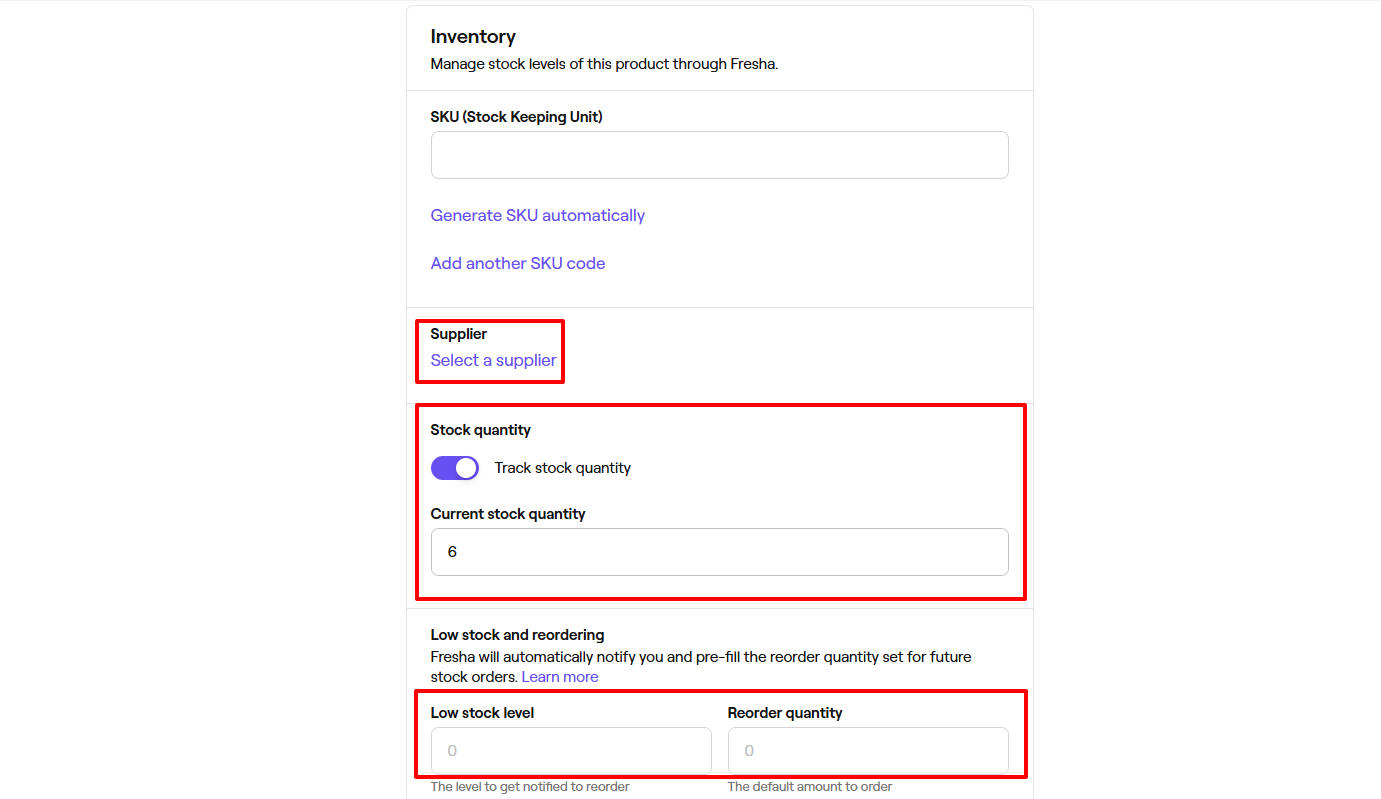
The platform lets you select a supplier, track stock quantity, and enter your current stock quantity.
Below, you can specify your low stock level and reorder quantity.
We have our product!
2. Inventory
Our next step after adding your various products will be to perform an inventory from time to time. For this tutorial, we will manage and track our product stock.
Still on the sidebar, after clicking Catalog, you will head to Stocktakes.
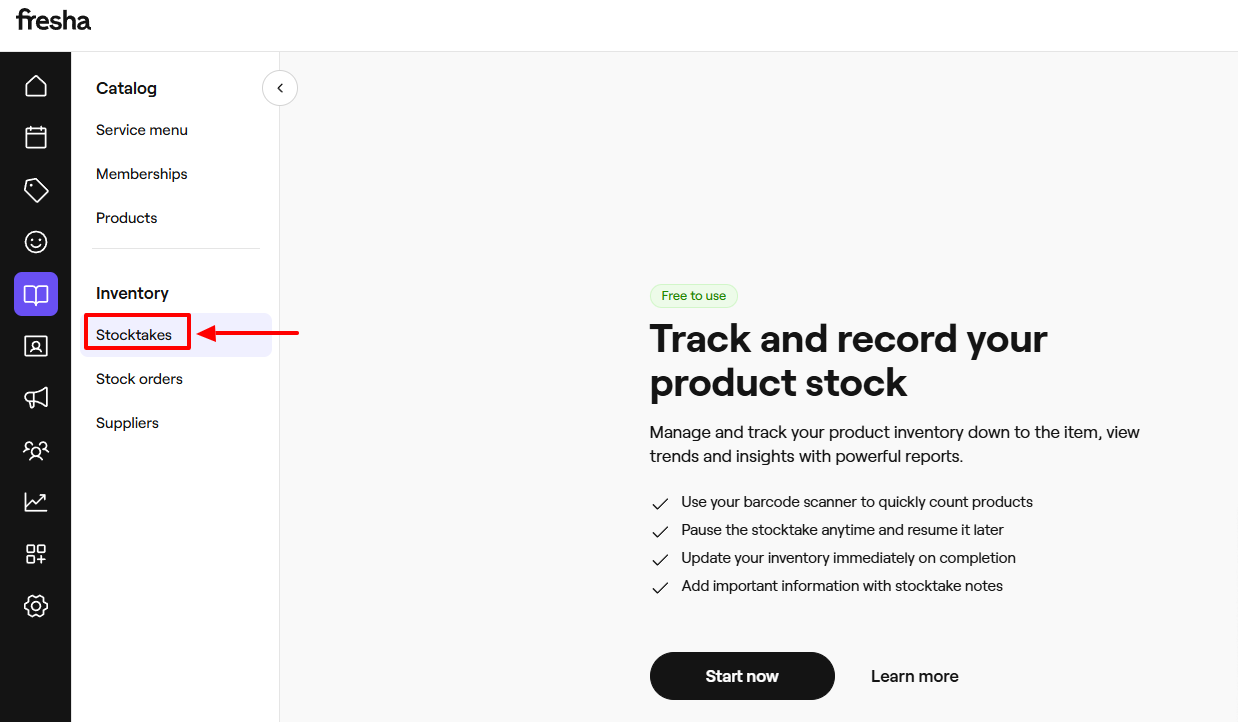
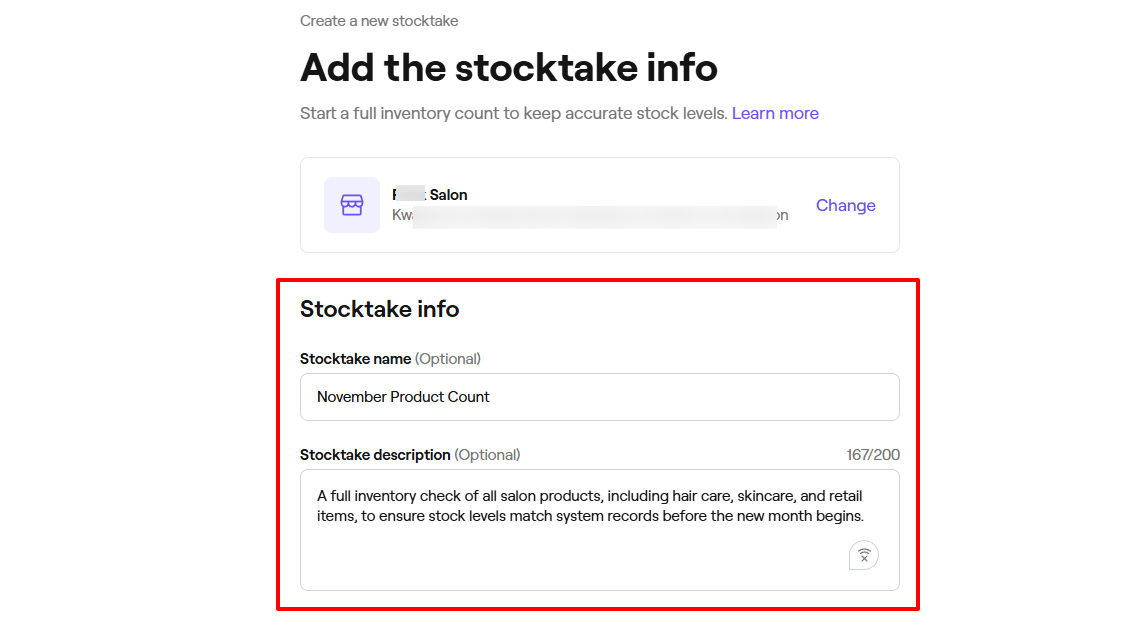
Enter a stocktake name and description.
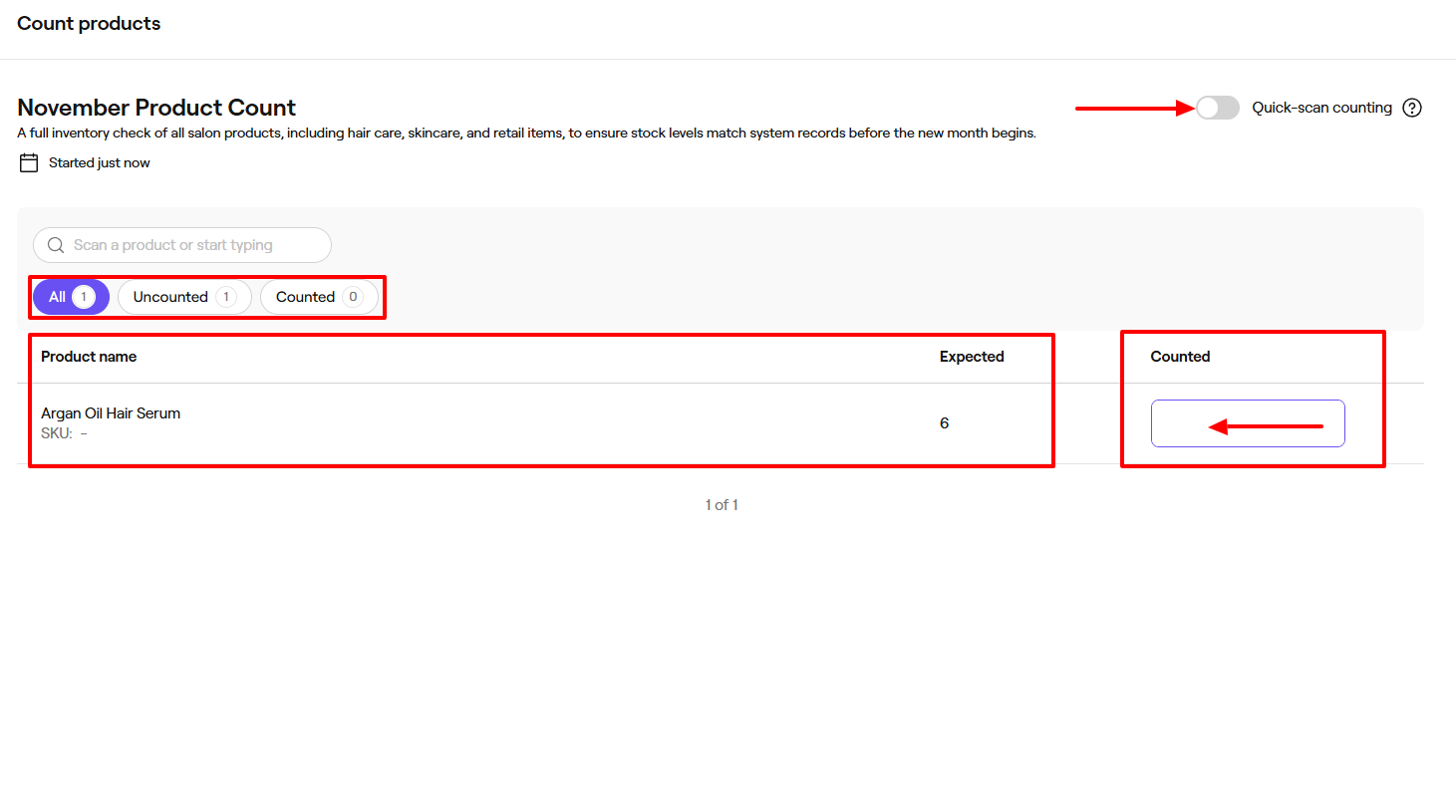
You will see all your products, both uncounted and counted. You can do a "quick-scan counting" or do it manually.
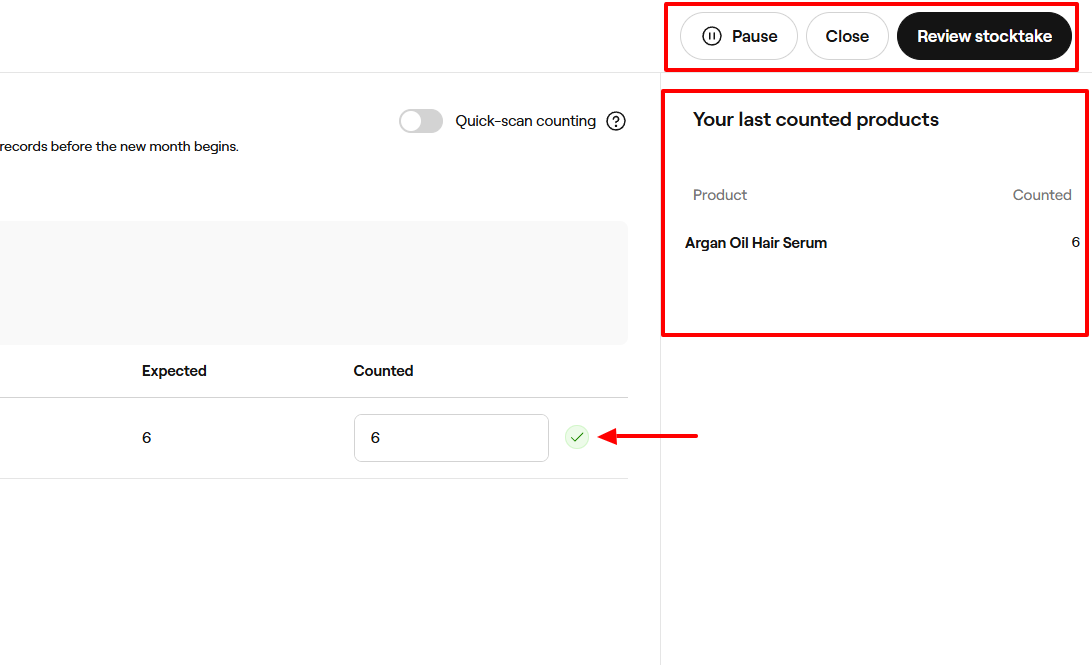
When you count and enter the correct number, a check mark will appear showing you have completed the task.
The right side will display your last counted products. You can pause the inventory, close, or review the stocktake.
When you go to Review stocktake, you will see the product, the expected number, how many were counted, the difference, and the cost.
3. Sales
The next feature we will review on Fresha is Sales. It gives access to your daily sales summary, appointments, sales, payments, and gift cards sold.
But it does more than that. I can create a new sale.
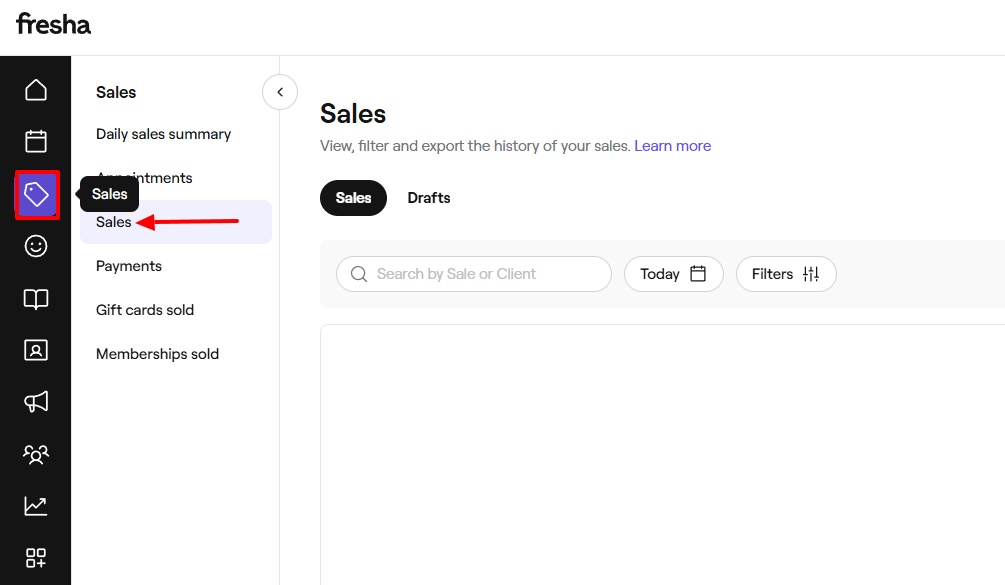
To do that, I will go to "Create new sale".
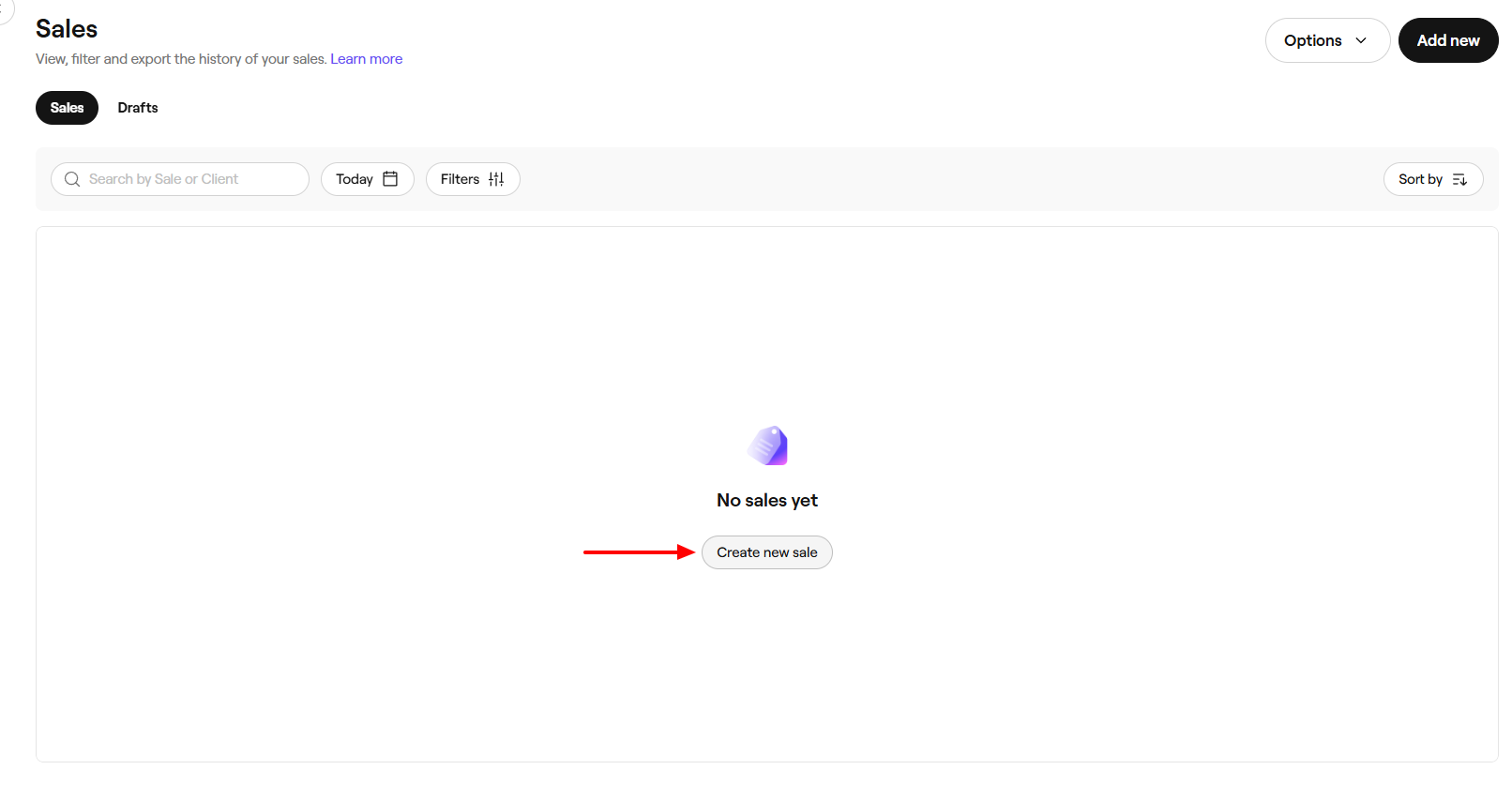
You can sell an appointment, service, product, gift card, or membership.
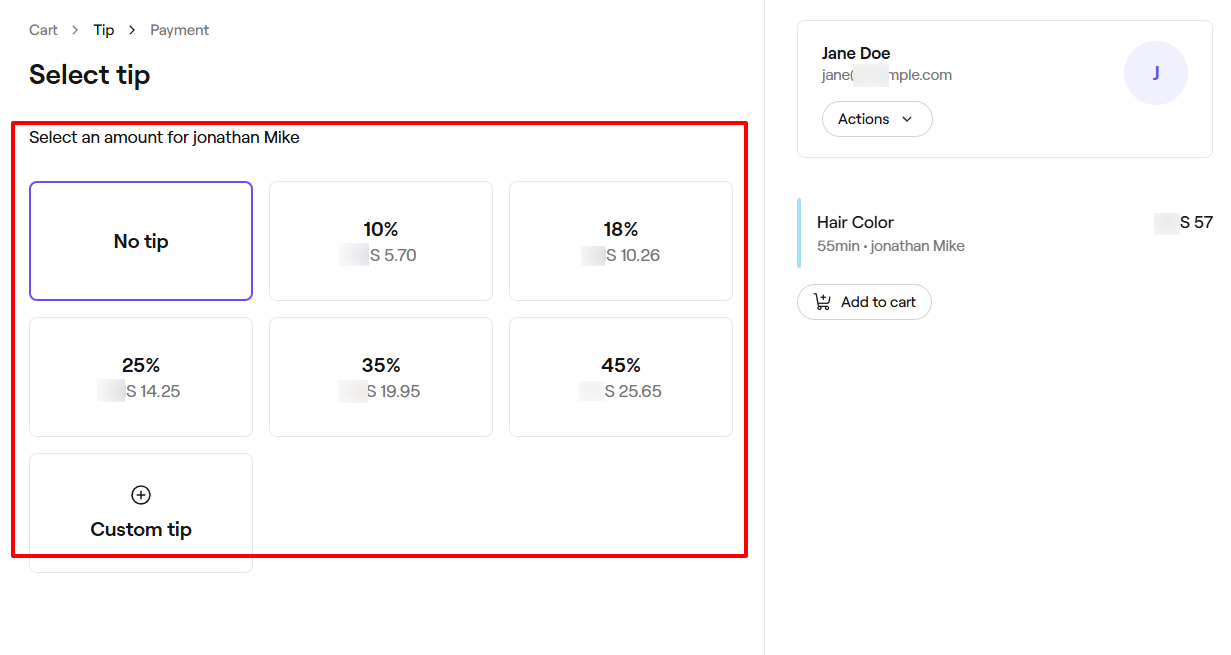
Using the Quick sale option, I simply select the service and client. Then I go to "Continue payment".
The client may want to tip the service provider. If that's the case, select their preferred amount for the staff.
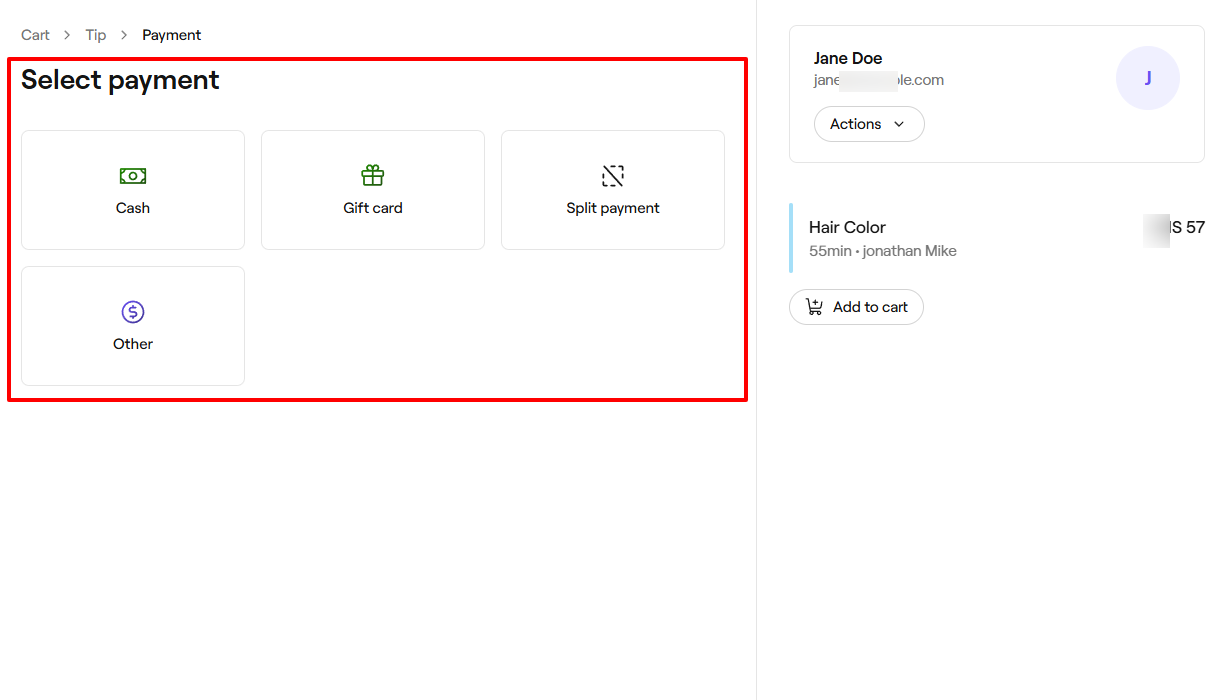
Next, you will select the payment method. It could be cash, a gift card, a split payment, or something else.
What I Loved and What I Struggled With
| What I Loved | What I Struggled With |
|---|---|
|
|
Best for
Large salons seeking software to sell in high volume, manage, and track product inventory.
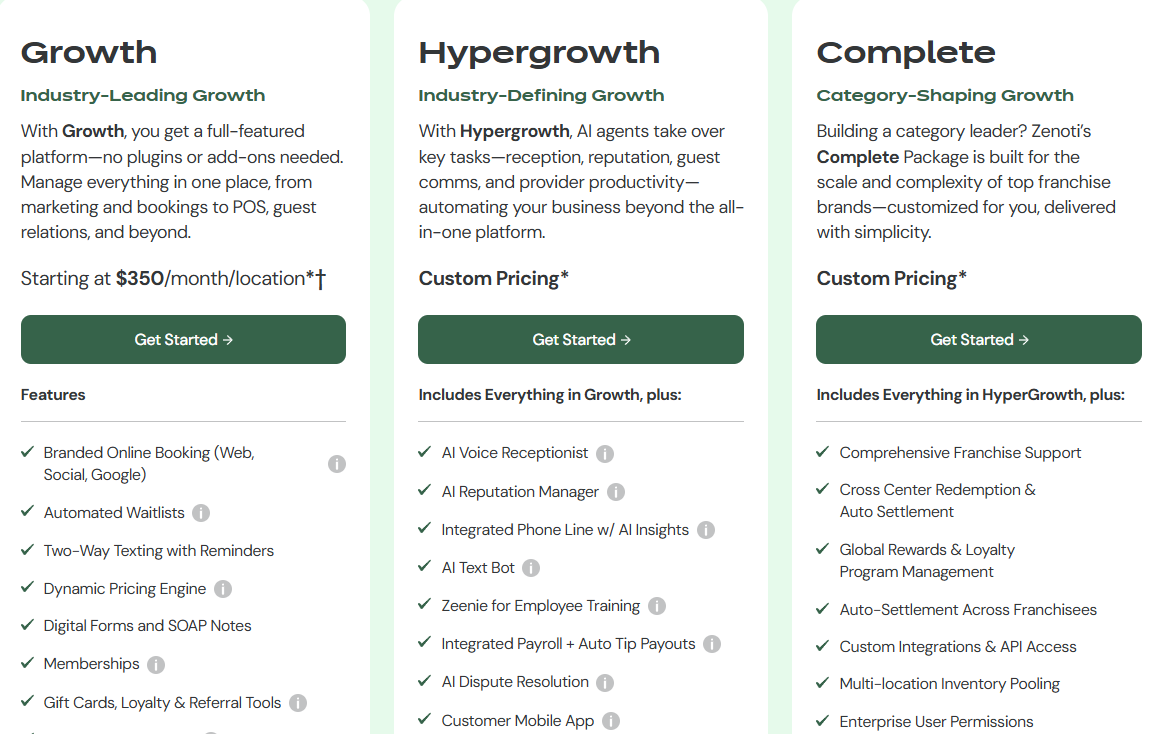
Pricing
- Growth: $350/month/location
- Hypergrowth: Custom pricing
- Complete: Custom pricing
Start your 14-day free trial and automate your scheduling today.
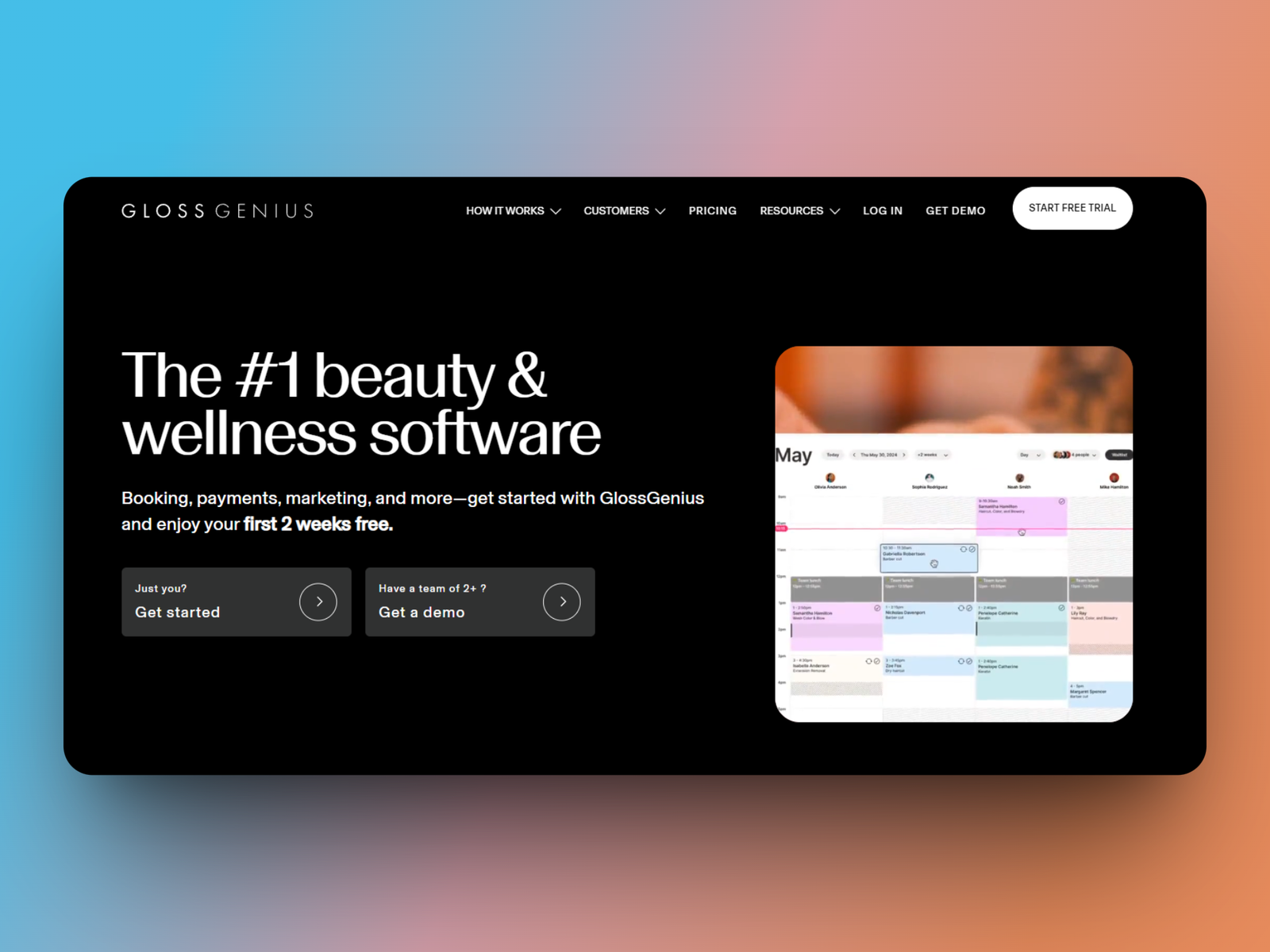
5. GlossGenius
Personal rating: 4/5 stars | One thing I like about GlossGenius is how easy it is to create invoices and share them with clients. You can also allow them to book online with you.
The list of the best beauty salon software continues with GlossGenius.
I recommend it to entrepreneurs seeking to customize their online booking website and manage payments.
I will say more about it below.
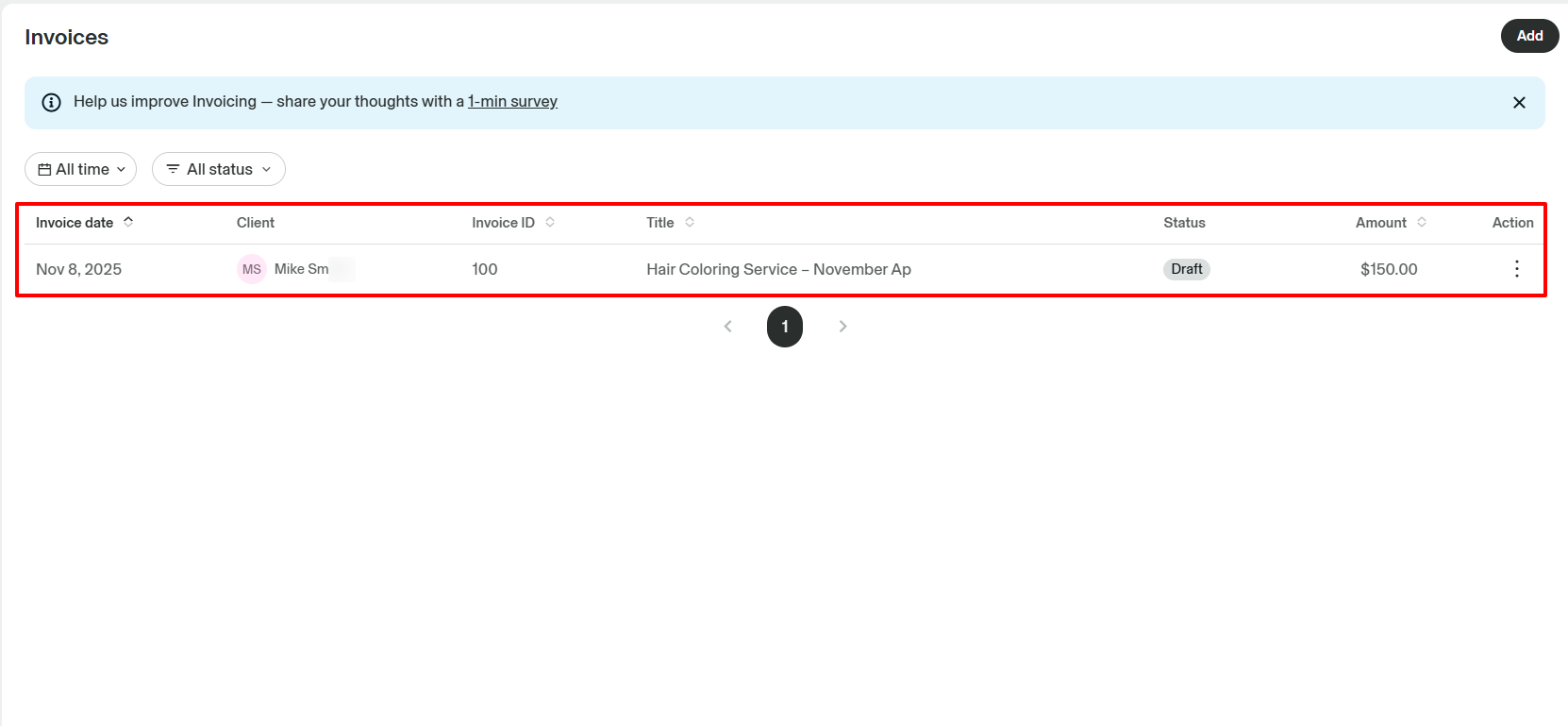
To receive your payments for a service you provided, you can, for example, create an invoice on GlossGenius detailing the service, description, and price.
This helps the client know what they are paying for.
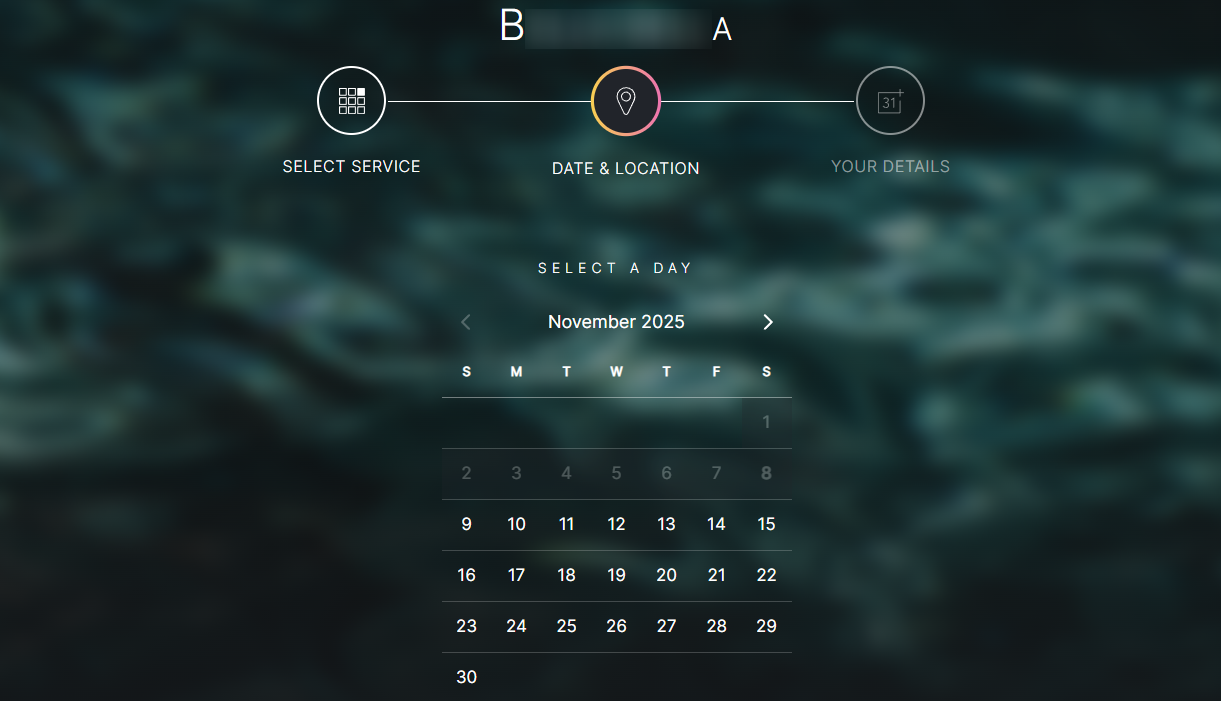
And your clients can also book with you online.
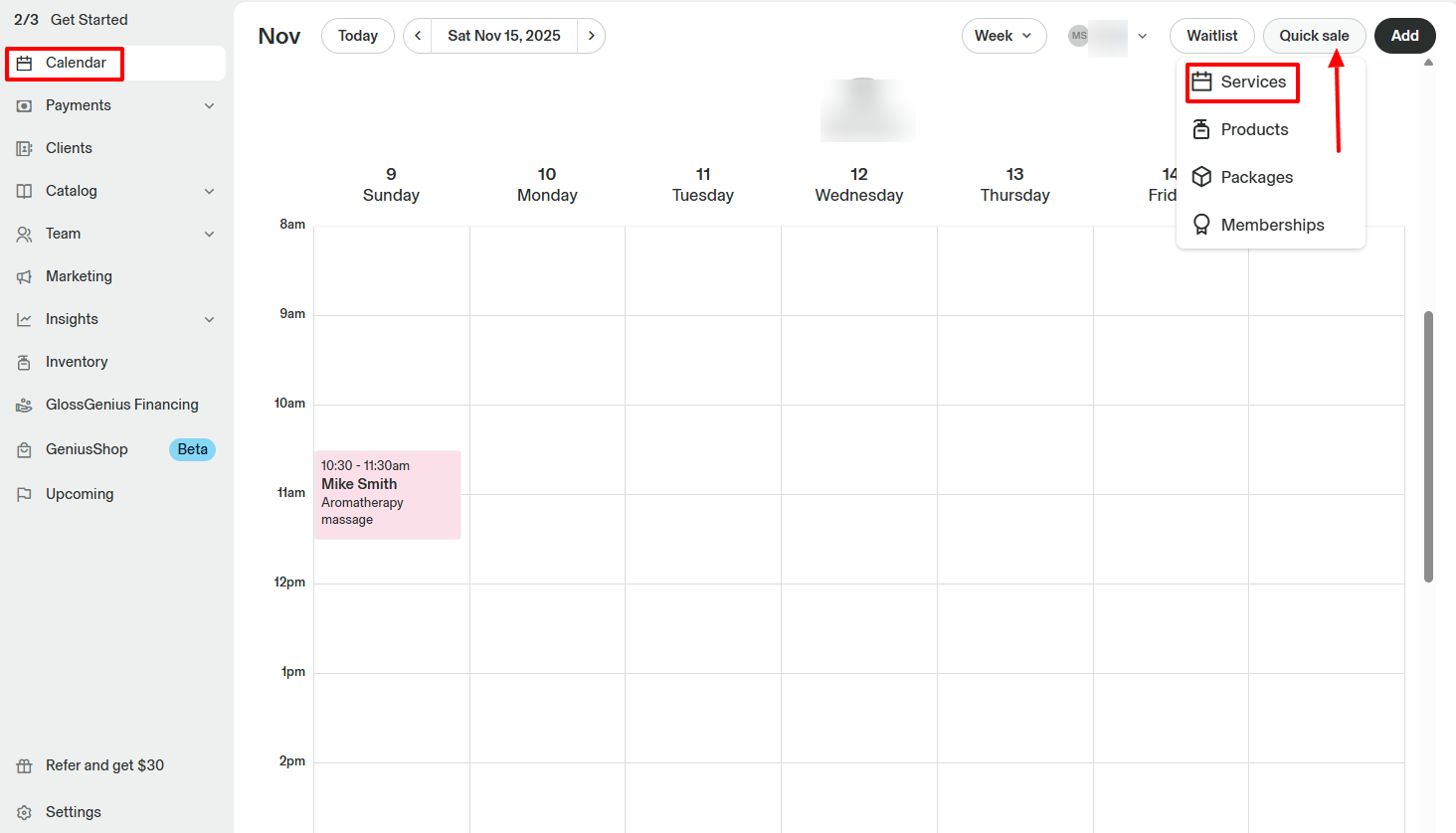
One thing I find interesting is that through GlossGenius' calendar, I can make quick sales. It could be services, products, packages, or even memberships. And the client can make an instant payment.
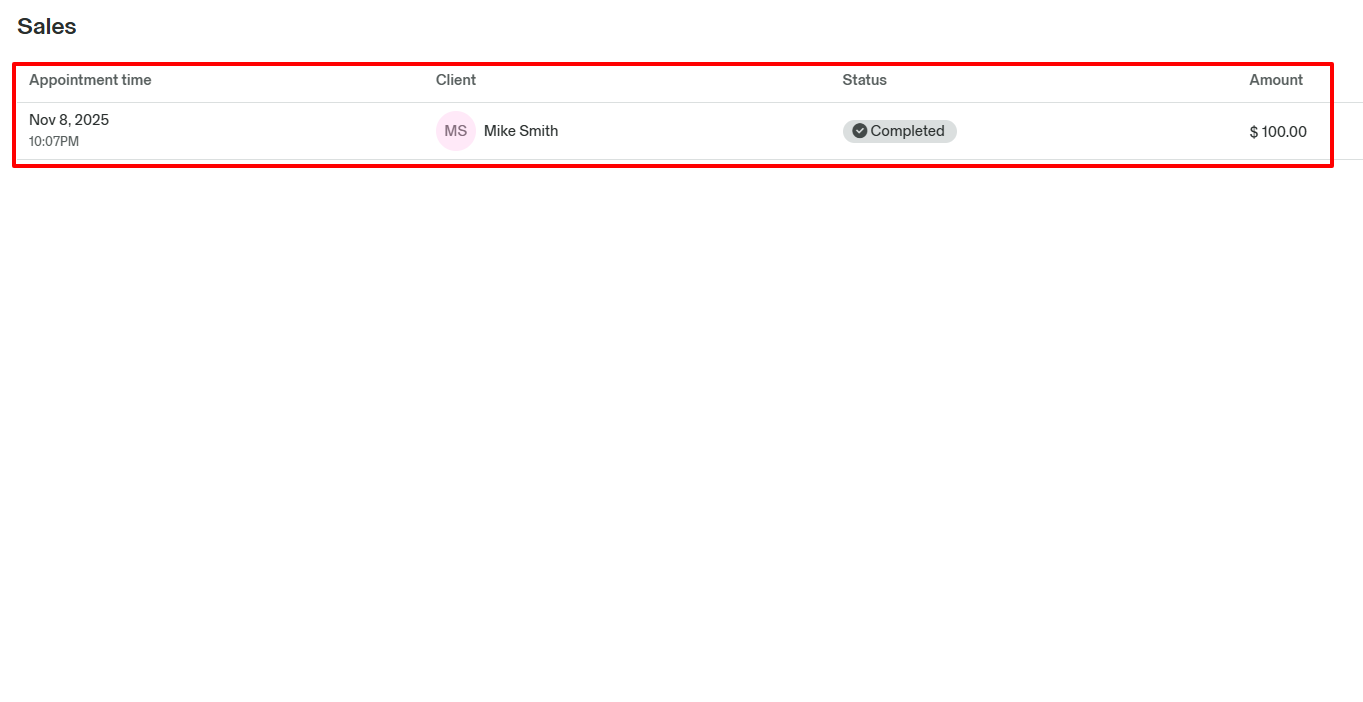
And when you make a sale, it automatically appears in the sales interface with all the details.
What I loved about GlossGenius
1. Online booking
There are many ways clients can book appointments with your salon, one being a booking website. Setting up yours is the first action GlossGenius recommends you get started with after you sign up.
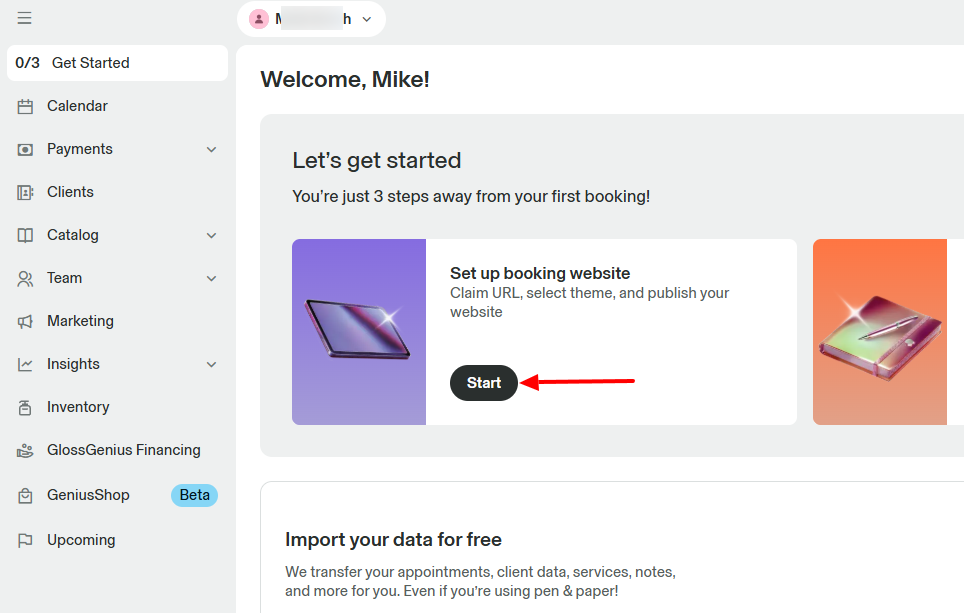
I will start with my business name.
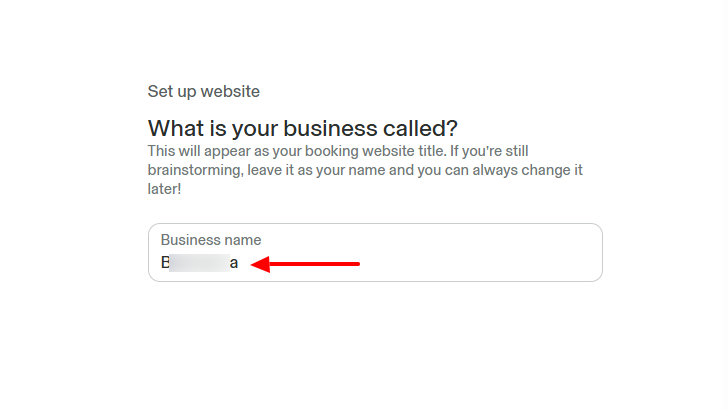
Then select a theme among all the templates available.
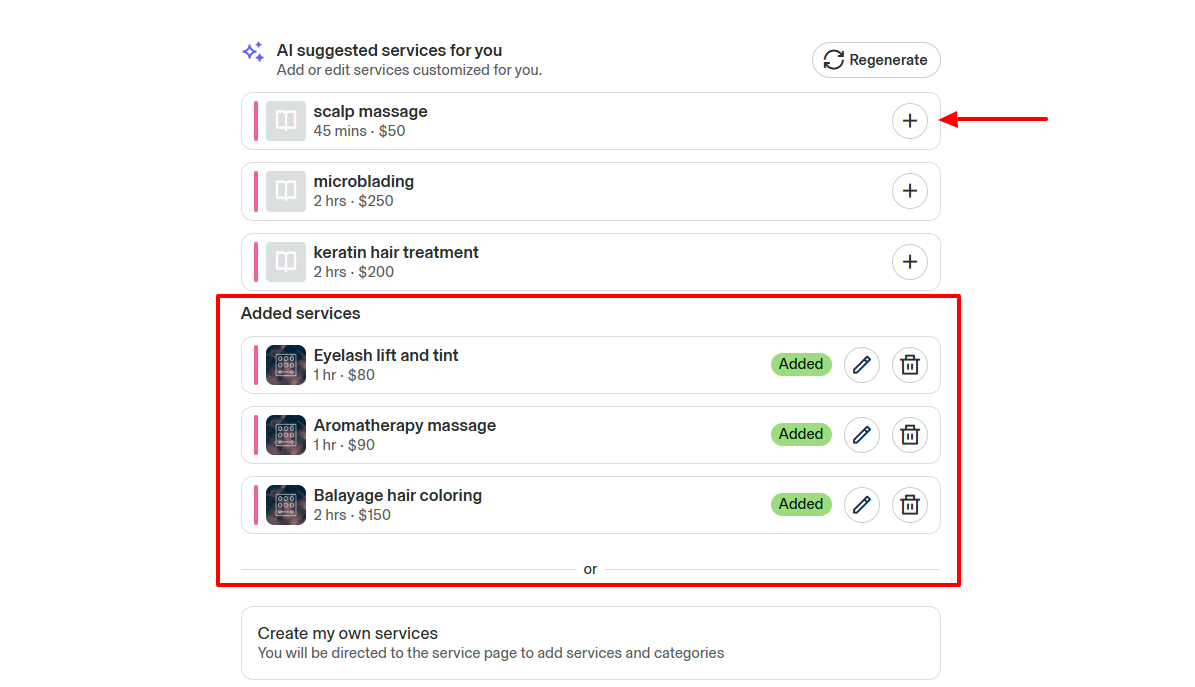
Interestingly, I can let AI generate services for me and add them.
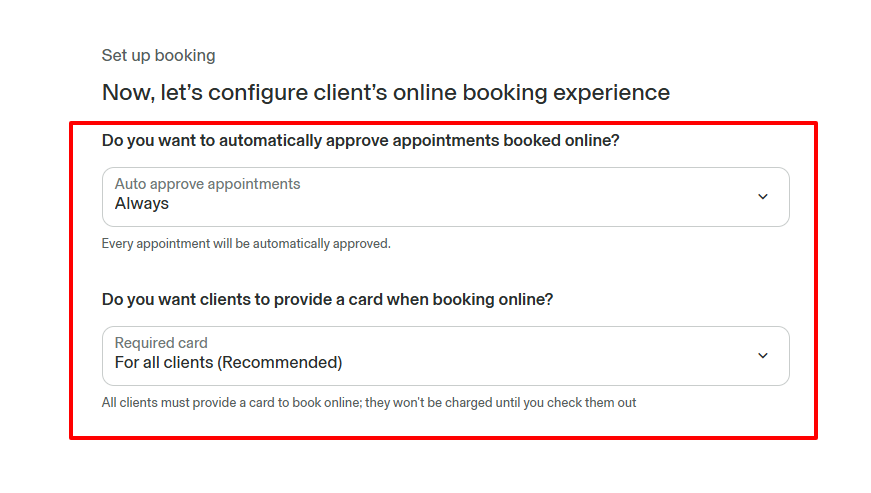
Next, we configure the client's booking experience.
For example, I can automatically approve appointments booked online and let clients provide a card when booking online.
This is pretty much what your clients might see when booking online.
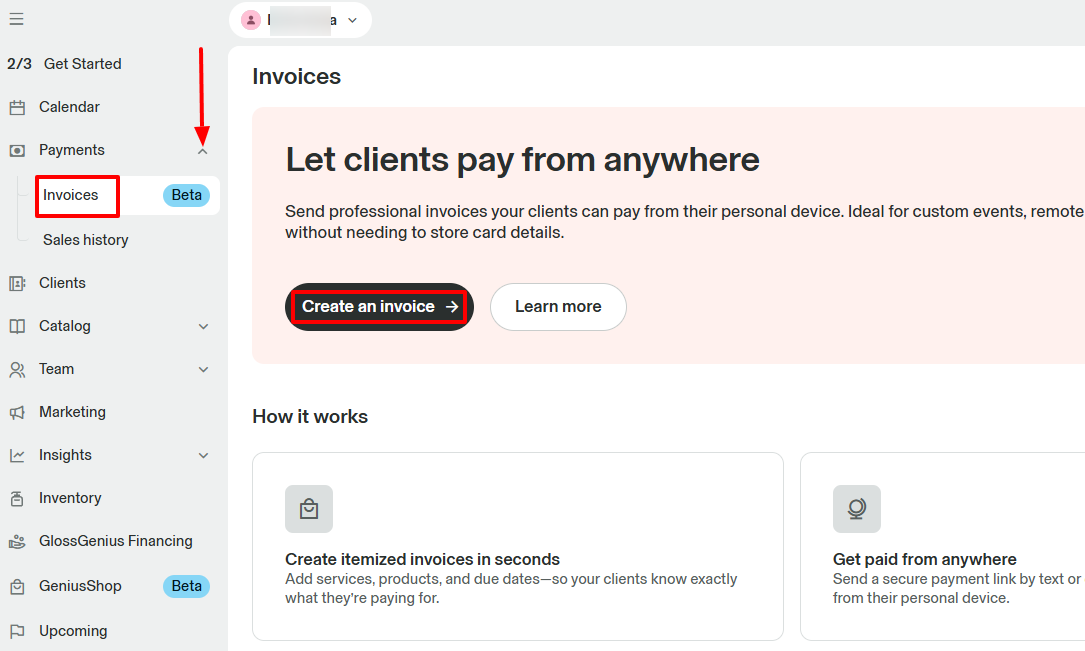
2. Invoices
You can create and send invoices to your clients to receive payments. It contains all the details, so clients know exactly what they are paying for.
Let's create one.
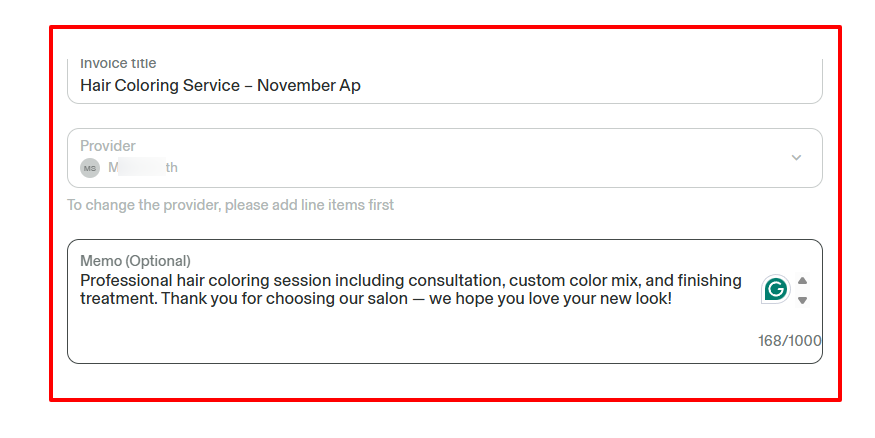
Give your invoice a clear title, select the provider, and include a memo.
Now, this is where you add your line items, and can even increase the quantity of the items depending on what the clients received.
Below is the total amount you want the client to pay. You can add an invoice discount and even tax.
You can also schedule the payment.
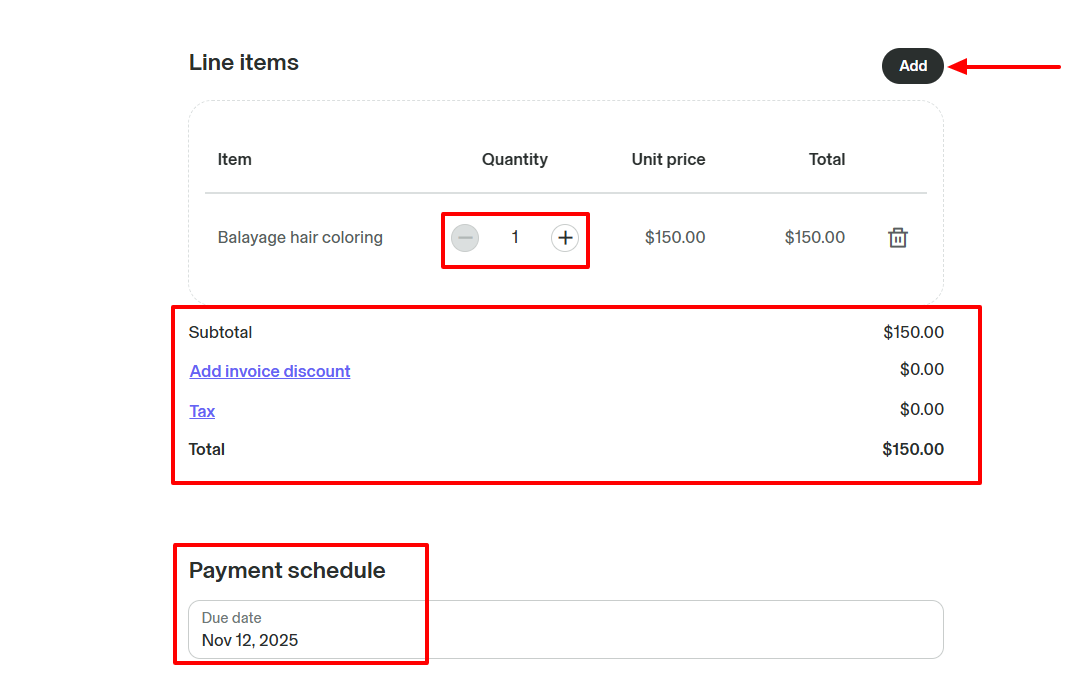
The invoice is ready with all the details!
3. Sale
Aside from creating invoices, you can also make sales on GlossGenius. Some of the sales include services, products, packages, and memberships.
To give you a full picture of how it works, I will sell a service.
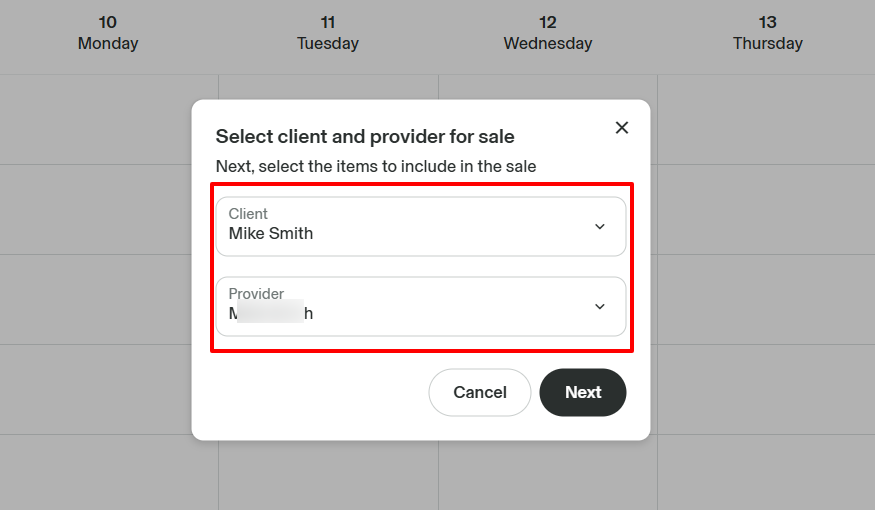
I will first go to Calendar, then click Quick sale, and Services.
Now, select a client and provider.
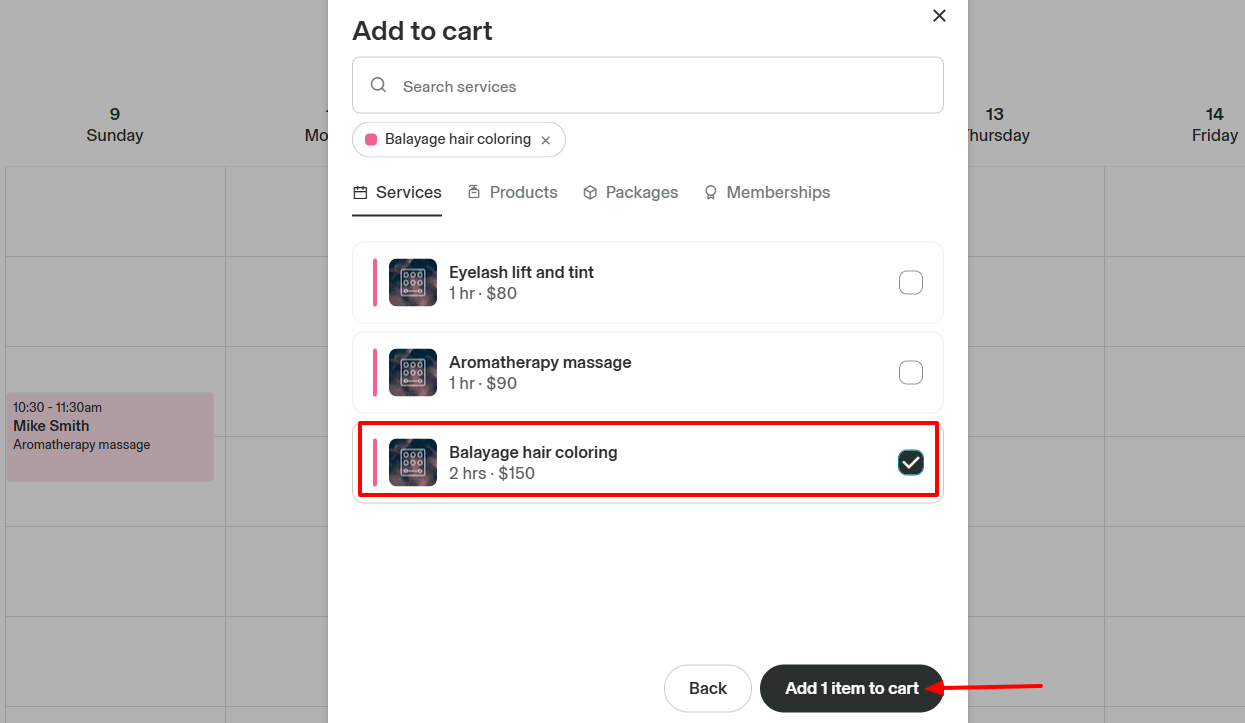
Then add the services you want to sell to the cart.
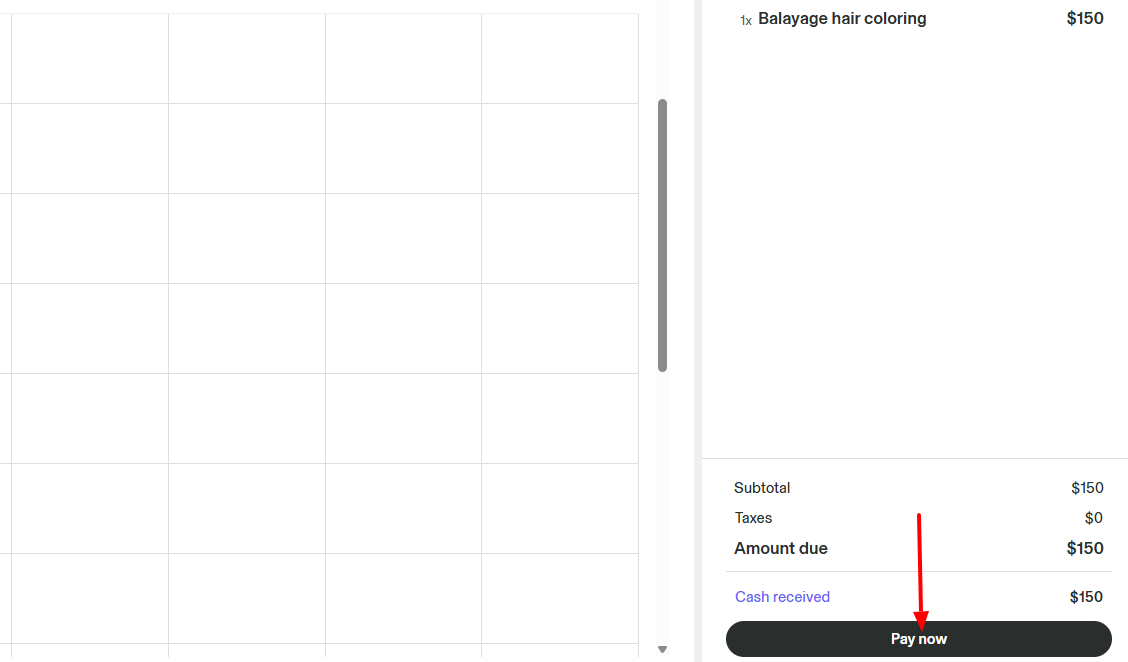
You will now choose the payment method.
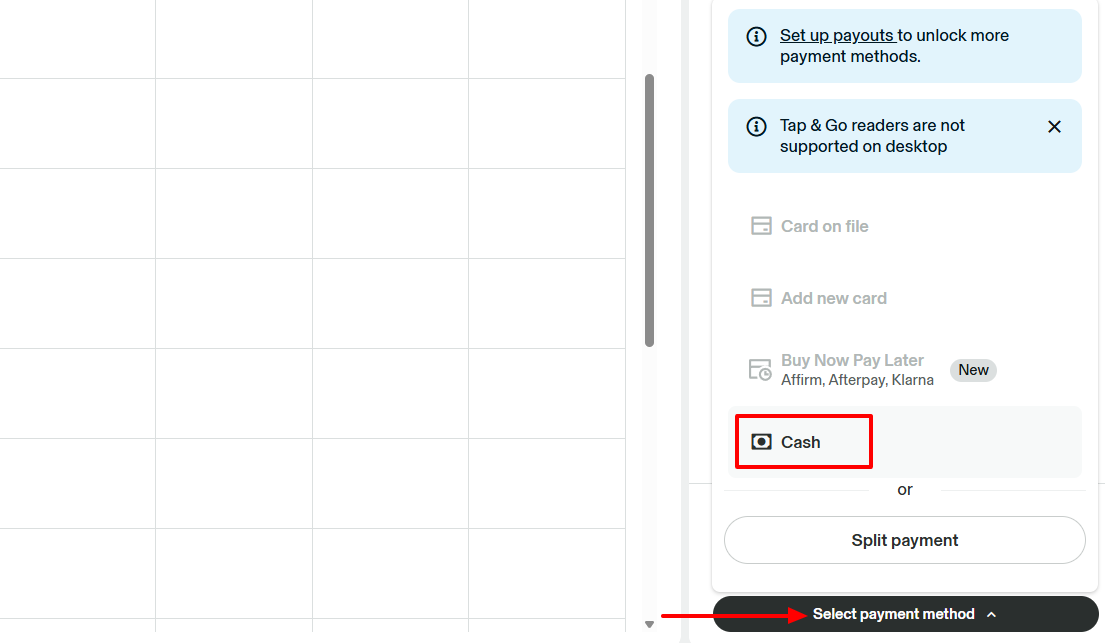
If the client chooses Cash, for example, you can simply click "Pay now".
What I Loved and What I Struggled With
| What I Loved | What I Struggled With |
|---|---|
|
|
Best for
Entrepreneurs seeking to customize their online booking website and manage payments.
Pricing
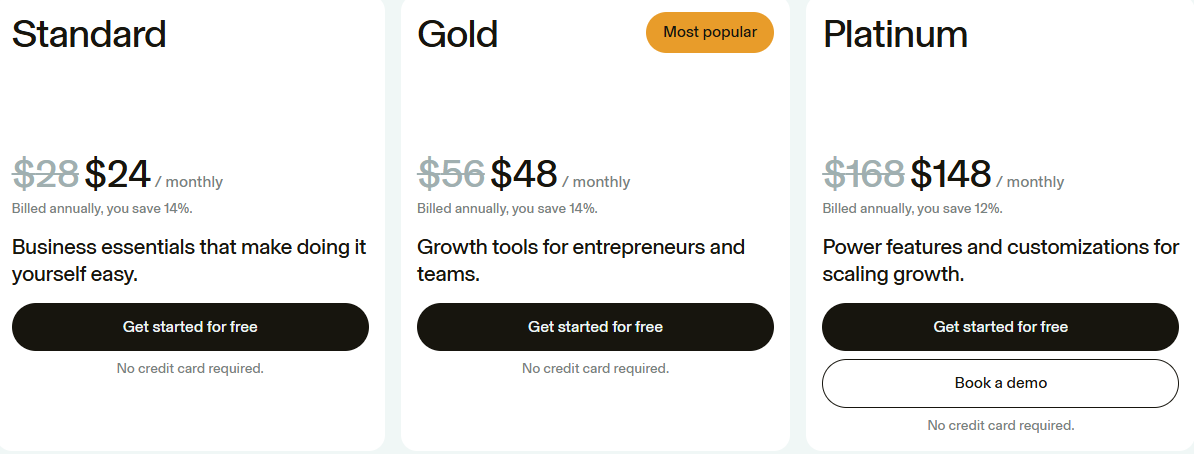
- Standard Plan: $24/monthly
- Gold Plan: $48/monthly
- Platinum Plan: $148/monthly
Start your 14-day free trial and automate your scheduling today.
6. DaySmart Salon
Personal rating: 4/5 stars | One of my favourite experiences with DaySmart Salon was discovering its reputation management feature. You can collect reviews from clients. And you can also build a website for online booking.
DaySmart Salon is another beauty salon software we will look at.
I recommend it to stylists who want to build a website for online booking and manage their online reputation.
Now, let's go deeper!

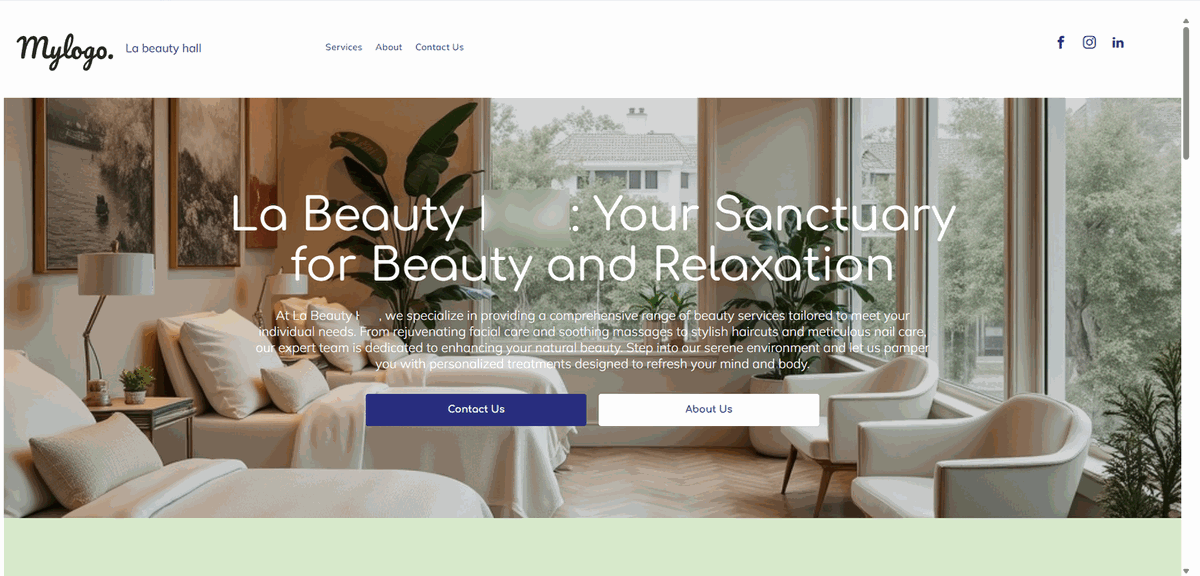
Stylists will appreciate how they can easily create an online booking website on DaySmart Salon, featuring all their services. To even create one faster, they can use a beautiful template and simply customize it to their liking.
Now, here's a truth: the better your reputation, the more confident your clients will be, and the more you will attract others.
Interestingly, you can manage your reputation by requesting reviews from your current customers. You can request through email, text message.
However, when you want to reach out to them via email, you can select an email template so you won't have to think much. Then adjust the message before sending it to your clients.
What I loved about DaySmart Salon
1. Website
DaySmart Salon offers a long list of features. But one thing the platform is well known for is building websites.
I decided to give it a try.
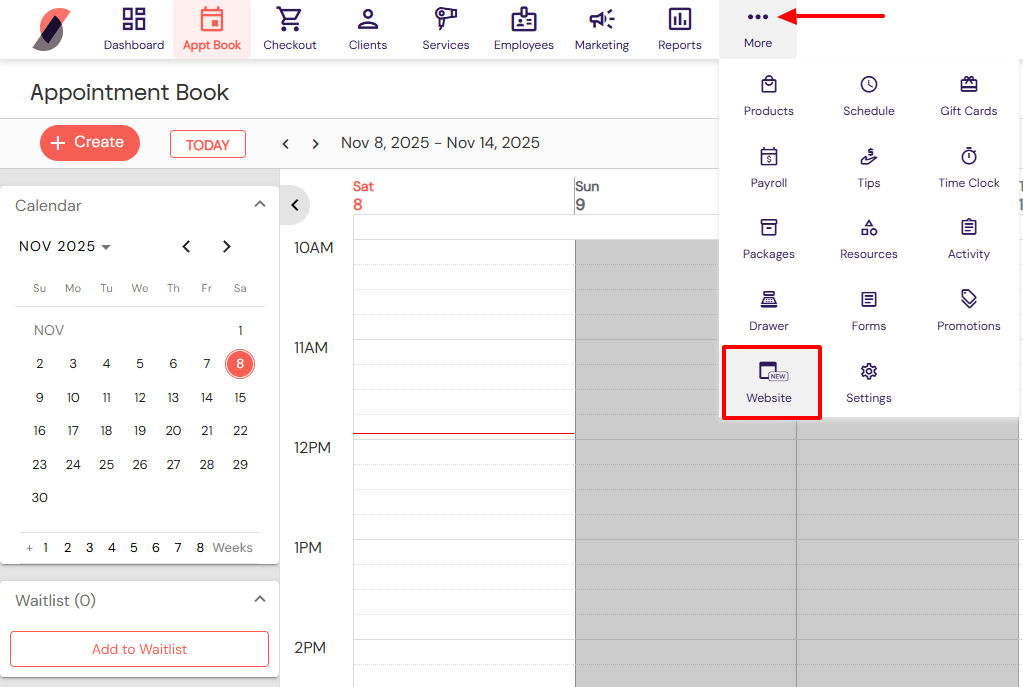
After I signed up, I clicked the three-dot menu in the top bar. Then I went to Website.
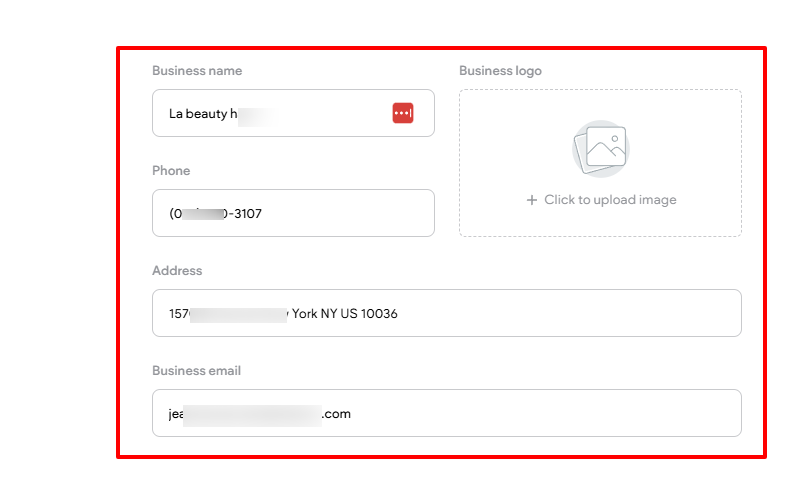
I entered your business name, phone number, address, and business email address. Then I could upload your business image.
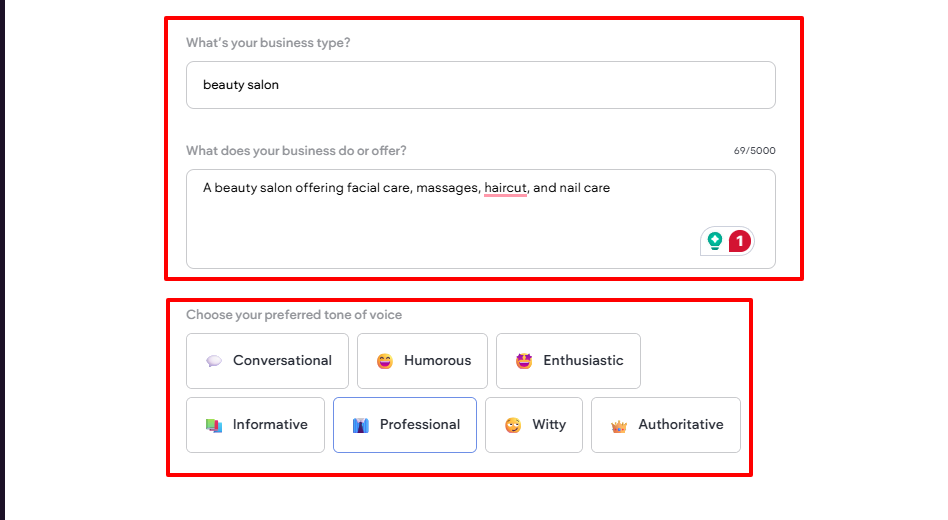
Next, I specified my business type and described what I would offer. I could also choose my preferred tone of voice.
On the website, I could add more sections, services, headers, and a location. There was also the possibility to add my Facebook, Instagram, and LinkedIn.
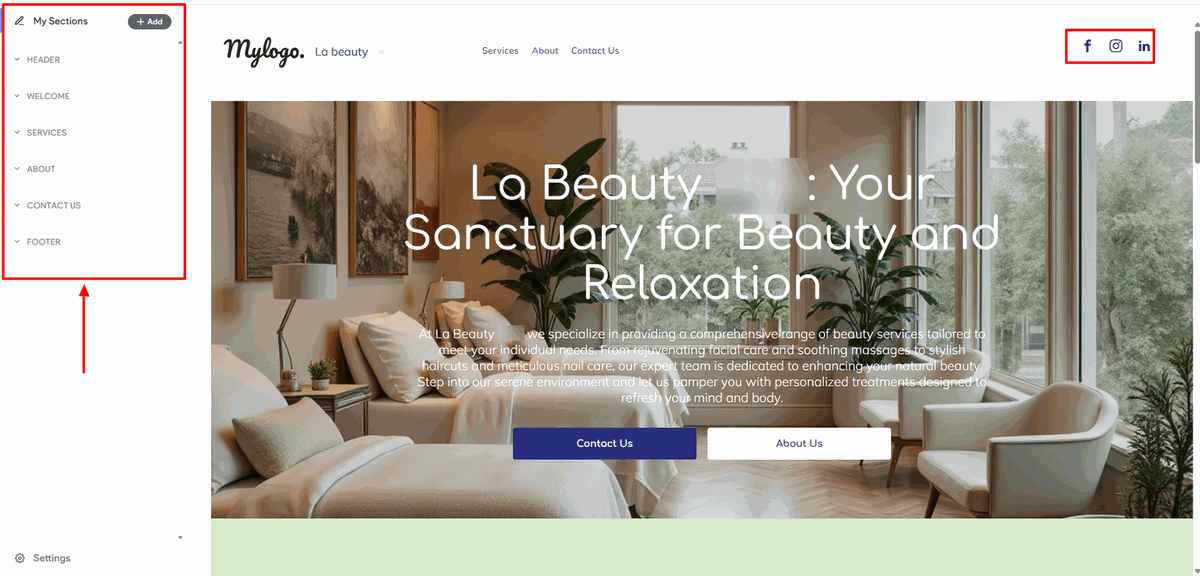
I could customize the whole website, the title of each service, the image, and the description.
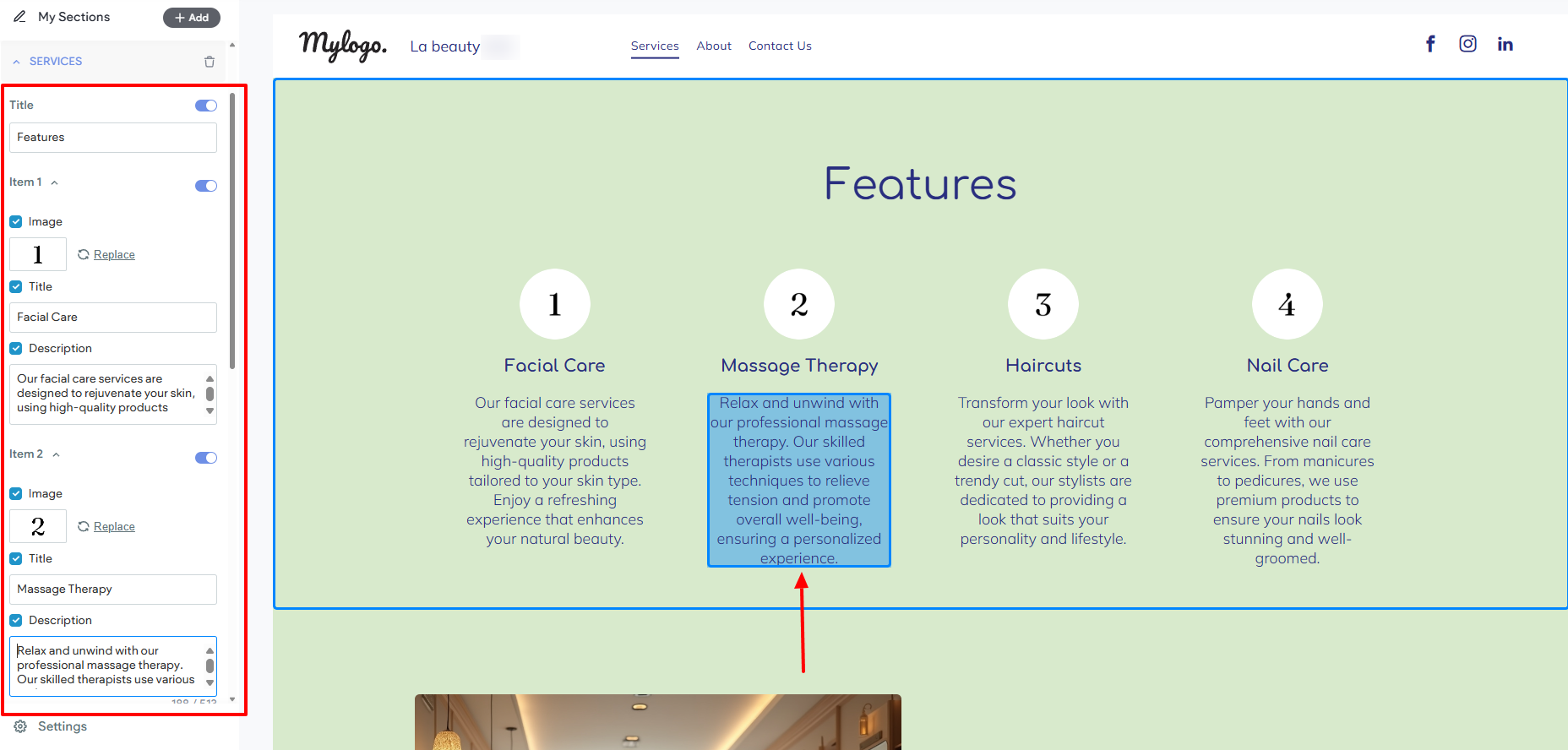
Here's the website I created!
2. Reputation management
Building websites isn't the only action you can take on DaySmart salon. You can also manage your online reputation through reviews.
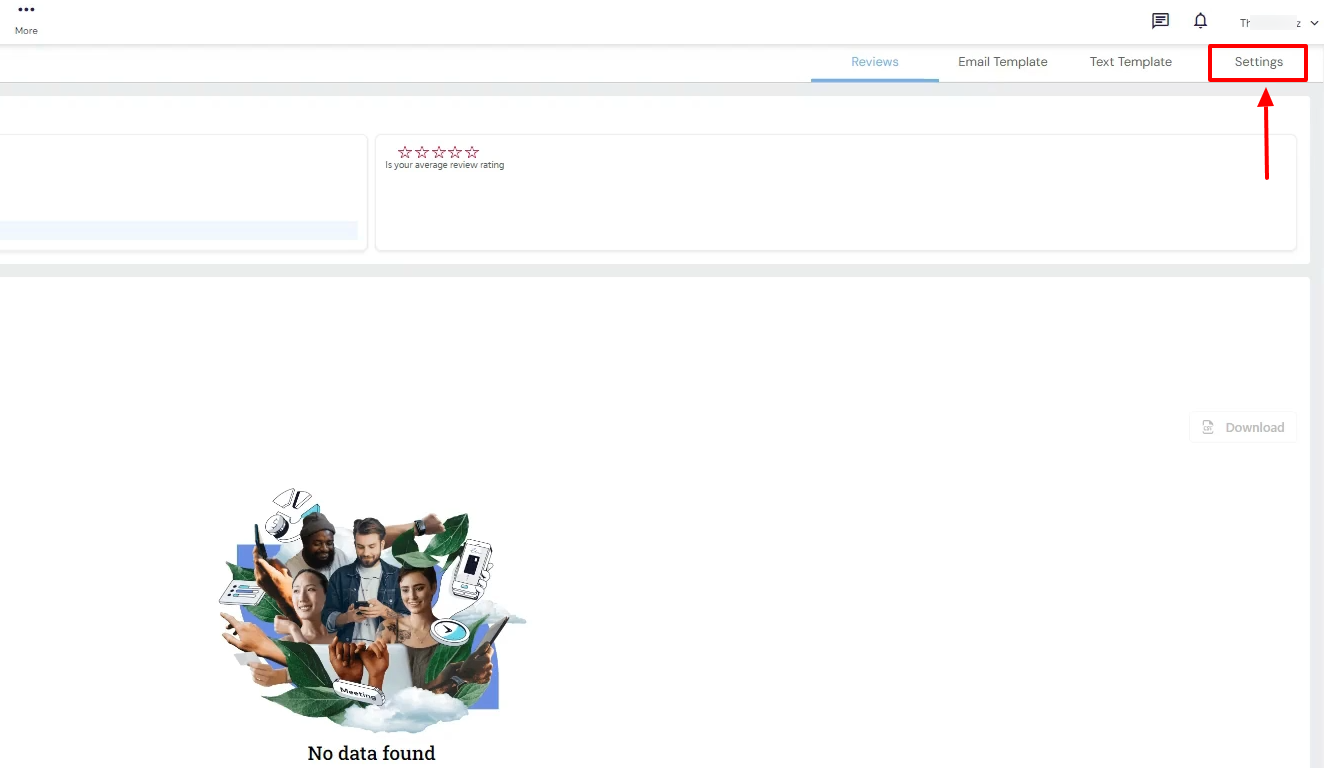
First, head to Settings after locating Reputation management.
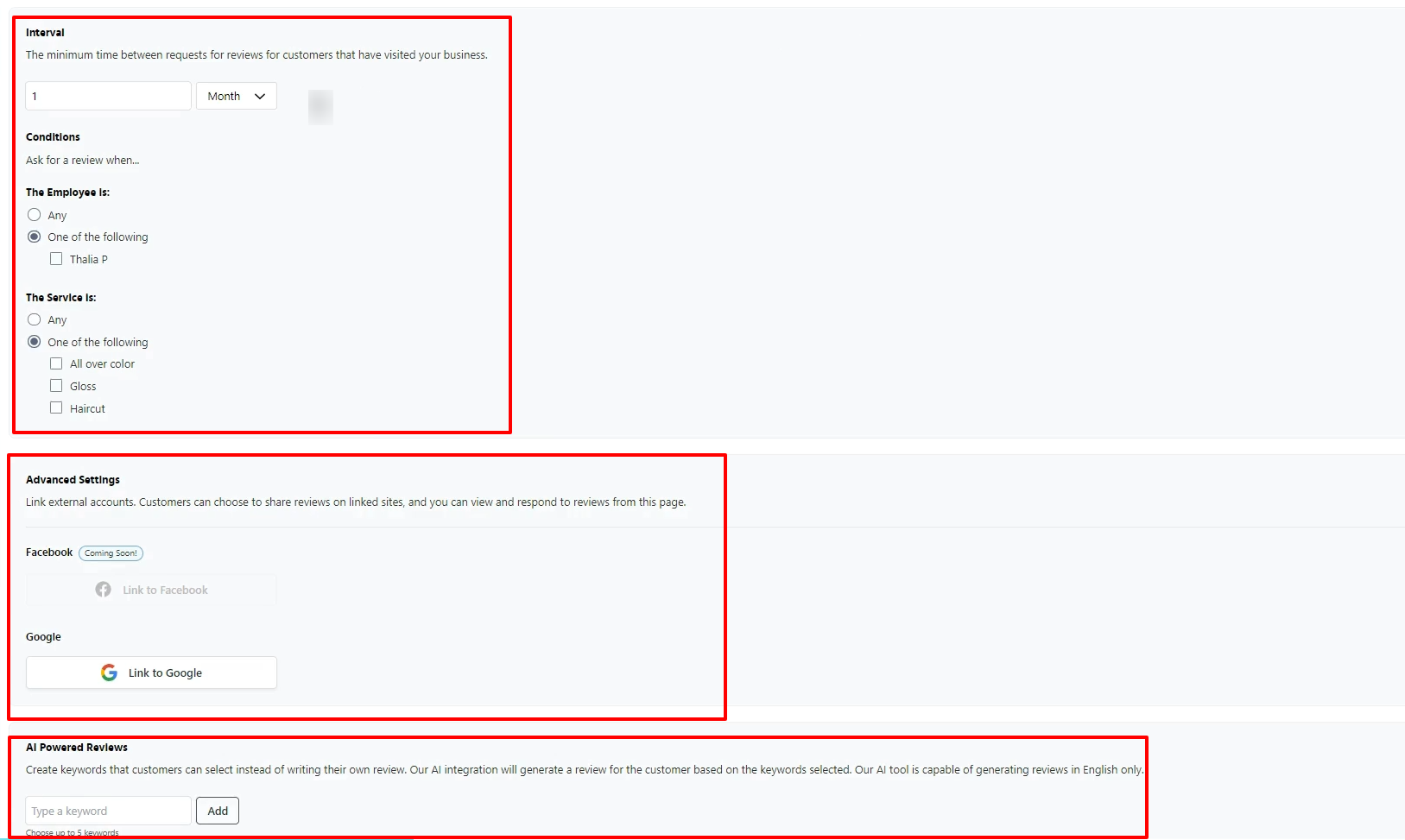
Here, I could specify the minimum time between requests for reviews for customers who have visited my business.
I could also set conditions for reviews. For example, ask for a review when the employee is one of the following (anyone or I specify), and when the service is one of the following.
I could link my external accounts, like Facebook or Google, and even create keywords that customers can select instead of writing their own reviews.
Under the Email template, I enter my subject, upload my logo, and add my message.
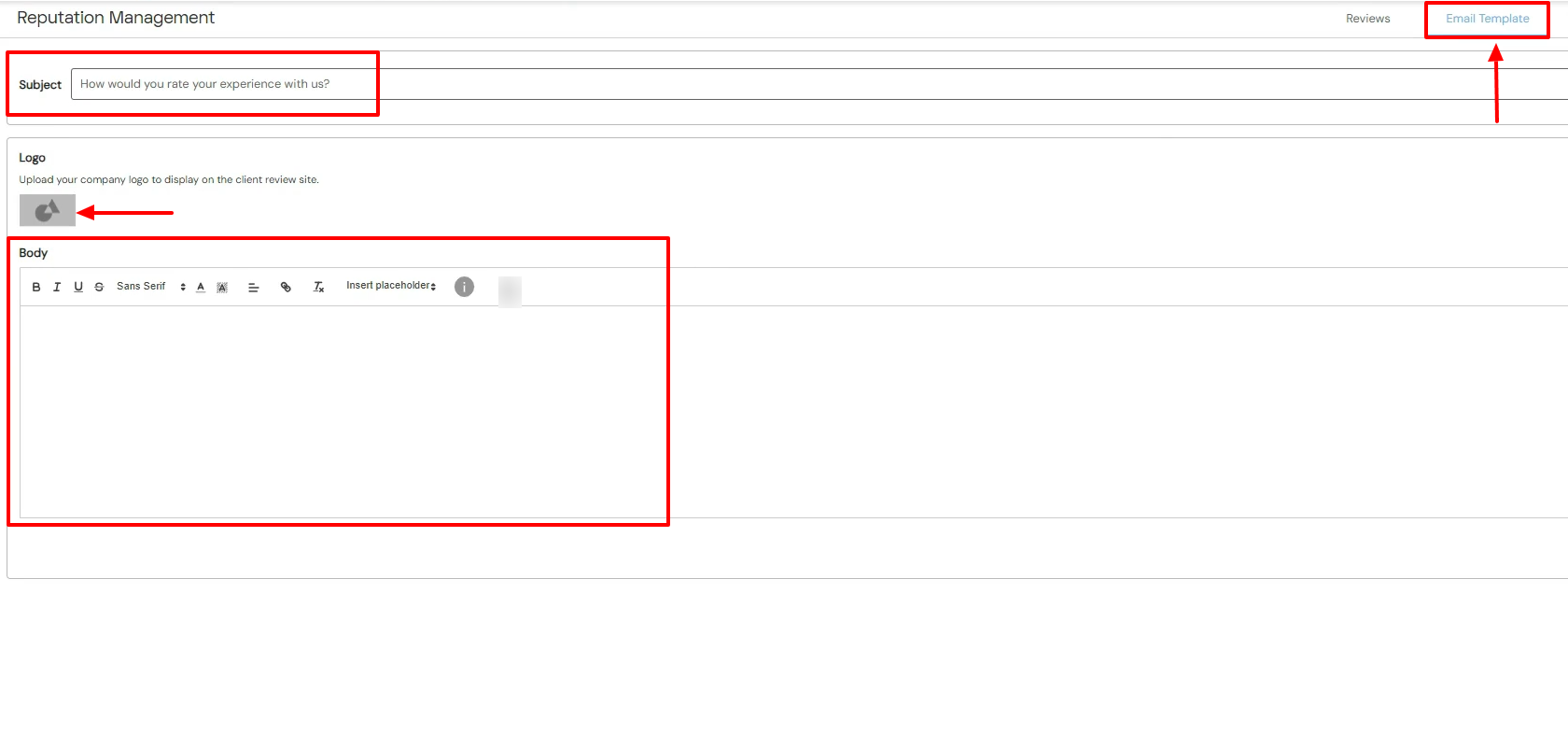
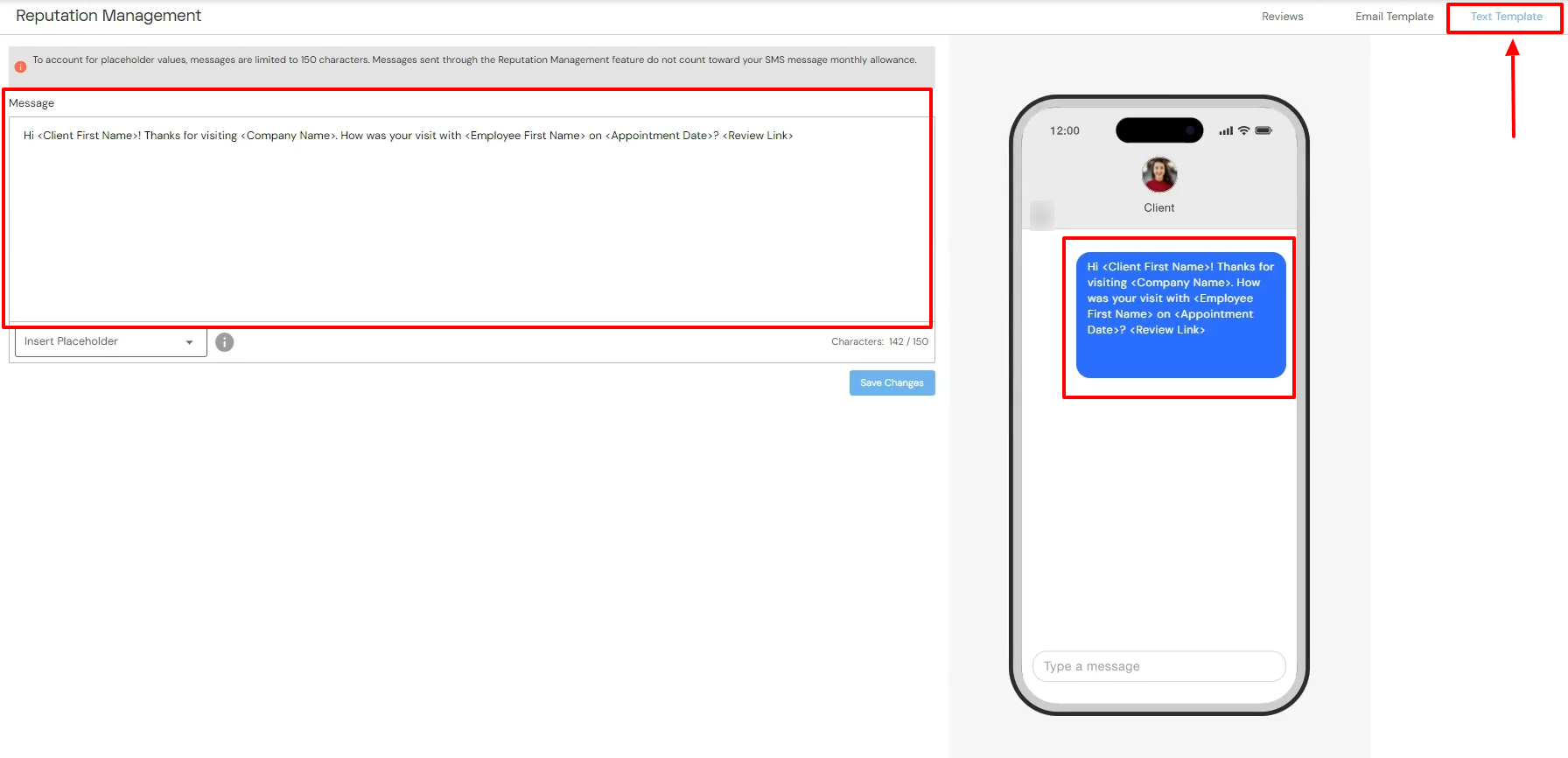
There is also the Text template. I simply type in the message I want to use to collect reviews. And the right side shows a preview of this text.
3. Marketing
You manage your reputation because you want your customers to keep booking with you and also be satisfied with your services. You can use the Marketing feature on DaySmart to send email campaigns to your clients.
It could be for their birthday, to promote loyalty programs, share an update, or simply say thank you, among others.
For example, let's send an email campaign to remind clients to book again.
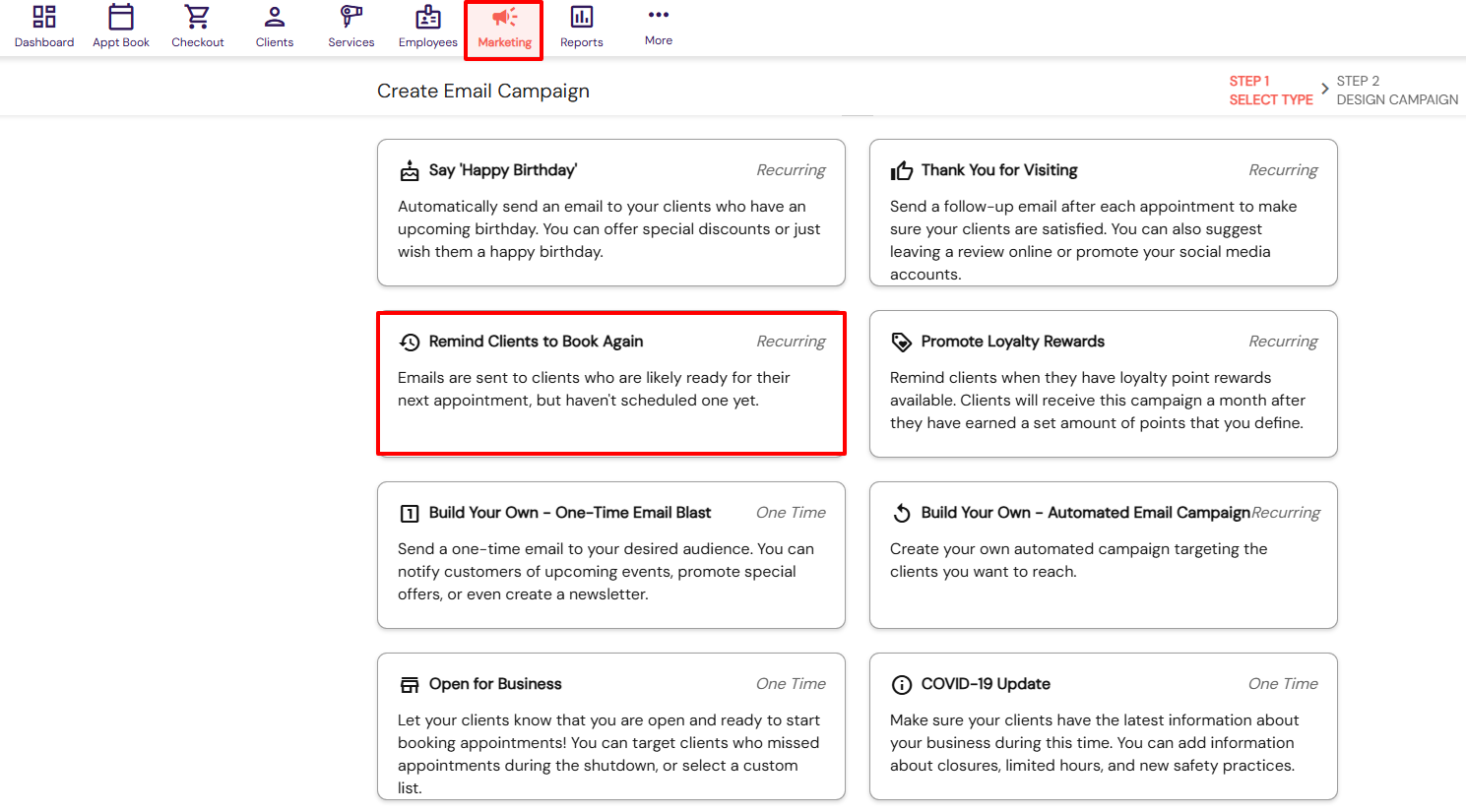
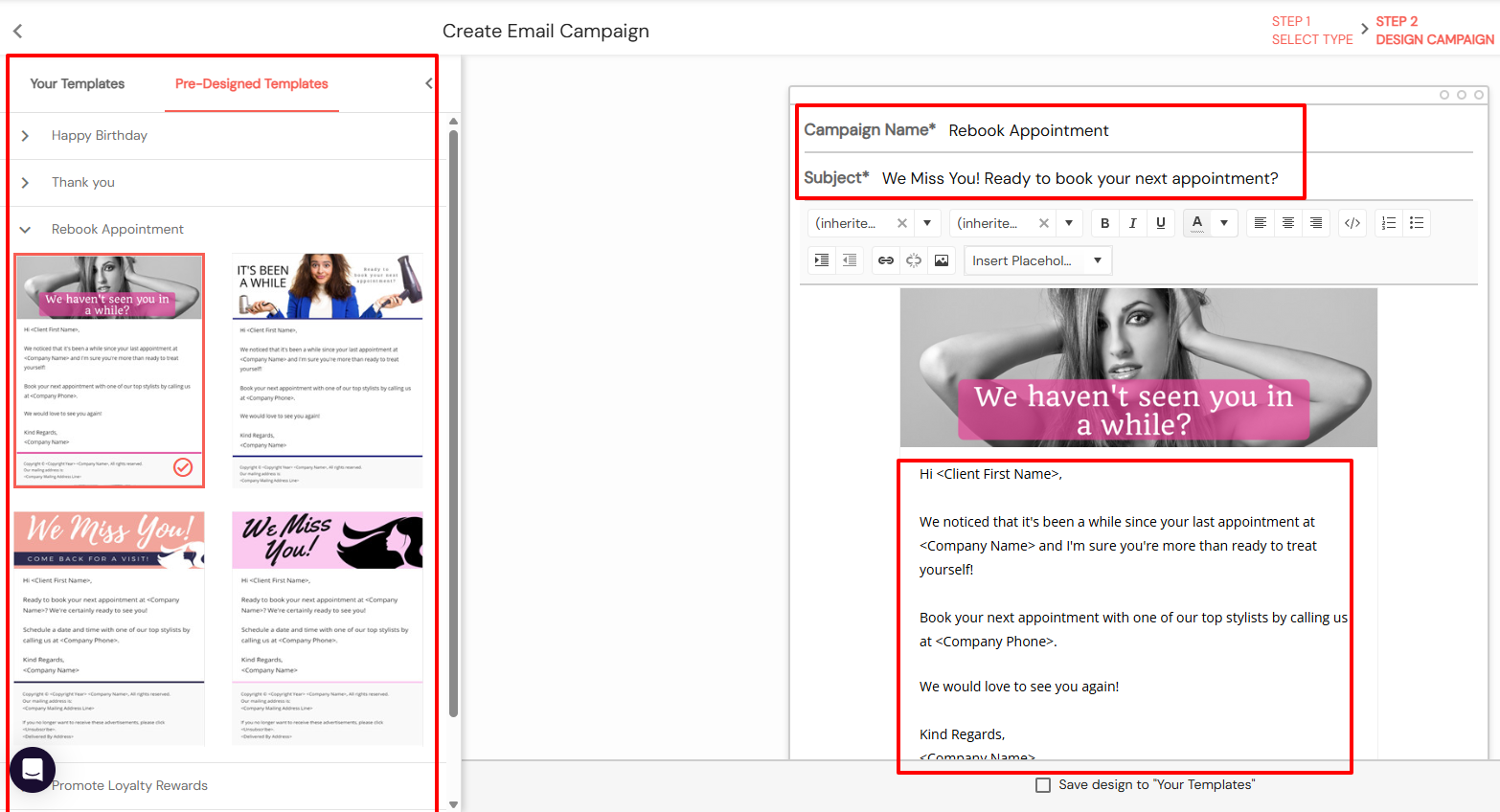
The process is simple. I simply choose my preferred pre-designed templates. Then I will name the campaign, enter the subject, and add the message.
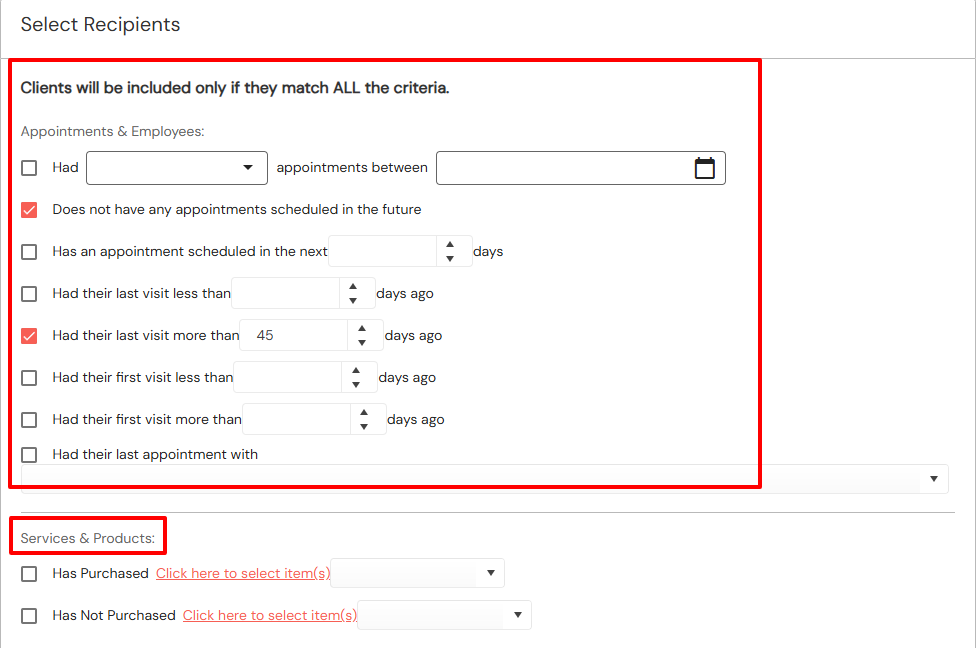
Next, you will choose the criteria for your recipients. The email will only go to those who qualify.
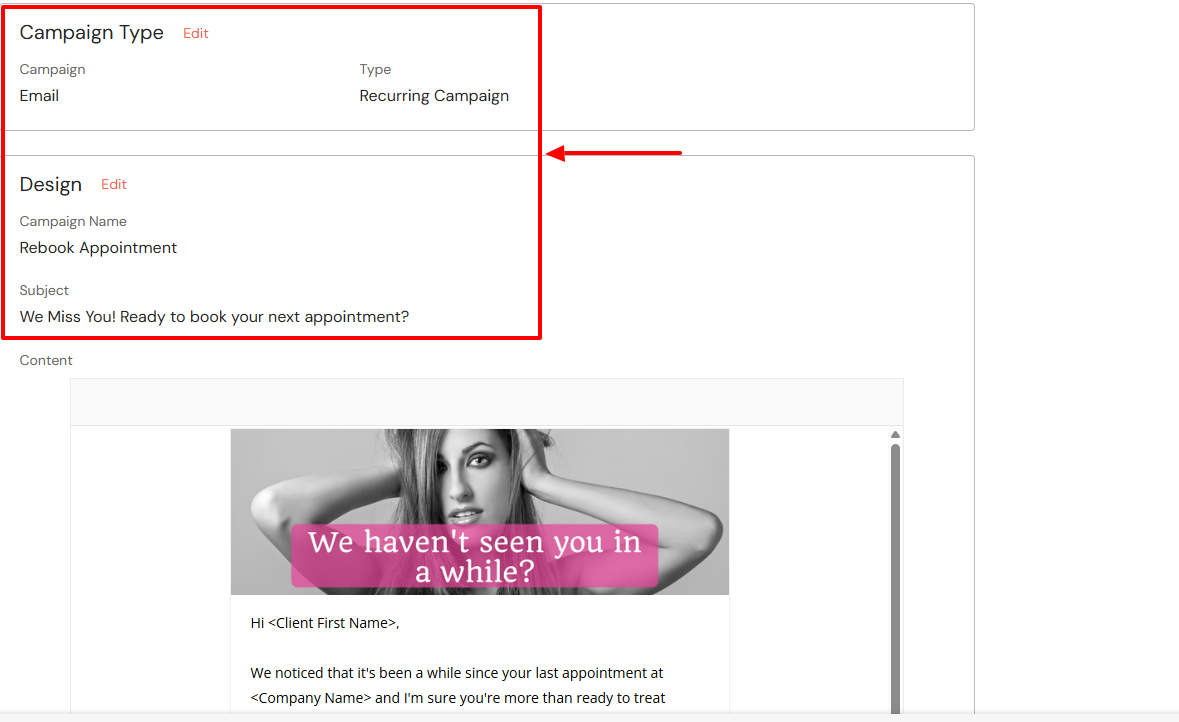
Your email campaign is ready. You can still edit it.
What I Loved vs What I Struggled With
| What I Loved | What I Struggled With |
|---|---|
|
|
Best for
Nail techs and stylists who want to build a website for online booking and manage their online reputation.
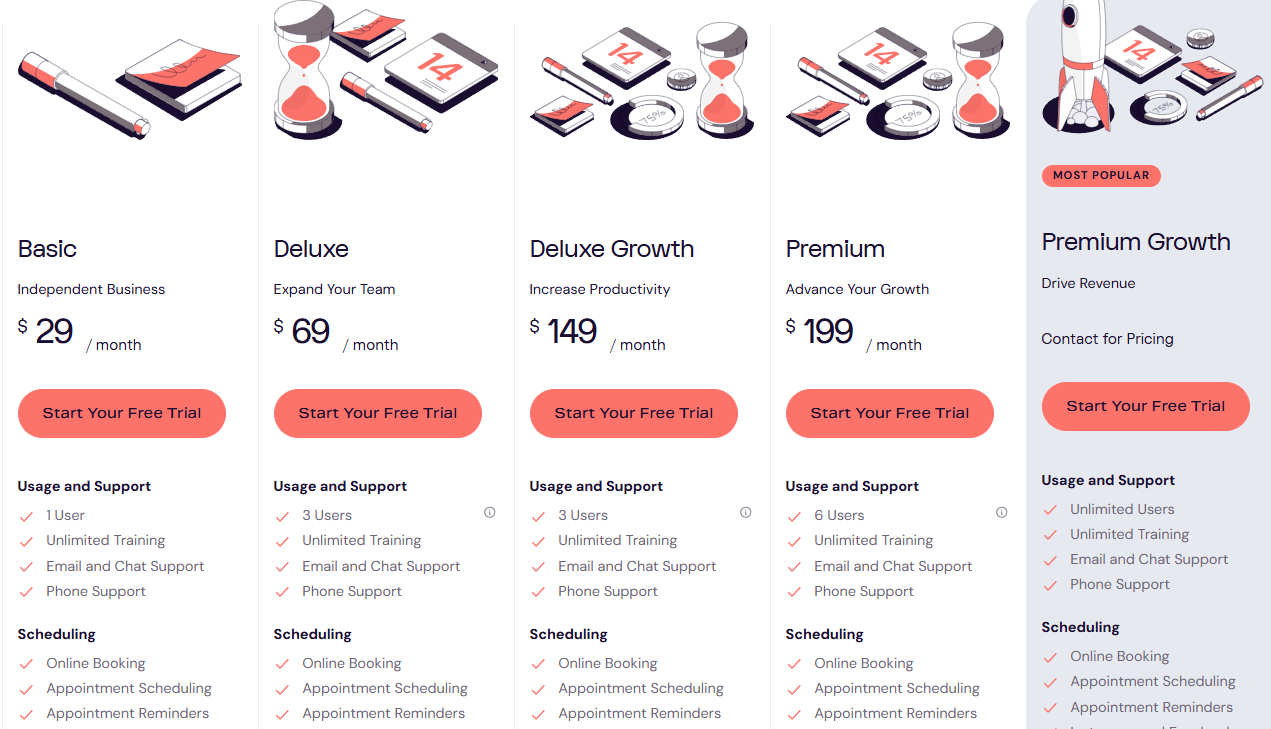
Pricing
- Basic: $29/month
- Deluxe: $69/month
- Deluxe Growth: $149/month
- Premium: $199/month
- Premium growth: Custom pricing
Start your 14-day free trial and automate your scheduling today.
What is beauty salon software?
Beauty salon software is a tool salon owners and beauty professionals use to manage their daily tasks. It can be booking appointments, managing clients, inventory, and staff, and handling payments.
The list can go on, as far as it falls under the category of salon tasks.
For instance, I mentioned many beauty salon software earlier in this article.
A tool like Zencal lets you create great booking pages you can share with clients. You can then allow them to book with you based on your availability.
With Booksy, you can add your staff members and assign them services.
And when you use a tool like Fresha, you can do a full inventory of your salon products.
At the end of the day, any software that helps you manage your salon activities is beauty salon software.
Start your 14-day free trial and automate your scheduling today.
Choose the best beauty salon software
There you have it! This article was about the best beauty salon software.
We had a long list starting from Zencal, then StyleSeat, Booksy, Fresha, GlossGenius, and DaySmart.
Each tool comes with its unique strengths and weaknesses.
I reviewed each one and shared the experience I had while testing them.
It's time to choose the best beauty salon software.
Start your 14-day free trial and automate your scheduling today.
FAQ
Can I manage multiple staff members in a beauty salon software?
Yes, some beauty salon software, like Booksy, GlossGenius, or Fresha, allows you to manage multiple staff members.
Do beauty salon software offer free trials to test them?
Yes, many salon software, like Zencal or GlossGenius, offer a 14-day free trial to test them.
Which beauty salon software is suitable for multi-location salons?
Vagaro is a salon software suitable for multi-location salons.
What are the best beauty salon software?
The best beauty salon software are Zencal, Styleseat, Fresha, and GlossGenius.
Can salon software support online bookings from my website or social media?
Yes, salon software like Zencal can support online bookings from your website or social media.