5 Best Massage Therapy Software in 2026!
 This is massive! It also means that massage therapists, spa owners, and wellness practitioners will soon be busier than ever.
The truth is, the demand is huge, and a smart business move would be to start preparing for this growth that is about to hit the global market.
However, considering the competitive nature of this industry, you may struggle to keep up if you continue to operate manually.
You need a massage therapy software to help you manage appointments without chaos, keep client records in one place, make payments easy, and eventually scale.
Luckily for you, I tested 11 tools over the past two weeks. In this article, I will share my top five recommendations for massage therapy software, covering their features and pricing plans, as well as how to choose the perfect fit for your business.
Let’s dive into it!
This is massive! It also means that massage therapists, spa owners, and wellness practitioners will soon be busier than ever.
The truth is, the demand is huge, and a smart business move would be to start preparing for this growth that is about to hit the global market.
However, considering the competitive nature of this industry, you may struggle to keep up if you continue to operate manually.
You need a massage therapy software to help you manage appointments without chaos, keep client records in one place, make payments easy, and eventually scale.
Luckily for you, I tested 11 tools over the past two weeks. In this article, I will share my top five recommendations for massage therapy software, covering their features and pricing plans, as well as how to choose the perfect fit for your business.
Let’s dive into it!Top Massage Therapy Software Compared
| Tools | Features | Ease of use | Customization Level | Starting price | Integrations with other tools | Best for |
| Zencal | Zencal: Appointment scheduling, Client management, Events, Discount coupons, Automated reminders, Reports | Very easy | High | From $4/ monthly, billed monthly | Stripe, Hubspot, Google Calendar, Outlook, iFirma | Professionals and small business owners seeking great software for appointment scheduling and client management. |
| MassageBook | MassageBook: SOAP notes, Intake forms, Email campaigns, Gift cards, Client management | Easy | Medium | $20/ month | Google Calendar, Square | Professionals looking for an all-in-one massage therapy software with SOAP notes, marketing, and client management. |
| Mangomint | Mangomint: Client relationship management, Inventory management, Staff management, Point-of-sale systems | Easy | Medium | $165/ month | Mailchimp, Walverforever, Shopify, Gift Up! | Large spa business owners seeking a massage therapy software for team collaboration. |
| GlossGenius | GlossGenius: Client management, Marketing Campaign, Client management, Calendar | Very easy | High | $24/ monthly | Google Calendar, Outlook Calendar, Quickbooks, Square | Solo entrepreneurs and small teams seeking a massage therapy software to manage appointments and payments. |
| Fresha | Fresha: Catalog, Calendar management, Client management, Reports, Marketing | Very easy | High | $350/month/ location | No integrations with other platforms | Spa owners seeking a tool to reach out to clients, manage interactions, and sell products. |
Start your 14-day free trial and automate your scheduling today.
5 Best Massage Therapy Software
1. Zencal - Best for appointment scheduling
Zencal is the first on our list of the best massage therapy software when it comes to appointment scheduling.
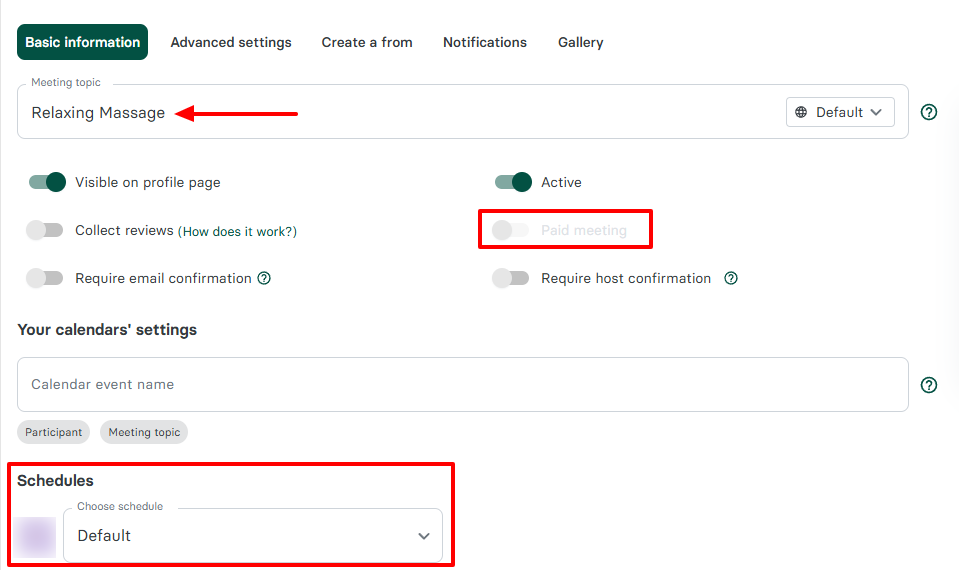
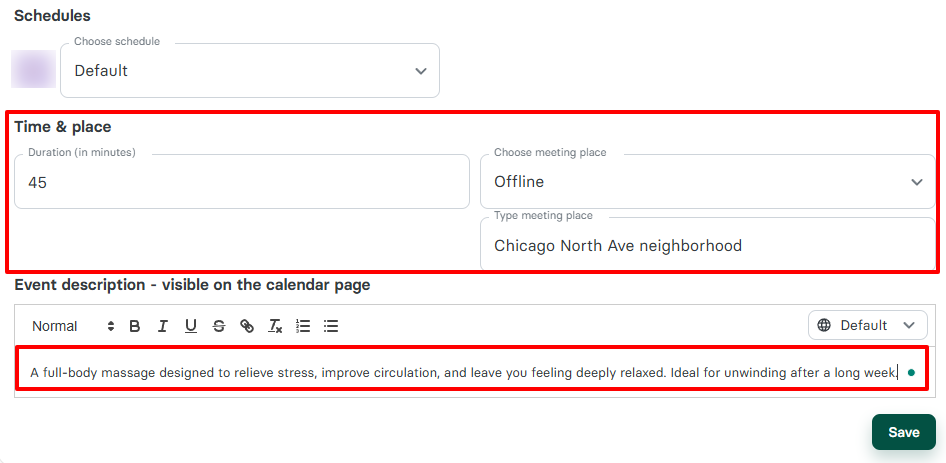
Zencal helps you create booking pages for meetings. You simply provide a name, choose a schedule and a duration, add the location, and a description. You can also make your meetings paid.
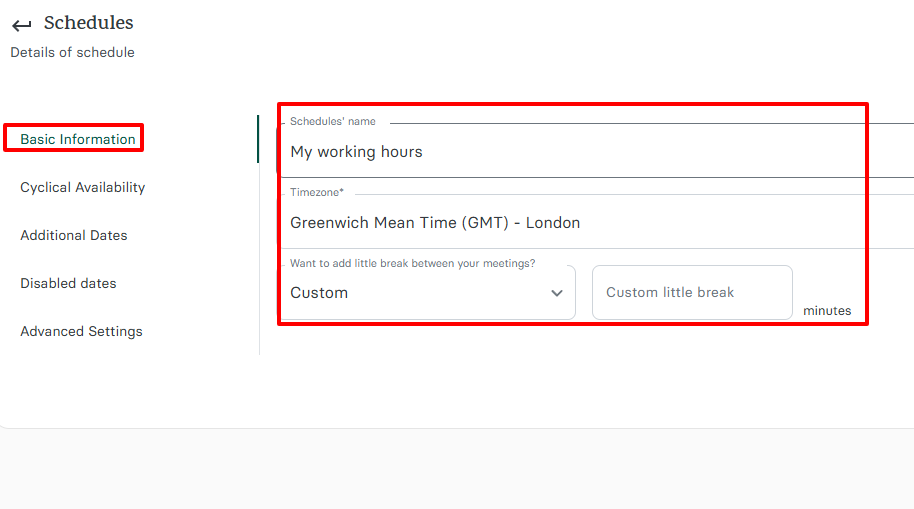
Additionally, you can set your availability using the Schedule feature. By naming your schedule, choosing a timezone, adding a break between sessions, and selecting your working hours, your availability is set.
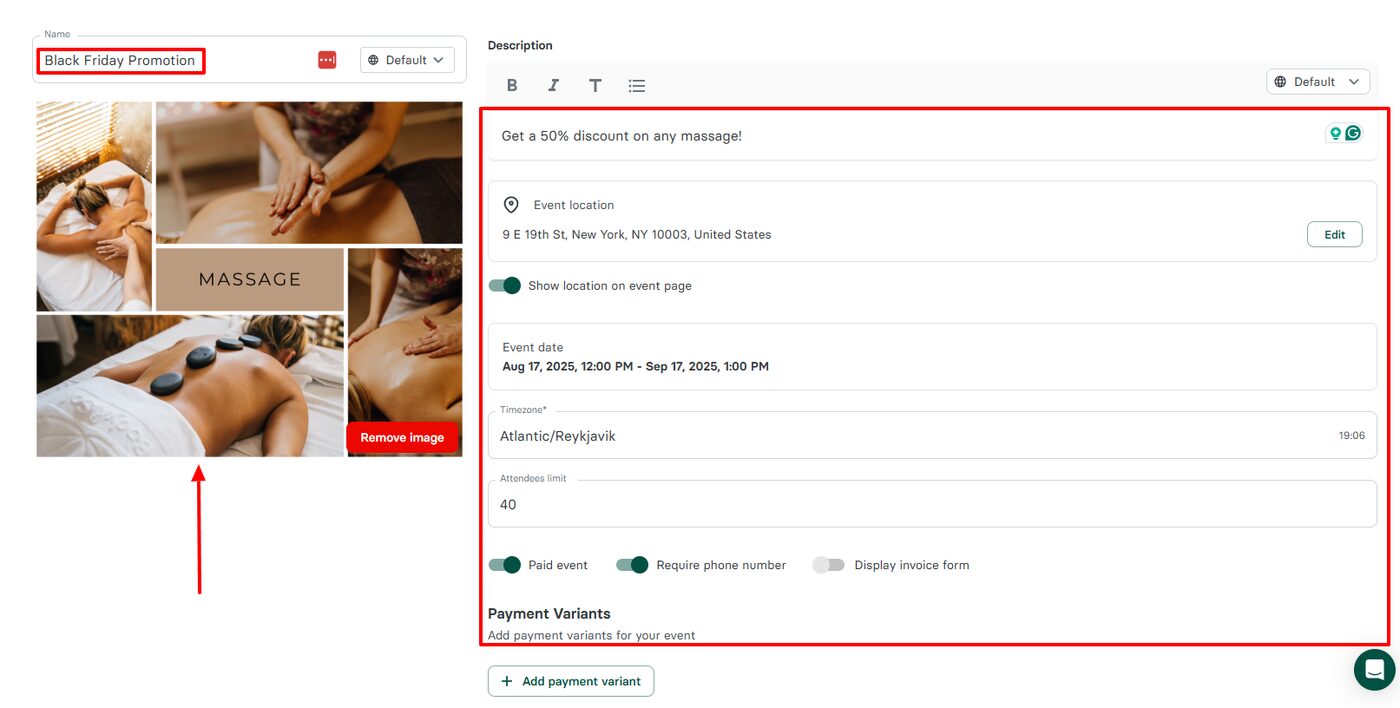
The platform also offers an Events feature, which helps you create all your future events. To create an event, add a name, upload an image, add a description, and a location.
You can also add the event date and limit the number of attendees.
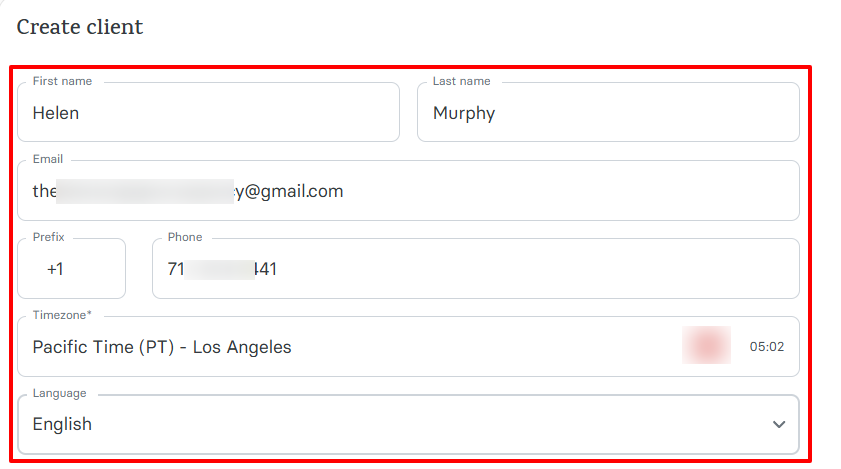
But there is more! I can add my clients to Zencal. All I need to do is enter their first & last name, email, and phone number. I also have the option to choose their time zone and preferred language.
Clients must schedule appointments with you based on your availability. That’s why you need to create booking pages. Without wasting much time, I will show you how to do that.
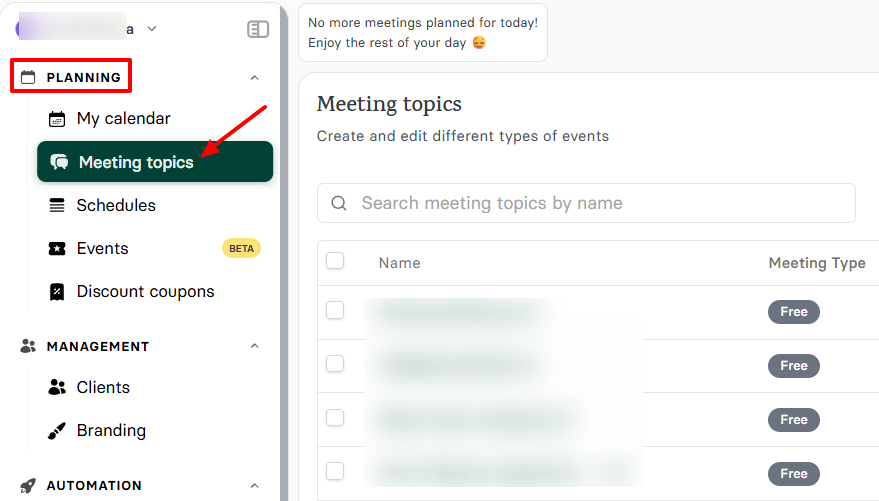
On the sidebar, click “Meeting topics”.
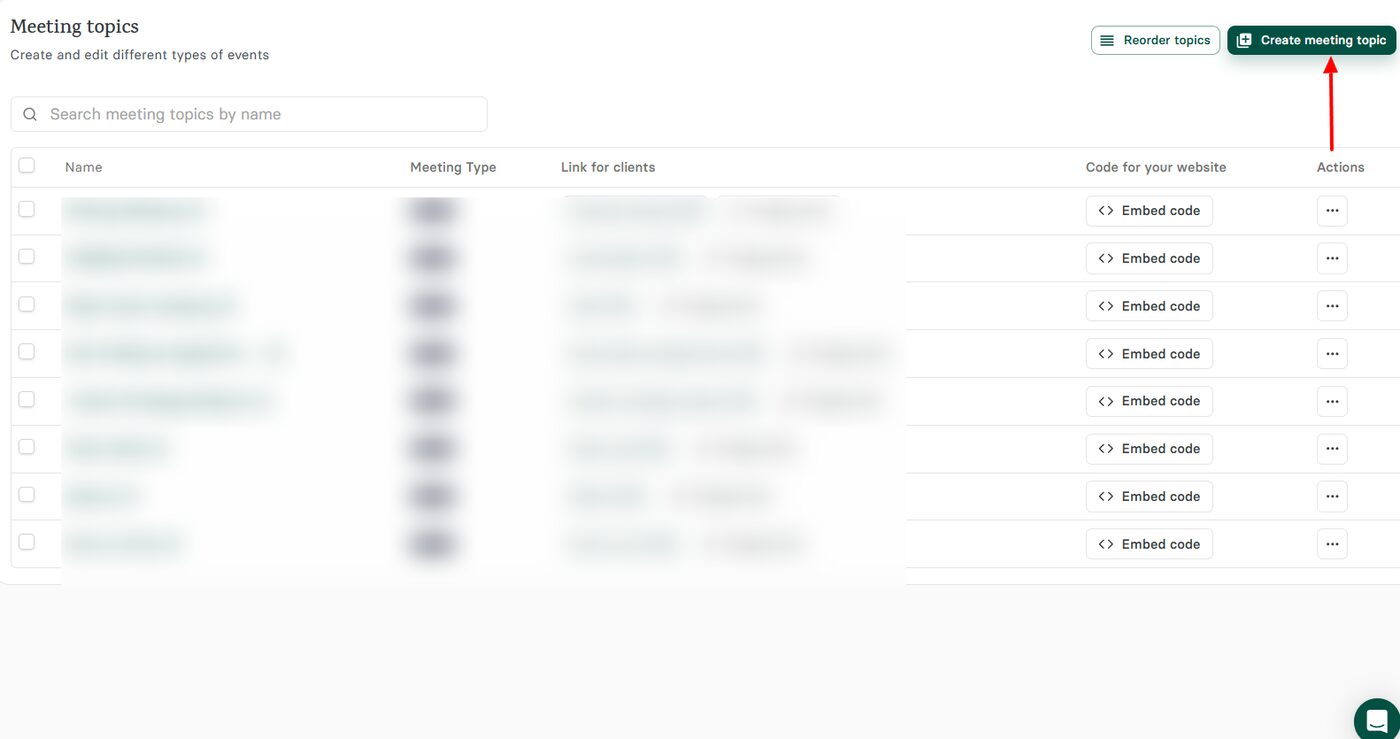
Next, go to “Create meeting topic” at the far right of the interface.
Name your booking page, decide whether you want it to be a paid meeting, and select your schedule.
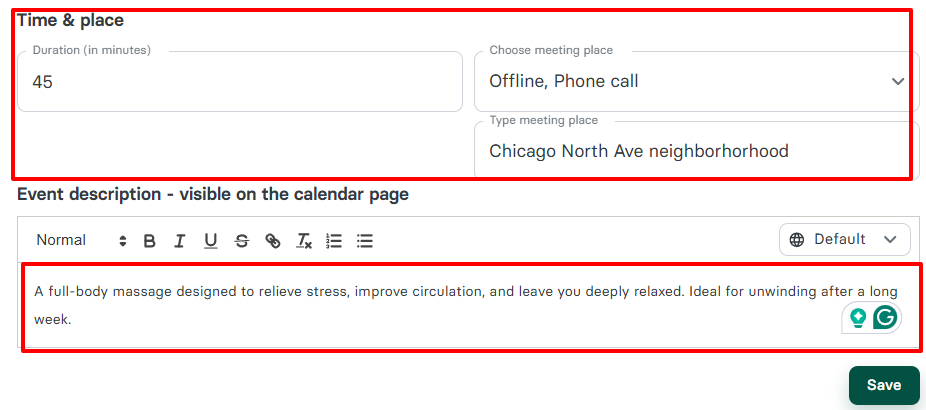
Next, select a duration, add your location, and a description of your service.
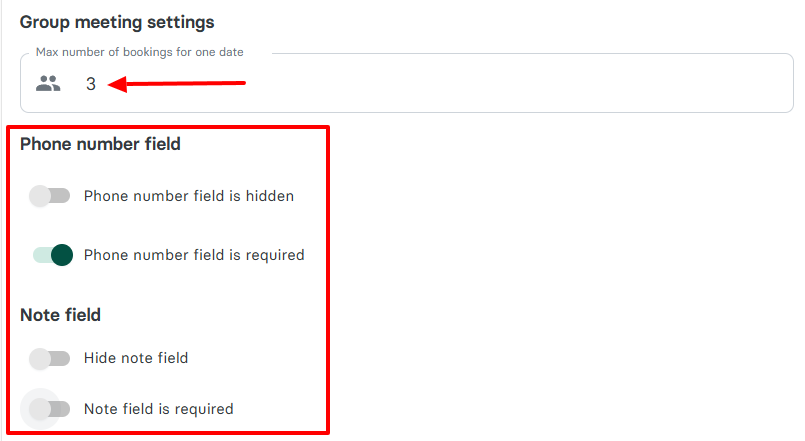
You can choose the maximum number of bookings for a single date, and make the phone number and note fields required.
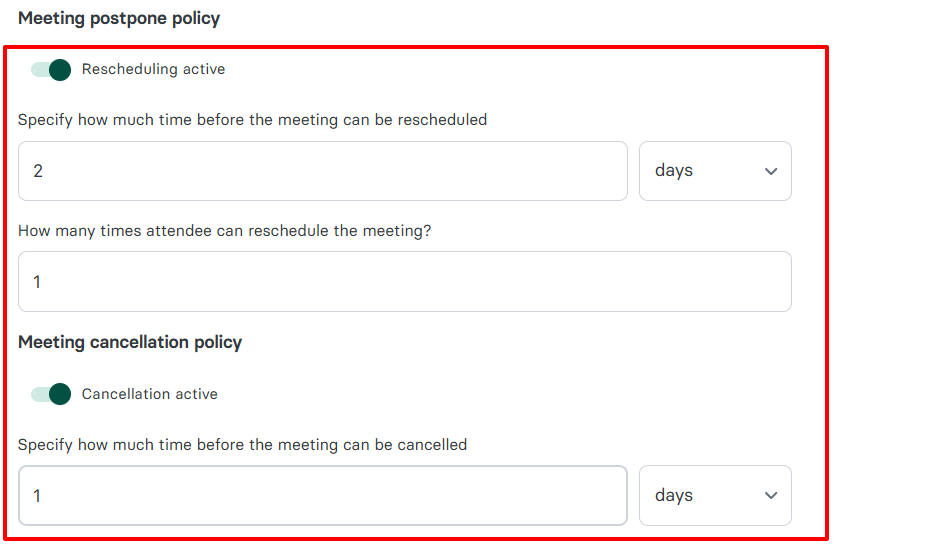
There are sections called “Meeting postpone policy” and “Meeting cancellation policy”.
With these, you can specify how much time should pass before the meeting can be rescheduled or canceled. You can also set the number of times a client can reschedule the meeting.
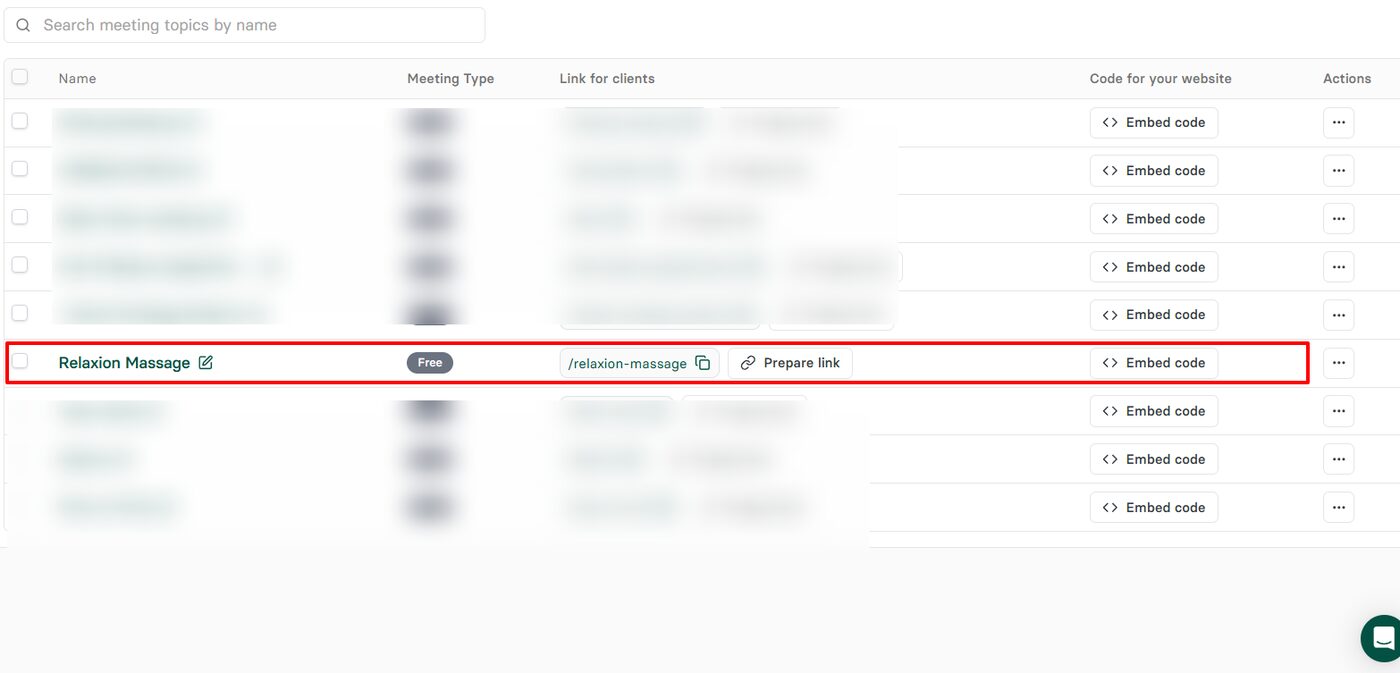
At this point, your booking page should be ready! You can copy the link or embed code.
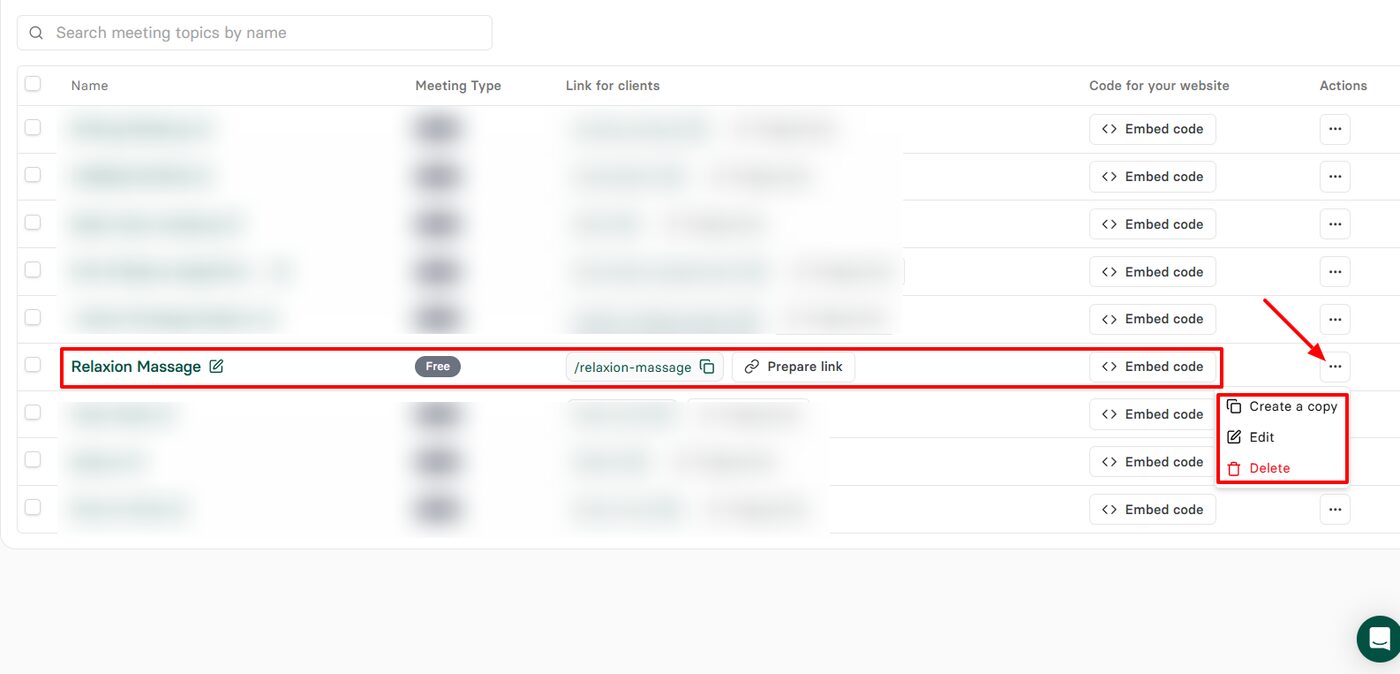
By clicking the three-dot menu at the end of the meeting link, you can take the following actions: create a copy, edit, and delete.
This is what your clients will see when schedulin g an appointment.
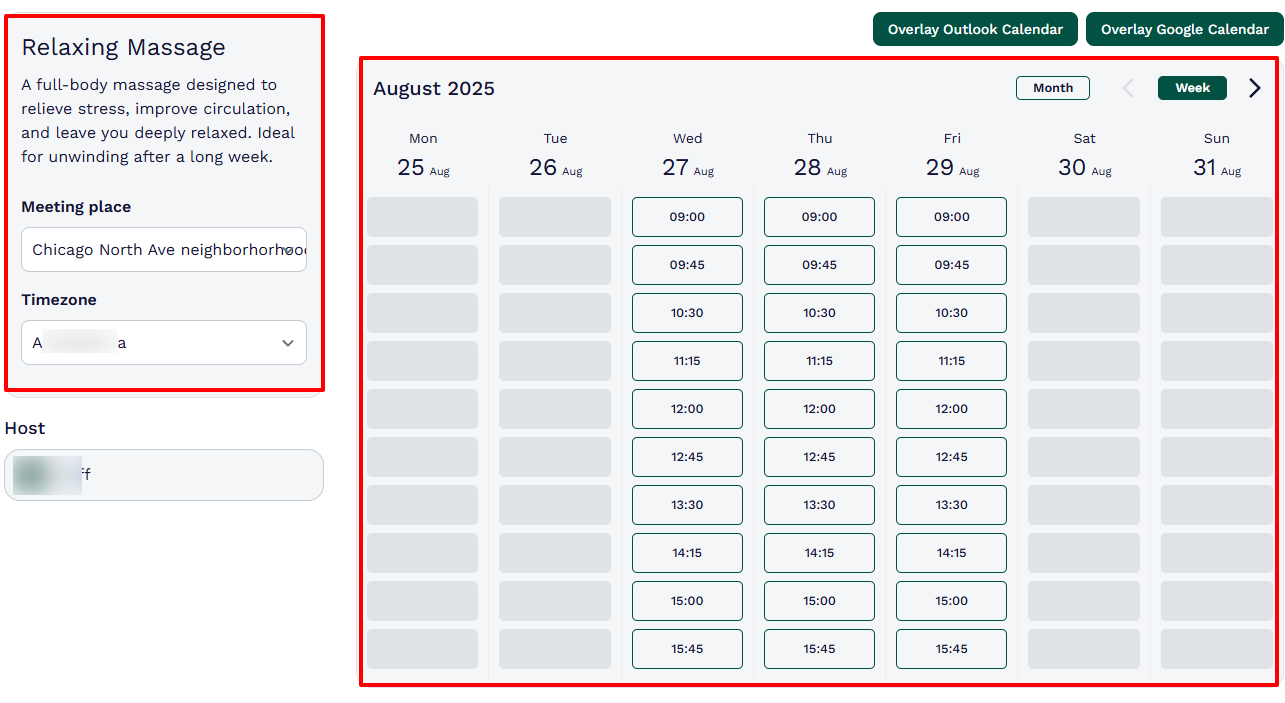
Creating a great booking page only requires a few steps, as you’ve just seen. Zencal helps you do it beautifully. But there are also other features worth mentioning.
Key Features
1 . Schedule
You can’t properly run your daily business operations if you don’t set your working hours based on your availability. Thankfully, that’s what the Schedule feature was made for. Using it, you can create or update your schedules. Let me show you how.
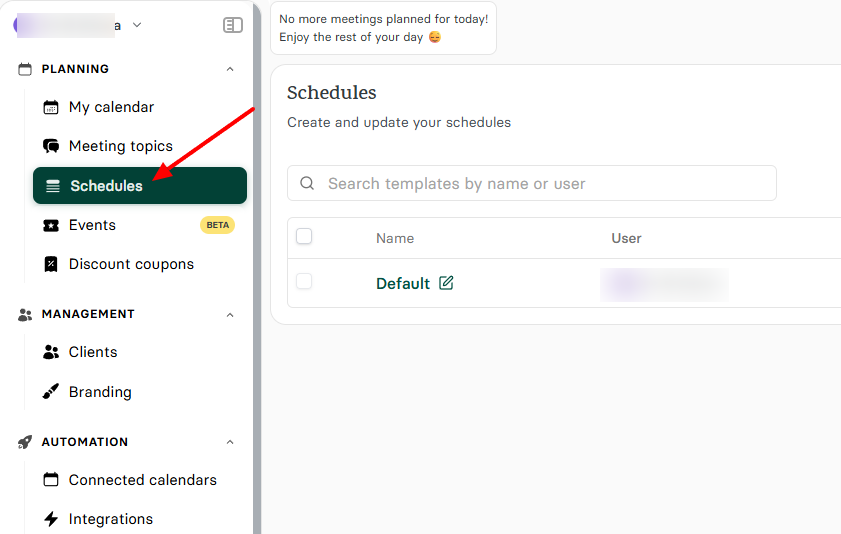
First, locate the “Schedules” section on the sidebar.
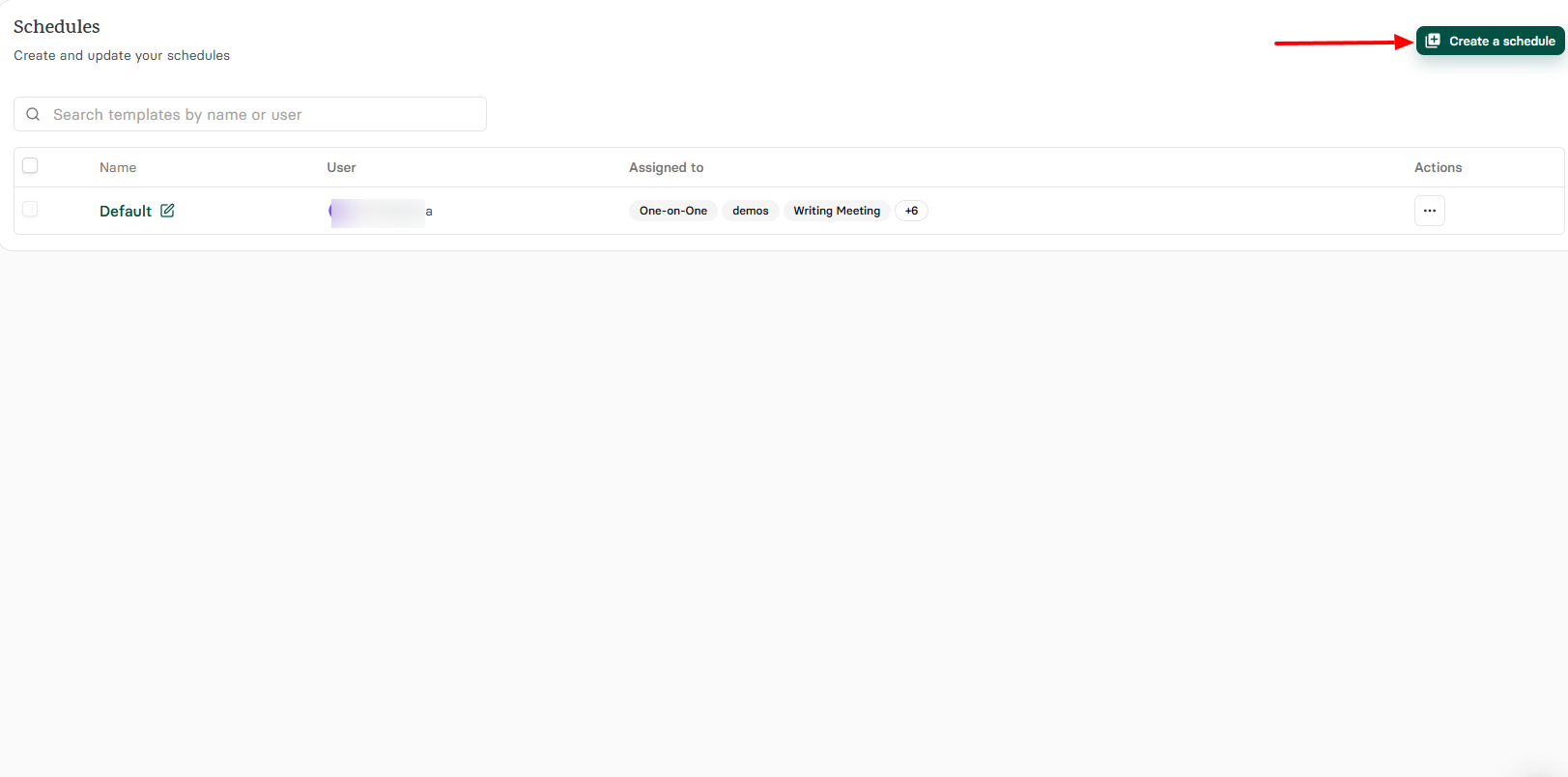
Next, click “Create a schedule”.
Name your schedule, choose a time zone, and decide whether you want to add a break between your sessions.
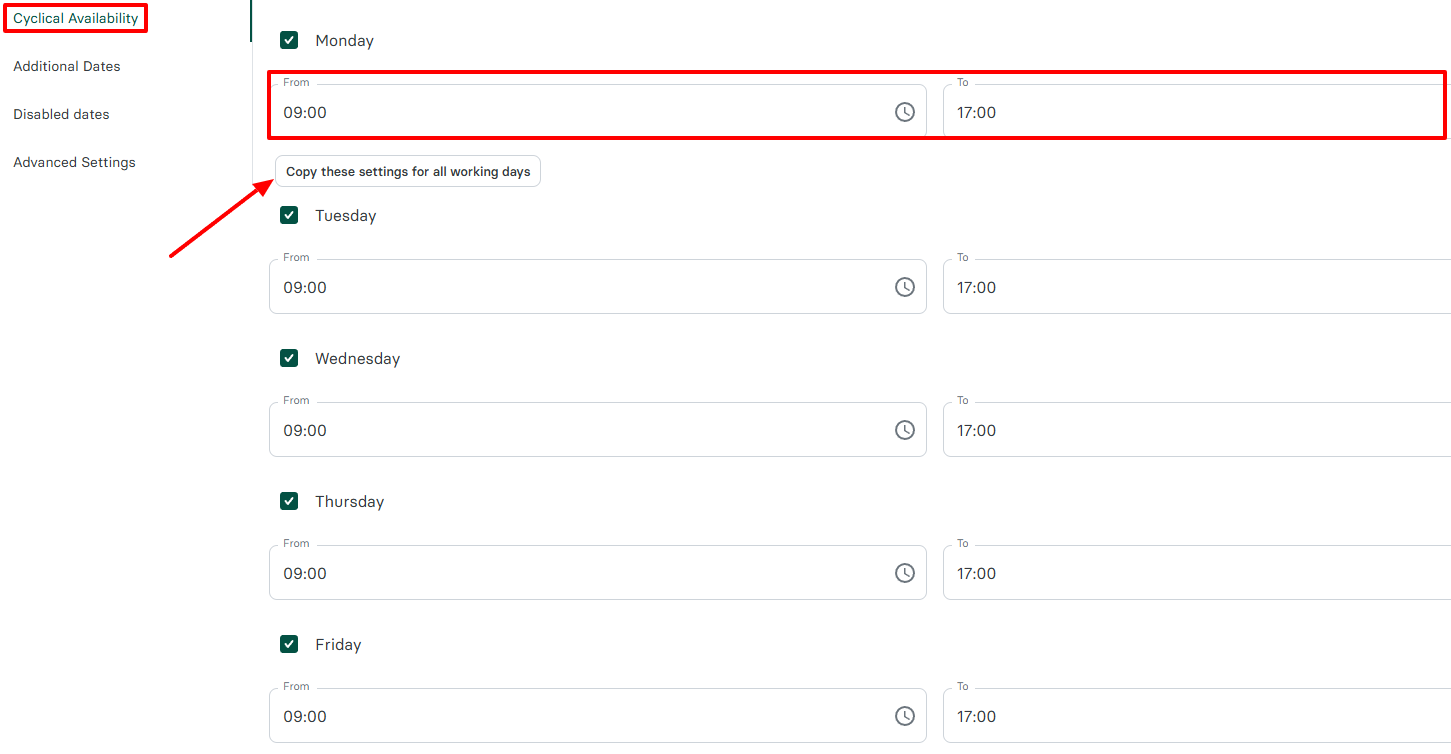
Then, set your working hours. You can set it for one day, then copy these settings for all working days.
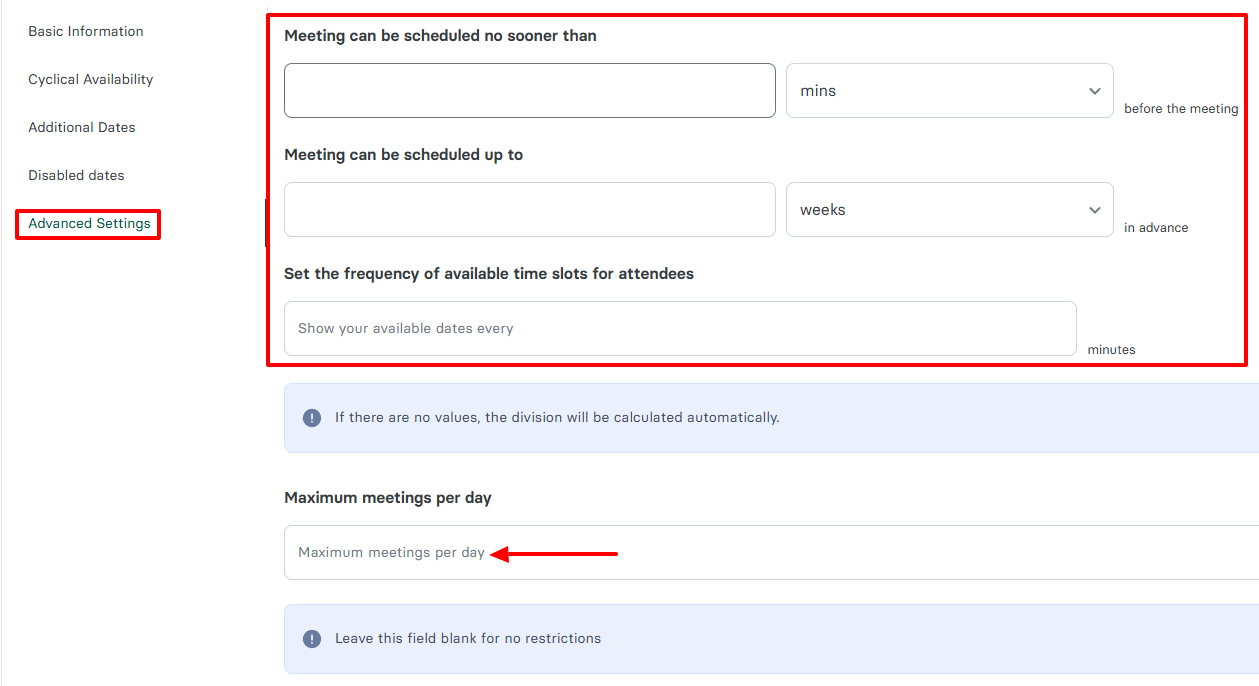
Under Advanced settings, you can choose how long in advance sessions can be scheduled, and set the frequency of available time slots for clients.
2 . Clients
As a massage therapist, the main aspect of your business revolves around clients. This feature helps you build a database and effectively manage your clients. Let’s see how to add new clients.
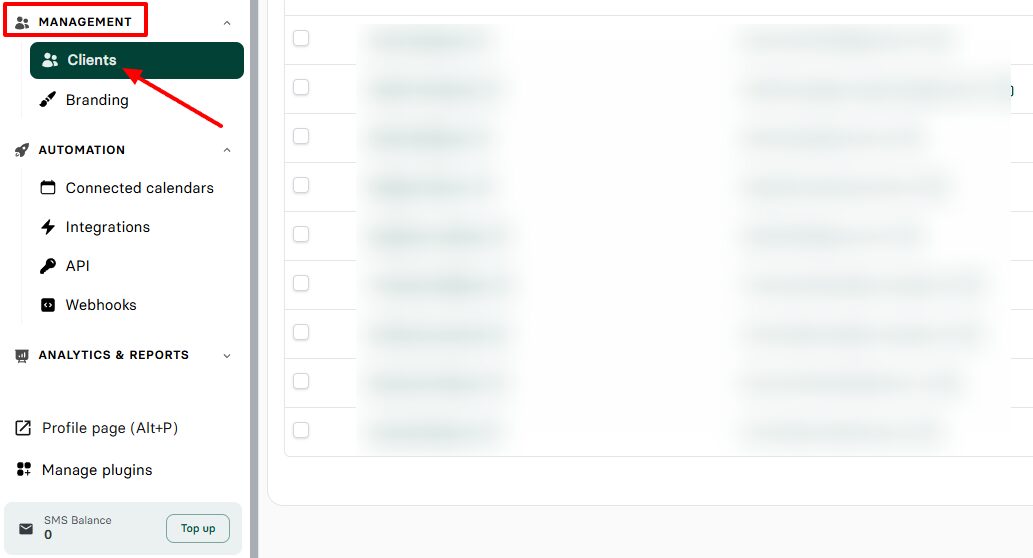
Under Management in the menu, click “Clients”.
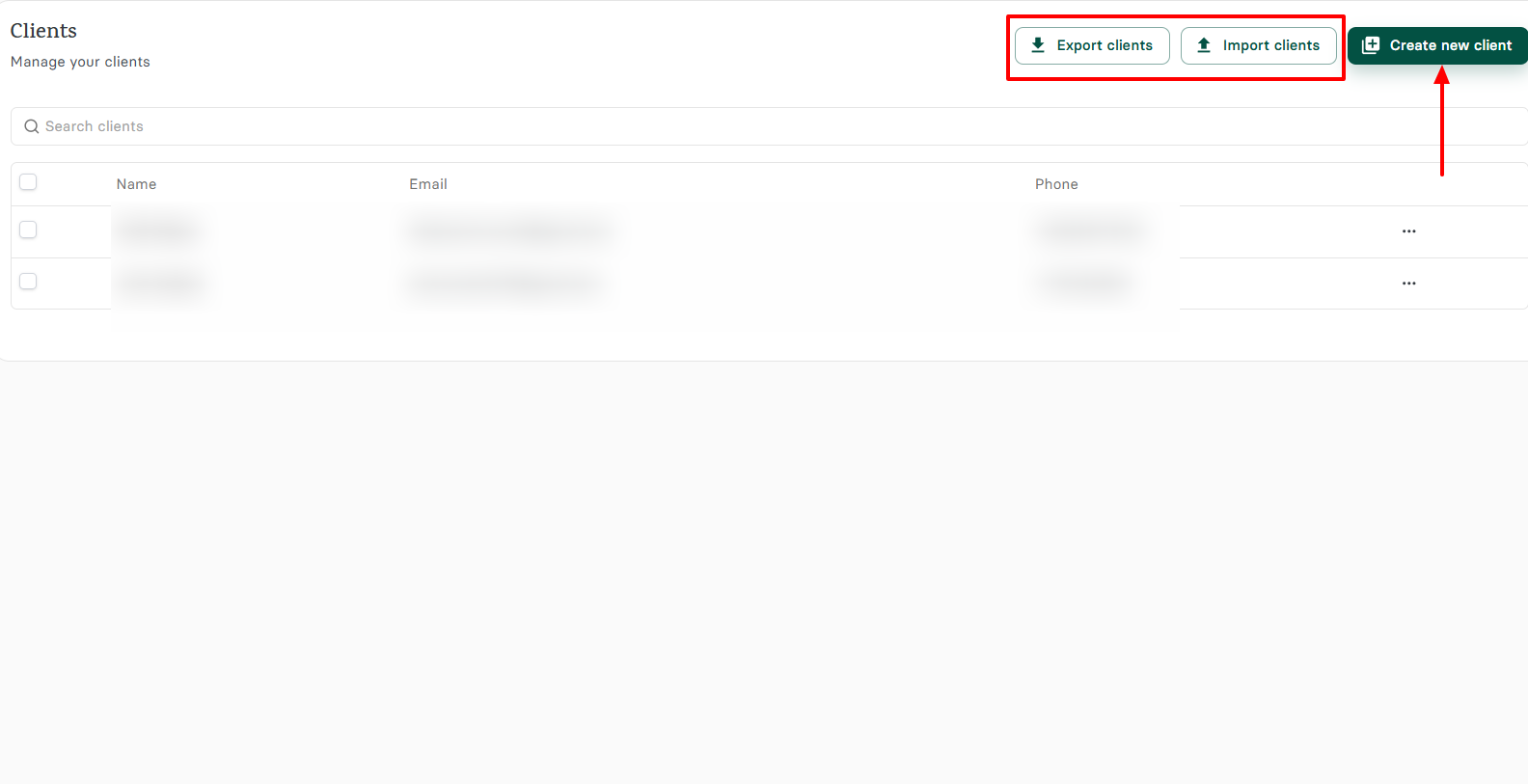
In the “Clients” window, you can export and import many clients. In this example, let’s add one.
To do so, enter the client’s name, email, phone number, and timezone. You can also select the client’s language.
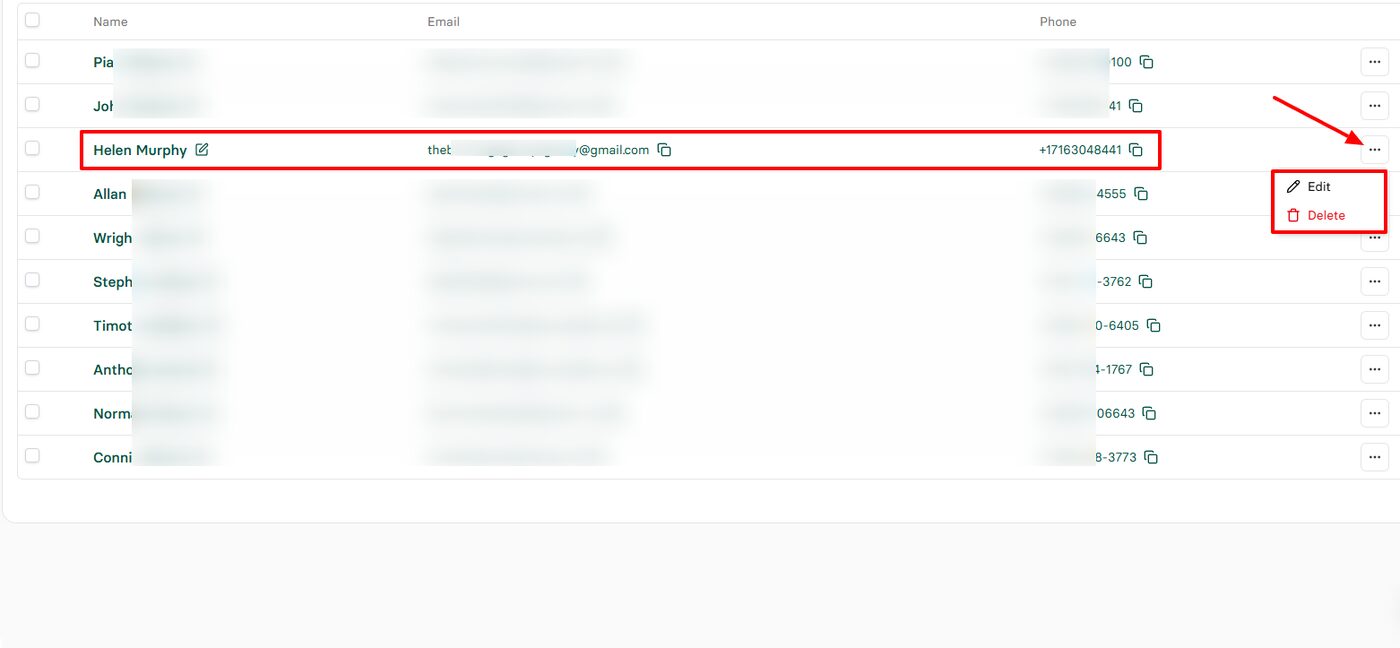
That’s it. You’ve added your client. You can still edit or delete the client if ever needed.
Pros:
- Easy to use, affordable
- Intuitive interface
- Strong integrations
- Branding options
Cons:
- Lack of chat options
- No SOAP notes
Best for
- Professionals and small business owners seeking great software for appointment scheduling and client management.
Pricing
- Basic: $4/ month, billed annually
- Pro: $10/ month, billed annually
- Team: $20/ month, billed annually

2. MassageBook - Best for all-in-one Massage Therapy
MassageBook is our next best massage therapy software on this list.
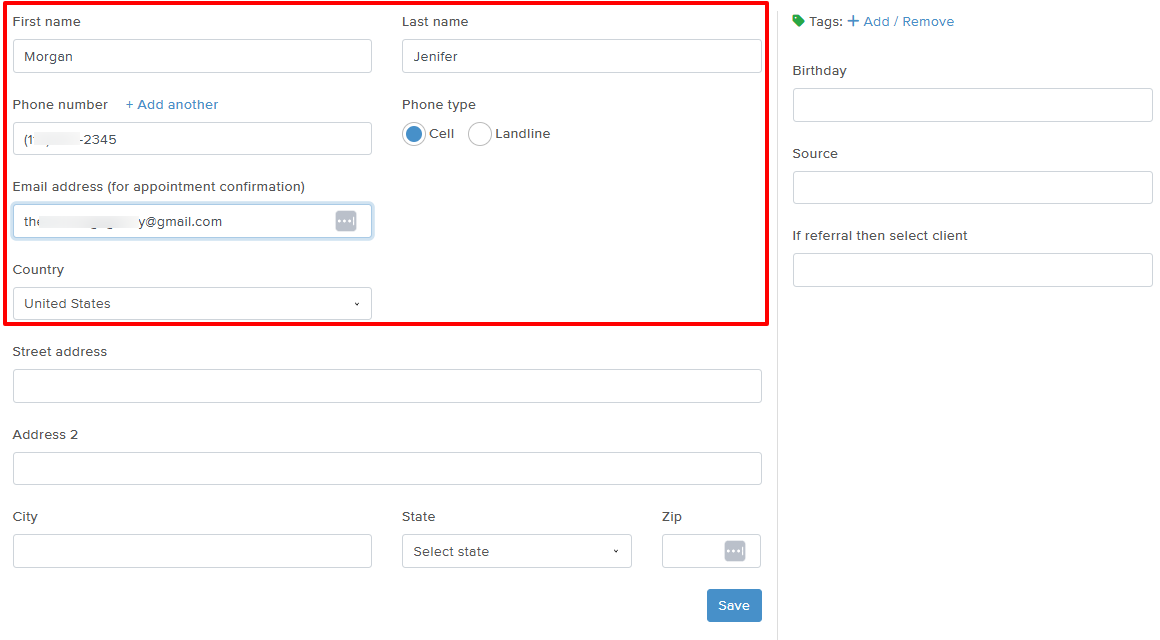
Thanks to its Clients feature, you can add clients by entering their first & last name, phone number, email address, selecting their country, and phone type.
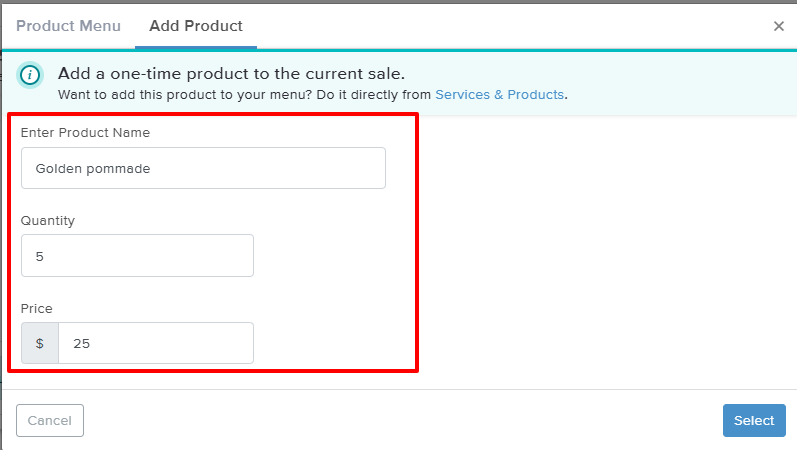
Moreover, I can add products using the Cash register feature. I simply enter the product name, add the quantity, and price.
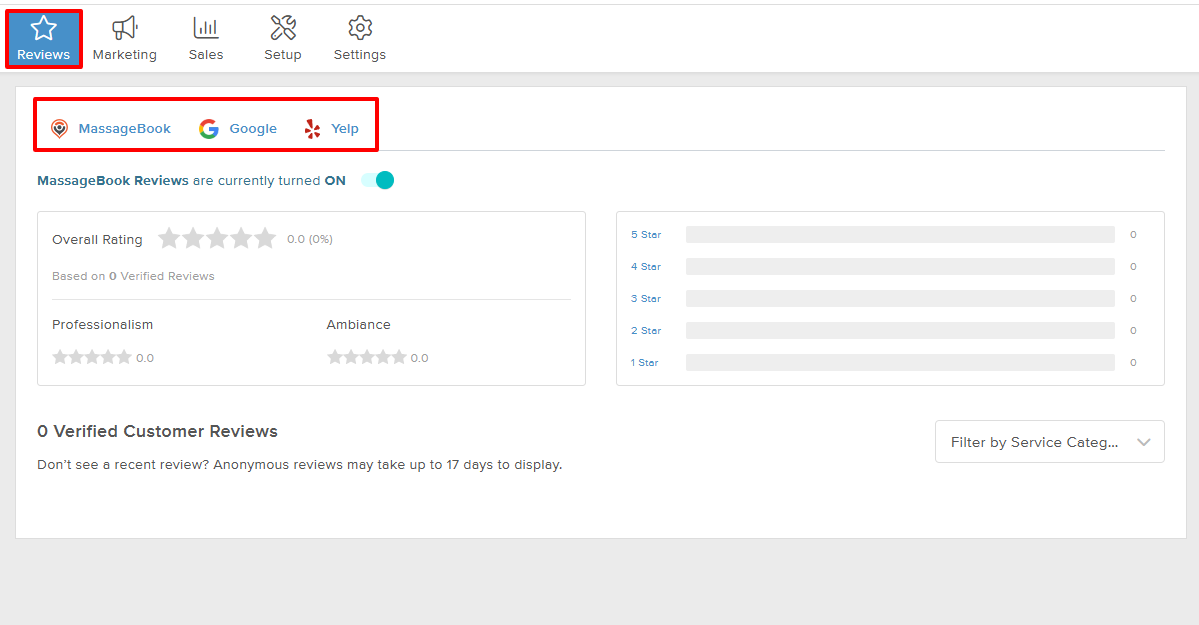
But that’s not all! The Reviews feature displays all your reviews and social proof from MassageBook, Google, and Yelp.
Last but not least, you can send email campaigns using the Marketing feature. Using this feature, you can select a theme, specify recipients, add a subject, and compose your message.
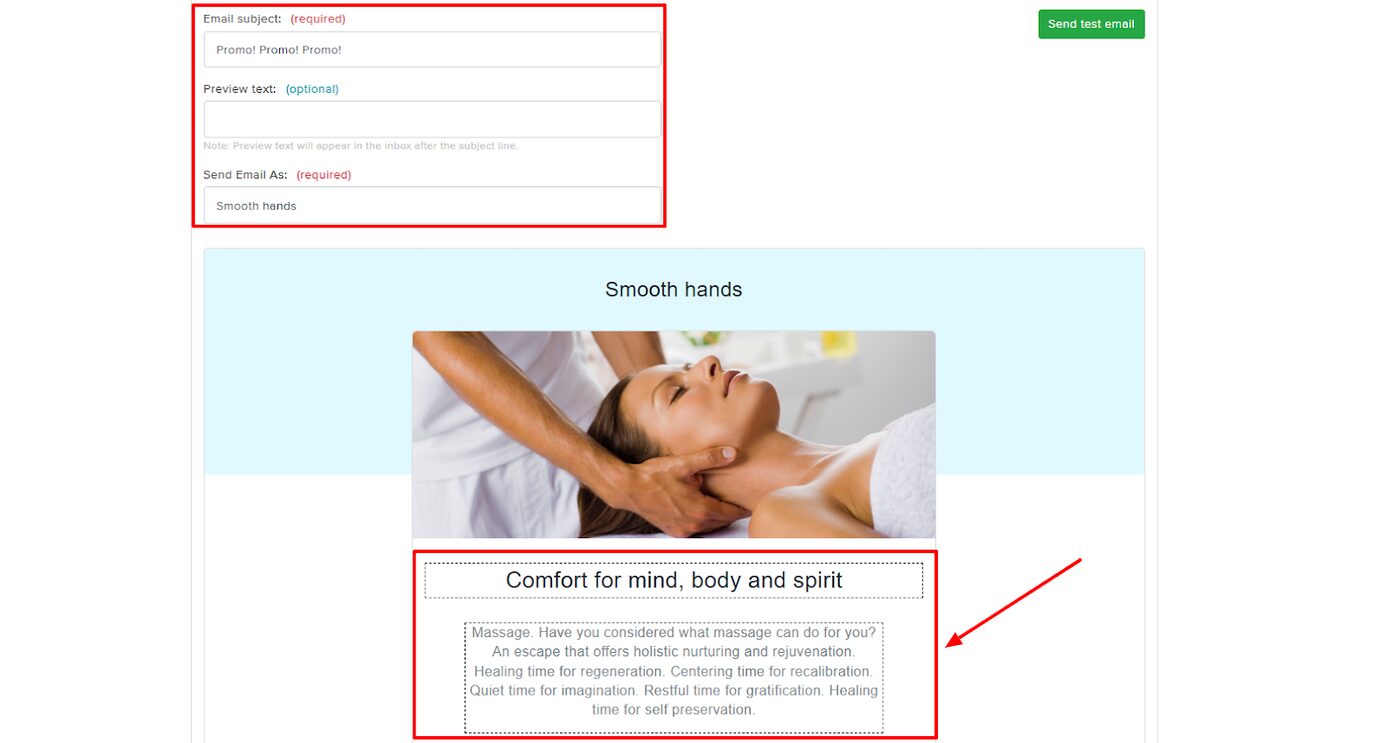
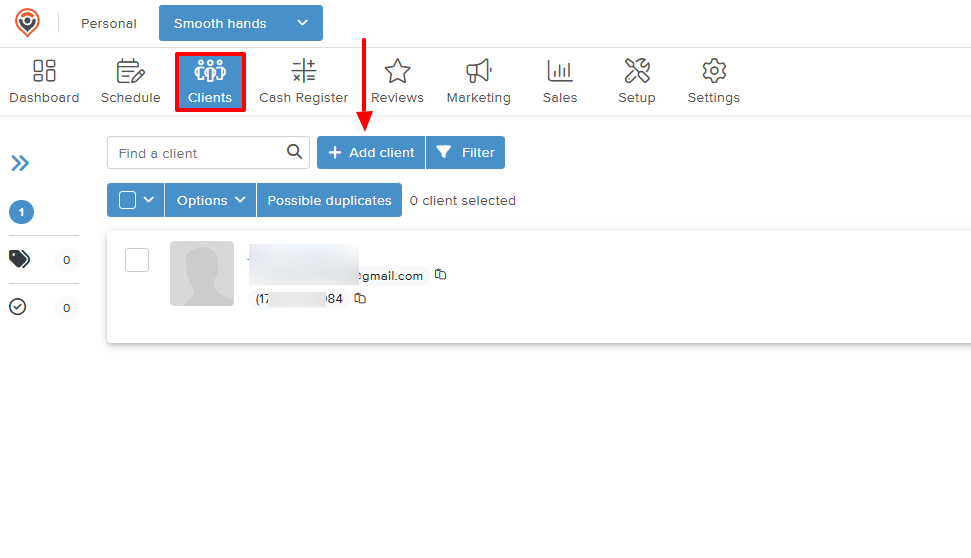
Client management is an important aspect of the massage therapy industry. Let’s look at how to add and manage clients.
After locating “Clients” on the top menu, click “Add client”.
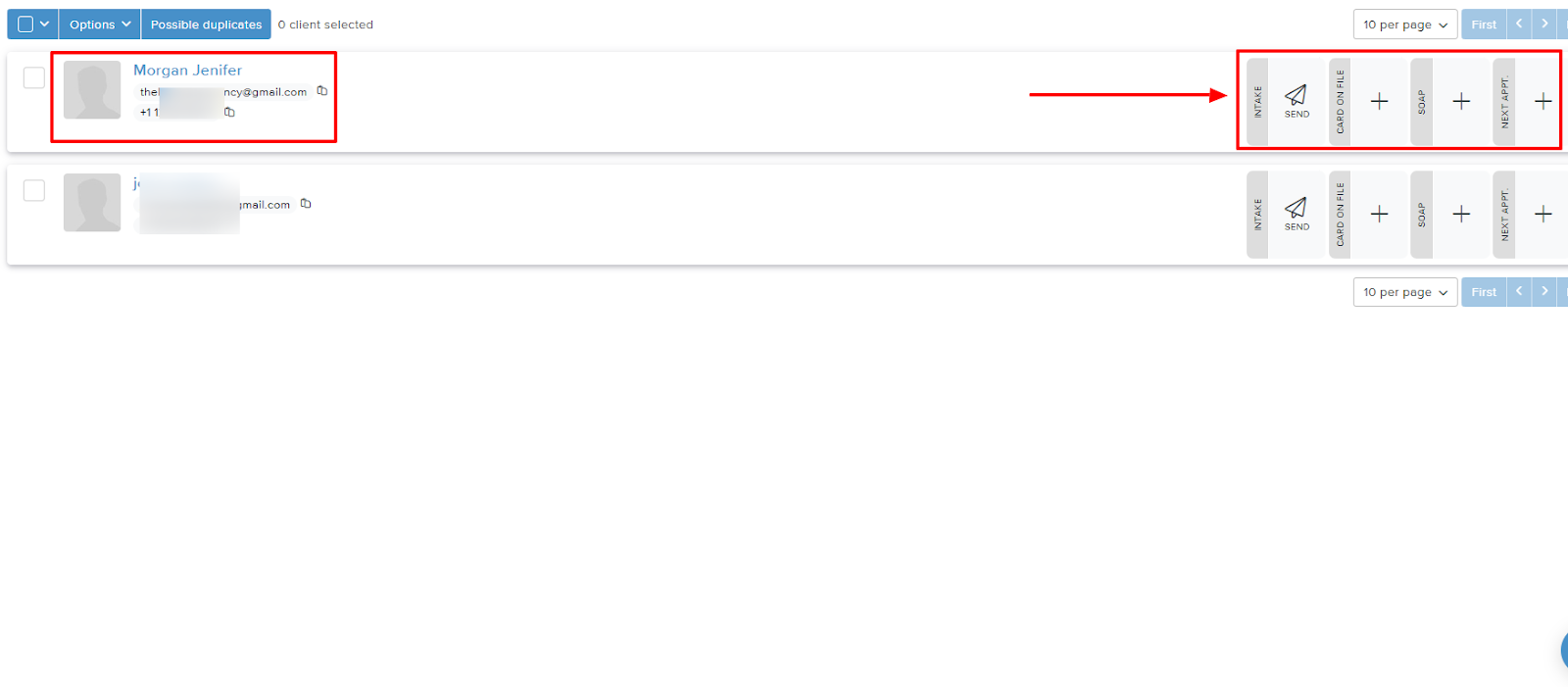
Now, add their first & last name, phone number, email address, and country.
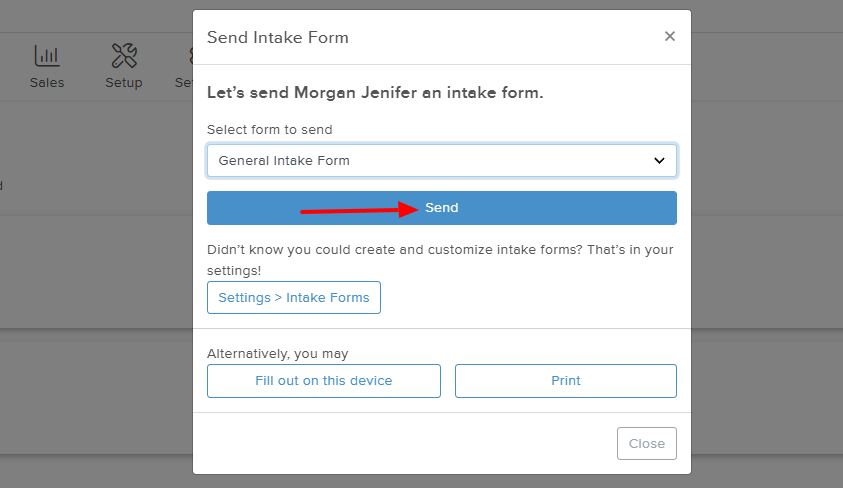
You've just added a client! There are actions you can take after adding a client. These include sending intake forms, checking appointments, and SOAP notes.
For example, I tested the intake form by sending one to the new client.
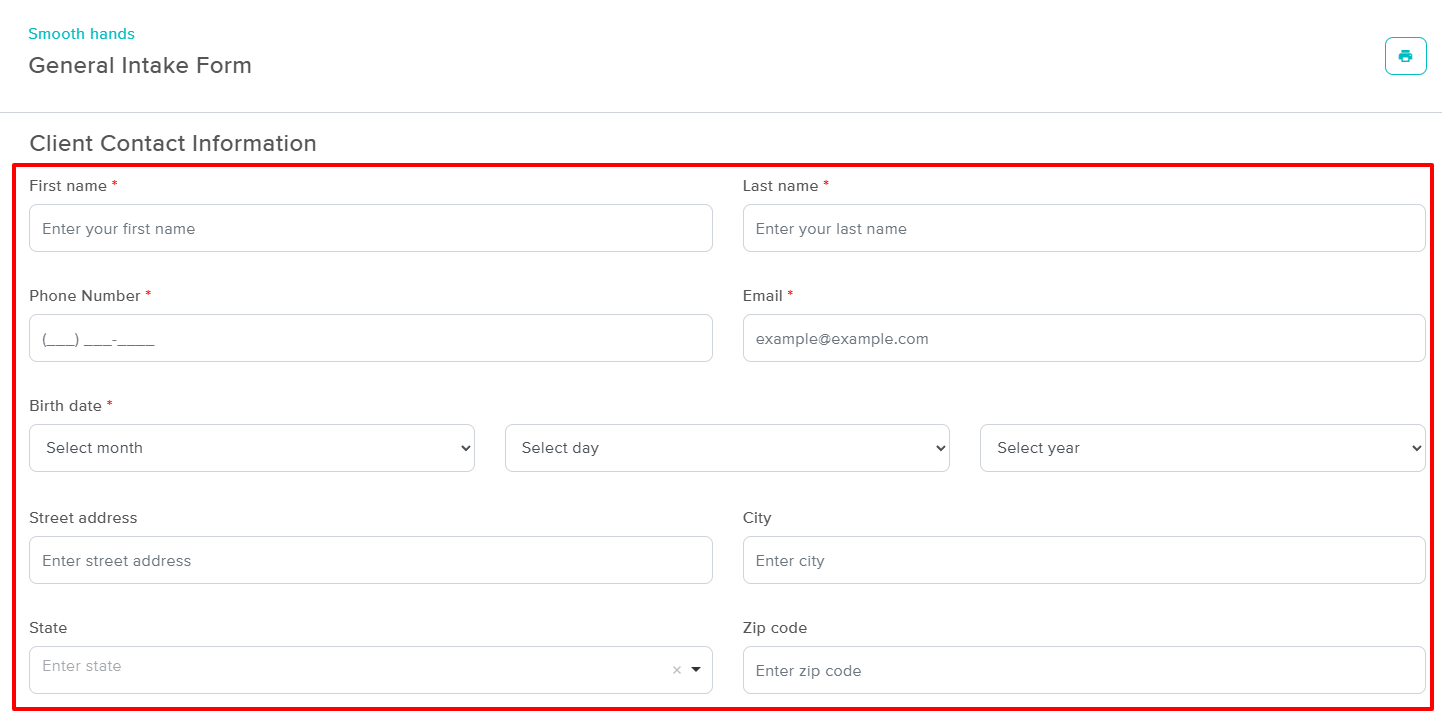
In the intake form, the client must add their name, number, birthday, address, and state.
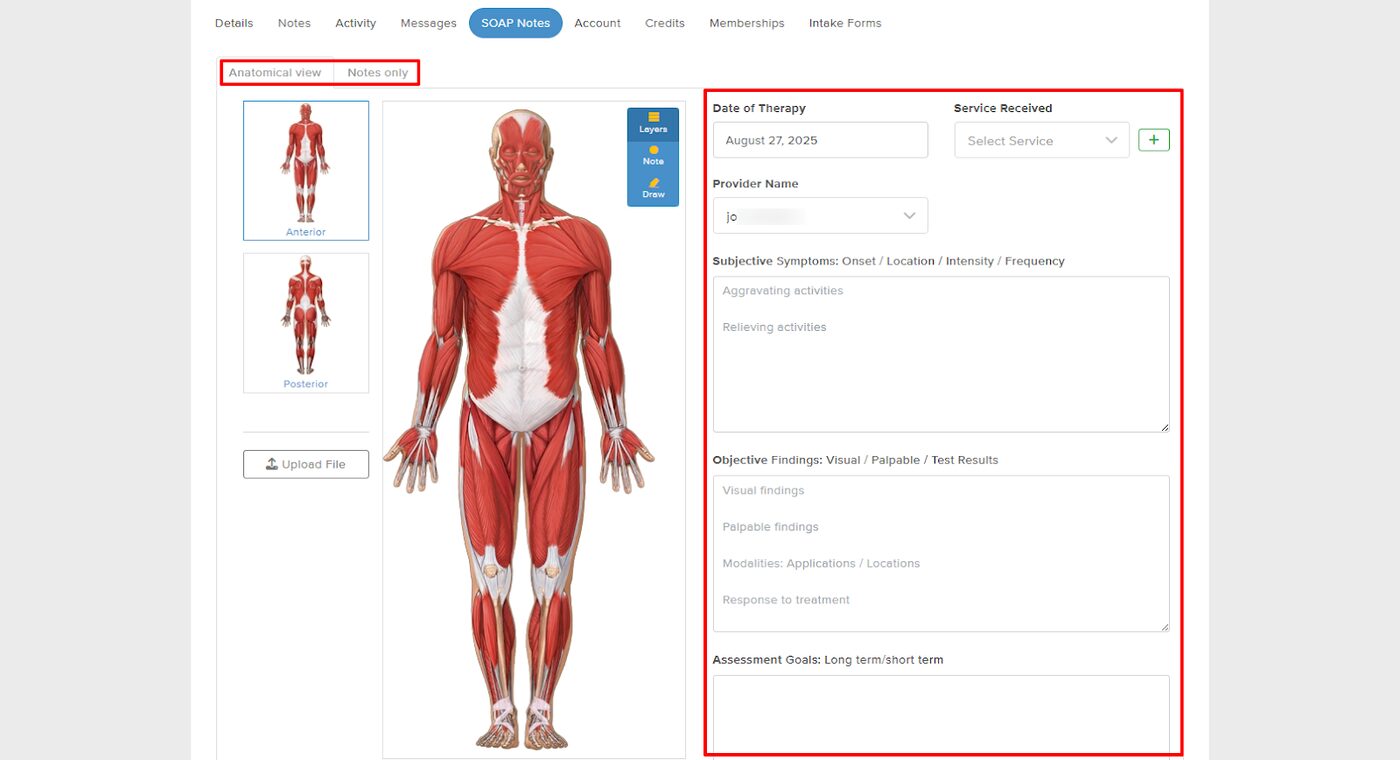
Next, I clicked on “SOAP” ( Subjective, Objective, Assessment, and Plan ), and this brought up the muscle system of a typical human body.
With the anatomical view on the left side, and notes you can enter on the right side, you can choose the date of the therapy, service received, and provider name.
Then you can take notes, such as objectives or assessment goals.
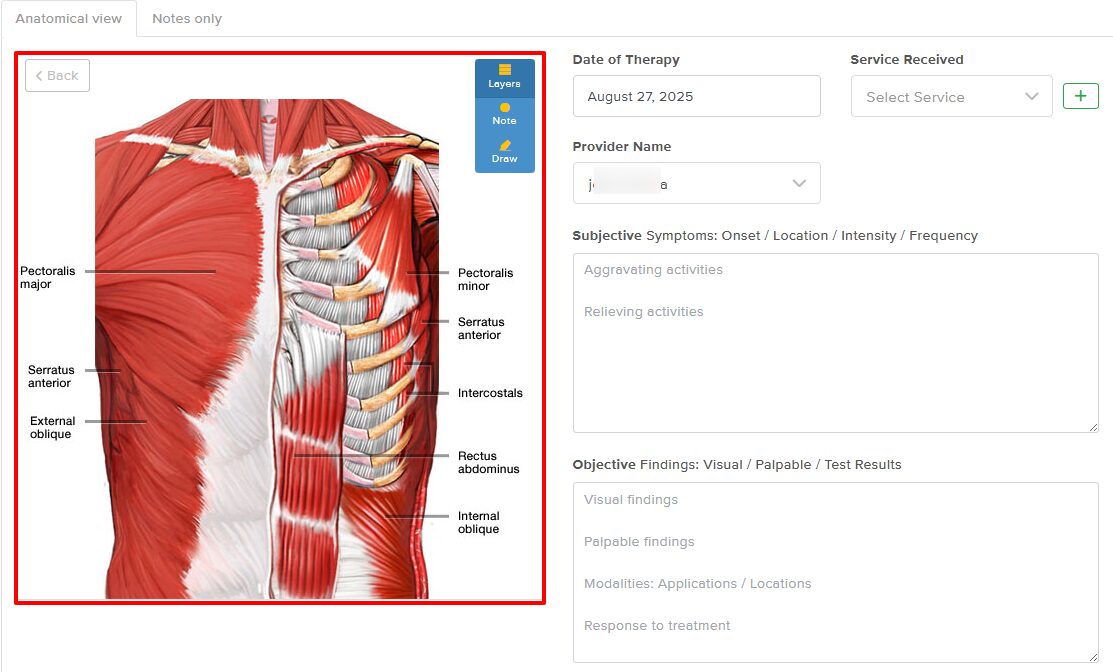
By clicking on a part of the body, the image expands, providing a clearer view.
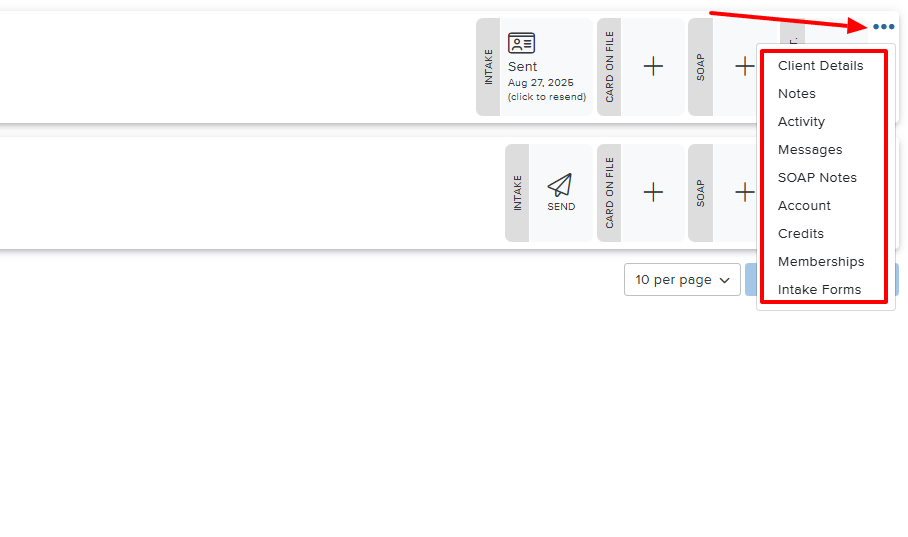
But if you click on the three-dot menu at the edge of the client interface, you can view client details, notes, activity, messages, and SOAP notes.
MassageBook offers some additional features, which I will mention briefly.
Key Features
1 . Cash register
The Cash register feature is a system that handles products, manages customer payments, tracks sales, and even keeps inventory records.
Let's quickly see how to use it on MassageBook.
Find “Cash register” in the menu at the top and go to “Add product”.
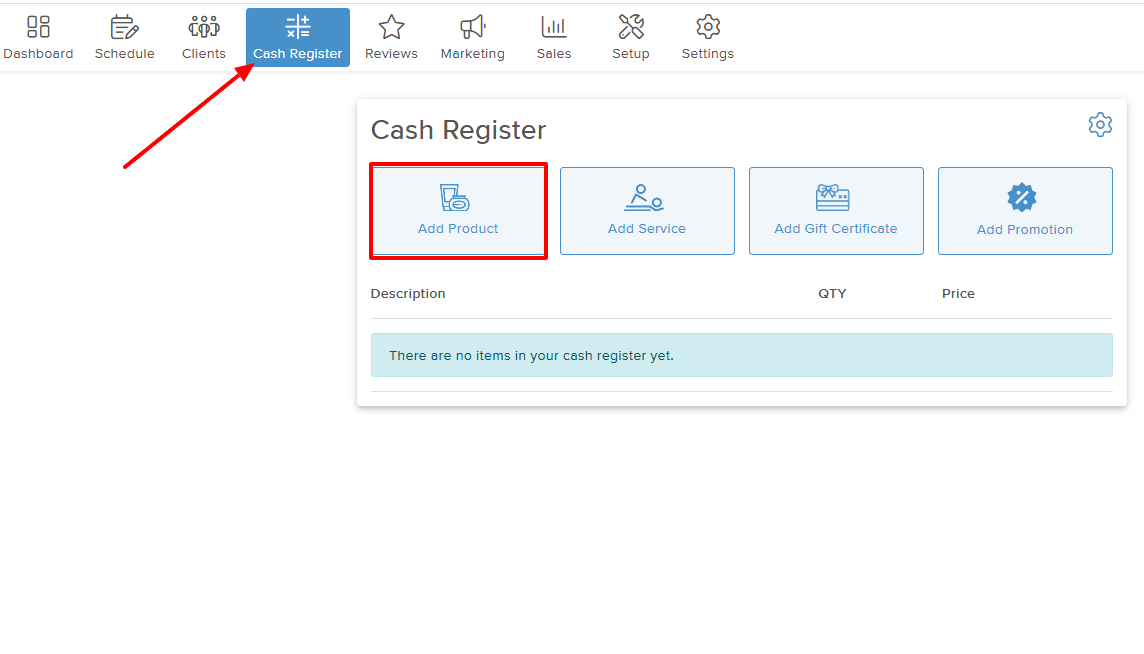
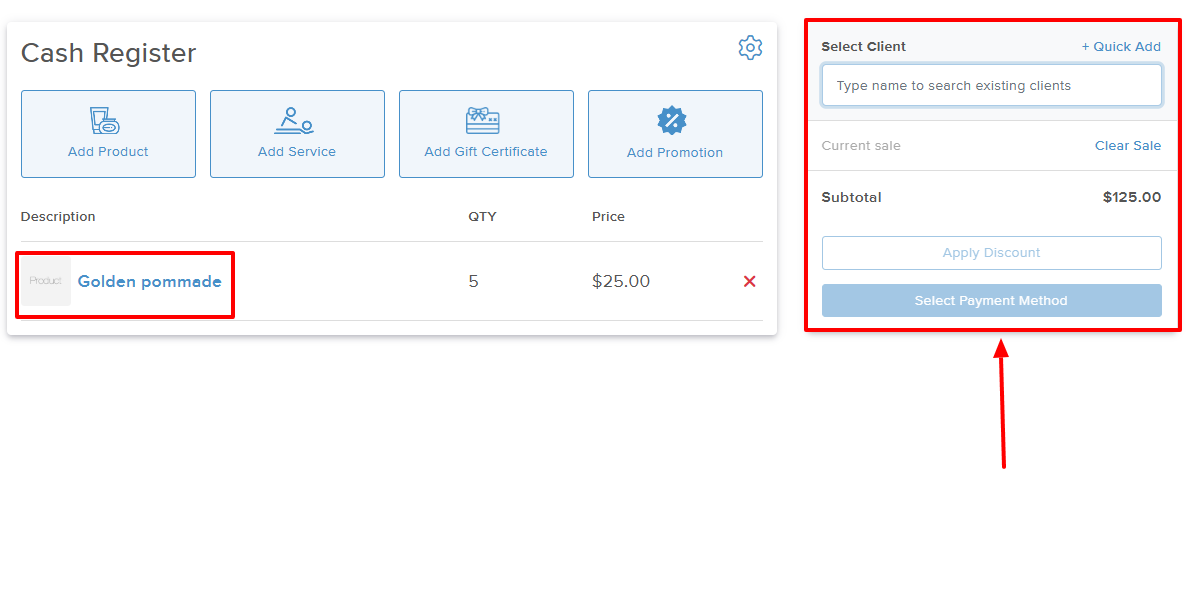
Enter the product name, quantity, and price.
After adding your product, you can enter the name of the client who is ready to purchase and select a payment method.
2 . Marketing
The Marketing feature enables you to reach out to your customers through targeted campaigns. Let's try one.
After locating Campaigns on the top menu, go to “New campaign”.
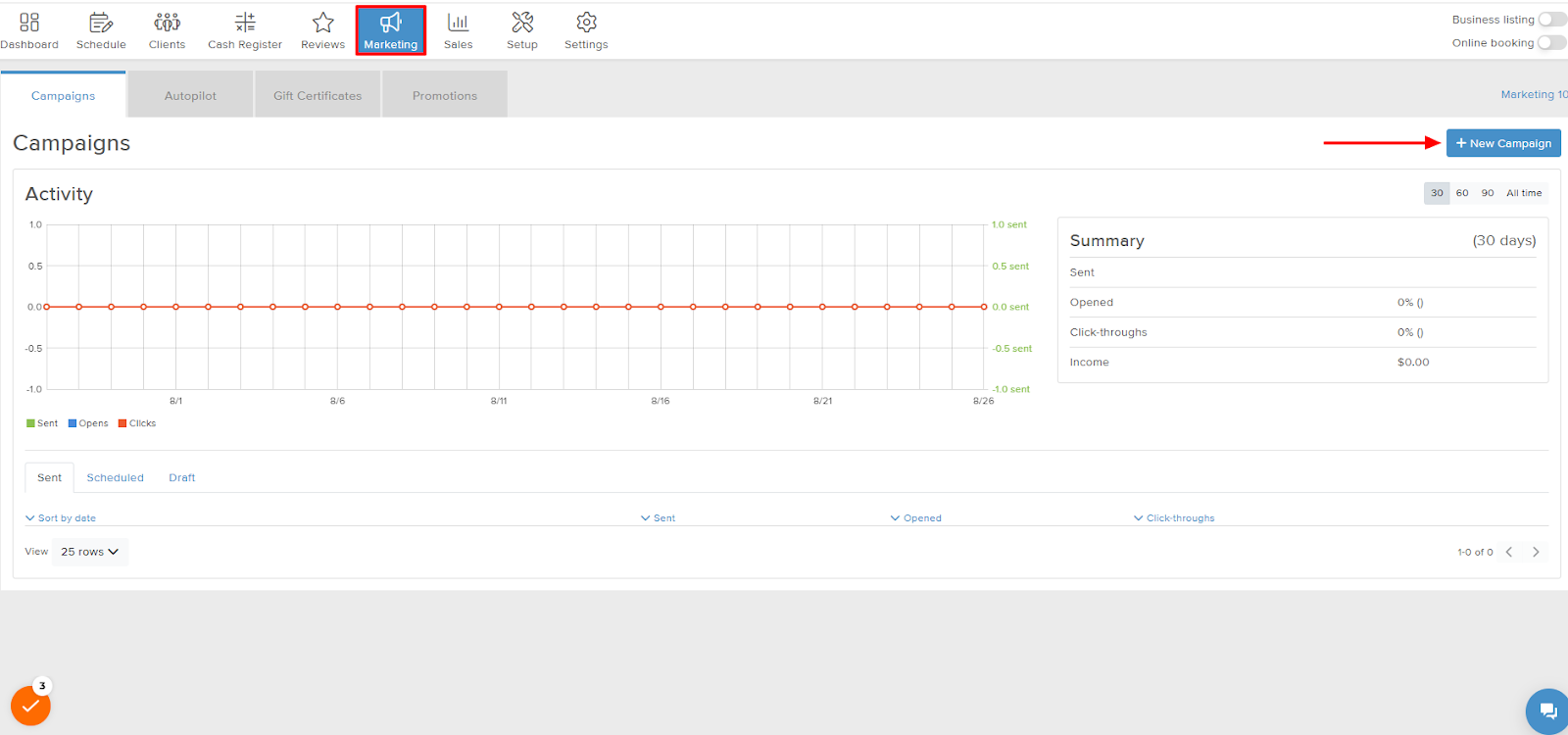
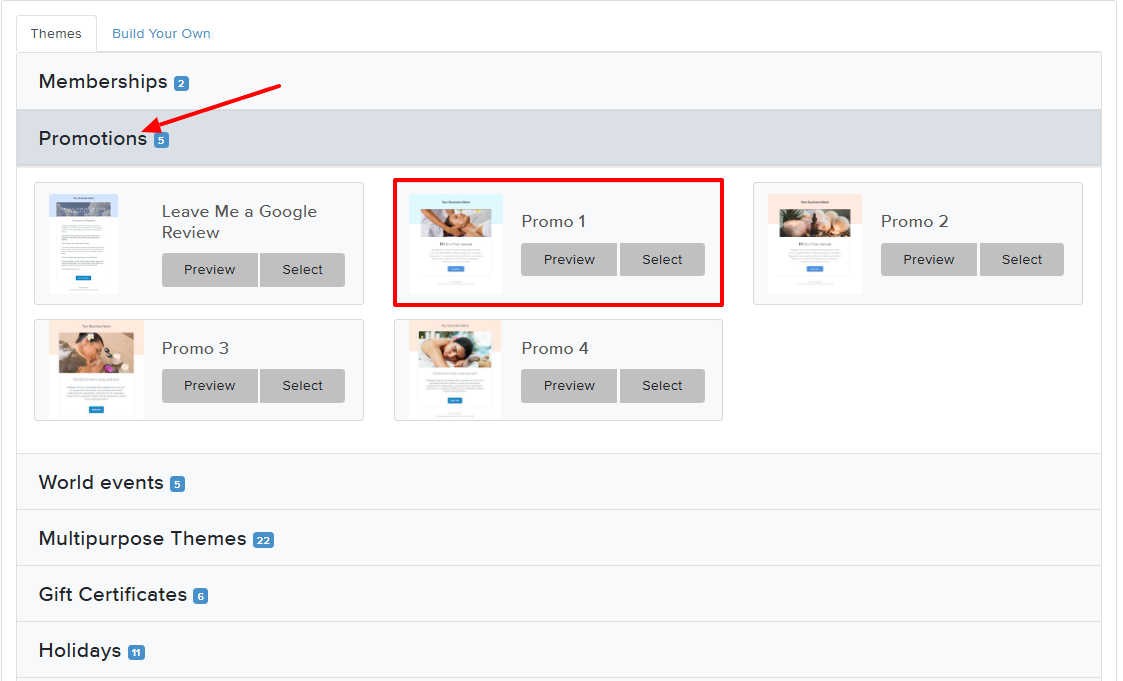
There are numerous templates to choose from. Let's go with “Promotions” and choose “Promo 1”.
In the next window, name your campaign and select the recipients of the campaign.
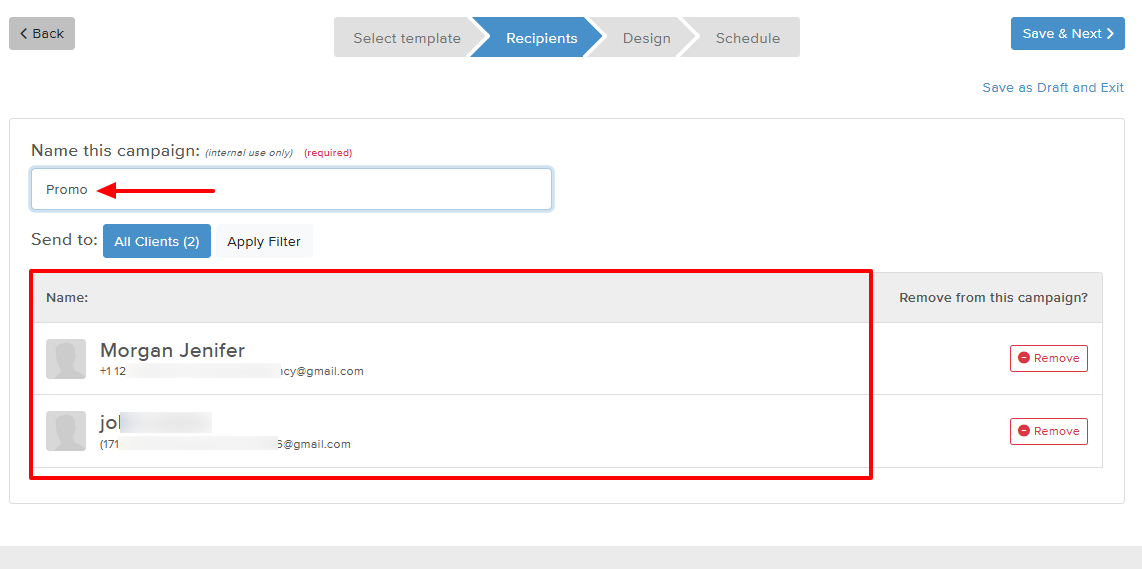
Then, add the email subject and adjust the message. That's it!
Pros:
- Ease of use
- SOAP notes
- Affordable
Cons:
- Only available in the US and Canada
- Limited customization
Best for
- Professionals looking for an all-in-one massage therapy softwarewith SOAP notes, marketing, and client management.
Pricing
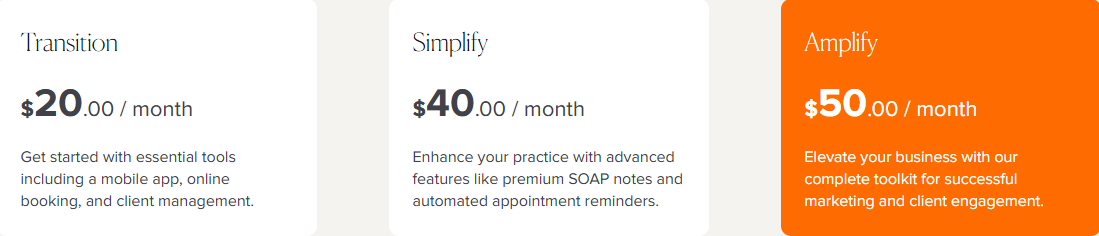
- Transition: $20/ month
- Simplify: $40/ month
- Amplify: $50/ month
3. Mangomint - Best for team collaboration
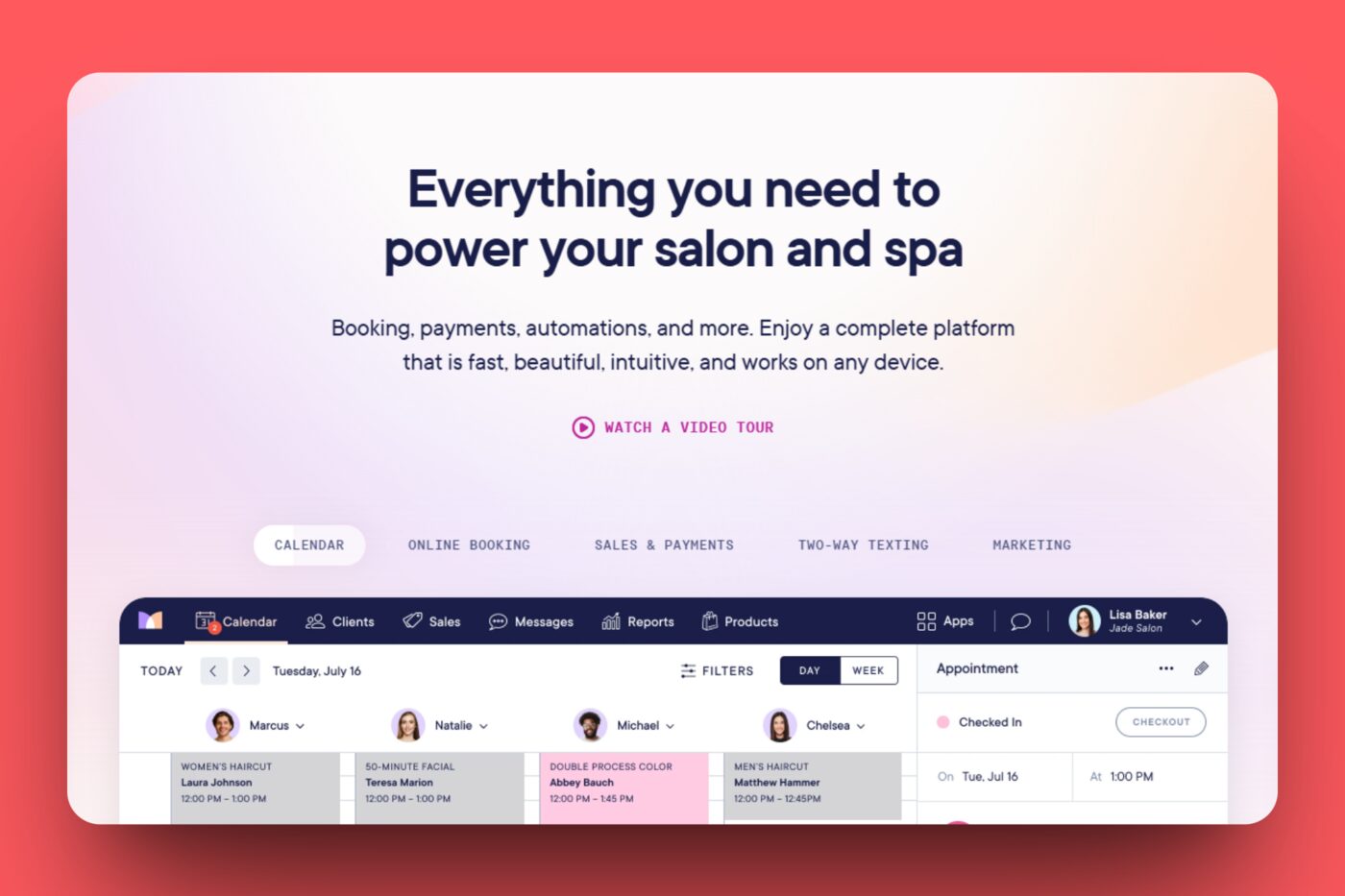
Next on the list of the best massage therapy software is Mangomint.
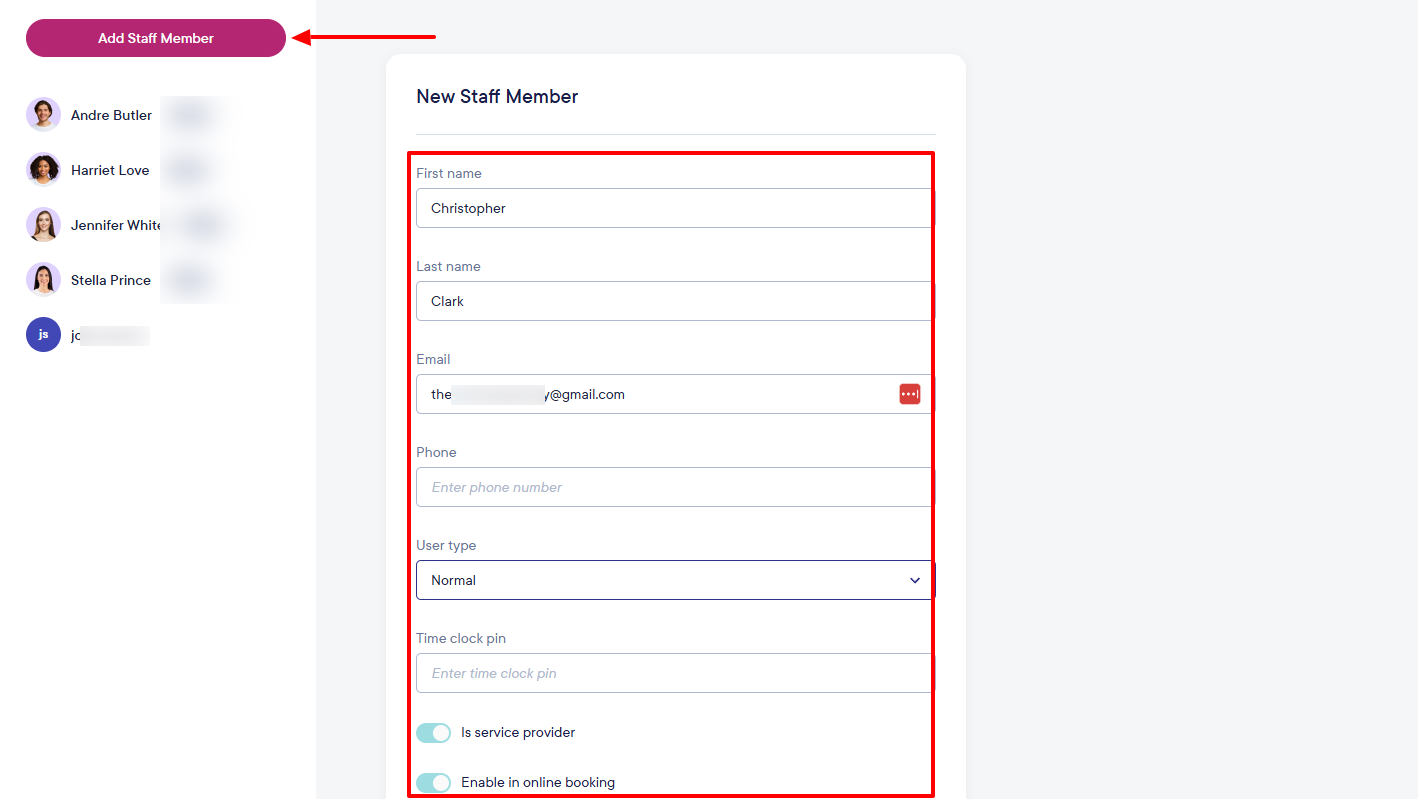
Mangomint allows you to add your staff members to your account. To do so, you will enter their first & last name, phone number, email, and choose the user type.
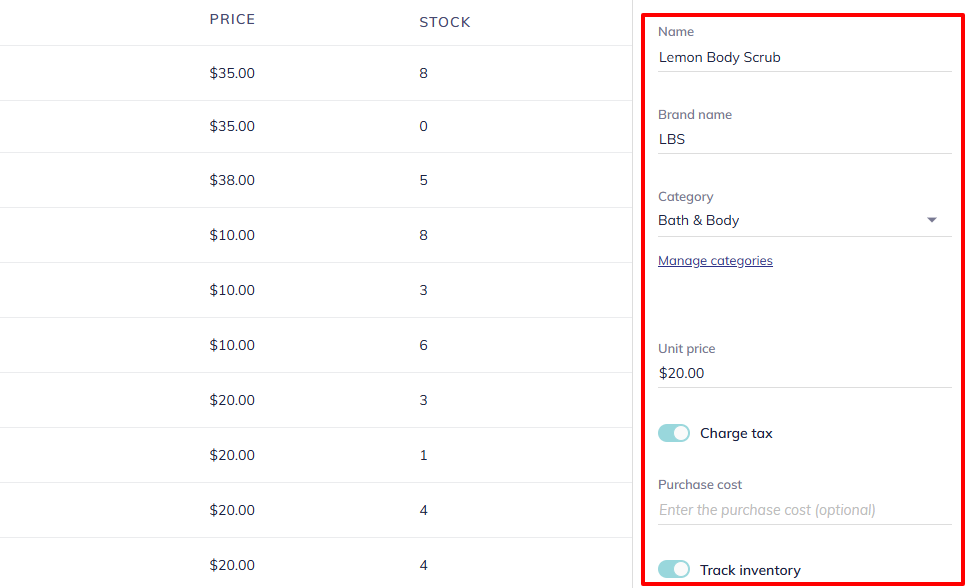
When adding products, I simply name them, enter the brand name, and select a category. I also add a unit price and decide whether to charge tax, as well as track inventory.
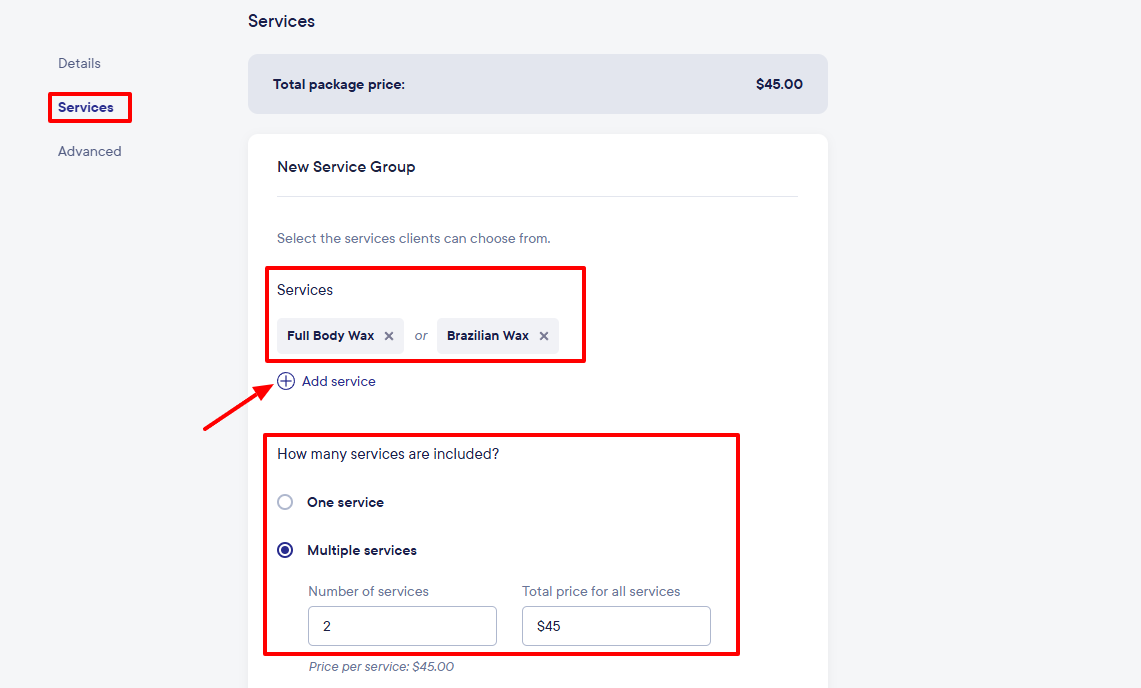
Moreover, with the Packages feature, you can create packages for your clients. All you need to do is name the package, specify the services you want to include, the number of services, and their prices.
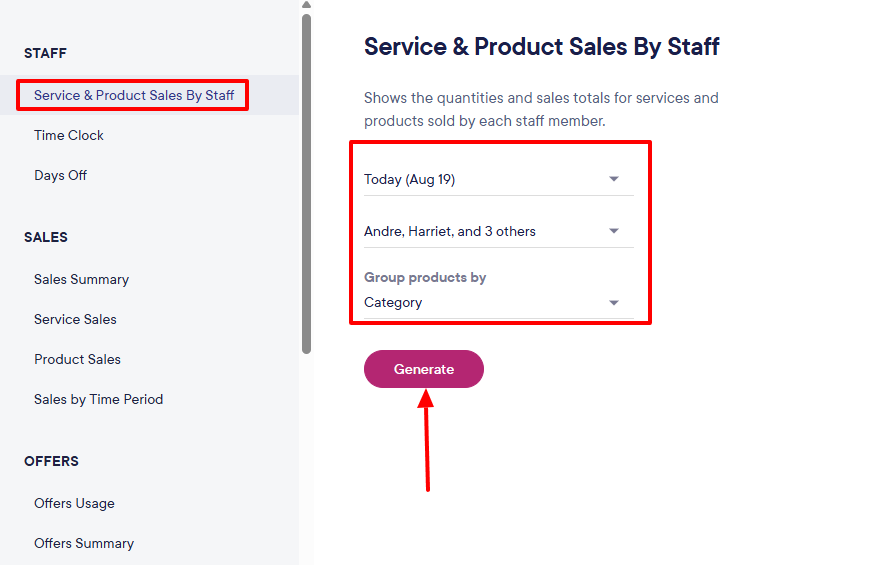
Another Mangomint feature worth mentioning is Reports. You can generate the reports of service and product sales by staff when you select the date, staff member, and category.
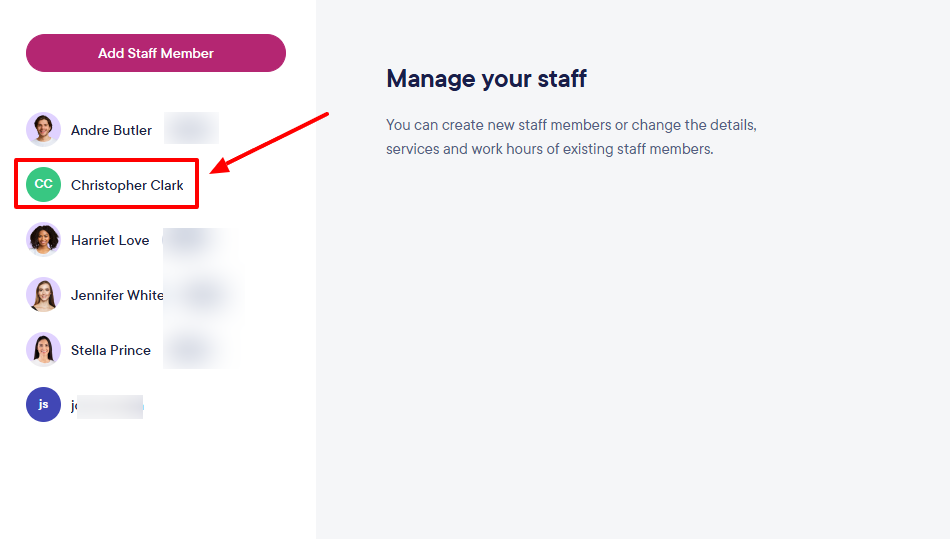
At this point, we will use Mangomint to add team members and assign some services to them.
On the main dashboard, go to “Add a staff member”.
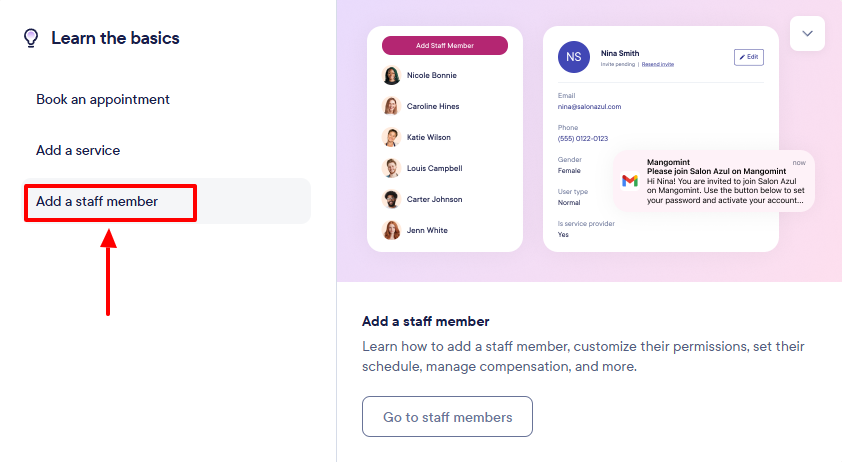
Click “Add staff member” and enter the basic information, including name, email, phone number, and user type.
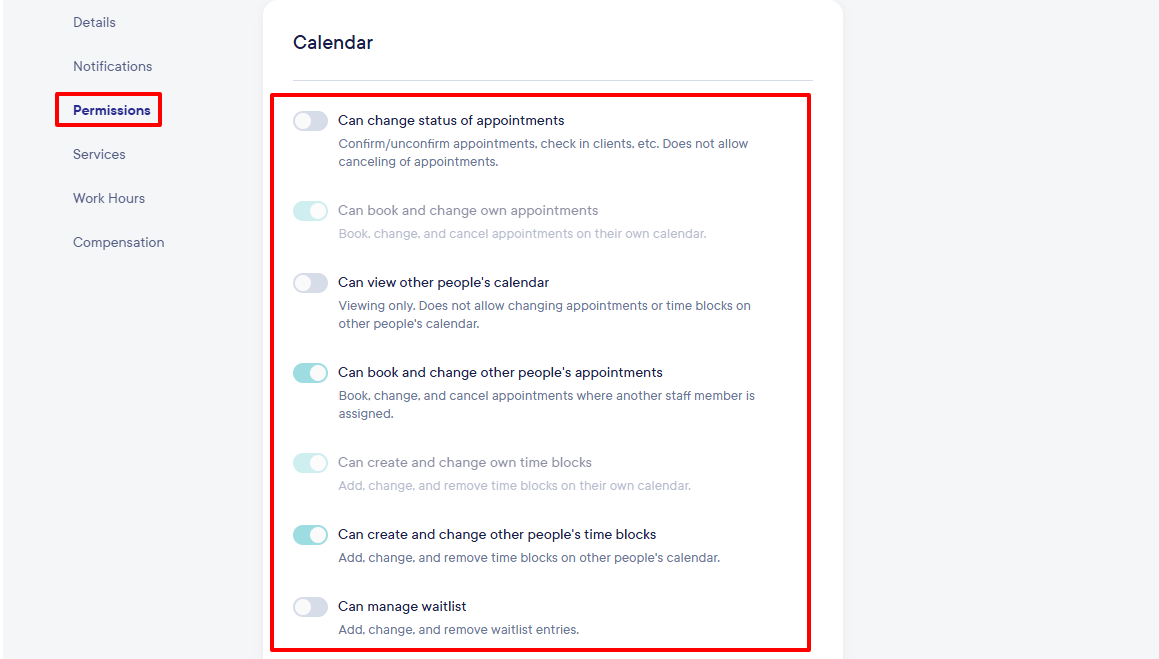
Under Permissions, you will decide what the new staff can or can't do.
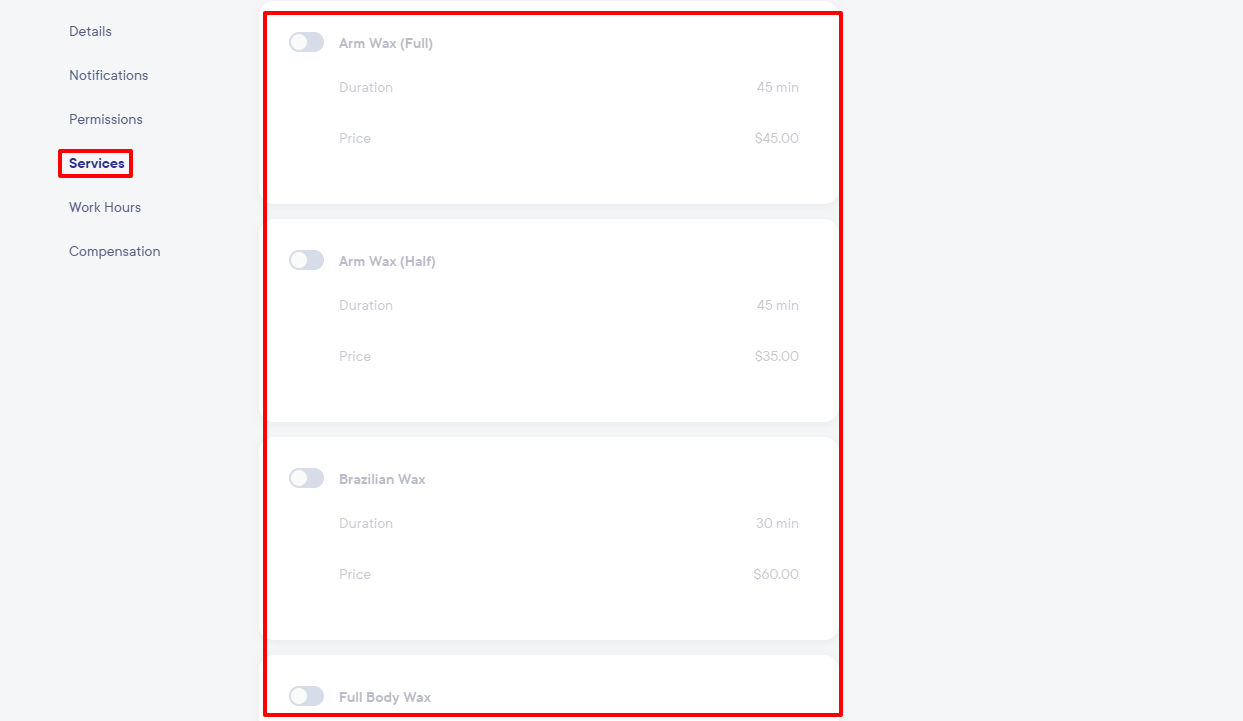
The “Services” section enables you to assign services to your new staff members.
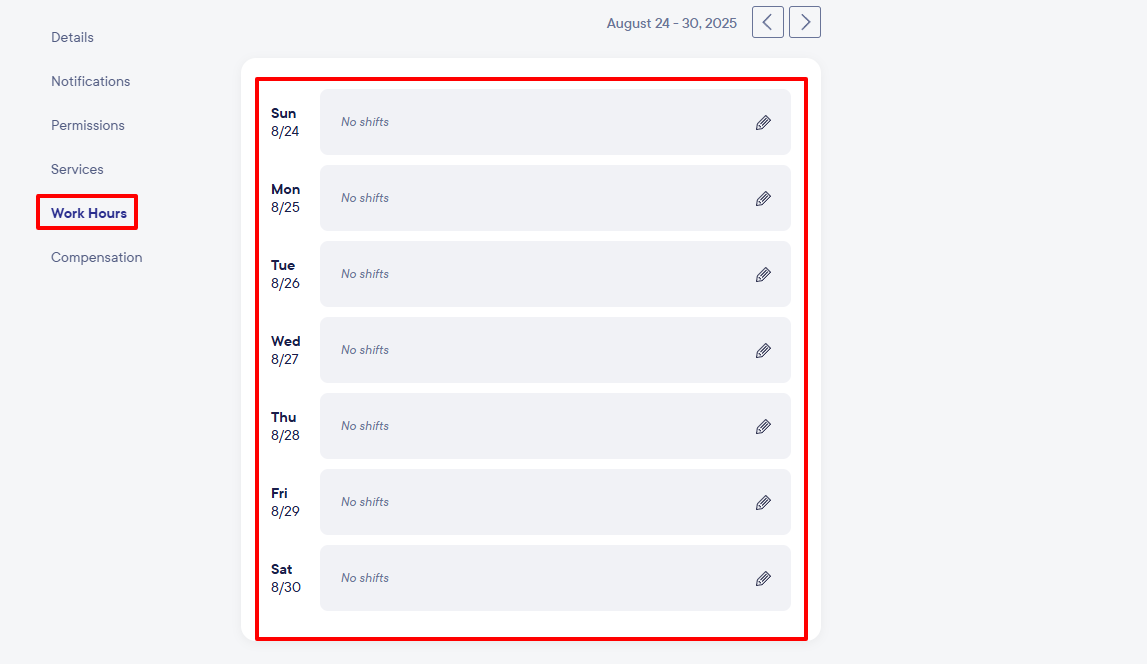
You can also set your staff's working hours.
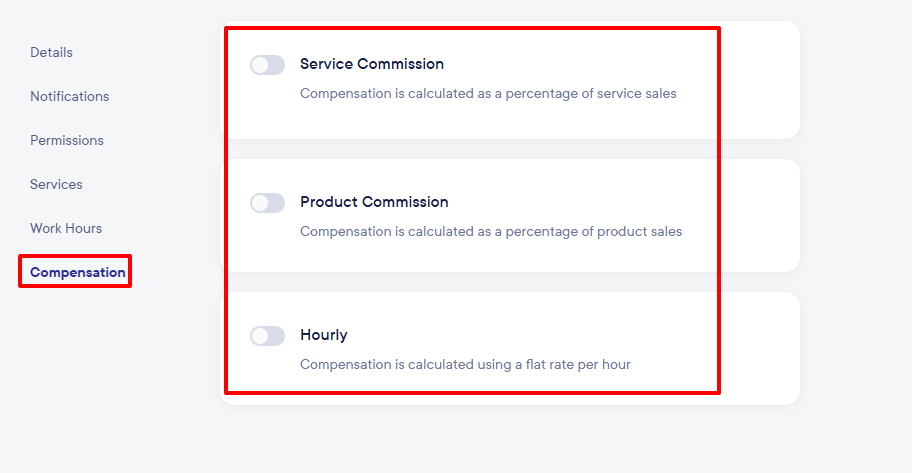
As part of the “Compensation” section, you can set the service commission and product communication.
There you go! You’ve added your new staff member.
Mangomint doesn’t just let you add and manage team members. It also has other features.
Key Features
1 . Products
With the Products feature, you can add any of your products. Without wasting time, let's add one.
Go to “Add product” after clicking “Products” on the top menu.
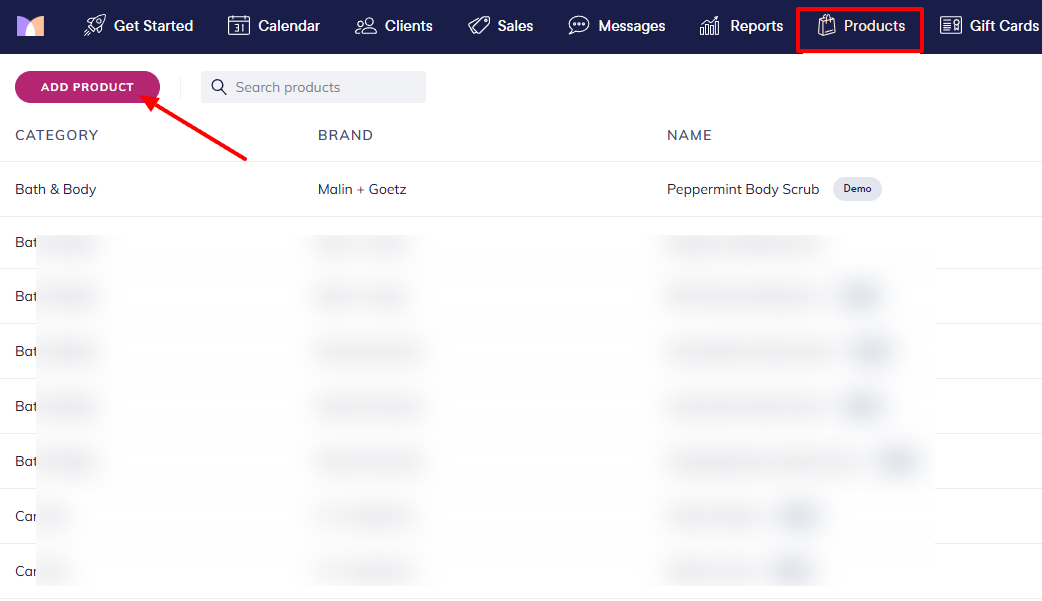
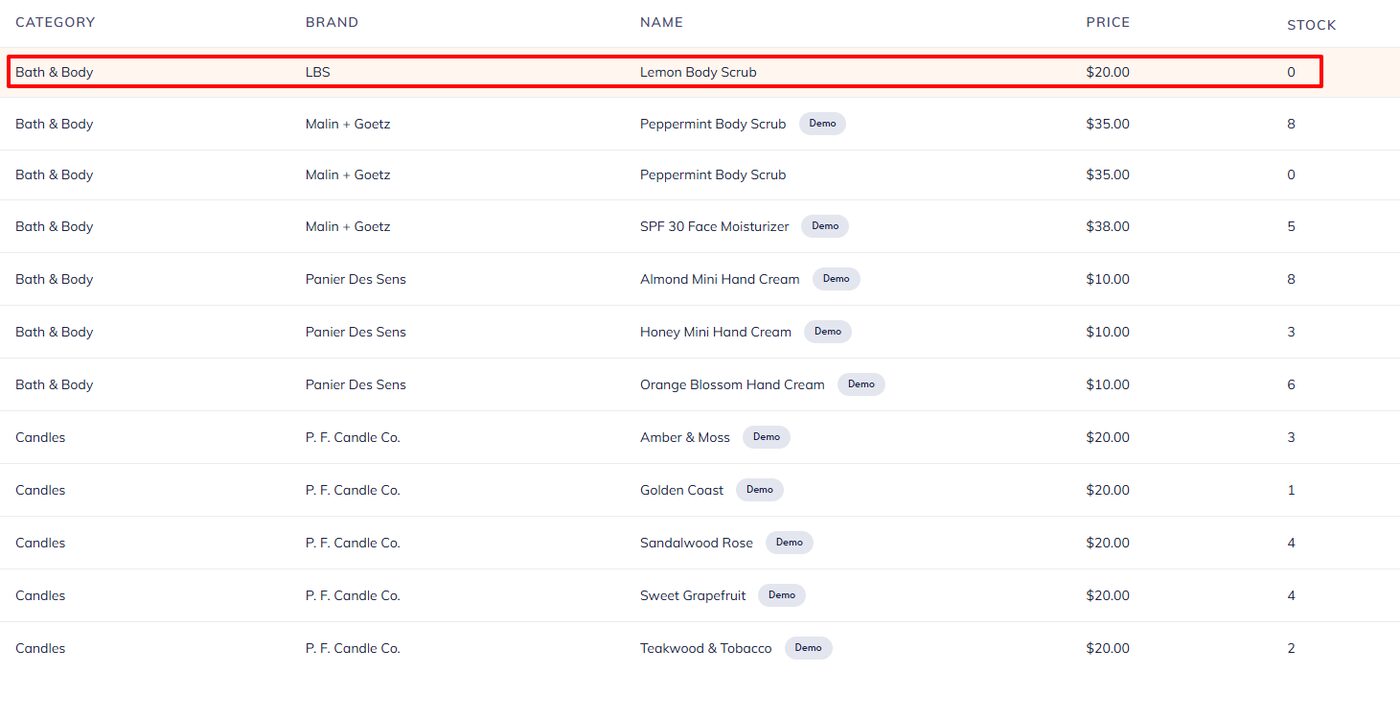
To add your product, enter its name, brand name, choose a category, and add a price.
You should be able to view your product in the category list.
2 . Packages
You can offer various packages to your customers using this feature on Mangomint. To illustrate it, I will set up one package.
Locate “Packages” in the top menu and click “Add package”.
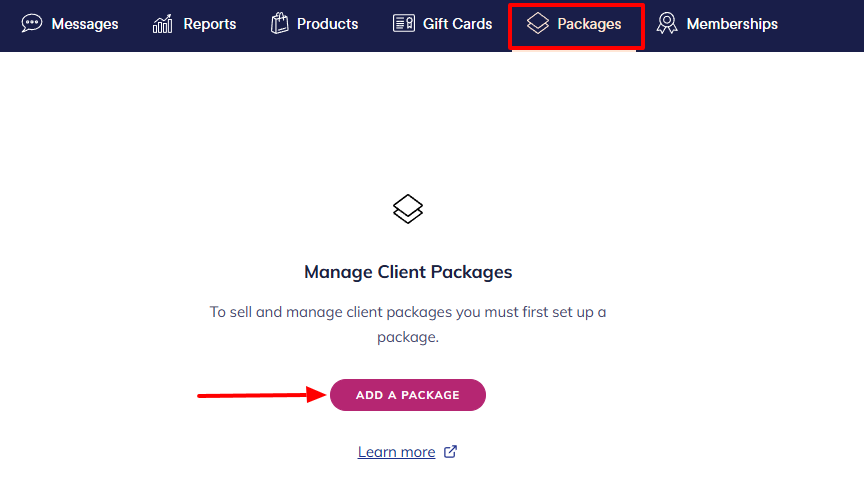
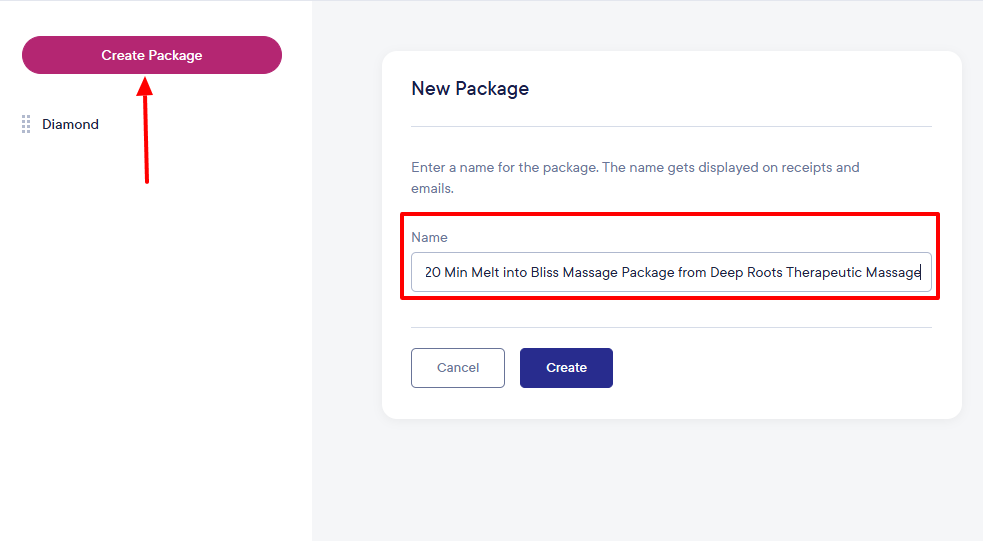
Go to “Create package” and provide a name.
Next, select the service types you want to include in the package, their quantity, and price.
Pros:
- Intuitive interface
- strong integrations
- automated flows.
Cons:
- Higher pricing
- not for solo entrepreneurs
- Only available in the US and Canada.
Best for
- Large spas seeking a massage therapy software for team collaboration.
Pricing
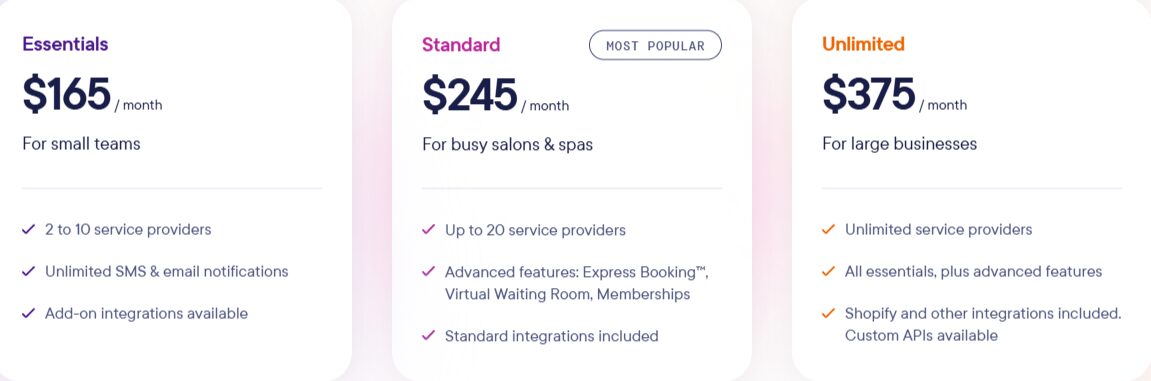
- Essentials: $165/ month
- Standard: $245/ month
- Unlimited: $375/ month
4. GlossGenius - Best for solo entrepreneurs and small teams
GlossGenius is the next massage therapy software we will discuss.
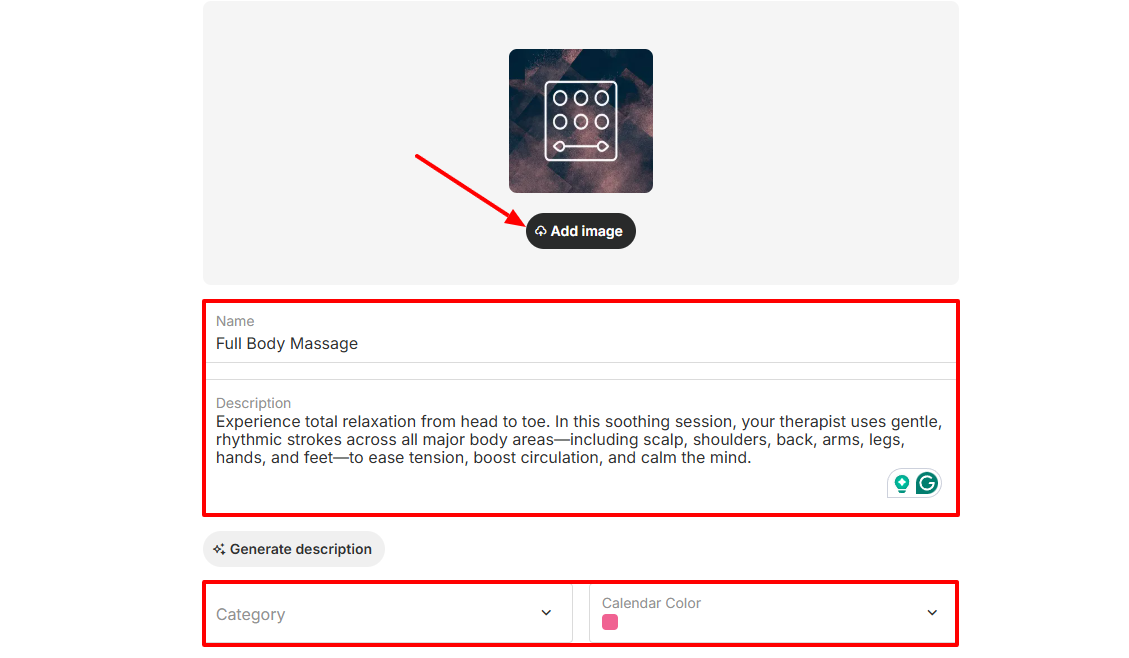
With its Catalog feature, you can add the various services you offer. To do so, add an image, name your service, add a description, choose a category, and select your preferred calendar color.
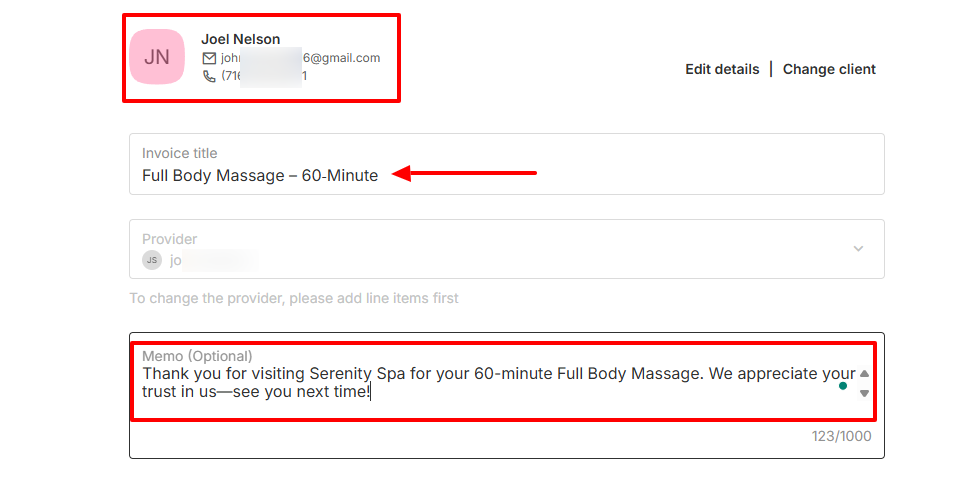
There is also an Invoices feature that lets you create invoices by selecting the client, naming the invoice, adding a memo, and selecting the items for the invoice.
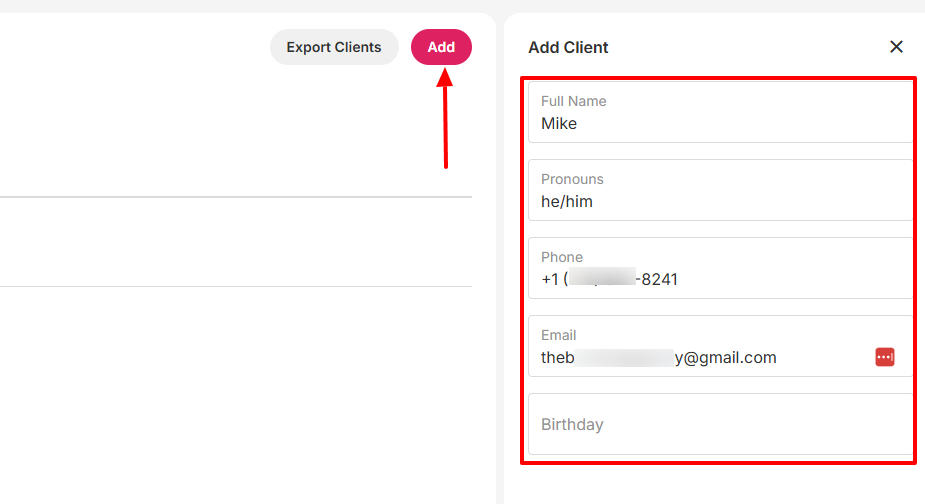
Additionally, to add clients on GlossGenius, I enter their full name, phone number, and email address, and select their preferred pronouns.
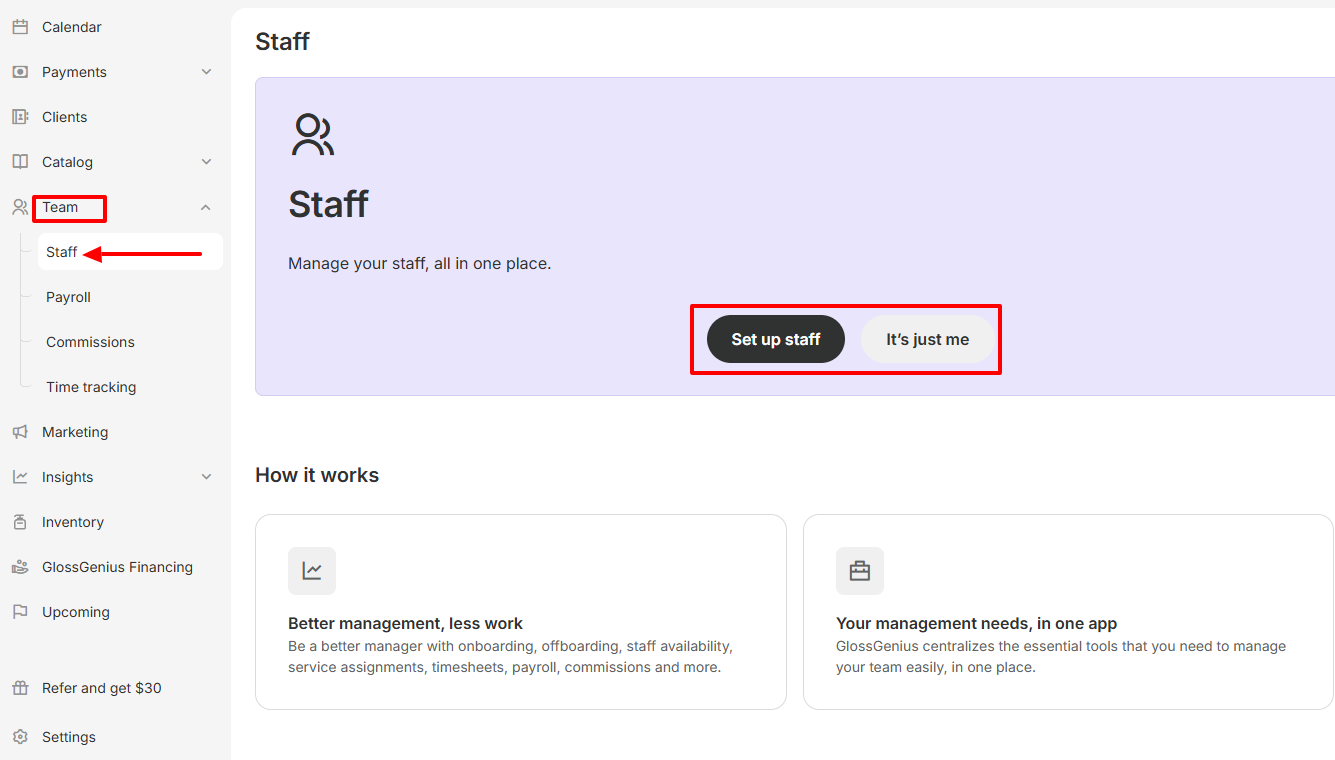
On GlossGenius, I can also build and set up my staff on my account. I simply provide details such as their first & last name, email address, and phone numbers.
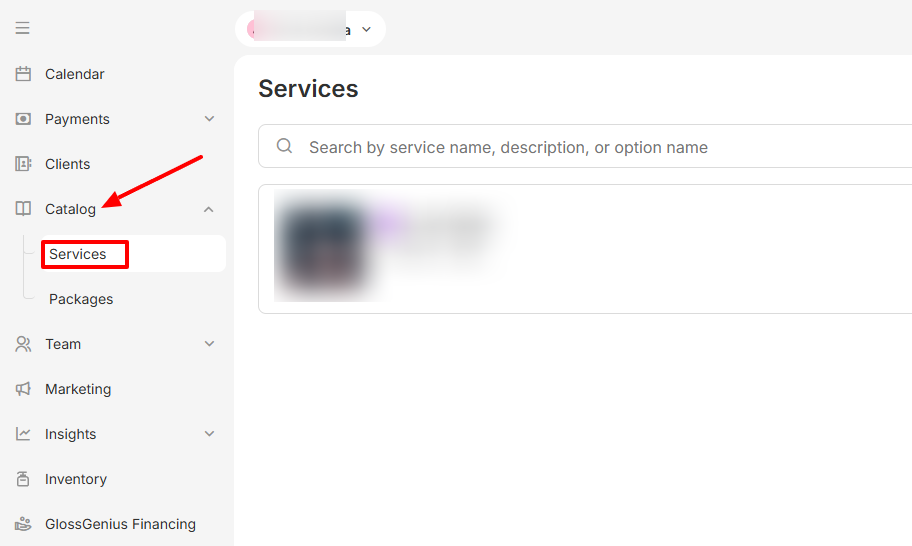
As a spa and wellness practitioner, you offer a list of services. With the services feature of this tool, you can display all these services to potential customers and clients.
Let me take you through the process of doing that.
Under Catalog, choose “Services”.
Next, click “Add service”.
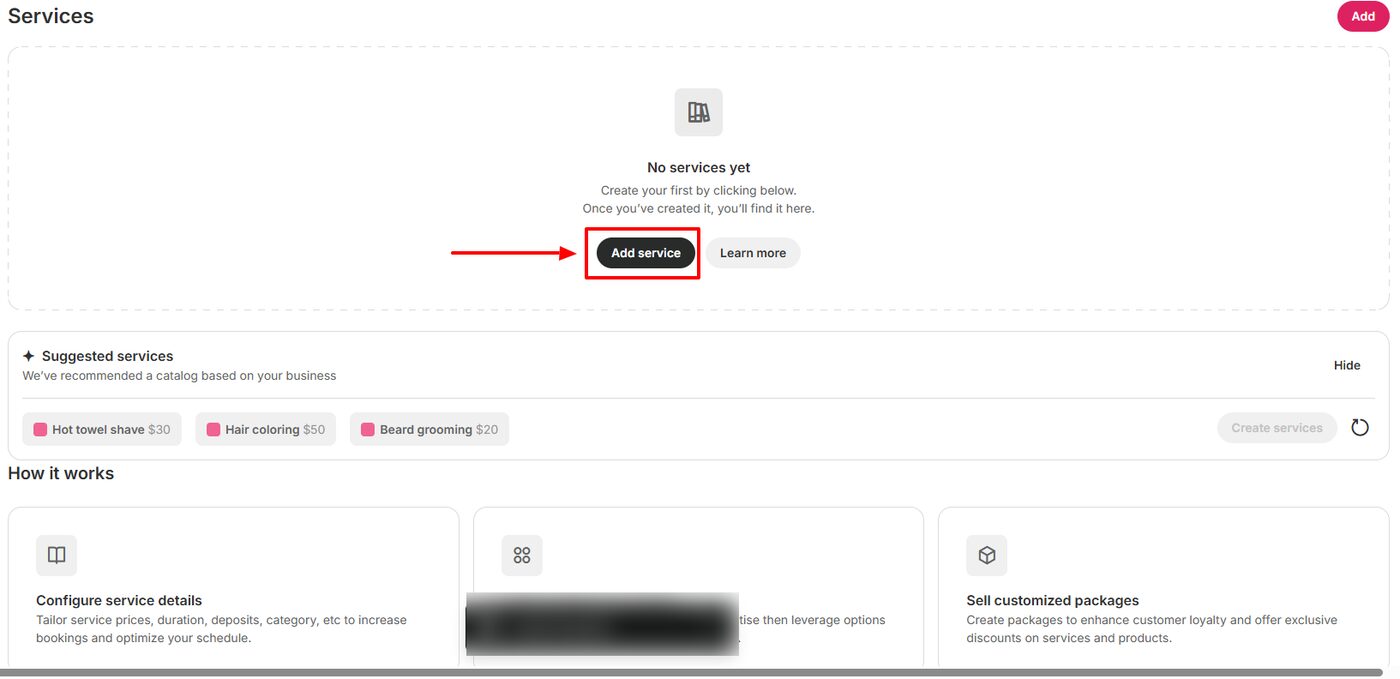
Then, add an image, name your service, provide a description, and select a category.
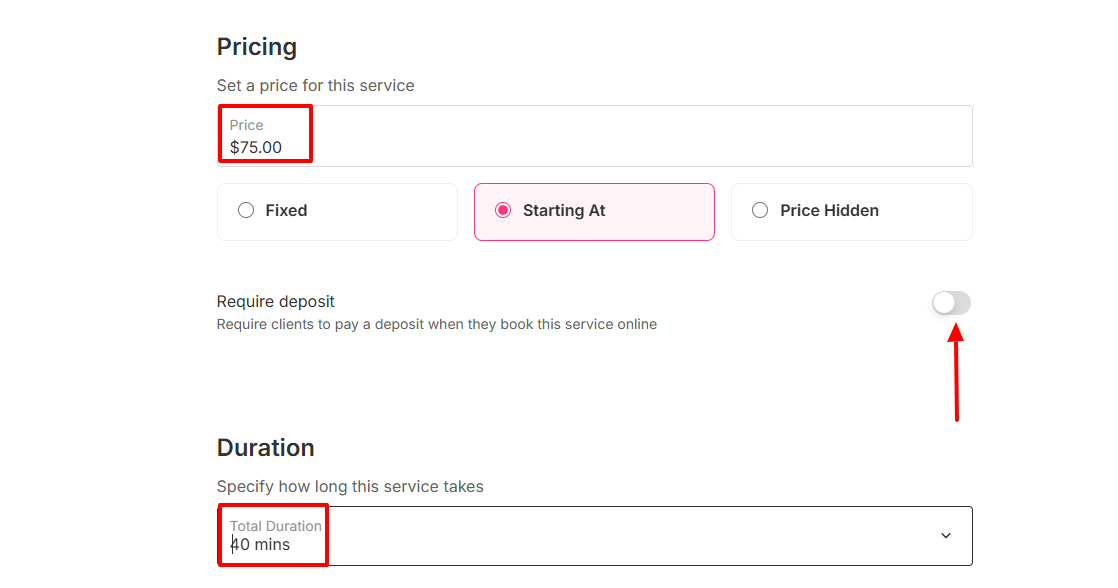
You can add a price, require a deposit, and specify the duration of the service.
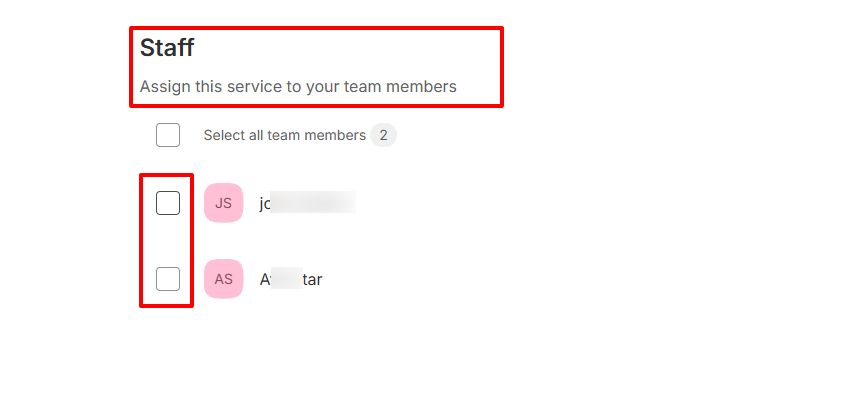
After that, choose the staff you will assign to this new service to.
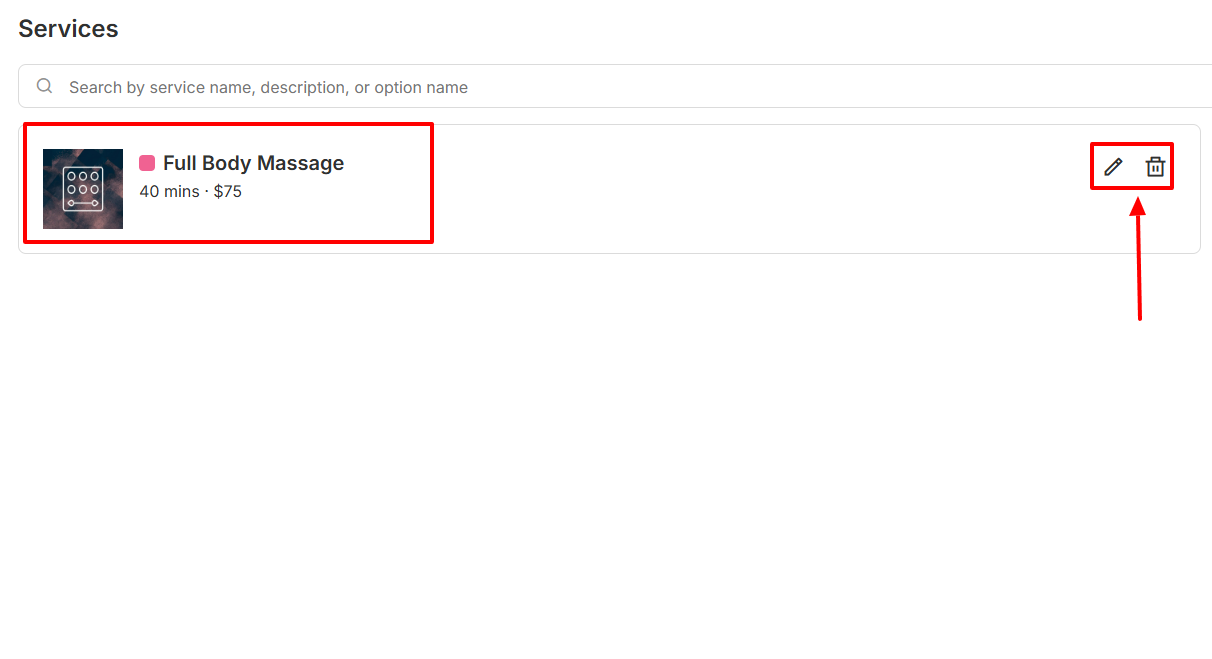
There you go! You have created a new service and added the staff who will handle it. You can edit or delete the service at any time!
After reviewing this feature, I went further to test a few others.
Key Features
1 . Invoices
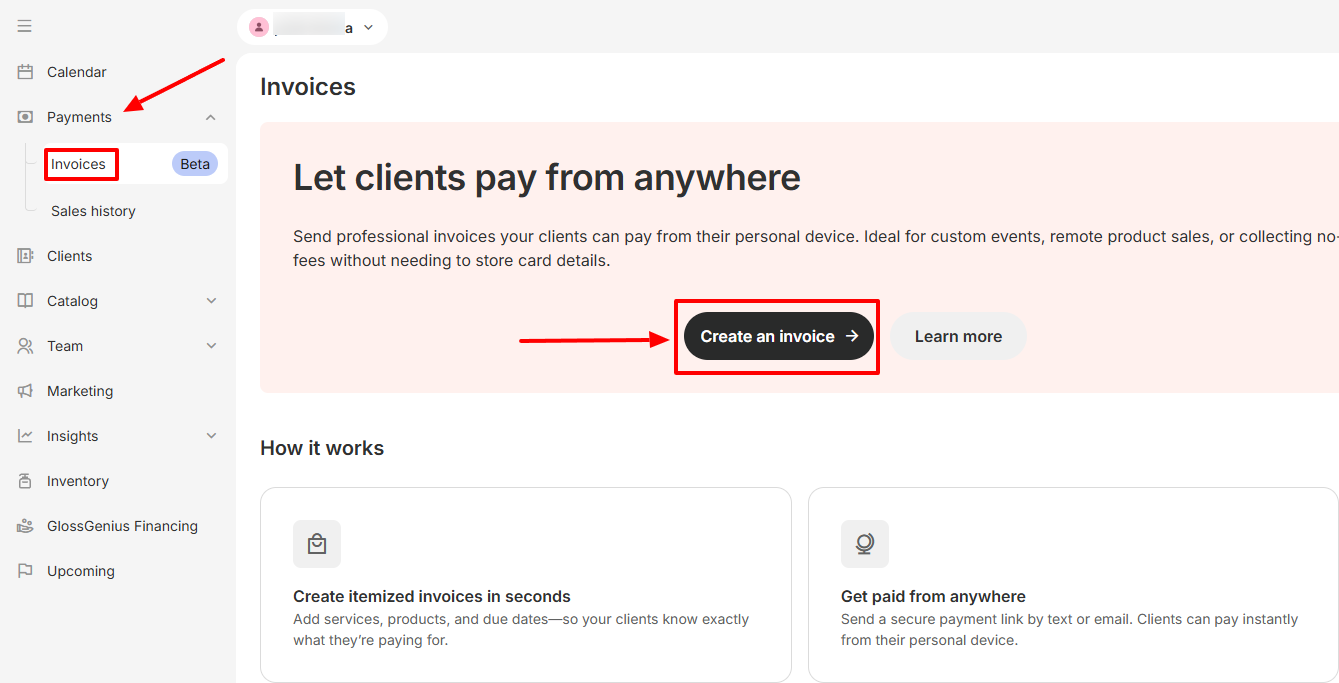
One way to receive payments is through an invoice. You can create and send invoices to clients using GlossGenius. Let’s do that!
First, find “Invoices” under Payments. Then go to “Create an invoice”.
Next, choose the client, name your invoice, and add a memo.
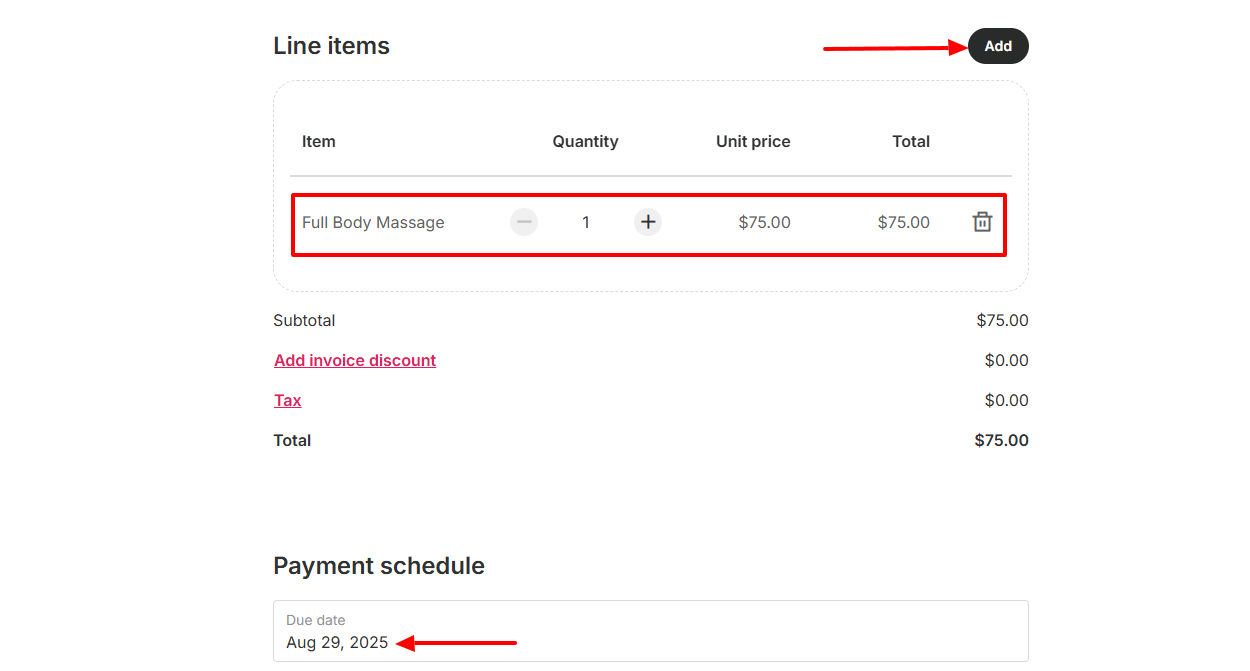
Now, add the items of the invoice and set the payment schedule.
2 . Clients
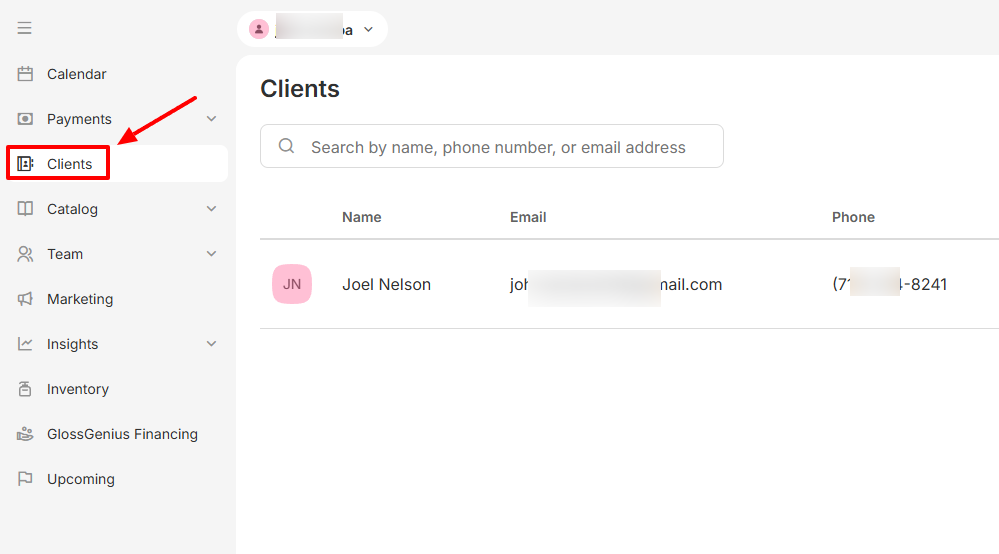
Another feature GlossGenius offers is Clients. Without much ado, let’s quickly see how to add and manage clients.
To begin, select “Clients” on the sidebar menu.
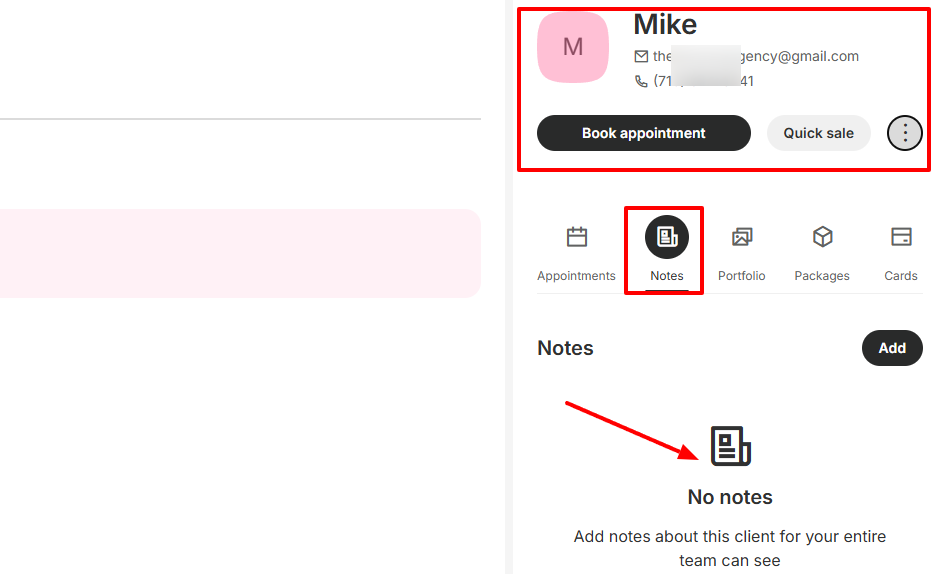
Click “Add” and enter the basic details: full name, pronouns, phone number, and email address.
Once you have added your client, you can also add notes about them for your entire team to view.
Pros:
- Easy to use
- Fast setup
- Affordable.
Cons:
- Certain features, such as forms & waivers, are only available on mobile
- No web booking widget
- Limited customization
Best for
- Solo entrepreneurs and small teams seeking a massage therapy software to manage appointments and payments.
Pricing
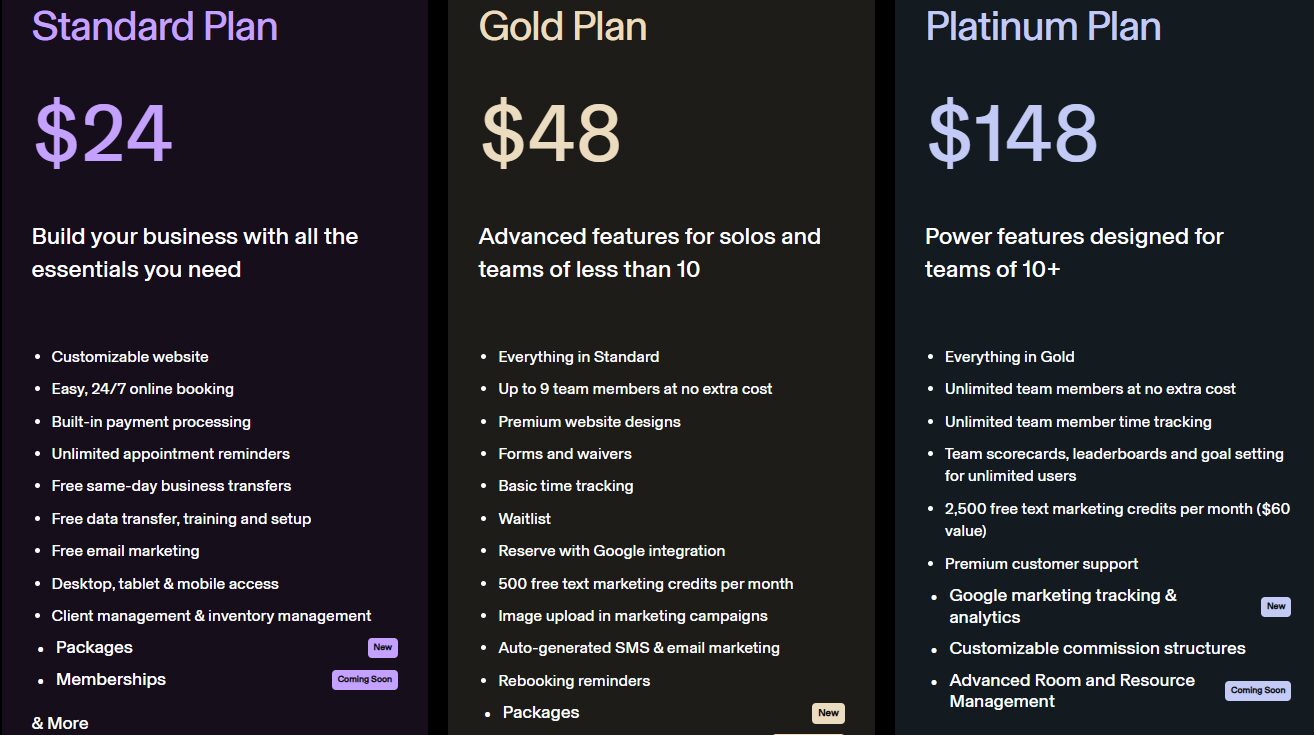
- Standard Plan: $24/ monthly
- Gold Plan: $48/ monthly
- Platinum Plan: $148/ monthly
5. Fresha - Best for client discovery
Last but not least is Fresha, another massage therapy software for client discovery.
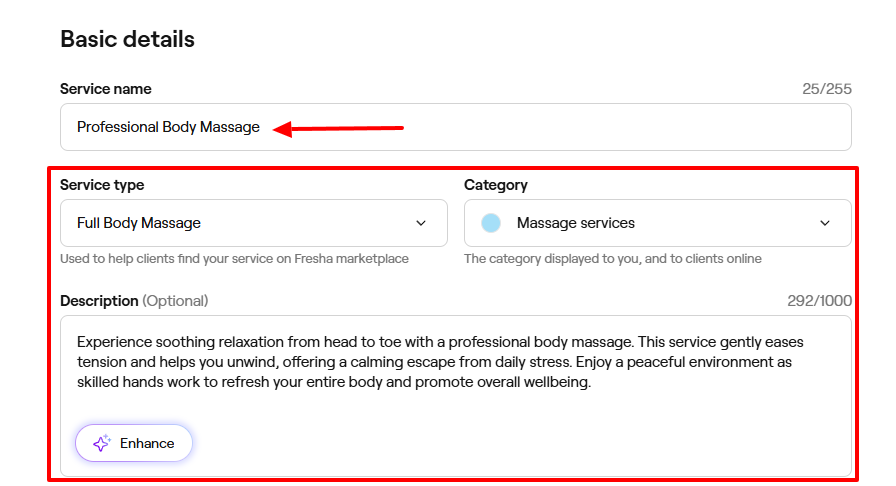
Thanks to its Catalog feature, you can display your services by adding and naming a category and choosing an appointment color. Then you will name your service, choose a service type, category, and add a description.
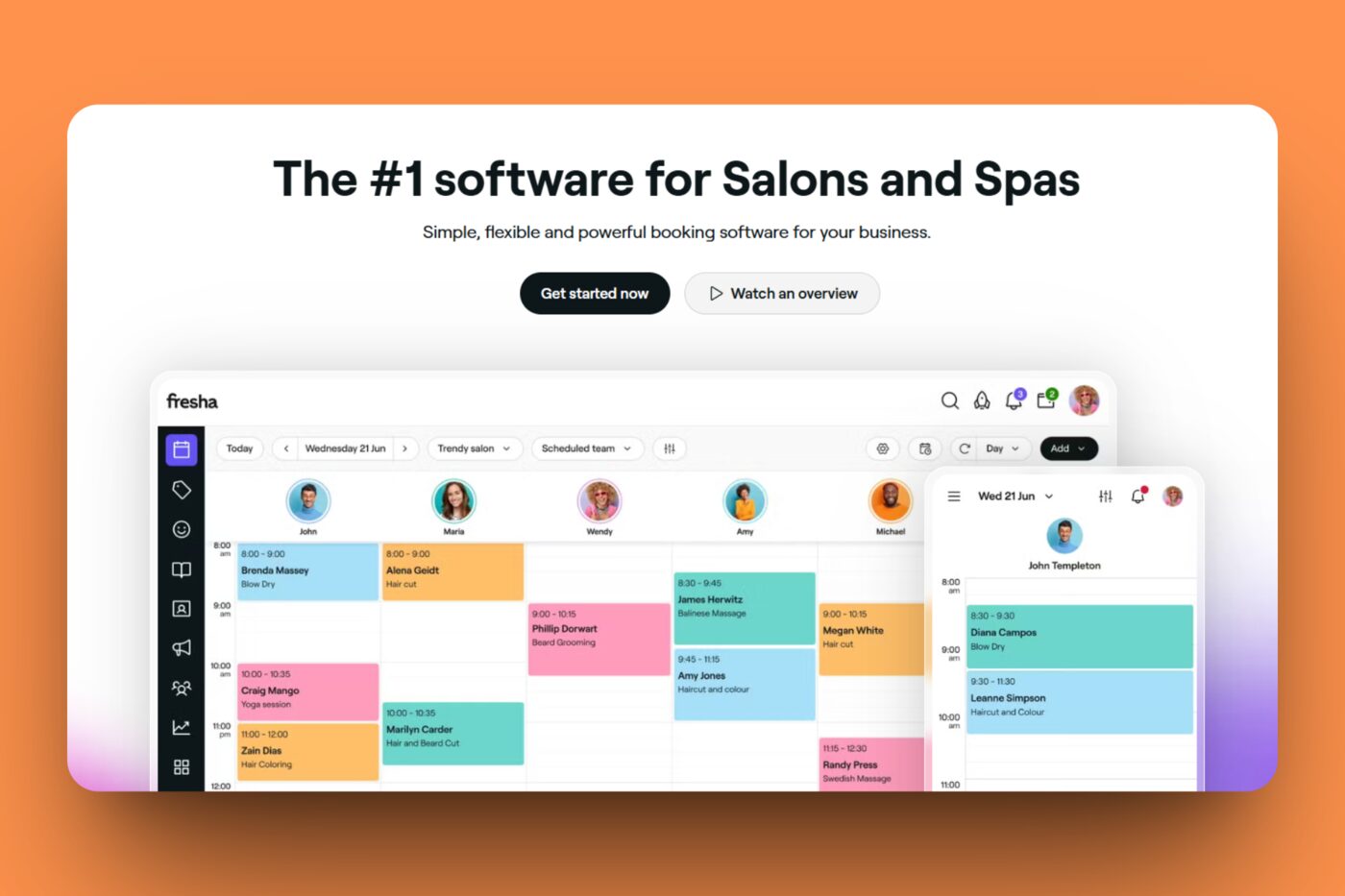
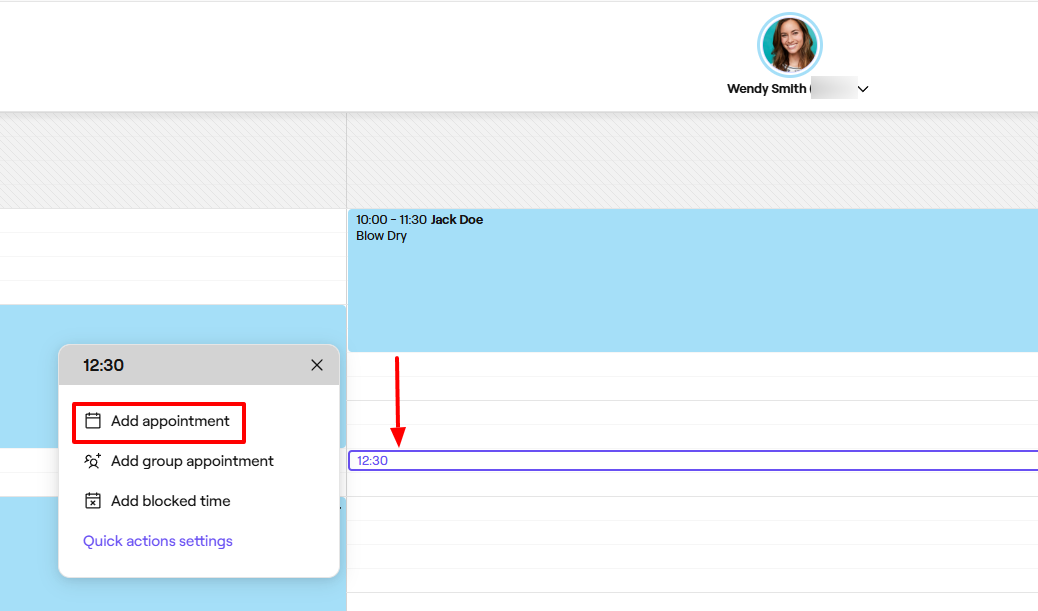
Fresha’s Calendar displays my availability and appointments during the week. By clicking on a random time slot, I can create an appointment. I will simply choose the service for that appointment.
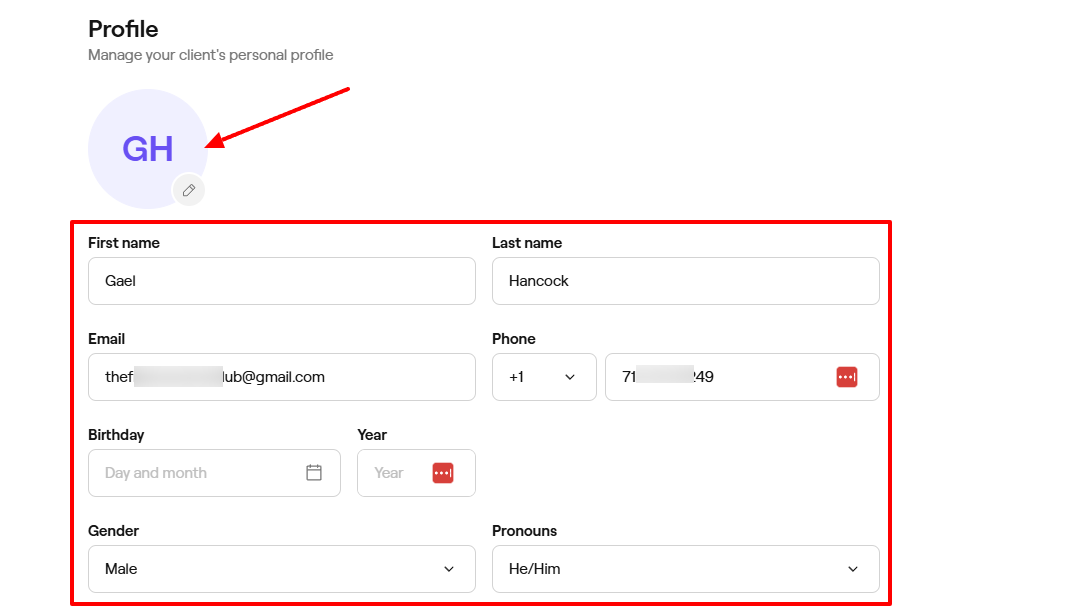
You add clients on Fresha by providing their name, email, and phone number. You can also add their birthday , choose their gender, and their pronouns.
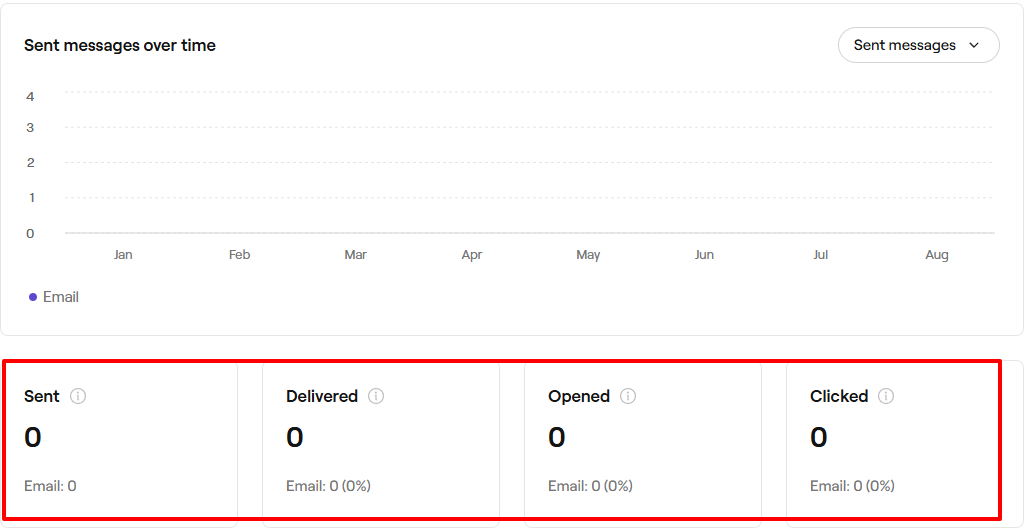
Furthermore, the Marketing feature provides an overview of all messages sent over time, including details such as the number of messages sent, delivered, opened, and clicked.
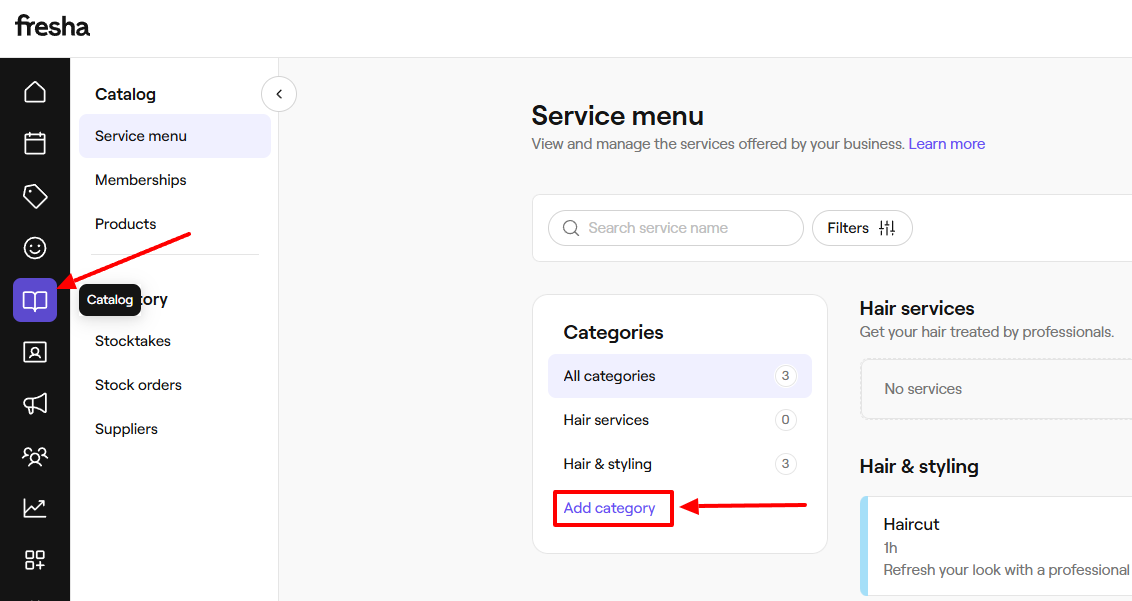
Now, to add a service on Fresha, you need to use the Catalog feature. Let me walk you through it.
On the sidebar, click “Catalog”, and go to “Add category”.
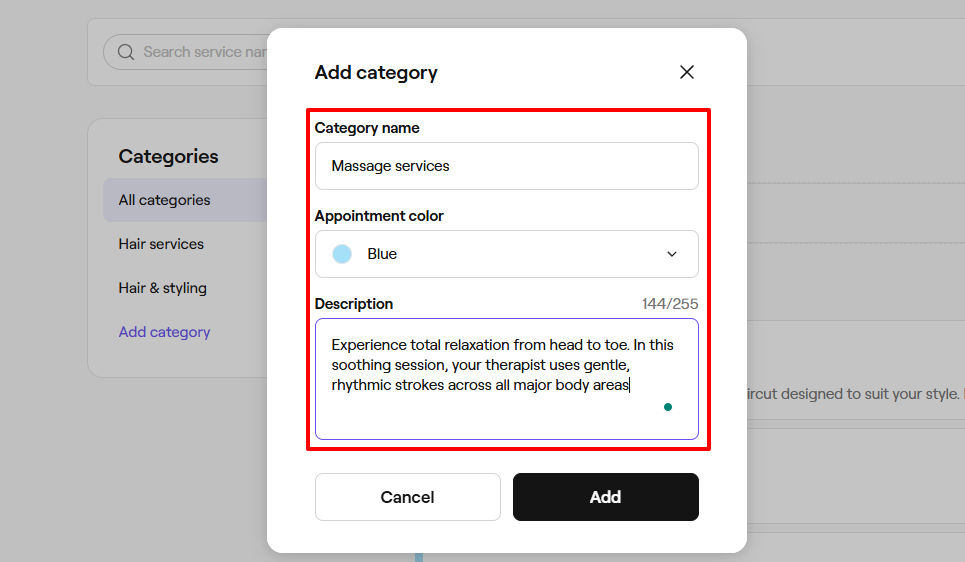
Name your category, choose an appointment color, and add a description.
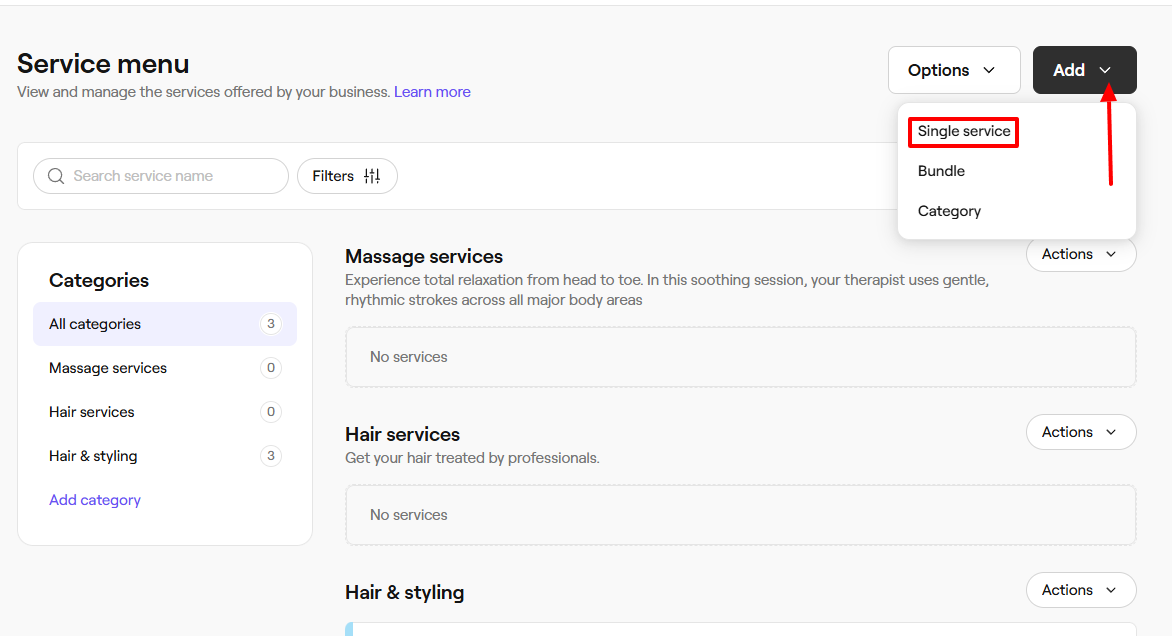
On the far left, click “Add” and select “Single service”. You can always add a bundle or category as you please.
For the basic details, enter a service name, choose a service type, category, and add a description.
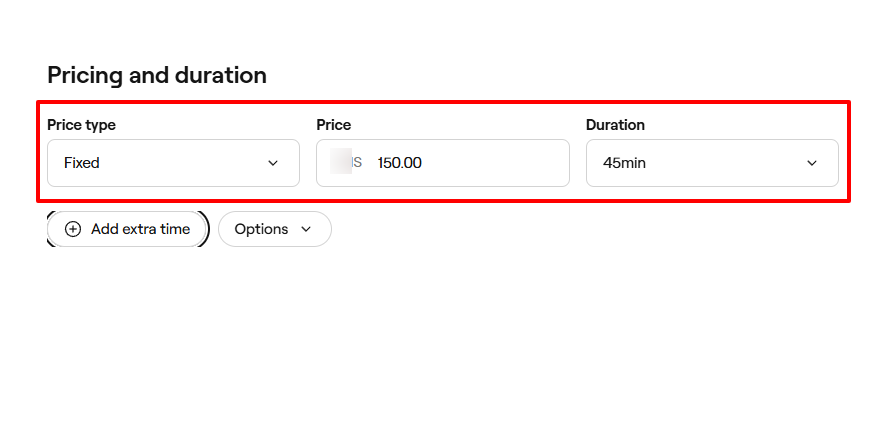
After that, select your price type, duration, and price.
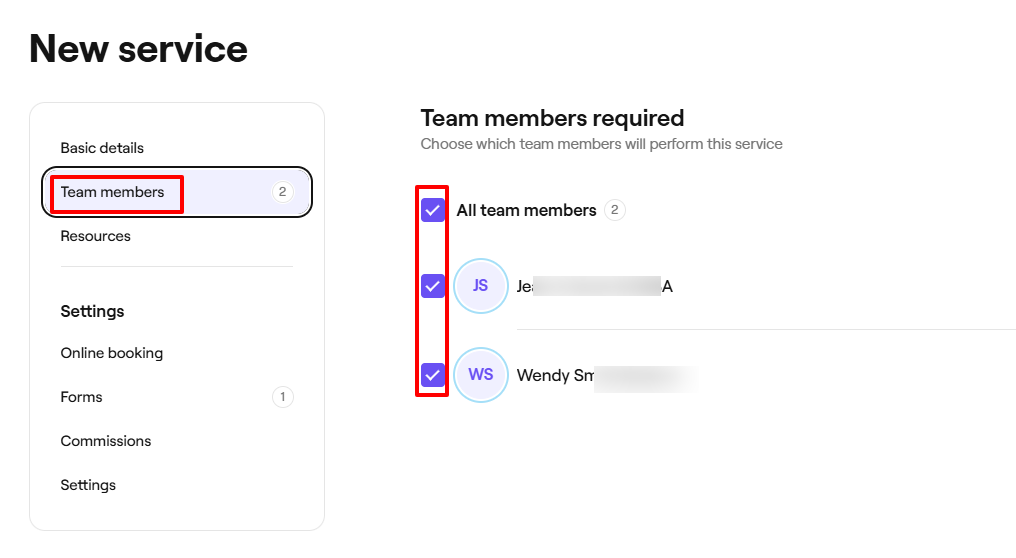
Next, select the team members who will perform this service.
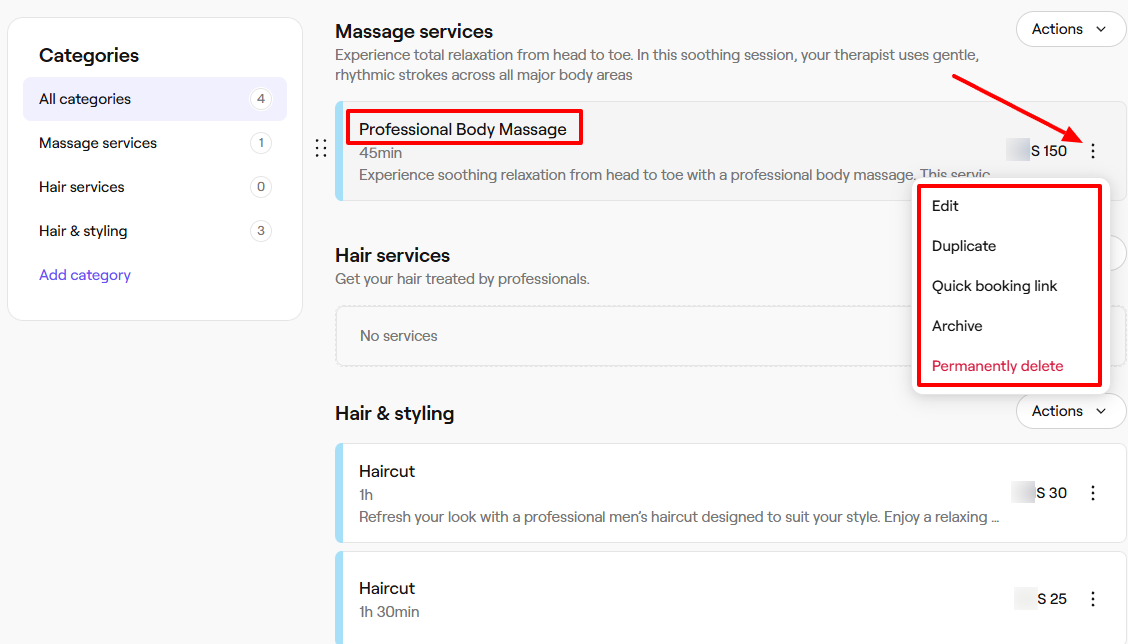
That’s all. You’ve successfully added your service! But there are still more actions you can take when you click the three-dot menu. These include editing, duplicating, archiving, or permanently deleting.
Key Features
1 . Calendar
The Calendar feature on Fresha displays all team members within the calendar, along with their appointments and available time slots.
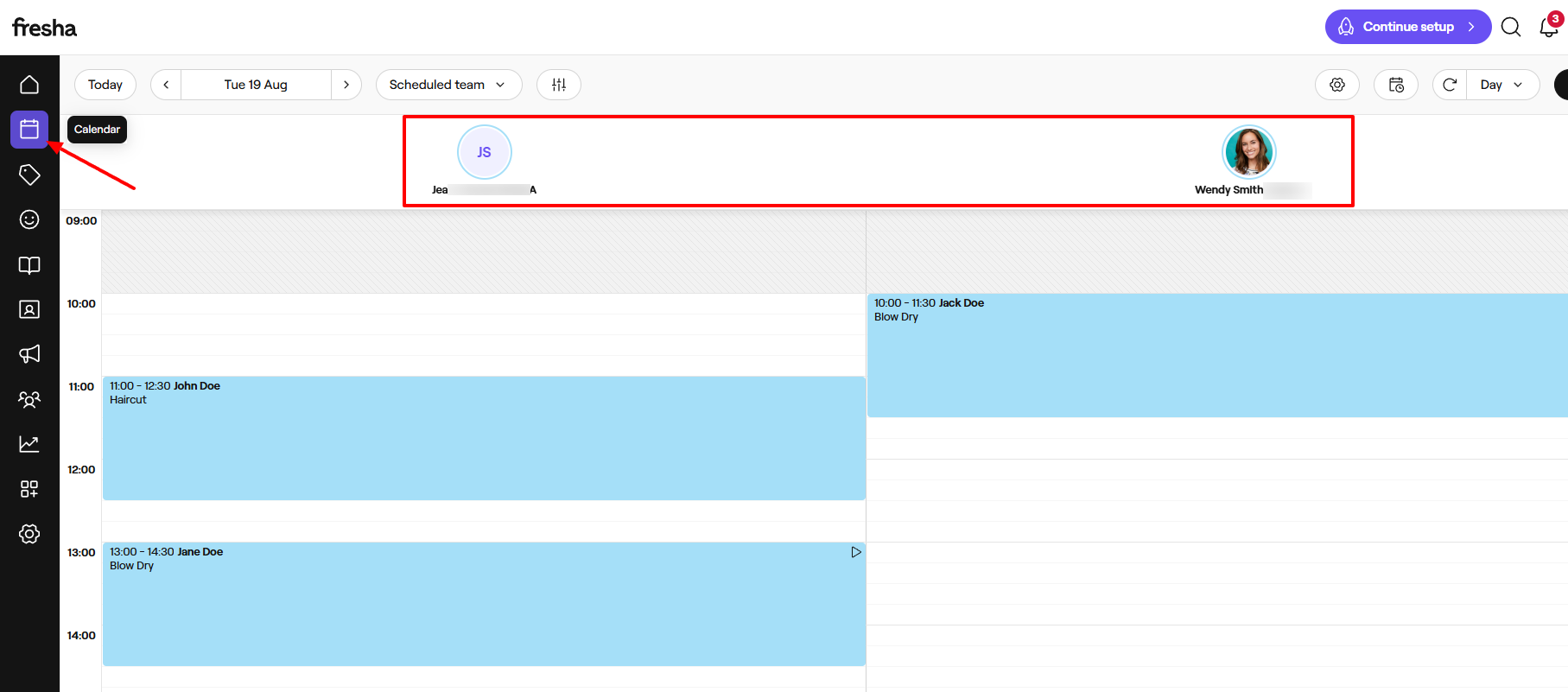
By clicking on any time slot on the calendar, I can add an appointment, a group appointment, or a blocked time slot. Let’s add an appointment.
First, select any time slot or empty area. This reveals a pop-up menu. Click “Add appointment” from the menu.
Next, select a service.
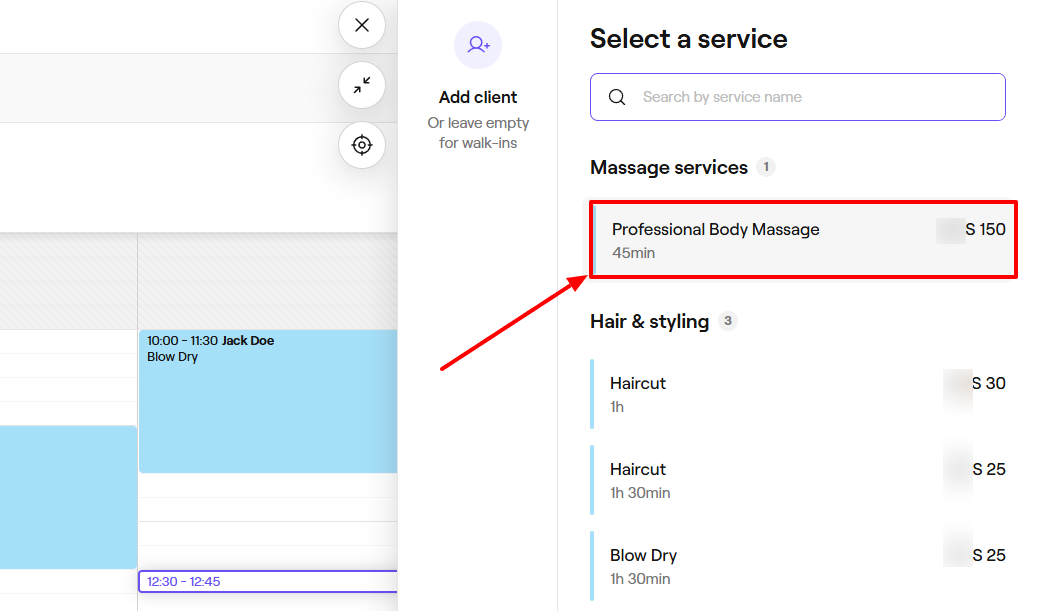
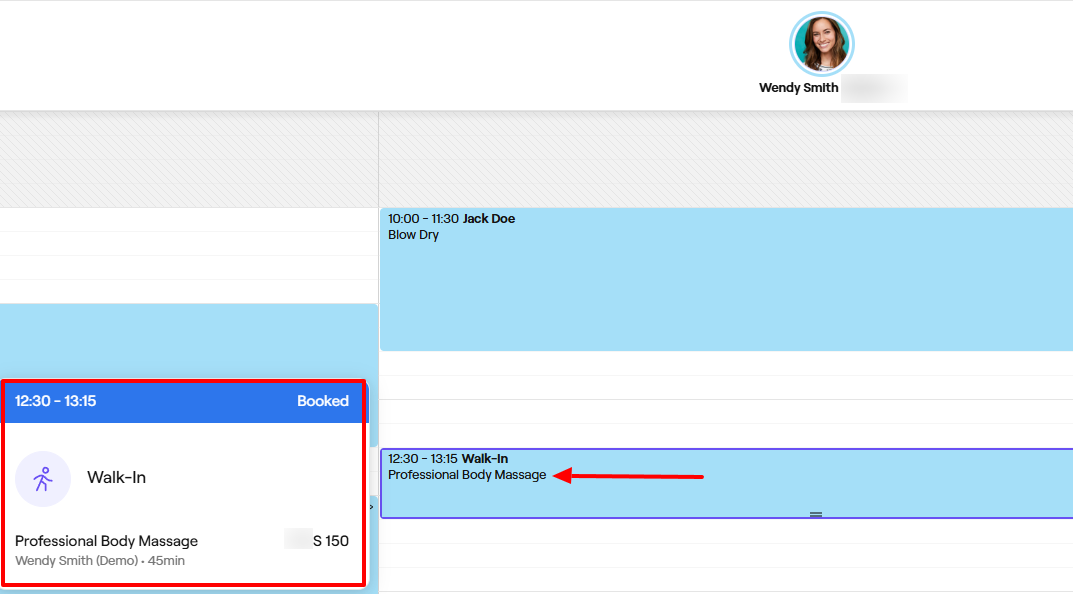
The system will automatically add your appointment to the calendar.
2 . Clients
On Fresha, you can also create a client list that details all your clients and the necessary information about them. Let’s quickly review this feature!
To add a client, click the “Clients” icon from the menu.
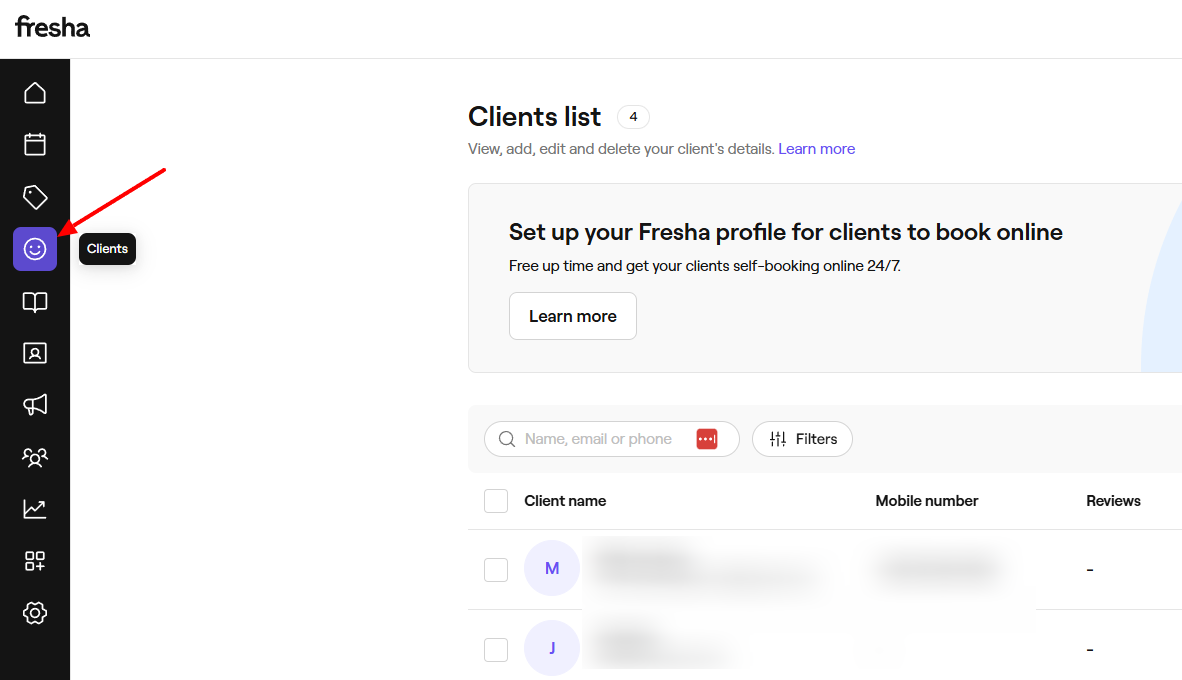
Next, click the “Add” button.
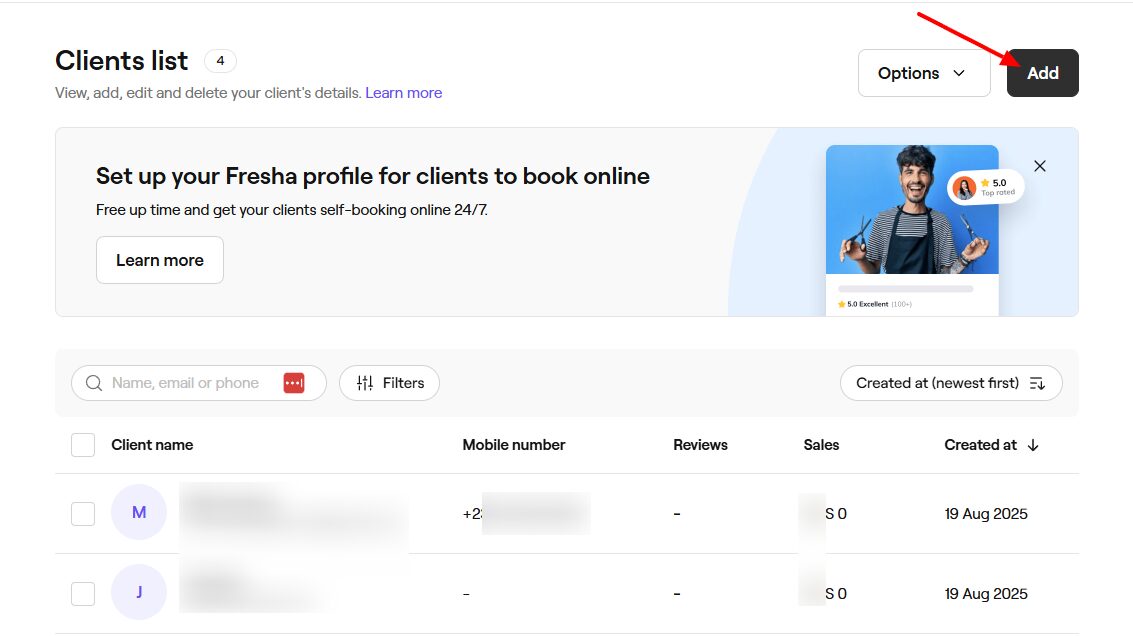
Enter your client’s first & last name, email, phone number, birthday, and more.
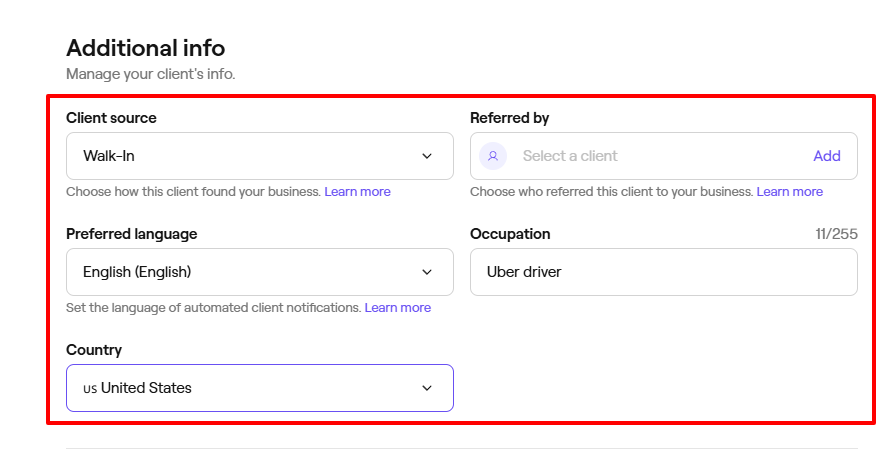
You can add additional info such as the client source, preferred language, country, and occupation.
Pros:
- Ease of use
- Payment processing
- Point-of-sale.
Cons:
- Limited options for customization
- Limited support for integration with other platforms.
Best for
- Spas seeking a tool to reach out to clients, manage interactions, and sell products.
Pricing
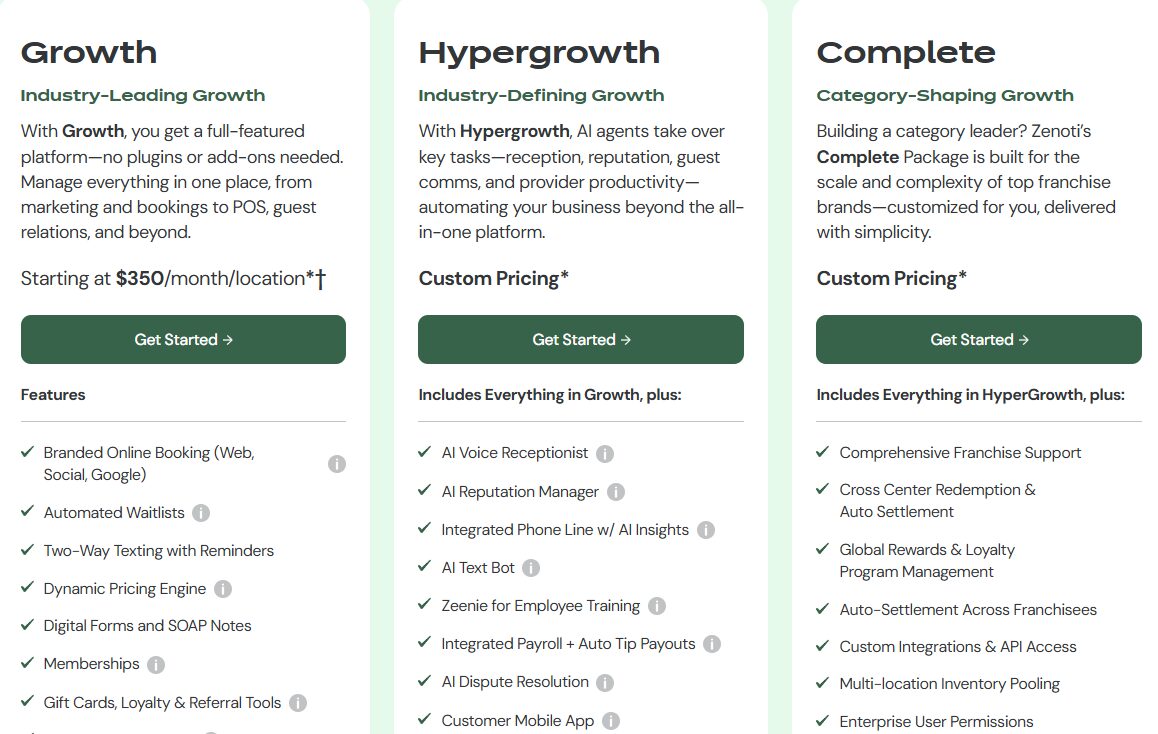
- Growth: $350/month/ location
- Hypergrowth: Custom pricing
- Complete: Custom pricing
Start your 14-day free trial and automate your scheduling today.
What is a Massage Therapy Software?
Massage therapy software is a tool that massage therapists and spas use to run their day-to-day activities. This means it helps clients book online, allows you to take payments, manage appointments, keep client notes, and even track reports.
For example, if you are a solo massage therapist, instead of manually handling everything, you can create a booking page that clearly states what you want clients to see.
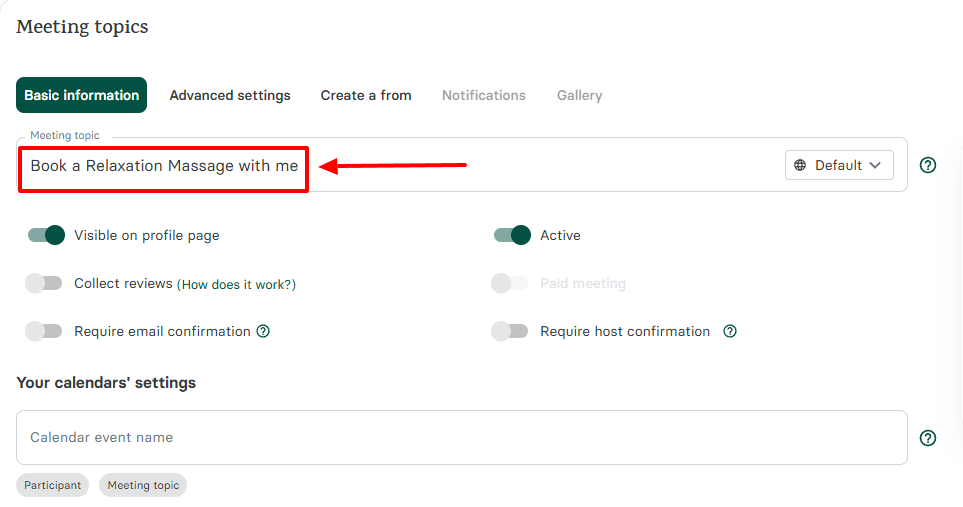
Then, choose the duration of a session, add your location, and a description of your service.
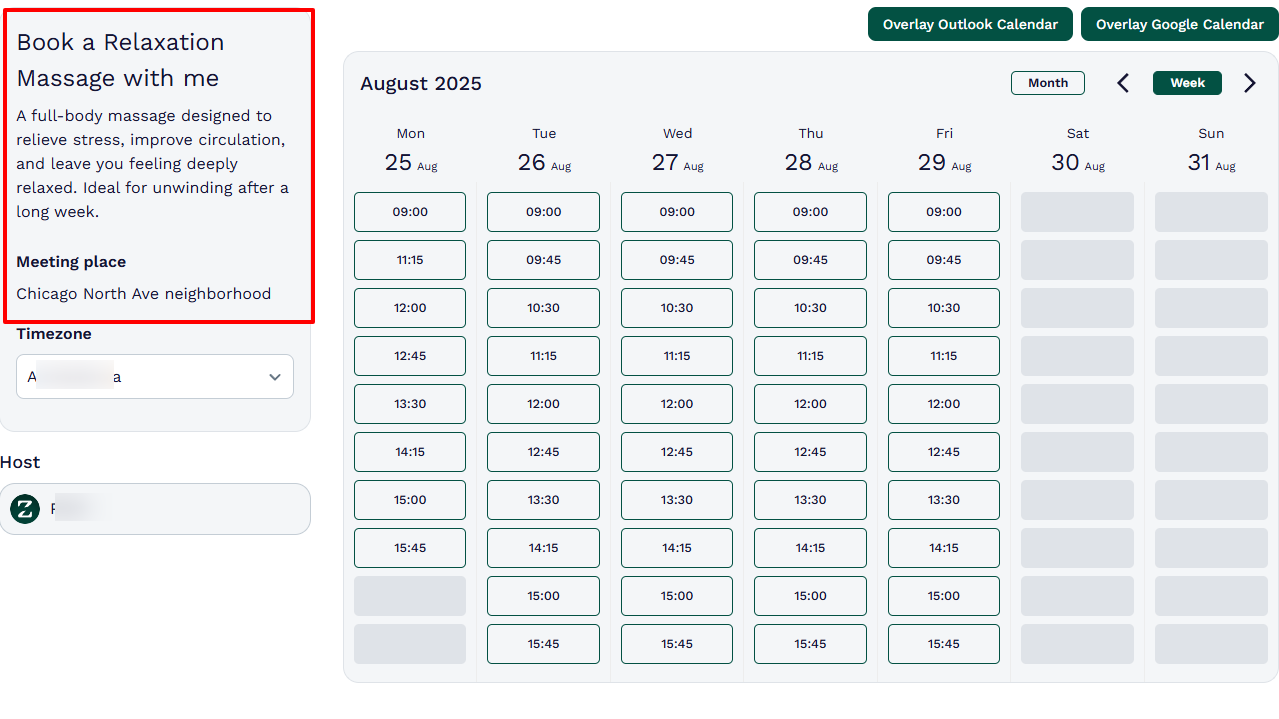
When clients book an appointment, they will see all the information you provided during the booking page creation process.
Start your 14-day free trial and automate your scheduling today.
How to Choose the Right Massage Therapy Software
Before selecting your massage therapy software, you need to consider at least four key aspects. The list goes as follows:
1. Consider solo practice vs. multi-location spa
2. Assess Ease of Use
3. Define the Features You Actually Need
4. Check Pricing and Scalability
Let’s explore each one of them deeply.
1. Consider solo practice vs. multi-location spa
I have come to understand what the business historian and Harvard professor Alfred Chandler meant when he said, “ Structure follows strategy .”
The truth is, when choosing the right massage therapy software, opt for one whose structure aligns with your strategy.
For example, a solo professional doesn’t have the exact needs as a multi-location team. When it comes to solo practice, you need a quick setup, simple online booking, client management, and easy payments.
Meanwhile, a multi-location team will require advanced features, staff permissions, inventory management, and centralized reporting, among other essentials.
They both require different sets of features. Considering this aspect will help you make the right choice.
2. Assess Ease of Use
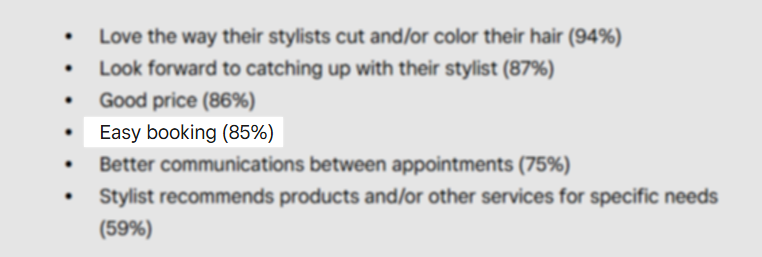
According to Square, 85% of customers mentioned “easy booking” as the reason for their long-term relationships with their service providers.
If you choose a platform that is difficult to use, your team may struggle to work with it, and your clients may never complete their bookings. They may stop halfway through the booking process and give up.
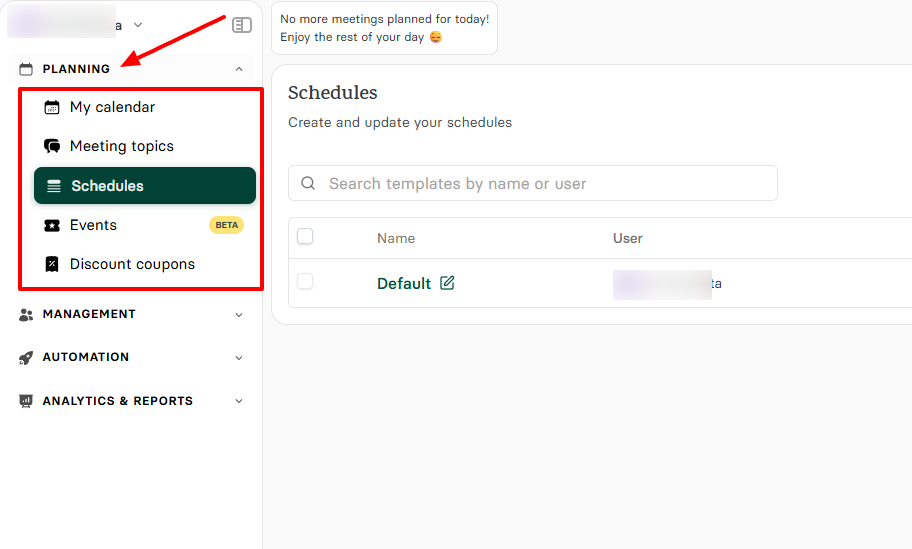
On Zencal, for example, the sidebar menu is so minimalist that you don’t even feel there are a lot of features. You will only see four categories: Planning, Management, Automation, Analytics & Reports.
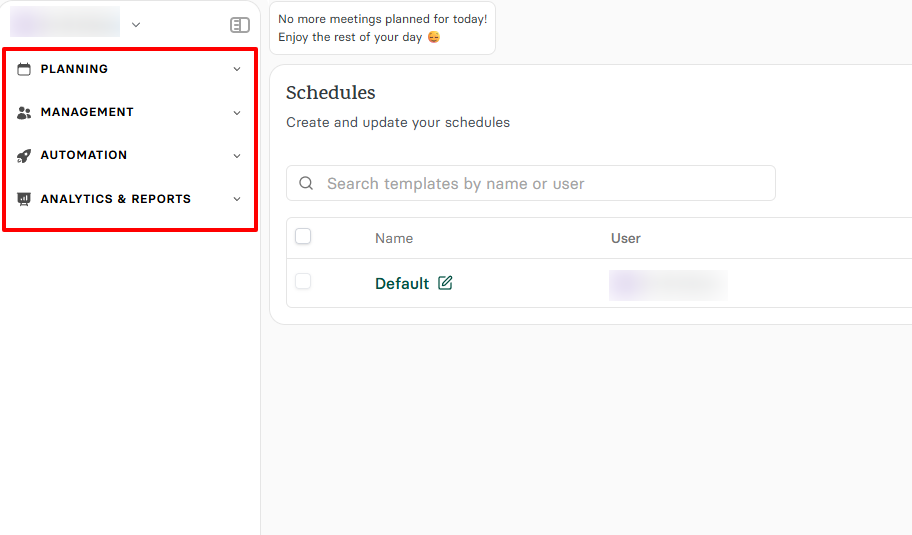
When you click on a category, it expands to show the features within that section.
Additionally, from a client's perspective, the booking page you create using Zencal clearly displays all available spots. This makes it easy for clients to book seamlessly.
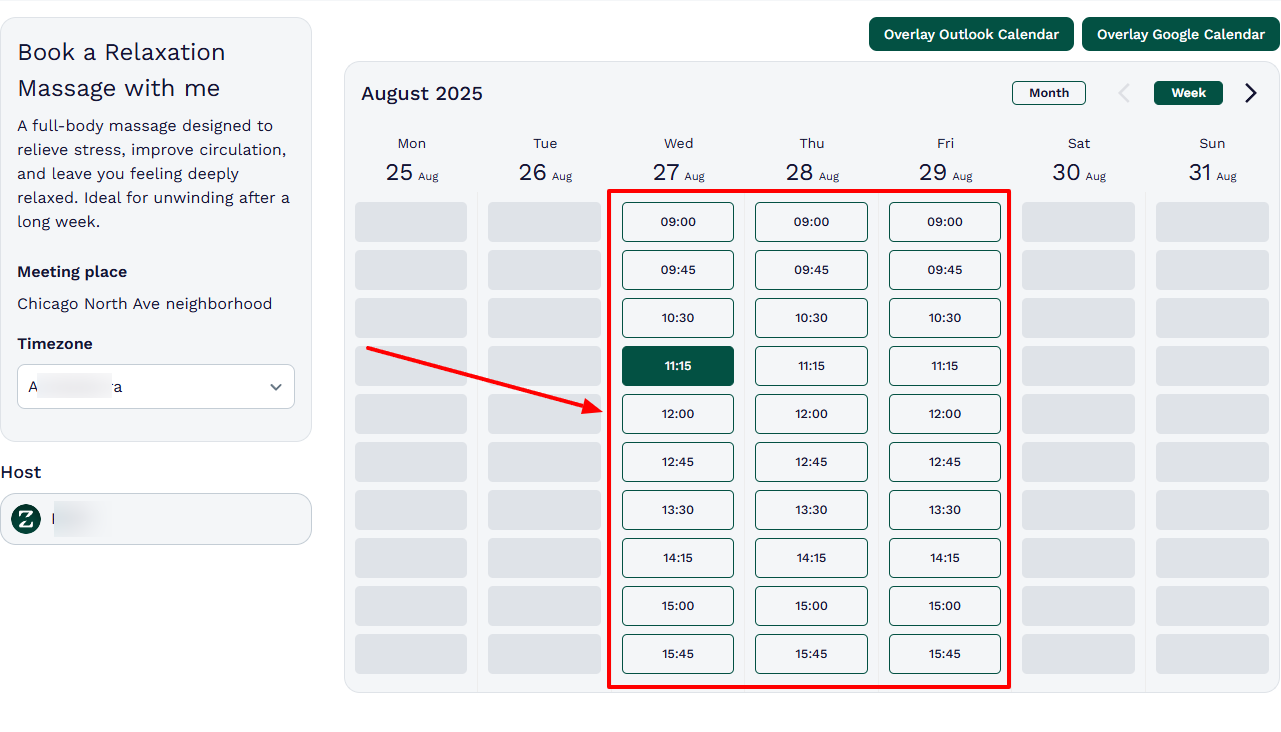
Assessing the software’s ease of use helps ensure that both your team and clients can easily navigate through the software you choose.
3. Define the Features You Actually Need
Tools come in different forms and shapes, and just because you need one doesn’t mean you should pick the first software that pops up.
Purchasing software with features you don’t need is a terrible investment, and it can hurt your business.
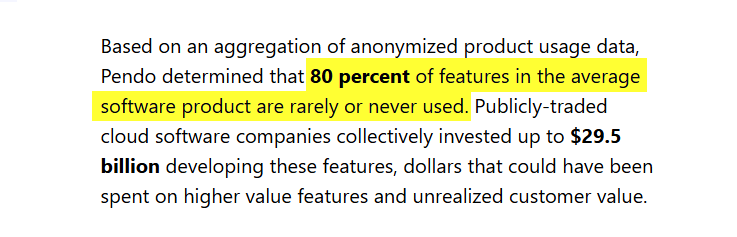
Therefore, you must define the features you actually need. No wonder research indicates that 80% of features in the average software are rarely or never used. You don’t want to make this mistake.
When it comes to massage therapy software, there are some must-have features you simply cannot do without. Among these features are online booking, availability, client management, automation, and analytics & reports.
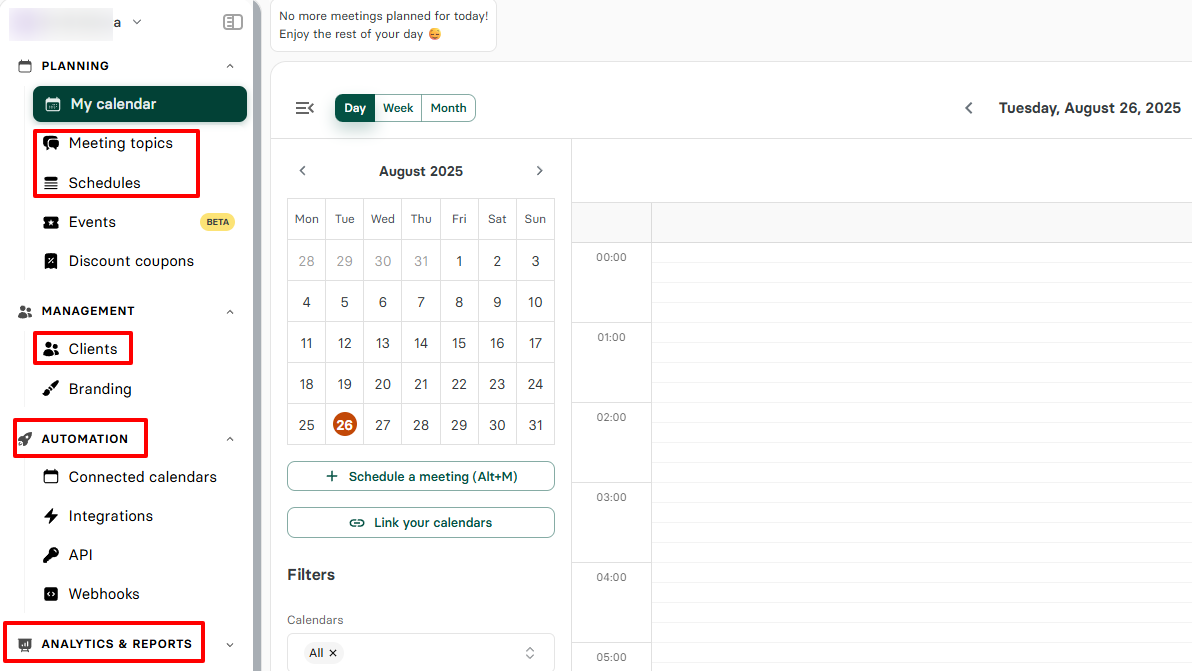
These features will help you run your day-to-day business operations effectively.
4. Check Pricing and Scalability
It’s also important to consider the cost now to avoid any future regrets. Costs aren’t just the monthly fee. Think about staff seats, payment processing, and even add-ons.
As the business grows, the cost may also increase. Therefore, you need to ensure that you don’t suffocate while scaling by choosing a plan that you can grow with.
A perfect illustration would be with Mangomint. The first plan costs $165 per month.
Meanwhile, MassageBook’s first plan costs $20 per month.
Interestingly, Zencal is even more cost-effective than the above. Zencal’s Pro plan costs $10 per month, and the Team plan costs $20.
After assessing your business operations to identify the features that you really need, ensure you choose a massage therapy software that doesn’t make your pockets run dry every month.
Choose the Best Massage Therapy Software
That’s it! Choosing software involves carefully considering essential factors that will help you make the right decision.
Throughout this article, I have discussed in detail my five best massage therapy software with their features and pricing plans.
We’ve seen how Zencal was the best option for appointment scheduling, while the other tools excel in their areas too.
Having read this article to the end, you are now ready to choose the best massage therapy software!