5 Best Salon Software in 2026! (Small and Big Salons)
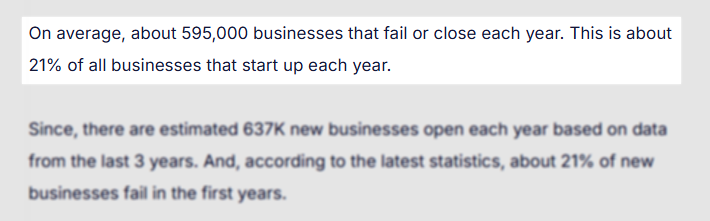
A recent study revealed that a whopping 595,000 businesses fail every year! This translates to about 21% of all startups.
If you run a beauty salon, spa, or even a barber shop, and you’re reading this, chances are that you know how tough it can be to stay afloat.
As I understand it, it is not just about attracting more clients, but also keeping all operations smooth. Among these operations are managing appointments, clients, and staff, reducing no-shows, and avoiding double-bookings.
We recently interviewed salon owners and professionals who have turned to our platform.
Interestingly, the top reasons why they turned to Zencal included the need to reduce no-shows, eliminate the stress of manual appointment booking, and avoid double-bookings altogether.
So far, they’ve had no issues either. This is why using the right salon software for your business is an absolute game-changer.
To spare you the hassle, I have selected the five best salon software for you. I will discuss their features, pros, and cons. I will also share their pricing, their best uses, and show you how to choose the right software for your salon business.
Keep reading!
Top Salon Management Software Compared
| Tools | Features | Ease of use | Customization Level | Starting price | Integrations with other tools | Best for |
|---|---|---|---|---|---|---|
| Mangomint | Client relationship management, Inventory management, Staff management, Point-of-sale systems | Easy | Limited | $165/ month | Mailchimp, Walverforever, Shopify, Gift Up! | Large salons and spas seeking a salon management platform for team collaboration. |
| Zencal | Appointment scheduling, Client management, Events, Discount coupons, Automated reminders, Reports | Very easy | High | From $4/ monthly, billed monthly | Stripe, HubSpot, Google Calendar, Outlook, iFirma | Small businesses and professionals seeking an online scheduling tool to manage appointments, clients, and create events. |
| GlossGenius | Client management, Marketing Campaign, Calendar | Easy | medium | $24/ monthly | Google Calendar, Outlook Calendar, Quickbooks, Square | Solo entrepreneurs and small teams seeking an all-in-one salon tool. |
| Fresha | Catalog, Calendar management, Client management, Reports, Marketing | Very easy | Limited | $350/month/ location | No integrations with other platforms | Salons and wellness businesses seeking a tool to manage appointments, clients, and sell products |
| Rosy Salon | Client management, Ticket, Inventory management, Online booking, Marketing | medium | High | $39/ month | Limited | Salons seeking a platform with client management, inventory management, and Point-of-Sale transactions. |
Start your 14-day free trial and automate your scheduling today.
5 Best Salon Software
1 . Mangomint - Best for team collaboration
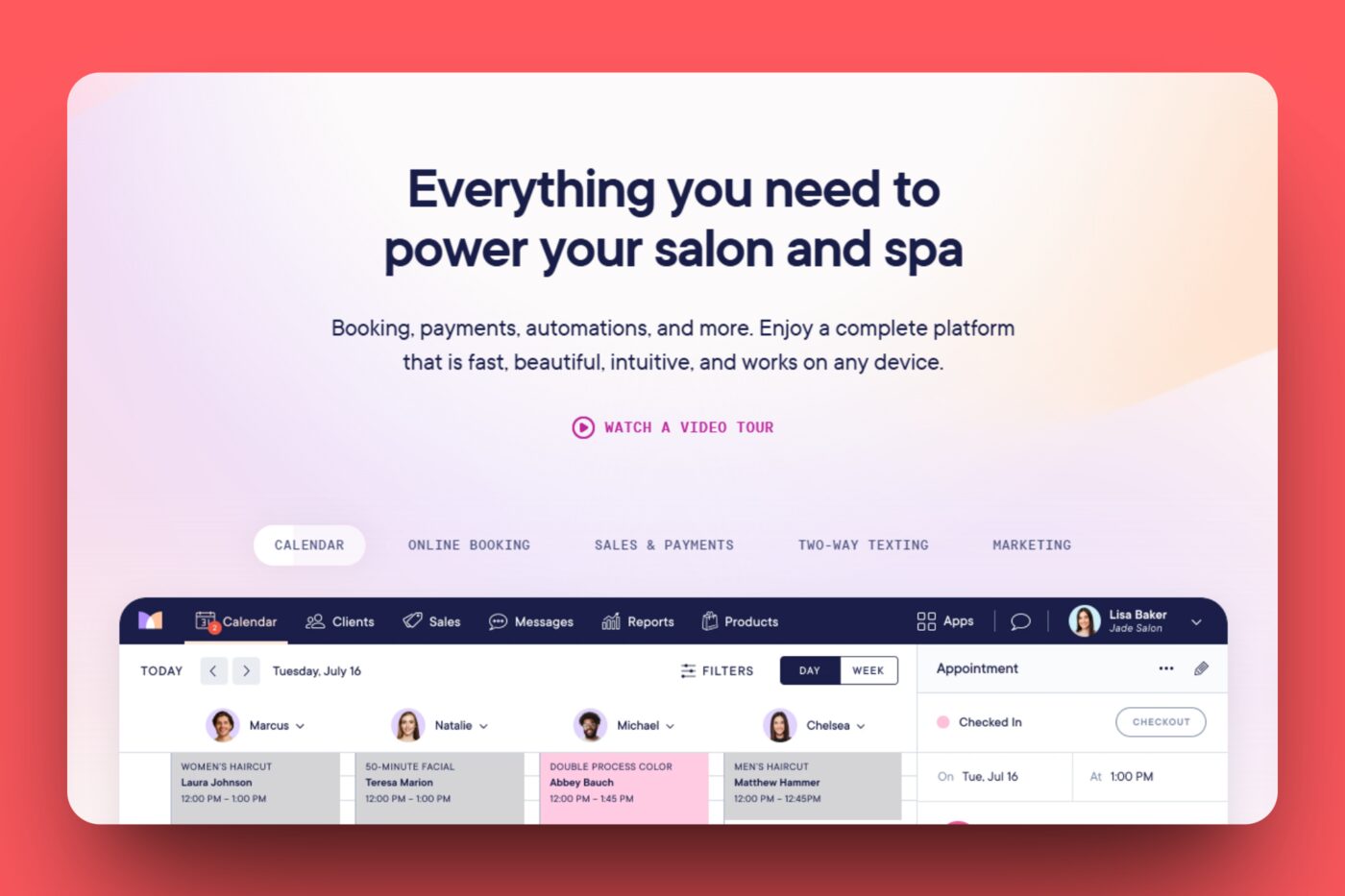
Mangomint is the first salon software we will look at.
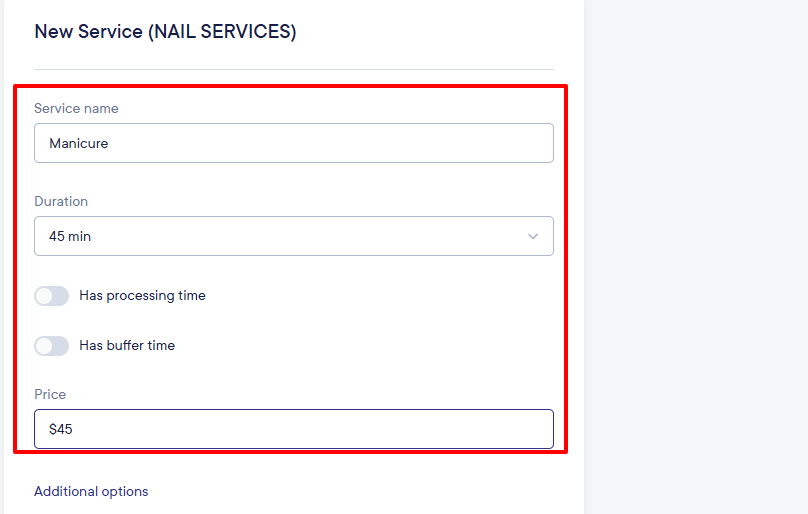
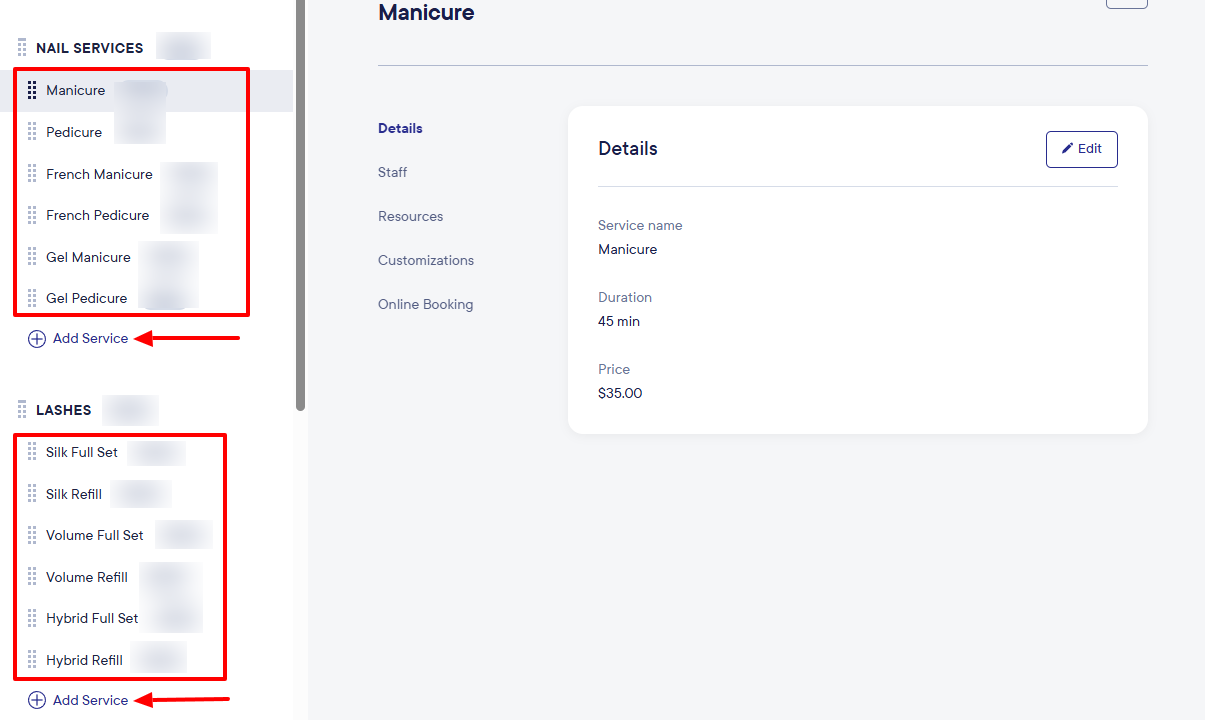
On Mangomint, you can add your spa or salon services by creating a category, naming your service, choosing a duration, and adding a price. Under the duration, there are options to include processing and buffer times.
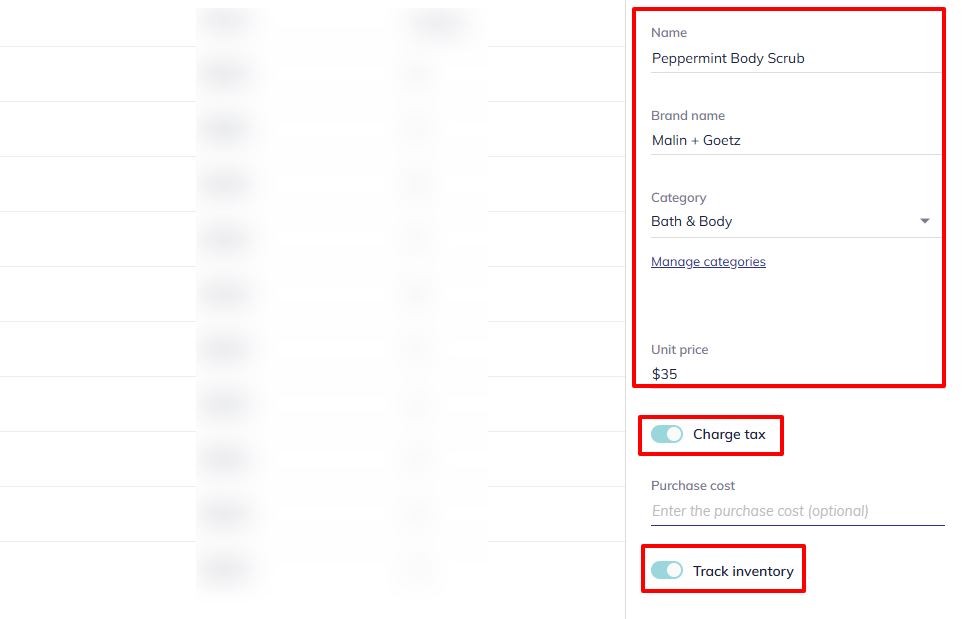
The Products feature allows you to display your products on the platform. To do so, simply add your product name, brand name, choose a category, and add a unit price.
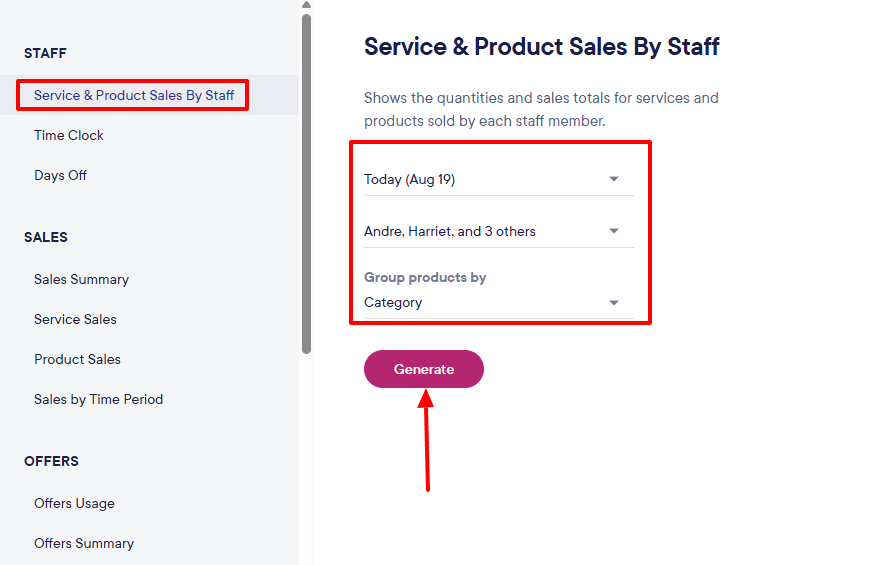
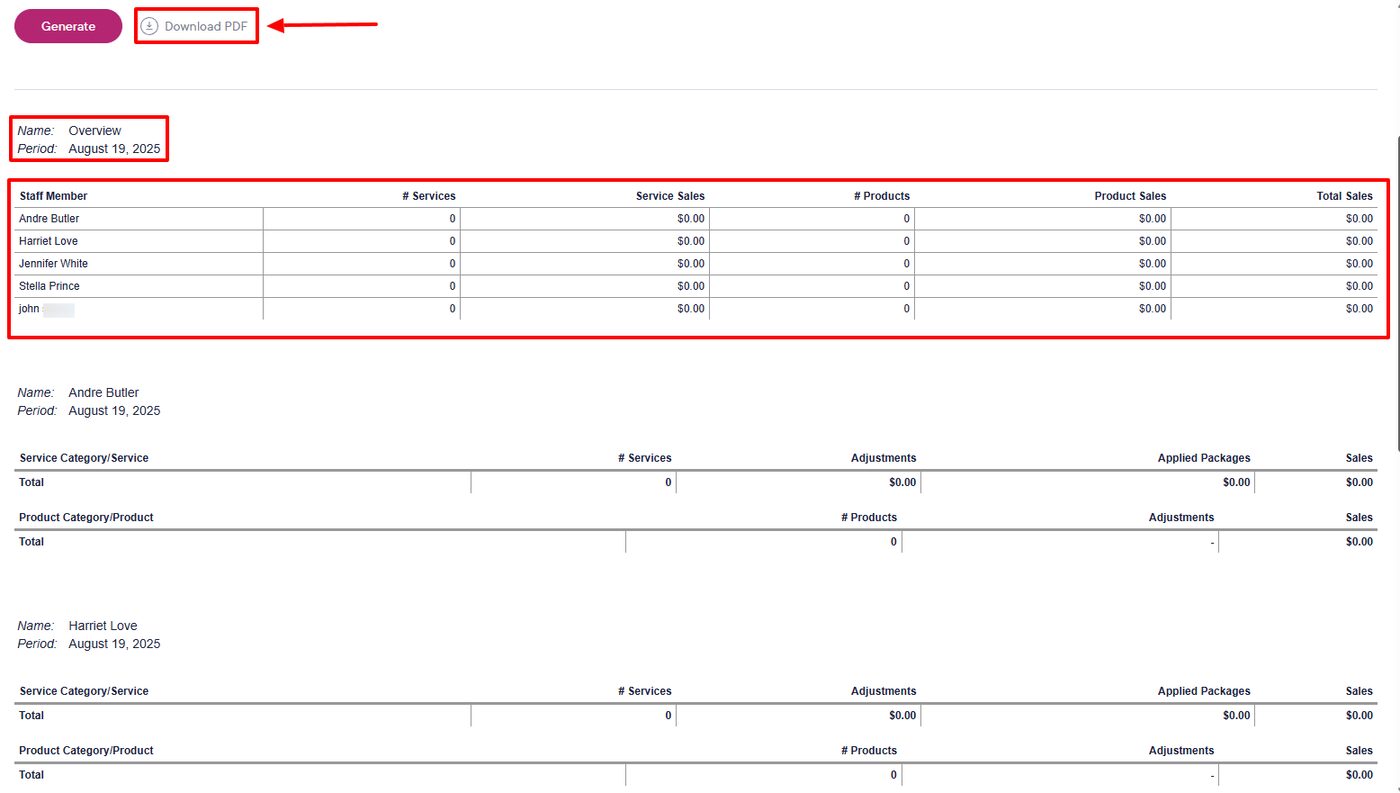
Moreover, Mangomint can generate reports on all your services and product sales when you select a specific date, staff member, and category. The report displays the staff member's name, the number of services & products, and their corresponding sales.
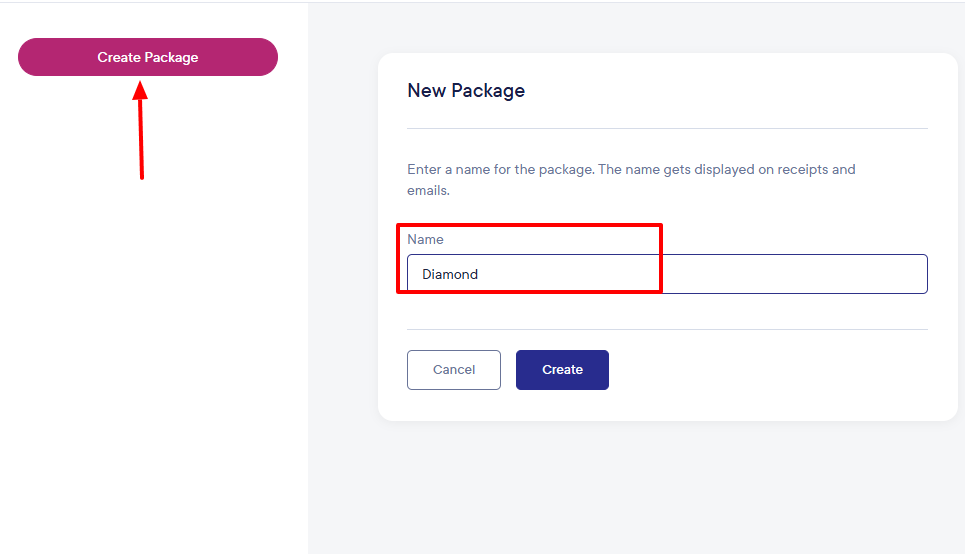
Last but not least is the Package feature. I can create various packages for my clients once I've chosen a name for the package. Then, I will add services to the package, along with their corresponding prices.
Now that we have seen some features in Mangomint, I will show you how to use the platform to add some services and assign them to staff.
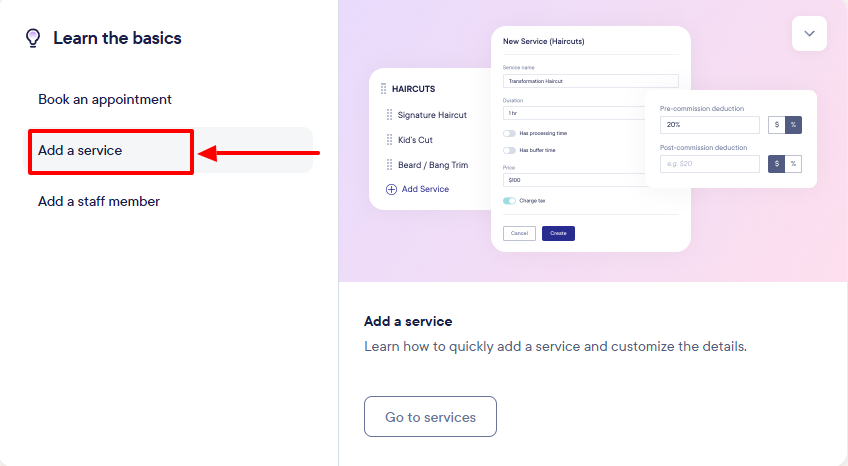
First, you’ll need to sign up. After signing up, under “Learn the Basics,” there’s an option to add a service.
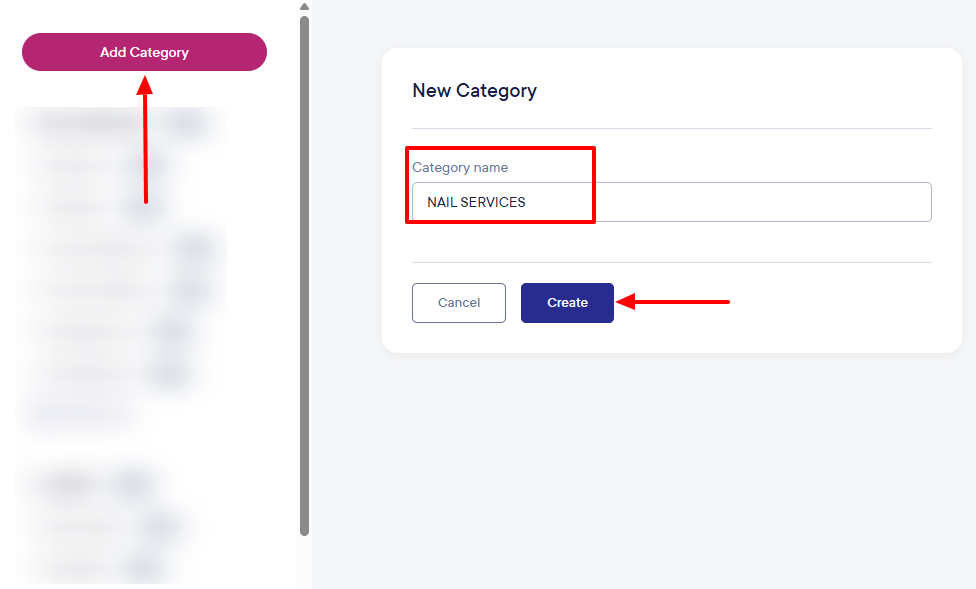
Click the “Add Category” button, name your category, and create it.
Having created your category, you can start adding your salon, spa, or barbershop services.
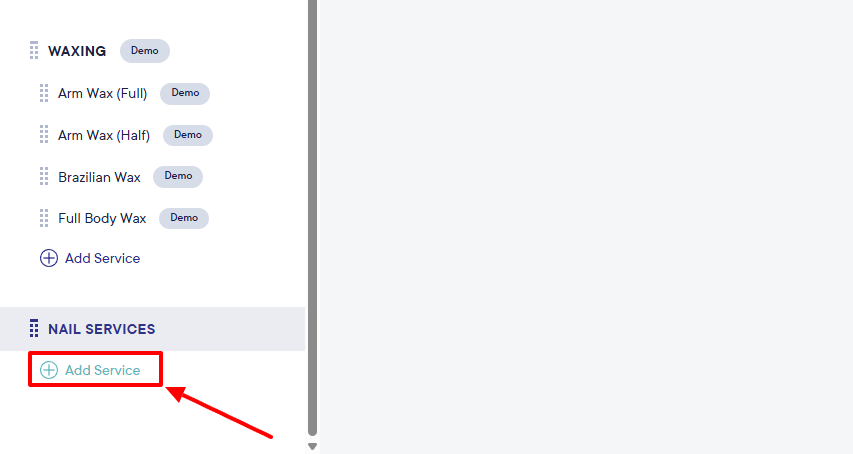
To add a service under a category, provide a name for it, choose a duration, and add its price.
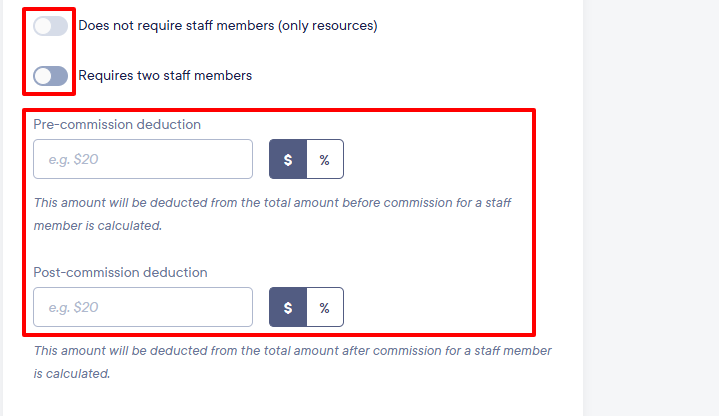
You can decide whether or not the service you add will require staff. You can also set both your pre- and post-deduction.
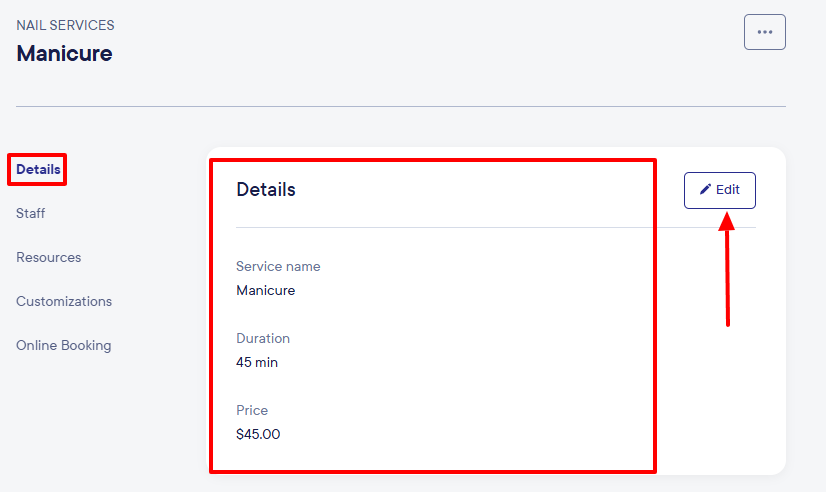
After adding your service, you can always edit the details as needed.
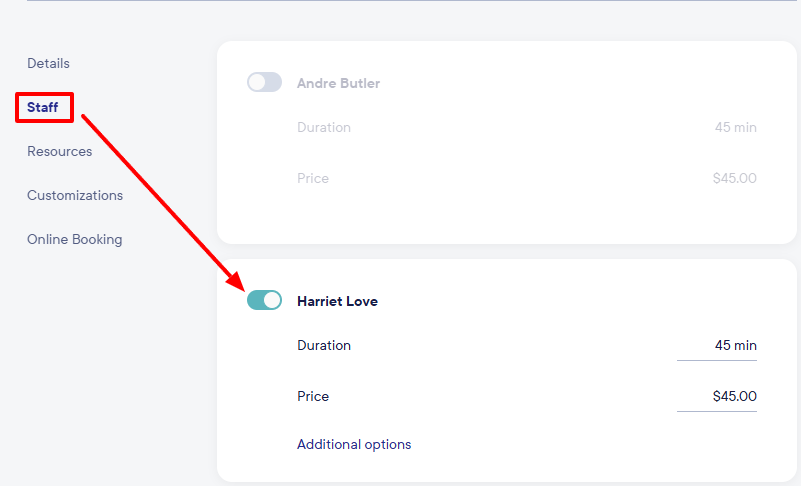
By clicking “Staff”, you can assign this new service to a staff member of your choice.
All your services will appear on the left side of the interface. You can still add as many services as you offer.
Besides adding services and staff, Mangomint offers other features, which I will review in this section.
Key Features
1. Products
Aside from hairdos and spa sessions, most beauty shops sell products too. Using the Products feature on Mangomint, you can display your products online. Let’s try it.
Locate “Products” in the top menu and then go to “Add product” on the left.
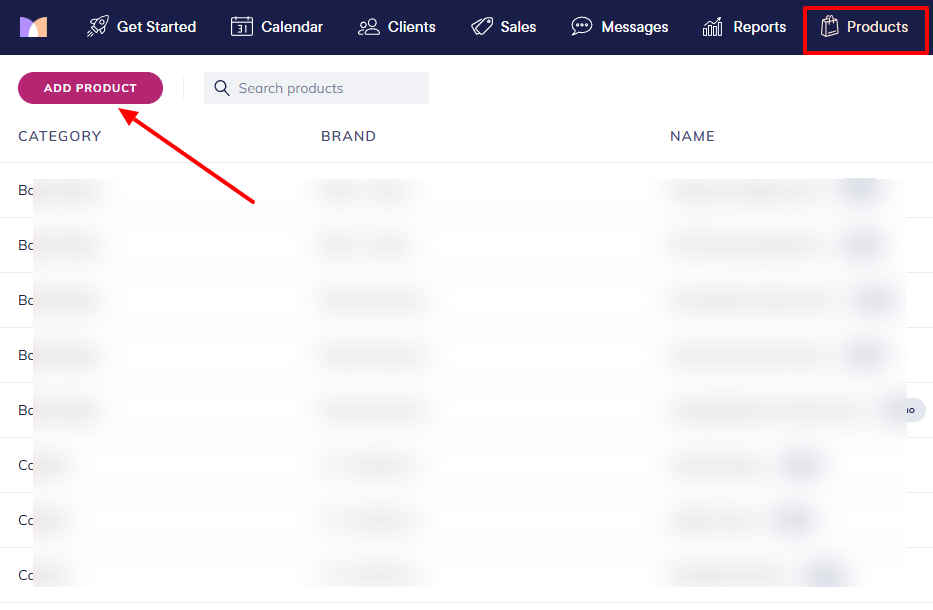
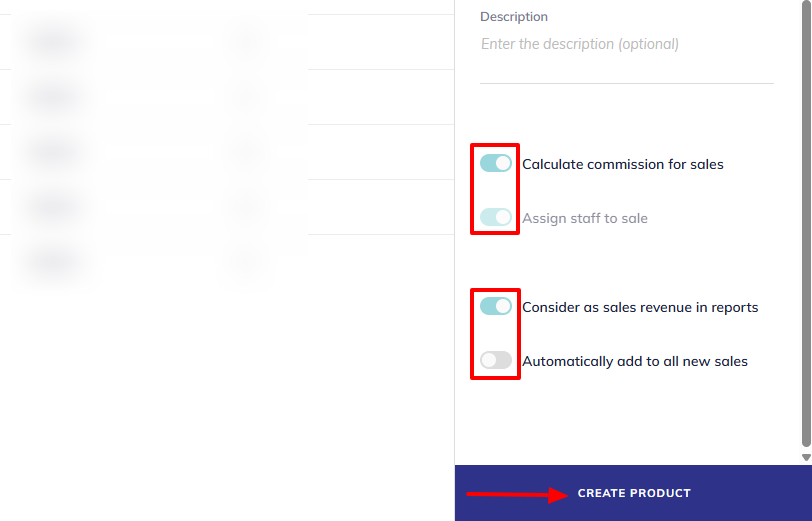
You will add the product name, brand name, choose a category, and unit price. You can also allow the platform to charge tax and track inventory.
Below, you have options to assign staff to sales, calculate commission for sales, or automatically add to all new sales.
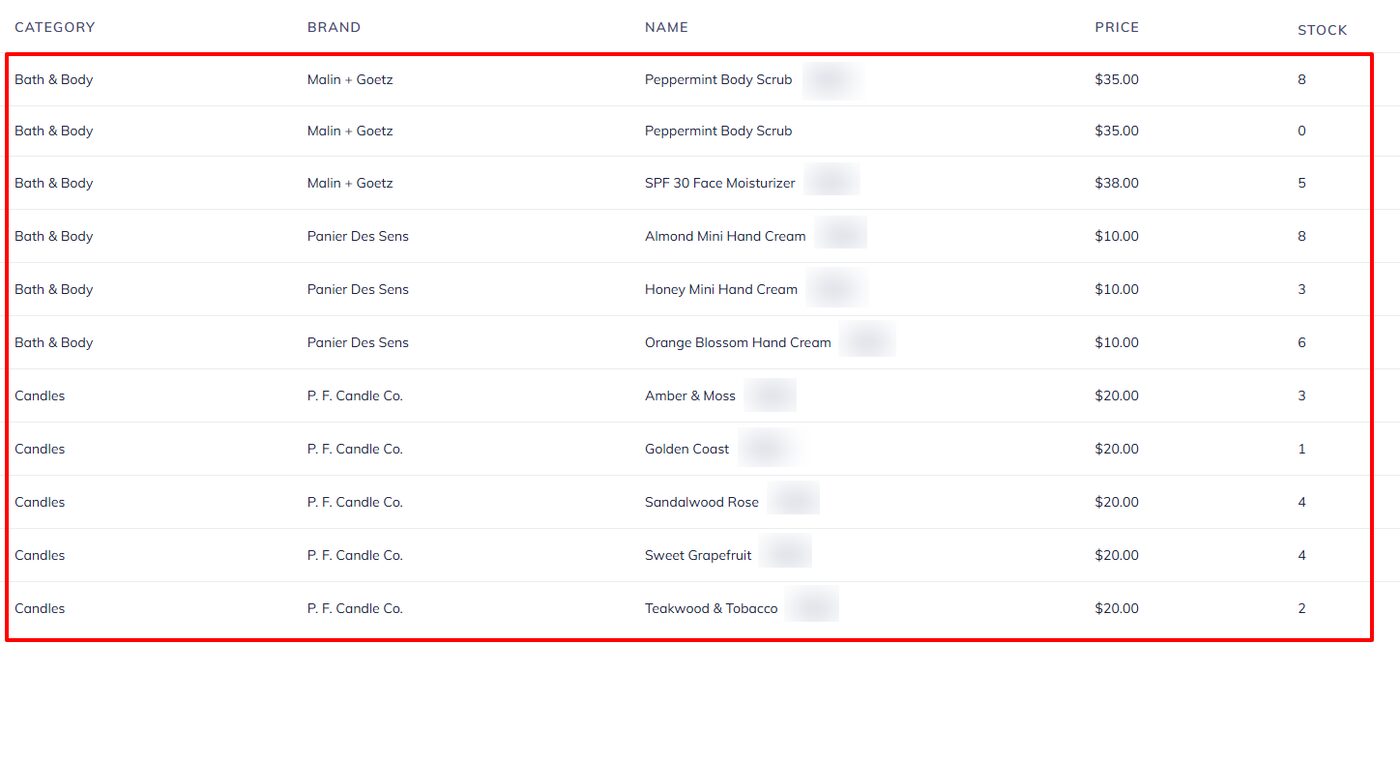
Once you add your product, it will appear on its interface with all the details, including category, name, price, and stock.
2. Reports
With the Reports feature, you can have all reports of your staff, sales, offers, and even client account balances.
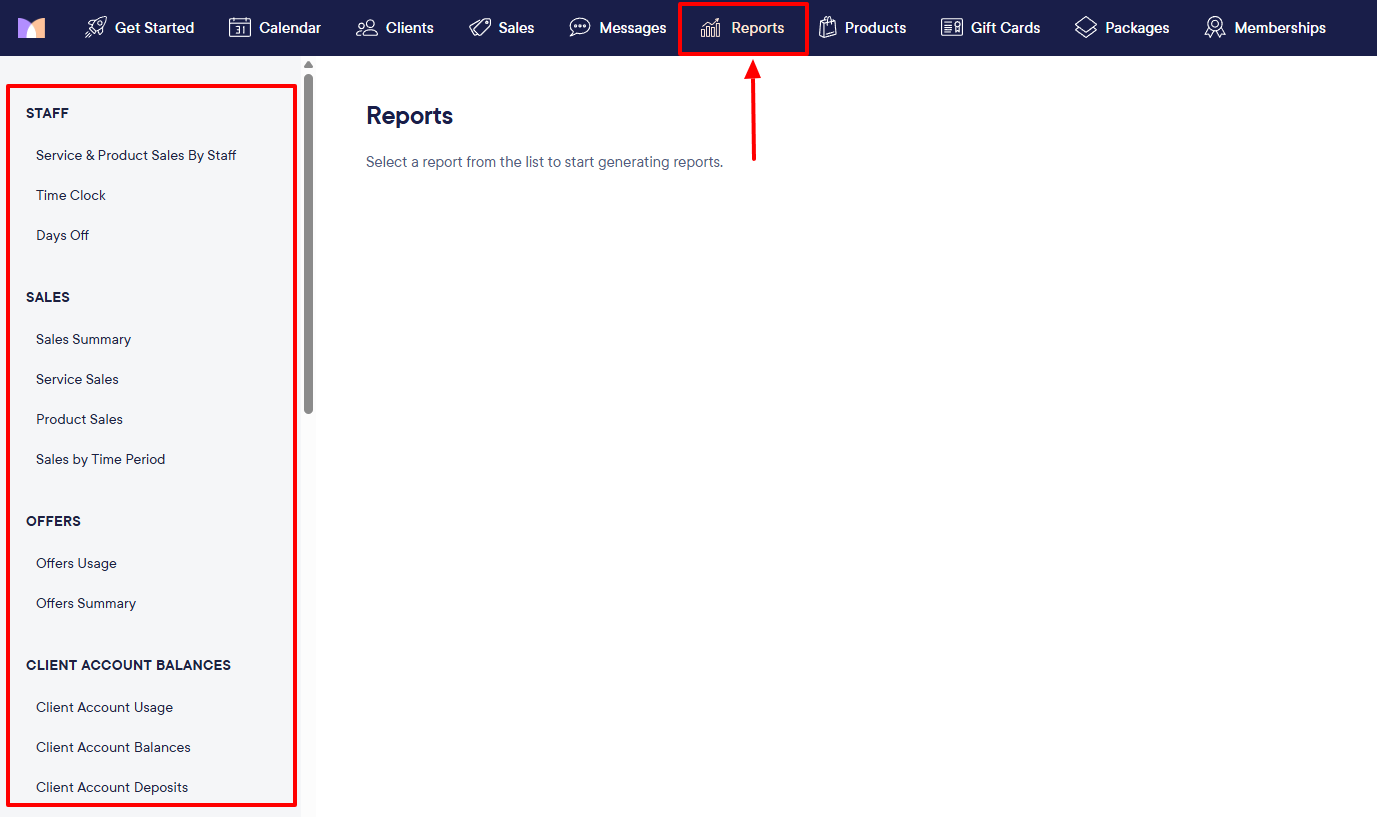
Under Staff, for instance, selecting “Services and Product sales by Staff” helps you generate a report once you choose the date, staff member, group, and product category.
After generating the report, I can also download the PDF version. The report shows an overview of the period. You have the staff member's name, the number of services & products, and the sales of services and products.
Pros:
Intuitive interface
strong integrations
automated flows.
Cons:
Higher pricing
not for solo entrepreneurs
Only available in the US and Canada.
Best for
- Large salons and spas seeking a salon management platform for team collaboration.
Pricing
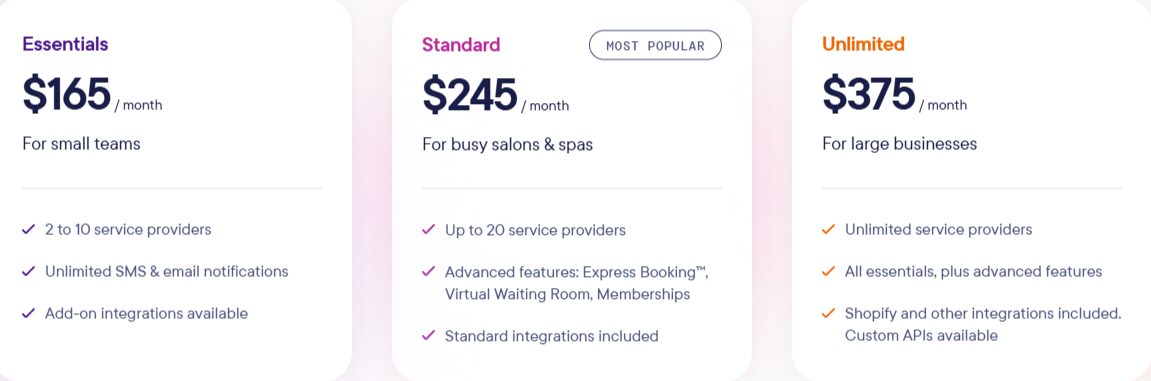
- Essentials: $165/ month
- Standard: $245/ month
- Unlimited: $375/ month
2. Zencal - Best for appointment scheduling
Zencal tops the list of the best salon software in the area of appointment scheduling.
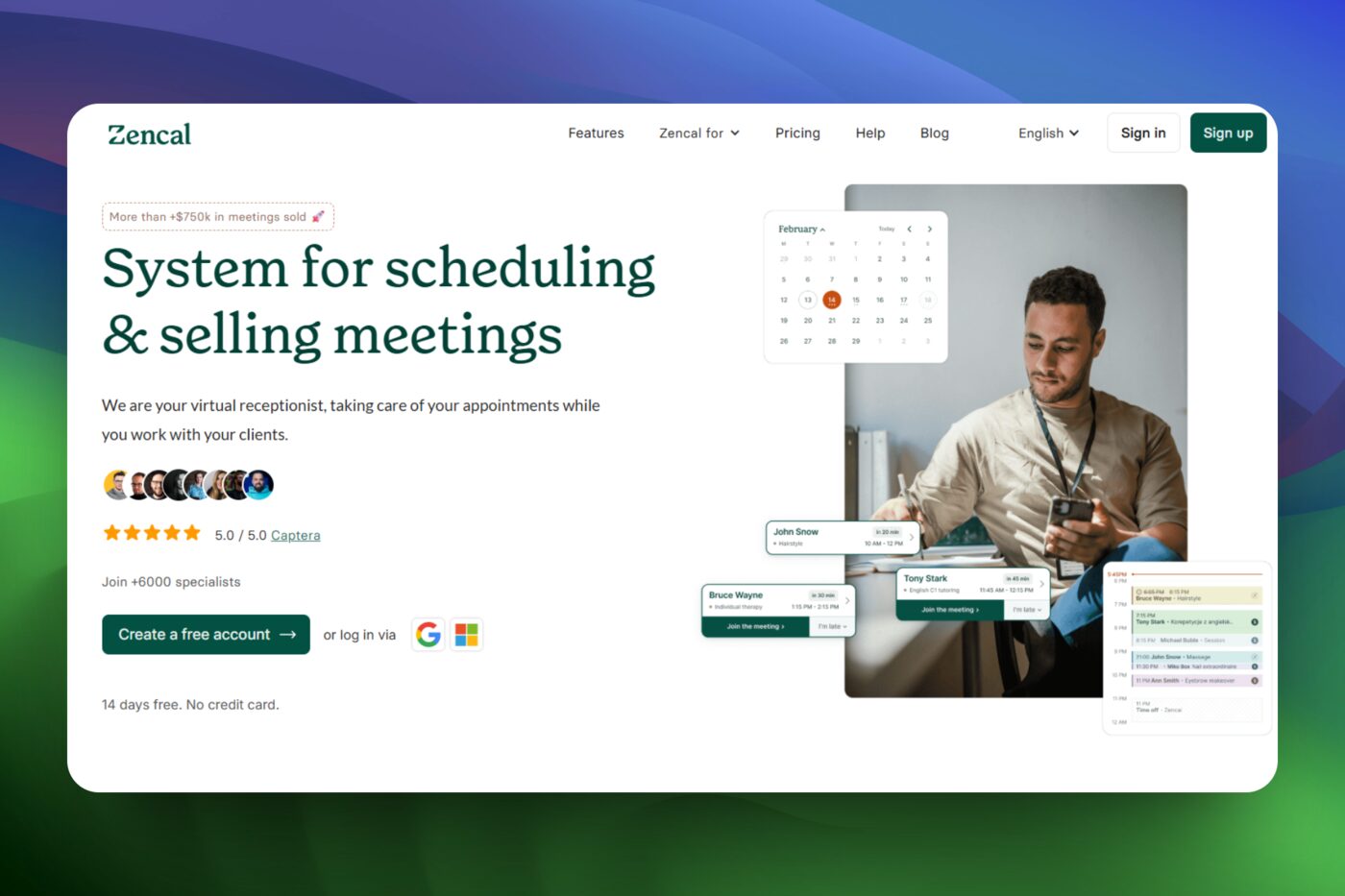
Zencal allows you to create booking pages by providing details such as a name, description, appointment duration, and meeting place.
You can also choose your background color to match your brand and set the maximum number of bookings per date.
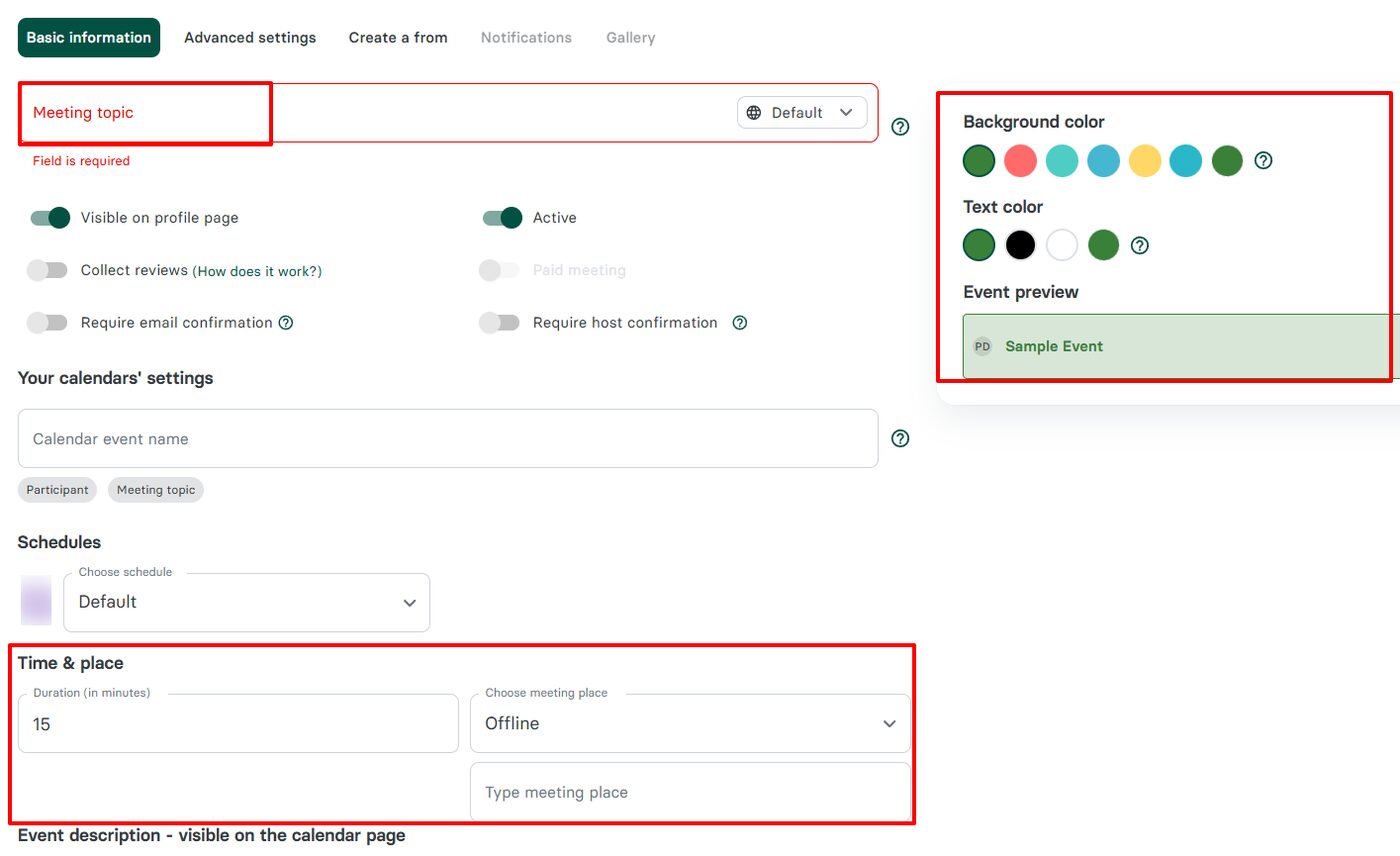
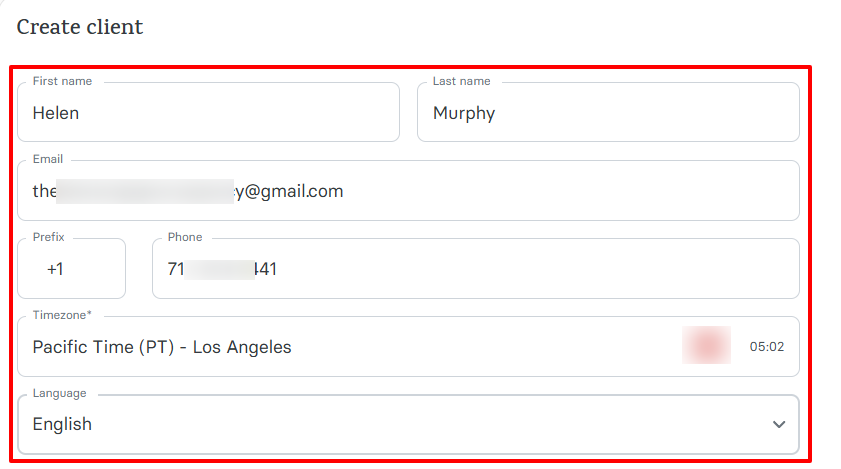
The platform also lets me import, export, or add new clients. I can add them when I enter their name, email address, and phone number.
There is an option to choose their time zone and official language to make the booking process easier.
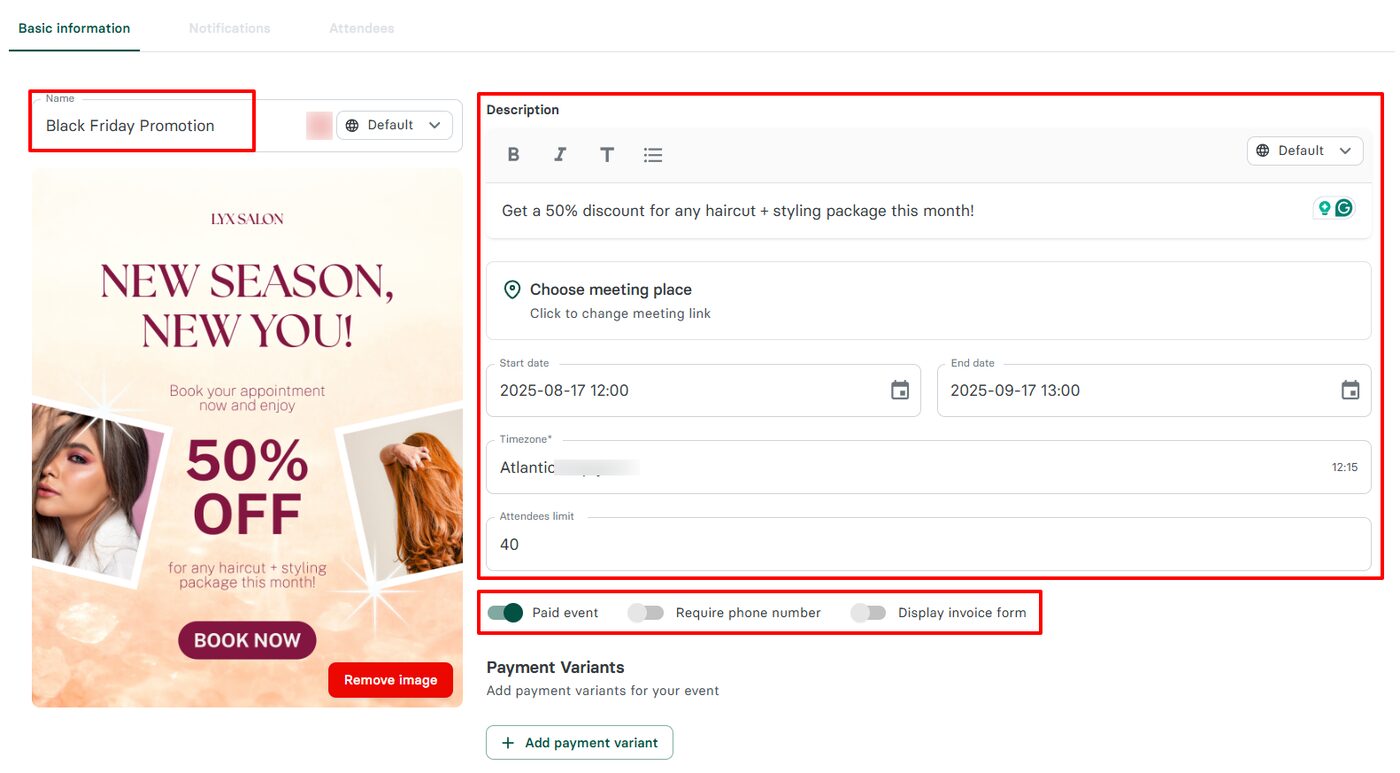
But that’s not all! With the Events feature, you can create any type of event. Simply name your event, upload an image, add a description, and choose a meeting place.
You can also select a start and end date for your event, limit the number of attendees, and require payment.
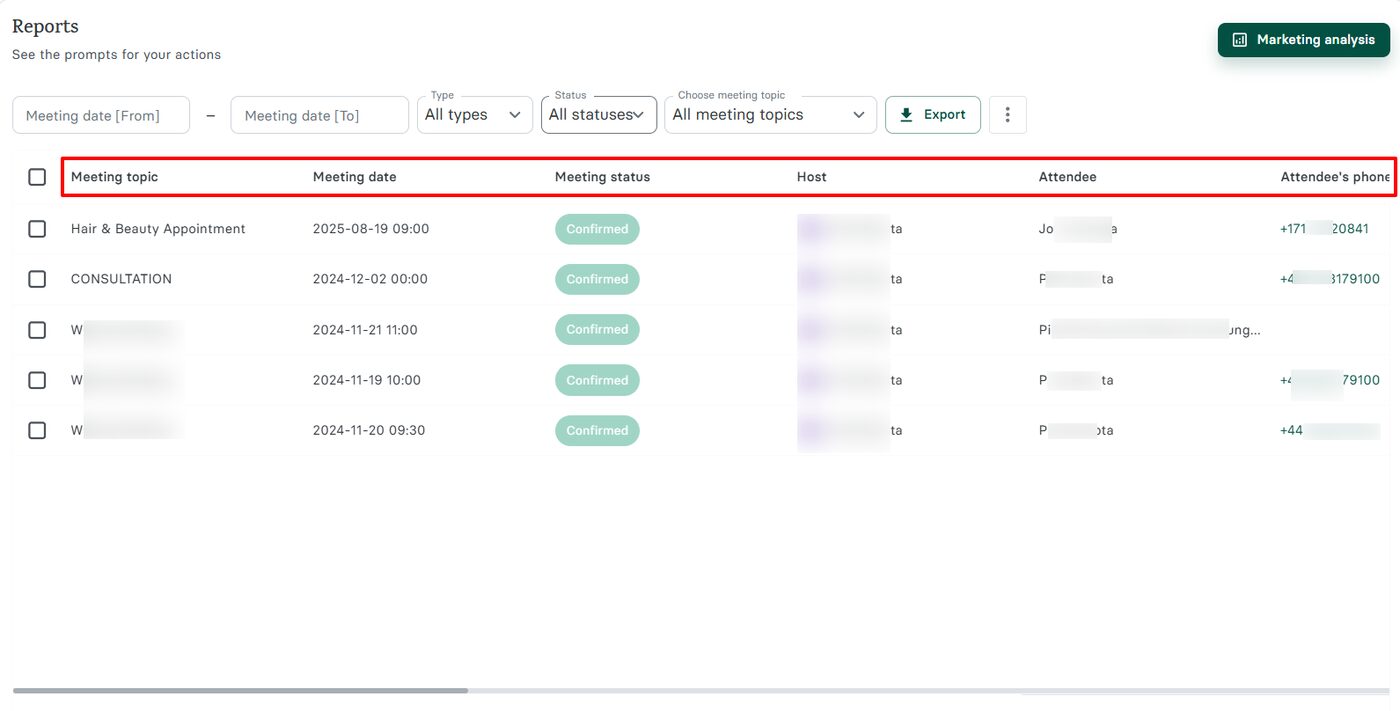
But how can I forget the Reports feature? It provides a report of all your meetings, including the name, date, meeting status, and host. It also displays the attendee’s name and phone number.
Clients of salons and barbershops often book appointments, and they mostly do so via booking pages. Zencal helps you create great and customizable booking pages in just a few simple steps.
Let me show how.
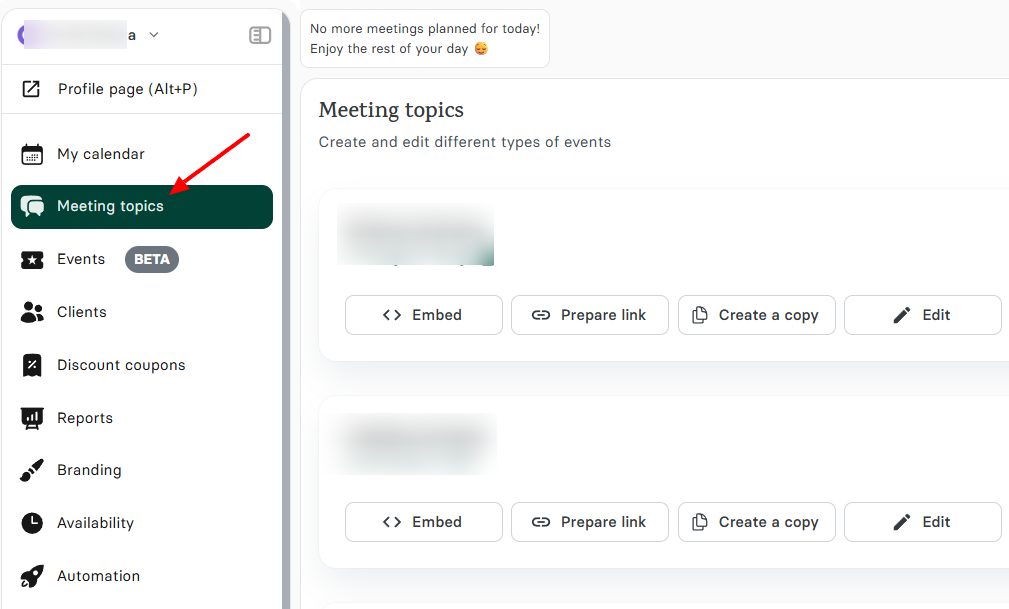
On the main dashboard, head to ‘Meeting topics” on the menu.
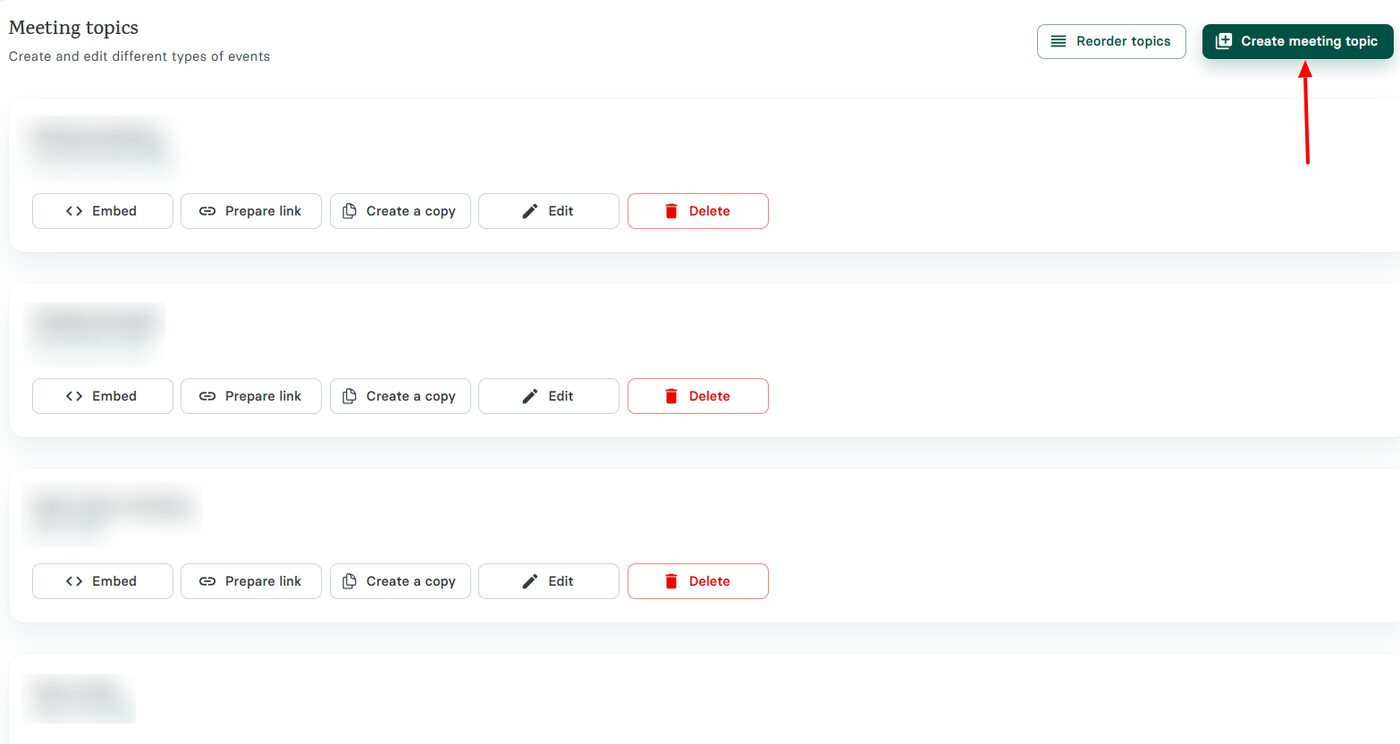
At the far right of the interface, click “Create meeting topic”.
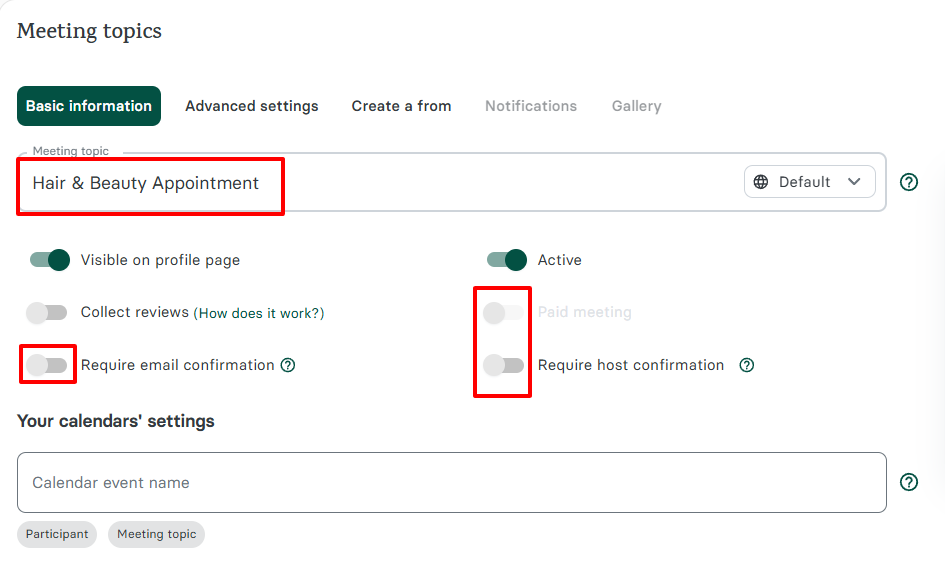
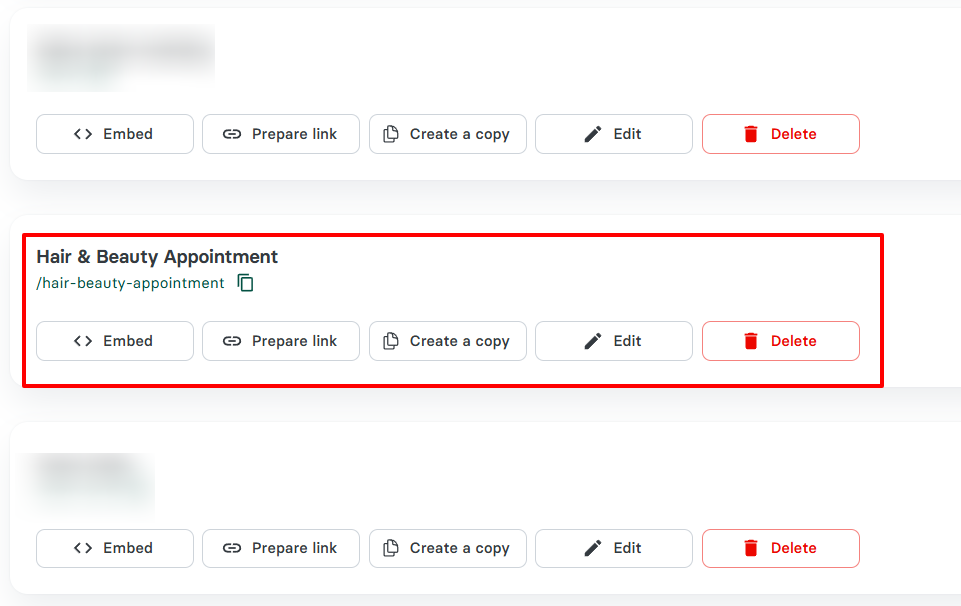
Next, you can name your appointment link. In this example, I’ll use “Hair & Beauty Appointment”. Below, you have the option to make the meeting paid, require email confirmation, or require host confirmation.
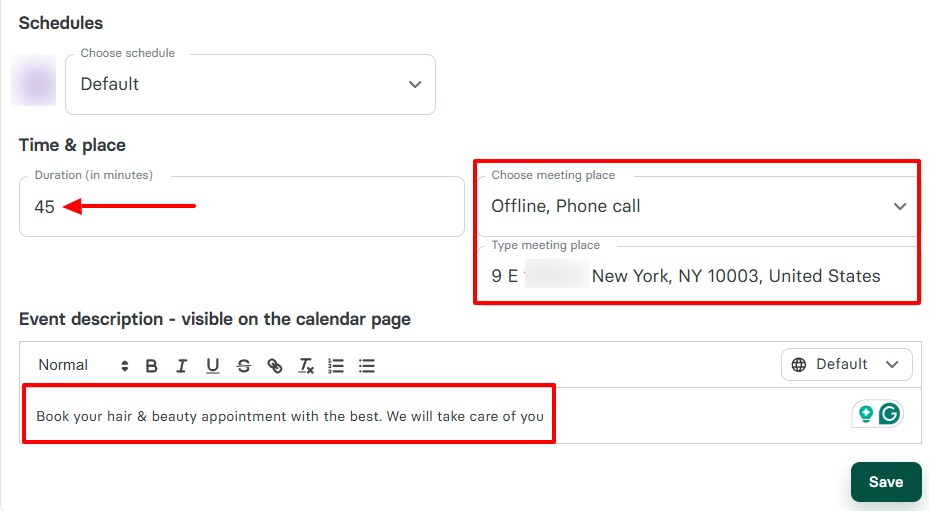
Select a duration for the appointment, add the location, and provide a description of the appointment.
Under “Advanced settings”, you can choose the maximum number of bookings for a date. You can also decide whether or not the phone number should be required or hidden.
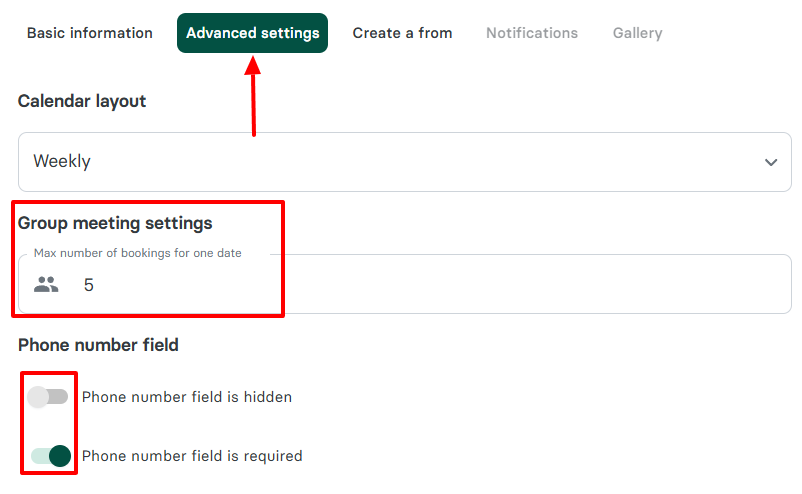
Next is the meeting postponement & cancellation policy.
You can activate the rescheduling option by specifying the time before the meeting that can be rescheduled. You can also indicate the number of times attendees can reschedule the meeting.
With the cancellation option, you can specify how much time before a meeting can be cancelled.
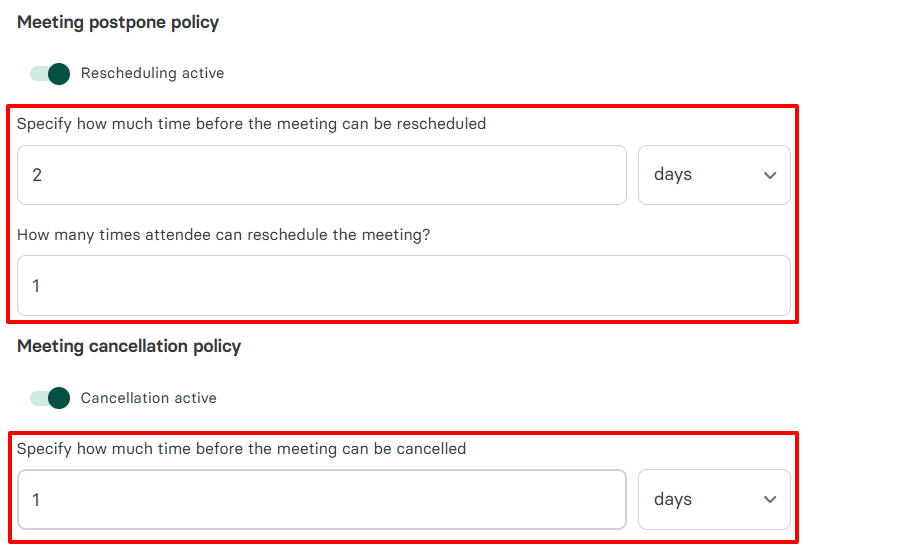
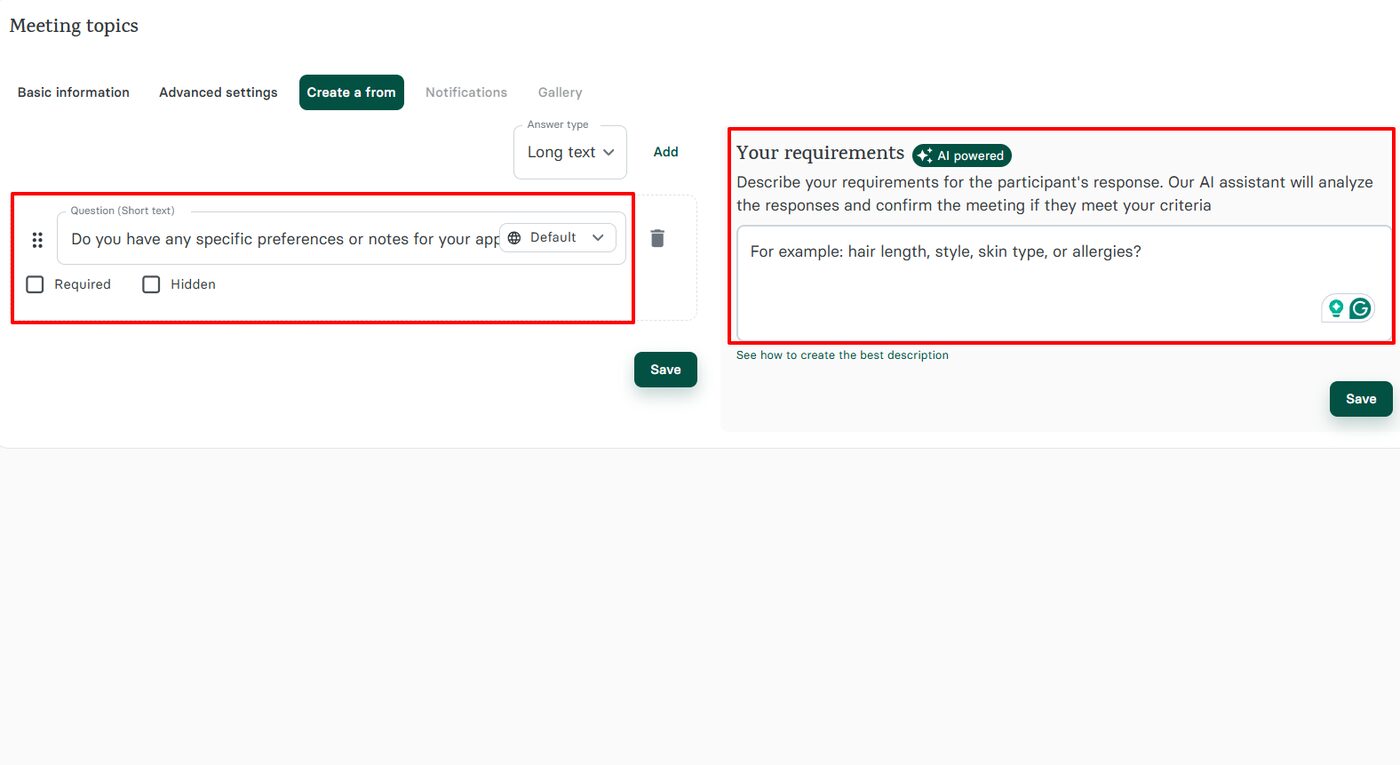
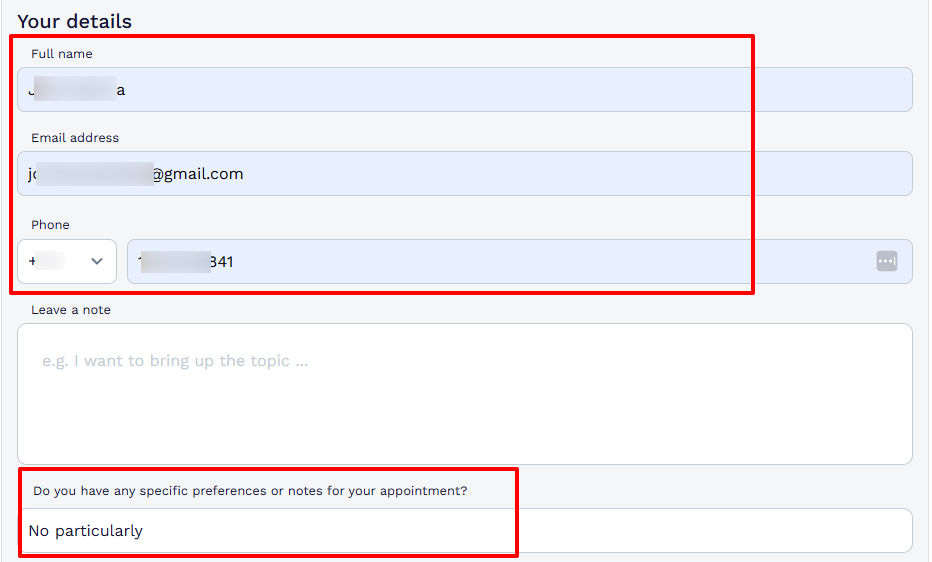
There is more! You can create a form for your customers. This will enable you to better manage them based on the information you collect. Then add your question(s).
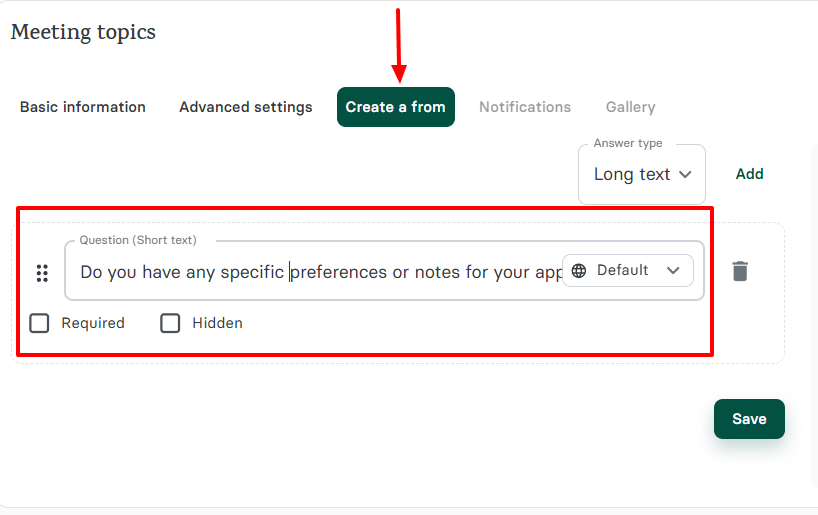
On the right side of the wizard, there is an AI assistant. You can describe your requirements for the participant’s response, and the AI assistant will analyze the response and confirm the meeting if they meet your criteria.
Once the link is ready, you have several options, such as embedding it, preparing it, or copying it. You can also edit or delete the booking page link.
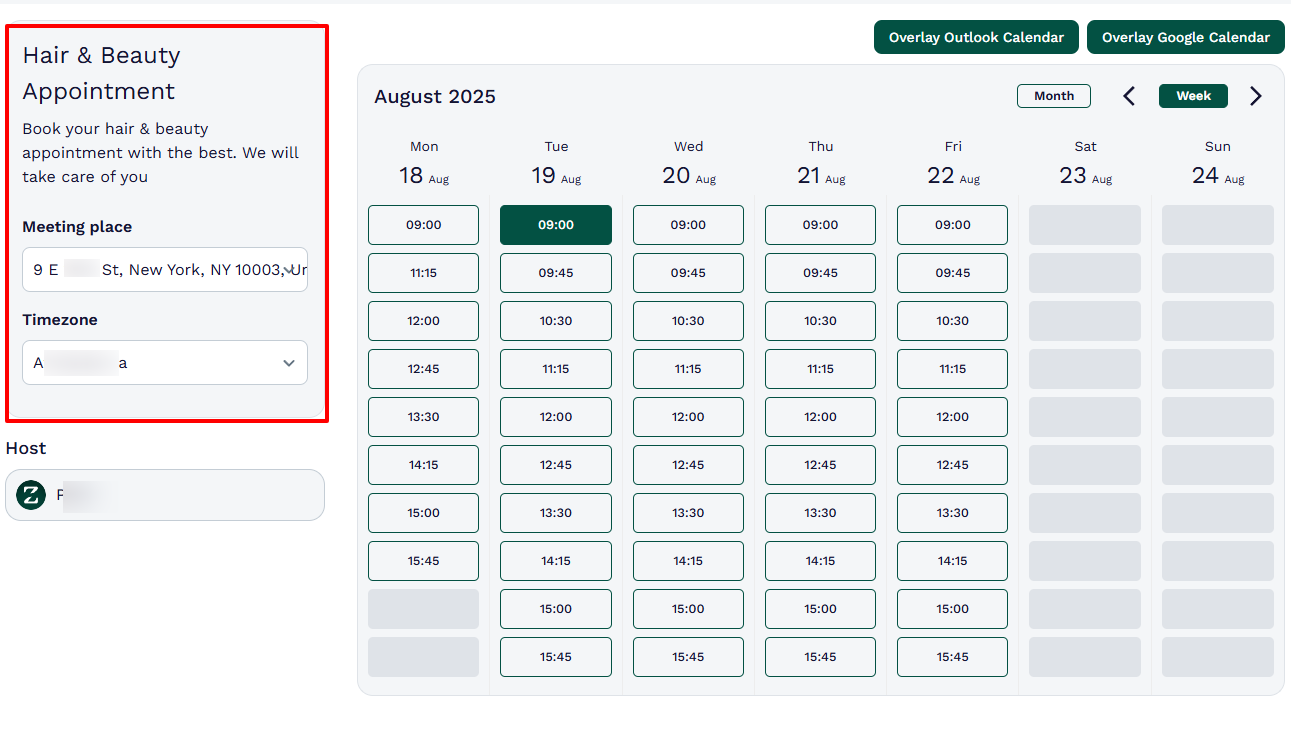
This is what your booking page will look like.
Here is the form we created together, along with the question I added.
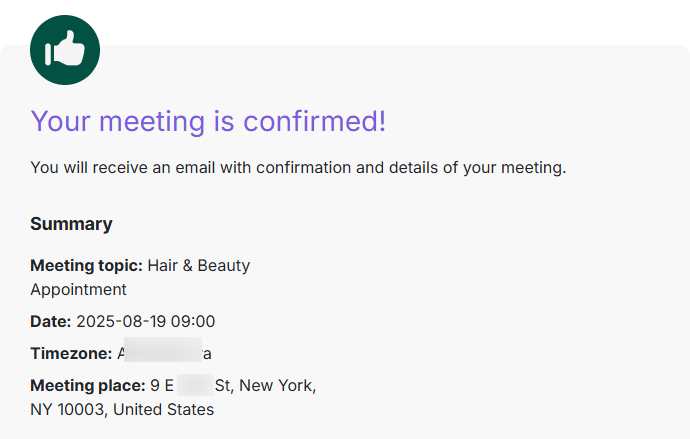
After a client books, Zencal will send a confirmation message.
Zencal is indeed the best option for appointment scheduling. But it has other features. Let’s look at a few.
Key Features
1. Clients
If you’re in the salon, spa, or hairdo business, Zencal’s Clients feature is a handy feature to have. With it, you can add all your clients and manage their data for the best experience.
Let’s take a look at how it works.
On the sidebar, select “Clients”.
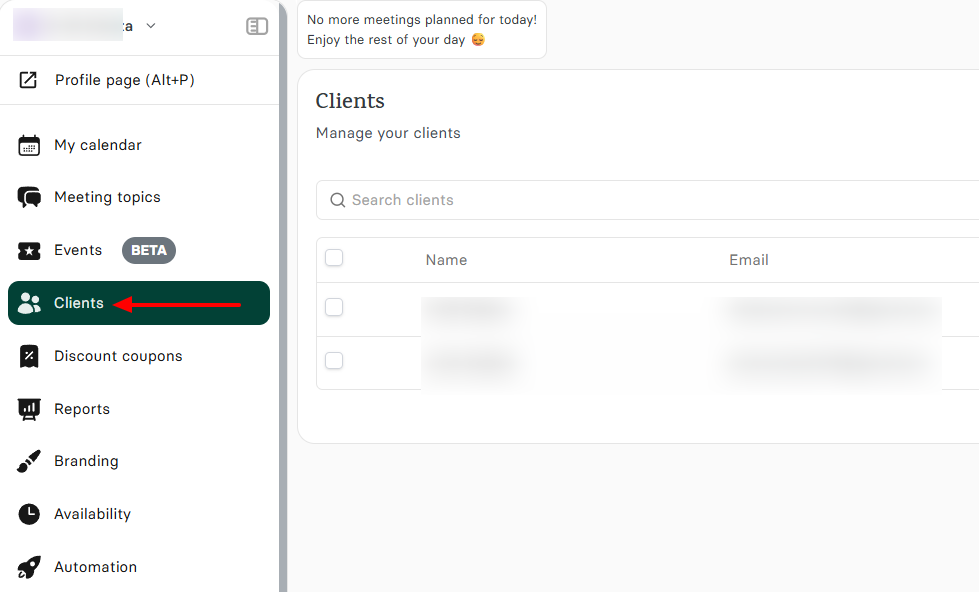
You have the option to export or import a client. But let me show you how to add one using Zencal: click “Create new client”.
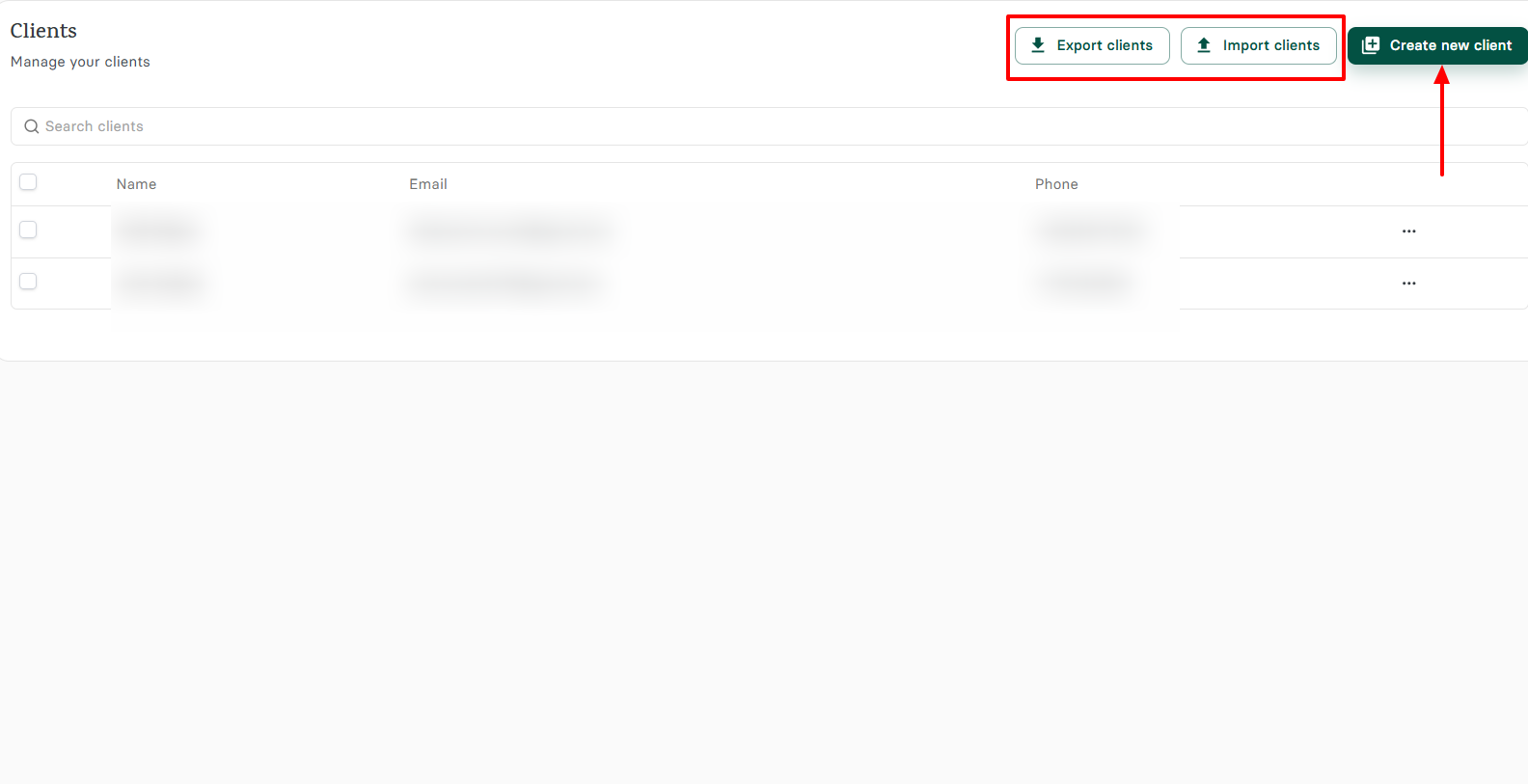
Next, add your first and last name, email address, and phone number. Then choose the timezone and language.
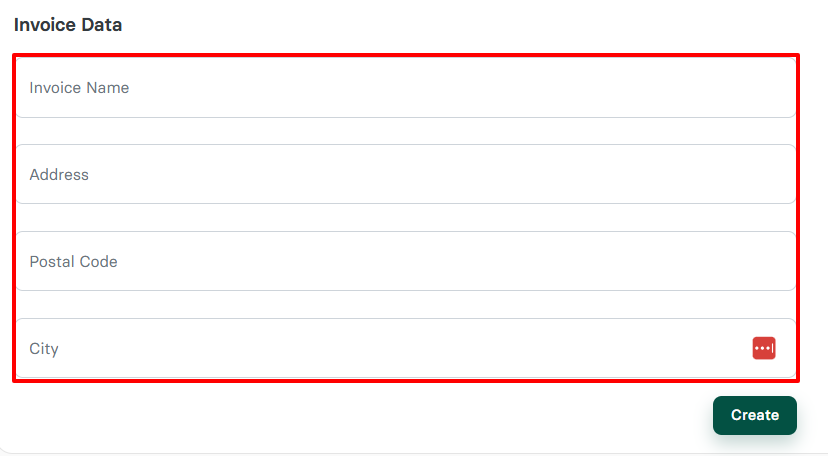
You can also set your invoice data by adding the invoice name, address, postal code, and city.
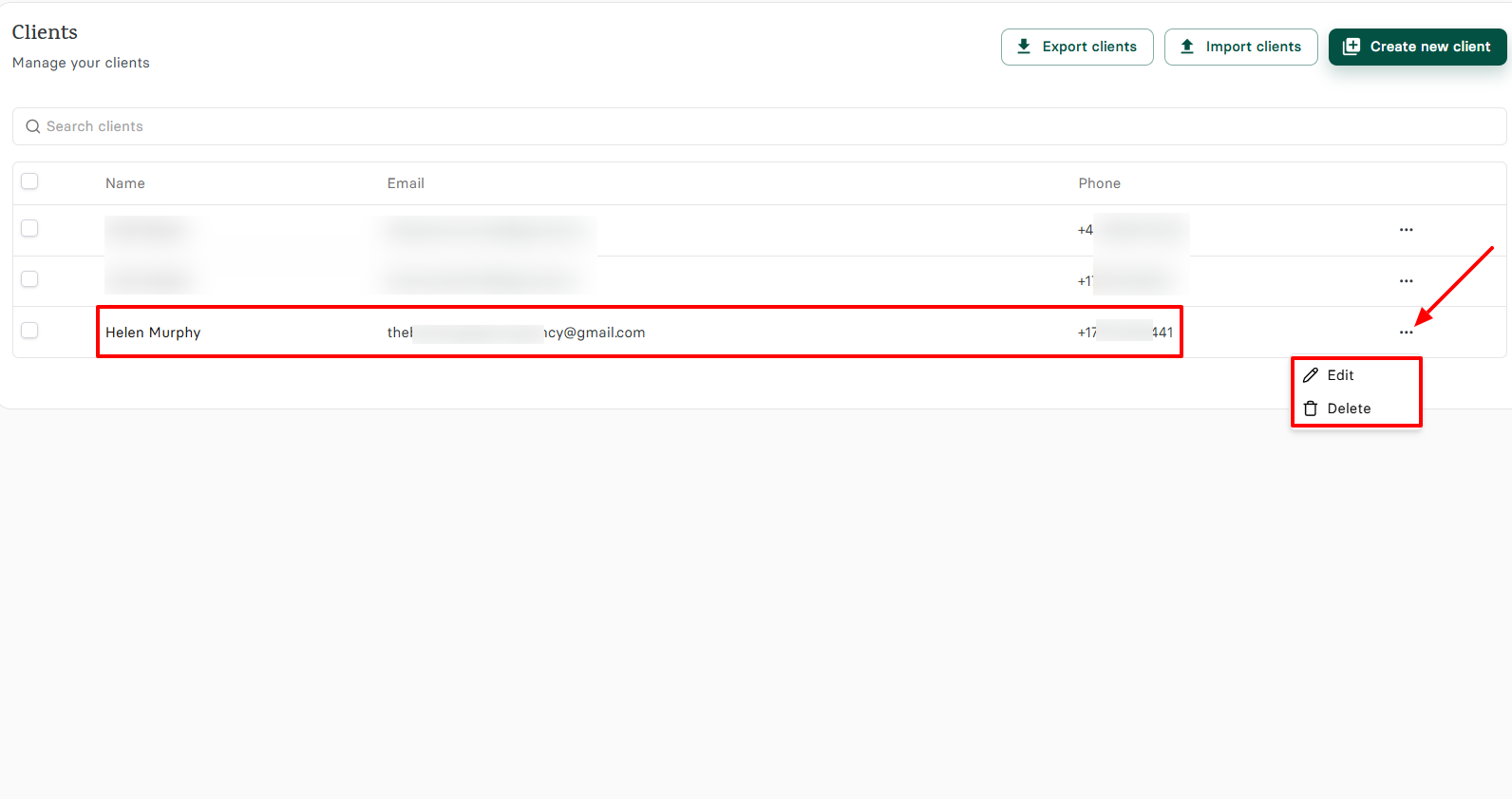
That’s it! You’ve added your client. By clicking the three dots, you can edit or delete it.
2. Events
Another interesting feature that Zencal offers is its Events feature. It helps you create various kinds of events for your salon, after which you can inform your customers.
I’ll take you through the process of creating an event for your business.
First of all, click “Events” located on the left menu.
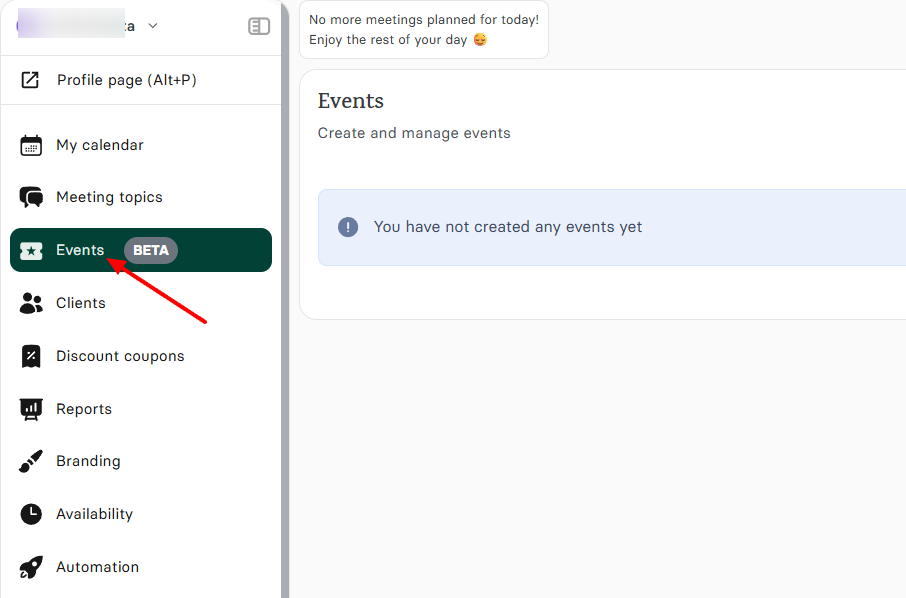
In the new wizard, name your event, upload your event image, add a description, and choose a meeting place. Then, select the start and end dates of the event, as well as the attendees.
You can make your event a paid one. You can also toggle on the “require phone number” and “display invoice form options” to finalize your setup.
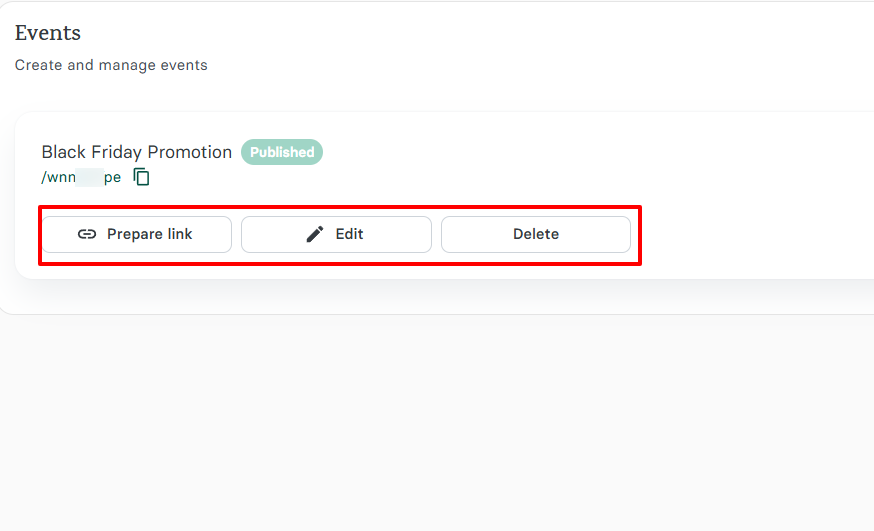
Once your event is ready, you can copy, edit, or delete the link.
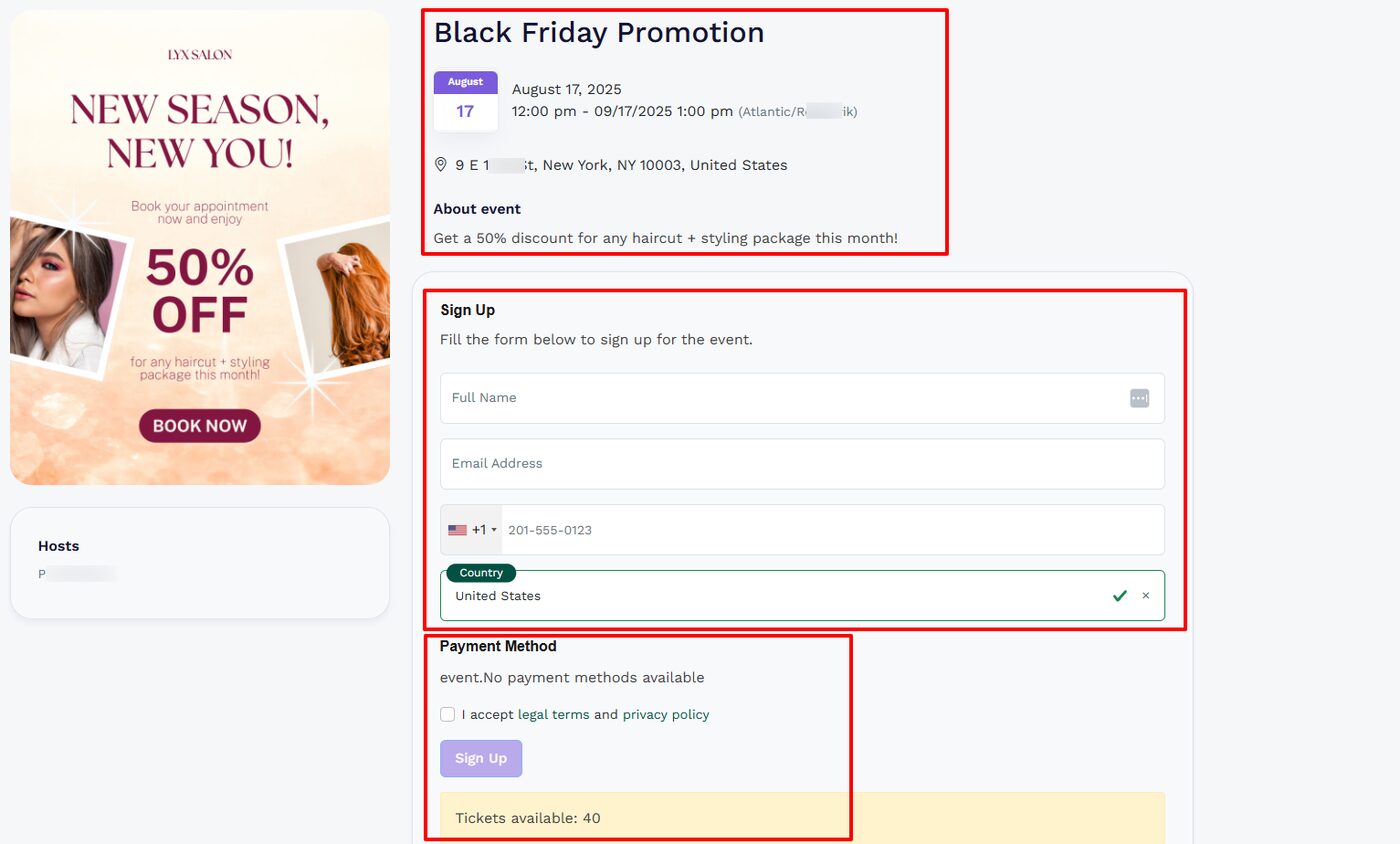
This is what the event looks like on the client’s end. It includes event information, a sign-up form, and the payment method details below.
Pros:
Easy to use, affordable
Intuitive interface
Strong integrations
Branding options.
Con:
Lack of chat options.
Best for
- Small businesses and professionals seeking an online scheduling tool to manage appointments, clients, and create events.
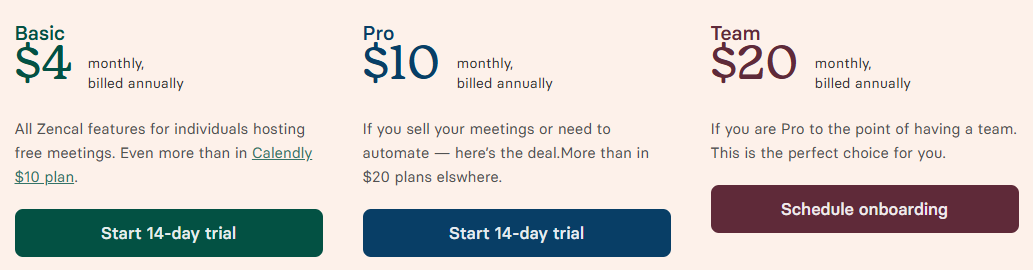
Pricing
- Basic: $4/ monthly, billed monthly
- Pro: $10/ monthly, billed annually
- Team: $20$/ monthly, billed annually
3. GlossGenius - Best for solo entrepreneurs and small teams
The next salon software we will discuss is GlossGenius.
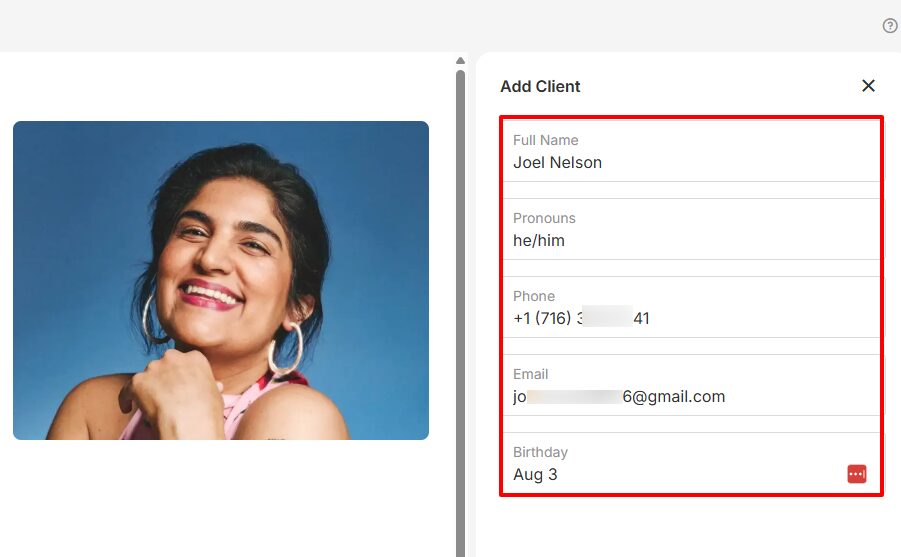
GlossGenius features a Client's section that allows you to add clients and key in their data, starting with their full name, phone number, and birthday. Then, you can enter their email address and select their preferred pronouns.
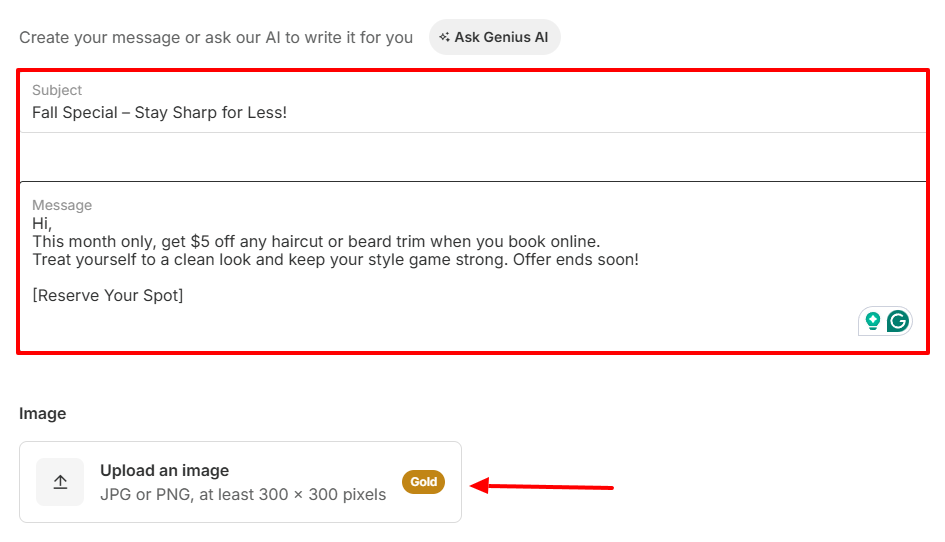
There’s also a Marketing feature that lets you create email campaigns and text campaigns. When I create a campaign, for instance, I can add a subject, a message, and upload an image.
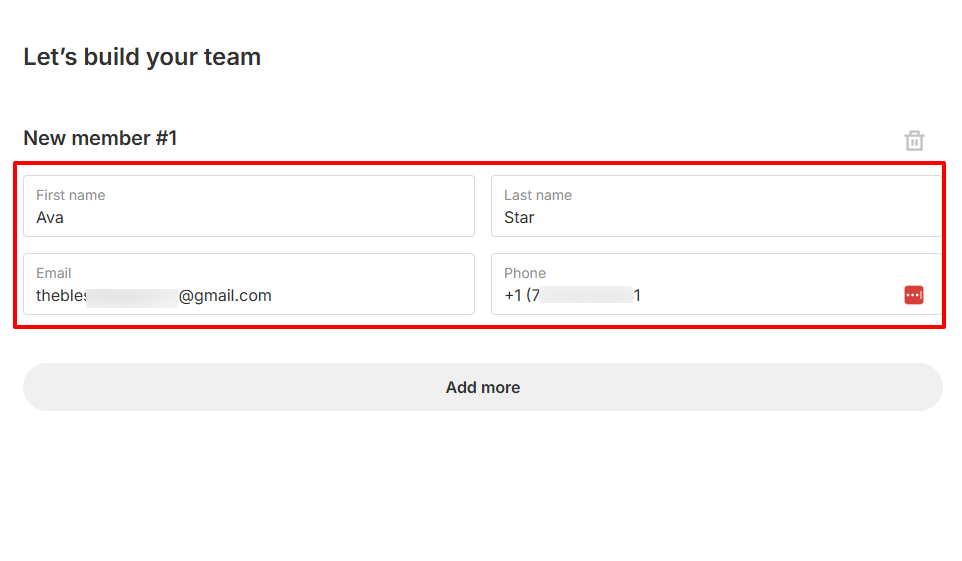
There is more. I can build my team by setting up the details of my staff members, including their first & last names, email addresses, and phone numbers.
The platform also offers an Analytics feature that displays key metrics, including net & projected revenue, booking utilization, and repeat client retention.
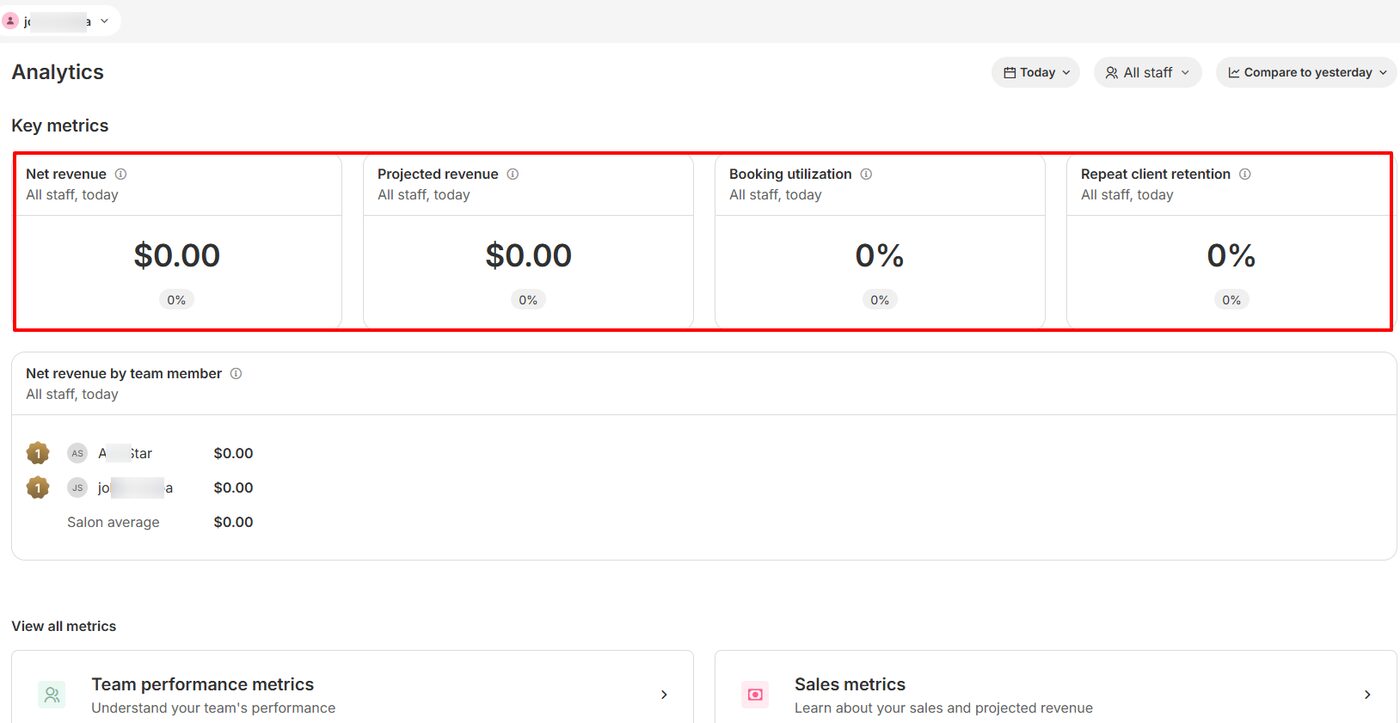
Among all the features GlossGenius has, the Clients feature is the one I will focus on. We will see how to add and manage clients.
After selecting “Clients” from the menu, go to “Add client”.
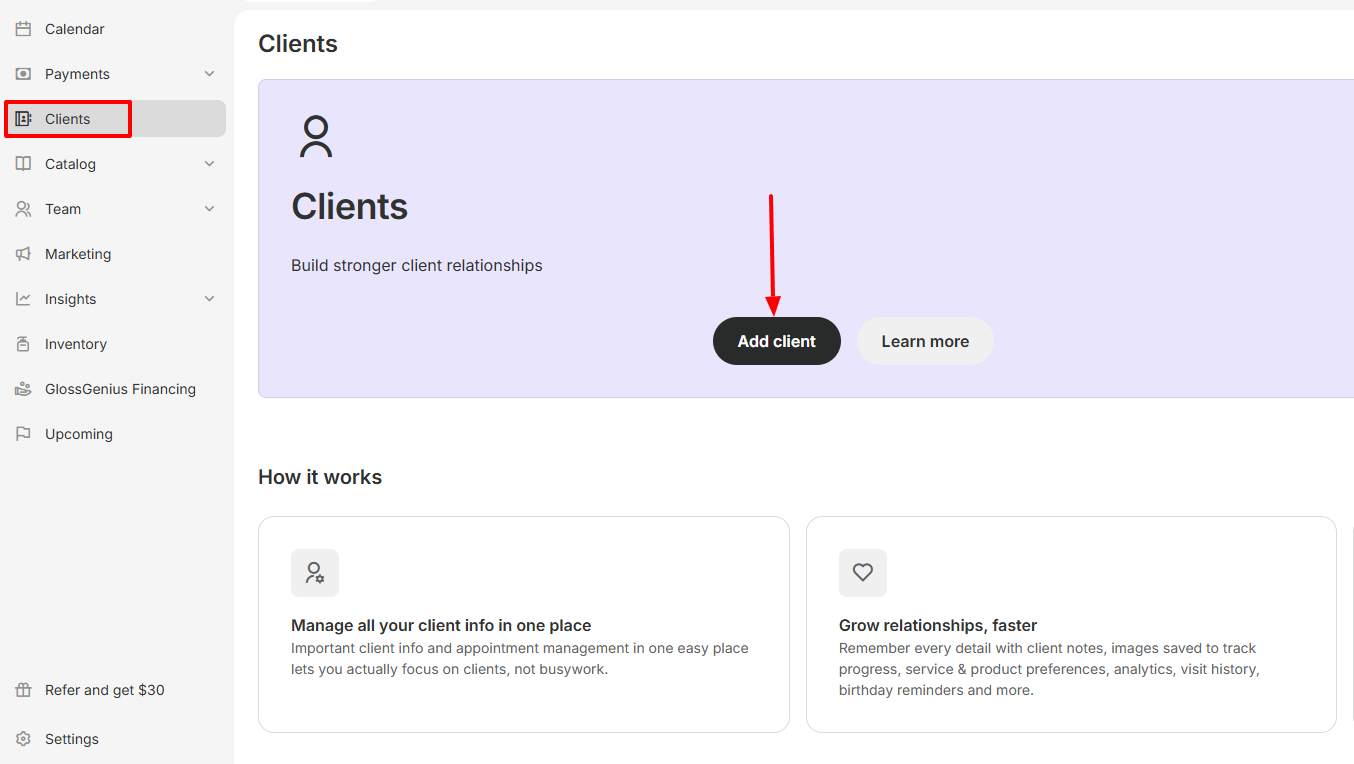
Now enter your clients’ details. You can also choose their pronouns and specify their birthday.
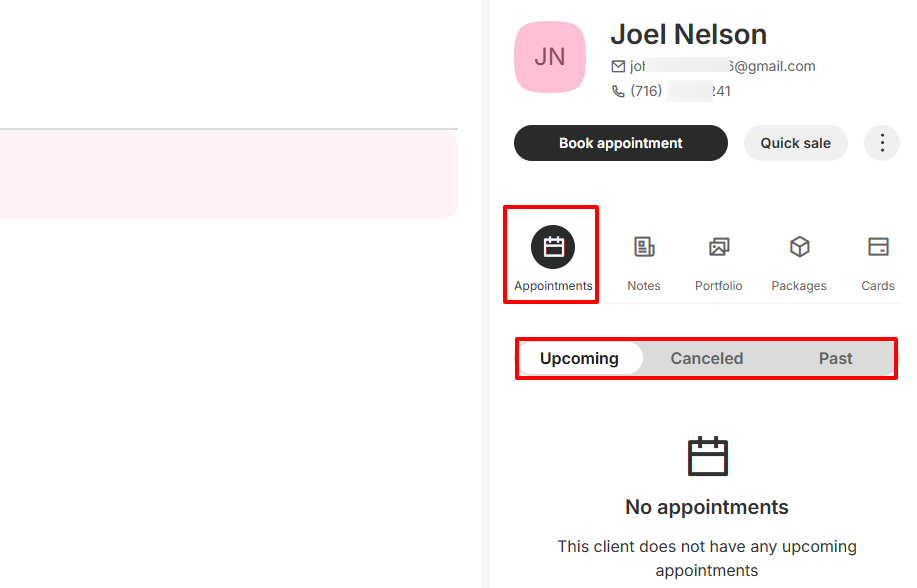
With your client contact added, you will have access to all their appointments, including the upcoming, canceled, and past ones.
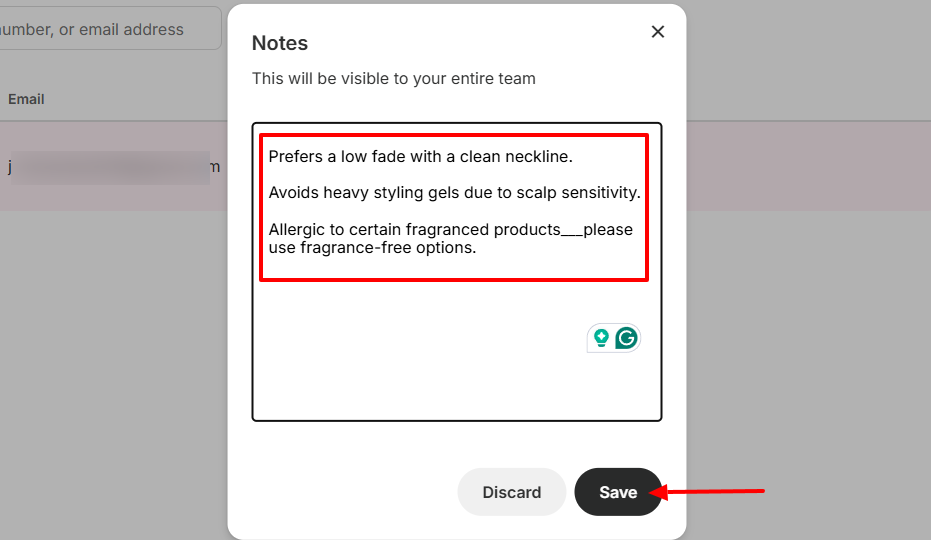
Moreover, you can add notes about your client for your entire team to see.
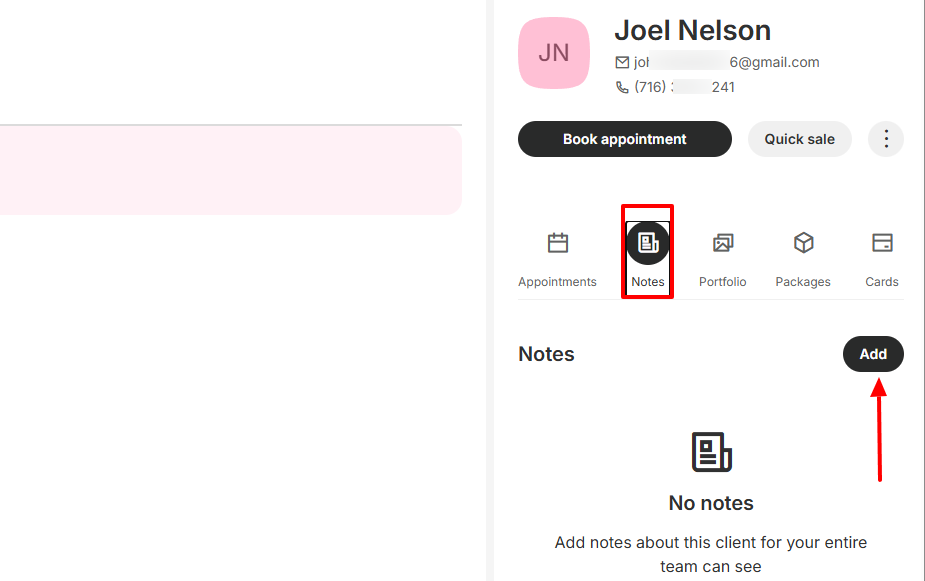
This feature is useful for leaving brief and important information about your clients. For example, you can mention your client’s preferences in the notes.
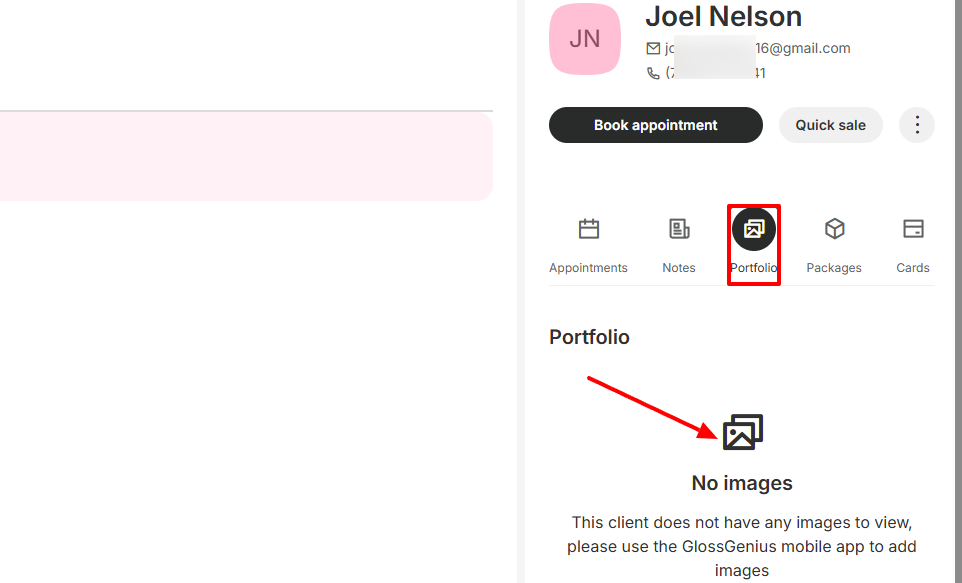
The portfolio section enables you to add or view images of your clients.
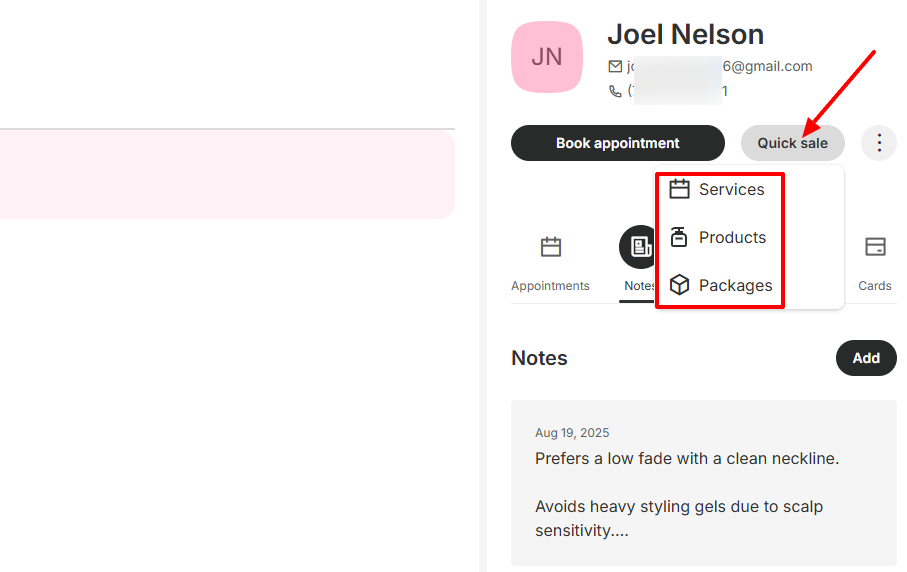
Clicking the “Quick sale” button below the client’s profile reveals options to sell services, products, or packages.
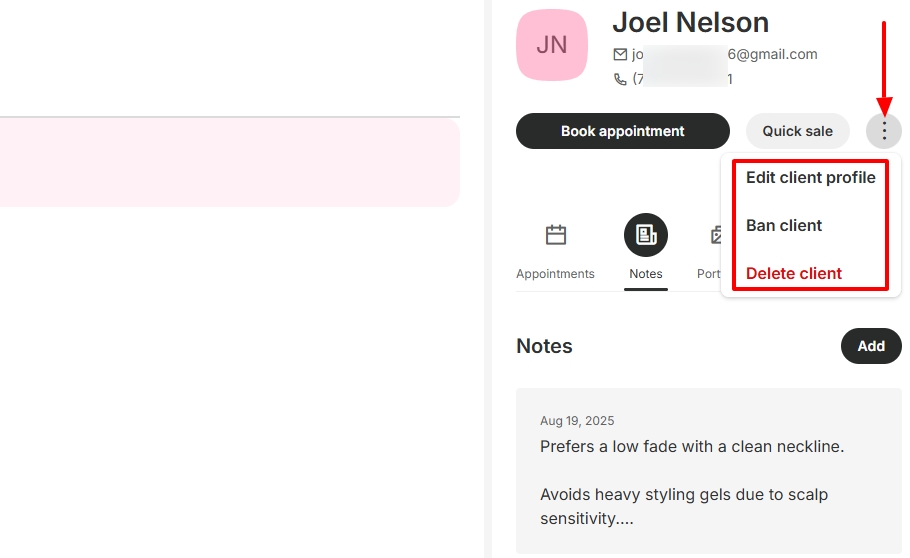
Additionally, the three-dot menu allows you to edit the client profile, ban the client, or delete them.
Key Features
1. Marketing
The Marketing feature lets you send targeted messages to your clients. You can create an email campaign or a text campaign. Let’s try the first one.
To begin, click “Create campaign” and choose “Email campaign”.
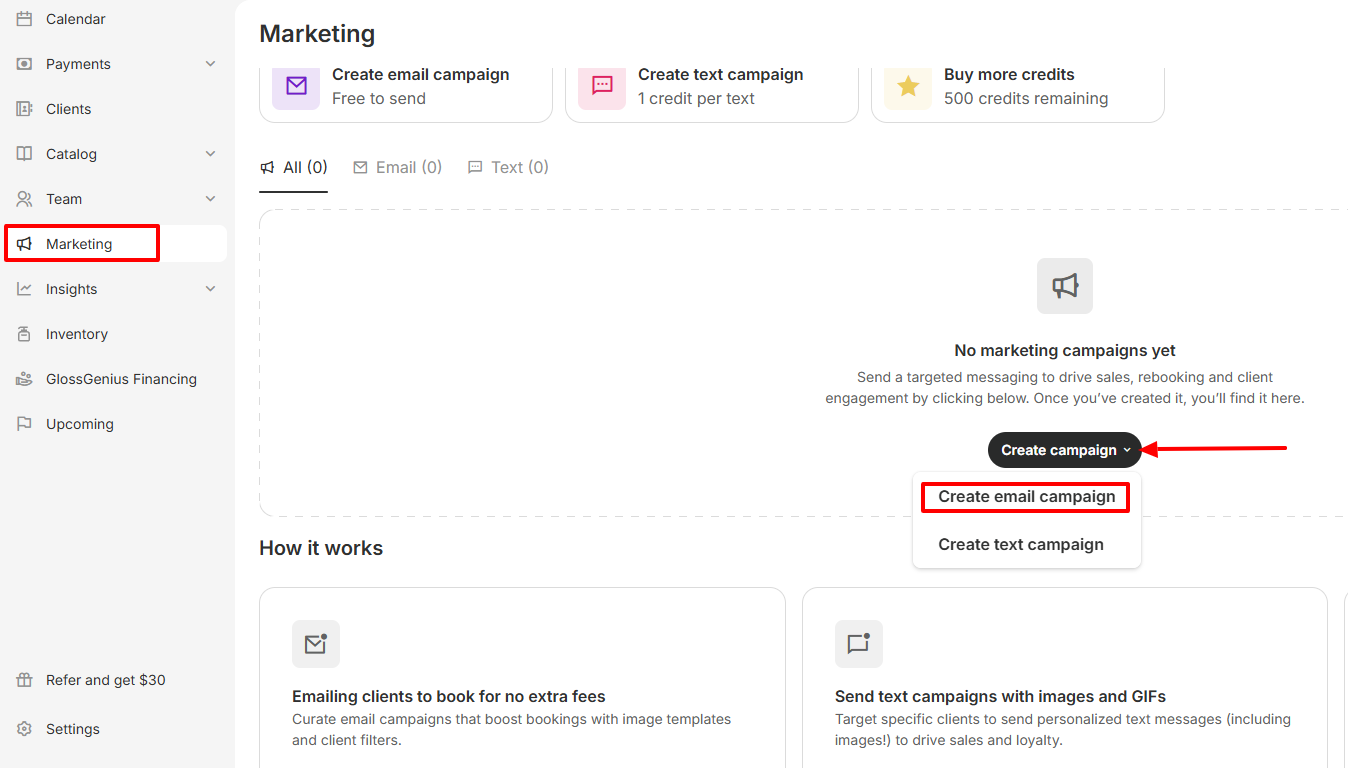
Then type the subject and the message. You can also upload an image.
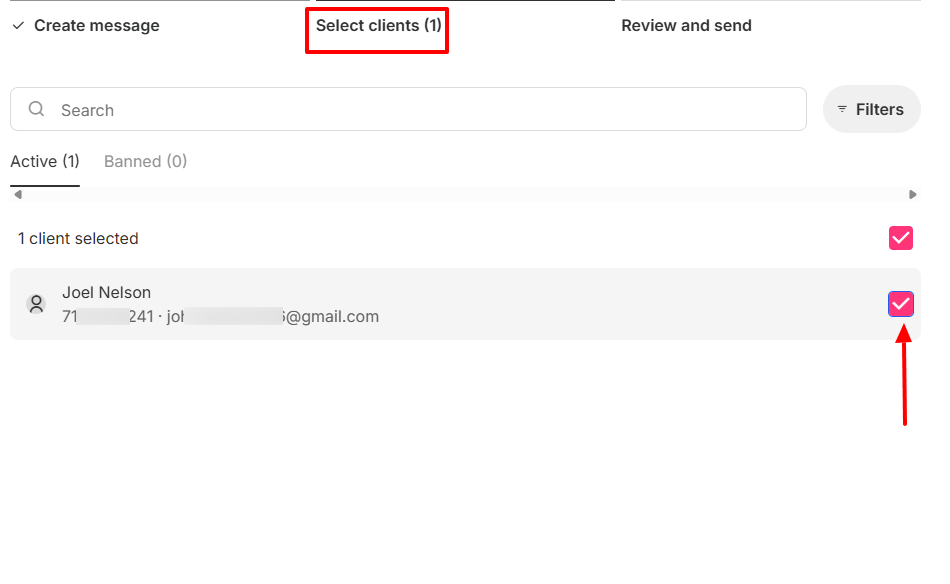
The next step is to select your client(s) for the campaign.
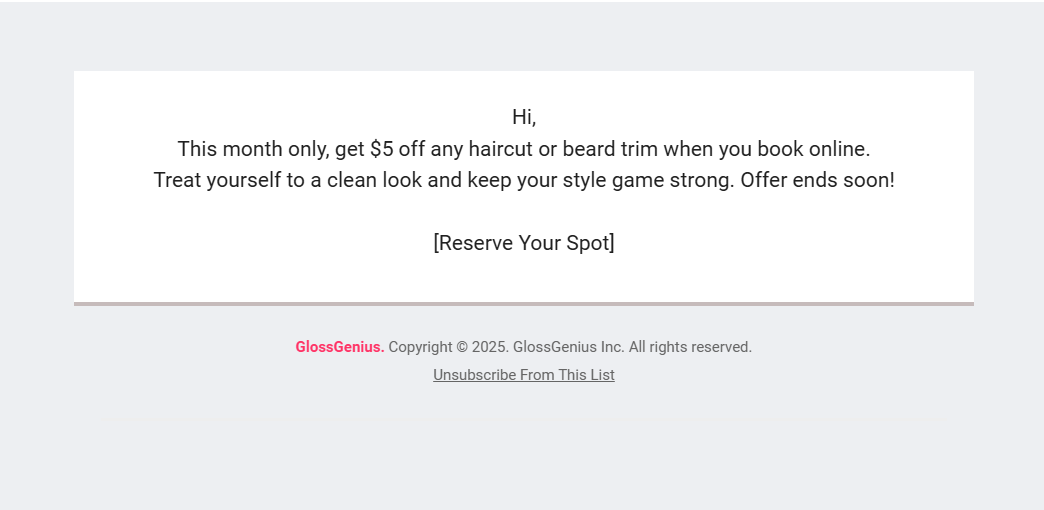
Once you launch the campaign, your clients will start receiving emails like this.
2. Team
The next feature to look at is the Team feature. We will primarily focus on staff, as this is where you can add your staff and assign them services.
Click “Staff” under Team to open the Staff window. Now, let’s set it up!
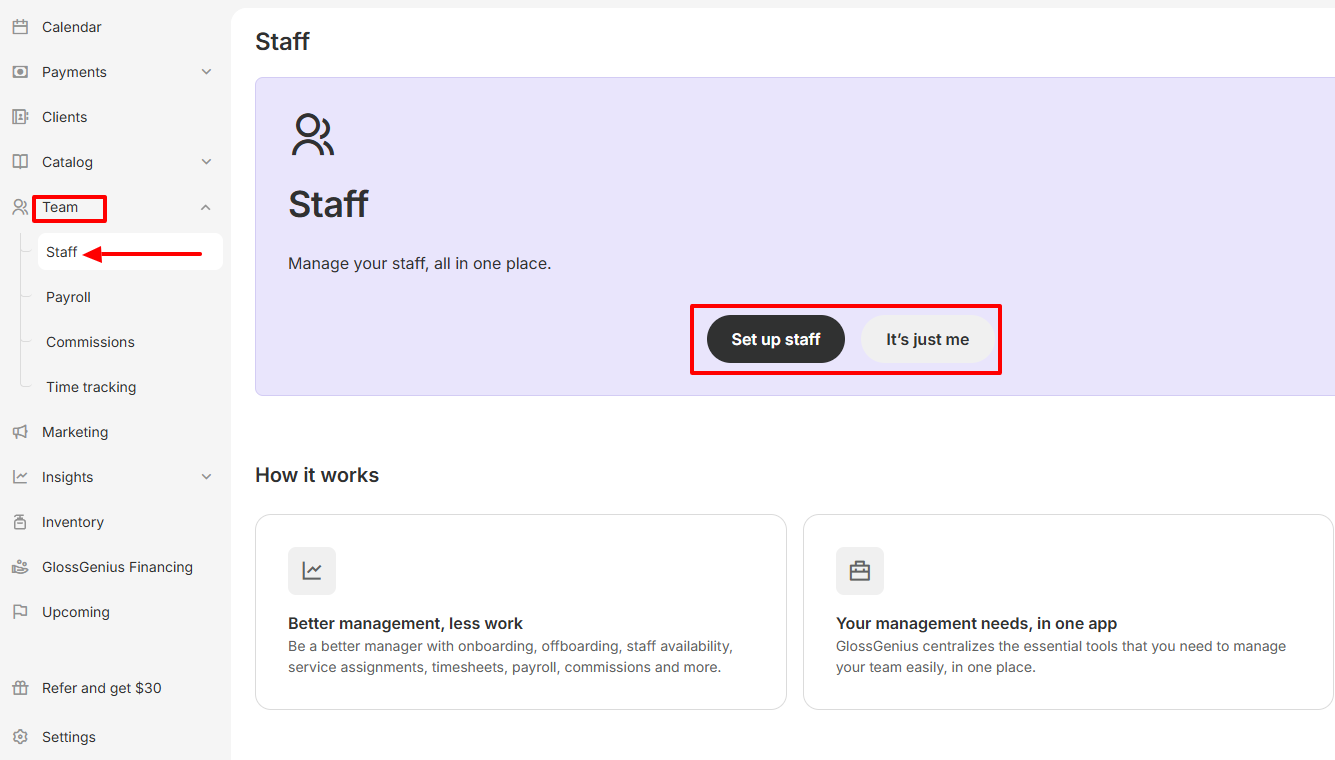
The first step is to enter your staff member's first & last name, email address, and phone number.
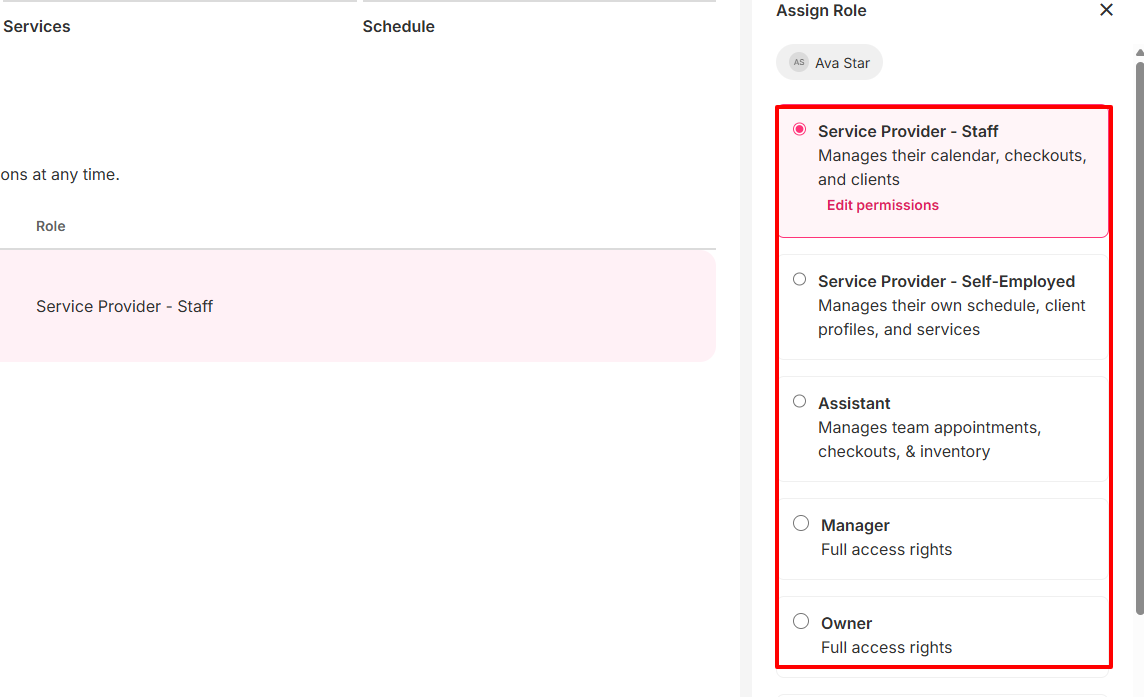
Then, you can assign a role to your staff.
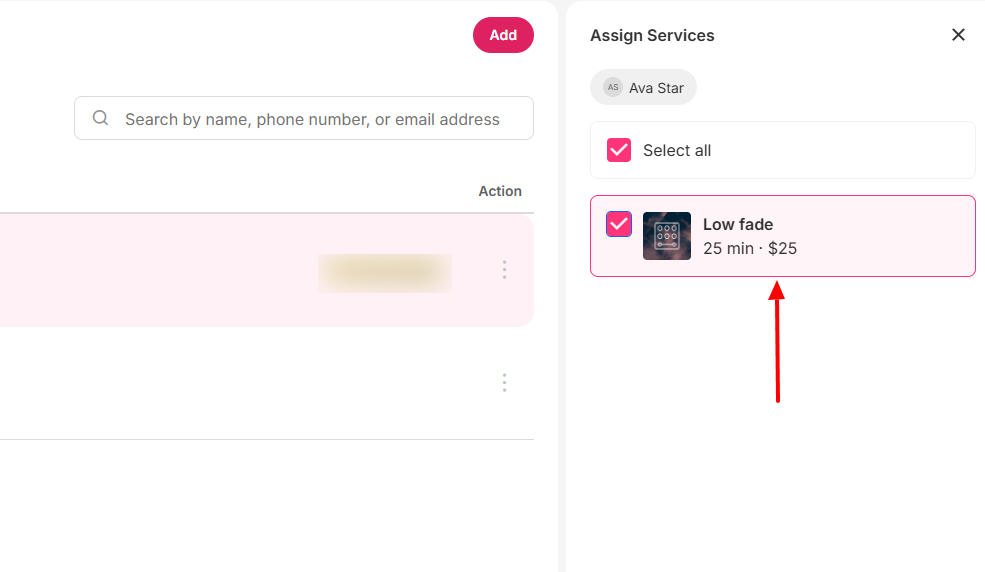
After assigning the role, you can assign your services.
Pros:
Easy to use
Fast setup
Affordable.
Cons:
Certain features are only available on mobile
No web booking widget
Limited customization
Best for
- Solo entrepreneurs and small teams seeking an all-in-one salon tool.
Pricing
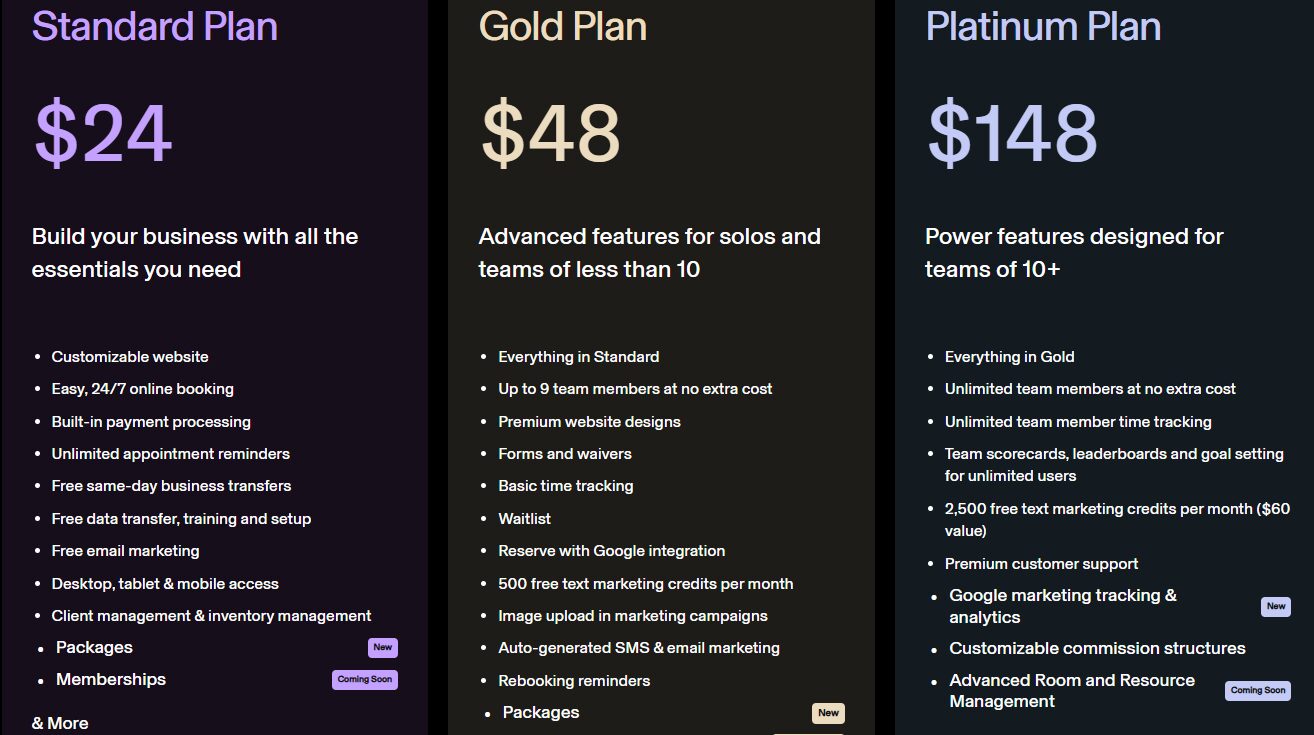
- Standard Plan: $24/ monthly
- Gold Plan: $48/ monthly
- Platinum Plan: $148/ monthly
4. Fresha - Best for multi-location operations
Fresha is the fourth software to look at in this list of the best salon software.
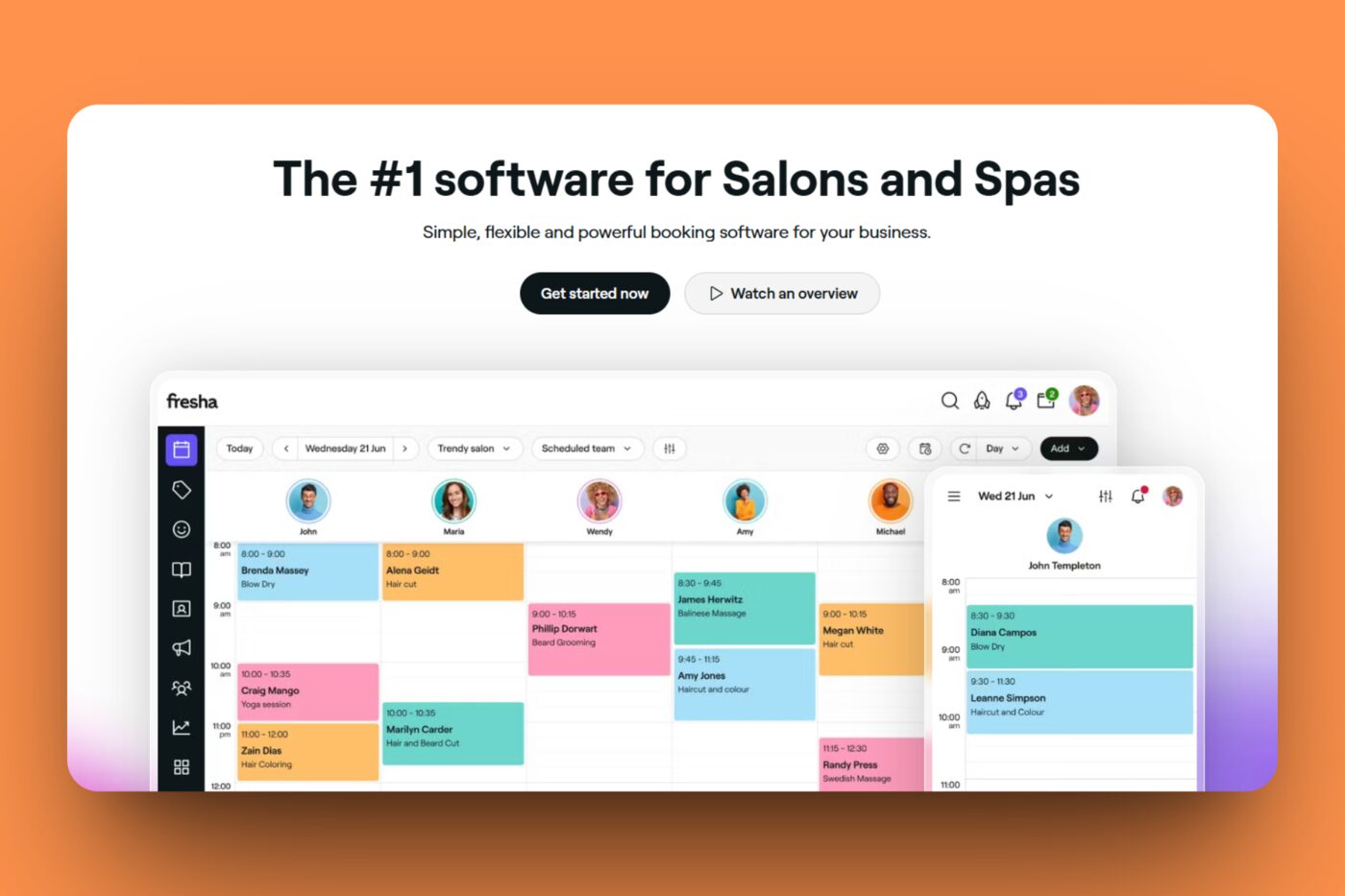
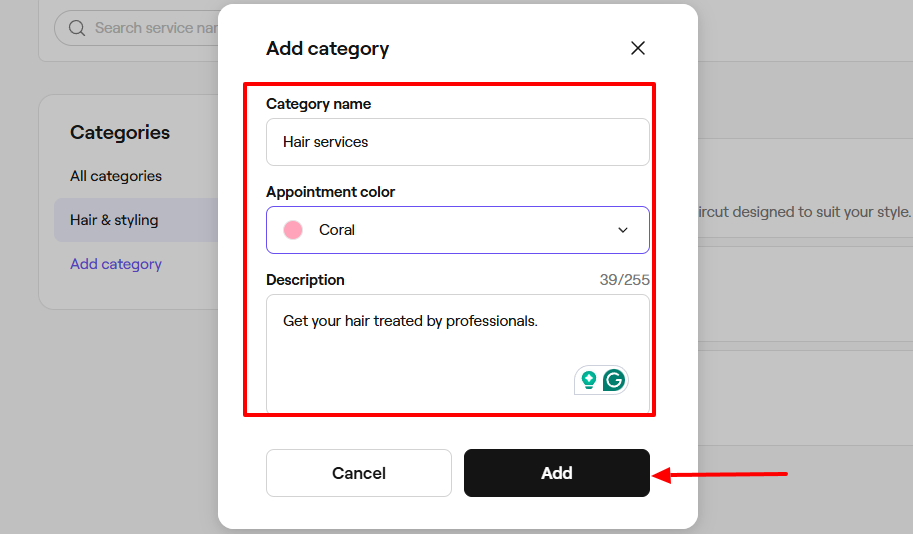
It comes with a Catalog feature primarily for adding your services. First, add a category, name it, select an appointment color, and add a description. Then, you can add your service, including its name, service type, price, and duration.
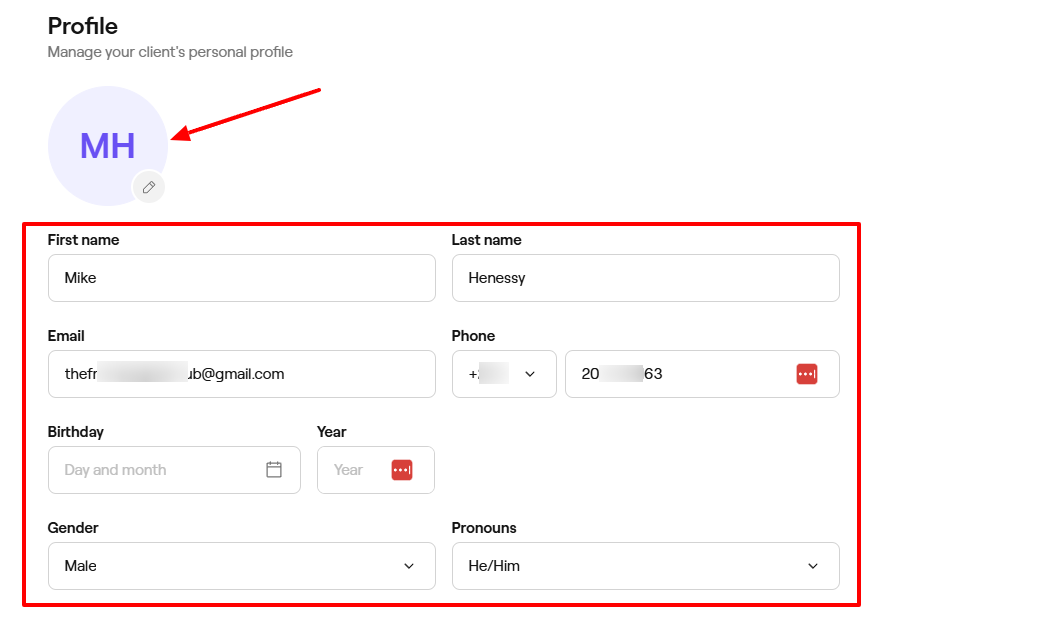
To add a client, I can upload their picture, add their name, email, phone number, and birthday. I can also choose their gender.
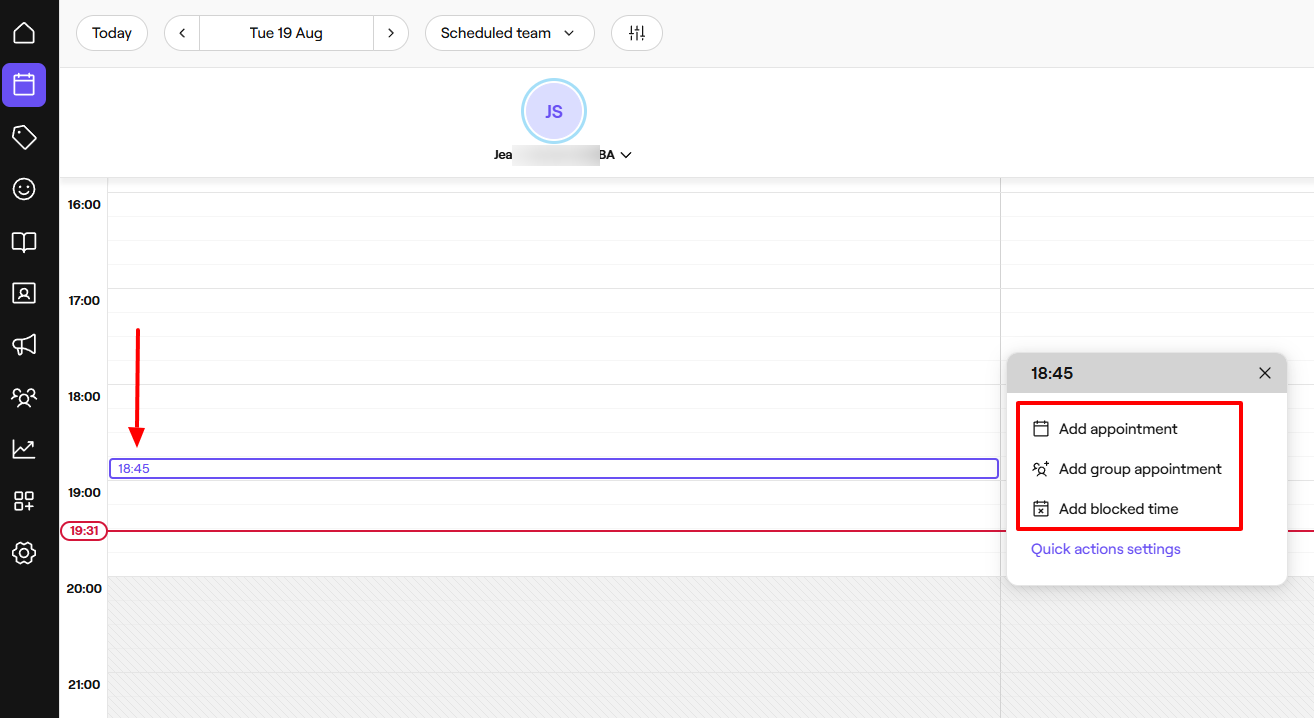
Using the Calendar, I can add an appointment, group appointment, or blocked time. To add an appointment, I simply select my preferred date and time and choose a service.
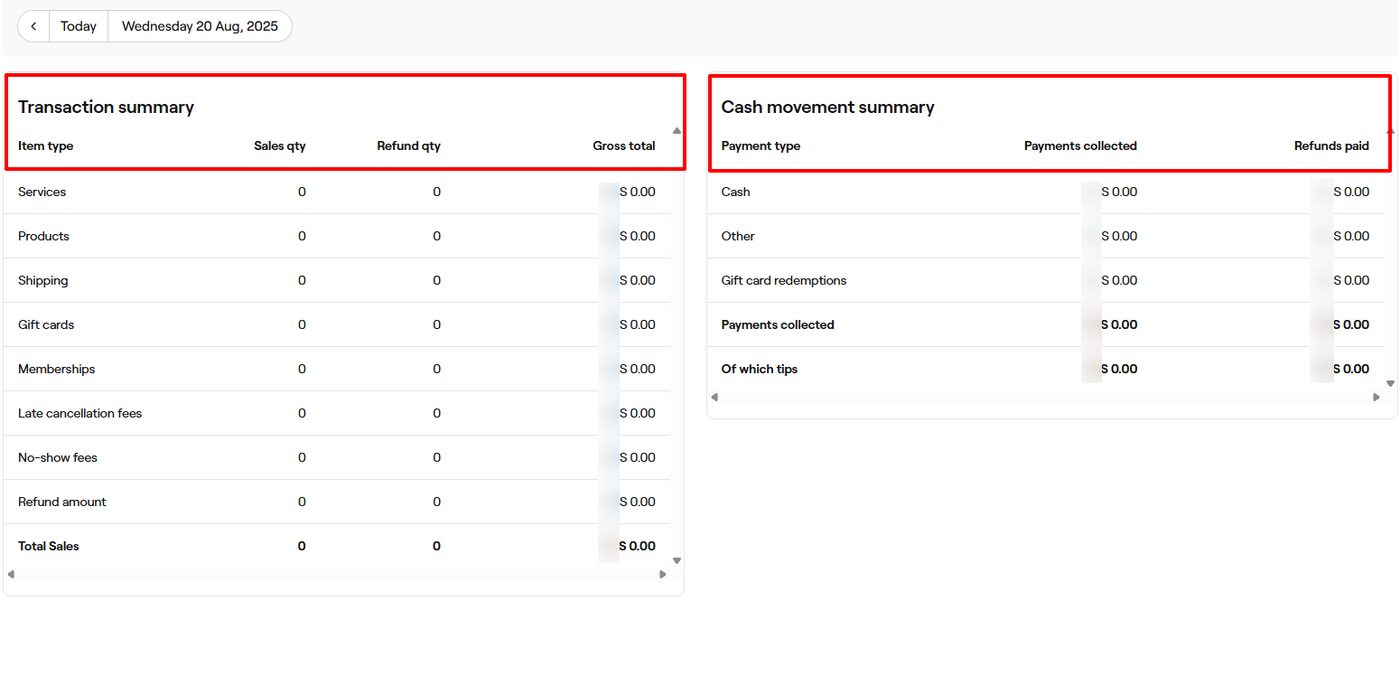
However, there is also the Sales feature. It displays your transaction summary with the item type, sales, and refund quantity. It also shows your cash movement summary, including the payment type, payments collected, and refunds paid.
Fresha is also on the list of salon software I am reviewing. I will review its Catalog feature and demonstrate how to add services.
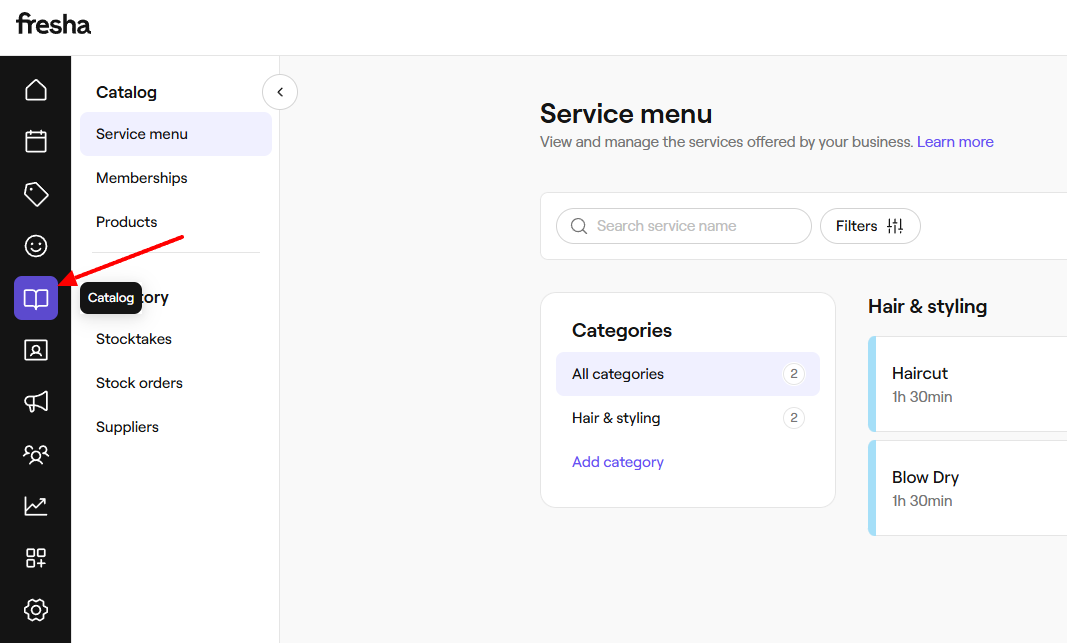
To start, click the Catalog icon.
Now, go to “Add category”.
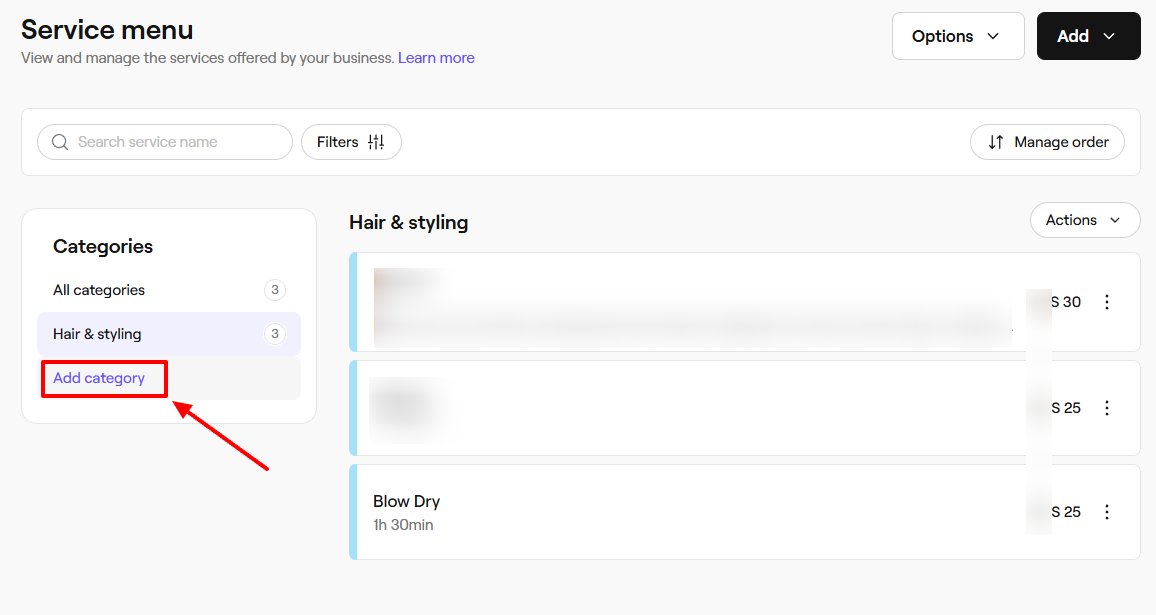
Name the category, choose an appointment color, and add a description.
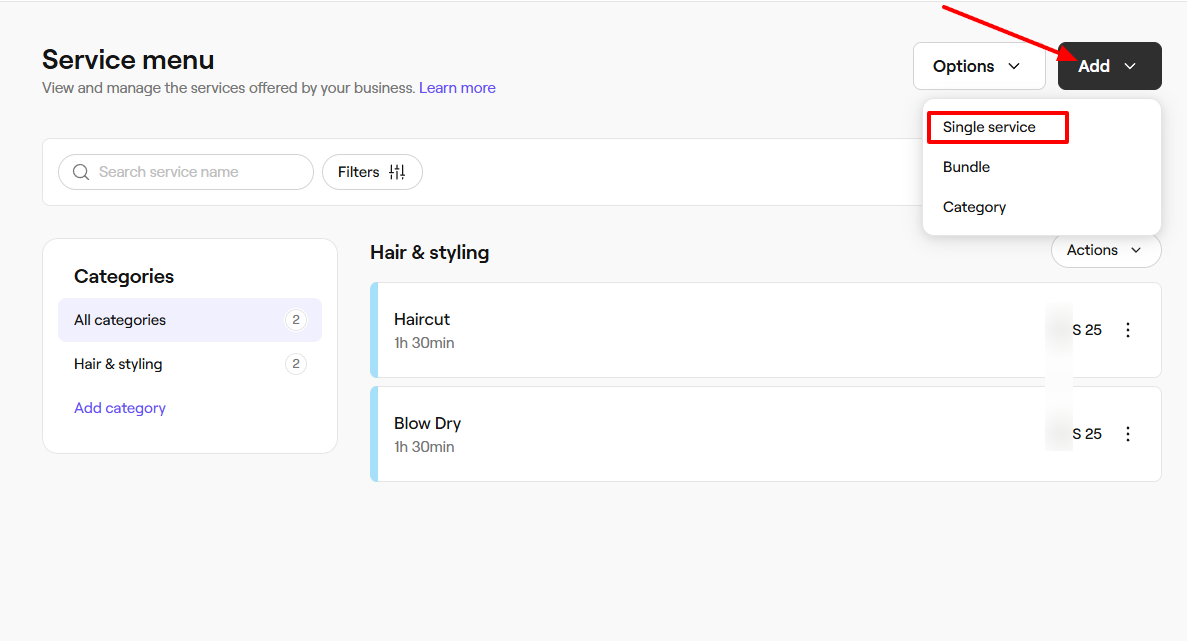
At the far right of the wizard, click “Add” and choose “Single service”.
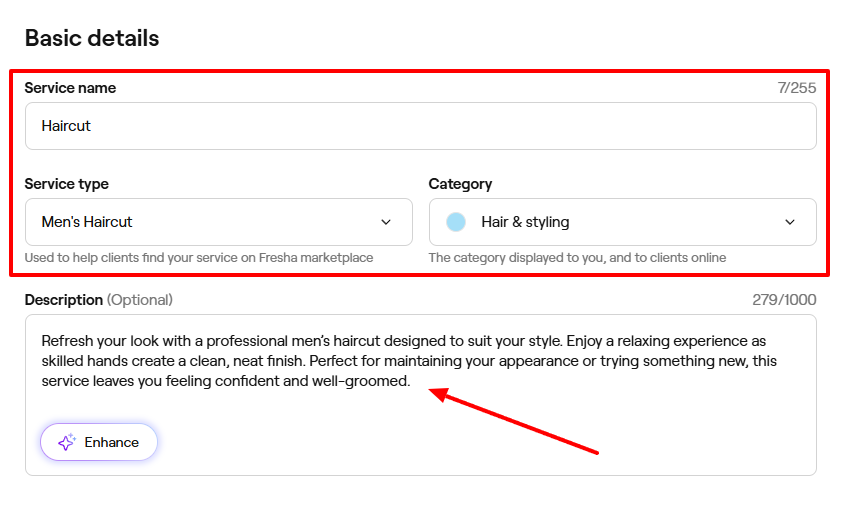
Provide a name for your service, choose its type, and its category.
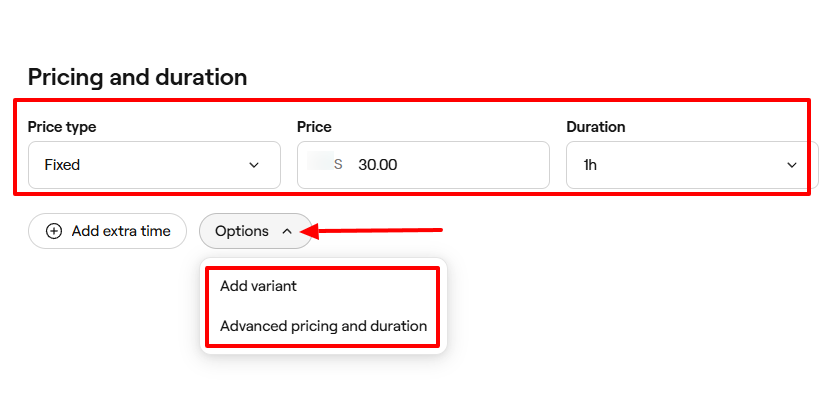
Next, select a price type, enter your price, and choose a duration. You also have options to add a variant, advanced pricing, and duration.
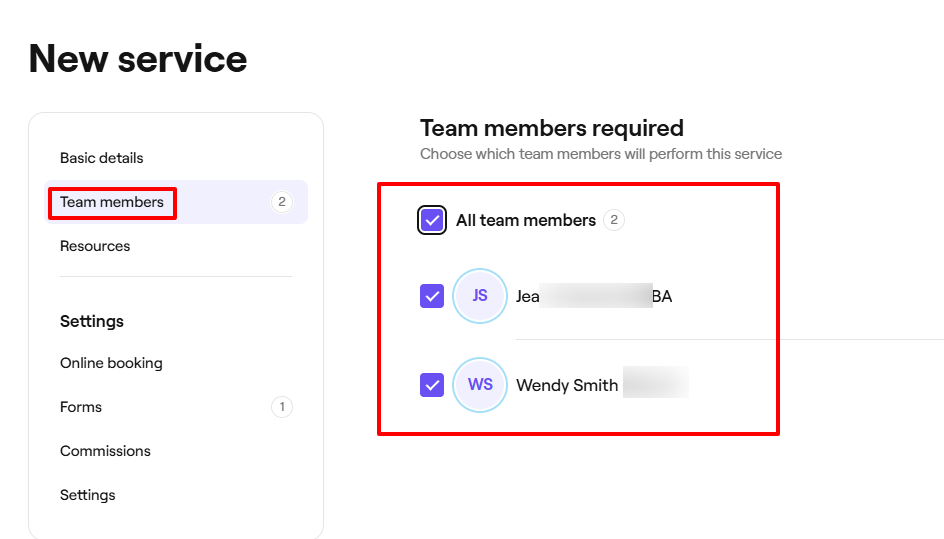
Now, let’s add team members to finalize the details.
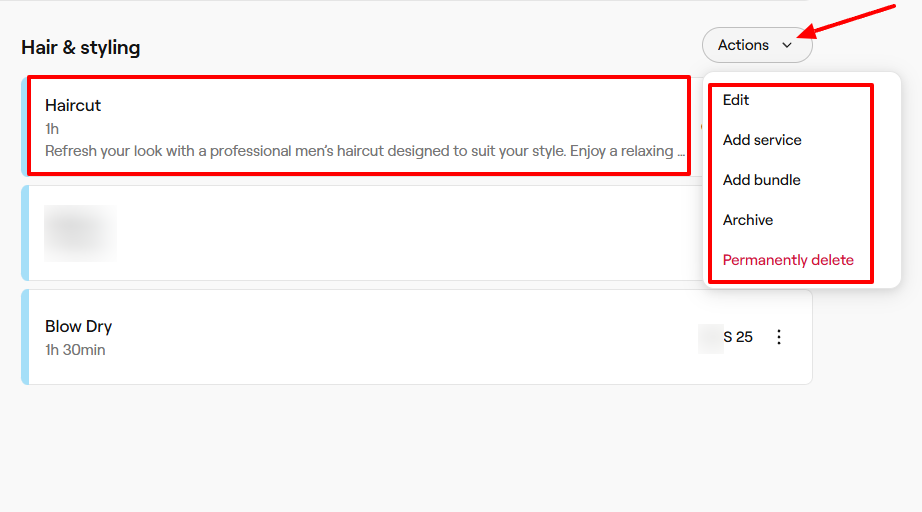
Having followed those steps, everything should be ready! There are actions you can still take, which include editing, adding a service, adding a bundle, or permanently deleting the service.
Key Features
1. Client
Fresha has a Client feature that helps you add and manage clients. Let’s try it out!
Click “Clients” on the sidebar, and then “Add” on the far right to add new clients.
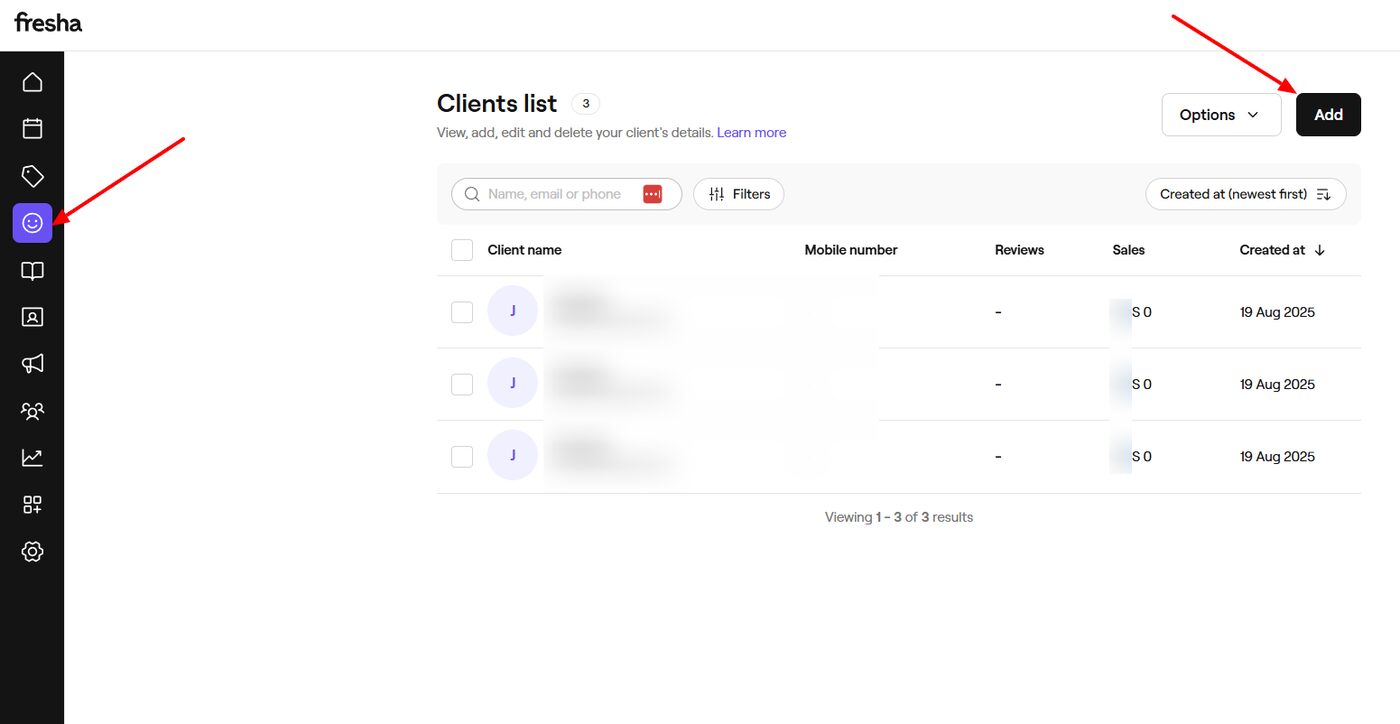
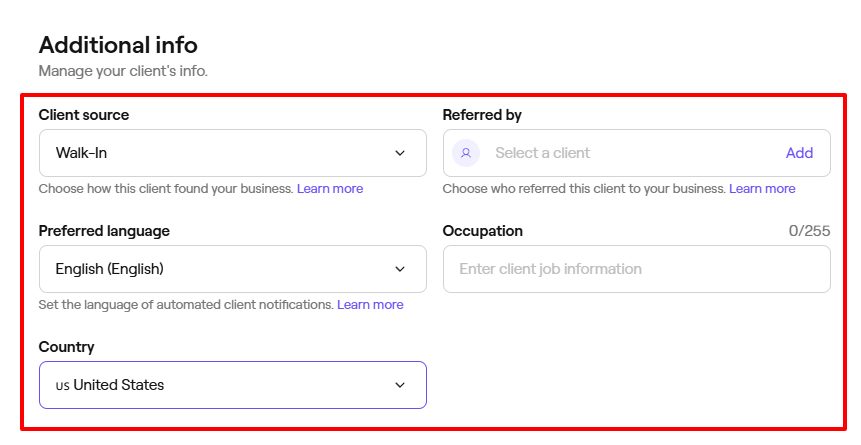
You can upload your client’s picture, add their name, email, phone number, and birthday. You can also select their gender and pronouns.
Some additional details you can include are the client's source, the person who referred them, their preferred language, occupation, and country of origin.
2. Calendar
The Calendar feature on Fresha allows you to view all your staff profiles on the calendar, along with their availability.
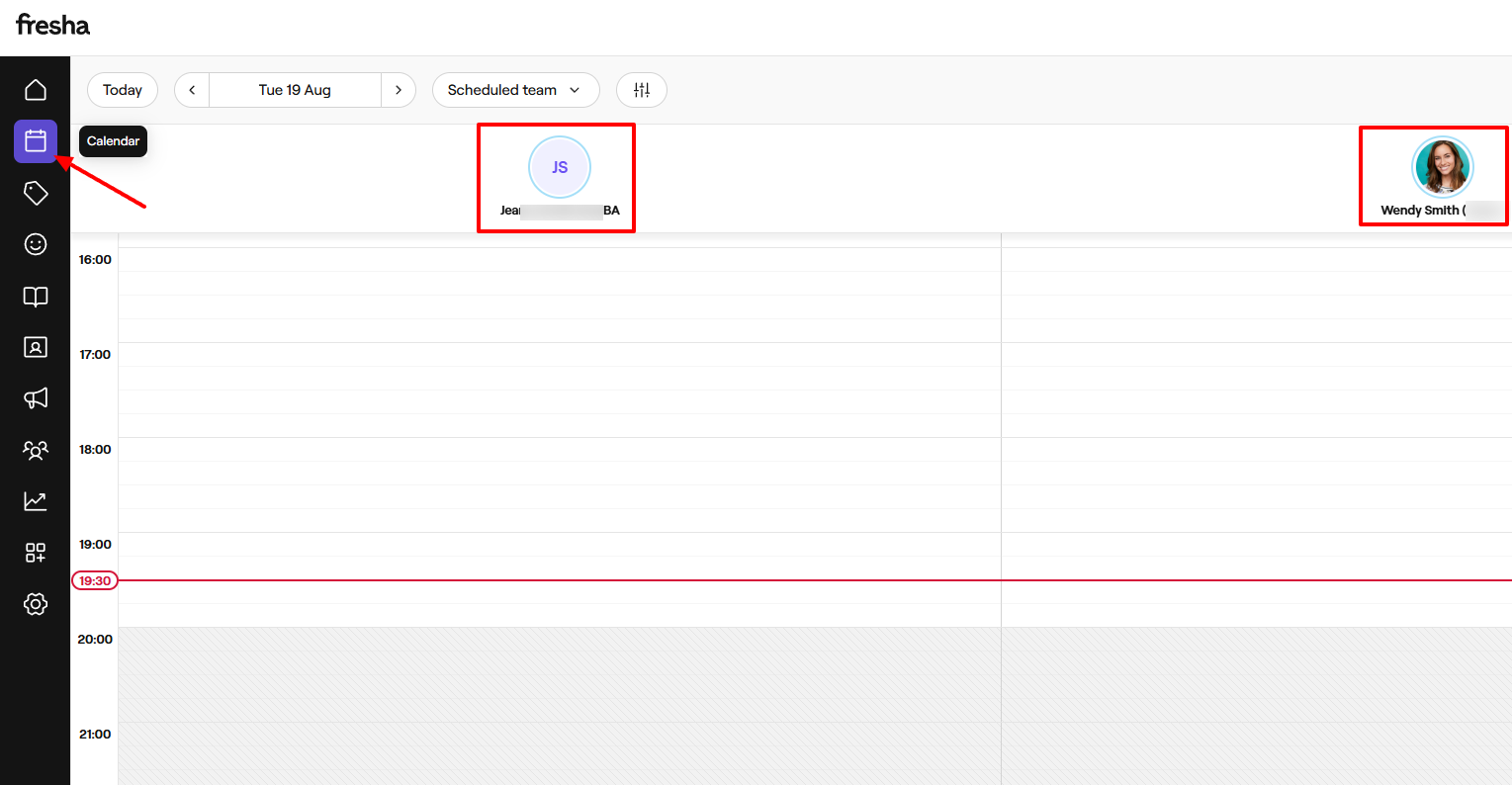
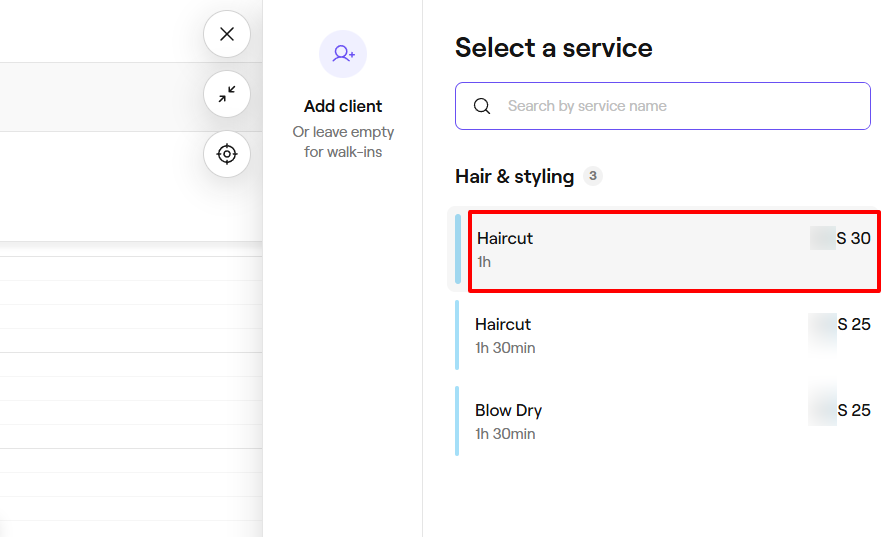
By clicking on any date for your chosen staff member, you can add an appointment, a group appointment, or a blocked time slot.
To add an appointment, simply choose a service.
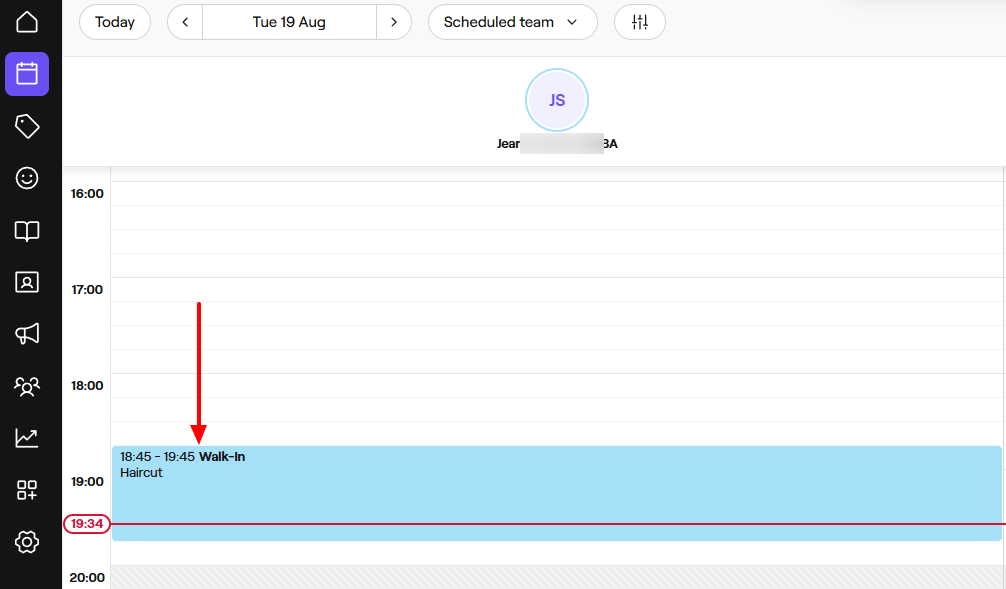
The service will then appear on the calendar.
Pros:
Ease of use
Payment processing
Point-of-sale.
Cons:
Limited options for customization
Limited support for integration with other platforms.
Best for
- Salons and wellness businesses seeking a tool to manage appointments, clients, and sell products.
Pricing
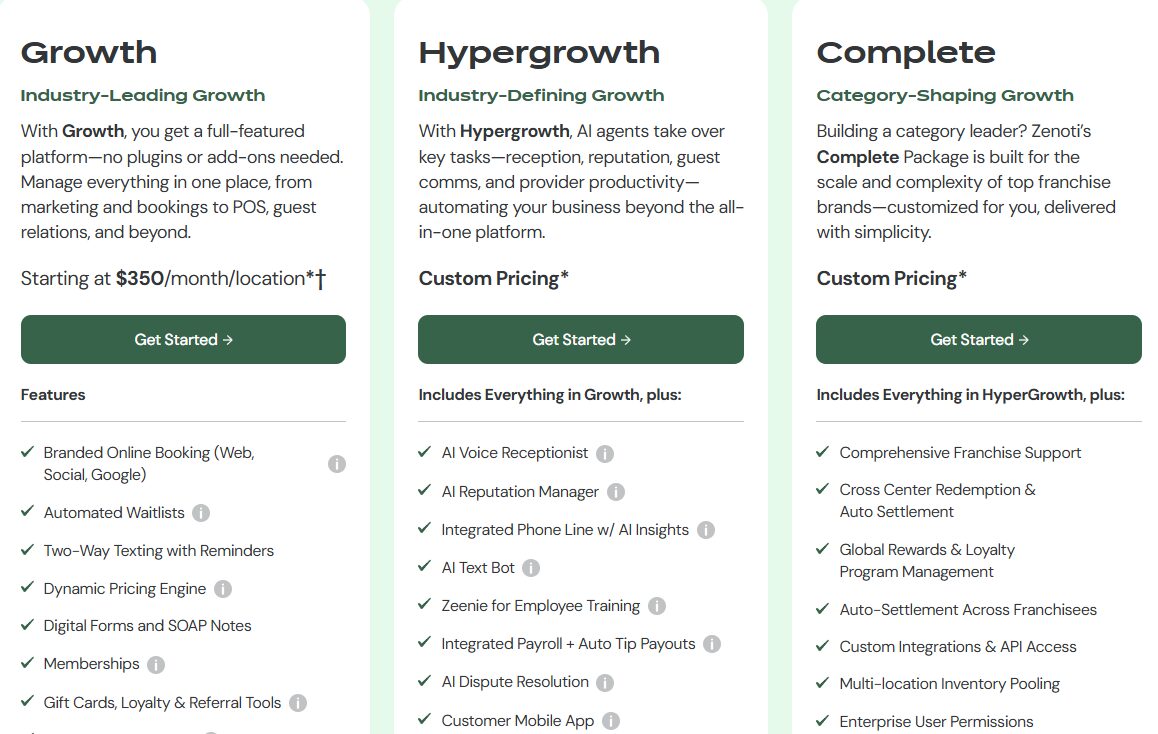
- Growth: $350/month/ location
- Hypergrowth: Custom pricing
- Complete: Custom pricing
5 . Rosy Salon - Best for mid-sized businesses
The final best salon software on this list is Rosy Salon.
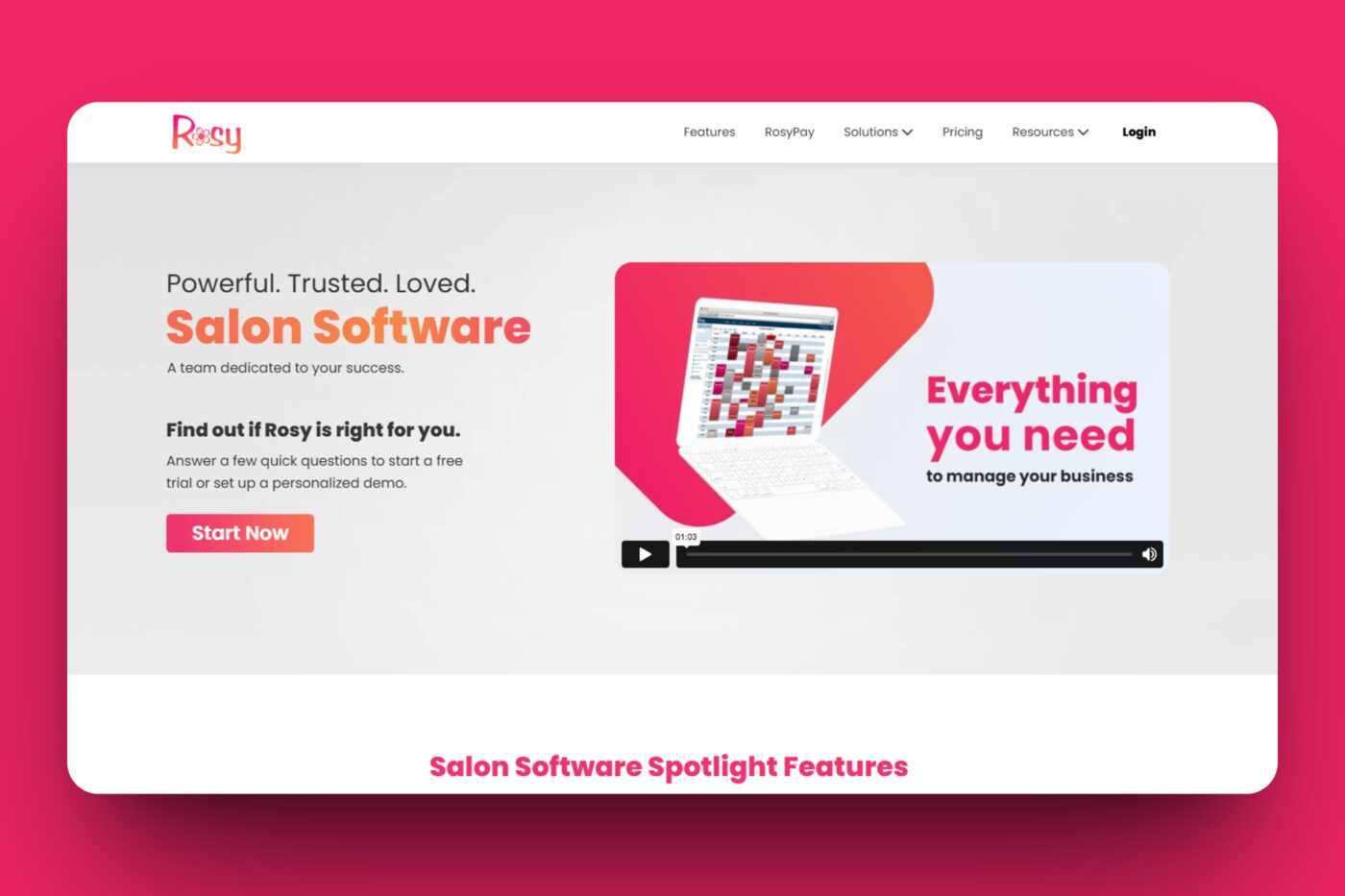
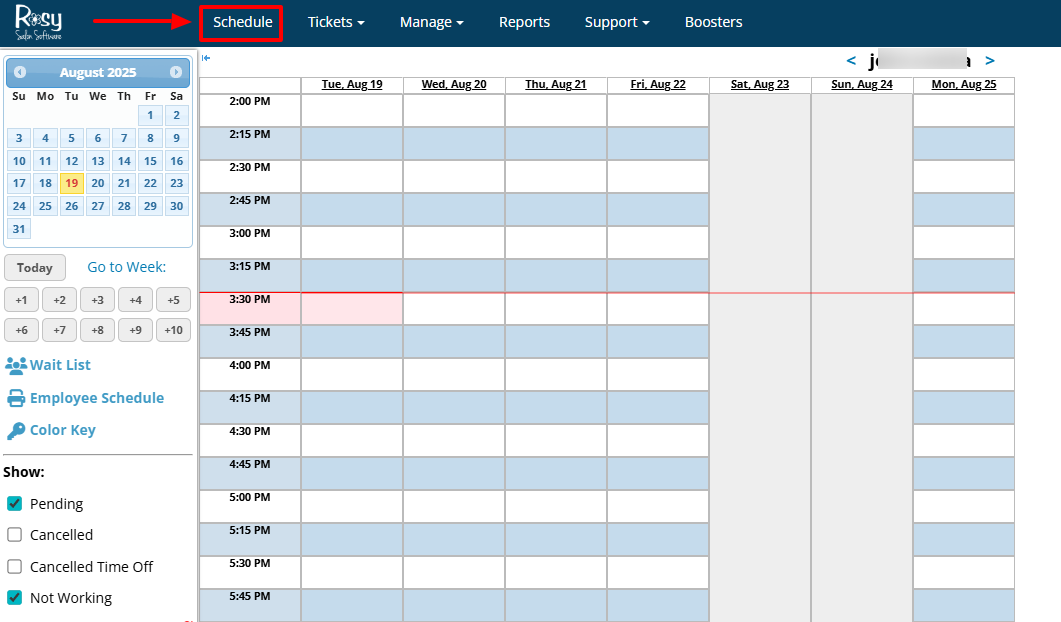
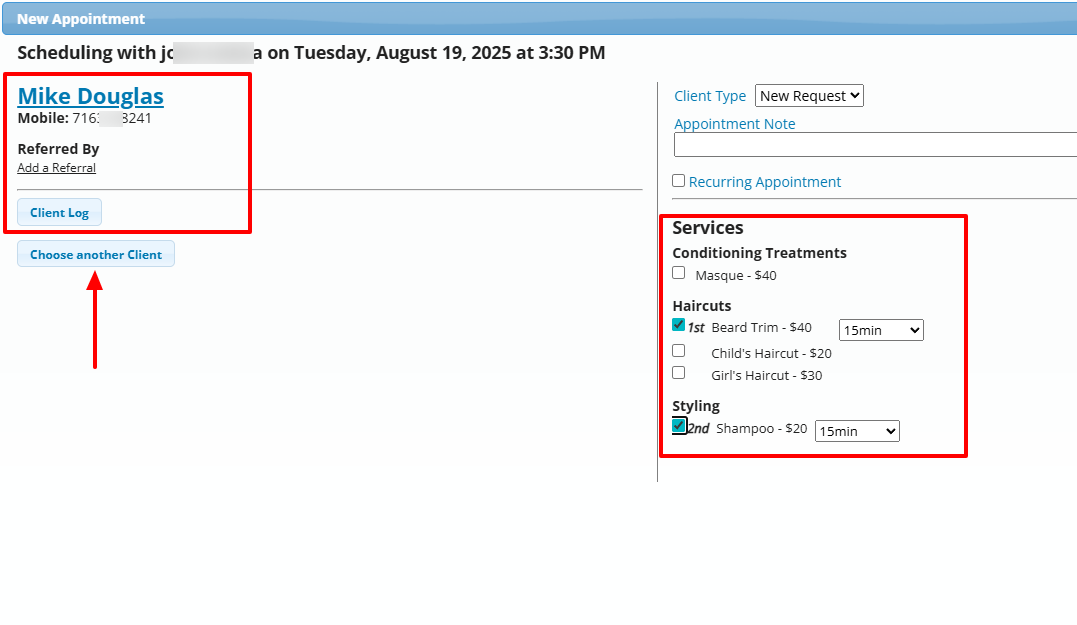
It allows you to schedule appointments with clients by simply selecting a date in the calendar, choosing the client, and selecting the services you want the client to receive.
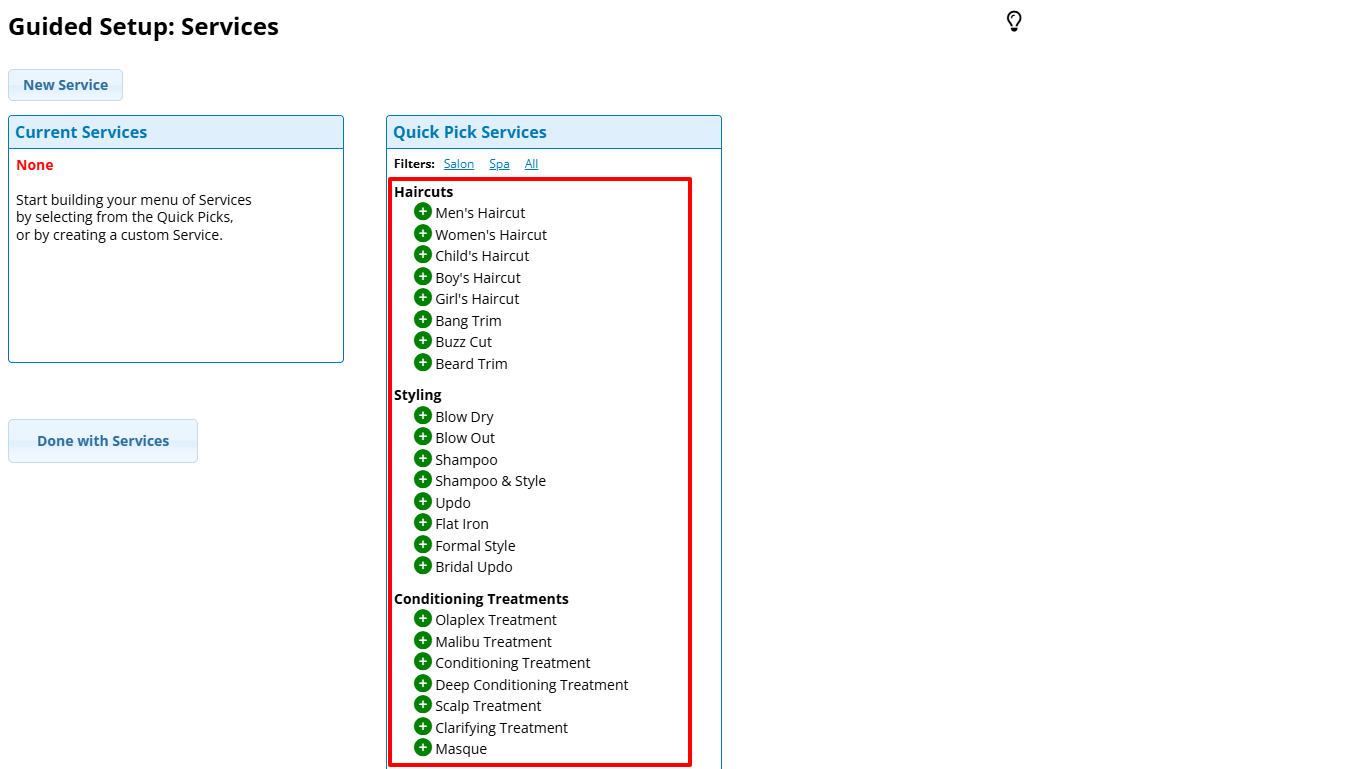
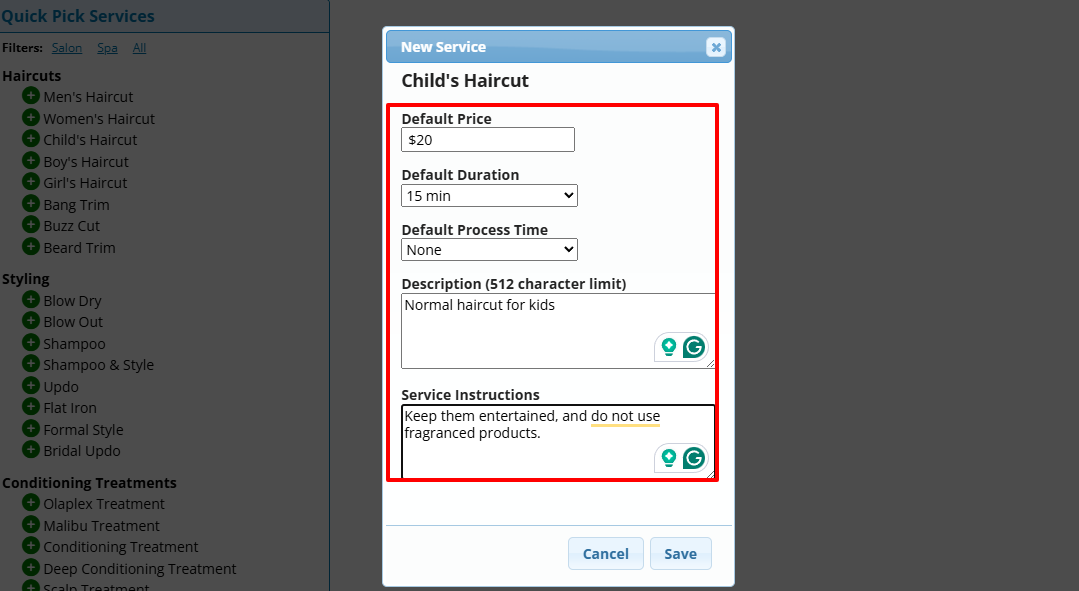
You can add your services or choose from the list it already offers. After your choice, you will add a price, duration, description, and service instructions.
Rosy Salon also allows you to add your employees by entering their first & last name, email, phone number, and state. Then you can also set their scheduling hours.
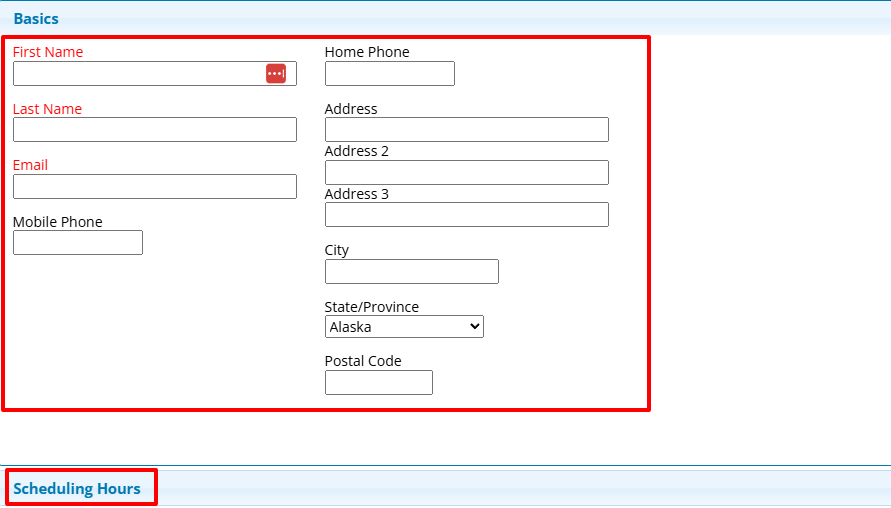
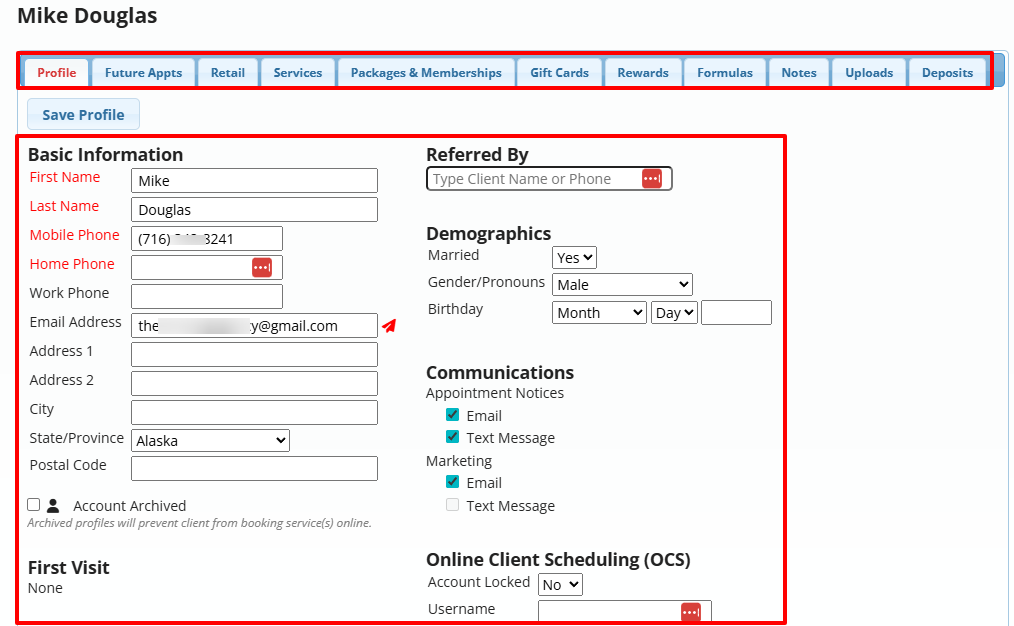
Of course, I mustn’t forget to mention the Client feature. To add a new client to Rosy Salon, you need to enter personal details, such as name, email, phone number, state, and city.
You can also add their marital status, gender, and date of birth.
If you use Rosy, you’ll notice that it already has a list of services you can choose from after signing in.
Let’s say I choose “Child’s Haircut” as a service. I will then add the price, duration, description, and service instructions.
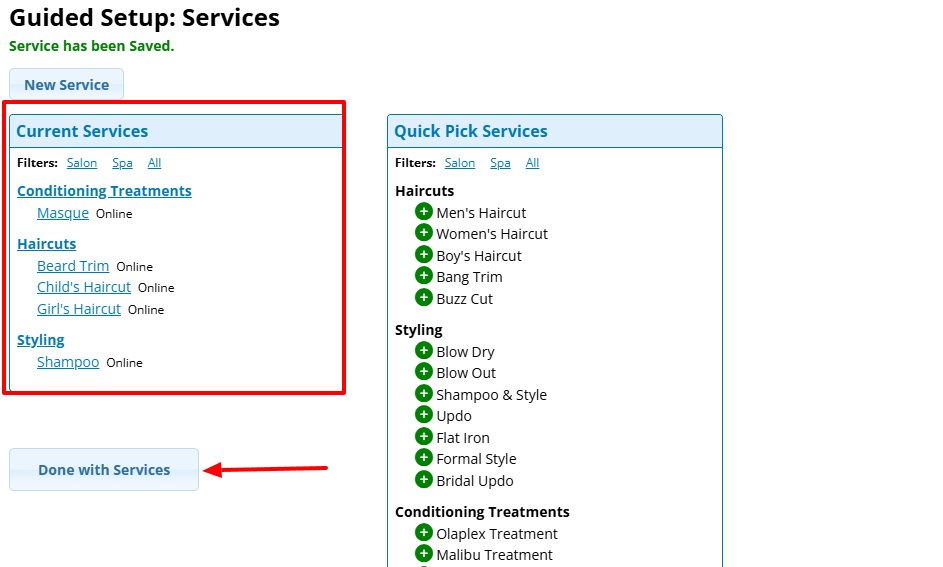
You can do it for as many services as you want. Then click “Done with Services”.
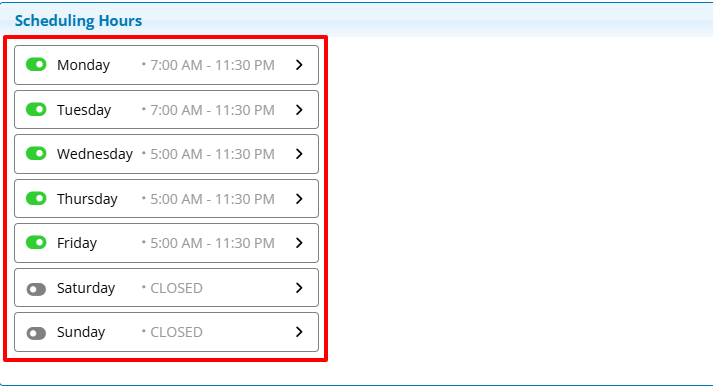
Next, set your working hours.
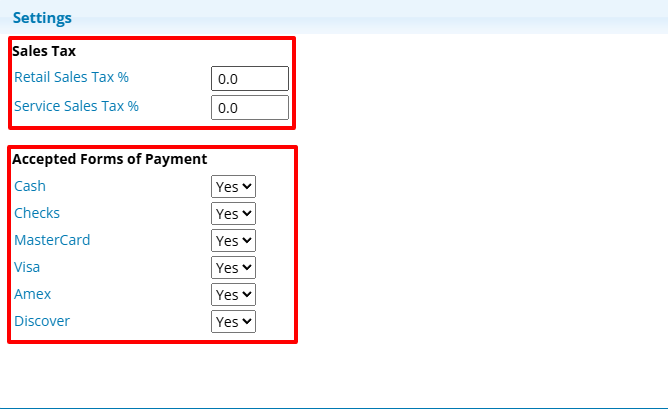
Under settings, you can set up your sales tax and choose the accepted forms of payment.
Now that we’ve added some services to Rosy Salon, it’s time to look at other features.
Key Features
1. Schedule
As the name suggests, this feature is used for scheduling appointments. You have access to the calendar where you can schedule an appointment.
To do so, after clicking “Schedule” at the top menu, select any date in the calendar.
Then, choose a client. On the left side, you will select the services your client wants to receive from you.
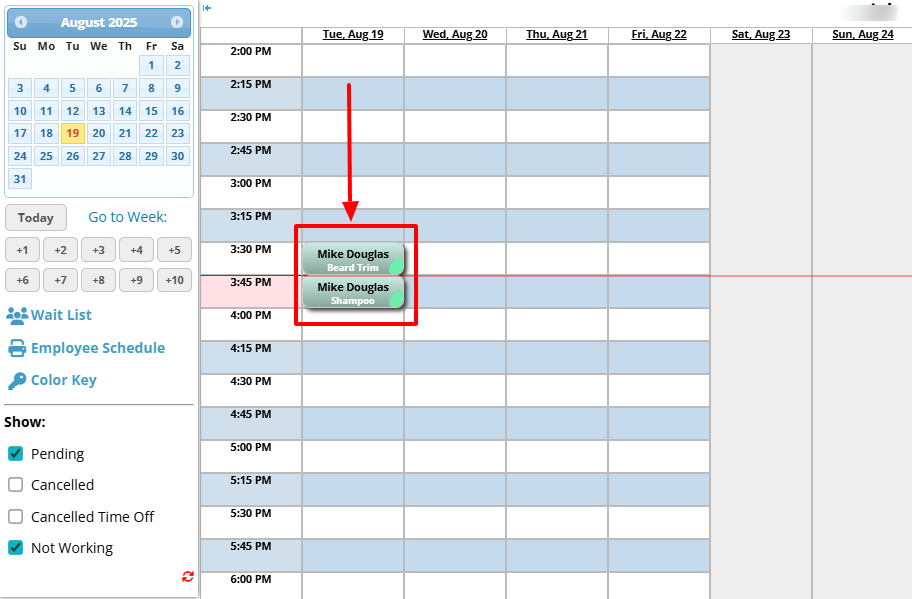
After that, the client’s name will appear on the calendar together with the selected services.
2. Clients
I also wanted to test the Clients feature on Rosy. Since you’re already familiar with client features, let me quickly review this.
Under “Manage”, go to “Clients”.
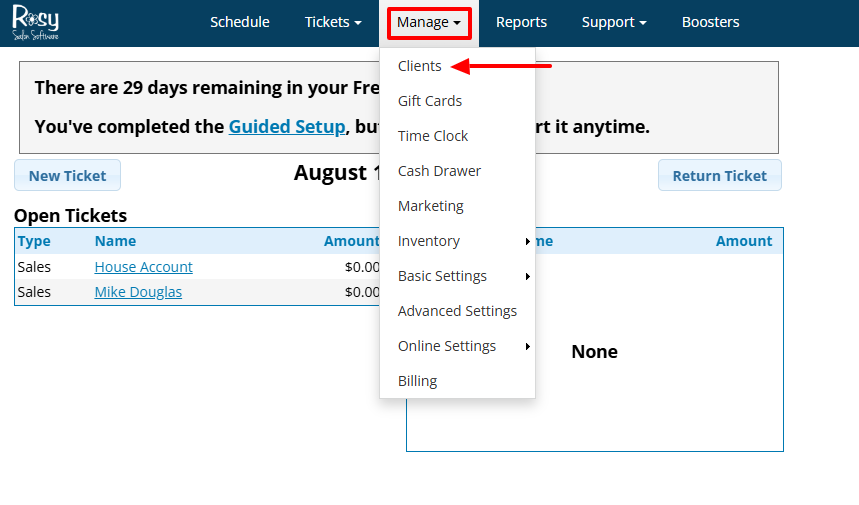
If you already have clients, you can search by name, phone number, or email address. Next, click “New Client”.
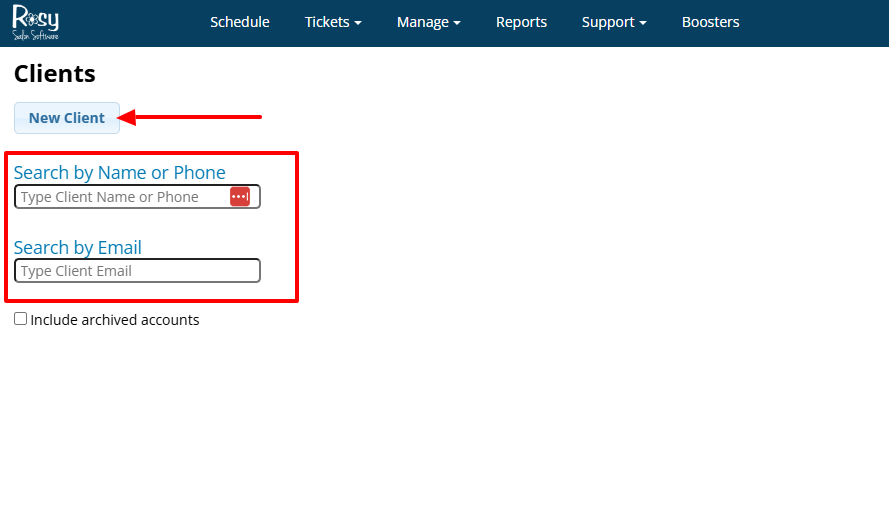
You can enter their name, phone, address, city, state, and postal code. That’s not all! You can also select their marital status, gender, and add their birthday.
Pros:
Affordable
integrations with third-party apps.
Cons:
Not really intuitive
limited in features.
Best for
- Salons seeking a platform with client management, inventory management, and Point-of-Sale transactions.
Pricing
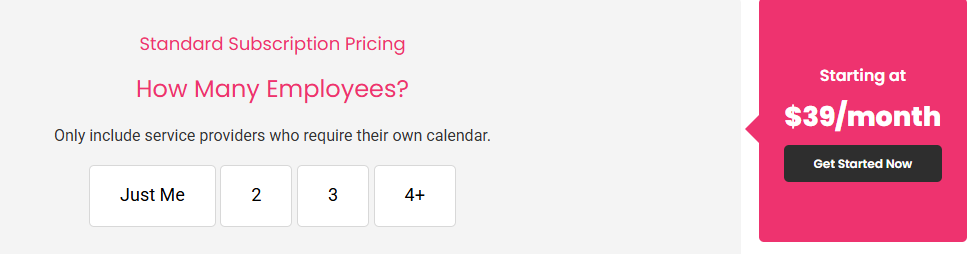
- Standard Subscription: Starting at $39/ month
Start your 14-day free trial and automate your scheduling today.
How to Choose the Right Salon Software
To choose the right salon software, you must consider five factors:
1. Ease of Use
2. Features You Actually Need
3. Pricing and Scalability
4. Integrations With Other Tools
5. Support and Training
We will look at each one of them in detail.
1. Ease of Use
The first aspect to consider when choosing salon software is its ease of use.
By ease of use, I mean the platform should be easy to navigate. For example, you should be able to locate all features without any struggle.
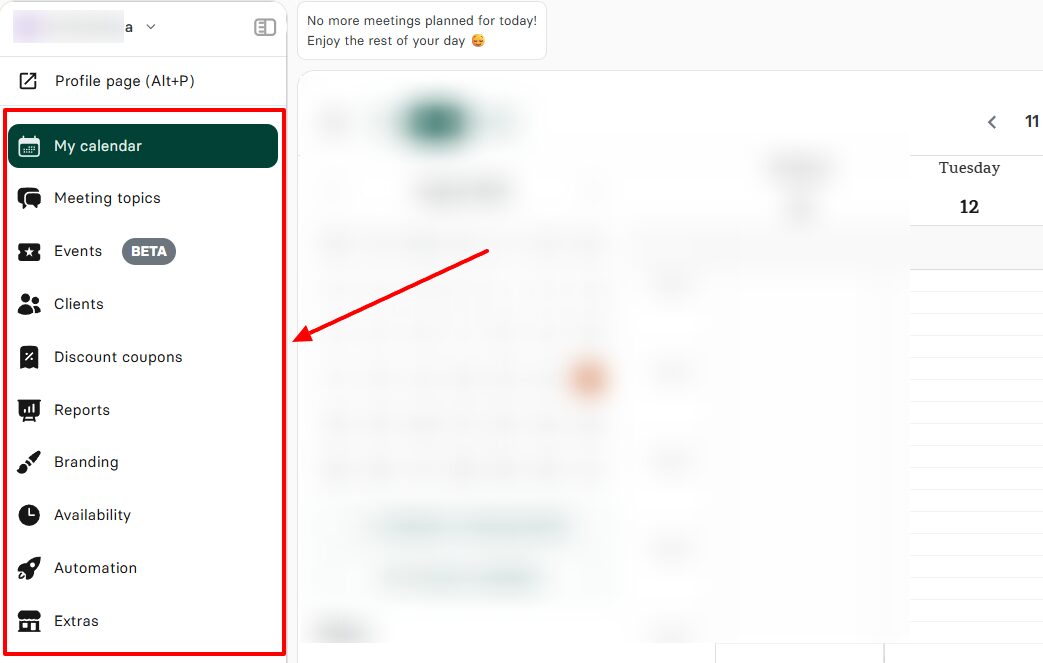
When creating a meeting on Zencal, for example, you can do all that’s required at once on the same page. You can give your meeting a name, select a duration, add a location, and a description.
What’s more, you can also choose your preferred background colors and even preview your event.
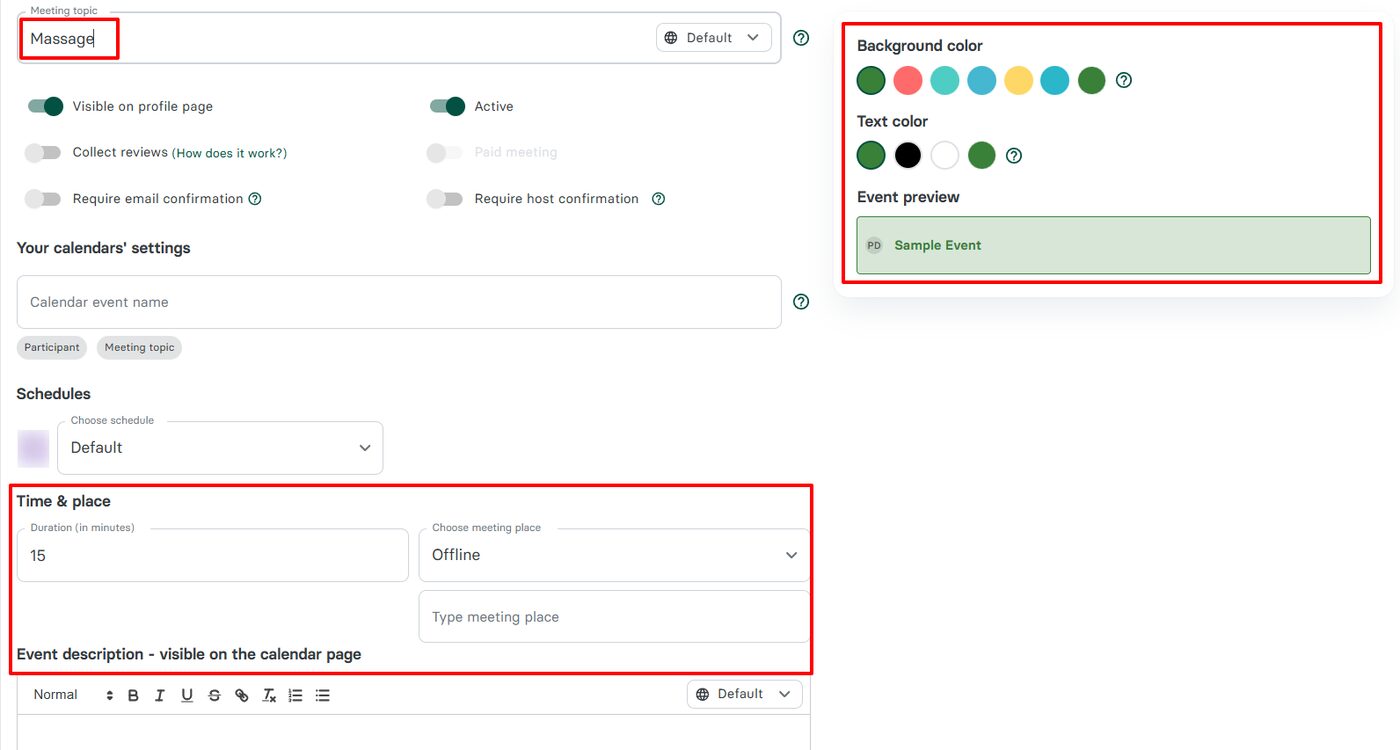
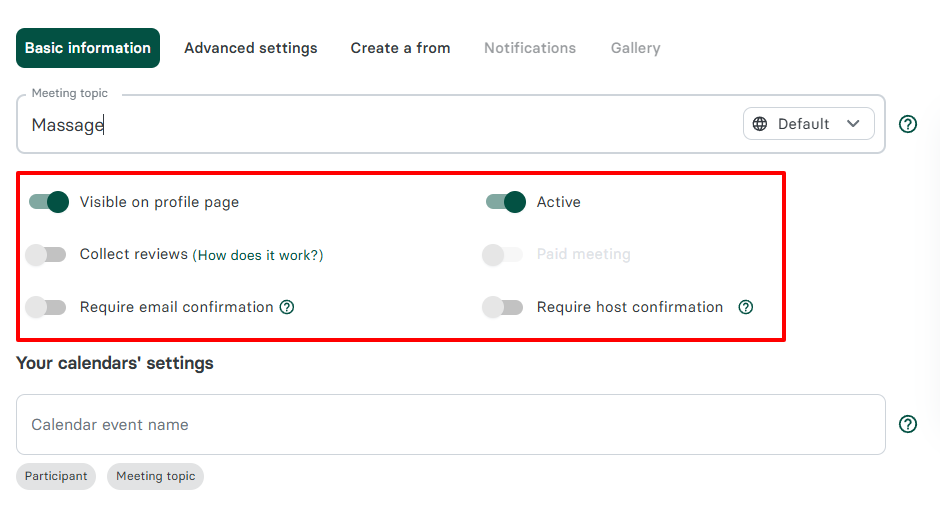
Still on the same page, you can make the event visible on the profile page. Beyond that, Zencal lets you collect reviews, require email confirmation, and toggle on paid meetings.
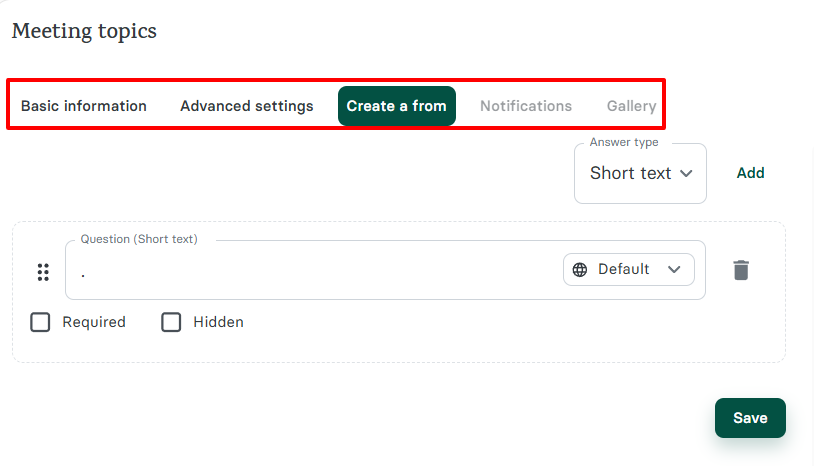
All the options to improve your booking page are conveniently placed next to one another: basic information, advanced settings, create a form, notifications, and gallery.
If the platform is easy to use, it’s already an advantage to consider.
2. Features You Actually Need
The Director of UX for E+D Growth at Microsoft, Cindy Alvarez, said this:
“Even the best designers produce successful products only if their designs solve the right problems. A wonderful interface to the wrong features will fail.”
She understood that no matter how fancy the software looks, it is of no use if it doesn’t address your real issues. And this can result in a waste of money.
A survey from Freshworks, involving 2,000 IT professionals, revealed that approximately 54% say their organization pays for SaaS features that their team never uses.
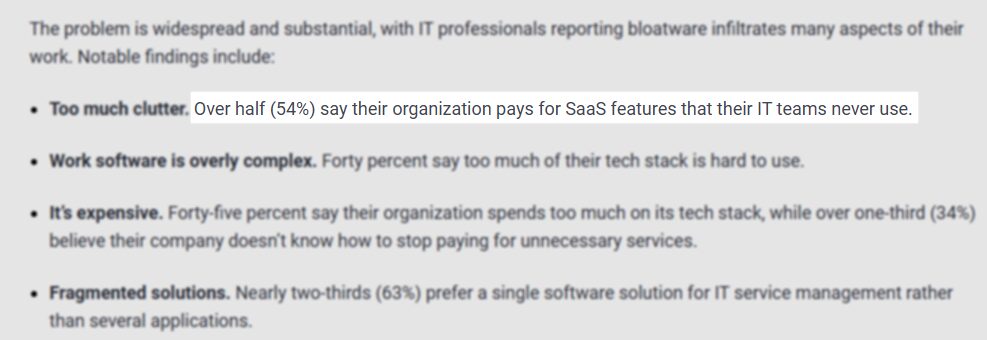
This example I cited is an example of why you should go for a salon software with features you actually need. You’ll end up spending a reasonable amount for what you need, with a good return on investment (ROI).
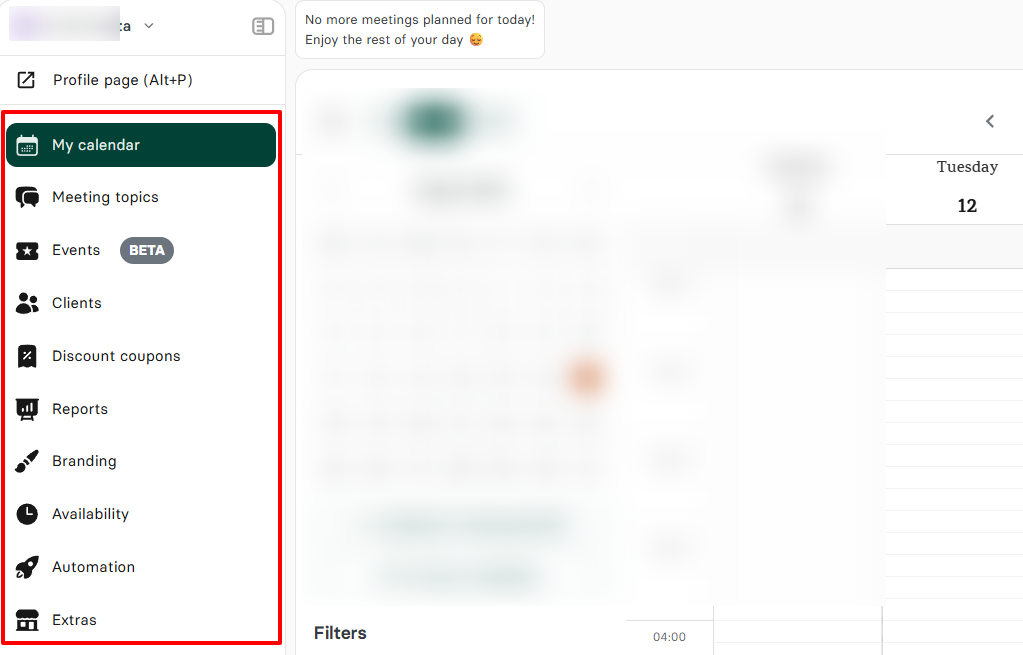
A good salon software, like Zencal, must offer features such as appointment scheduling, client management, availability, discount coupons, events, and automation, among others.
3. Pricing and Scalability
The next aspect to consider is the pricing and scalability.
When selecting the right salon software for your business, cost remains a crucial consideration. A tool that is too expensive may suffocate your business, and I’m sure that’s the last thing you want to happen.
You can’t scale a business that is already bleeding from the start.
Mangomint, for example, starts with a monthly fee of $165 for small teams.
On GlossGenius, the Gold plan, designed for small teams of fewer than 10, costs $48.
However, Zencal’s team tier is only $20 monthly, billed annually.
As a business person, once you do the math and weigh the options, you’ll clearly see which tool is giving the most value here.
4. Integrations With Other Tools
Before choosing your salon software, ensure it integrates with other essential tools necessary for your business operations.
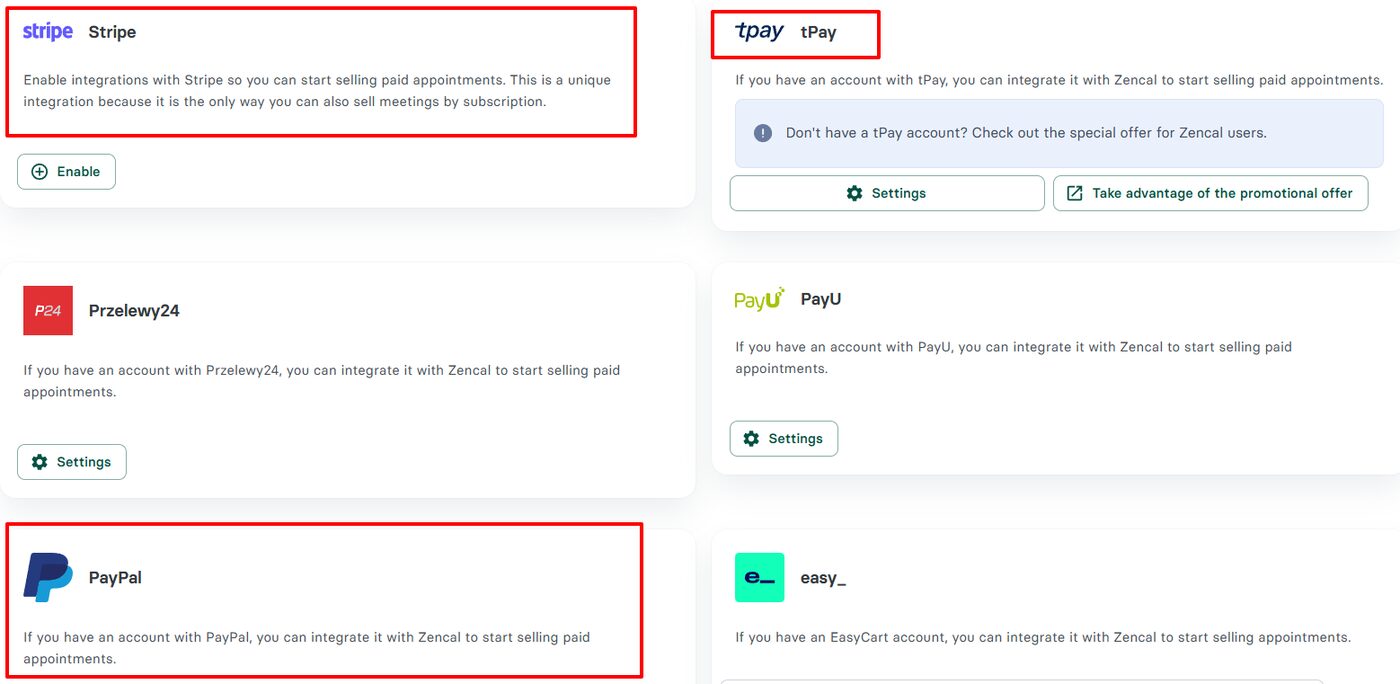
For instance, you will have to receive payments from clients. However, you can be limited in this regard if your salon software doesn’t integrate with payment gateways like Stripe, PayPal, and tPay.
That depends on the gateways you prefer.
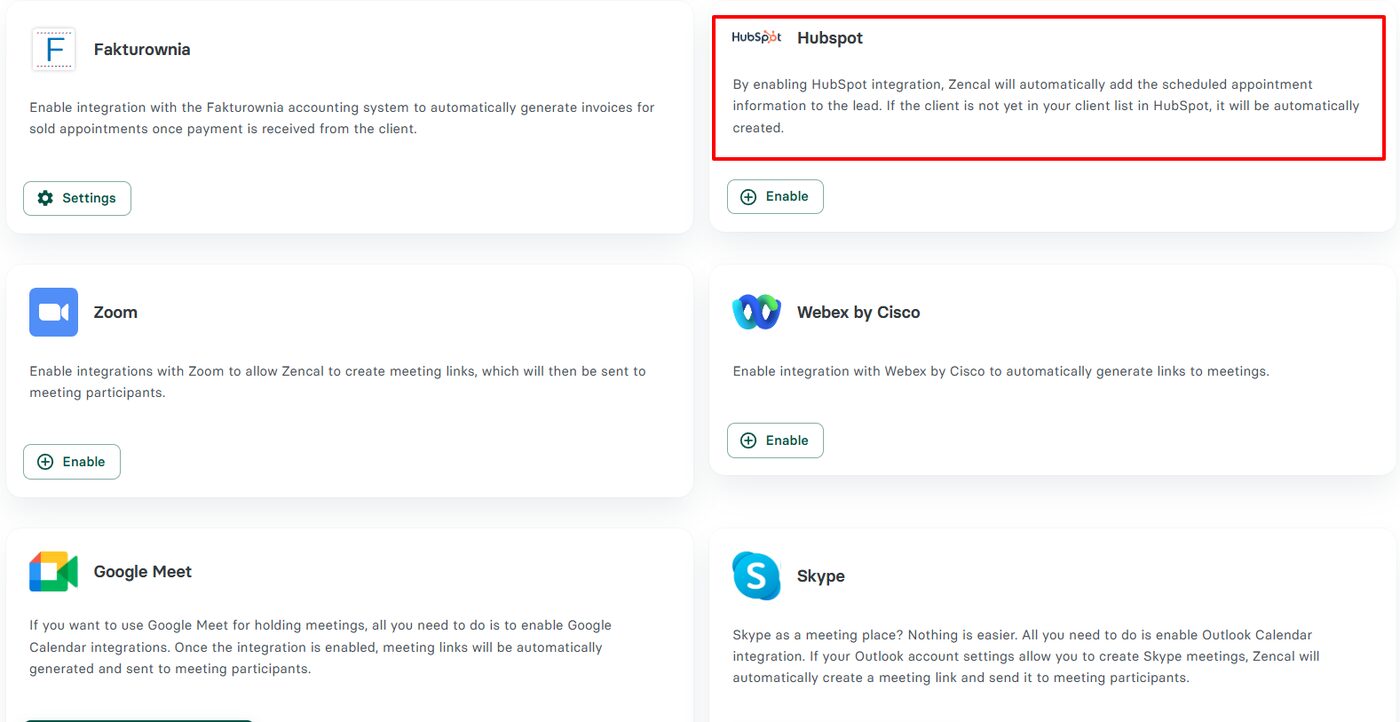
I also believe salon software needs marketing tools like HubSpot as an integration. The reason is that with this integration, every appointment, sale, and follow-up feeds into a single system.
And Zencal allows you to connect to it.
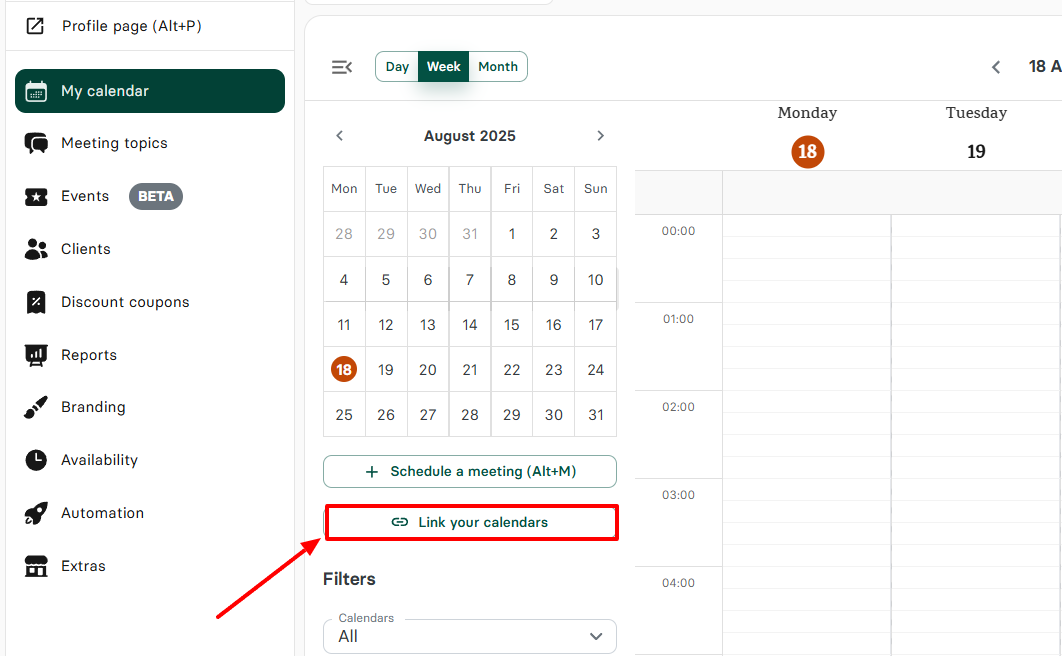
And of course, as a business, how you manage your time and all your appointments with your clients is very important. That is why your salon software should also allow you to connect all your various calendars.
5. Support and Training
“ If a customer likes you and continues to like you, they will continue to do business with you. If they don’t, they won’t.” These were the words of a customer experience expert, Paul Greenberg.
By saying this, Paul understands that the key to a thriving business lies in how you handle your customers. Hence, the importance of this final factor.
Your customer support can either build or break a client's trust in you and your business. It all depends on how they handle the customer.
For your business to thrive, the platform you choose must have a strong policy on support and training. It’s no surprise that 64% of customers will switch to another company if their current one doesn’t provide good customer service.
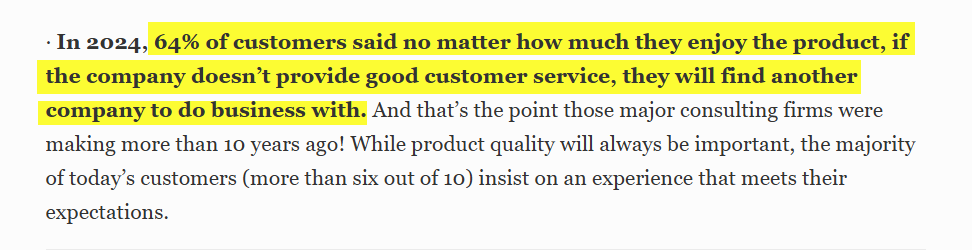
A software remains a software after all. This means that technical issues may arise, and when they do, you will need a responsive support team, because your business depends on it.
Start your 14-day free trial and automate your scheduling today.
Choose the Best Salon Software
There you go. We’ve been able to thoroughly discuss each tool in this list along with its features, pricing plans, pros, and cons.
I’ve shared with you what each software is best suited for under specific categories: Mangomint for team collaboration, Zencal shines when it comes to appointment scheduling, GlossGenius for solo entrepreneurs, Fresha for multi-location operations, and Rosy salon for mid-sized businesses.
Now, it’s your turn to choose the best salon software for your business.
FAQ
Q: What is salon Booking software?
A salon booking software is a tool that enables clients to book appointments online, while also allowing salon owners to manage schedules, staff, and payments.
Q: What are the best salon software for small salons?
The best salon software for small salons are: Zencal, GlossGenius, and Mangomint.
Q: What is the best salon and spa appointment booking software?
The best salon and spa appointment booking software is Zencal.
Q: What is the best salon booking software for individuals?
The best salon booking software for individuals is Zencal.