
Zencal is both an appointment scheduling tool and a service sales platform. You can use it to manage bookings, availability, and reminders, but it also helps you sell paid appointments, bundles, subscriptions, and events. It can also manage client information, payments, reviews, and sales data.
In this article, we explain where Zencal fits, how its scheduling and sales features work together, and when it makes sense to use it as more than a booking tool.
Zencal works as an appointment scheduling tool
Zencal includes the features you would expect from an appointment scheduling tool.
You can create different appointment booking pages, set your availability, control how long each meeting lasts, and decide how far in advance clients can book.
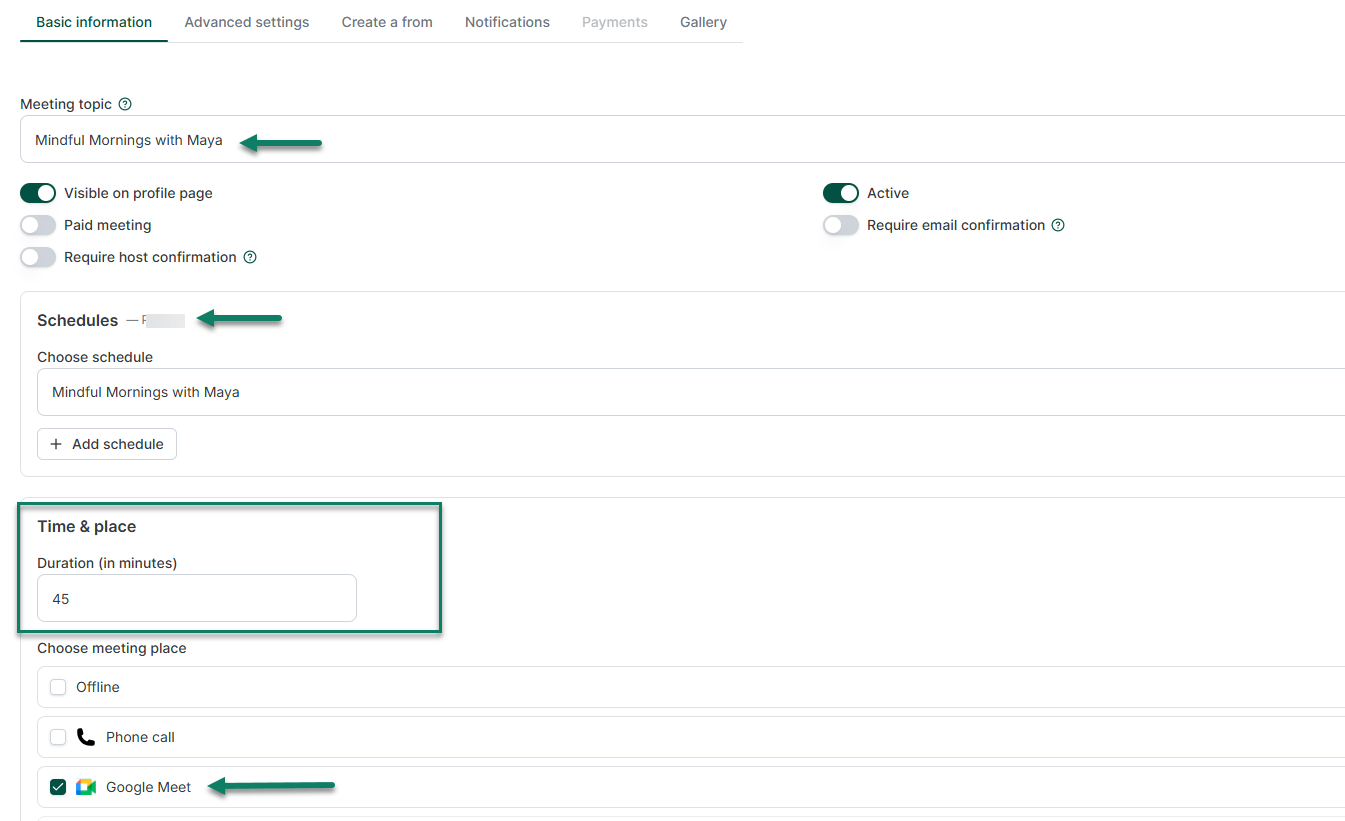
Instead of exchanging messages until you find a suitable time, you can send someone a booking link. The client sees your available times and chooses one.
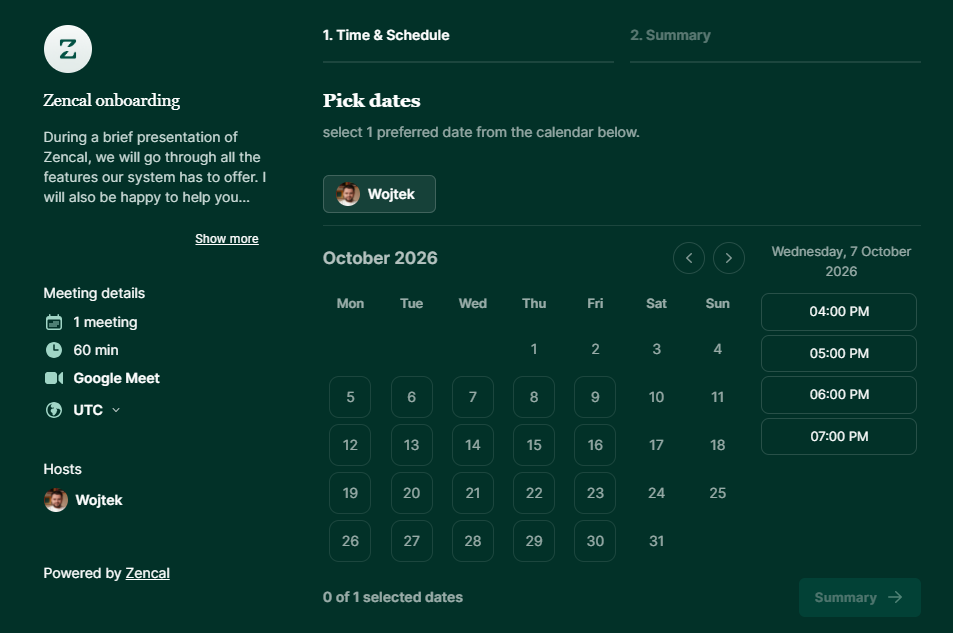
You can also connect Zencal with your calendars, like Google Calendar, Outlook, and iCloud. It checks those calendars when calculating your availability, which helps you avoid double bookings.
The platform also supports team scheduling. Businesses with multiple specialists can let clients choose a specific person or use round-robin scheduling to distribute appointments across the team.
These features make Zencal a scheduling tool in the traditional sense. A consultant can use it to schedule calls. A therapist can let clients book sessions. A financial advisor can offer consultations without arranging every meeting manually.
But appointment scheduling only covers one part of the platform.
Zencal connects booking with payment
The difference becomes clearer when you look at what happens after a client chooses a time.
Many scheduling tools focus primarily on answering one question: When should the meeting happen?
But Zencal also handles another important question: How will the client buy the service?
You can create a paid appointment and add a price to it. The client chooses an available time and pays during the same booking process.
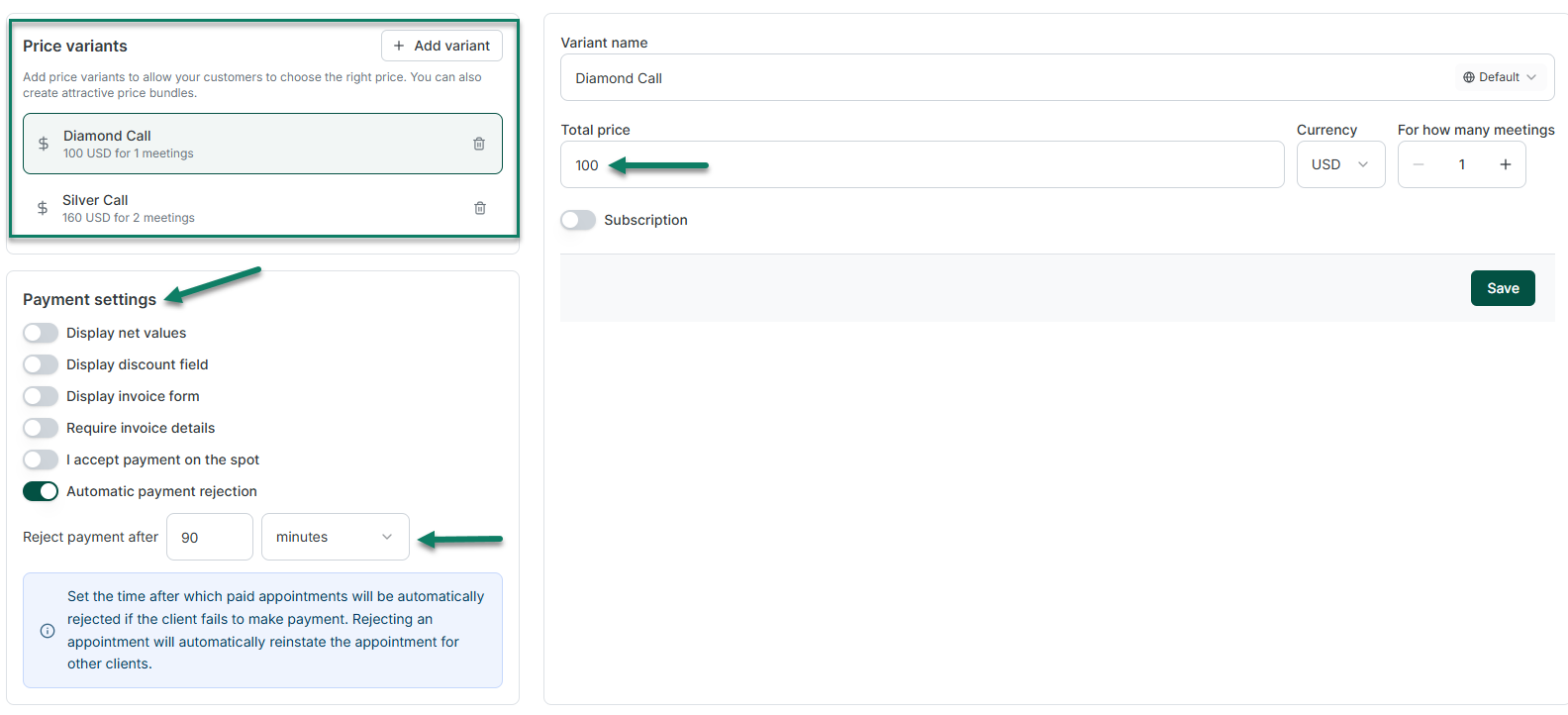
For example, a business coach could offer a 60-minute strategy session for $150. A client opens the booking page, chooses a time, enters their information, pays, and confirms the appointment.
Do you see how Zencal works as a service sales platform?
It connects the booking, client details, and payment information. You do not need to send the person to a separate payment page after they reserve your time.
Zencal supports payment providers including Stripe and PayPal, along with many other payment integrations. We take 0% commission on your revenue.
This explanation helps you see how Zencal goes beyond basic scheduling.
You can sell more than individual appointments
As a service sales platform, does Zencal only allow you to sell paid appointments?
No, you can sell more, like service bundles.
Suppose you run a coaching program that includes ten sessions. You do not need to ask the client to purchase each session separately. You can create one bundle, set the number of appointments, choose the total price, and define how long the client has to use the sessions.
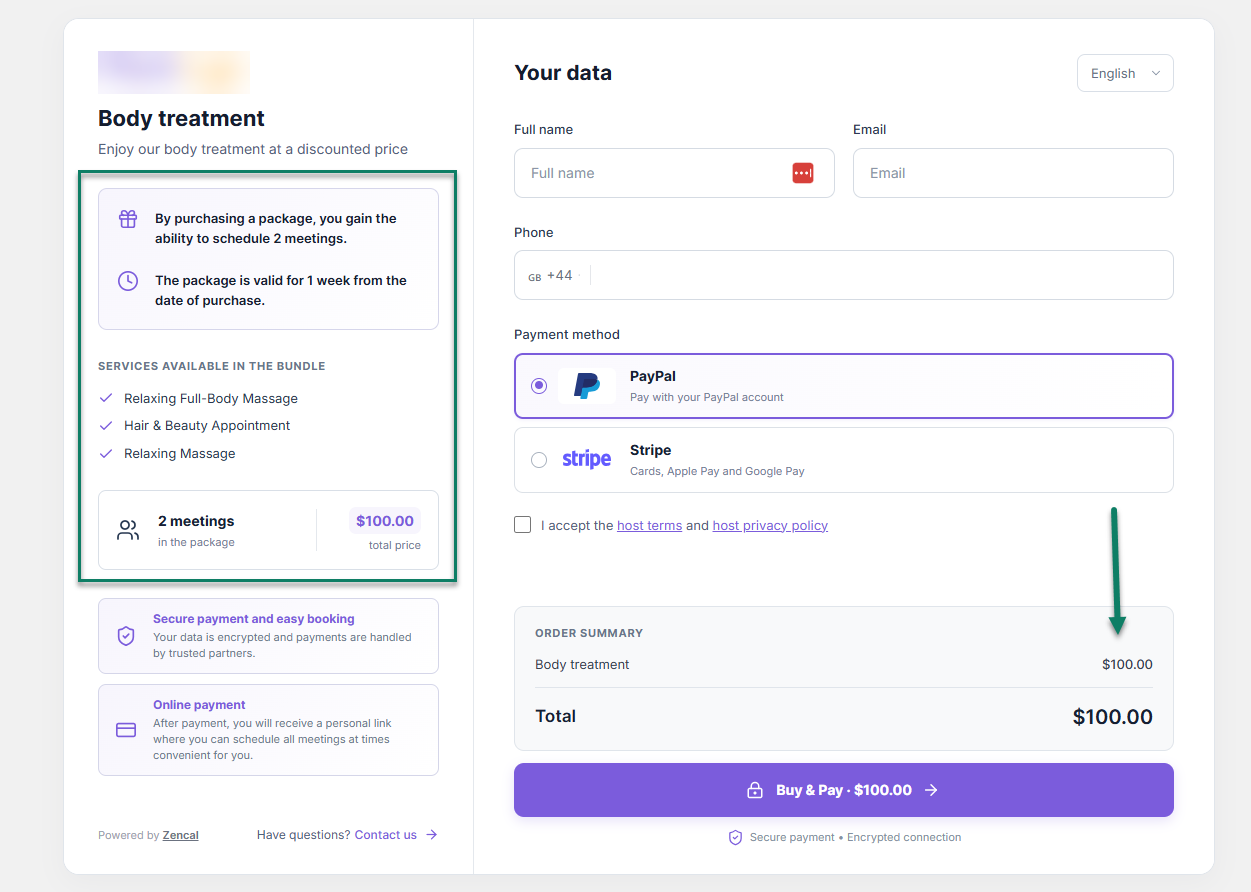
The client buys the bundle once. Zencal then tracks how many appointments they have used and how many they still have available.
But that's not all.
You can also sell subscriptions.
For example, a tutor could sell one lesson every week, or a consultant could offer one advisory call each month. The client selects a recurring appointment time, while Stripe handles the recurring payments.
Do you see, once again, how Zencal works as a service sales platform?
A traditional booking tool helps someone reserve one hour. A service sales platform, however, helps you decide whether you want to sell that hour individually, as part of a larger package, or through an ongoing subscription. And Zencal helps you do both.
Zencal also supports events and group services
Service businesses do not always sell one-to-one sessions.
You might run:
- Workshops
- Webinars
- Training sessions
- Classes
- Courses
- Group consultations
Zencal includes an Events module for these offers.
You can create an event, set its date and capacity, add a ticket price, collect registrations, and manage attendees. Clients can register and pay through the same system.
Unlike an appointment that makes one client reserve time with one professional, an event requires a different sales process. Many people can purchase access to the same session, and the business needs to manage capacity, payments, registrations, and communication.
By supporting both appointments and events, Zencal gives service businesses more ways to generate revenue with their expertise.
Zencal manages more of the client relationship after the sale
The difference between scheduling and service sales does not end when the client pays.
Zencal also includes tools for managing what happens before and after the service.
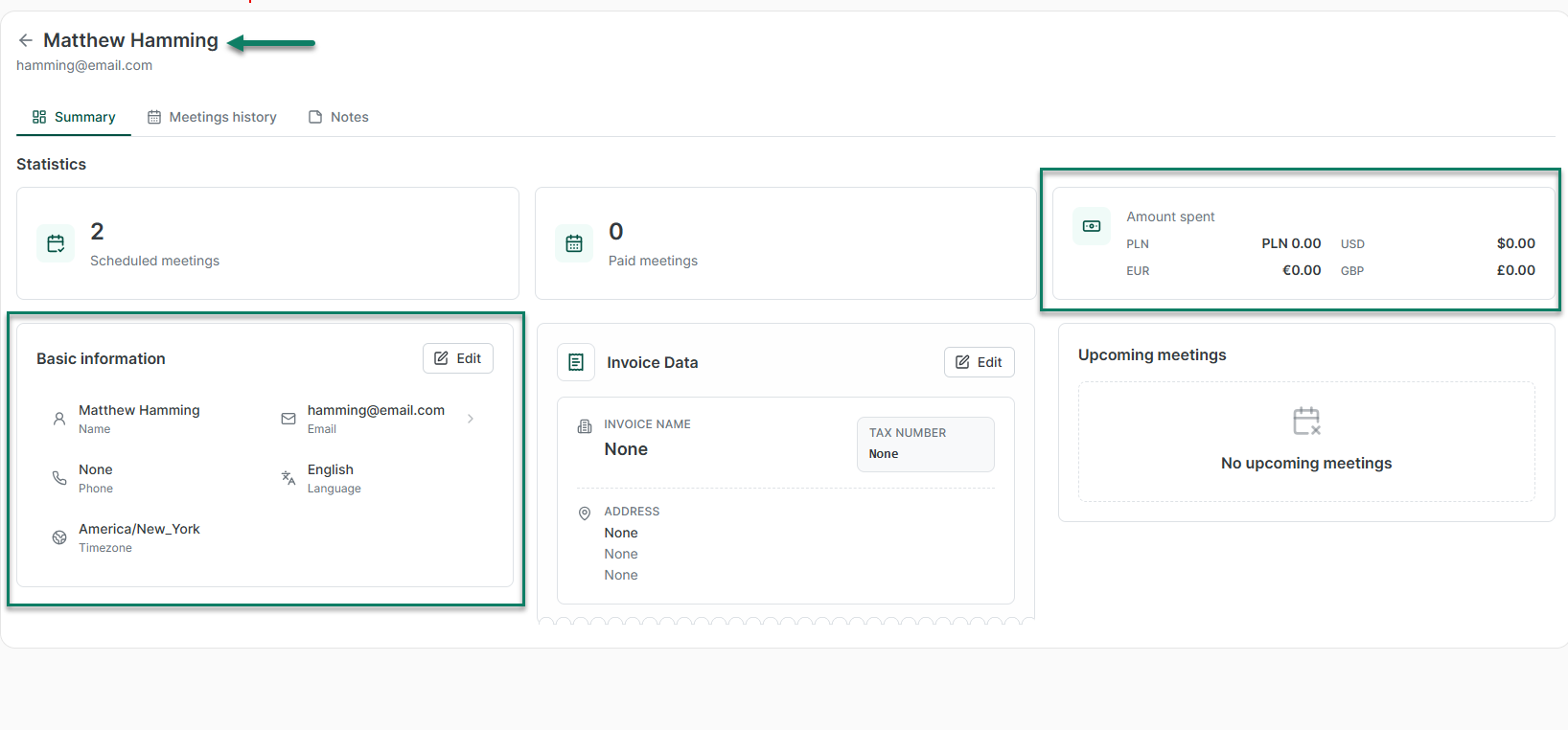
Its client management features can keep a client's contact information, appointment history, payment activity, private notes, and other information in one profile.
You can also create automated communication through Zencal's reminder system.
For example, you can send:
- A confirmation after someone books
- An email before the appointment
- An SMS reminder
- A follow-up after the service
- A request for a review
Our service sales platform also includes a review feature that lets businesses ask clients for feedback about the company or a particular service.
These tools extend the workflow beyond simply putting an appointment on the calendar.
You can take a person from booking to payment, deliver the service, keep their history, communicate with them, and continue the relationship afterward.
Zencal gives businesses sales and conversion data
Scheduling data can tell you how many appointments people booked. But a service business needs more information than that.
Zencal's Analytics module connects bookings with sales, revenue, team performance, campaign sources, traffic, and checkout conversion.
That means you can look at questions such as:
- Which service generates the most revenue?
- Which specialist produces the strongest results?
- Which marketing campaign brings paying clients?
- How many people reach your checkout but leave before buying?
You can't get this type of information with a simple scheduling tool. You need a service sales performance tool like Zencal.
So, how should you think about Zencal?
You can use Zencal purely as an appointment scheduling tool. If all you need is a booking page, calendar synchronization, availability management, reminders, and team scheduling, Zencal can handle that workflow.
But the platform also lets you build and sell services around those appointments.
You can charge before a session, sell several sessions as one bundle, create recurring subscriptions, sell event tickets, manage client records, collect reviews, and analyze sales.
We currently group our features into four areas: Sales, Relations, Scheduling, and Management. The Sales category includes paid appointments, events, bundles, and subscriptions, while Scheduling covers smart booking, calendar sync, and its booking module.
So whether you experience Zencal mainly as a scheduler or as a broader service sales platform depends on how much of the system you use.
A freelancer who only shares a booking link may see a scheduling tool. A coaching company that sells consultations, packages, subscriptions, collects payments, manages clients, and tracks revenue will use a much larger part of the platform.