
If you run a service business, both Zencal and Calendly can help you manage bookings, but they solve slightly different problems. It comes down to whether you mainly need scheduling or also want tools for selling and managing paid services.
In this guide on Zencal vs Calendly for service businesses, we look at scheduling, payments, client management, team features, events, and analytics.
Let's get into it.
Zencal vs Calendly for service businesses: at a glance
Zencal and Calendly both help people book appointments online, but they work differently for businesses that sell services.
Calendly focuses only on scheduling. You can create booking pages, connect calendars, automate reminders, organize group meetings, and distribute meetings across a team. Its event types include one-on-one, group, collective, and round-robin meetings.
On the other hand, Zencal combines scheduling with service sales. Along with online booking, it lets businesses sell paid appointments, bundles, subscriptions, and events. It also includes client management, reviews, team scheduling, and business analytics.
This difference is very important for service businesses. If you mainly need people to schedule meetings, Zencal and Calendly give you exactly what you need. But if you want clients to book, pay, and continue buying services through the same system, Zencal has the upper hand and offers more features.
Let's see the comparison in more detail.
1. Appointment scheduling
Both platforms give you the main tools you need to schedule appointments.
With Zencal, you can create different appointment types and decide when clients can book each one. You can set working hours, add time between meetings, and connect Google, Outlook, and Apple calendars.
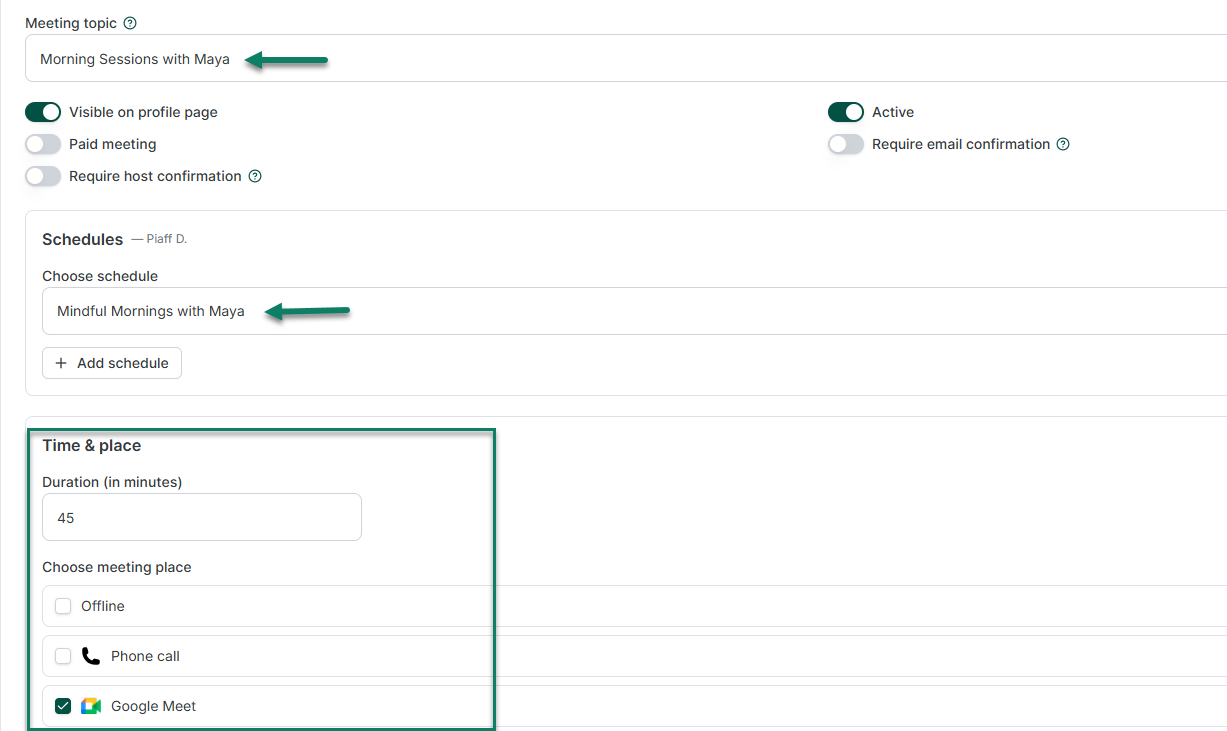
Calendly offers similar scheduling controls. You can create different event types, connect calendars, set your availability, and send clients a booking link.
Calendly also gives you one-on-one events that connect one host with one client. Group events let many people book the same session. Collective events find times when many hosts can attend together. And Round-robin events distribute individual meetings between team members.
For a solo consultant, coach, therapist, or freelancer who mainly wants clients to choose a time, either platform can handle the job.
The bigger differences appear when the booking needs to turn into a sale.
2. Selling paid services
Both Zencal and Calendly let you collect payment when someone schedules an appointment.
Calendly connects with Stripe and PayPal on its Standard plan and above. It also supports many payment methods through Stripe, including cards, Apple Pay, Google Pay, and some buy-now-pay-later options.
Zencal also lets clients choose an appointment and pay during the same booking process. It connects the service, available time, payment, and client details in one flow. Plus, it charges 0% commission on your transactions, although your payment provider can still charge its own fees.
But Zencal goes further when you sell more than one appointment.
You can create a bundle that includes many sessions.
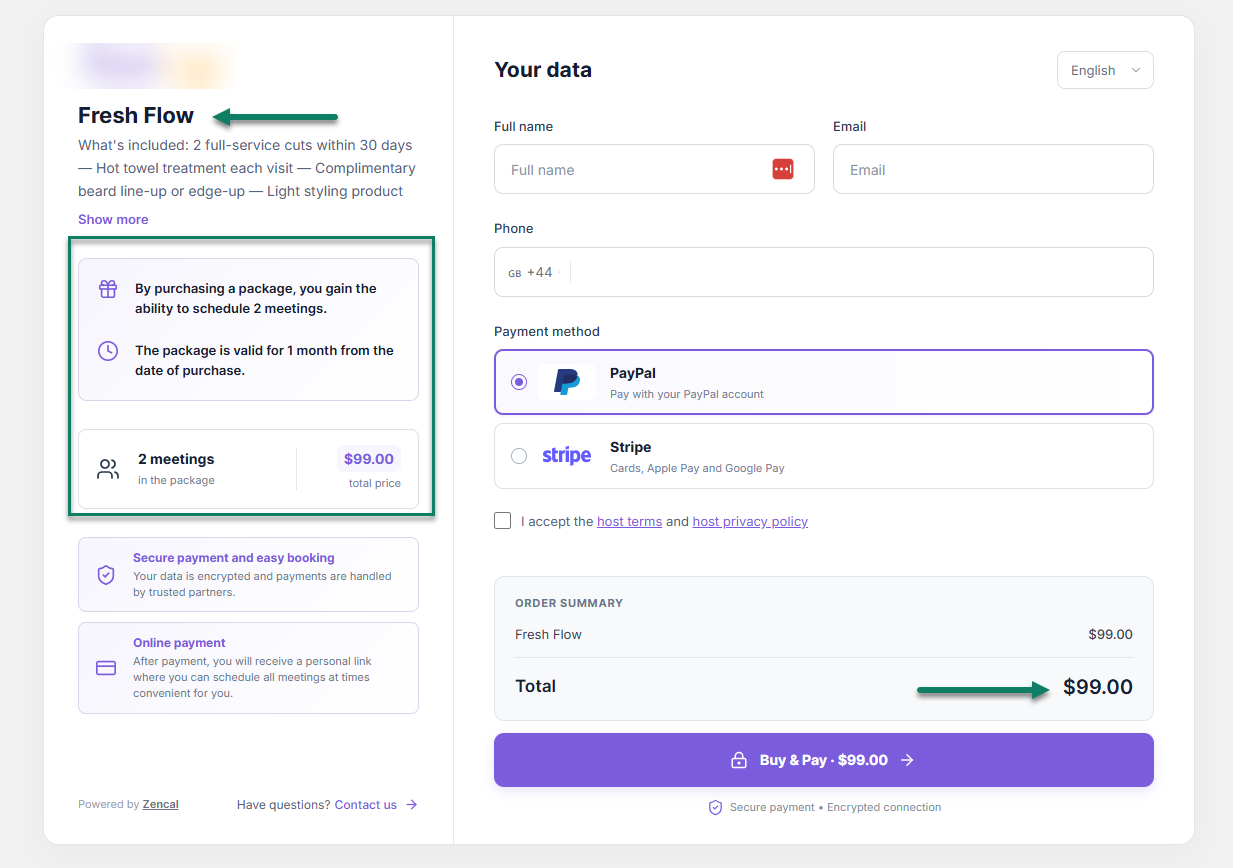
For example, a coach could sell ten sessions that a client must use within three months. The client pays once, receives a private booking link, and schedules sessions as needed. Zencal tracks how many sessions remain and when the bundle expires.
Zencal also supports recurring subscriptions. You can create a weekly or monthly service, set the price and schedule, and collect recurring payments through Stripe.
So what's the difference?
Calendly's current payment features focus more on collecting payment for scheduled event types. Zencal, however, provides native workflows specifically for bundles and recurring appointment subscriptions.
This gives Zencal an advantage for businesses that sell coaching programs, therapy packages, ongoing consulting, lessons, or other multi-session services.
3. Client management
Both platforms provide ways to keep information about the people who book with you.
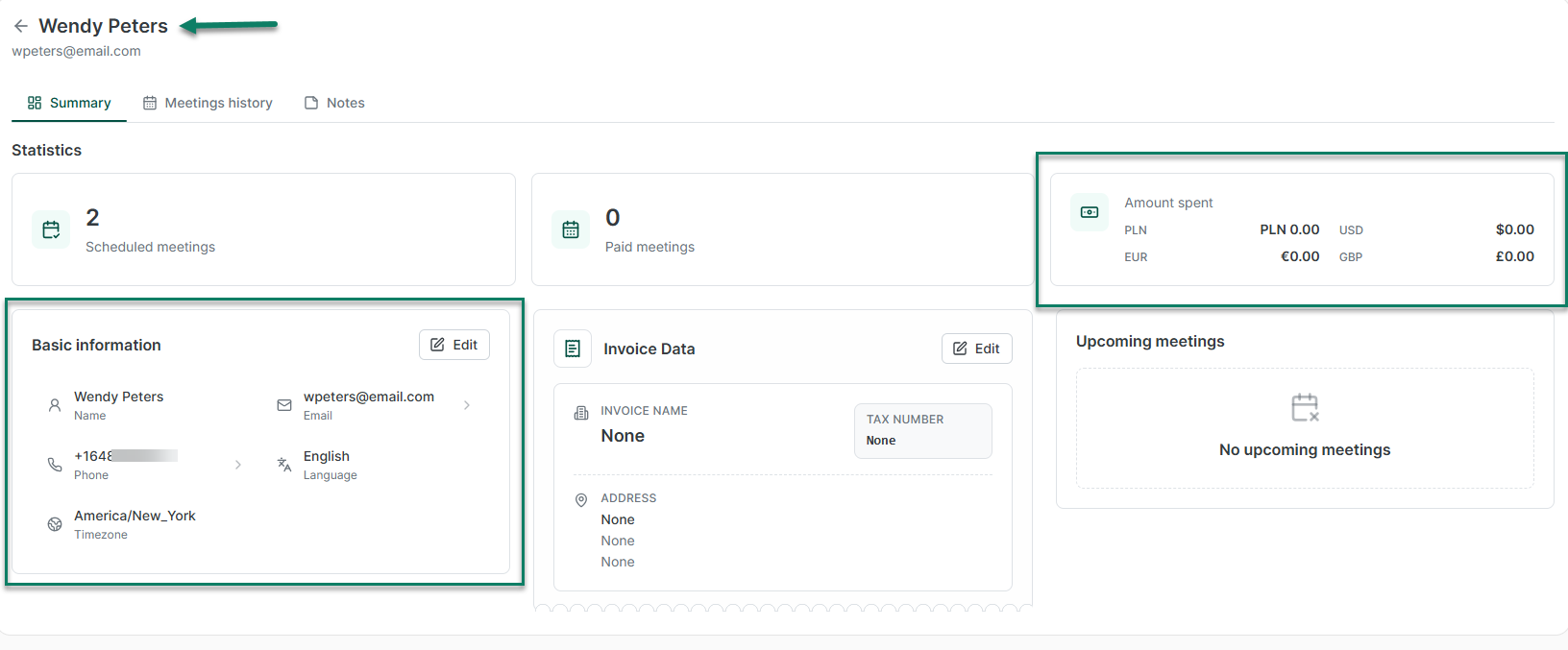
Zencal creates client records that can connect contact details with appointments, payments, activity, private notes, and statistics. Businesses can also import an existing client database.
Calendly has a Contacts feature. It can automatically create contacts when people schedule with you and keep details such as their name, email, phone number, and meeting history. You can also add notes and set reminders for future follow-up.
The main difference comes from what each platform connects to those client records.
Calendly puts meetings and follow-up actions at the center. Zencal connects the client with a broader service sales process that can include bookings, payments, bundles, subscriptions, and other activities.
If you already use a CRM such as HubSpot, you may not need much client management from either platform. If you want your scheduling software to keep more client information itself, Zencal offers a more service-focused setup.
4. Team scheduling
Both tools support businesses with several employees or specialists.
Zencal lets each specialist keep their own calendar and working hours. Clients can choose a specialist, or Zencal can assign the appointment automatically. It also supports round-robin and rule-based assignment.
Calendly offers strong team scheduling too.
Its round-robin scheduling can either maximize availability or distribute meetings more evenly among team members. Calendly also supports collective meetings where several team members need to attend the same appointment.
Calendly goes further with lead routing.
Businesses can create routing forms that ask questions such as company size, industry, or interests. The tool then sends the person to the right team member or booking page based on their answers.
To say it another way, Calendly is particularly useful for sales teams that need to qualify and route leads. On the other hand, Zencal's team scheduling fits service businesses that need to connect clients with available specialists. Think online clinics, consulting firms, therapy practices, and similar businesses.
5. Events and group bookings
Calendly and Zencal both let many people join the same session, but they approach this differently.
Calendly offers Group event types. One host creates a time slot and sets the number of people who can join. The software suggests group events for webinars, training sessions, tours, fitness classes, and similar meetings.
Zencal is different with its Events module. You can create workshops, webinars, courses, training sessions, and other group offers. You can set capacity and ticket prices and manage registrations and payments through the platform.

If you simply want many people to reserve the same time slot, Calendly's group scheduling may give you everything you need. But if you sell events as a service and want payments, attendees, and the rest of your service sales activity in the same system, Zencal is the better solution.
6. Meeting and revenue analytics
Calendly's analytics focus mainly on how people book meetings.
You can see how many meetings people scheduled, completed, canceled, or rescheduled, which event types get the most bookings, and which team members receive the most meetings. This can help you understand and improve your scheduling process.
Zencal's analytics focus more on what happens when you sell services.
You can track bookings alongside sales, revenue, checkout conversions, marketing campaigns, and specialist performance. For example, you can see which service generates the most revenue or whether people visit your booking page but leave before completing a purchase.
So, if you mainly want to understand how people schedule meetings, Calendly gives you useful scheduling data. But if you want to understand how your appointments and other services contribute to sales and revenue, Zencal gives you more business-focused data.
Zencal vs Calendly: which should you choose if you sell services online?
Choose Zencal if you sell paid appointments, individual sessions, bundles, recurring subscriptions, or paid events and connect purchases with your client records.
A coach selling a six-session program, for example, can sell the package and track the remaining sessions without building a separate process.
Choose Calendly if scheduling itself drives your workflow. It works particularly well when you need many meeting types, advanced team scheduling, lead qualification, CRM-based routing, or a large integration ecosystem.
For many solo professionals and service businesses, the choice comes down to what you want the software to manage. Calendly focuses more on scheduling and routing, while Zencal also helps you sell and manage paid services.